
A lot of East Midlands firms reach the same point in the same way. The accounts package works well enough. Microsoft 365 is already in place. The sales team lives in Outlook and Excel. Operations has its own spreadsheet. Someone built a SharePoint list two years ago to “tidy things up”, and now half the business depends on it.
Then the cracks show. Staff enter the same details twice. Managers chase updates by email. Reporting arrives late because nobody trusts the data until someone checks it manually. Off-the-shelf software hasn't failed exactly. It just no longer fits the way the organisation works.
That's where custom app development services become useful. Not as a fashionable IT project, but as a practical way to remove friction from the day-to-day running of the business. A good custom app can sit inside your Microsoft environment, connect the systems you already use, and give people one place to do the job properly.
For many SMBs, the key question isn't “Should we build software?” It's “Should we keep stretching existing tools, or should we commission something that matches our process?” In sectors like logistics, professional services, manufacturing, education support, and charities, that decision often comes down to workflow fit. Even businesses using specialist tools such as tutoring software can still need a separate internal app for onboarding, compliance tracking, approvals, or reporting across departments.

Introduction Beyond Off-the-Shelf Software
A bespoke app is often less about replacing everything and more about fixing the points where work slows down. That might mean a job tracking system for field engineers in Lincoln, a client onboarding portal for a Nottingham professional services firm, or a stock and approvals workflow for a Leicester warehouse team. The app only has value if it removes manual steps and gives people clearer control.
What usually triggers the conversation
In practice, organisations start looking at custom app development services when one or more of these problems becomes too expensive to ignore:
- Duplicate entry keeps growing. Staff type the same information into Outlook, Excel, a CRM, and finance systems.
- Reporting depends on one person. If a key administrator is away, nobody can produce an accurate weekly update.
- Workarounds have become the system. Teams rely on side documents, inbox rules, and manual reminders because the main software can't handle the process.
- Customers or staff feel the delay. Quotes, approvals, case updates, or requests sit in queues because there's no joined-up workflow.
A custom app should solve a defined operational problem. If the brief starts with “we want an app” rather than “we need to reduce handoffs, errors, and delays in this process”, the project usually drifts.
A useful app mirrors the way your business works today, while giving you a cleaner way to improve it tomorrow.
What a sensible first discussion looks like
The strongest early conversations are usually business-first. What slows the team down? Where are the data handoffs? Which approvals need audit history? What must stay in Microsoft 365, and what should move into a dedicated app?
That approach changes the investment discussion. You're no longer comparing software features on a vendor website. You're deciding whether a purpose-built asset would let the business run with less friction, better visibility, and fewer avoidable mistakes.
Why Custom Apps Are a Game-Changer for SMBs
Custom apps matter because they deal with the messy middle of a real business. Standard products handle common tasks well. They're less effective when your organisation has a specific approval route, unusual service workflow, mixed data sources, or a legacy process that still has to be supported.
The UK market gives this a solid business context. The UK Government's 2023 technology adoption survey found that 38% of businesses had adopted at least one advanced digital technology, with 71% of large businesses doing so compared with 34% of medium-sized businesses, which points to a clear adoption gap and a practical growth opportunity for SMBs according to this summary of the UK technology adoption findings.
The real business gains
A custom app earns its keep when it improves how work moves through the organisation.
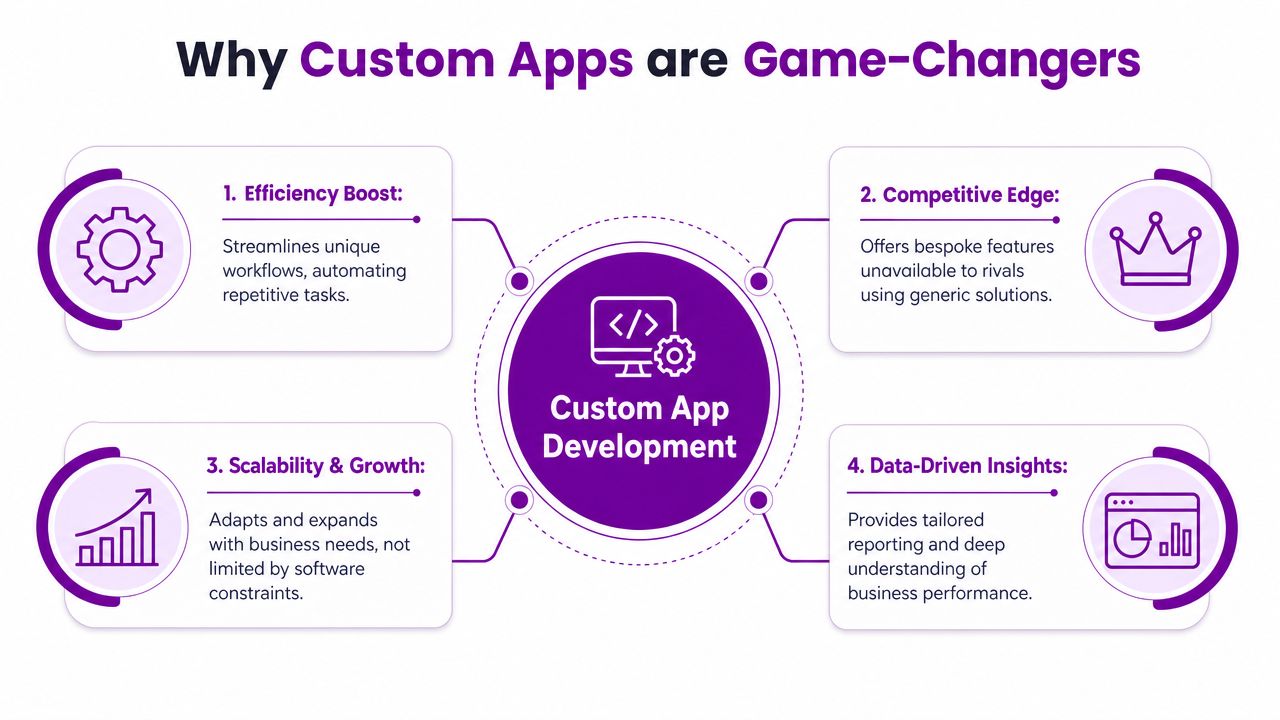
- Efficiency boost. A customized workflow removes avoidable admin. Staff stop chasing status updates or copying data between systems.
- Fewer mistakes. When users complete one guided process instead of three separate ones, the number of missed steps drops.
- Better decisions. Leaders can see live information in one place instead of waiting for someone to compile a report.
- Room to grow. A bespoke app can adapt when you add sites, teams, products, or service lines.
Where SMBs often see the difference first
Employee experience improves before people talk about “digital transformation”. If a sales administrator can generate the right paperwork without hunting through folders, or an operations manager can track jobs without opening four tabs, the benefit becomes obvious very quickly.
That matters because morale follows process quality more closely than many firms expect. Repetitive admin frustrates good staff. So do unclear handovers and inconsistent records. A custom app can't fix management problems, but it can remove software friction that makes decent teams slower than they should be.
Practical rule: Don't judge a custom app by how many features it has. Judge it by how many manual workarounds it removes.
Competitive advantage isn't always dramatic
For an East Midlands SMB, competitive advantage usually isn't a flashy new customer app. It's often quieter than that. Faster onboarding. Cleaner case handling. Better visibility on delivery status. More reliable internal reporting. More consistency when a member of staff is off sick.
Those are the gains generic guides often undersell. Businesses don't usually commission custom app development services because they want “innovation”. They do it because they want the operation to stop tripping over the software.
The Modern Tech Stack The Microsoft Ecosystem
Many buyers hear “custom development” and assume a long, expensive build from scratch. That isn't always the right route. In a lot of Microsoft-based organisations, the better question is whether to configure what you already own, build a light custom app on top of it, or commission a more fully bespoke system where the process really demands it.
Build or configure inside Microsoft
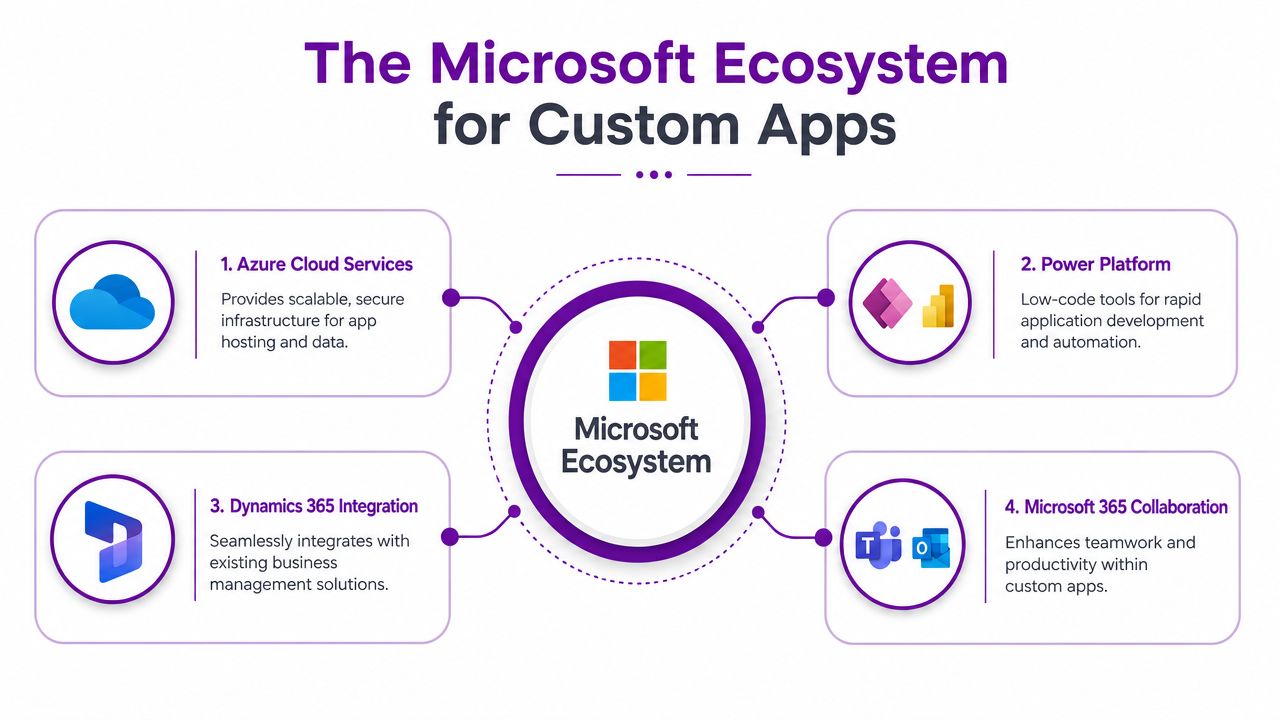
Many SMBs save time and avoid unnecessary cost. Microsoft 365, Power Platform, Dynamics 365, and Azure can work together well when the design is disciplined.
A practical guide to Microsoft Power Platform is useful here because it shows how Power Apps, Power Automate, and related services fit into day-to-day business workflows.
A sensible decision process often looks like this:
- Configure first if the process is fairly standard. Approval routing, simple forms, document handling, and notifications can often be handled well inside Power Platform.
- Build on the platform when you need stronger workflow control, clearer role-based screens, or deeper integration with Microsoft data and services.
- Go more bespoke when customer-facing performance, unusual business logic, or difficult integrations push beyond what low-code tooling should sensibly carry.
The build-versus-configure question matters because UK firms are cost-conscious. One summary aimed at this issue notes that small businesses account for 99.2% of all UK businesses, which is why the payback case matters so much when deciding between a bespoke build and adapting Microsoft 365 or Power Platform workflows, as discussed in this overview of build-versus-configure decisions for UK SMBs.
What each Microsoft layer actually does
The Microsoft stack is easier to understand when you tie each part to a business problem.
| Microsoft tool | Where it fits | Typical use |
|---|---|---|
| Power Apps | Internal business apps | Forms, approvals, service requests, stock checks, field data capture |
| Power Automate | Workflow automation | Notifications, handoffs, reminders, document flows, approvals |
| Dynamics 365 | Structured business data | Sales, service, customer records, case management |
| Microsoft 365 | Everyday collaboration | Outlook, Teams, SharePoint, document storage and user access |
| Azure | Hosting and integration layer | Secure app hosting, APIs, databases, identity, scaling |
What works and what doesn't
What works is staying honest about the shape of the problem. A Power App can be an excellent answer for an internal operational process. It can be the wrong answer for a heavily branded customer portal with demanding user journeys and complex external integrations.
What doesn't work is forcing every requirement into one tool because it's familiar. That usually creates a fragile solution nobody wants to maintain.
F1Group provides Microsoft-focused app development and support in this space, including Power Platform, Azure, Dynamics 365, and wider Microsoft 365 integration. That's one practical route for organisations that want custom app development services within a stack they already use.
If your team is already working in Microsoft 365, the fastest win is often not a brand-new platform. It's a better process built around the tools already in daily use.
Your Custom App Project From Idea to Launch
The development process shouldn't feel mysterious. A well-run project gives you clear decisions, visible deliverables, and enough structure to keep scope under control without slowing everything down.
Discovery and planning
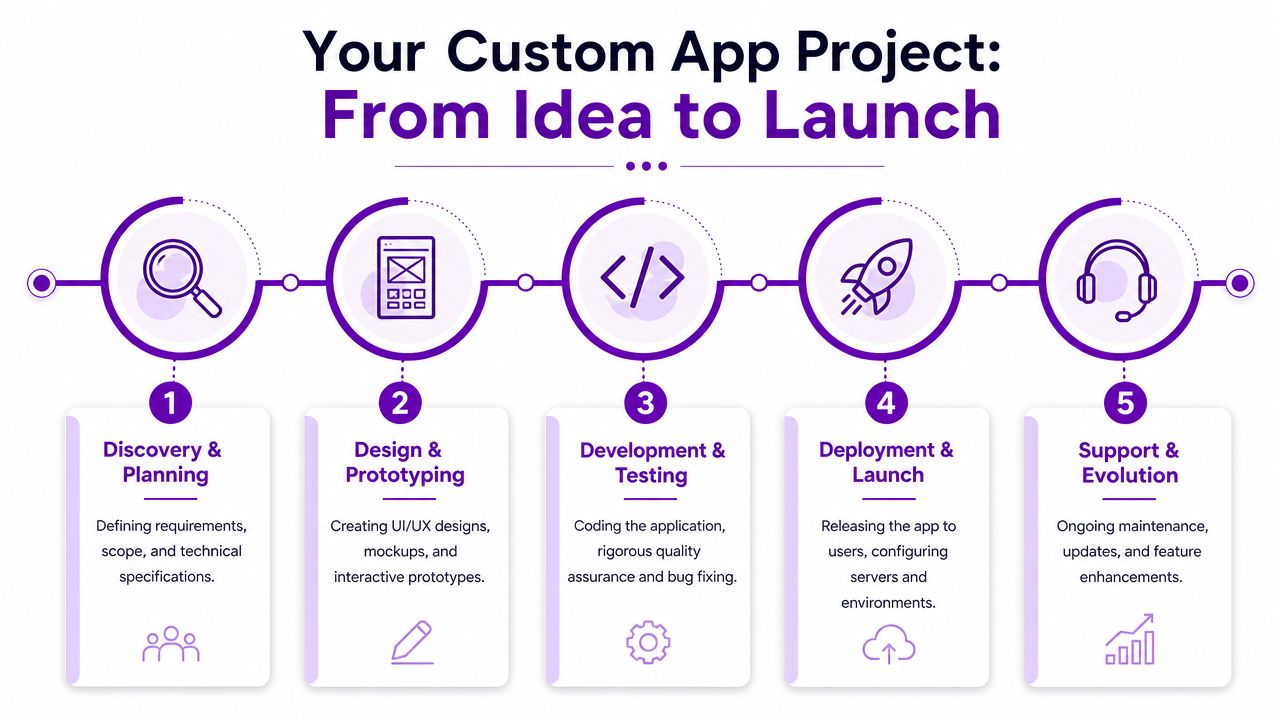
At this critical juncture, the project either gets grounded properly or starts collecting future problems. Discovery means mapping the process, identifying users, clarifying approvals, understanding the data, and deciding what the app must do on day one.
You should expect tangible outputs, not just meetings.
- A defined problem statement that explains what the app is fixing
- Process maps or workflow notes showing how work moves now
- A prioritised requirements list split into must-haves and later phases
- A delivery approach that sets out whether the answer is Power Platform, Azure-based custom development, or a combination
If discovery feels rushed, costs usually reappear later as rework.
Design and prototyping
Before anyone gets too attached to features, users should be able to see how the app will behave. Wireframes, mock-ups, and clickable prototypes help teams spot weak logic early.
This stage matters because people often describe a process one way and use it another way. A prototype exposes that gap quickly. It's far cheaper to change a screen flow than to rebuild an implemented workflow.
Here's a short video that gives a useful overview of the process mindset behind app delivery:
Development and testing
Once the scope is agreed, the team builds the application in stages. Good delivery means regular reviews, visible progress, and clear acceptance checks. It doesn't mean dumping a finished product on the client near the launch date.
Testing should cover more than “does the button work?”. It should include workflow logic, permissions, data handling, integrations, and realistic user scenarios.
End-user testing catches the awkward truths. The process looked tidy in a meeting. Then a real administrator tries to use it with live work and finds the missing steps in ten minutes.
Deployment and training
Going live includes more than switching on access. Users need roles, environments need checking, data may need migrating, and someone has to decide how support will work from day one.
A practical launch plan usually includes:
- User readiness. Who needs training, who approves access, and what guidance is required.
- Operational support. Who handles incidents, minor fixes, and questions after launch.
- Change control. How new feature requests will be reviewed once users start asking for extras.
Support and evolution
A custom app is not a one-off purchase. It's a managed business tool. Teams learn what they need once they start using it properly, which means the best apps evolve in small, useful steps.
That doesn't mean endless expansion. It means having a clear owner, a support path, and a simple process for prioritising changes.
Budgeting and Timelines What to Realistically Expect
This is usually the first boardroom question, and rightly so. The honest answer is that cost depends on scope, complexity, integrations, security needs, and whether you're configuring Power Platform or building a broader custom application around Azure and Microsoft data services.
What catches firms out isn't usually the idea itself. It's hidden complexity. The moment an app needs several approval stages, multiple user roles, document generation, reporting, external integrations, and a clean mobile experience, effort increases quickly.
What drives cost and timescale
A few factors have the biggest effect:
- Process complexity. A simple internal request form is very different from a multi-stage service workflow.
- Integration depth. Pulling data from one Microsoft source is easier than connecting CRM, finance, document stores, and email flows.
- User types. Internal-only apps are generally simpler than apps used by customers, suppliers, or volunteers.
- Governance requirements. Audit trails, permissions, retention, and security reviews all affect delivery effort.
- Design expectations. A practical internal app can be delivered faster than a heavily polished front-end experience.
Example custom app project scopes and costs
The figures below are illustrative planning ranges, not fixed prices. They're useful for early budgeting conversations.
| Project Complexity | Example Use Case | Estimated Timeline | Estimated Budget (GBP) |
|---|---|---|---|
| Light | Internal approvals app, holiday or expenses workflow, service request form with Microsoft 365 integration | 4 to 8 weeks | £8,000 to £20,000 |
| Moderate | Department workflow app with reporting, role-based access, SharePoint or Dynamics integration, automated notifications | 2 to 4 months | £20,000 to £60,000 |
| Substantial | Multi-team operations app, field service workflow, case management, customer or supplier portal elements | 4 to 8 months | £60,000 to £150,000+ |
| Complex | Broad line-of-business platform with several integrations, advanced permissions, custom data model, Azure services, and phased rollout | 6 months and beyond | £150,000+ |
How to use these figures properly
Treat budget ranges as a way to frame the conversation, not to lock the answer before discovery. If a supplier prices a vaguely defined project too quickly, that usually means one of two things. They've assumed a far smaller scope than you have, or they expect changes and overruns later.
The safer approach is to decide what the first release must achieve, what can wait, and what should never have been included in phase one in the first place.
Security Compliance and Governance in the UK
Security, compliance, and governance aren't add-ons for later. If your app handles personal data, internal approvals, customer information, or business-critical workflows, those controls need to be part of the design from the start.
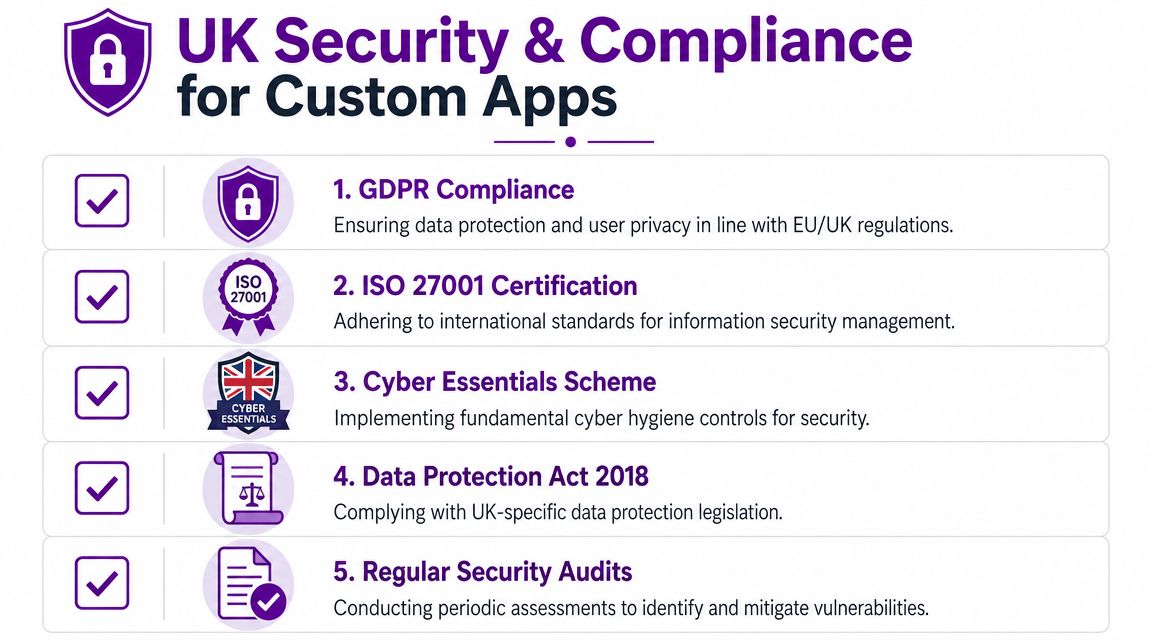
The UK risk picture makes that plain. The National Cyber Security Centre reported that 41% of UK businesses experienced some form of cyber breach or attack in the last 12 months, and the Government Digital Service requires public-sector websites and mobile apps to meet WCAG 2.2 AA accessibility standards, as summarised in this overview of UK security and accessibility requirements for custom apps.
What secure-by-default really means
In practical terms, secure-by-default design means the app starts from controlled access, sensible permissions, logging, and deliberate data handling. It doesn't rely on someone remembering to “tighten it up later”.
For Microsoft-based environments, that usually means thinking carefully about identity, roles, environment separation, and access to connected data sources. If a Power App reads data from Microsoft 365 or Dynamics 365, weak permission design can create problems well beyond the app itself.
A plain-English guide to GDPR compliance is worth reviewing during planning because data protection responsibilities don't disappear because a workflow feels internal.
Governance matters just as much as code
A surprising number of app problems come from ownership confusion rather than technical failure. Who approves changes? Who can create new flows? Who reviews permissions? Who signs off a release into production?
That governance layer matters even more when organisations start adding automation or AI-assisted features into business processes.
Consider these areas early:
- Data ownership. Decide which team owns the records, retention approach, and user access rules.
- Permission segmentation. Separate admin rights from ordinary use. Don't give broad access because it's convenient during testing.
- Change control. Use a defined route for updates so useful improvements don't become uncontrolled sprawl.
- Accessibility checks. If the app is public-sector facing, or may be used by a broad internal audience, accessible design should be built in, not patched later.
Security failures in business apps often start with ordinary decisions. Too much access, no release discipline, unclear ownership, and rushed changes.
Compliance should shape implementation choices
If the app needs to support public-sector requirements, suppliers, volunteers, field staff, or sensitive operational data, those obligations affect architecture, testing, and rollout. They should influence the choice of platform as well.
That's one reason a disciplined Microsoft approach works well for many UK organisations. You can align app delivery with existing identity, collaboration, security, and data policies instead of inventing a disconnected technology island.
Choosing Your Development Partner in the East Midlands
Choosing a partner for custom app development services is partly about technical capability and partly about operating style. You need a team that can talk clearly about process, budget, governance, and user adoption, not just tools.
A local East Midlands partner can help because context matters. A business in Nottingham, Lincoln, Newark, Leicester, Grimsby, or Scunthorpe usually wants straightforward conversations, sensible phasing, and support that doesn't vanish once the app goes live. On-site workshops can also make discovery faster when the process is tied closely to a real operation, warehouse, office, or service desk.
What to check before you commit
Use a simple shortlist:
- Microsoft depth. If your business already runs on Microsoft 365, Azure, Dynamics 365, or Power Platform, the partner should understand how those pieces fit together.
- Delivery method. Ask what you receive at discovery, design, testing, and launch. Vague process usually leads to vague accountability.
- Support after launch. Confirm who handles fixes, changes, user issues, and future phases.
- Commercial clarity. You should understand what is included, what counts as change, and how decisions affect cost.
- Proof of accreditation. If Microsoft capability matters to your environment, review relevant credentials such as Microsoft partner status.
The right fit is rarely the cheapest quote or the flashiest demo. It's the provider that understands your workflow, challenges weak assumptions early, and gives you a clear route from problem to working system.
If you're commissioning a bespoke app for the first time, keep the first phase focused. Solve a defined process problem well. Make sure ownership is clear. Build on the systems your team already knows where that makes sense. Then expand with evidence, not guesswork.
If you're considering F1Group for custom app development services, the next step is a practical conversation about your workflow, your Microsoft environment, and whether you should configure, build, or combine both approaches. Ready to transform your business operations? Phone 0845 855 0000 today to discuss your project, or send us a message.