
Picture this: one of your key team members is up against a tight deadline, working from home, and suddenly their system crashes. Instead of losing hours waiting for a technician to travel to them, an expert connects securely to their device within minutes and gets them back on track. That’s remote IT support in a nutshell. It’s a modern, efficient way for IT professionals to diagnose and fix tech issues from anywhere, ensuring your business doesn't skip a beat.
What Is Remote IT Support and Why Does It Matter?
At its core, remote IT support is simply technical assistance for your computers, software, and network that doesn’t require a technician to be physically on-site. Think of it as having an expert IT department on-call, ready to jump in and troubleshoot problems the moment they pop up.
So, how does it actually work? It all relies on specialised software that creates a secure, encrypted link between the technician's computer and the user's device. Once the user grants permission, the support expert can see their screen and use their mouse and keyboard, just as if they were sitting right there.
The Real-World Need for Remote Support
The biggest driver behind the rise of remote support is the fundamental shift in how we work. With hybrid and fully remote teams now the norm, employees are no longer tied to a single, easily managed office. They’re logging in from home, coffee shops, and co-working spaces, often using different networks and devices.
This new reality brings a level of complexity and security risk that traditional on-site support just can't keep up with. The numbers back this up. It's predicted that by 2025, 40% of UK workers will be remote in some capacity (14% fully remote and 26% hybrid). And with 77% of UK employers already offering remote work options, the need for effective, location-independent tech support has never been greater.
Remote IT support closes the gap between your employees and the technical help they need. It turns IT from a reactive, place-based service into a proactive, agile part of your business that boosts productivity wherever your team happens to be.
Core Technologies That Make It Possible
A few key pieces of technology work together to deliver seamless and secure remote assistance.
- Remote Access Software: This is the cornerstone. It’s the tool that lets a technician securely connect to and control a user's computer or server from afar.
- Cloud Management Platforms: Tools like Microsoft Intune give IT providers a bird's-eye view, allowing them to manage and secure every company device—laptops, tablets, and phones—from a single dashboard, no matter where they are.
- Helpdesk and Ticketing Systems: These are the organisational backbone. They track every support request from the initial call to the final fix, making sure nothing gets missed and that service levels are always met.
The technology in this space is always improving. For a glimpse into the future, you can see how things are evolving with concepts like Augmented Reality Remote Assistance. By putting a solid remote IT support strategy in place, businesses can make sure their teams stay productive, secure, and fully supported, no matter where they log in from.
Key Business Benefits of Outsourcing Your IT Support
For many UK businesses, trying to manage IT in-house feels like a constant battle against distractions and unpredictable costs. Handing the reins over to a remote IT support partner can completely change the game. It transforms your technology from a source of daily frustration into a genuine asset that helps your business grow.
The impact ripples through the entire organisation, but it often starts with your bottom line. Instead of paying for multiple in-house salaries, constant training, benefits, and pricey software licences, you get a whole team of certified specialists for one predictable monthly fee. It’s a smart way to turn a volatile capital expense into a stable, manageable operational one.
Substantial Cost Reductions and Predictable Budgeting
Think about the real cost of hiring just one mid-level IT specialist here in the UK. With an average salary pushing past £45,000—and that’s before you even factor in National Insurance, pension contributions, and other overheads—it adds up fast. A fully outsourced service often costs just a fraction of that, yet gives you a much broader pool of expertise to draw from.
This financial predictability is a huge win. You know exactly what your IT support is going to cost each month, making forecasting and resource planning far more accurate. No more nasty surprises like emergency call-out fees or unexpected hardware replacements eating into your profits.
By moving to a fixed-fee model, businesses can reduce their overall IT spending by as much as 30-50% compared to maintaining an equivalent in-house team. It's a strategic move that directly improves profitability.
Access to a Wider Spectrum of Expertise
Let's be realistic: no single IT person can be an expert in everything. Technology is just too complex and moves far too quickly. One day you might need a cybersecurity guru to deal with a sophisticated phishing attack, and the next, you need a cloud engineer to get the most out of your Microsoft Azure setup.
Outsourcing instantly puts a deep bench of professionals at your disposal, each with their own specialised skill set. A good remote IT support partner will have dedicated experts in areas like:
- Cybersecurity: Implementing advanced threat protection, managing firewalls, and keeping you compliant with data regulations.
- Cloud Infrastructure: Properly managing services like Microsoft 365 and Azure to boost efficiency and security.
- Network Management: Making sure your connections are stable, fast, and secure, whether your team is in the office or working from home.
- Data Backup and Recovery: Building solid disaster recovery plans to safeguard your business against catastrophic data loss.
Trying to hire that level of collective knowledge directly would be incredibly expensive. To dig deeper into the specific advantages, you can explore the many benefits of outsourcing your IT.
Increased Productivity and Business Focus
Every minute your staff spends wrestling with a stubborn printer, a sluggish computer, or a software glitch is a minute they aren't focused on their real job. These little interruptions seem minor, but they add up to a serious loss of productivity across the entire company.
With proactive remote IT support, issues are often flagged and fixed before your employees even know there’s a problem. Proactive monitoring and automated updates keep systems running smoothly, cutting down on disruptions. This lets your team get back to focusing on what truly matters—serving customers, developing new products, and bringing in revenue. You get to concentrate on what you do best, while the experts handle the tech.
How Professional Remote Support Secures Your Business
When your team works from anywhere, your company's digital front door is no longer a single, guarded entrance; it's everywhere. This expanded digital footprint, often called the 'attack surface', inevitably creates new vulnerabilities. From employees using less-than-secure home Wi-Fi to sophisticated phishing attacks targeting personal devices, the risks are very real and constantly changing.
This is precisely where a professional remote IT support provider shifts from being a simple helpdesk to becoming your first line of defence. Their role isn't just about fixing problems as they crop up but proactively securing your entire digital environment. They can help transform a potential weakness—a distributed workforce—into a fortified strength.
Building Your Digital Fortress
A solid security strategy for a remote team is built on multiple, reinforcing layers. A skilled IT partner doesn't just install antivirus software and call it a day; they implement a comprehensive security framework designed for the realities of modern work.
This starts with protecting the devices themselves. Advanced endpoint protection goes far beyond traditional antivirus, using intelligent threat detection to spot and block malware, ransomware, and other attacks on every company laptop, tablet, and phone. This ensures that no matter where an employee logs in from, their device is a secure gateway to your network, not a weak link.
Vigilant patch management is another crucial service. Software vulnerabilities are discovered all the time, and cybercriminals are incredibly quick to exploit them. Your IT support partner makes sure every piece of software and every operating system across your organisation is consistently updated, closing these security gaps before they can be targeted.
Securing Access and Training Your Team
Preventing unauthorised access is absolutely paramount. Let's be honest, just relying on a password isn't enough anymore. Implementing Multi-Factor Authentication (MFA) adds a vital layer of security, requiring users to verify their identity with a second method, like a code from their phone, before they can get into company systems.
Of course, security tools are only one part of the equation. Human error remains one of the leading causes of security breaches. That’s why professional remote IT support should always include security awareness training. This is all about educating your team on how to spot phishing emails, use strong passwords, and avoid common scams, turning your employees from potential targets into an active part of your defence. Our guide to essential cybersecurity strategies for businesses offers more detail on building this human firewall.
With the right enterprise-grade tools and proactive management, your remote workforce can operate with an even higher level of security than a traditional, centralised office. It’s about building security into the way you work, not just around it.
Cybersecurity is a huge concern in the UK, as remote work brings new challenges. A recent analysis found that 78% of UK organisations reported security incidents linked to remote work, with the average cost of a breach hitting approximately £3.8 million. What's more, these incidents can take 58 days longer to contain when they involve remote infrastructure, which really underscores the importance of expert management.
The following graphic illustrates how outsourcing to a remote support provider delivers key benefits in cost, productivity, and expertise.
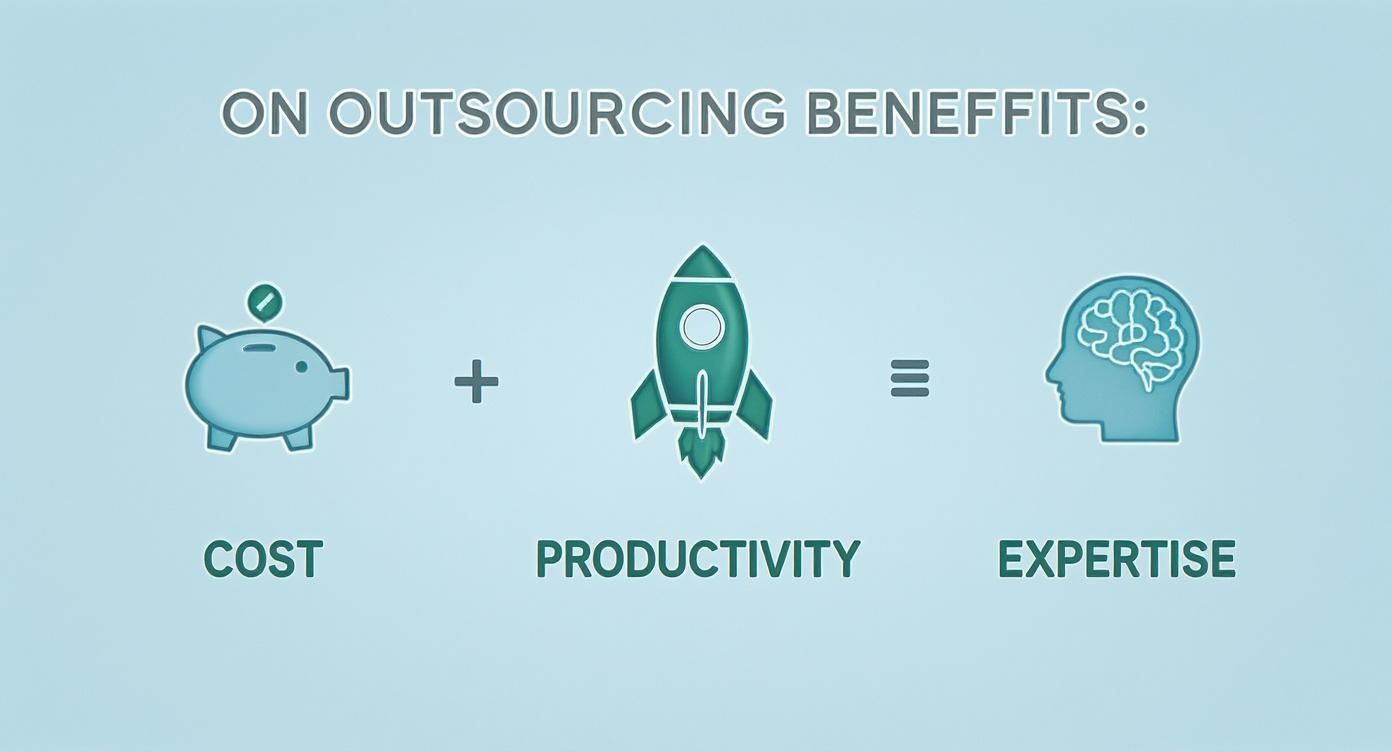
This highlights how a single partnership can deliver wide-ranging improvements, from budget predictability to operational efficiency and access to specialised skills. By entrusting your security to a dedicated team, you gain peace of mind and the freedom to focus on your core business goals.
Making Sense of IT Support Pricing and Service Levels
https://www.youtube.com/embed/qpWGt7Da0gU
Trying to figure out the cost of remote IT support can feel a bit like navigating a maze, but it usually boils down to a few standard ways of doing things. Once you get your head around these models, you’ll be in a much better position to find a plan that actually fits your budget and what your business needs, without any nasty surprises down the line.
The most basic option you'll come across is the ‘break-fix’ model. It’s exactly what it sounds like: pay-as-you-go for your tech problems. When a server gives up or an app decides to crash, you make a call, and you're billed an hourly rate for the fix. Simple.
But that simplicity can be deceptive. This purely reactive approach often leads to unpredictable, and sometimes eye-watering, costs. One major issue can blow your budget for the month. Because of this, it’s really only a good fit for businesses with the most basic IT needs or maybe as a backup for your own in-house person.
Switching to Proactive Support for Predictable Costs
For most businesses, a fully managed service is a much smarter way to go. This isn’t just about fixing things; it’s a complete shift in thinking. The goal here is to stop problems from happening in the first place through constant monitoring and proactive maintenance.
With this model, you pay a flat, predictable monthly fee, which is usually worked out based on how many users or devices you have. This single payment covers pretty much everything – from helpdesk calls and software updates to security checks and strategic IT advice. For most UK businesses, this turns IT from a financial guessing game into a stable, manageable cost, giving you some much-needed peace of mind.
A fully managed service makes your IT provider a true partner. Their goal becomes the same as yours: keep everything running smoothly. If your systems are stable, they get fewer support calls, and you get less disruption. It's a win-win.
You'll also find that many providers offer tiered packages. This lets you pick and choose the level of support you need. A starter tier might cover the essentials like helpdesk access and monitoring, while a more premium package could add things like advanced cybersecurity, on-site visits, and a dedicated account manager. It’s all about making sure you’re not paying for services you’ll never use.
Why Your Service Level Agreement is So Important
No matter which pricing model you lean towards, the Service Level Agreement (SLA) is the single most important document in your contract. This is your guarantee. It takes all the sales promises and turns them into clear, measurable commitments you can hold your provider to.
An SLA outlines the key metrics that really matter to your day-to-day operations. You’ll want to look closely for these terms:
- Response Time: How long will you have to wait before they acknowledge your issue and start working on it?
- Resolution Time: What’s the target for getting the problem completely sorted?
- Availability/Uptime: This is the provider's promise, usually as a percentage like 99.9%, that your key systems will be up and running.
The SLA is what provides the accountability you need. When a critical system goes down at the worst possible moment, you’ll know exactly how quickly to expect a response, protecting your business from the damage of long, expensive downtime.
Common Remote IT Support Pricing Models
When you start shopping around, you'll see prices presented in a few different ways. This table breaks down the most common models to help you see what might work best for your business.
| Model Type | Typical Cost (GBP) | Best For |
|---|---|---|
| Break-Fix (Pay-As-You-Go) | £75 – £150 per hour | Businesses with very simple IT and infrequent issues. |
| Per-Device Plan | £20 – £60 per device/month | Organisations with a fixed number of workstations and servers. |
| Per-User Plan | £30 – £100 per user/month | Modern businesses where employees use multiple devices (laptop, phone, etc.). |
| Tiered Packages | Varies widely (£500 – £5000+ per month) | Growing businesses that need flexibility to scale their support level. |
Ultimately, the best model depends entirely on your specific setup, your team's needs, and your budget.
Opting for a managed service is also an incredibly cost-effective way to get access to specialist skills. The UK tech industry has seen salaries climb sharply. As highlighted in a recent analysis, a remote DevOps engineer can expect to earn between £75,000 and £100,000, and cybersecurity specialists often pull in £80,000 to £110,000. Outsourcing gives your business access to that same level of expertise for a fraction of the cost of hiring just one of them. You can read more about how remote work is shaping the IT job market and see the clear financial benefit for yourself.
How to Choose the Right IT Support Partner

Picking the right company for your remote IT support is a massive decision. It’s about much more than just having someone on call to fix a printer issue; you're handing over the keys to the security, stability, and smooth running of your entire business.
Get this choice right, and you gain a genuine partner who helps you grow. Get it wrong, and you're in for a world of downtime, security headaches, and constant frustration. This isn't a time to rush or just look for the cheapest option. You need to find a team that truly gets what you do and has the technical chops and service ethos to back it up.
Evaluating Technical Expertise and Capabilities
First things first: you need to be sure they know their stuff, especially when it comes to the platforms you depend on every day. For most businesses now, that means having deep, certified expertise in Microsoft 365 and its cloud ecosystem.
Don't be afraid to put them on the spot with direct, specific questions:
- What’s your process for managing security policies and user access within Microsoft 365?
- How do you handle deploying and managing critical updates across all our computers and devices?
- Can you show me a real-world example of how you've helped a client get their Azure cloud costs under control?
Beyond their Microsoft knowledge, ask about the tools they use behind the scenes. Any serious remote IT provider will be using professional-grade Remote Monitoring and Management (RMM) software. This is what allows them to keep a watchful eye on your systems, spotting things like a nearly-full server or out-of-date antivirus software before they can cause a major disruption.
Scrutinising Service Levels and Real-World Performance
Technical skill is one thing, but it’s pretty useless without a solid commitment to actually delivering a great service. This is where the Service Level Agreement (SLA) comes into play. You need to read it—every single line. The SLA is their written promise, detailing exactly how quickly they will respond and what their targets are for fixing problems. If those terms don't align with what your business needs to operate, it's a non-starter.
But a contract is just paper. You need to dig for real-world proof of their performance. Ask for case studies and testimonials, ideally from companies in your industry or of a similar size. A provider who is confident in their service will have no problem sharing their successes, and might even put you in touch with a current client. That kind of first-hand feedback is gold, giving you a real feel for what it's like to work with them day in, day out. To get a better grasp of these partnerships, you can explore our guide that explains what is managed IT services.
A strong SLA provides a safety net, but glowing client testimonials provide true confidence. They are proof that the provider doesn't just promise great service—they consistently deliver it.
The Value of Local Presence in the East Midlands
Finally, if you're a business here in the UK, particularly in the East Midlands, don't underestimate the advantage of a local partner. Yes, 99% of IT problems can be sorted out remotely, but what about that crucial 1%? A catastrophic server failure or a new office network installation requires hands-on help.
Having a local provider based in Nottingham, Leicester, or Lincoln means you can get an engineer on-site quickly when a true emergency strikes. Beyond that, a local team understands the regional business community, fostering a more personal, accountable relationship that you simply can't get from a huge, faceless national call centre.
Your Next Steps Towards Smarter IT Management
We’ve covered a lot of ground, from how professional remote IT support can reshape your business to the security and productivity gains it brings. The main takeaway? In this fast-moving business world, constantly reacting to IT problems just isn’t a sustainable strategy anymore.
Proactive, expert management is what really gives you peace of mind and paves the way for growth. Technology is always moving forward, with trends like AI-driven diagnostics becoming more common. Having a partner who understands this keeps you from falling behind. It’s time to stop firefighting and start planning.
Embracing Future-Focused IT
The support world is getting smarter and more automated. Looking at advanced solutions is the next logical step to really get your operations humming. As you think about your next move, a detailed guide on setting up an AI help desk can show you how to take concrete steps towards smarter support. This fits perfectly with that proactive mindset we've been talking about.
The goal is to create an IT environment that stops problems before they start and keeps everything running at its best, rather than just fixing things after they break. This shift lets your team get back to focusing on innovation and growth.
Making the switch to a managed remote IT support service is a huge step towards securing your business's future. Think of it as an investment in stability, security, and efficiency—one that pays off through less downtime and a more productive team. When you hand over the day-to-day technical headaches, you free up your people to do what they do best, knowing a team of experts has their back.
This isn't just about outsourcing a task; it's about gaining a strategic partner who's genuinely invested in your success.
Got Questions About Remote IT Support? We’ve Got Answers
Deciding to partner with a remote IT support company is a big step, so it’s only natural to have a few questions before you commit. We've put together some of the most common queries we hear from businesses just like yours, aiming to give you the clarity you need to move forward with confidence.
Is Remote IT Support Secure Enough for Our Business Data?
It’s a great question, and the answer is a firm yes. In fact, a professional remote IT support service often brings a higher level of security than many businesses can manage on their own. For a reputable provider, security isn't just a feature—it’s the foundation of their entire business.
They protect your data through multiple layers of defence, including:
- Encrypted Connections: Every single remote session is scrambled with strong encryption, making it completely unreadable to anyone trying to snoop.
- Multi-Factor Authentication (MFA): This simple but powerful step ensures that only authorised technicians can ever access your systems. No exceptions.
- Advanced Endpoint Protection: Your computers and servers are shielded with top-tier tools designed to stop malware and ransomware in their tracks.
Think of it this way: a professional IT provider lives and breathes data protection. Their security protocols are incredibly strict because their reputation depends on it, giving you genuine peace of mind.
What Kind of IT Problems Can't Be Fixed Remotely?
While we can sort out the vast majority of software glitches, network snags, and user issues from afar, some problems just need someone physically there. It’s a bit like a remote GP appointment – the doctor can diagnose a lot over a video call, but they can't exactly set a broken bone through the screen.
Issues that typically need an on-site visit include:
- Hardware Failures: Things like a smashed laptop screen, a fried power supply, or a server that simply refuses to power on.
- Physical Setups: When you need new kit installed, like servers, printers, or network cables run through the office, you need hands on-site.
- Total Connectivity Loss: If your office internet goes down completely, we have no way to connect remotely to fix it.
This is exactly why choosing a provider with a local presence in the East Midlands is so important. For those rare but critical moments, you need to know help can get to you quickly.
How Quickly Will You Respond When We Have a Problem?
Response times are the backbone of any good IT support contract, and they are always laid out in black and white in your Service Level Agreement (SLA). This document takes all the guesswork out of the equation.
A good SLA will categorise issues based on how serious they are. If your whole server goes down and brings the business to a standstill, you’d expect a response within 15-30 minutes. For a lower-priority issue, like one person having trouble with a piece of software, a response within a few hours might be more realistic. It's crucial to read the SLA carefully and make sure the promised response and fix times work for your business.
Can You Help Us Manage Microsoft 365 and Other Cloud Services?
Absolutely. This is now a huge part of what a modern IT support partner does. We effectively become your expert cloud team, with deep knowledge of platforms like Microsoft 365 and Azure.
Our cloud management services typically cover all the essentials:
- User Management: Setting up new starters, managing who has access to what, and handling leavers.
- Cloud Security: Configuring and monitoring security policies to keep your cloud data safe from threats.
- Application Support: Fixing problems with the tools you rely on daily, like Teams, SharePoint, and Outlook.
- Data Backup: Making sure your critical cloud data is regularly and securely backed up, just in case.
By letting us handle the technical side of the cloud, you get the full value from your Microsoft investment without needing to become an expert yourself.
Ready to see how a remote IT support plan designed for your business can make a real difference? Phone 0845 855 0000 today.