
Having an IT disaster recovery plan template is a good starting point. It gives you a structured framework to think about how you’ll respond when—not if—things go wrong. Think of it as the blueprint for getting your critical systems back online after a cyber-attack, hardware meltdown, or even a flood in the server room.
Why a DR Plan Is Your Most Critical Business Asset

Let’s be honest, operational disruptions are inevitable for UK businesses. Whether it’s a server giving up the ghost or a sophisticated ransomware attack, the real question isn’t if your IT will be hit, but when. An IT disaster recovery (DR) plan is so much more than a dusty document on a shelf; it’s a strategic asset that protects your company’s resilience, reputation, and bottom line.
Without a clear, well-rehearsed plan, a moment of crisis can easily spiral into a full-blown catastrophe. The cost of downtime is staggering, and it goes far beyond the immediate financial hit. You’re also looking at lost productivity, squandered business opportunities, and perhaps the most damaging of all—a serious blow to customer trust.
The Stark Reality of IT Downtime
Recent statistics paint a pretty grim picture for businesses across the UK. A 2025 survey found that a staggering 72% of UK organisations suffered a significant IT disruption or period of downtime in the last year alone. What’s more concerning is that only 31% of senior IT leaders felt confident in their existing recovery strategies.
This data reveals a critical disconnect. Many businesses invest heavily in technology but overlook the strategic planning needed to protect that investment. A solid DR plan is what bridges that gap, turning reactive panic into a controlled, methodical response.
A disaster recovery plan isn’t just an IT document; it’s a business survival guide. Its real value is measured by how much clarity and direction it provides when your team is under immense pressure.
From Document to Strategic Advantage
It’s a mistake to view a DR plan as simple insurance. It’s an active strategy that can give you a real competitive edge. A business that can get back on its feet quickly while its competitors are still scrambling is one that holds onto its market share and reinforces its reputation for reliability. Being able to prove you have robust recovery capabilities can also be a deciding factor when winning new contracts or meeting tough compliance standards in industries like finance or healthcare.
The very act of creating a DR plan forces you to get a much clearer picture of your own business. You have to:
- Pinpoint the critical assets you absolutely cannot function without.
- Map out the dependencies between your various systems and departments.
- Establish clear communication protocols for your staff and external partners.
- Define realistic recovery objectives that actually align with your business needs and budget.
To really drive home why this is so vital, it’s worth reading up on the 4 Reasons Your Business Needs An IT Disaster recovery plan. Ultimately, taking a proactive approach to disaster recovery, often with the support of expert managed services companies, transforms a potential weakness into a core business strength.
For expert help building a robust disaster recovery plan tailored to your business, give us a call on 0845 855 0000 today.
Figuring Out Your Mission-Critical IT Systems

Before you can even think about a recovery strategy, you’ve got to know exactly what you’re trying to protect. It’s impossible to build a solid IT disaster recovery plan without a crystal-clear map of your entire operational landscape. This first step is often called a business impact analysis (BIA), which sounds a bit corporate, but it really just boils down to one simple question: “What breaks if this system goes down?”
This isn’t just about making a list of servers in a rack. You need to dig deeper and map out every single piece of technology your business actually depends on. This means the physical hardware, the software you can’t live without, and the cloud services like Microsoft 365 and Azure that keep things running day-to-day.
From Systems to Business Functions
Here’s where a lot of plans go wrong. They stay too technical. The real key is to connect the technology directly to what it does for the business. Your CRM software isn’t just an application; it’s the engine that powers your entire sales team. Your accounting package isn’t just another program; it’s what makes sure invoices go out and money comes in. When you start thinking this way, the true cost of downtime becomes painfully obvious.
Get started by taking an inventory of every significant IT asset. For each one, note down what it does, who uses it, and—most importantly—which specific business function it supports. This detailed inventory is the foundation of your whole disaster recovery plan, guiding you on what to fix first when a crisis hits.
A marketing agency, for instance, would probably classify its project management software as mission-critical. Without it, deadlines get missed and client work grinds to a halt. On the other hand, an internal training portal, while nice to have, would likely be a much lower priority.
Don’t just list your tech. Connect it to the core operations it enables. Understanding this link is the difference between a generic checklist and a recovery plan that actually saves your business.
Mapping Dependencies and Single Points of Failure
Once you’ve got your list, the next job is to figure out how these systems talk to each other. Modern IT environments are tangled webs of dependencies. Your e-commerce website might rely on a database server, which in turn needs a specific virtual machine in Azure to run. If that one VM fails, your entire sales pipeline could collapse.
Mapping these connections is vital for spotting your single points of failure. These are the weakest links in your operational chain—the ones that could take down multiple parts of the business at once. Finding these vulnerabilities before a disaster strikes gives you the chance to build in some redundancy or create specific recovery steps to lessen the risk.
Think about these common dependencies:
- Application to Database: Your main business app is useless if it can’t reach its database.
- On-Premise to Cloud: A local server might need to authenticate through Azure Active Directory to even function.
- Hardware to Power: All your on-site kit depends on a steady power supply and a working network connection.
Building Your Critical Asset Inventory
To make this process easier and more consistent, it’s best to use a structured inventory. This helps you capture the same crucial information for every asset, making it much easier to analyse and prioritise later on. Think of it as a living document that you’ll need to update whenever your tech stack changes.
Here’s a practical table you can adapt to categorise each asset and work out its real importance. This isn’t just a box-ticking exercise; it’s a strategic look at what truly keeps your business afloat.
Critical Asset Inventory and Impact Assessment
Use this table to inventory your IT assets, link them to business functions, and assess the real-world impact of their loss.
| Asset (e.g., CRM Software, Email Server) | Business Function Supported | Impact of Downtime (Low, Medium, High) | Dependencies (Other Systems) | Current Protection Method |
|---|---|---|---|---|
| Dynamics 365 Sales | Sales Pipeline Management, Customer Contact | High | Microsoft 365, Azure AD | Cloud-native replication |
| On-Premise File Server | Document Access for Finance Dept | High | Local Network, Active Directory | Nightly backup to NAS |
| Microsoft 365 (Email) | Internal & External Comms | High | Internet Connectivity | Microsoft 365 built-in redundancy |
| Sage Accounting Software | Invoicing, Payroll | High | Finance Database Server | VM Snapshot (24-hour) |
| Company Website | Marketing, Lead Generation | Medium | Web Host, DNS Provider | Hosted by third-party |
Once you’ve completed this analysis, you’ll have a clear, prioritised roadmap for recovery. When something inevitably goes wrong, you’ll know exactly which systems to bring back online first to get the business back on its feet as quickly as possible.
Defining Realistic Recovery Goals: RTO and RPO
With a clear inventory of your critical IT assets in hand, we need to figure out how quickly you need them back after a disaster. This is where two crucial metrics come into play: the Recovery Time Objective (RTO) and the Recovery Point Objective (RPO). Honestly, getting these right is the bedrock of a good IT disaster recovery plan; it’s what separates a useful document from a theoretical exercise.
Let’s break them down in simple terms:
- RTO is all about time. It’s the absolute maximum time your business can survive with a specific system being down. It answers the question, “How fast do we really need to be up and running?”
- RPO is all about data. This is the maximum amount of data, measured in time, you can afford to lose forever. It answers the question, “How much work are we willing to re-do from scratch?”
These two goals are closely related, but they tackle different parts of the recovery puzzle. A low RTO means you need to get things switched on again fast, whereas a low RPO means you can’t afford to lose recent data.
Understanding RTO: Your Tolerance for Downtime
Your RTO will be completely different for each system. For something mission-critical like your CRM software, you might set an RTO of just one hour. Any longer, and your sales team is paralysed, unable to log calls or chase leads. It directly impacts revenue.
On the other hand, an internal development server might have an RTO of 24 hours. Its downtime is an inconvenience, for sure, but it won’t grind the entire business to a halt.
Establishing these targets means having frank conversations with the people who actually use these systems—your department heads. This isn’t just an IT decision; it’s a business one based on the real-world consequences you mapped out earlier.
Understanding RPO: Your Tolerance for Data Loss
In the same way, your RPO dictates how often you need to back up your data. If your accounts team is churning out invoices all day, an RPO of 15 minutes for your accounting software is probably non-negotiable. Losing more than a few minutes of financial data could trigger a reconciliation nightmare.
But for a less dynamic system, like a marketing archive on a file server, a 24-hour RPO (which usually means a single nightly backup) is often perfectly acceptable.
It’s genuinely concerning how many businesses I see overlook this. Recent research highlighted that only 56% of organisations had well-defined RTOs, and an even smaller 36% had established RPOs. This shows a huge gap between having IT systems and being truly prepared to protect them. You can discover more insights about these IT resilience gaps on itbrief.co.uk.
An RTO of one hour and an RPO of 15 minutes for your primary database means you must be able to restore the system within 60 minutes, using a backup that is no more than 15 minutes old.
The Critical Link Between Recovery Goals and Budget
This is where the rubber meets the road—the point where your recovery plan meets financial reality.
It’s a simple trade-off: the lower your RTO and RPO, the more your recovery solution will cost. Achieving a near-zero RPO, where basically no data is lost, usually requires real-time data replication to a secondary site. That kind of Rolls-Royce setup can easily run into thousands of pounds per month.
Conversely, a more relaxed 24-hour RTO and RPO can often be achieved with nightly cloud backups. For a critical server, this might only cost between £100 and £200 per month—a sensible starting point for many small and medium-sized businesses.
The key is to find the right balance for each system. A tiered approach is almost always the most cost-effective strategy, and you can learn more about finding that sweet spot by exploring the differences between cloud versus traditional backup systems.
By defining your RTOs and RPOs carefully, you can make informed, strategic investments in your disaster recovery tech. It’s how you get the right level of protection without breaking the bank, ensuring your plan is not only robust but also financially sustainable.
Building Your Step-By-Step Recovery Playbook
Right, you’ve pinpointed your critical assets and set some realistic recovery goals. Now for the heart of your it disaster recovery plan template: the playbook. This is the detailed, step-by-step guide your team will grab when a crisis hits. Forget high-level strategy—this needs to be a practical, no-nonsense manual that eliminates guesswork. When the pressure is on, clarity is everything.
Your playbook must lay out the exact procedures for getting each critical system back online. I’m talking about everything from spinning up a backup server to rerouting network traffic. The goal is to write instructions so clear that any tech-savvy team member could follow them, even if they’d never seen the plan before. For a bit more background on structuring these documents, this guide on how to create effective IT disaster recovery plans is a solid resource.
Crafting Procedures for a Hybrid World
Most UK businesses these days operate in a hybrid world, and your recovery plan has to reflect that. It’s no longer enough to just focus on the servers humming away in the corner of the office; your cloud systems need the same meticulous attention to detail.
This is where your earlier work on inventory and recovery goals really pays off.
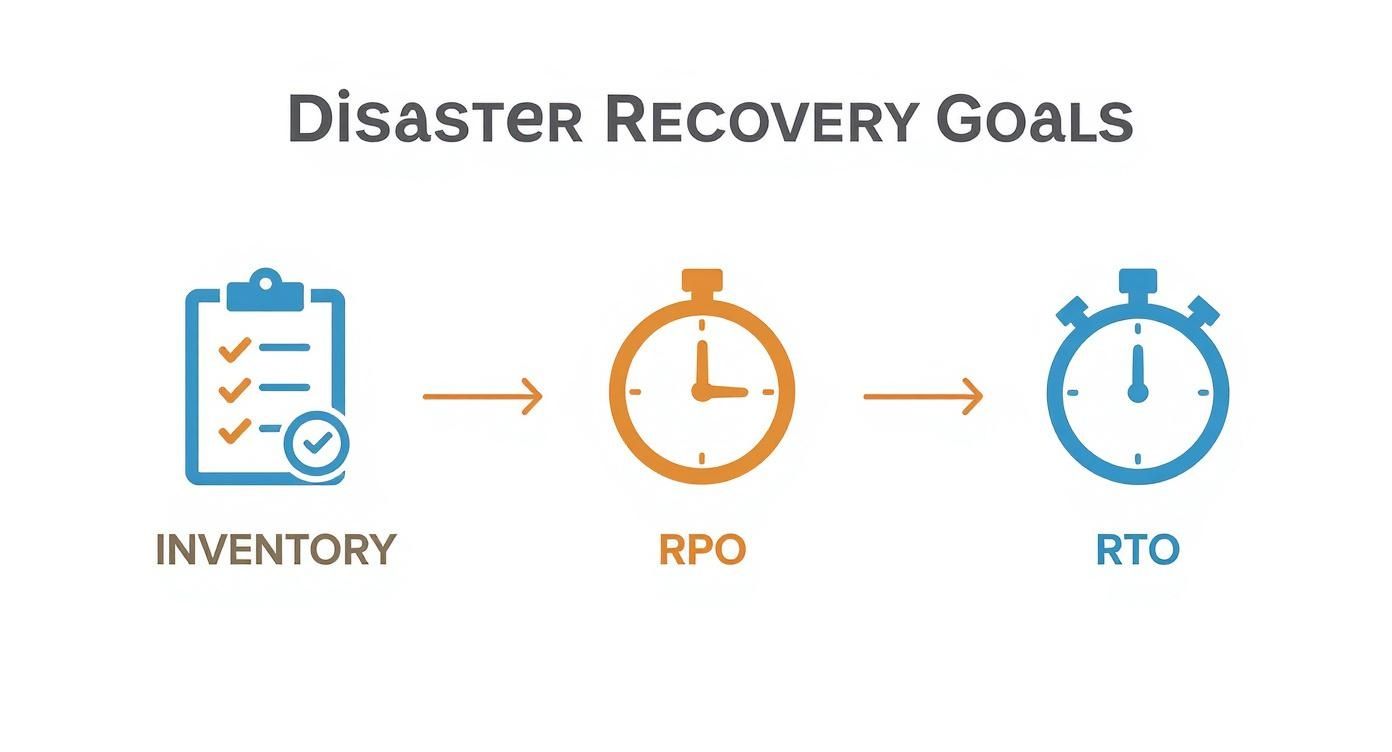
As you can see, every single recovery step you document from here is directly tied to the specific RTO and RPO you’ve already assigned to that system.
So, what does this look like in the real world?
- On-Premise Servers: Document the full restore process from your backup solution. Be specific. Where are the backups stored? What software is needed? What are the exact commands or GUI steps to bring that physical or virtual machine back to life?
- Azure Virtual Machines: Spell out the failover process. This might mean promoting a replica VM in a different Azure region or restoring a VM from an Azure Backup snapshot. Don’t forget to include credentials and step-by-step navigation through the Azure portal.
- Microsoft 365 Data: A common blind spot. Don’t assume Microsoft has your back for every scenario. Your playbook must detail how to recover mailboxes, SharePoint sites, or OneDrive files from your third-party backup tool. This is absolutely critical for bouncing back from a ransomware attack or a major accidental deletion.
A great recovery playbook anticipates confusion. It includes screenshots, contact numbers for key vendors, and the locations of necessary software licences. The aim is to remove every possible roadblock during a high-pressure recovery.
Establishing a Clear Chain of Command
Having the tech documented is only half the battle. A recovery effort can quickly descend into chaos if people don’t know what they’re supposed to be doing. Without a clear chain of command, you’ll have people duplicating efforts while other critical tasks are completely missed.
This is why your IT disaster recovery plan needs a simple but incredibly effective roles and responsibilities chart. It assigns clear ownership, ensuring decisive action and smooth communication when it matters most.
Here’s a sample structure you can adapt for your own business:
| Role | Primary Responsibilities |
|---|---|
| Disaster Recovery Coordinator | Officially declares the disaster, activates the plan, and acts as the central point of contact for everyone, especially senior management. |
| Technical Lead (Infrastructure) | Manages the hands-on recovery of on-premise servers, network gear, and internet connections. Works with any data centre partners. |
| Technical Lead (Cloud Services) | Oversees the restoration of Azure VMs, Microsoft 365, and any other SaaS apps. Manages all cloud recovery tools. |
| Communications Lead | Handles all messaging, both internal and external. This means updating staff, notifying customers about service issues, and talking to suppliers. |
| Departmental Liaisons | The bridge between the tech team and the rest of the business. They coordinate user acceptance testing once systems are back online. |
By documenting these roles and including a contact list with multiple ways to reach each person (phone, personal email), you build a resilient command structure. If one person is unreachable, the team immediately knows who to turn to next. This structure is what turns your carefully written procedures into a coordinated, effective response, massively improving your chances of hitting your RTOs and getting the business back on its feet.
Need a helping hand building your business’s recovery playbook? Give us a call today on 0845 855 0000.
How to Test Your DR Plan Without Breaking Anything
Let’s be blunt: an untested disaster recovery plan isn’t worth the paper it’s written on. It’s a document that gives a false sense of security, one that will completely fall apart the moment a real crisis hits.
The good news? Testing your plan doesn’t mean you have to shut down the entire business for a day. There are smart, effective ways to poke holes in your procedures and find the weak spots without causing any real-world disruption.
The whole point of a test is to find the flaws before a disaster does. You want to be the one discovering the outdated contact numbers, the expired software licences, or the recovery steps that look great on paper but just don’t work in practice. It’s all about building muscle memory for your team and gaining genuine confidence in your strategy.
Recent data really brings this home. A survey from Databarracks found that nine out of ten large UK organisations now run some kind of recovery test each year. They have to – most admit they couldn’t survive more than 12 hours of downtime. But here’s the kicker: despite this, only 80% of their plans are actually up to date. This shows a worrying gap between planning and maintenance. You can read the full research on resilience planning on resilienceforward.com.
Different Flavours of Testing
Not all tests are created equal, and you can pick the right approach based on your goals, budget, and how mature your DR processes are. I’ve always found a blended approach works best, starting with the basics and building up to more comprehensive drills over time.
- Tabletop Exercises: This is your starting point. It’s the simplest and least disruptive test you can do. You get the DR team in a room, give them a scenario (e.g., “our main file server has just been encrypted by ransomware”), and you talk through the entire plan, step by painful step.
- Walkthrough Tests: This is a step up from just talking. Here, team members actually go and check key components. This could be as simple as verifying that backup files are actually accessible from the recovery location or logging into the Azure portal to make sure the right permissions are still in place.
- Failover Simulations: This is where the rubber really meets the road. It involves actually failing over a non-critical system to its backup or replica. Crucially, you do this in an isolated network environment so there’s zero impact on your live systems. A great example is restoring a copy of your CRM database to a test server to ensure the data is intact and the application fires up correctly.
A Simple Runbook Example
To make this a bit more real, here’s a mini-runbook for a simulated Microsoft 365 recovery. This is so important, as many businesses don’t realise Microsoft’s own features won’t save you from every data loss scenario. You can learn more about why you might need a separate cloud backup system for Microsoft 365 disaster recovery.
Test Scenario: A key SharePoint site, full of critical project files, has been accidentally deleted by a user.
| Step | Action Required | Responsible Person | Expected Outcome |
|---|---|---|---|
| 1. Alert | The department head notifies the DR Coordinator of the deletion. | DR Coordinator | The incident is officially logged and timed. |
| 2. Verification | The Cloud Technical Lead logs into the third-party M365 backup portal. | Cloud Tech Lead | The backup system is live and shows recent, successful backups of the target site. |
| 3. Restore | The Cloud Technical Lead kicks off a restore of the entire SharePoint site to a new, temporary location. | Cloud Tech Lead | The restore process begins without throwing any errors. |
| 4. Validation | A Department Liaison is given access to the restored site to spot-check key files and confirm data integrity. | Department Liaison | The liaison confirms critical documents are present and can be opened. |
Keeping Your Plan Alive and Kicking
A DR plan isn’t a “set and forget” document. Your business, your tech, and your team are constantly evolving, and your plan has to keep up. A simple maintenance schedule is the only way to make sure it stays relevant and effective.
An out-of-date recovery plan is worse than no plan at all. It provides a false sense of security that will evaporate the moment you need it most. Regular maintenance is non-negotiable.
Here’s a simple rhythm to follow.
Quarterly Checks:
- Update all contact lists – key people, suppliers, service providers. People move on.
- Check your software licences and support contract expiry dates.
- Run a quick tabletop exercise with a new, fresh scenario.
Annual Checks:
- Conduct a full-blown review and update of the entire DR plan document.
- Perform a proper failover simulation for at least one critical system.
- Re-evaluate your RTOs and RPOs. Do they still make sense for the business?
By weaving testing and maintenance into your normal operations, you turn your disaster recovery plan from a dusty file on a shelf into a living, reliable strategy that will genuinely protect your business when things go wrong.
Phone 0845 855 0000 today to discuss how we can help you build and test a robust disaster recovery plan.
Ready to Shore Up Your Defences?
You’ve now walked through the essential building blocks of a solid IT disaster recovery plan. We’ve covered everything from pinpointing your most critical assets and setting realistic recovery targets (your RTOs and RPOs) to outlining clear procedures and committing to a regular testing routine.
Think of this plan as more than just a document filed away somewhere. It’s your operational playbook for survival, giving you a clear, structured path to follow when things go wrong. Whether you’re dealing with a simple server failure or a full-blown cyber attack, this is what will let you navigate the crisis with confidence, not panic.
Of course, knowing what to do and having the time and resources to actually do it are two different things. We get it. Juggling daily operations is demanding enough without adding the mammoth task of building a comprehensive disaster recovery strategy from the ground up. If you’re feeling stretched thin or just aren’t sure where to start, the most important thing is not to leave your business vulnerable.
A plan on paper is one thing, but a battle-tested strategy is another. Professional guidance can bridge that gap, turning theory into a robust, reliable defence that you know will work when you need it most.
Don’t wait for a real-life disaster to test your preparedness. The best time to act is now, securing your business for whatever tomorrow might bring.
For expert help building a disaster recovery plan that’s tailored to your business, give us a call today on 0845 855 0000.
Common Questions We Hear About DR Planning
Even with a solid template in hand, putting together a disaster recovery plan often brings up a few questions. It’s a complex area, so let’s walk through some of the queries we regularly get from UK businesses.
How Often Should We Be Testing Our IT Disaster Recovery Plan?
Relying on a single annual test is a risky game. A much better approach is to think in layers. We recommend running tabletop exercises at least quarterly. These are straightforward, discussion-based sessions where you and your team talk through a specific disaster scenario, step-by-step. It’s a brilliant way to keep everyone familiar with the plan and catch outdated contact lists or role assignments.
Then, you’ll want to conduct a full technical failover test at least once a year. This is the real deal—you’ll actually restore a critical system in a safe, isolated environment to prove the procedures and technology really work. There’s no substitute for regular testing; it’s the only way to be genuinely confident that your plan will hold up when you need it most.
What’s the Single Biggest Mistake Businesses Make with DR Planning?
Without a doubt, the most dangerous pitfall is the ‘set it and forget it’ mentality. A disaster recovery plan isn’t a project you complete and file away. It’s a living document that needs to breathe with your business. An outdated plan is often worse than no plan at all because it gives you a completely false sense of security.
Think about it: key contacts leave the company, new critical software gets installed but never added to the plan, and your IT environment changes. If your recovery procedures don’t reflect these changes, they’re bound to fail during a real crisis. Your plan has to evolve alongside your business.
Can a Small Business Really Afford a Proper Disaster Recovery Solution?
Yes, absolutely. One of the biggest myths out there is that robust disaster recovery is only for big corporations with deep pockets. That’s simply not true anymore. Modern Disaster Recovery as a Service (DRaaS) solutions have completely changed the game, making top-tier protection affordable for almost any business. You no longer need to sink huge amounts of capital into building and maintaining a second data centre.
A proactive DRaaS plan can cost as little as a few hundred pounds a month. When you weigh that against the cost of downtime—where a single hour of disruption can easily run into thousands of pounds in lost revenue—it’s a no-brainer.
Ready to build a disaster recovery plan that gives you true peace of mind? The expert team at F1Group is here to help you create and implement a strategy that protects your business from the unexpected. Phone 0845 855 0000 today.