
On Premises vs Cloud? At its core, the difference between on-premises and cloud infrastructure is straightforward. On-premises means you buy, own, and look after all your IT hardware right there in your building. The cloud, on the other hand, means you’re renting computing power and services from a provider like Microsoft Azure.
The decision really comes down to what you value more: the hands-on control and capital investment of an on-premises setup, or the flexibility and operational spending model of the cloud. This single choice will ripple through everything, from how you budget for IT to how quickly you can react to new business opportunities.
Defining Your IT Infrastructure Options
Getting your IT foundation right is one of the most important decisions you’ll make. It’s not just a technical choice; it directly shapes your business’s security, its ability to grow, and what it costs to run things year after year. To choose wisely, you need to get to grips with what each model actually means for you.
The whole on-premises vs. cloud debate has moved from the server room to the boardroom, marking a fundamental shift in how companies operate. The direction of travel is undeniable. A recent report found that 96% of UK organisations now use some form of cloud service, signalling a clear move away from traditional, self-managed systems towards more agile and resilient platforms. If you’re interested in the data, you can explore the full report on the latest cloud statistics to see the trends for yourself.
Understanding the Core Models
On-Premises Infrastructure is the classic approach. Think of it as buying a house. You purchase, own, and manage your entire IT world—the servers, the storage drives, the networking gear, and all the software licences that go with it. It all lives in your physical office or a dedicated server room. You have total control, but you’re also on the hook for every bit of maintenance, security, and every future upgrade.
Cloud Infrastructure is more like renting. Instead of owning the hardware, you access computing services—servers, storage, databases, and software like Microsoft 365—over the internet from a specialist provider. You pay a subscription fee to use their world-class resources. This pay-as-you-go model gives you incredible flexibility to scale up or down as needed.
Then there’s the Hybrid Cloud, which strategically mixes the two. A business might decide to keep its most sensitive customer data on an in-house server (on-premises) but use the public cloud’s massive processing power for a new app or data analysis. This isn’t a niche strategy; in fact, 92% of UK businesses now run hybrid or multi-cloud environments. It’s become the go-to approach for balancing control with modern flexibility.
To get a quick sense of how these two models stack up, here’s a high-level comparison. It boils down the fundamental differences to help you see where your business might fit.
Quick Comparison On-Premises vs Cloud
| Aspect | On-Premises Infrastructure | Cloud Infrastructure | Optimal For |
|---|---|---|---|
| Cost Structure | A large, upfront capital expense (CapEx) for all hardware and software. Ongoing costs for power, cooling, and maintenance. | A predictable, pay-as-you-go operational expense (OpEx) with monthly or annual subscription fees. | On-Premises: Businesses with predictable workloads and the capital to invest.Cloud: Companies wanting to avoid large initial outlays and pay only for what they use. |
| Control & Security | Complete physical and configuration control. You build and manage your own security from the ground up. | A shared responsibility model. The provider secures the global infrastructure; you secure your data and access within it. | On-Premises: Organisations needing total physical control for compliance or specific legacy systems.Cloud: Businesses wanting to access enterprise-grade security tools without building them from scratch. |
| Scalability | Scaling up means buying and installing more hardware. It’s a slow, manual, and expensive process. | Resources can be scaled up or down almost instantly with just a few clicks. | On-Premises: Stable businesses with very predictable, non-volatile resource needs.Cloud: Companies experiencing fluctuating demand, seasonal peaks, or rapid growth. |
| Maintenance | Your in-house IT team is responsible for everything: hardware repairs, patches, updates, and troubleshooting. | The cloud provider handles all the underlying hardware maintenance, security patching, and infrastructure updates. | On-Premises: Organisations with a dedicated, specialist IT team with the time and skills for hardware management.Cloud: Teams that want to focus on business goals, not on keeping the lights on in the server room. |
Ultimately, the ‘right’ choice depends entirely on your specific circumstances—your budget, your industry’s compliance rules, your team’s skills, and your ambitions for growth.
Breaking Down The Total Cost Of Ownership
When you’re weighing up on-premises vs cloud, the discussion always starts with cost. But it’s never as simple as comparing two price tags. To make the right financial call, you need to look at the bigger picture: the Total Cost of Ownership (TCO). This means adding up every single cost, both the obvious and the hidden, over the entire life of your IT setup.
The two approaches are built on completely different financial models. An on-premises system is a Capital Expenditure (CapEx) – you pay a large lump sum upfront for equipment you own. The cloud, on the other hand, runs on an Operational Expenditure (OpEx) model, where you pay a recurring subscription fee.
The On-Premises Financial Reality
Going the on-premises route means you’re buying everything yourself. The initial bill is always a big one, and it’s surprisingly easy to underestimate just how many costs are involved.
- Server Hardware: This is the most obvious part. A decent server for a 50-person business can easily set you back anywhere from £5,000 to over £15,000. It all depends on how much power, memory, and storage you need.
- Software Licensing: On top of the hardware, you need licences for the server’s operating system (like Windows Server) and any other critical software, such as Microsoft SQL Server. These can tack on thousands more to the initial price.
- Setup and Installation: Getting a new server physically installed, configured, and properly secured takes specialist IT skills. You have to account for that labour, whether it’s your in-house team’s time or fees for an external expert.
And that’s just to get started. Once it’s running, the ongoing costs start to pile up. Think about the electricity needed to power it 24/7, the air conditioning to stop it from overheating, and even the physical space it takes up. Then you have maintenance contracts, replacing parts as they wear out over a typical 3-5 year lifespan, and the staff hours spent on patching, updates, and fixing things when they go wrong.
Understanding Cloud Economics
The cloud, especially services like Microsoft Azure, completely flips this financial model around. There’s no big hardware bill to pay upfront. Instead, you pay a monthly or annual fee based on what you actually use, which is far easier on the cash flow.
This pay-as-you-go model is a massive selling point, as it lets businesses match their IT spend directly to what they need right now. But “cheaper” isn’t the whole story. While you get to ditch the hardware maintenance and electricity bills, you need to keep a close eye on other potential costs.
A common pitfall with cloud spending is losing track of it. If you’re not careful, costs for things like data storage, network traffic—especially fees for pulling data out of the cloud—and virtual machines you’re not fully using can quietly spiral.
Proper cloud cost management isn’t something you can set up once and forget about. It demands active monitoring to make sure you’re only paying for what your business genuinely uses.
The chart below shows just how decisively UK businesses are moving towards cloud and hybrid models. It’s not a niche trend; it’s the new standard.

on premises vs cloud cloud statistics
This shift makes it clear that for most UK organisations, the financial and operational logic of the cloud is simply too strong to ignore.
TCO Scenario: A 50-Employee UK Business
Let’s run the numbers for a hypothetical 50-employee business here in the East Midlands that needs to update its main IT systems.
Buying a new on-premises server might cost £12,000 upfront. On top of that, you could easily spend another £3,000 a year on power, cooling, and maintenance. Over three years, you’re looking at a TCO of around £21,000, and that doesn’t even factor in your team’s time.
Now, let’s look at a comparable cloud setup with Microsoft Azure. That might come in at about £600 per month, or £7,200 per year. The three-year total is £21,600. At first glance, the costs look almost identical. The crucial difference is that the cloud figure bundles in things like hardware refreshes, enterprise-grade security, and automatic failovers—features that would cost many thousands more to build yourself on-premises.
This value is driving serious growth in the UK cloud market, which is forecast to jump from around £41 billion in 2022 to £59 billion by 2024. Companies are now spending an average of £445 per employee each year on cloud services. If you want to dig into the numbers, you can discover more insights about these cloud computing statistics. It shows that businesses see the cloud’s OpEx model as more than just a different way to pay; it’s a strategic investment in becoming more agile and ready for the future.
Comparing Performance, Scalability, And Agility
In business, your ability to react quickly can make or break you. When you’re weighing up on-premises vs. cloud solutions, this difference in agility is one of the most important things to consider. How your infrastructure handles sudden changes can either hold you back or give you a serious competitive edge.
An on-premises setup is, by its very nature, fixed. If your business suddenly gets a massive spike in activity—maybe a marketing campaign goes viral or the seasonal rush hits—your physical servers can only cope with so much. Once they hit that performance ceiling, the only way forward is to buy more hardware.

This process is never fast or cheap. It involves researching equipment, getting quotes, placing orders, waiting for delivery, and then physically installing and configuring everything. That whole cycle can easily take weeks, if not months. By then, the opportunity that created the demand might be long gone.
The Limits of On-Premises Scaling
When you rely on your own physical servers, you’re forced to plan for peak demand. This often means over-investing in powerful hardware that sits there, underused, for most of the year, just in case you need it for those busy periods. This ‘just-in-case’ approach wastes capital and inflates your running costs for power and cooling.
What happens if business slows down? You’re stuck with that oversized hardware. You can’t just ‘scale down’ a physical server you already own to cut your costs. The money has been spent, and the operational overheads stay largely the same, no matter how much (or how little) of the server’s capacity you’re actually using.
The real problem with on-premises infrastructure is that it forces you to make long-term capacity predictions in a short-term world. Get it wrong, and you’re either missing out on opportunities or wasting money on idle equipment.
The Cloud’s Advantage: Elasticity
The cloud, especially platforms like Microsoft Azure, works on a totally different principle: elasticity. Instead of being constrained by physical boxes in your office, you have access to a virtually limitless pool of computing resources you can tap into whenever you need them. This is what true cloud agility looks like.
Let’s put this into a real-world context for a business here in the East Midlands.
- Scenario: An E-commerce Retailer’s Christmas Rush
An online shop based in Lincoln sees its website traffic explode by 500% in November and December.- On-Premises: The existing web server would almost certainly crash under the load, leading to lost sales and unhappy customers. The only fix would be an emergency hardware purchase, likely at a premium price.
- Cloud (Azure): The business can set up auto-scaling rules. As traffic climbs, Azure automatically spins up more virtual servers to handle the demand. Come January, when things quieten down, it automatically scales back. They only pay for the extra horsepower when they actually need it.
This ability to dynamically adjust resources is a complete game-changer. It means you no longer have to guess your future needs. You can deploy what you require today, confident that your infrastructure can grow or shrink with your business in minutes, not months.
This agility allows for faster innovation, quicker reactions to market shifts, and a much more efficient use of your budget. For businesses looking to tap into this flexibility, understanding the full scope of available cloud computing managed services is the first step toward building a more resilient and adaptable operation.
Navigating The Security And Compliance Landscape
For any UK business, talking about security and compliance isn’t just a tick-box exercise—it’s the bedrock of your operations. When you weigh up on-premises vs cloud infrastructure, the way you protect your data is fundamentally different. Getting to grips with these differences is essential for making a sound decision, as each model brings its own security trade-offs and demands on your resources.
Having your servers on-premises gives you the ultimate physical control. They’re in your building, behind your own locks. This means you have absolute authority over who can physically touch the hardware and you get direct oversight of your network’s edge. But with total control comes total responsibility.
From setting up firewalls and managing network access to the never-ending job of applying security patches and software updates, the entire security burden falls squarely on your team. If a vulnerability is found, it’s down to you to spot it and fix it—a task that requires constant vigilance and serious expertise.
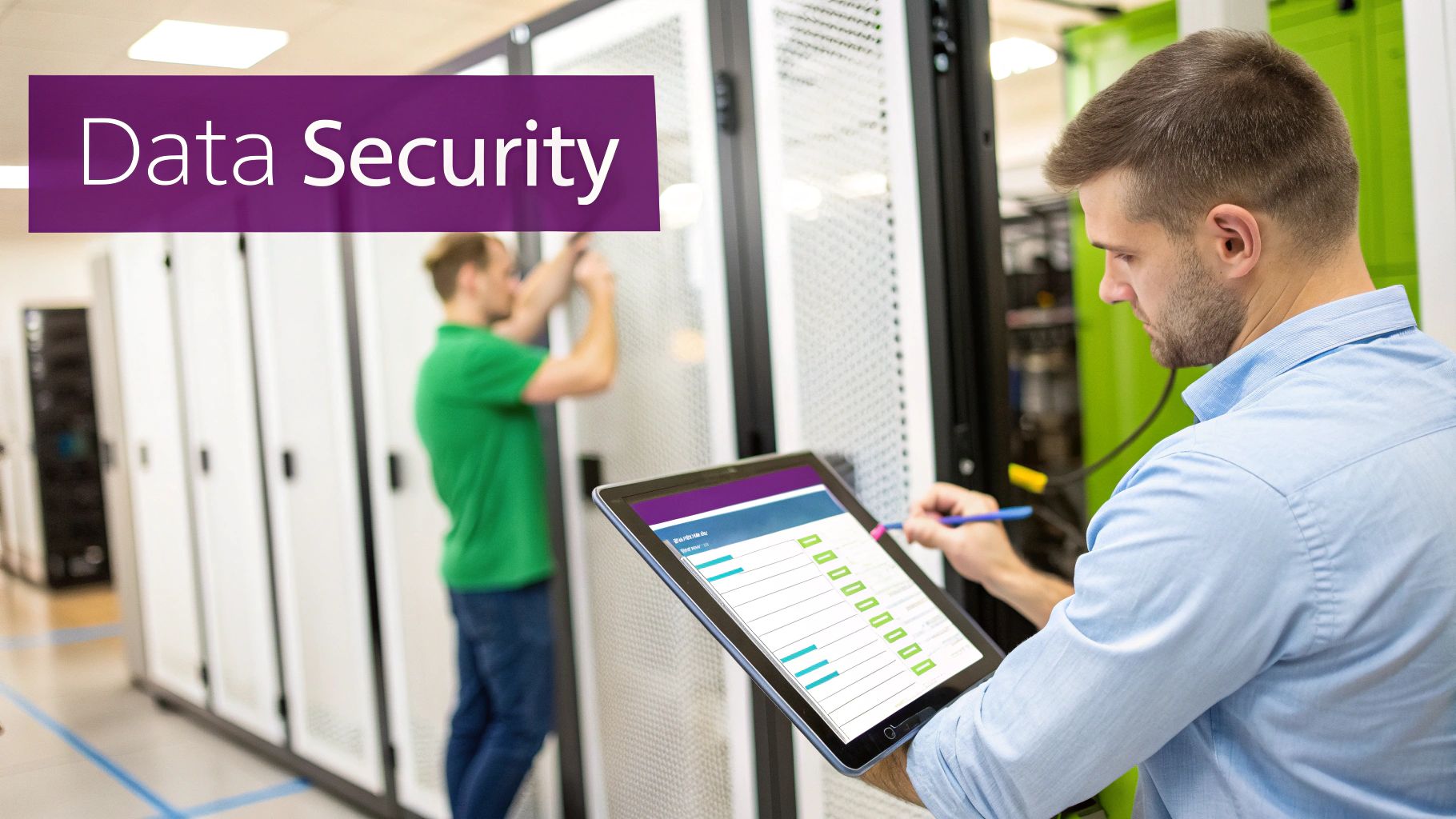
The Cloud’s Shared Responsibility Model
The cloud works on what’s called a shared responsibility model, and this is a concept you absolutely need to understand. Cloud providers like Microsoft pour billions of pounds every year into their global security operations. That’s a level of defence that’s simply unattainable for most small or mid-sized businesses. They handle the security of the core infrastructure: the physical data centres, the servers, the network.
Your side of the bargain, however, is to secure everything you put in the cloud. This includes managing who has access, configuring your applications correctly, and protecting your data from prying eyes. Think of it this way: the provider gives you a fortress, but you’re still responsible for locking the doors and windows to your own rooms inside it. This split lets you benefit from enterprise-grade security without having to build it all from scratch.
The key thing to remember is that the cloud isn’t secure by default; it’s securable. The tools are incredibly powerful, but the responsibility for using them correctly to protect your data and meet your compliance duties is still yours.
Meeting UK Compliance Obligations
For businesses in the UK, complying with regulations like the General Data Protection Regulation (GDPR) is a legal must-do. In an on-premises world, you alone are responsible for proving that your physical and digital security measures are up to scratch. This covers everything from data encryption to having a solid disaster recovery plan.
Cloud platforms like Microsoft Azure are built with compliance in mind. They come with a whole host of tools and certifications designed to help you meet standards like GDPR, ISO 27001, and others. This can make the whole process much simpler, as the provider has already laid a lot of the groundwork. For any business working in the UK or EU, understanding the fine points of EU data sovereignty is critical when choosing your path.
But the cloud is no silver bullet for compliance. Despite the advantages, it’s not a set-and-forget solution. In fact, a staggering 36% of UK organisations reported cloud data breaches or failed audits in the last year, proving that security misconfigurations are a very real and persistent risk. It shows that while the platform gives you the right tools, your business is still accountable for using them properly.
Ultimately, the choice between on-premises and cloud security is about where you want to put your resources. Do you have the in-house team and budget to manage every single piece of your security stack? Or would you rather partner with a provider who handles the heavy lifting of foundational security, freeing up your team to focus on protecting your specific applications and data? Whatever you choose, a robust approach to security risk management is non-negotiable to ensure you’re always one step ahead of the threats.
Adopting A Strategic Hybrid Cloud Approach
The “on-premises vs cloud” debate often feels like a black-and-white choice. But for more and more UK businesses, the smartest move isn’t picking a side; it’s about blending the best of both worlds. This is the whole idea behind a hybrid cloud approach, a model that pairs your own private infrastructure with public cloud services.
This isn’t just a halfway house; it’s a deliberate strategy. It gives you the flexibility to keep certain operations in-house while tapping into the sheer power of the public cloud for others. For businesses with very specific operational or regulatory needs, this kind of tailored setup is often the only one that truly makes sense.
Why A Hybrid Model Makes Sense
For most established businesses, a big-bang, all-in migration to the cloud is simply not realistic or even a good idea. There are often very good reasons to keep some of your IT infrastructure right where it is.
- Legacy Systems: You might have critical, time-tested applications that are too complex or expensive to rebuild for the cloud. A hybrid model lets these systems carry on running on-premises while you build new, modern applications in the cloud.
- Data Sovereignty: If you’re in a sector like law or healthcare, you’ll know that strict regulations often demand that sensitive client data stays within UK borders, or even on your own physical site. A hybrid setup allows you to keep this data on a private server for compliance, without giving up the modern tools the cloud offers for everything else.
- Performance Needs: Some applications just can’t tolerate delays. Think of real-time manufacturing controls or financial trading platforms where every millisecond counts. Keeping the computing power physically close to the action is essential, and on-premises hardware is the only way to guarantee that.
A hybrid strategy offers a pragmatic path forward, enabling you to modernise your IT at a pace that suits your business. It’s about using the right tool for the right job, rather than forcing everything into a single environment.
Practical Hybrid Use Cases
Let’s put this into a real-world context. Imagine a manufacturing firm here in the East Midlands. They could run their core factory floor control system on a local, on-premises server to ensure maximum speed and reliability. At the same time, they could use Microsoft Azure’s powerful analytics to process all that production data, spotting ways to improve efficiency and even predicting when machinery might fail—tasks that would be incredibly expensive to run on-site.
This kind of strategic mix is fast becoming the standard. While around 45% of UK businesses still use private clouds, a huge 54% of enterprises now trust hybrid environments for their most critical work. You can learn more about these cloud adoption findings to see the trend. Building this kind of environment properly takes real planning, which is why a structured method like the Azure Cloud Adoption Framework is so vital for a smooth transition.
The Rise Of Cloud Repatriation
There’s another interesting trend that highlights this new flexibility: cloud repatriation. This is simply the process of moving certain applications or data back from the public cloud to a private or on-premises setup. A business might do this to get more direct control over a vital application, rein in spiralling cloud costs, or adapt to new compliance rules.
What’s really telling is that the hybrid cloud is now the main destination for 69% of these repatriated workloads, far more than traditional data centres. This proves businesses aren’t giving up on the cloud. They’re just getting smarter and more selective, creating a balanced and mature IT ecosystem that’s perfectly aligned with their specific goals.
How to Choose the Right Path for Your Business
So, how do you actually decide between on-premises and the cloud? There’s no simple, one-size-fits-all answer. The right choice really comes down to your company’s specific situation—your budget, your team, and your ambitions for the future.
The first place to look is your finances. Are you in a position to make a significant upfront investment in hardware that you’ll own for years (a capital expense, or CapEx)? Or does a predictable, monthly subscription model that fits neatly into your operational budget (OpEx) make more sense for your cash flow? Often, the answer to this single question can point you in the right direction.
Next, take an honest look at your internal IT team. Do you have the people and the expertise to manage physical servers, stay on top of security patches, and deal with hardware failures when they inevitably happen? If your team is already stretched thin, the idea of offloading all that infrastructure management to a cloud provider like Microsoft Azure can be incredibly appealing.
A Framework for Your Decision
To help simplify things, let’s look at a few common scenarios. See which one sounds most like your organisation—it’s a great way to clarify which path makes the most sense.
- When is On-Premises Still the Right Call?
If your day-to-day operations are very stable with predictable workloads, on-premises can be a solid choice. It’s also a must-have for organisations that face strict compliance rules requiring data to be stored physically on-site, or for those relying on older, legacy applications that simply won’t run in the cloud. For those specific situations, nothing beats the direct control you get from your own hardware. - When Should You Go All-In on the Cloud?
For any business expecting to grow quickly, dealing with seasonal spikes in demand, or needing to get new projects off the ground fast, the cloud is almost always the best bet. Its scalability is the key; you can spin up resources when you need them and scale back when you don’t, paying only for what you use. You’re never held back by the physical limits of your server rack. - When Does a Hybrid Model Offer the Best Balance?
Honestly, this is the sweet spot for many established businesses. A hybrid approach gives you the best of both worlds. You can keep your most sensitive data or those crucial legacy systems on your own servers while taking full advantage of the cloud for everything else. It’s a practical, lower-risk way to modernise your IT without having to go all-or-nothing.
Ultimately, this decision is a strategic one that will shape your business for years to come. It’s about aligning your technology foundation with your commercial ambitions, ensuring one directly supports the other.
If you’re leaning towards a cloud transition, it’s crucial to get the migration right from the start. Planning is everything. Resources like these 10 AWS Migration Best Practices for Your Cloud Journey offer a fantastic roadmap, even if you’re not using AWS.
Navigating this choice with confidence often requires an experienced partner. To discuss an IT strategy built around your long-term business goals, give us a call today on 0845 855 0000 or send us a message to start the conversation.
Got Questions? We’ve Got Answers
Making the right choice between on-premises and cloud solutions often brings up a few key questions. We hear these a lot from businesses across the UK, so here are some straight-talking answers to help you clear things up.
Is the cloud always cheaper than on-premises?
Not always, no. It’s a common misconception. While the cloud lets you sidestep those big upfront hardware bills, the monthly operational costs can quickly spiral if you’re not careful. Think of it like a utility bill – if you leave everything running, you’ll get a nasty surprise. Unmanaged resources and unexpected data fees are the usual culprits behind ‘bill shock’.
On the other hand, an on-premises setup can work out cheaper in the long run for very stable, predictable workloads, because once you’ve paid off that initial investment, your main costs are just maintenance and power. The only real way to know what’s best for your wallet is a proper Total Cost of Ownership (TCO) analysis.
The biggest mistake we see is businesses only comparing the initial setup costs. You have to look at the whole picture over at least three to five years, including all the running costs, maintenance, and inevitable upgrades.
Which is actually more secure for my data?
This isn’t about location; it’s all about how it’s managed. With on-premises, you have total physical control – the server is in your building. But that also means you are 100% responsible for absolutely everything, from locking the server room door to installing security patches and spotting cyber threats.
Cloud providers like Microsoft operate on a ‘shared responsibility’ model. They spend billions on security for their data centres, far more than any small business could ever afford. They handle the security of the cloud, but you’re still responsible for security in the cloud – managing who has access and configuring your applications correctly. For most businesses, a properly set-up cloud environment ends up being far more secure than what they can achieve on their own.
Can I just move from my own servers to the cloud later on?
Absolutely. It’s a very common project known as a cloud migration, and there’s a well-established process for it. It all comes down to careful planning to shift your data, software, and systems over to the cloud without causing chaos for your day-to-day operations.
Most businesses don’t do it all in one go. You can move in stages, often starting with something straightforward like email before tackling your main business applications on a platform like Microsoft Azure. To get it right and avoid any expensive missteps, it’s always a good idea to work with an IT partner who’s done it all before.
Choosing your IT infrastructure is a major decision that will shape your business for years to come. For expert advice tailored specifically to your East Midlands business, get in touch with F1Group.
Phone 0845 855 0000 today or Send us a message.