
At its core, a business continuity and disaster recovery plan is your company's playbook for when things go wrong. It’s a documented strategy that spells out exactly how your business will keep its head above water during an unplanned crisis. This isn't just about getting your IT back online; it’s a holistic guide to keeping the entire operation—from communications and supply chains to people and processes—running smoothly.
Why a Plan Is Your Business's Lifeline

It's tempting to think "it'll never happen to us." With daily operations, client demands, and growth targets to worry about, planning for some abstract threat often falls to the bottom of the list. But a solid business continuity and disaster recovery plan is far more than just an IT box-ticking exercise—it's a fundamental survival strategy.
Disasters aren’t always the headline-grabbing events you see on the news. More often, they are smaller, more insidious problems. Think about a critical server failing and bringing all your invoicing to a halt, or a localised flood that stops your team from getting to the office. It could even be a key supplier going bust overnight.
For businesses that rely on the Microsoft cloud, a ransomware attack that locks you out of your SharePoint data is a very real, and very immediate, threat.
The True Cost of Standing Still
Most businesses I talk to drastically underestimate the real cost of downtime. It's not just about the immediate loss of sales. Every single minute your systems are down, productivity grinds to a halt, crucial deadlines are missed, and the reputation you've worked so hard to build starts to erode. Clients rely on you to be dependable, and a failure to deliver can shatter that trust for good.
The numbers for UK businesses that get this wrong are genuinely shocking. Research has shown that a staggering 33% of UK businesses have lost customers after a disaster. Even more sobering, 40% never reopen after a major incident, and another 25% fail within the following year.
Financially, the impact is immense. IT downtime costs UK businesses an average of £3.6 million a year, which breaks down to an eye-watering £258,000 per hour. You can dig deeper into these business continuity statistics to get the full, scary picture.
For a small or mid-sized business, an unexpected event isn't just an inconvenience; it can be an existential threat. A well-crafted plan transforms this vulnerability into resilience, giving you a clear, actionable path to follow when things go wrong.
More Than IT—It's a Strategic Necessity
Viewing this purely as a technical problem completely misses the point. A proper business continuity plan is a strategic asset that delivers real peace of mind and a genuine competitive edge. It shows your clients, partners, and even your insurers that you’re a resilient, reliable, and well-managed organisation.
Think about the core benefits:
- Maintained Operations: It ensures your most critical functions can carry on, even if it's in a limited capacity, which minimises the overall disruption.
- Protected Reputation: A swift, organised response shows everyone you are in control, reassuring customers and stakeholders.
- Financial Safeguarding: It directly limits the financial hit from downtime and helps you avoid potential regulatory fines.
- Clear Guidance for Staff: In a crisis, your team isn't left scrambling. They have defined roles and clear procedures to follow.
Ultimately, having a plan is about taking control of your company's future. It prepares you to handle the unexpected and ensures that one bad day doesn’t derail years of hard work.
How to Assess Your Real-World Risks
Before you can build a solid defence for your business, you need to understand exactly what you're up against. A proper business continuity and disaster recovery plan doesn’t start with buying new tech; it starts with an honest, practical look at your real-world risks. This isn’t about filling out complex spreadsheets, but about asking some tough questions to uncover where your business is most vulnerable.
What Really Keeps Your Business Running?
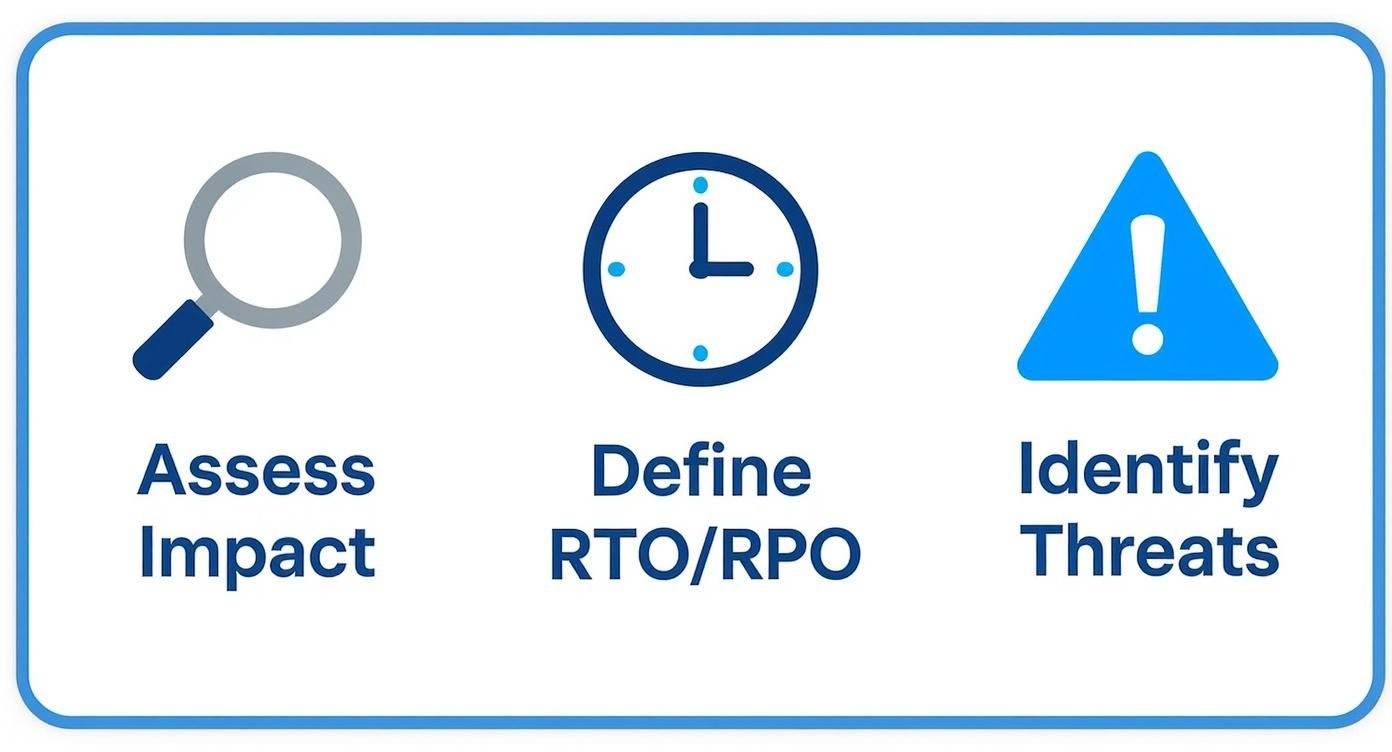
The starting point is what we call a Business Impact Analysis (BIA), which is less intimidating than it sounds. It simply means figuring out which parts of your business are absolutely essential and what would happen if they suddenly went offline.
Think about your day-to-day operations. What processes have to happen for you to keep the doors open and the money coming in?
- Is it your sales team’s ability to get into Dynamics 365 and see customer details?
- Perhaps it’s your finance department’s access to accounting software for payroll and invoices.
- For many businesses, it’s as fundamental as teams being able to work together on project files stored in SharePoint Online.
Mapping this out gives you a crystal-clear picture of what’s truly mission-critical versus what’s just an inconvenience.
Defining Your Tolerance for Downtime
Once you know which systems are vital, the next conversation is about time and data. This is where two key ideas come into play: Recovery Time Objective (RTO) and Recovery Point Objective (RPO). Let's cut through the jargon.
RTO is your deadline: It’s the absolute maximum amount of time a system can be down before things get really painful for the business. A one-hour RTO for your e-commerce site is a world away from a 24-hour RTO for an internal development server.
RPO is your data loss limit: It’s the maximum amount of data, measured in time, you can afford to lose. An RPO of 15 minutes means you need backups running every quarter of an hour. An RPO of 24 hours might be perfectly fine for data that doesn’t change much.
Defining your RTO and RPO is a constant balancing act between risk and cost. A near-zero RTO and RPO is possible, but it comes with a hefty price tag. The goal is to find that sweet spot that protects your business without breaking the bank. For example, a full recovery in under an hour might cost thousands per month, whereas a 24-hour recovery objective could be just a fraction of that.
Identifying Genuine Threats
With a clear view of your critical systems and recovery goals, you can start pinpointing the specific threats that could actually cause a disruption. It’s crucial to think beyond the obvious here.
For businesses in the UK, some common culprits include:
- Cyber Attacks: Ransomware is the big one. It can lock up every single file you own, making them completely inaccessible.
- Hardware Failure: You're often just one failed server or network switch away from a complete standstill.
- Power Outages: Widespread power cuts can last for hours, knocking out any equipment you have on-site.
- Human Error: An accidental deletion of a vital SharePoint folder can be just as damaging as a malicious attack.
- Supplier Failure: What’s the plan if your internet provider has a major outage or a key software vendor suddenly goes bust?
Thinking through these dangers is a cornerstone of effective security risk management, and it forms the foundation of your entire continuity strategy. When you're putting any solution in place, you have to understand the security measures protecting your data. For a great example of this, have a look at Resgrid's approach to security to see how they address threats from multiple angles.
This whole assessment process provides the "why" behind your plan. It connects vague threats to tangible business impacts, showing you exactly where to focus your protection and investment.
Building Your Defence with Microsoft Tools
Once you’ve got a handle on what could go wrong, it's time to build the technical framework that will keep your business running. If you're invested in the Microsoft ecosystem, you already have a powerful set of tools at your fingertips. The key is understanding what they do—and more importantly, what they don't do—when crafting your business continuity and disaster recovery plan.
There’s a common and dangerous assumption that because your data lives in Microsoft 365, it’s automatically backed up and invincible. That's just not the case. While Microsoft provides phenomenal resilience at the platform level (protecting you if one of their data centres goes offline), this isn't the same as a proper backup.
Their standard data replication won’t save you from a ransomware attack that scrambles your files or an employee accidentally wiping out a critical SharePoint folder. For that, you need a completely separate layer of defence. This is where tools like Azure Site Recovery and dedicated third-party backup solutions become the bedrock of your recovery strategy.
Azure Site Recovery for Your Most Critical Systems
For the absolute must-have servers and applications—the ones with near-zero tolerance for downtime—Azure Site Recovery (ASR) is a genuine game-changer. Think of it as a live, warm standby of your critical systems, constantly replicating in the background to a secure, separate UK-based Azure data centre.
If your primary server goes down—whether from a hardware failure, a local power cut, or a cyber-attack—you can trigger a failover. ASR immediately spins up the replica server in Azure, allowing your team to reconnect and get back to work in minutes, not hours or days.
Imagine your on-premise accounts server dies unexpectedly. With ASR in place, you simply failover to the Azure replica and carry on processing invoices and running payroll with barely a blip. This is how you achieve those aggressive RTOs for your most essential services.
The Non-Negotiable Role of a True Backup
While ASR is brilliant for server availability, a separate, robust backup solution is non-negotiable for data integrity. This applies to both your servers and your entire Microsoft 365 world, including SharePoint, Teams, and Exchange Online.
A true backup creates independent, point-in-time copies of your data, stored completely isolated from your live environment. This is your last line of defence against data corruption, malicious insiders, and ransomware. If a hacker encrypts your main SharePoint site, Microsoft’s own replication will dutifully copy the encrypted, useless files. A proper backup, however, lets you wind back the clock and restore clean data from before the attack ever happened.
We've seen it time and again: a solid backup can turn a potentially business-ending catastrophe into a manageable, albeit stressful, inconvenience. If you want to get into the details, it’s worth understanding the specifics of backing up your Office 365 data.
Remember, Microsoft operates on a shared responsibility model. They are responsible for keeping the M365 platform running; you are responsible for protecting the data you put into it. Relying solely on the Recycle Bin is not a viable data protection strategy.
Microsoft 365 and Azure Recovery Options at a Glance
Navigating the options can be confusing. This table breaks down the different needs and how native features compare to a more robust, layered approach.
| Recovery Need | Native Microsoft 365/Azure Feature | Recommended F1 Group Approach | Best For |
|---|---|---|---|
| Accidental File Deletion | Recycle Bin (30-93 day retention) | Third-Party M365 Backup | Quickly restoring individual files or emails. |
| Ransomware Attack | Limited (Replication can spread malware) | Isolated, Air-Gapped Third-Party M365 Backup | Full-site or mailbox recovery to a clean point-in-time. |
| Server Hardware Failure | None for on-premise servers | Azure Site Recovery (ASR) | Mission-critical servers needing near-instant failover (low RTO). |
| Long-Term Data Archiving | Litigation Hold / Retention Policies | Azure Backup or Third-Party Backup | Meeting compliance requirements and long-term data storage. |
| Full Site Disaster | None for on-premise infrastructure | A combination of ASR and Azure Backup | A comprehensive strategy protecting against multiple failure types. |
Choosing the right mix comes down to balancing your RTO/RPO goals against your budget. Aligning your spending with your most critical business functions is the key to building a defence that is both effective and financially sensible.
Comparing Costs and Practical Strategies
The cost difference between these strategies can be substantial, so it’s vital to map your investment to your actual risks.
- Microsoft 365 Backup: A comprehensive backup for all your M365 data is surprisingly affordable, often starting from as little as £3 per user per month. For the protection it offers against deletion and ransomware, the return on investment is massive.
- Azure Backup for Servers: For servers that aren't quite as critical (where an RTO/RPO of several hours is acceptable), Azure Backup is a cost-effective cloud solution. You pay based on the amount of data you're storing and the number of servers protected.
- Azure Site Recovery (ASR): For those mission-critical systems where every minute of downtime costs you dearly, ASR is the answer. You pay a fixed monthly fee per virtual machine being protected, plus the Azure infrastructure costs if and when you actually failover. It’s a bigger investment, but for systems where downtime costs thousands per hour, it's indispensable.
Putting Your People at the Centre of Your Plan

You can have the most sophisticated backup systems and instant failover technology in the world, but it’s all for nothing if your team doesn't know what to do when a crisis hits. At its core, your business continuity and disaster recovery plan is about people. It's about giving them clear instructions and the confidence to act decisively under immense pressure.
Technology is the tool, but your team is the engine that drives the recovery. A plan that just sits on a server nobody can access is a waste of time. Real resilience comes from clear communication, defined roles, and a well-understood chain of command that holds up even when everything else is falling apart.
Establishing a Clear Chain of Command
In the first few minutes of a major incident, confusion is your worst enemy. Without a clear command structure, you’ll get duplicated efforts, conflicting decisions, and critical tasks falling through the cracks. Your plan has to spell out, without ambiguity, who is in charge of the recovery.
This isn't about naming a single hero. It’s about building a small, focused Disaster Recovery Team with people from across the business—not just IT—to make sure all operational needs are covered.
You'll want to assign key roles like these:
- Team Leader: The final decision-maker who activates the plan and orchestrates the entire response.
- IT Recovery Lead: The technical expert tasked with initiating failovers with Azure Site Recovery or restoring data from backups.
- Communications Lead: The person responsible for keeping staff, clients, and other stakeholders in the loop according to your plan.
- Departmental Liaisons: Your key contacts from finance, operations, sales, and other departments who can report on the specific impacts their teams are facing.
Defining these roles now eliminates the guesswork later. When an incident happens, everyone knows who to listen to and what they need to do.
Crafting a Fail-Proof Communication Plan
What happens if your main communication channel—your email on Exchange Online—is the very system that’s down? A solid communication plan has to account for this and establish alternative channels. The goal is to keep information flowing smoothly to staff, clients, and suppliers.
Your plan needs to answer a few simple questions:
- How will we let staff know a disaster has been declared?
- Where can employees go for a single source of truth and updates?
- How will we reassure our most important clients that we're on top of the situation?
A simple, pre-approved message can be a lifesaver. Having templates ready for your website, social media, and client emails saves precious time and stops panicked, off-the-cuff messaging that could really damage your reputation.
Think about a multi-layered approach that doesn't depend on your core IT systems. A company-wide WhatsApp or Signal group can be invaluable for immediate staff alerts. For keeping clients informed, a status page hosted by a third-party service provides a reliable and independent source of information.
Training Your Team for Success
A plan is only as good as the people who have to execute it. Regular training and awareness aren’t nice-to-haves; they are absolutely essential to making your plan work. People are your first line of defence, and their preparedness is one of your most critical assets. Understanding the risks is a huge part of this, which is why we always highlight the critical role of cyber security training for staff.
This doesn't have to be a massive undertaking. Simple tabletop exercises, where you get the recovery team together to walk through a fictional scenario like a ransomware attack, are incredibly effective. These sessions are brilliant for finding gaps in the plan, clarifying roles, and building the muscle memory your team will need for the real thing.
By putting your people at the heart of your strategy, you turn your business continuity plan from a static document into a living, breathing capability that gives your organisation the strength to weather any storm.
Keeping Your Plan Alive and Kicking
https://www.youtube.com/embed/3QlV-Kl2d1U
Look, creating a business continuity plan is a fantastic first step. But let's be honest, its real value disappears the moment it's filed away and forgotten. A plan written a year ago might as well be from another decade if your team, tech, or processes have changed—and they always do. For your plan to be more than just a box-ticking exercise, it has to be a living, breathing document that evolves with your business.
An untested plan is just a theory. It's a collection of assumptions that look great on paper but can easily crumble under real-world pressure. The only way to know for sure that it will work is to put it through its paces. We're not talking about creating chaos; we're talking about finding the weak spots in a controlled way, before a real crisis does it for you.
This is what separates a truly resilient organisation from one that just has a plan. It's the cycle of testing, reviewing, and updating that turns a document into a lifeline.
Finding the Right Way to Test Your Plan
Testing doesn't have to mean shutting down your entire operation for a day. There are practical ways to check your plan, and the best approach is to start small and build up to more comprehensive drills over time.
For most businesses, a tabletop exercise is the perfect place to start. It's essentially a guided meeting where you get your key people in a room and talk through a specific disaster scenario. You could walk through what happens during a ransomware attack or a major server failure, discussing who does what, when, and how. It's a low-impact, high-value way to find gaps and clarify everyone's role.
Once you’re comfortable with that, you can move on to more hands-on tests. A walk-through test is where your IT team actually goes through the recovery motions—like checking backups are accessible or that recovery scripts run—without actually flipping the switch on your live systems.
For the systems you really can't live without, especially those protected by tools like Azure Site Recovery, a full failover test is the ultimate proof. This involves actually switching your live operations over to your backup environment in Azure. It gives you undeniable proof that the process works and confirms your Recovery Time Objectives (RTOs) are actually achievable.
The point of testing isn't to get a perfect score. It's to learn. Every single test, no matter how small, will teach you something—whether it's an outdated contact number or a technical step that takes way longer than you thought.
Creating a Cycle of Continuous Improvement
Your business isn't static, and neither is your plan. People come and go, you bring in new software, and your suppliers change. Every one of these changes can introduce a new vulnerability if your plan isn't kept up to date.
It's a common problem. Despite many businesses having plans, confidence in them is surprisingly low. Recent data shows that only 54% of UK organisations are confident their business continuity plans are current, a figure that has barely moved since 2014. A plan that's three years old, referencing people who’ve left or systems you no longer use, is next to useless when you need it most.
Making sure your plan stays robust is a bit like routine maintenance on any other critical asset; it needs regular attention, much like the expert maintenance tips for solar power systems. The key is to set a simple, realistic schedule.
- Quarterly Reviews: A quick health check on key contacts, supplier details, and communication lists.
- Annual Reviews: A full, deep dive into the entire plan. This is where you revisit your risk assessment, check your recovery strategies, and ideally, run a tabletop exercise.
This ongoing cycle of testing and updating is what transforms your business continuity plan from a one-off project into a fundamental part of how you operate, ensuring you're always ready.
Turning Your Plan into Real-World Resilience
We've walked through the blueprint for a solid business continuity and disaster recovery plan. Now it's time for the most important part: taking action. I know from experience that building this kind of resilience can feel like a mammoth task, but the trick is to start small and get a clear picture of where you stand right now.
It's a stark reality that while 97% of large UK organisations have a continuity plan, that figure plummets to just 58% for smaller businesses. That's a huge gap and a significant risk. For those that do have plans, the priorities are clear: 36% are focused on keeping them updated, and 33% are committed to regular testing. This tells you exactly where the smart money is going. If you're curious, you can dig deeper into the latest research on UK resilience priorities.
A Quick Resilience Health Check
So, where are you on this journey? A few honest questions can reveal a lot:
- Risk Assessment: Have we actually sat down and pinpointed our most critical business functions and the real-world threats they face?
- RTO/RPO: Do we have firm numbers for how much downtime and data loss we can actually stomach before it starts to seriously hurt?
- Recovery Strategy: Is there a proper technical solution in place, like Azure Site Recovery, or a dedicated backup for our Microsoft 365 data?
- People Plan: Does everyone know who's in charge and how we'll communicate when things go sideways? Is it written down?
- Testing: When was the last time we tested any part of this plan? Has it been in the last 12 months?
If you answered "no" to any of those, don't panic. That's your starting point. It's the first loose thread to pull. At F1 Group, this is what we do day-in, day-out: we help businesses just like yours move from a plan on paper to a defence that genuinely works when you need it most.
Got Questions? We've Got Answers
When you start digging into business continuity and disaster recovery plans, a lot of questions naturally pop up. It’s a complex area, so let's tackle some of the most common queries we hear from businesses just like yours.
What’s the Real Difference Between Business Continuity and Disaster Recovery?
This is easily the most common point of confusion we see, but the distinction is really important. The simplest way I explain it to clients is to think about the scope.
Business continuity is the overarching strategy. It’s the master plan for keeping the entire business operational through a disruption. It thinks about your people, your processes, your suppliers, and where you'll work if you can't get into the office. It answers the big question: "How do we keep serving customers and making money if our building floods?"
Disaster recovery (DR), on the other hand, is a critical component within that larger plan. It’s purely focused on the technology. Its job is to get your IT systems, applications, and data back up and running after a catastrophe. DR answers the more specific question: "How do we restore our systems after a nasty ransomware attack?"
You absolutely need both. Disaster recovery gets the lights back on; business continuity ensures someone is there to flip the switch and the work can actually get done.
How Often Should We Be Testing Our Plan?
A plan you haven't tested is just a document full of assumptions. You have to put it through its paces to know it'll work when the pressure is on. But testing doesn't always mean a full-blown, weekend-long shutdown.
Here’s a practical schedule we recommend:
- Quarterly Check-ins: A quick, simple review. Are the contact details for your response team and key suppliers up to date? Little things like this can derail a real recovery.
- Annual Tabletop Exercise: Get the team in a room and walk through a realistic scenario, like a power outage or a server failure. This is where you’ll find the gaps in your logic and iron out who's responsible for what. It's a low-stress, high-value exercise.
- Annual Technical Failover: This is the real-deal test. For your most critical systems, especially those covered by something like Azure Site Recovery, you need to perform a full failover. It's the only way to be 100% sure you can meet those RTOs you defined.
We’re a Small Business – This All Feels a Bit Much. Where Do We Even Start?
I get it. For a small business with limited time and resources, this can feel completely overwhelming. The key is to not try and boil the ocean.
My advice is always the same: start with your single most critical business function.
Seriously, forget everything else for a moment. What's the one thing that, if it went down, would hurt your business the most, the fastest? Is it taking online orders? Accessing your client database? Processing invoices?
Once you have your answer, you just need to figure out two things:
- What specific technology underpins that one function?
- What's the most straightforward way to protect it?
This approach cuts right through the noise. It gives you a clear, achievable first goal. More often than not, the answer is something as simple as putting a solid, third-party backup in place for your Microsoft 365 data. It's a manageable step that provides a huge amount of protection right out of the gate.
Don't let the planning process lead to paralysis. The expert team at F1Group is here to help you take these crucial first steps and build a realistic plan that works for your business.
Phone 0845 855 0000 today or Send us a message.