
So, what exactly is the Microsoft Power Platform? Think of it less as a single product and more as a toolkit. It’s a collection of powerful, low-code applications that lets your team analyse data, build custom solutions, and automate repetitive tasks, all without needing to be professional coders.
The real magic here is that it empowers the people who understand your business processes inside and out—your operations managers, finance assistants, or sales coordinators. It gives these ‘citizen developers’ the ability to create the specific tools they need to solve their daily headaches and make their departments run smoother.
So, What’s the Big Deal with Low-Code?
Let’s imagine a common business problem. Perhaps your invoicing is still handled with a mess of spreadsheets and paper forms, or maybe your field engineers need a simple mobile app to log job details on the go. In the past, tackling this would mean kicking off a long, costly custom software project with a team of specialist developers.
This is where the Microsoft Power Platform completely changes the game. It provides a set of interconnected tools that work like sophisticated digital Lego bricks.
This approach puts the power to solve problems directly into the hands of the people experiencing them. Someone in your finance or HR team can design and build a solution using an intuitive, visual, drag-and-drop interface. This dramatically cuts down the time it takes to get from a good idea to a fully working application, helping your business adapt and innovate at a much faster pace.
Closing the Gap Between Business Needs and IT Resources
The Power Platform is the perfect middle ground between what your business wants to achieve and what your technical teams can deliver. It doesn’t make your IT department redundant—far from it. It actually frees them up to focus on the bigger picture.
While your operational teams are busy building user-friendly apps and workflows to fix immediate issues, IT can manage the essential governance, security, and scalability behind the scenes. Because the Power Platform is known for enabling quick development, some organisations even work with agencies specializing in low-code tool design to create perfectly tailored solutions.
This partnership fuels innovation right across the company. You end up with highly customised tools that off-the-shelf software could never quite match, ensuring your technology is a perfect fit for your unique way of working.
The core idea is simple: the people closest to a business problem are often the best equipped to solve it. The Power Platform gives them the tools to do just that, safely and effectively.
In short, it makes creating business solutions accessible to everyone. By lowering the technical barrier, it allows you to respond to business needs far more quickly. Instead of a request sitting in a long IT queue for months, a department manager can guide the creation of a tool that solves their team’s specific pain points right now.
This empowerment creates some serious benefits:
- Faster problem-solving: You can get solutions up and running in days or weeks, not months or years.
- Boosted efficiency: Repetitive, manual tasks get automated, freeing up your team for more important work.
- Clearer data insights: Custom reports and dashboards give you a real-time view of what’s happening in the business.
- Greater agility: Your business can build its own tools to respond quickly to new challenges or market changes.
Exploring the Core Components
To really get a handle on what the Power Platform is, we need to look under the bonnet and explore its individual building blocks. The platform is built on four main applications, each designed to solve a specific type of business challenge. When they work together, they create a seriously powerful, interconnected system for analysis, app building, and automation.
This diagram shows how the Power Platform’s core functions—Build, Automate, and Analyse—are all linked.
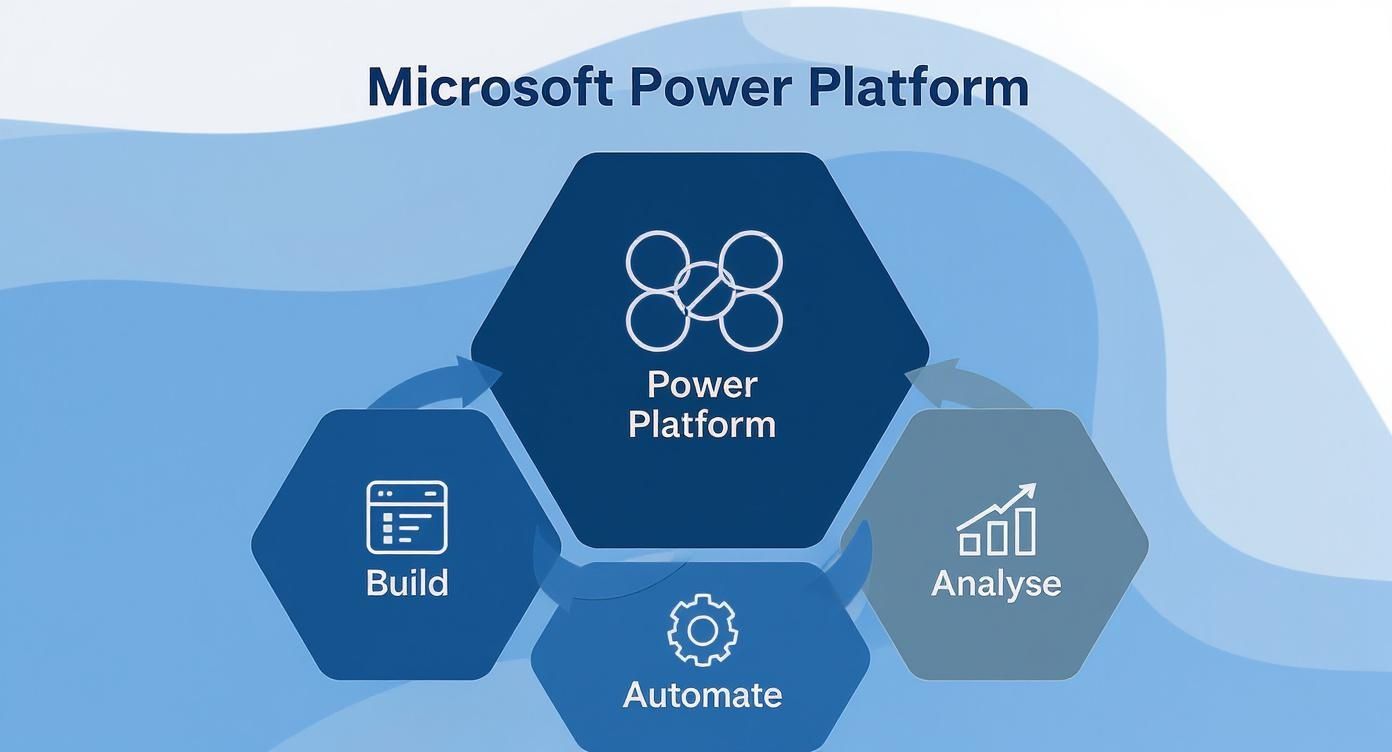
It’s a great visual that highlights a key point: while each component is powerful on its own, their true strength is unlocked when they work together seamlessly.
Power Apps: The Custom Application Builder
First up is Power Apps. This is the part of the platform that lets you build custom mobile and web applications with very little traditional coding. Think of it as a way to create simple, user-friendly fronts for your business processes, connecting directly to your data wherever it happens to be stored.
For example, a field service engineer based in Manchester could use a custom Power App on their tablet to log job details, snap photos of completed work, and get a customer signature right there on-site. That data is instantly saved back to your central system, getting rid of tedious paperwork and speeding up the invoicing process. The app is built just for them, showing only the information they need to do their job. You can dig deeper and explore why to build apps for your business on Microsoft Power Apps.
Power BI: The Data Analysis Engine
Next, we have Power BI, the business intelligence (BI) and data visualisation tool of the suite. Its job is to take raw data from all sorts of places—spreadsheets, databases, cloud services—and turn it into clear, interactive reports and dashboards that actually make sense.
Imagine a finance team in a London-based company trying to get their heads around sales figures from across the UK. With Power BI, they can plug into their sales system and create a live dashboard showing performance by region, product, and even individual salesperson. Instead of waiting for static monthly reports, they get a dynamic, real-time view of the business, helping them spot trends and make faster, smarter decisions.
The adoption of this tool has been nothing short of remarkable. Microsoft’s Power Platform has become essential to UK business operations, with Power BI now a dominant force. In fact, Power BI now holds around 30% of the global business intelligence market share, and an incredible 97% of Fortune 500 companies use it. Here in the UK, 58% of organisations are actively looking to use it more.
Power Automate: The Workflow Automation Tool
Power Automate (which you might remember as Microsoft Flow) is the automation engine designed to handle all those repetitive, manual tasks that eat up your team’s time. It works by connecting different apps and services to create automated workflows—and it’s not just limited to the Microsoft world.
A classic example is managing new employee onboarding. When a new person is added to the HR system, Power Automate can kick off a whole sequence of actions:
- Send a welcome email to the new starter.
- Create a ticket for the IT department to set up their computer and accounts.
- Add them to the right channels in Microsoft Teams.
- Schedule their induction meetings in their Outlook calendar.
This ensures the process is consistent and efficient every single time. It massively reduces the chance of human error and frees up the HR team to focus on more valuable, people-focused activities.
By automating these rule-based processes, Power Automate allows your staff to reclaim time previously lost to mundane administrative work, focusing instead on strategic tasks that drive business growth.
Power Virtual Agents: The Intelligent Chatbot Creator
Last but not least, Power Virtual Agents gives you a platform for building intelligent chatbots without needing a data scientist or a team of developers. These bots can handle common customer queries, answer internal employee questions, or guide people through simple processes.
A mid-sized e-commerce business, for instance, could put a Power Virtual Agent on its website to answer frequently asked questions like “Where is my order?” or “What’s your returns policy?”. This gives customers instant, 24/7 support while freeing up the customer service team to deal with more complex issues that really do need a human touch.
Together, these four components give you a complete toolkit for modernising your business processes, unlocking insights from your data, and empowering your team to build the solutions they need to succeed.
How Power Platform Connects with Your Microsoft Tools
The real magic of the Power Platform isn’t just what its individual tools can do, but how deeply they weave into the Microsoft software your business already runs on. It’s not another separate piece of kit to learn; think of it as a powerful upgrade for your existing investment in Microsoft 365, Dynamics 365, and Azure.
This seamless connection is what elevates the platform from a handy toolkit to a central hub for your operations. It acts as the glue, letting data and processes flow effortlessly between the systems your team uses every single day.
A Natural Extension of Microsoft 365
For most businesses in the UK, Microsoft 365 (what we used to call Office 365) is the engine room of daily work. The Power Platform plugs straight into this environment, unlocking a whole new level of efficiency.
Here are a few real-world examples of what that actually looks like:
- Right inside Microsoft Teams: Imagine a project manager embedding a custom Power App directly into their team’s channel. This simple app could handle task allocation, track spending, and log project risks—all without anyone ever having to switch windows. It’s all right there in Teams.
- Triggered by an Outlook email: A crucial supplier sends an email with a purchase order attached to a shared inbox. Power Automate can spot it, instantly grab the attachment, file it correctly in SharePoint, and ping the procurement team on Teams to let them know it’s ready for review. All automatically.
- Connected to SharePoint: You can build a simple Power App that acts as a friendly front-end for a SharePoint list. Suddenly, tedious jobs like submitting holiday requests or ordering new IT gear become quick and easy for everyone.
This kind of integration makes your everyday tools active players in your business processes, rather than just passive places to store information.
Supercharging Dynamics 365 with Data and Automation
When you bring Dynamics 365 into the mix, the Power Platform gets even more interesting. Dynamics is packed with your most valuable business data—from sales leads to customer service tickets—and the Power Platform gives you the tools to do something meaningful with it. If you’re new to the system, our team can help you get to grips with what Microsoft Dynamics 365 is and how it could work for you.
A sales director, for instance, could use Power BI to tap directly into their Dynamics 365 Sales data. In a matter of minutes, they could create a live, interactive dashboard showing the sales pipeline, conversion rates, and how the team is tracking against targets. These are insights that would normally be hidden away in static, complicated reports.
The synergy is simple: Dynamics 365 holds the “what” (your core business data), and the Power Platform provides the “how” (the tools to analyse it, act on it, and build automated processes around it).
The Secure Foundation of Microsoft Azure
Everything we’ve talked about is built on the rock-solid foundation of Microsoft Azure. This might sound like a purely technical detail, but it’s what makes the Power Platform ready for business. Azure handles all the heavy lifting—user identity, data storage, security, and computing power—ensuring your apps and automations are reliable and secure from the ground up.
This integrated ecosystem is growing rapidly in the UK, thanks to Microsoft’s huge infrastructure investments and the widespread move to the cloud. With 96% of UK organisations now using cloud services, the stage is perfectly set for tools like the Power Platform. The fact that 92% of UK businesses use a mix of hybrid and multi-cloud setups just underlines the need for flexible, connected solutions. You can read more about Microsoft’s significant investment into the UK’s AI future on their blog.
Because it’s all native to the Microsoft cloud, your data stays within a secure, compliant environment you already know and trust. This makes managing governance and security far, far simpler.
Seeing the Power Platform in Action
It’s one thing to know what the individual tools do, but it’s seeing them solve real-world problems that really brings their value to life. So, let’s move away from the technical definitions and look at some practical examples of how UK businesses are using the Power Platform to work smarter.
These aren’t just abstract ideas; they’re grounded in the everyday challenges that small and mid-sized organisations face.

Streamlining Logistics with Power Apps
Think about a Midlands-based logistics firm managing a fleet of delivery drivers. Their old process was a mess of paperwork: paper delivery notes, manual vehicle checks, and constant phone calls to the office to confirm a job was done. It was slow, riddled with errors, and often held up everything from invoicing to vehicle maintenance.
To sort this out, they built a simple Power App for their drivers. Now, everyone starts their day with a clear, digital job list on a tablet.
- Instant Updates: When a delivery is made, the driver gets a quick digital signature and taps “complete” in the app. That information fires straight back to the central system in real-time.
- Vehicle Reporting: The app has a daily vehicle inspection checklist. If a driver spots a worn tyre, they can snap a photo and log it instantly, which automatically flags it to the maintenance team.
- Reduced Admin: The mountain of paperwork is gone. The finance team can now raise an invoice the second a delivery is confirmed, which has a huge positive impact on their cash flow.
A single, straightforward application turns a clumsy manual process into a slick digital one, saving time, cutting costs, and making their data far more accurate.
Automating Client Onboarding with Power Automate
Next, picture a professional services firm in Birmingham. Every time they won a new client, it kicked off a long, manual checklist. Someone had to create client folders, post out welcome packs, set up accounts in various systems, and book kick-off meetings. It was a time-drain and, frankly, things often got missed.
By bringing in Power Automate, they’ve completely transformed this process. The moment a new client signs their contract online, an automated workflow kicks in.
This is business process automation at its best. The trigger—a signed contract—sets off a chain of perfectly coordinated actions. It guarantees every new client gets the same professional, consistent experience without anyone having to lift a finger.
The workflow seamlessly handles all the tedious tasks:
- A new, standardised client folder is created in SharePoint.
- The client’s details are automatically added to the finance system.
- The right account manager gets an alert in Microsoft Teams.
- A personalised welcome email is sent out to the client.
This automation doesn’t just save hours of admin for every new client; it ensures that the relationship starts off on the right foot, every single time. For more ideas, you can explore other great business process automation examples that could help your organisation.
Unlocking Retail Insights with Power BI
Let’s imagine a UK retailer with stores dotted across the country. They’re swimming in data: sales figures from the tills, footfall counts from door sensors, and stock levels from their warehouse system. The problem? It’s all stuck in different spreadsheets and databases, making it almost impossible to see the big picture.
By connecting these disconnected sources to Power BI, the management team now has a single, interactive dashboard. At a glance, they can see exactly what’s happening across the business in real time.
Suddenly, they can ask—and answer—the really important questions:
- Which of our stores are getting the highest sales per visitor?
- How does the weather affect footfall and what people are buying?
- Have we got the right number of staff working during peak hours at each location?
Having this level of insight means they can make sharp, data-driven decisions on everything from stock control and marketing to staffing rotas, all of which directly boosts their bottom line.
Improving Customer Service with Power Virtual Agents
Finally, consider a small manufacturer that sells specialist parts. Their sales team is brilliant, but they spend far too much of their day answering the same simple questions over and over: “What are the product dimensions?”, “Do you ship internationally?”, and “What’s the lead time on this?”.
By putting a Power Virtual Agent on their website, they can give customers instant, 24/7 answers to these common questions. The chatbot is easily trained to pull information from a product database or knowledge base. If a question is too tricky, the bot can smoothly hand the conversation over to a real person.
This frees up the expert sales team to focus on what they do best: talking to potential customers about complex technical needs. It’s a win-win – customers get immediate help, and the sales team becomes far more productive.
Managing Licensing, Governance and Security
Adopting a toolset as powerful as the Power Platform is exciting, but it needs a thoughtful, structured approach. If you just let it grow organically, you risk ending up with ‘app sprawl’ – a messy, uncontrolled environment that’s difficult to manage. To really get the most out of it, you need to consider licensing, governance, and security from day one.
This isn’t about stifling creativity; it’s about building a safe and efficient framework where innovation can thrive. When it’s well-managed, the Power Platform becomes a secure, scalable asset instead of an unmanaged ‘wild west’ of random apps and workflows. The trick is to establish clear guidelines on how it should be used.

Demystifying the Licensing Model
Getting your head around Power Platform licensing can feel a bit daunting at first, but it essentially breaks down into a few key options designed for different business needs. Getting this right from the start means you only pay for what you actually use, making it a surprisingly cost-effective solution for UK businesses.
To help you get a clearer picture, here’s a simplified breakdown of the most common licensing models. Keep in mind that these prices are just for illustration and can change, but they give a good sense of the cost structure.
Simplified Power Platform Licensing Options (Illustrative GBP)
| Licensing Model | Description | Best For | Illustrative UK Price (GBP) |
|---|---|---|---|
| Per-App Plans | Allows a specific user to access one custom app or one Power Pages website. | Users who only need to interact with a single, dedicated application, like a holiday booking app. | Around £4.10 per user/app/month |
| Per-User Plans | Gives a user rights to run unlimited applications and workflows within the platform. | Power users or developers who need access to multiple apps to perform their role. | Around £16.40 per user/month |
These plans offer great flexibility. You can mix and match licences across your organisation, assigning them based on individual roles and what each person actually needs to do their job.
Establishing a Centre of Excellence
One of the most effective ways to manage the growth of the Power Platform is to establish a Centre of Excellence (CoE). Now, this doesn’t have to be some huge, formal department. It can start simply, perhaps as a small team or even a single person responsible for nurturing and managing how the platform is used across the business.
A CoE is there to help you:
- Set Standards: They define best practices for app development, making sure any solutions built are high-quality, secure, and consistent.
- Support Citizen Developers: They offer training and guidance to employees building their own simple solutions, empowering them to succeed without creating risks.
- Oversee the Platform: They keep an eye on usage, manage different environments, and ensure everything aligns with the company’s wider IT strategy.
A Centre of Excellence transforms the Power Platform from a collection of individual tools into a coordinated, strategic asset that drives real business value and mitigates risk.
Securing Your Data with Governance Policies
With great power comes the need for great security. Thankfully, the Power Platform has robust tools to protect your sensitive business data. Two of the most fundamental concepts to get to grips with are Data Loss Prevention (DLP) policies and environment strategies.
DLP policies are essentially rules you create to control which data sources and services can talk to each other. For example, you could create a policy that stops a Power Automate flow from sending customer data from Dynamics 365 into a personal Dropbox account. It’s a simple rule, but it’s incredibly effective at preventing accidental data leaks.
An environment strategy involves creating separate, isolated containers for different types of work. A typical setup might include:
- A ‘Default’ environment for personal productivity tools.
- A ‘Development’ environment where new solutions can be built and tested safely.
- A ‘Production’ environment for the business-critical apps everyone relies on.
This separation ensures that someone testing a new app can’t accidentally break an essential business process. For a deeper dive into the principles behind this, understanding how to go about mastering governance in the cloud is invaluable. By putting these controls in place, you build a secure foundation that lets your team innovate with real confidence.
Your First Steps into the Power Platform
Jumping into the Power Platform doesn’t have to be a massive, company-wide project from day one. In fact, the most successful journeys we’ve seen follow a simple mantra: Start Small, Think Big, and Scale Fast. This way, you avoid overwhelming your teams and start seeing real value almost immediately, which builds the confidence needed for bigger things.
https://www.youtube.com/embed/ZTPcRWK0ytE
The trick is to find one specific, high-impact business problem that’s relatively simple to solve. Think about the daily headaches your team faces. Is there a clunky manual approval process clogging up inboxes? A monstrous spreadsheet that’s always breaking? Or a mind-numbing data entry task that eats up precious hours?
Fixing just one of these with a simple Power App or a Power Automate flow gives you a quick, visible win. It becomes a perfect proof-of-concept to show everyone else what’s possible.
Building Your Foundation for Success
For that first project to really land, you need two things: support from the top and a couple of champions on the ground. Getting buy-in from your leadership team ensures the project gets the attention and resources it deserves. Just as crucial is finding a few enthusiastic team members to become your first ‘citizen developers’. These are the people who know the business processes inside-out and can inspire their colleagues by showing them a better way of working.
Start by solving a problem that everyone recognises. A small, visible success story is the most powerful tool for demonstrating the platform’s value and encouraging broader adoption across your organisation.
This isn’t happening in a vacuum. It’s part of a much bigger shift towards digital tools across the UK. For instance, recent research highlights that 88% of organisations in Northern Ireland are now using AI in some form. With 92% of them finding AI ‘useful’ and 94% actively looking for people with AI skills, the demand for tools that bring this power into daily work is undeniable. You can read more about the surge in AI adoption on Microsoft’s news hub.
From sorting out your initial strategy and licensing to helping you build that first solution and putting a solid governance plan in place, having an expert partner makes a huge difference. We can guide you through these early stages and help you scale with confidence when you’re ready.
Got Questions About Power Platform? We’ve Got Answers
When UK businesses start looking into the Power Platform, a few key questions always pop up. It’s completely normal. You need clear, straightforward answers to figure out if it’s the right fit for your organisation. Let’s tackle some of the most common queries we hear.
We’ll cut through the jargon and get straight to the practical implications of bringing these tools into your business.
Is This Just for Big Corporations?
Not at all. While the Power Platform is certainly robust enough for huge enterprises, it was absolutely designed with businesses of all sizes in mind. Its low-code approach and really flexible licensing make it a perfect match for small and mid-sized businesses (SMBs) here in the UK.
You don’t have to go all-in from day one. An SMB can start small, perhaps with a single app or a simple workflow to fix one annoying problem, and then expand as their needs and confidence grow. It’s a genuinely cost-effective way to get your hands on powerful business tools without needing a massive initial investment.
Do I Need to Be a Professional Coder to Use It?
Honestly, no, unless it’s a specific requirement —and that’s the beauty of it. The platform is designed for what Microsoft calls ‘citizen developers’. Think of your colleagues in finance, HR, or operations who know your business processes inside and out but have never written a line of code.
With many drag-and-drop tools and logic that feels a lot like writing an Excel formula, these are the people who can now build their own solutions. Of course, for more complex or business-critical apps, it’s always a good idea to work with an expert partner. That way, you know security and governance best practices are baked in right from the start.
The real magic here is that it lets the people who understand the problems build the solutions. This closes that frustrating gap between what the business needs and what the IT team has the capacity to deliver.
How Secure Is Our Data on the Power Platform?
Security is baked into the very core of the Power Platform, as it’s built on the same enterprise-grade infrastructure as Microsoft Azure. It automatically inherits a whole host of security features from the wider Microsoft ecosystem, like identity management through Microsoft Entra ID (which you might remember as Azure Active Directory).
Better yet, you’re in control. Administrators can set up robust Data Loss Prevention (DLP) policies to strictly manage which services and connectors your team can use. This is vital for stopping sensitive business data from accidentally leaking out. You get fine-grained control over who can access what, right down to specific apps and data sets, ensuring your information stays locked down.
What’s the Typical Cost for a UK Business?
The price really does depend on what you need to do, but the great thing is that the licensing is incredibly flexible. You don’t have to buy a one-size-fits-all licence for every single person in the company.
Instead, you can mix and match licences to fit different roles:
- Per-App Plans: These are perfect for people who only need to use one specific app, like a simple holiday request tool. This can cost as little as £4.10 per user, per month.
- Per-User Plans: This option is geared towards your ‘power users’—the people who will be building and using multiple apps and flows. This plan typically comes in at around £16.40 per user, per month.
It’s also worth checking what you already have. Many Microsoft 365 plans include some Power Platform capabilities, so you might be able to get started without any extra cost. A good partner can help you navigate the options and find the most cost-effective licensing strategy for your business.
Ready to see what the Power Platform can do for you? F1Group is here to guide you through every step of the journey, from planning and licensing to building secure solutions that make a real impact.
Phone 0845 855 0000 today or Send us a message.