
When it comes to spotting a phishing email, it’s all about a healthy dose of scepticism and an eye for detail. The tell-tale signs are often subtle: a sudden, manufactured sense of urgency, a generic greeting where your name should be, or a sender’s email address that just looks a bit off. The golden rule? Always verify before you click.
The Hidden Threat Lurking in Your Inbox
Picture this: it’s a hectic Monday morning and an email lands in your inbox. It looks like it’s from HMRC or perhaps your bank, and it’s marked ‘URGENT’. The message demands immediate action on an overdue payment or a security alert, creating a flicker of panic designed to make you click first and think later.
This isn’t just a hypothetical. For UK businesses, it’s a daily risk. Phishing attacks now account for a shocking 93% of all cyber crime in the UK, and they’re getting smarter all the time. These emails are deliberately crafted to slip past standard filters and exploit the one vulnerability technology can’t patch—human nature.
Moving Beyond Generic Advice
It’s easy to say “don’t click suspicious links,” but that’s not enough anymore. This guide is built on real-world experience, offering practical, actionable strategies specifically for UK businesses. We’re here to arm your team with the skills to confidently spot and handle these threats, because a successful attack often comes down to one reflexive, thoughtless click.
With the average cost of a data breach from phishing now exceeding £3.8 million for organisations, employee awareness isn’t just a ‘nice-to-have’. It’s a critical business defence.
We’re going to dig into the subtle red flags that even the most polished phishing emails struggle to hide, showing you how to spot these clues and exactly what to do next.
Here’s a look at the core areas we’ll cover:
- Spotting Visual and Textual Clues: From mismatched logos to an unnatural tone, we’ll break down the tell-tale signs that give scammers away.
- Safely Inspecting Links and Attachments: Learn how to see where a link really goes before you ever click it.
- Using Microsoft 365 as a Shield: We’ll show you how to get the most out of tools like Safe Links and the quarantine to protect your business.
- Building a Human Firewall: Your team is your best defence. We’ll show you how to empower them through effective reporting and hands-on training.
By learning how to spot a phishing email, you can turn a moment of potential panic into an opportunity to strengthen your company’s security posture. Let’s turn your team’s awareness into your strongest asset against cyber crime.
Need expert help securing your business from cyber threats? Phone 0845 855 0000 today or Send us a message to discuss how we can protect your organisation.
Decoding the Deception in Phishing Emails
Phishing emails are designed to look real enough to trick you when you’re busy or distracted. They’re getting more sophisticated, but they almost always have flaws if you know where to look. The first place I always check is the sender.
An email might say it’s from ‘Microsoft Security’, but a closer look at the actual address could reveal something like ‘ms-security-updates@hotmail-services.co.uk‘. That mismatch between the display name and the real email domain is an immediate red flag. Scammers often register domains that look almost right, hoping you’ll skim over the small details.
Scrutinising the Sender’s Identity
Legitimate organisations just don’t use public email services like @gmail.com or @outlook.com for official business. If an ‘invoice’ from a major supplier lands in your inbox from a public domain, your alarm bells should be ringing.
Always take a second to check the full email address. On a desktop, you can usually just hover your mouse over the sender’s name. On mobile, you might need to tap the name to see the full address. This one simple habit can expose a fake in an instant.
For example, a scammer might use a domain like lloyds-banking.co instead of the genuine lloydsbank.com. Our eyes tend to slide right over tiny changes like that, which is exactly what attackers are banking on.
A core part of spotting phishing is building the habit of questioning the source. Never trust the display name alone; the email address behind it tells the real story.
Analysing the Language and Tone
Beyond the sender, the email’s content is often full of clues. Mass-produced phishing campaigns frequently use generic greetings like ‘Dear Valued Customer’ or ‘Hello Sir/Madam’. Your bank, your partners—they know your name, and they’ll almost always use it.
While AI has helped criminals clean up their grammar, many phishing emails still feel a bit off. Look for these tell-tale signs:
- An Unnatural Tone: The wording might seem strangely formal or, conversely, way too casual for the situation.
- Awkward Phrasing: You might spot sentences that are grammatically correct but structured weirdly. This is common when text has been put through a cheap translation tool.
- A Manufactured Sense of Urgency: This is the big one. Phrases like ‘immediate action required‘ or ‘your account will be suspended‘ are classic psychological tricks.
These pressure tactics are meant to make you panic and click before you think. It’s a frighteningly effective strategy; phishing emails that use urgent language have an 18% click-through rate globally. The constant threat is why over 42% of UK IT leaders see external attacks like phishing as their biggest email security worry. In fact, recent UK cybersecurity statistics show a staggering 70% of UK firms have faced phishing attempts.
Visual Inconsistencies and Design Flaws
Finally, take a look at the email’s design. Scammers do their best to copy a company’s branding, but it’s rarely a perfect match.
Keep an eye out for visual red flags that just don’t look right:
- Low-Quality Logos: Is the company logo blurry, pixelated, or stretched out of shape?
- Mismatched Colours and Fonts: The specific shades of colour or the font might be close, but not an exact match for the company’s official brand guide.
- Poor Layout: The email might just look a bit unprofessional, with strange spacing, misaligned images, or a clunky design.
Think of it like spotting a counterfeit banknote. At a quick glance, it looks legitimate, but a closer inspection reveals the tiny imperfections that give the game away. Training your team to spot these visual cues is a huge step in building a stronger defence against these attacks.
Safely Investigating Links and Attachments
At the end of the day, a phishing email wants you to do one of two things: click a dodgy link or open a dangerous attachment. That’s it. These are the payloads that unleash malware onto your network or trick you into handing over your passwords. Learning how to check them safely, without setting off the trap, is probably the single most important skill you can have in your cyber defence toolkit.
The best and simplest technique is what I call the ‘hover-to-reveal’ method. Before your finger even gets near the mouse button, just pause your cursor over any link in an email. A little box will pop up showing you the real web address it plans on taking you to. This two-second pause is often all it takes to see the scam for what it is.
How to Spot a Fraudulent Link
When you hover, you’re looking for a mismatch. The text in the email might say, “Click here to update your NatWest account details,” but the URL that pops up points to some bizarre, unrecognisable address. That’s your red flag right there.
Here are the classic tricks I see scammers use all the time:
- Misleading Subdomains: They’ll put the brand name you trust at the beginning of the link to fool you. For example, a link like
natwest.security-updates.co.ukis not a NatWest website. The real domain issecurity-updates.co.uk, which could be anything. - Slight Misspellings (Typosquatting): A favourite tactic. They register domains that look almost right, hoping you won’t spot the difference. Think
micros0ft.com(with a zero) orhmrc-gov.uk.com. - Unusual Endings or TLDs: Be very wary of links that end in less common Top-Level Domains (TLDs) like
.xyz,.club, or.top, especially when the email pretends to be from a well-known British company.
The rule is simple: if the link you see when you hover looks even slightly off, don’t click it. Trust your gut. A legitimate company isn’t going to send you links that look strange or point to an unofficial-looking website.
This diagram shows a simplified process for reviewing suspicious emails, starting with the sender, then the language, and finally the sense of urgency.
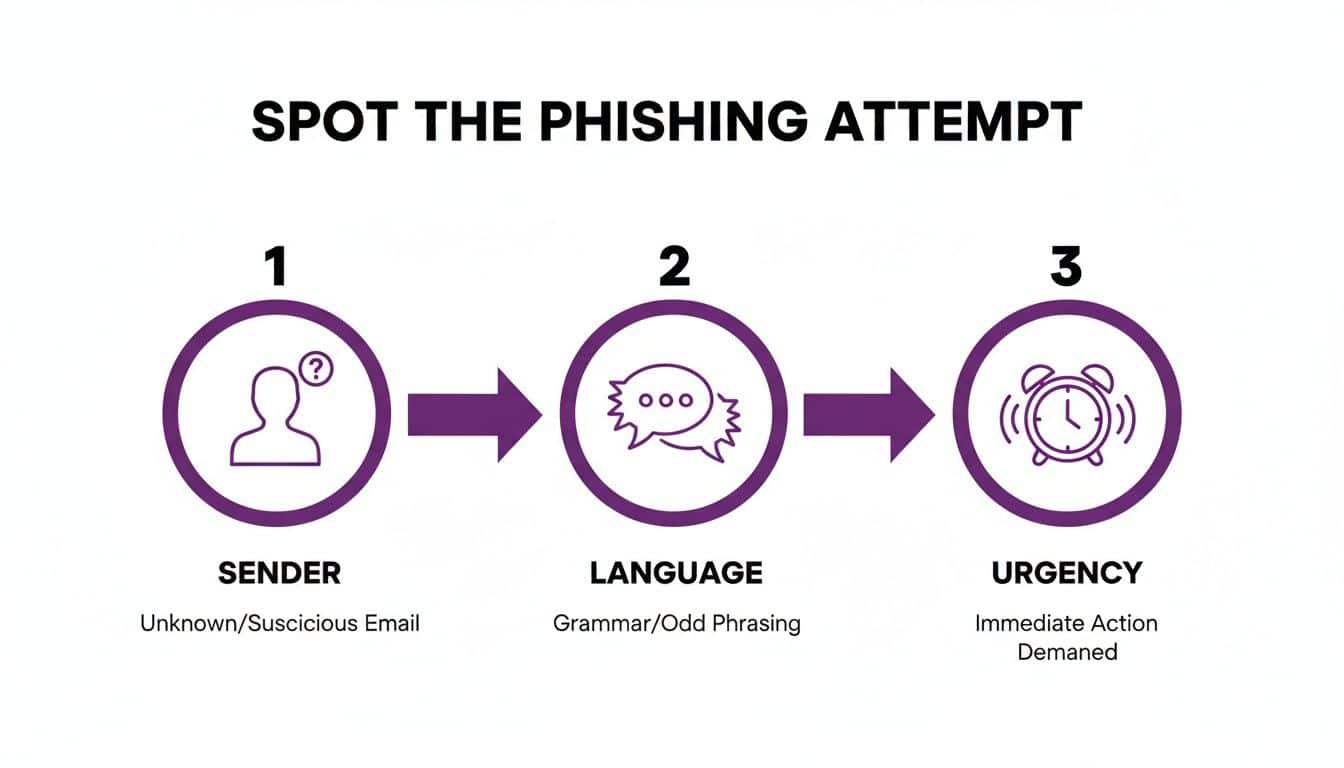
These initial checks on the sender and the message itself are your first line of defence before you even think about touching the payload.
The Danger Lurking in Attachments
If a link is the unlocked front door, a malicious attachment is the Trojan horse delivered right to your reception. These files are one of the main ways criminals deliver ransomware and other nasty malware, often by disguising them as something completely boring and routine.
You have to be incredibly cautious with unexpected attachments, even if they appear to be from someone you know—their account could have been hijacked. The most dangerous files are often hidden in plain sight.
For instance, a file named Invoice_July.pdf.exe isn’t a PDF at all. The real file type is the very last extension, .exe, which is an executable file that can run programs and install malware. By default, Windows often hides these known file extensions, so all you might see is Invoice_July.pdf, making it look perfectly safe.
Commonly Abused File Types:
- Office Documents with Macros: Be suspicious of files ending in
.docmor.xlsm. These can contain malicious scripts (macros) that run when you open the file. Never “Enable Content” or “Enable Macros” unless you are 100% certain it’s safe. - Archived Files: Scammers love to use
.zipand.rarfiles to bundle up their malicious software and sneak it past email security scanners. - Disk Image Files: You might also see
.isoor.imgfiles. These can mount as a virtual drive on your computer and trick you into running a setup file that installs malware.
The Rise of QR Code Phishing or Quishing
Cybercriminals never stand still; they’re always looking for new ways around security filters. The latest trend we’re seeing is QR code phishing, or “quishing.” Instead of a text link, they embed a malicious QR code into the body of an email as an image.
Because the link is hidden inside a picture, many standard email scanners can’t “see” it to check if it’s dangerous. An employee might scan the code with their phone, thinking it’s for a multi-factor authentication prompt or a special discount, and be taken straight to a fake login page designed to steal their credentials.
This tactic is exploding. QR code phishing attempts surged 400% between 2023 and 2025 because it’s so effective at bypassing security. It’s a worrying trend, with an alarming 47% of phishing emails in 2025 reportedly getting past filters using these kinds of advanced methods. You can discover more insights about the alarming rise in advanced phishing attacks and see how threat actors are adapting.
Treat a QR code in an unexpected email with the exact same suspicion you’d give a dodgy link. Don’t scan it.
If these advanced threats are a concern for your business, it’s time to act. Give our expert team a call on 0845 855 0000 today or Send us a message to see how we can help secure your company.
Beyond the Obvious: Spotting Advanced and Impersonation Attacks
Once you’ve got a handle on the obvious giveaways, it’s time to look at the more sophisticated scams—the ones that keep security professionals up at night. These aren’t your garden-variety phishing emails; they’re meticulously crafted, highly targeted, and designed to fool even the most cautious user. To stop them, you need to know how to look beneath the surface.
One of the best ways to do this is to get comfortable looking at an email’s headers. Think of the headers as the email’s digital passport, stamped at every stop on its journey to your inbox. It contains all the technical details that most people never see. In Outlook, you can find this by opening an email, navigating to File > Properties, and checking the ‘Internet headers’ box.
I know, it looks like a wall of code. But don’t be intimidated. You’re only hunting for two specific results from the email authentication checks:
- SPF (Sender Policy Framework): This confirms if the email came from a server authorised to send on behalf of that domain. A
spf=failis a massive red flag. - DKIM (DomainKeys Identified Mail): This is a digital signature that verifies the email hasn’t been tampered with. A
dkim=failmeans something is wrong with that signature.
If you see a fail next to either SPF or DKIM, it’s a clear technical signal that the sender’s address is almost certainly forged. You don’t need to be an IT guru; spotting the word fail is enough to know the email is a fake.
From Wide Nets to Harpoons: The Rise of Targeted Attacks
Generic phishing is all about volume—blasting out millions of emails hoping someone, somewhere, will bite. Spear phishing, on the other hand, is personal. It’s a targeted attack, often aimed at a specific person, armed with details that make it feel frighteningly real.
Attackers will scour places like your LinkedIn profile or company website to find your job title, the names of your colleagues, or details about a project you’re currently working on. An email that lands in your inbox mentioning a real client or a genuine internal initiative is instantly more believable. That’s what makes spear phishing so effective; it uses genuine information to build a false sense of trust.
The real danger with spear phishing is that it’s not just about tricking you into clicking a link. It’s about manipulating you into performing a very specific action, like wiring money or handing over sensitive company data.
Business Email Compromise: The Multi-Million-Pound Con
At the top of the food chain is Business Email Compromise (BEC). This is where spear phishing evolves into a high-stakes financial con, costing businesses millions. In a typical BEC scam, criminals will impersonate a senior executive—like the CEO or Finance Director—or a trusted supplier.
The classic example is an urgent, confidential email from your “CEO” demanding an immediate bank transfer to a new account to close a secret deal or pay an overdue invoice. Sender impersonation is the name of the game, with criminals often pretending to be from financial institutions (33% of attempts) or well-known tech companies like Microsoft.
The scale is staggering, with an estimated 3.4 billion phishing emails sent across the globe every single day. Alarmingly, a huge chunk of these now come from legitimate, but compromised, email accounts. Between September 2024 and February 2025, these accounted for 57.9% of all phishing emails—a 49.9% increase that makes spotting them harder than ever. You can read more on the latest phishing email statistics to see just how the threat is changing.
Because these emails rarely contain dodgy links or attachments, they often glide straight past automated security filters. The attack is purely psychological, preying on our natural reluctance to question an urgent request from someone in authority.
This is where having a simple, rigid verification process is non-negotiable.
Key Questions to Ask for Any High-Stakes Request:
- Is this normal? Are they asking you to sidestep the usual payment approval workflow?
- Why the rush? Is there a sense of extreme urgency or a demand for secrecy?
- Why the change? Has a supplier suddenly emailed you with new bank details out of the blue?
- Why only email? If they refuse to jump on a quick call, be very suspicious.
Your single best defence is what we call out-of-band verification. If you get an unusual financial request via email, just stop. Pick up your phone and call the person on a number you know is legitimate. A two-minute chat is all it takes to confirm if the request is real. It’s a tiny bit of friction that can prevent a catastrophic financial loss. And whatever you do, never use the contact details from the suspicious email itself.
Concerned about sophisticated threats like Business Email Compromise? Phone 0845 855 0000 today or Send us a message to discuss advanced security solutions.
Putting Your Microsoft 365 Security to Work
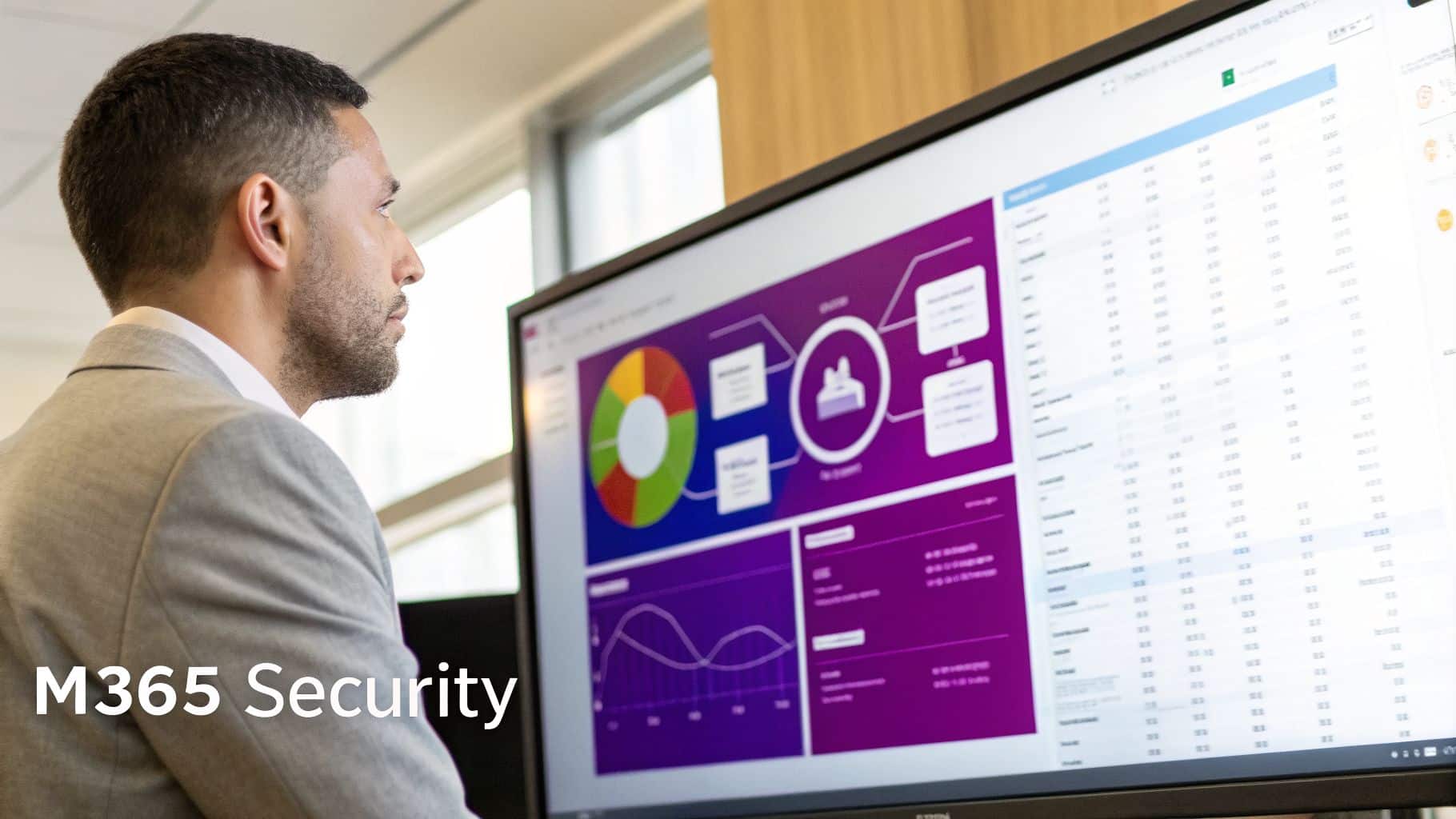
If your business runs on Microsoft 365, you have more than just email and Office apps at your fingertips. You’ve also got a serious security toolkit ready to go. When set up properly, these features are your best first line of defence against phishing attacks. Many of them are bundled into a suite called Microsoft Defender for Office 365, built to neutralise threats before they ever land in your team’s inboxes.
While teaching your staff how to spot a dodgy email is vital, it’s far better to have an automated system doing the heavy lifting first. That’s what Microsoft’s technology does. It acts as a digital guard dog, automatically catching the majority of threats so your team can work in a much safer environment.
Safe Links: Your Built-In URL Bodyguard
One of the most powerful tools in the Defender suite is Safe Links. It’s essentially a real-time URL-checking service that kicks in every single time someone clicks a link, whether it’s in an email, a Teams chat, or an Office document. The moment a link is clicked, Safe Links instantly reroutes it to a Microsoft server, where it’s scanned against a live, constantly updated database of malicious sites.
If the link gets the all-clear, the user is sent straight to the webpage without noticing a thing. But if it points to a phishing site or a page hosting malware, the user is stopped in their tracks and shown a clear warning. This whole check happens in a blink of an eye, and it’s an incredibly effective way to disarm malicious links hidden behind seemingly harmless text.
Safe Attachments: Detonating Files in a Secure Sandbox
It’s the same idea for attachments. That’s where Safe Attachments comes in, tackling the risk of malicious files head-on. Any email attachment arriving in your system is automatically sent to a special, isolated virtual environment—what we call a “sandbox”. Inside this secure space, the file is opened and analysed for any dodgy behaviour.
- The system watches to see if the file tries to download malware, contact a malicious server, or make any unauthorised changes.
- If the attachment is flagged as dangerous, it’s simply stripped from the email. It never even gets the chance to reach the user.
- This is particularly good at stopping zero-day threats and clever malware that attackers hide inside what look like normal PDF or Word files.
With the right configuration, Safe Links and Safe Attachments can neutralise the vast majority of common phishing attempts. For a deeper look at how to layer these defences, exploring email security best practices is a great next step.
It’s worth remembering that these security policies aren’t always perfectly optimised for your business straight out of the box. Expert configuration is key to getting maximum protection without disrupting workflow. This means ensuring policies apply to the right people and that the threat levels are set correctly.
Reporting Phishing and Making Your Defences Smarter
Microsoft 365 also gives your team the power to fight back. The ‘Report Phishing’ button in the Outlook ribbon is much more than a delete button. When an employee uses it, two important things happen.
First, the email is instantly moved out of their inbox and flagged for your security team or administrator to investigate. Second, and just as important, it sends a signal back to Microsoft’s global security intelligence network. This feedback helps train the AI algorithms to spot similar threats in the future, improving protection for your entire organisation and millions of other users.
By encouraging your staff to use this button, you create a powerful feedback loop. It turns every employee into a sensor on your security network, helping to catch new attack campaigns right as they start. You can learn more about our comprehensive security approach in our guide to email security best practices.
Phone 0845 855 0000 today or Send us a message to secure your business.
Building a Human Firewall Through Training
Even with the best Microsoft 365 security measures in place, technology can only do so much. The reality is, your people are your last, and arguably most important, line of defence. When you empower your team with the right knowledge and a clear plan of action, they stop being a target and become a proactive “human firewall”.
The foundation of a strong security culture is a simple, well-communicated reporting process. Everyone in your business needs to know exactly what to do the second they think an email looks suspicious. Any confusion or hesitation can lead to costly mistakes, like forwarding the malicious email to a colleague to get a second opinion.
Creating a Simple Reporting Workflow
The moment an employee gets that “gut feeling” about an email, their next move should be second nature. The process has to be dead simple and consistently reinforced to prevent anyone from taking unnecessary risks.
Here’s what that reporting workflow must cover, with no exceptions:
- Don’t Click Anything: This is the golden rule. Staff must be trained not to click on any links, open attachments, or even hit reply.
- Don’t Forward the Email: Forwarding a phishing email is one of the fastest ways to spread a threat across your network. The only time this is acceptable is if your IT support specifically asks for it to be sent as an attachment for analysis.
- Report It Immediately: The employee needs to let your internal IT team or external support provider know straight away. While using Outlook’s ‘Report Phishing’ button is a good first step, a direct phone call or message ensures a rapid, hands-on response.
The goal is to make reporting a reflex, not a debate. A clear, simple process removes guesswork and empowers your team to act decisively, containing potential threats before they can cause any harm.
Ongoing Training and Awareness
A once-a-year training session just doesn’t cut it anymore. Keeping security top-of-mind means weaving it into your company’s daily fabric. To maintain your human firewall, you need to provide regular security awareness training topics that keep everyone sharp and up-to-date on the latest scams.
One of the most powerful tools I’ve seen in action is running simulated phishing campaigns. These are essentially harmless, controlled phishing emails you send to your own staff. It’s a fantastic, low-risk way to see who might be vulnerable, providing a powerful learning moment without any actual danger.
Another great tactic is to introduce short ‘security moments’ into your regular team meetings. Just take five minutes to break down a real phishing attempt that was caught, or share a new tip for spotting a fake login page. These frequent, bite-sized reminders are far more effective at building lasting security habits than a single annual seminar. You can see how to formalise this with our expert-led security awareness and training programmes.
Taking the Next Step: Building a Phishing-Resistant Culture
At the end of the day, spotting a phishing email is a practical skill, not some dark art. Once you know what to look for—from the subtle red flags in the text to dodgy links—you’re already halfway there. It really boils down to a simple habit: if an email feels off or tries to rush you, take a breath. That small pause is your best defence.
Trust your gut. A moment spent double-checking an urgent request is nothing compared to the chaos and cost of cleaning up after a successful attack. When in doubt, don’t just delete it—report it. This helps protect not just you, but everyone in the organisation. To build on these skills and create that crucial ‘human firewall’, a good security awareness training guide can provide a solid framework.
But you don’t have to figure all this out on your own. For businesses across the UK, there’s expert support available to put robust security measures in place and give you genuine peace of mind. Getting the right advice is key to understanding how to protect against phishing attacks as a whole.
To safeguard your business from cyber threats, call our team today on 0845 855 0000 or Send us a message to talk about securing your organisation.