
Think of a software licence not as a simple permission slip, but as the rulebook for a critical business tool. It's the legal agreement that defines how you can use, distribute, and manage a piece of software. Getting this right is a cornerstone of your IT strategy, dictating everything from costs and user access to your legal responsibilities.

Understanding Software Licensing Fundamentals
For many UK businesses, trying to make sense of software licensing feels like navigating a dense legal document written in another language. At its heart, a software licence is simply a contract between you (the business) and the company that created the software. This agreement spells out exactly what your money gets you and the specific rules you have to follow.
This isn't just an admin task for the IT department; it's a vital business function. The right licence protects you from legal trouble, stops you from wasting money on software you don't use, and gives you the room to grow. A poor choice, on the other hand, could block you from moving an application to a cheaper cloud server or hit you with unexpected fees down the line.
Why Software Licensing Matters for Your Business
The fine print in your software agreements has a direct and often immediate impact on your budget and your ability to adapt. A smart licensing strategy ensures you’re only paying for what you genuinely need, cutting out the waste from unused seats or features.
Different licence types achieve different goals, and understanding them is key.
- Cost Control: A good strategy prevents you from paying for ‘shelfware’—software that’s bought but never used. For example, imagine paying for a premium plan at £40 per user per month for 20 employees. If they only need basic features available in a £15 plan, you’re wasting £6,000 a year.
- Compliance and Security: Staying on the right side of vendor terms helps you avoid the stress and hefty fines that come with a software audit. It also ensures you get the crucial security patches needed to protect your business.
- Business Agility: The right model lets you scale your user count up or down as your team evolves. This means you can support business growth without being tied to inflexible, long-term contracts.
As you get to grips with these agreements, modern tools can give you a real edge. For instance, specialised AI legal software can help translate complicated contract language into plain English, giving you a much clearer picture of your rights and duties. That clarity is the foundation for making better buying decisions and staying compliant for the long haul.
Ultimately, getting a handle on software licensing turns what seems like a major headache into a strategic advantage. It allows you to build a software toolkit that's powerful, cost-effective, and secure.
To discuss how we can help optimise your software licensing strategy, phone 0845 855 0000 today or send us a message.
Getting to Grips with Software Licence Types
When you're looking at software, the different licensing options can seem a bit bewildering. But getting your head around the main types is the first real step towards creating an IT setup that’s both cost-effective and flexible. Each model has its own pros and cons, and the right choice really boils down to your specific business needs, budget, and where you see yourself in a few years.
A good way to think about it is like getting a vehicle for your company. You could buy a van outright. It's yours forever, but you're on the hook for all the repairs, maintenance, and eventually, replacing it. Or, you could lease one. This means smaller, regular payments, with servicing included and the chance to upgrade to a newer model down the line. Software licensing is much the same.
The Ownership Model: Perpetual Licences
A perpetual licence is the classic way of buying software. You pay a single, large fee upfront, and in return, you own that specific version of the software indefinitely. This is just like buying the van—it's yours to keep and use however you like.
The main draw here is that it's a predictable, one-off capital expense. But there's a catch. If you want any technical support, updates, or crucial security patches, you'll almost always have to pay for a separate annual maintenance contract. Skip that, and you’re left with the version you originally bought, which can quickly become outdated and a security risk.
The Access Model: Subscription and SaaS Licences
On the other side of the coin, we have subscription licences. This model has taken over, especially for cloud-based tools. Instead of that big upfront cost, you pay a recurring fee—usually monthly or annually—for access to the software. This is your leasing option; you can use the van for as long as you pay the monthly fee, and all the maintenance is handled for you.
For most modern businesses, this approach has some clear advantages:
- Lower Initial Cost: It shifts a hefty capital expenditure (CapEx) to a manageable operational expense (OpEx), which makes budgeting much simpler.
- Always Current: Subscriptions nearly always bundle in all the latest updates, new features, and security patches. You're never running on old tech.
- Flexibility: You can easily add or remove users as your team grows or shrinks, so you’re only ever paying for what you actually use.
This pay-as-you-go approach is the powerhouse behind the incredible growth of Software-as-a-Service (SaaS). You see it everywhere, with platforms like Microsoft 365 being a perfect example of the SaaS model in action.
To help you quickly compare these common approaches, here’s a simple breakdown.
Software Licence Models at a Glance
This table offers a quick comparison of the most common software licensing models, helping you understand the key differences in cost, ownership, and flexibility.
| Licence Model | Ownership | Payment Structure | Best For |
|---|---|---|---|
| Perpetual | You own a specific version of the software forever. | Large, one-off upfront payment. Optional annual fees for maintenance/support. | Businesses that prefer a one-time capital expense and have stable, predictable software needs. |
| Subscription/SaaS | You have the right to access the software as long as you pay. | Recurring payments (monthly or annually). | Businesses that need flexibility, scalability, and want to avoid large upfront costs. |
| Open-Source | You don’t own the software, but you have the freedom to use, modify, and distribute it under specific terms. | Typically free, but may have costs for support or premium features. | Anyone, from startups to large enterprises, especially those with in-house development teams. |
As you can see, the choice isn't just about price; it's about aligning the licence with how your business operates.
This shift towards flexible, subscription-based licensing is making waves in the UK. The software distribution sector was valued at a massive £17,500 million in 2025 and is on track to hit £58,350 million by 2035, growing at an annual rate of 12.8%. For UK businesses using cloud solutions like Dynamics 365 or Power Platform, this trend offers the agility to innovate without being tied to a single vendor. You can read more about the forces driving this market shift.
A software licence isn’t just a purchase; it's a strategic decision. Choosing a subscription model often means choosing agility, allowing your business to pivot and adapt without being weighed down by legacy software investments.
More Specialised Licence Types
Beyond these two main models, you’ll sometimes run into more specific licences, especially when you're dealing with a server-based network.
-
Client Access Licences (CALs): These are vital in any Microsoft server environment. A CAL isn't software; it's a licence that grants a user or a device the right to access services on a server. For instance, you might have one licence for your Windows Server software, but you will also need individual CALs for every employee or computer that needs to connect to it.
-
Open-Source Licences: We often think of open-source software as simply "free," but it still comes with a licence agreement. These licences spell out exactly how you can use, change, and share the software. While there's usually no fee, there are legal terms you have to follow, particularly if you modify the code or build it into a product you sell.
Taking the time to understand these different models is crucial. It gives you the power to make smart decisions that fit your budget, protect your business, and support your long-term goals.
Navigating the Complex World of Microsoft Licensing
For almost any business in the UK, Microsoft software isn't just a helpful tool; it's the very engine of day-to-day operations. That makes getting your software licensing right a mission-critical task. At first glance, the world of Microsoft licensing can feel like an impossibly dense maze, but there is a logic to it, designed to fit different business needs. Nail this, and you’re not just buying software – you’re making a powerful investment work for you.

So, where do you start? The first hurdle for many is simply figuring out how to buy the licences. While there are a few different routes, two stand out as the most common for small to medium-sized businesses (SMBs) and larger organisations.
- Cloud Solution Provider (CSP) Programme: This is the go-to for modern, flexible licensing. You work directly with a Microsoft partner (like F1 Group) who not only sells you the licences but also manages the billing and support. It’s perfect for businesses that need to scale, allowing you to add or remove users and change plans on a monthly basis.
- Enterprise Agreement (EA): Think of this as a bulk-buy option. It’s a three-year commitment geared towards larger companies (usually 500+ users) looking for predictable, long-term pricing. It makes sense for established organisations with stable or predictable growth.
Choosing the right channel is your first major decision. It really boils down to your company's size, your need for budget predictability, and how much agility you require.
Microsoft 365 Licensing Explained
Microsoft 365 is the productivity cornerstone for most, bundling the Office apps we all know with powerful cloud services and security. Its licensing is primarily user-based, which is a simple but important concept: you buy a subscription for each person, not each machine. This means one employee can use their licence across their desktop, laptop, and phone.
The plans come in tiers, and picking the right one is crucial for managing costs.
- Microsoft 365 Business Premium: An excellent all-in-one for SMBs (up to 300 users). It gives you the full Office suite, Teams, and cloud storage, but critically, it also bundles in advanced security and device management. A typical price is around £18.10 per user/month.
- Microsoft 365 E3: Aimed at the enterprise space, E3 builds on Business Premium with more sophisticated security, compliance, and analytics tools needed by larger organisations. It costs approximately £32.80 per user/month.
- Microsoft 365 E5: This is the top-tier plan. It adds a formidable layer of security, integrated voice and telephony features, and advanced analytics with tools like Power BI Pro. Expect to pay around £53.80 per user/month.
Putting an expensive E5 licence on a staff member who only needs email and Word is one of the most common ways we see money being wasted. If you need a deeper dive, we've put together a full guide on licensing Office 365 effectively.
Azure and Dynamics 365 Licensing Models
Beyond office productivity, Microsoft’s ecosystem extends into cloud infrastructure and core business applications, each with its own unique licensing model.
Microsoft Azure runs on a consumption-based or "pay-as-you-go" model. It’s just like your electricity bill: you only pay for what you use, whether that’s virtual machine uptime, storage, or network traffic. This offers incredible flexibility but demands close monitoring. Forgetting to turn off a powerful virtual server over the weekend can lead to a nasty surprise on your next bill.
With consumption-based models like Azure, active management isn’t optional; it’s essential. The whole point is to match your cloud spend directly to business activity, so you never pay for idle capacity. This is a huge shift from the fixed-cost world of traditional IT.
Dynamics 365 and the Power Platform, on the other hand, use a mix-and-match approach. You can license specific apps (like Dynamics 365 Sales or Customer Service) based on what each user actually does. A "full" user who actively builds sales pipelines needs a different, more comprehensive licence than a "team member" who just needs to view reports. This modularity is powerful, but it adds yet another layer to the challenge of getting your software portfolio right.
For any business running on Microsoft, taking a proactive stance on licensing is non-negotiable. By understanding the purchasing channels and the specific models for M365, Azure, and Dynamics, you can build a software estate that’s both cost-effective and perfectly aligned with your goals.
The Hidden Costs of Restrictive Software Licensing
Think of your software licences as the rulebook for your company’s technology. When that rulebook is decades old, it can feel like it’s holding your business back, quietly driving up costs and slowing you down. What might seem like a simple contractual formality can easily trap you in outdated ways of working, preventing you from adopting the modern tools you need to compete.
Many of these legacy contracts were written long before the cloud was a realistic option for most businesses. As a result, their terms can create major headaches when you try to modernise. For instance, a restrictive licence might flat-out forbid you from running its software on a cost-effective cloud platform or hit you with massive, unexpected fees for using virtual machines.
How Old Rules Block Modernisation
Let’s say you want to move your on-premise servers to a more flexible environment like Microsoft Azure. It’s a smart move for scalability and cost. But an old, restrictive licence from another software vendor could stop you in your tracks, effectively chaining you to your current, expensive hardware. This doesn't just inflate your IT budget; it stops your team from reaping the benefits of cloud computing.
This is a classic case of vendor lock-in, and it's one of the most damaging side effects of outdated agreements. You’re stuck with one provider, unable to look elsewhere for better pricing or more innovative technology. When your business needs change, you have no choice but to go back to that same vendor, often paying a premium for features you could get for less from someone else.
It's a huge problem for UK businesses. A 2026 survey of 512 IT decision-makers revealed that a staggering 67% believe restrictive licensing gets in the way of growth. We see this firsthand with firms in the East Midlands, where old Microsoft licences can bloat costs and stall a much-needed move to the cloud. You can read the full survey findings on restrictive software licensing to see the full picture.
A restrictive licence isn't just an inconvenience; it's a direct threat to your competitive edge. It forces you to operate with one hand tied behind your back, unable to embrace the tools that could make your business faster, smarter, and more secure.
The Real-World Impact on Productivity
It’s not just about the money, either. When your IT team is hamstrung by old licensing rules, productivity takes a direct hit. A perfect, current example is the rollout of new AI-powered tools like Copilot for Microsoft 365. If your underlying Office licences are old or restrictive, your team simply can't adopt this powerful technology, leaving you a step behind your competitors.
This inability to modernise creates a ripple effect of problems:
- Innovation Grinds to a Halt: Your team can't experiment with or adopt new tools that could genuinely improve how they work.
- Security Risks Mount: Legacy software eventually stops receiving critical security patches, leaving your entire network exposed to attack.
- Staff Morale Drops: Forcing people to use slow, clunky, and outdated technology is a recipe for frustration and kills productivity.
These aren't just minor risks; they're long-term threats that highlight why you need to actively manage your software agreements. By partnering with an expert, you can navigate these complexities. For instance, working with a Microsoft Cloud Solution Provider ensures your licensing strategy is an asset that supports your business goals, rather than an obstacle that hinders them.
To discuss how modernising your software licensing can unlock growth for your business, phone 0845 855 0000 today or send us a message.
How to Prepare for and Survive a Software Licence Audit
Nothing makes an IT manager's heart sink faster than an audit letter from a big software vendor like Microsoft. It can feel a bit like getting a notice from the tax man. But honestly, with the right preparation, what seems like a major headache can become a surprisingly straightforward process. A little bit of planning goes a long way in turning that initial panic into quiet confidence.
And these audits are definitely on the rise. They're becoming more frequent and, frankly, more aggressive. A recent survey showed that 62% of UK businesses were audited in the last year, a huge jump from just 40% two years ago. It’s no wonder that 52% of organisations now bring in third-party experts to help them stay compliant, up from 34%. The pressure is mounting.
Building Your Audit Defence: A Practical Checklist
When that audit letter does arrive, your best response is a calm and organised one. The whole point is to give the auditors a crystal-clear picture of your software estate, showing them that what you’re using matches up perfectly with what you’ve paid for. A frantic, disorganised response just signals chaos, which is like an open invitation for them to dig deeper.
Here’s how you can get ahead of the game:
- Run Your Own Internal Audit First: Before you even think about replying, do your own homework. Use software discovery tools to get a complete inventory of every single application installed on your network—that means every workstation, server, and virtual machine.
- Gather All Your Paperwork: Now it’s time to find all your proof of ownership. This means digging out purchase records, invoices, master agreements, and any documents that prove you own the licences for the software in question.
- Compare and Spot the Gaps: This is the most important step. Cross-reference what you have installed against the licences you actually own. This reconciliation will tell you exactly where you stand and reveal if you're compliant, over-licensed, or facing a shortfall.
How to Act During the Audit
Believe it or not, how you handle yourself during the audit is just as critical as the paperwork you provide. A professional, cooperative attitude can genuinely influence the outcome. A great tip is to appoint a single person from your team to be the sole point of contact for the auditors. This keeps all communication consistent, controlled, and clear.
The secret to surviving an audit is simple: be transparent and back it all up with evidence. If you can quickly show a clear, accurate report that compares your software deployments to your licence entitlements, you’re golden. It proves you're in control and managing your assets responsibly.
This is where good IT asset management becomes your best friend. A solid approach to cybersecurity GRC (Governance, Risk, and Compliance) provides the perfect framework for this kind of responsible management. For a deeper dive, take a look at our guide on what is IT Asset Management.
The image below shows exactly what you want to avoid—restrictive licensing terms that box you in, a major risk that audits often bring to light.
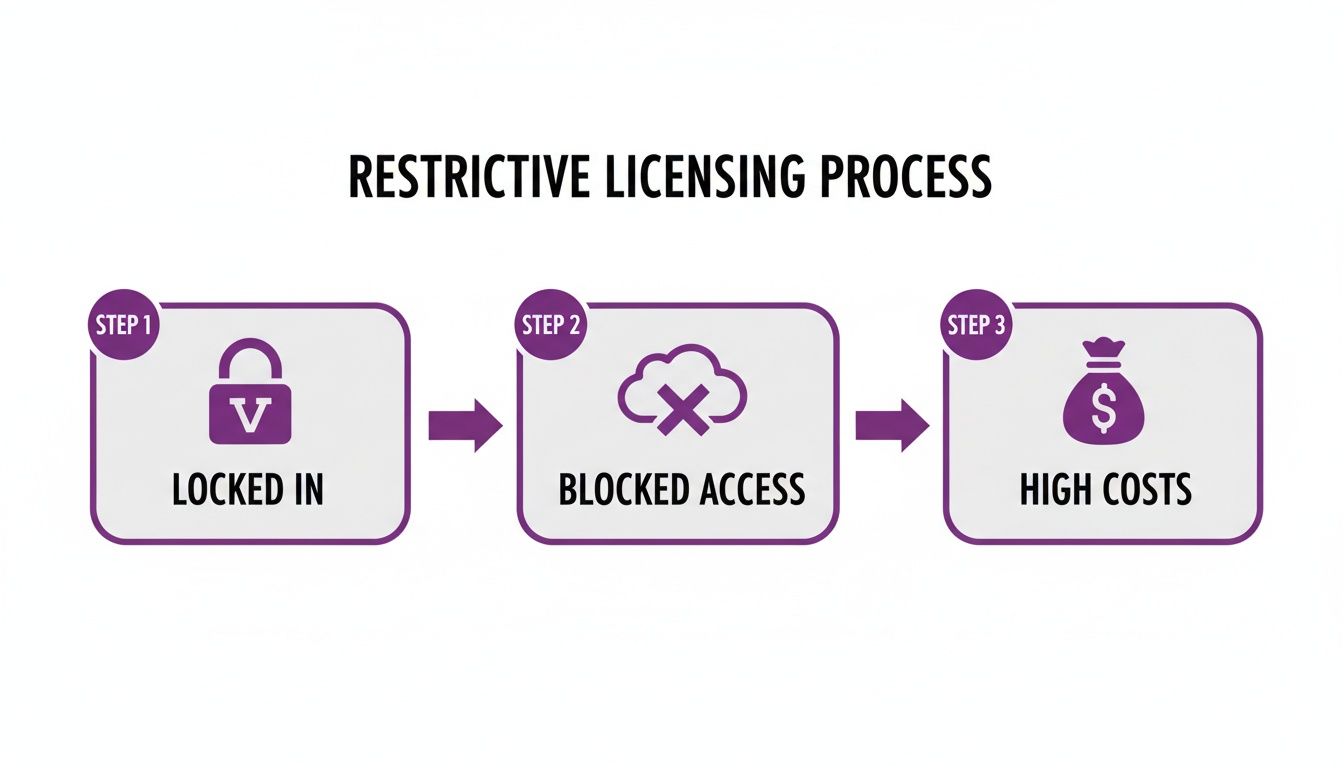
As you can see, getting locked into one vendor can block you from using better, more modern tools and ends up costing you more in the long run.
So, What Happens If You Find a Shortfall?
If your internal check reveals you don't have enough licences, don't panic. The fact that you found it yourself is a huge advantage. It gives you the opportunity to sort it out proactively by purchasing the licences you need before the auditors finalise their own report.
If the auditors are the ones to find a deficit, they’ll present you with their findings and a bill to match. This will typically include the cost of the licences you need, often with a penalty on top. Even in this situation, there’s usually room to negotiate the final settlement, particularly if you’ve been cooperative. The key is to show them you have a solid plan in place to make sure it doesn’t happen again.
To discuss preparing for an audit or optimising your approach to licensing a software portfolio, Phone 0845 855 0000 today or Send us a message.
Partnering for Success with a Licence Optimisation Strategy
Getting your software licensing a software portfolio sorted isn't a task you can just tick off a list and forget about. Think of it as an ongoing strategy that, when handled correctly, genuinely boosts your business. All too often, we see companies stuck in a reactive loop, only thinking about licences when a renewal notice lands on their desk or an audit letter arrives.
But flipping that script—moving to a proactive approach—changes everything. It transforms your software spend from a necessary evil into a real driver for efficiency and growth. The secret to making that happen? Working with an expert partner.
A local IT specialist can completely reshape how you handle licensing, moving you away from constantly putting out fires and towards smart, forward-thinking planning. It’s not just about buying software; it’s about building and maintaining an entire software estate that’s perfectly tailored to what your business actually does.
A good partner handles the day-to-day grind of continuous management. They'll run regular health checks on your licences, pinpointing which ones are gathering dust and which aren't being used at all. Then, they put a process in place to ‘re-harvest’ them—either by reallocating them to new starters or removing them entirely. It's a simple way to stop spending money on thin air.
The Advantage of Deep Microsoft Expertise
For most UK businesses, Microsoft’s ecosystem is the backbone of their operations. This is where a partner with serious Microsoft know-how gives you a massive strategic edge. They can see beyond a simple licence count and help you get the most out of your entire Microsoft budget, making sure every pound spent is delivering a tangible return.
That expert guidance is vital across all the main Microsoft platforms:
- Optimising Azure Spend: The pay-as-you-go model of Microsoft Azure is fantastic for flexibility, but it can also lead to costs spiralling out of control if you're not careful. A partner will help you keep a close eye on consumption, rightsize your virtual machines, and use cost-saving tools like Reserved Instances to keep your cloud spend in check.
- Maximising Dynamics 365 ROI: The licensing for Dynamics 365 is notoriously complex. A specialist partner will make sure you’re not over-licensing staff, assigning the right ‘Team Member’ or ‘Full User’ licences based on what people actually do day-to-day, not just their job title.
- Preparing for New Tools: When game-changing tech like Copilot AI comes along, a partner helps you get your organisation ready. They ensure your underlying Microsoft 365 licences are set up correctly so you can adopt powerful new tools securely and affordably, without tripping over any compliance wires.
Partnering with an IT expert is about more than just saving money. It's about gaining the strategic foresight to align your software investments with your long-term business goals, ensuring your technology stack is always an asset, never a liability.
From Reactive Management to Proactive Strategy
The end game is to build a living, breathing licensing strategy that grows and changes right alongside your business. When you hire new people, a proactive plan means they get the exact tools they need on day one without you overpaying for licences they won't use. When a project wraps up, there's already a process to reclaim those licences immediately.
This kind of strategic partnership frees your internal IT team from the thankless, admin-heavy task of licence management. Instead of being buried in spreadsheets and worrying about compliance, they can get back to focusing on the high-impact projects that actually move the business forward.
By working with an expert, you turn the complex challenge of licensing a software portfolio into a clear competitive advantage. You build a foundation that is cost-efficient, fully compliant, and perfectly positioned to support future growth and innovation.
To start optimising your software licensing and turn your IT investment into a true business driver, Phone 0845 855 0000 today or Send us a message.
Frequently Asked Questions About Software Licensing
As you get to grips with software licensing, a few common questions always seem to pop up. Let's tackle them head-on with some straightforward answers, helping you clear up any confusion and make the right calls for your business.
What Is the Difference Between User-Based and Device-Based Licensing?
This is a great question, and the answer comes down to one simple thing: is the licence for a person or for a machine?
-
User-based licensing is like a personal pass. It’s assigned to a specific person, who can then install and use the software on all their work gadgets – their office desktop, their laptop at home, and their phone on the go. This is the go-to model for businesses with a flexible, modern workforce.
-
Device-based licensing attaches the licence to one particular computer. It doesn’t matter who uses that machine; as long as they’re on that specific device, they have access to the software. Think of shared computers on a factory floor, in a warehouse, or at a reception desk.
Deciding which one you need is all about how you work. If your team members jump between devices and locations, user-based licensing is your best bet. If you have a single computer that serves many different people, the device-based route is almost always more cost-effective.
How Often Should I Review My Software Licences?
Regular reviews are non-negotiable if you want to keep costs in check and stay compliant. As a rule of thumb, you should plan to do a deep dive into all your software licences at least once a year.
An annual review is the bare minimum, though. It’s also smart to check in whenever your business goes through a significant change. This could be:
- Hiring a new batch of employees or, conversely, downsizing.
- Launching a new department or kicking off a major project.
- Making a big strategic shift, like moving to a remote-first working model.
These regular 'health checks' are about more than just ticking a compliance box. They're a golden opportunity to reclaim unused licences, stop overspending in its tracks, and make sure your software toolkit is actually helping your business grow.
What Are the Biggest Risks of Non-Compliance?
Getting licensing wrong can land your business in some serious hot water, both financially and operationally. The fallout can be incredibly disruptive.
Financially, the biggest danger is getting hit with huge, unbudgeted fines from a software vendor audit. These settlement costs can easily run into tens of thousands of pounds, even for smaller businesses.
From an operational standpoint, the damage can be just as severe. A vendor could suddenly revoke your access, leaving your team unable to work. You could also be exposed to security threats by using unsupported software that no longer gets critical updates. It's a preventable mess that proactive, organised management can help you avoid entirely.
Ready to take control of your software licensing and ensure your business is protected and optimised? Phone 0845 855 0000 today or Send us a message to speak with one of our experts.