
Streamlining your business processes isn’t just about shuffling things around. It’s about methodically finding, simplifying, and automating how work gets done to see real, tangible gains in productivity and cost savings. It means finally moving on from those outdated manual tasks to build a sharper, more responsive, and ultimately more profitable operation. Get this right, and your team is freed up to focus on the high-value work that actually drives growth.
The Real Cost of Inefficient Business Processes
For businesses across the East Midlands, from a factory in Leicester to an office in Nottingham, “streamlining business processes” can feel a bit like corporate jargon. But what it really gets at is a critical issue that quietly bleeds resources, day in and day out. Think of inefficient processes as the hidden friction in your company—the endless manual data entry, the chaotic back-and-forth email approvals, and the clunky spreadsheets that grind everything to a halt.
These aren’t just minor annoyances. Over time, these small issues compound into a major operational drag, and they come with a real, measurable cost. That cost shows up in wasted staff hours, delayed projects, missed opportunities, and a direct hit to your bottom line.
Beyond the Obvious Financial Drain
The financial sting of inefficiency is usually the first thing people notice, but the damage goes much deeper. When your best people are bogged down with repetitive, low-value work, their morale and engagement plummet. Talented employees didn’t sign up to chase paperwork or fix data entry mistakes; they want to solve meaningful problems.
This kind of environment often leads to:
- Reduced Employee Morale: Constantly fighting frustrating processes is a recipe for job dissatisfaction and burnout, making it tough to keep your best people.
- Inconsistent Customer Experience: When your internal workflows are a mess, the service you deliver to customers becomes erratic, which can quickly damage your reputation.
- Stifled Growth and Innovation: A business buried in operational admin simply doesn’t have the agility to react to market changes or jump on new opportunities.
Inefficiency is more than just lost time; it’s a barrier to progress. It anchors your business to outdated methods while your competitors are pushing forward, building leaner and more responsive operations.
To get started, it helps to know where to look. Certain areas of a business are notorious hotspots for bottlenecks.
Identifying Processes Ripe for Streamlining
This table highlights common areas where friction builds up and offers a starting point for thinking about improvement.
| Process Area | Common Bottleneck | Streamlining Opportunity |
|---|---|---|
| Finance & Accounting | Manual invoice processing, expense claims, and chasing payments. | Automate data entry from invoices, create digital approval flows for expenses, and set up automated payment reminders. |
| Sales & CRM | Inconsistent lead tracking, manual quote generation, and poor data sharing between sales and delivery teams. | Implement a central CRM system to track all interactions, use templates for quick quote generation, and automate handovers. |
| Human Resources | Paper-based onboarding for new hires, manual holiday requests, and time-consuming performance reviews. | Build a digital onboarding portal, create a self-service system for leave requests, and use apps for feedback collection. |
| Operations & Delivery | Disjointed project management, poor communication between departments, and manual status reporting. | Use a shared project management tool, create automated notifications for key milestones, and generate real-time dashboards. |
Looking at your own operations through this lens can quickly reveal the most urgent and high-impact areas to tackle first.
The Rising Tide of Automation
The need to fix these inefficiencies has never been more urgent. There’s a huge shift happening as companies finally recognise how technology can solve these old problems. In fact, UK small and medium-sized enterprises (SMEs) are projected to invest over £3.1 billion in automation technology by the end of 2025.
This isn’t just a trend; it’s a fundamental change in how businesses in regions like the East Midlands are choosing to operate. The motivation is simple: cut costs and boost productivity. This wave of investment is all about smart automation aimed at the most painful and time-consuming workflows.
Communication breakdowns are a perfect example of a costly inefficiency. To get a real sense of the financial damage that poor processes can cause, it’s worth understanding the real cost of communication silos and how to break them.
Consider this guide your practical roadmap to identifying and resolving these issues in your own organisation. With the right IT partner, this kind of change isn’t just possible—it’s essential for staying competitive.
A Framework for Process Discovery and Mapping
Embarking on a project to streamline your business processes can feel a bit like trying to untangle a massive knot. Where do you even begin? The secret isn’t in complicated corporate diagrams but in a clear, methodical approach to discovery and mapping. It’s all about getting a real-world picture of how work actually gets done in your organisation, day in, day out.
Before you can fix anything, you have to see it for what it is. This means digging deeper than official procedures and assumptions to uncover the genuine workflows your teams rely on. The goal is to create a shared understanding that involves everyone, from the managing director to the apprentice on the shop floor.
Think of this initial phase as a ‘process audit’. It builds the foundation for everything that comes next. Skip this step, and you risk automating a broken process—which just helps you make the same mistakes, only much faster.
Kicking Off Your Process Audit
This first stage is pure discovery, and it absolutely has to be a collaborative effort. Your team members are the real experts here. They live and breathe these tasks every day and know all the workarounds, bottlenecks, and frustrations better than anyone. Bringing them in from the very beginning is crucial for getting their buy-in and making sure your mapping reflects reality.
A brilliant way to start is with informal workshops. Get the key people involved in a specific workflow—let’s say, the new client onboarding process for a professional services firm in Leicester—in a room together. Ask them to walk you through the entire journey, from the moment a contract is signed to the point the client is fully set up in your systems.
During these sessions, you’ll want to focus on a few key activities:
- Interviewing Staff: Ask open-ended questions like, “So, what happens next?” or “What’s the most annoying part of this whole thing?” Their answers will reveal hidden steps and pain points you never knew existed.
- Observing Workflows: What people say they do and what they actually do can be two different things. Shadowing an employee for an hour offers an unfiltered, invaluable glimpse into how a process really works on the ground.
- Gathering Artefacts: Collect all the documents, spreadsheets, emails, and forms used in the process. These physical and digital items are the tangible evidence of the workflow.
Mapping What You Have Discovered
Once you’ve gathered all that raw information, the next job is to create a visual map. The aim here is clarity, not complexity. You don’t need fancy software; a simple flowchart on a whiteboard or in a shared document is often the most powerful tool.
Let’s take a common example: mapping an invoice approval workflow for a logistics company in Newark. Your map should clearly show:
- The Trigger: An invoice arrives via email.
- The Steps: The accounts assistant opens the email, prints the invoice, manually keys the details into a spreadsheet, walks the paper copy over to the department head for a signature, and then files it away.
- The People: Accounts assistant, department head.
- The Systems: Email client, spreadsheet software, physical filing cabinet.
By mapping the ‘as-is’ process, you create a single source of truth. It immediately shines a light on redundancies (like printing a digital document) and delays (like waiting for a physical signature), making it much easier to spot opportunities for improvement.
This map becomes your blueprint for change. It allows the entire team to see the same picture and agree on the specific friction points that need attention. This collaborative approach ensures that when you move on to simplifying and automating, you’re solving the right problems for the people who face them every day.
The focus should always be on practical outcomes. Instead of getting bogged down in creating perfect documentation, build a simple, functional map that everyone understands. This document is the bedrock upon which all successful process improvements are built, turning vague ideas about ‘efficiency’ into a concrete plan for making work better, faster, and less frustrating for your team.
Choosing the Right Tools from the Microsoft Ecosystem
Once you have a clear map of your existing workflows, the next logical step is to pick the right technology to simplify and automate them. Navigating the world of business software can feel overwhelming, but if your organisation already runs on Microsoft 365, you’re sitting on an incredibly powerful suite of tools just waiting to be used.
The real advantage of the Microsoft ecosystem is how seamlessly everything connects. Tools like Power Automate, Power Apps, and Dynamics 365 are designed to talk to each other, letting you build solutions that perfectly fit your newly mapped processes without needing to start from scratch.
Power Automate for Smarter Workflows
Think of Power Automate as the digital glue holding your apps and services together. Its main job is to take on the repetitive, rules-based tasks that eat up your team’s day. It’s fantastic for replacing chaotic email chains and manual hand-offs with smooth, automated workflows.
Take a professional services firm in Nottingham, for instance. They could use Power Automate to handle their entire client intake process. Instead of someone manually emailing forms and chasing approvals, a simple flow does all the work:
- A new client fills out a form on the website.
- Power Automate instantly creates their record in your system.
- It then sends an automated welcome email and assigns a task to the right account manager.
- Finally, it pings the finance team to set up billing.
What used to be a clunky, multi-step manual process becomes a single, seamless action. Nothing gets forgotten.
Power Apps for Custom Solutions
Sometimes, an off-the-shelf solution just doesn’t quite fit. Maybe you’re relying on a clunky, over-complicated spreadsheet for a critical task simply because there’s no better alternative. This is exactly where Power Apps shines. It allows you to build custom, low-code applications that solve your specific business challenges.
Imagine a logistics firm in Grimsby that needs to carry out daily vehicle safety checks. Instead of using paper forms or a confusing spreadsheet, they could build a simple Power App for their drivers’ tablets. The app would guide the driver through the checklist, let them snap photos of any issues, and submit the report digitally.
That data is then instantly available to the fleet manager, giving them real-time insights and a clear audit trail. It’s a perfect example of replacing an inefficient, paper-based process with a purpose-built digital tool.
Dynamics 365 for Integrated Business Management
While Power Automate and Power Apps are brilliant for specific tasks, Dynamics 365 offers a comprehensive platform for managing your core business functions. It pulls together your sales, customer service, and operational data into one unified system, giving you a complete picture of your organisation.
A manufacturing company in the East Midlands could use Dynamics 365 to connect its entire sales and production cycle. When a new order is logged in Dynamics 365 Sales, it can automatically trigger a production order in the operations module. The result? A perfectly smooth transition from sale to delivery.
The real power lies in combining these tools. A Power App could be used to capture sales data on the road, which then syncs with Dynamics 365, and Power Automate could trigger follow-up actions based on that data.
This integrated approach is only becoming more important. The United Kingdom Process Automation Market, valued at an estimated £5.33 billion in 2025, is projected to reach £9.64 billion by 2034. This growth is being driven by businesses adopting scalable IT solutions that integrate tools like Dynamics 365 for seamless HR and sales workflows. You can read more about these market trends and their implications on the Research and Markets website.
Of course, while the Microsoft ecosystem is powerful, it’s always wise to look at external options for specific needs. When evaluating platforms to streamline customer support and IT operations, for example, a comprehensive help desk software comparison can provide valuable insights into other solutions on the market. By understanding the full landscape, you can make the most informed decision for your business.
Building Your First Workflow: A Practical Example
Right, let’s get our hands dirty. We’ve talked about the theory, but seeing a process come to life through automation is where the penny really drops. This is how you start clawing back valuable time and making life easier for your team.
We’re going to build a simple but incredibly useful automated workflow using Power Automate, a tool that, chances are, is already sitting inside your Microsoft 365 subscription, just waiting to be used.
The whole point here is to show you that this isn’t some dark art reserved for developers. We’ll tackle a classic office headache: the holiday request and approval process. It’s something everyone understands and, frankly, a process that’s often a complete mess.
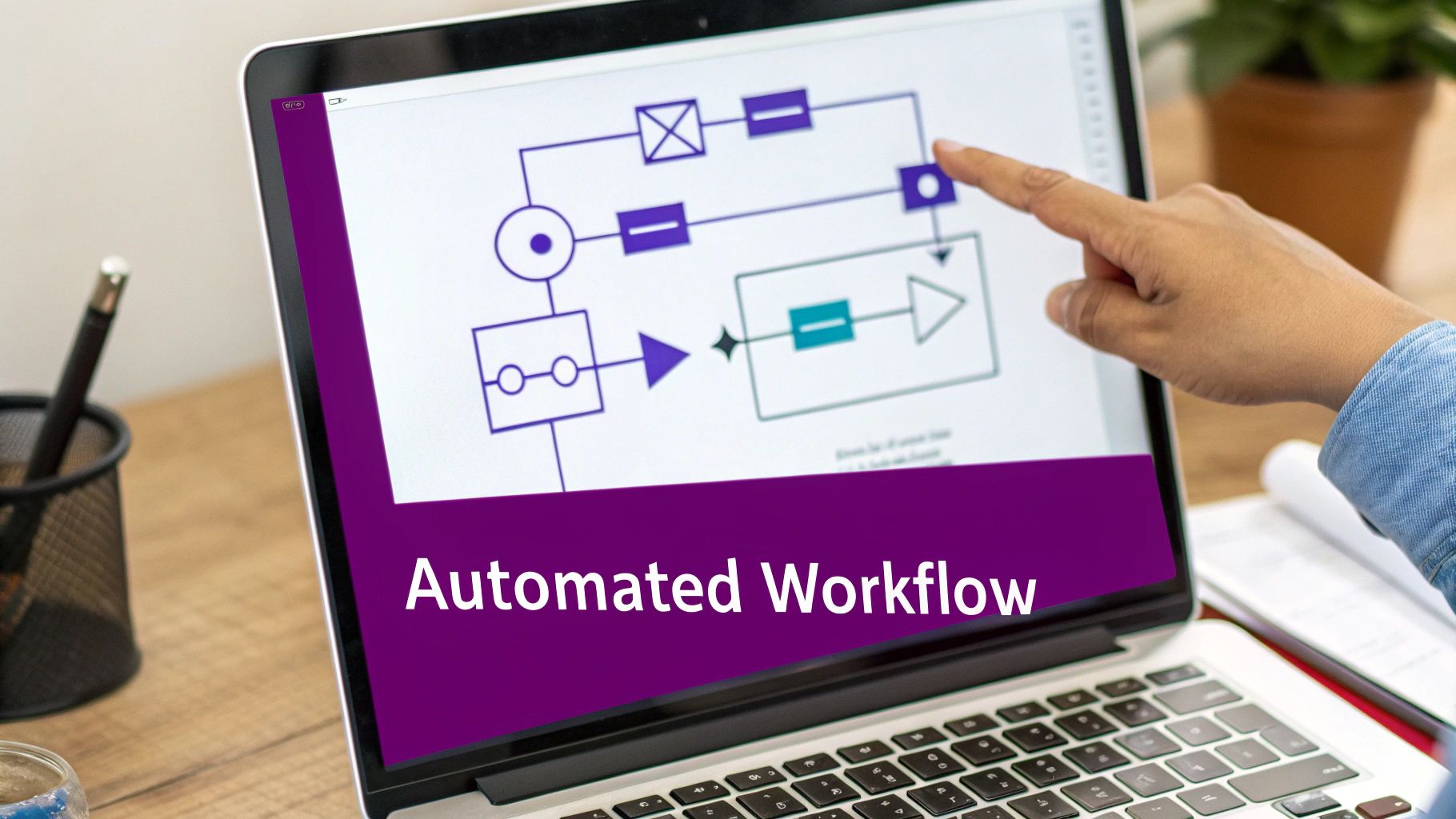
Our goal is to replace that familiar muddle of emails, spreadsheets, and shoulder-tap reminders with a slick, trackable, and professional digital workflow.
Finding the Starting Pistol: The Trigger
Every single automated workflow needs a trigger. Think of it as the starting pistol that sets everything in motion. For our holiday request, the trigger is straightforward.
- The Trigger: “When a new item is created in a SharePoint list.”
First, you’d set up a dead-simple SharePoint list. All it needs are a few columns: ‘Employee Name’, ‘Start Date’, ‘End Date’, and ‘Approval Status’. When an employee fills this out, that action is the signal for our workflow to wake up and get to work.
This is a world away from a loose email request. From the very beginning, the data is structured and consistent. The system knows precisely when it needs to act, removing all the guesswork.
Making Decisions: Adding Conditions and Logic
Once the process kicks off, it needs to know what to do. This is where conditions come into play. They are simple ‘if this, then that’ rules that build a bit of intelligence into your workflow, letting it make decisions on its own.
A great example for our holiday request is a condition based on the length of the leave.
- The Condition: “If the request is for more than 5 days.”
If the request is for more than a week, you might want it to be automatically flagged for a senior manager or HR to review. If it’s five days or fewer, it can just go to the employee’s direct line manager. This tiny piece of logic ensures your company policies are followed every single time, without anyone having to remember or enforce them.
By building your business rules directly into the workflow, you guarantee consistency. The process follows the correct path every single time, which cuts down on human error and frees up managers from having to police basic admin.
Getting Things Done: Defining the Actions
With the trigger and conditions in place, the final piece of the puzzle is defining the actions—the actual tasks the workflow will carry out. In our example, the main action is getting the manager’s approval.
- The Action: “Send an approval email to the line manager.”
Power Automate can instantly look up the employee’s manager in your company directory and fire off a neat, formatted email. This email will contain all the details of the request and, crucially, simple ‘Approve’ and ‘Reject’ buttons. The manager can deal with it right there in their inbox with a single click. No logging into other systems, no fuss.
From there, the workflow handles the rest based on the manager’s response:
- If Approved: The SharePoint list is instantly updated to ‘Approved’, a confirmation email pings back to the employee, and you could even have it automatically add the leave to a shared team calendar.
- If Rejected: The list status changes to ‘Rejected’, and an email goes back to the employee, which can include the manager’s comments explaining why.
This one example shows how a messy, manual chore can be turned into a clean, automated process. The same logic applies to endless other tasks, from lead alerts for your sales team to client onboarding checklists. And while we’ve used a simple SharePoint list, you could use Power Apps to build a much slicker, custom-branded app for submitting requests.
Power Automate vs Manual Process Holiday Request Comparison
The contrast between a manual, email-based system and an automated one is stark. The table below breaks down the real-world improvements in time, cost, and general sanity.
| Metric | Manual Process (Email/Spreadsheet) | Automated Process (Power Automate) |
|---|---|---|
| Time to Submit | 5-10 minutes (find spreadsheet, fill it out, find manager’s email, send). | 1-2 minutes (fill out a simple online form). |
| Approval Time | Hours to days (email gets lost in inbox, manager is busy, requires manual chasing). | Minutes to hours (instant notification with one-click approval). |
| Visibility | None. The employee has no idea where their request is until they get a reply. | Full. The SharePoint list provides a real-time status dashboard for everyone. |
| Error Rate | High. Incorrect dates, missed requests, and inconsistent tracking are common. | Near zero. Data is captured in a standard format, and the process is followed every time. |
This practical example gets to the heart of what process improvement is all about. By taking a simple, repetitive task and applying a bit of low-code automation, you save time, cut out frustration, and build a more reliable system for everyone involved.
How to Measure Success and Calculate Your ROI
Let’s be honest: streamlining your business processes isn’t just about getting new, shiny tech. It’s about getting real, measurable results. To know if your efforts are truly paying off, you have to move past a vague “feeling” of improvement and get down to the brass tacks: concrete metrics and a clear return on investment (ROI).

Before you even think about building an automated workflow, you need to decide what success actually looks like. Setting clear Key Performance Indicators (KPIs) from the very beginning gives you a benchmark. Without them, you’re essentially flying blind, with no way to prove that the investment of your time, money, and resources was worthwhile.
Defining Your Key Performance Indicators
Your KPIs need to be specific, measurable, and directly linked to the process you’re improving. Vague goals like “improve efficiency” won’t cut it. You need precise targets that leave no room for guesswork.
Here are a few examples of what strong, measurable KPIs look like in practice:
- Slash invoice processing time by 40%, cutting it down from five days to just three.
- Crush data entry errors in new client onboarding by 90% within the first quarter.
- Free up 15 hours previously spent on monthly financial reporting.
- Boost customer response times by 50%, from a 24-hour turnaround to 12 hours.
These sharp, numerical goals give you a clear destination. They shift the project from a simple technical exercise into a focused business initiative with a definite finish line.
Calculating the Return on Investment
Calculating ROI is where you translate those impressive KPIs into pounds and pence. The formula itself is straightforward: (Gain from Investment – Cost of Investment) / Cost of Investment. The trick is to make sure you account for all the gains, which usually fall into two buckets: hard savings and soft benefits.
Hard savings are the easiest to track. These are the direct, tangible cost reductions you’ll see on your balance sheet. Think about things like:
- Reduced overtime pay for your admin team.
- Lower printing and paper storage costs.
- Getting rid of subscription fees for software you no longer need.
For instance, if automating your expense reporting costs £3,000 to develop but saves £500 a month in admin overtime, you’ve paid back your investment in just six months.
The real magic, however, often lies in the soft benefits. These are a bit harder to assign a precise value to, but their impact on the bottom line is undeniable. We’re talking about higher employee morale, quicker decision-making, and happier customers.
Don’t underestimate the value of ‘soft’ benefits. Happier, more engaged employees are more productive and less likely to leave, saving you significant recruitment and training costs down the line.
Let’s put this into a real-world scenario. Imagine a finance team member on a £30,000 salary who spends two hours every single day manually reconciling data. Automating that task saves them 10 hours a week, which works out to roughly 480 hours a year. That’s nearly £6,000 in salary costs that can now be redirected to much higher-value activities, like financial analysis and strategic planning. That’s a game-changer.
Keeping Things Secure with Power Platform Governance
As you start building more and more automations, governance and security have to be top of mind. You simply can’t have dozens of workflows running across the business without any oversight. Thankfully, the Microsoft Power Platform has some excellent, built-in features to help you manage this safely.
- Data Loss Prevention (DLP) Policies: These are a must. They let you control which data connectors can be used together, stopping sensitive business data from accidentally being shared with public services or other apps.
- Environment Strategy: I always advise clients to create separate ‘environments’ for development, testing, and production. This ensures any new automation is thoroughly vetted before it goes live, minimising any risk to your day-to-day operations.
- Monitoring and Analytics: The Power Platform admin centre gives you a bird’s-eye view with detailed analytics on how your apps and flows are being used. This helps you spot critical dependencies and manage performance before problems arise.
Putting proper governance in place ensures your efforts are not only effective but also secure and sustainable for the long haul. It creates the framework you need to scale your successes across the organisation with confidence, turning individual wins into a company-wide advantage.
What’s Next? Putting Your Process Plan into Action
We’ve covered a lot of ground together, from digging into your current workflows to pinpointing exactly where the bottlenecks are, and even calculating the real-world return on your investment. What you have now is more than just a theory; it’s a practical roadmap for building a sharper, more resilient business that’s fit for whatever comes next.
The real key to making this work isn’t just about the technology, though. It’s about your people. A successful automation project lives or dies by how well you bring your team along for the ride. When you create a culture that’s always looking for a better way to do things, you’re not just implementing a new system; you’re empowering your staff to become part of the solution.
This becomes even more critical as we see more businesses in the East Midlands embrace flexible working. Solid, clear processes are the backbone of any successful hybrid model. If you’re looking for more on this, our guide to effective remote working solutions has some great insights for supporting your team, no matter where they’re logging in from.
You now have the blueprint. The next step is to start building.
Your Questions Answered: Business Process Automation
When you start thinking about improving your business processes, a few questions always pop up. It’s only natural. Here are some of the most common ones we hear from business leaders across the East Midlands, with honest answers based on what we see every day.
What’s the Real Cost to Get Started?
You might be surprised at how affordable it can be, especially if your business is already using Microsoft 365. The biggest up-front investment isn’t cash, it’s the time you’ll spend with us mapping out what needs to change.
A straightforward workflow automation project, for example, typically lands somewhere between £1,500 and £4,000. But the key thing to remember is that this investment can easily save your business thousands of pounds a year in wasted staff time. At F1Group, our approach is always to start small with a project that delivers a quick, obvious return. We’ll give you a clear, fixed-price proposal that’s built around your specific goals.
But Our Processes Are Unique. Can They Really Be Automated?
Yes, they can. In fact, the more unique your process, the better it is for custom automation. Off-the-shelf software is built for the masses, but your bespoke way of working is often your secret sauce.
Tools like Power Apps and Power Automate are brilliant because they’re flexible enough to handle these specific scenarios. We get right into the detail of your workflows—whether it’s a niche manufacturing check in Scunthorpe or a client onboarding process in Leicester—and build a solution that mirrors how you actually work, protecting what makes your business different.
Does Automation Lead to Job Losses?
This is probably the biggest worry we hear, and it’s completely understandable. The reality, however, is almost always the opposite. The whole point of this is to get rid of the soul-destroying, repetitive tasks that your team probably hates doing anyway.
Automation isn’t about replacing people. It’s about freeing them up to focus on the things that actually require a human brain: solving tricky problems, talking to customers, and thinking strategically.
When you take away the mundane tasks, you give your team more interesting, valuable work. It’s a win-win. Research even shows that 80% of employees who get involved in automation projects report higher job satisfaction.
How Can We Be Sure Our Data Will Be Secure?
Security isn’t an afterthought; it’s baked in from the very beginning. By using the Microsoft Power Platform, we’re building on the same enterprise-grade security that underpins Microsoft 365 and Azure. It’s incredibly robust.
We implement several layers of protection as standard:
- Strict Permissions: We lock down access so that only the right people can see the right data and run specific workflows.
- Secure Data Connectors: We use approved, secure channels to connect to your systems, never exposing them to risk.
- Data Loss Prevention (DLP) Policies: We put rules in place to stop sensitive information from accidentally leaving your business.
As a certified partner, F1Group lives and breathes Microsoft’s security best practices. You can have complete peace of mind that your data and processes are in safe hands.
Ready to see how this could work for your business? Let’s have a chat. One of our experts at F1Group can help you map out the next steps.
Phone 0845 855 0000 today or Send us a message.