
Your Microsoft 365 inbox probably feels under control. Spam is filtered, obvious junk is blocked, and users can get on with work.
That’s no longer enough.
Between late 2024 and early 2025, phishing emails targeting UK businesses increased by over 17%, and more than 80% of those malicious messages used artificial intelligence to mimic legitimate communication, as reported by Interplay IT’s coverage of National Email Week statistics (Interplay IT on UK AI-driven phishing trends). For East Midlands firms running Microsoft 365, Azure, Dynamics 365, and increasingly Copilot, that matters because the email platform isn’t just email anymore. It’s the front door to identity, files, Teams, finance processes, and customer data.
A basic Microsoft 365 setup gives you a foundation. It doesn’t give you complete protection against modern impersonation, account takeover, malicious links, or carefully written payment fraud emails. Email security services exist to close that gap. They add the layers that standard configurations often miss, especially in small and mid-sized businesses where internal IT teams are stretched and users are busy.
The Unseen Threat in Every Inbox
The biggest mistake I see is treating email as a communications tool first and a security boundary second. In practice, it’s both. If an attacker gets a convincing message into a user’s inbox, they don’t need to break through a firewall. They just need one person to trust what they’re reading.
That’s why the recent UK trend matters so much. Phishing volume has risen sharply, and the majority of those attacks now use AI to produce messages that look polished, relevant, and urgent (Interplay IT on UK AI-driven phishing trends). The old signs people were taught to spot, poor spelling, odd formatting, clumsy wording, aren’t reliable indicators anymore.
For East Midlands businesses on Microsoft 365, the risk is practical, not theoretical. A fraudulent invoice email can reach accounts. A fake Microsoft sign-in prompt can capture credentials. A malicious attachment can land in a mailbox that syncs across devices and cloud services. Standard protections may catch some of it. They won’t catch all of it.
Email is where technical risk meets human judgement. That’s why basic filtering alone doesn’t hold up.
Email security services are the extra controls wrapped around that risk. They inspect messages before users see them, validate senders properly, analyse behaviour instead of just known signatures, and help contain damage if an account is compromised. Good services also protect outbound mail, which matters just as much when attackers hijack a mailbox to send fraud or steal data.
If you rely on Microsoft 365 and assume the default setup is covering every angle, that assumption needs testing.
What Are Email Security Services Guarding Against
Most business owners don’t buy email security because they want another dashboard. They buy it because they want to stop specific losses.
A 2023 NCSC report found that 37% of UK organisations experienced a phishing attack in the preceding year, and Business Email Compromise incidents caused average losses of £11,000 per incident (NCSC-reported phishing and BEC impact). Those figures line up with what many firms experience in real life. The most damaging attacks don’t always look dramatic. Often they look routine.

Business Email Compromise hits finance first
A director receives what looks like a normal message from a supplier. The tone is familiar. The invoice looks right. Bank details have “changed”. Someone in accounts pays it.
That’s Business Email Compromise, or BEC. There may be no malware involved at all. No infected attachment. No obvious warning banner. Just a believable email crafted to exploit trust and timing.
What works against BEC is layered checking. Sender authentication helps, but it isn’t enough on its own. You also need anomaly detection, mailbox monitoring, approval controls around finance workflows, and users who know when to stop and verify by phone.
If your team needs help recognising warning signs, F1Group’s guide on how to spot a phishing email is a practical place to start.
Malware now hides behind ordinary business activity
Another common route is the attachment that looks harmless. A CV. A remittance advice. A scanned document. A ZIP file from a courier. Users open it because opening business email is part of their job.
Modern email security services inspect those files before delivery, often in an isolated environment, so malicious behaviour shows itself without touching your production systems. Without that layer, the first time anyone learns the file is hostile may be when a workstation starts beaconing out or files become inaccessible.
Compromised accounts create an outbound problem too
Inbound threats get the attention, but outbound abuse can be just as damaging. Once an attacker gets into a mailbox, they often send internally, target customers, or exfiltrate information.
That’s where monitoring unusual sending behaviour matters. It also helps to understand list hygiene and delivery risk from a broader email perspective. Resources on identifying email spam traps can be useful for marketing and operations teams because poor sender reputation and compromised mail patterns often create overlapping warning signs.
Practical rule: If your security tool only filters obvious spam, it isn’t addressing the attacks that cause the most disruption.
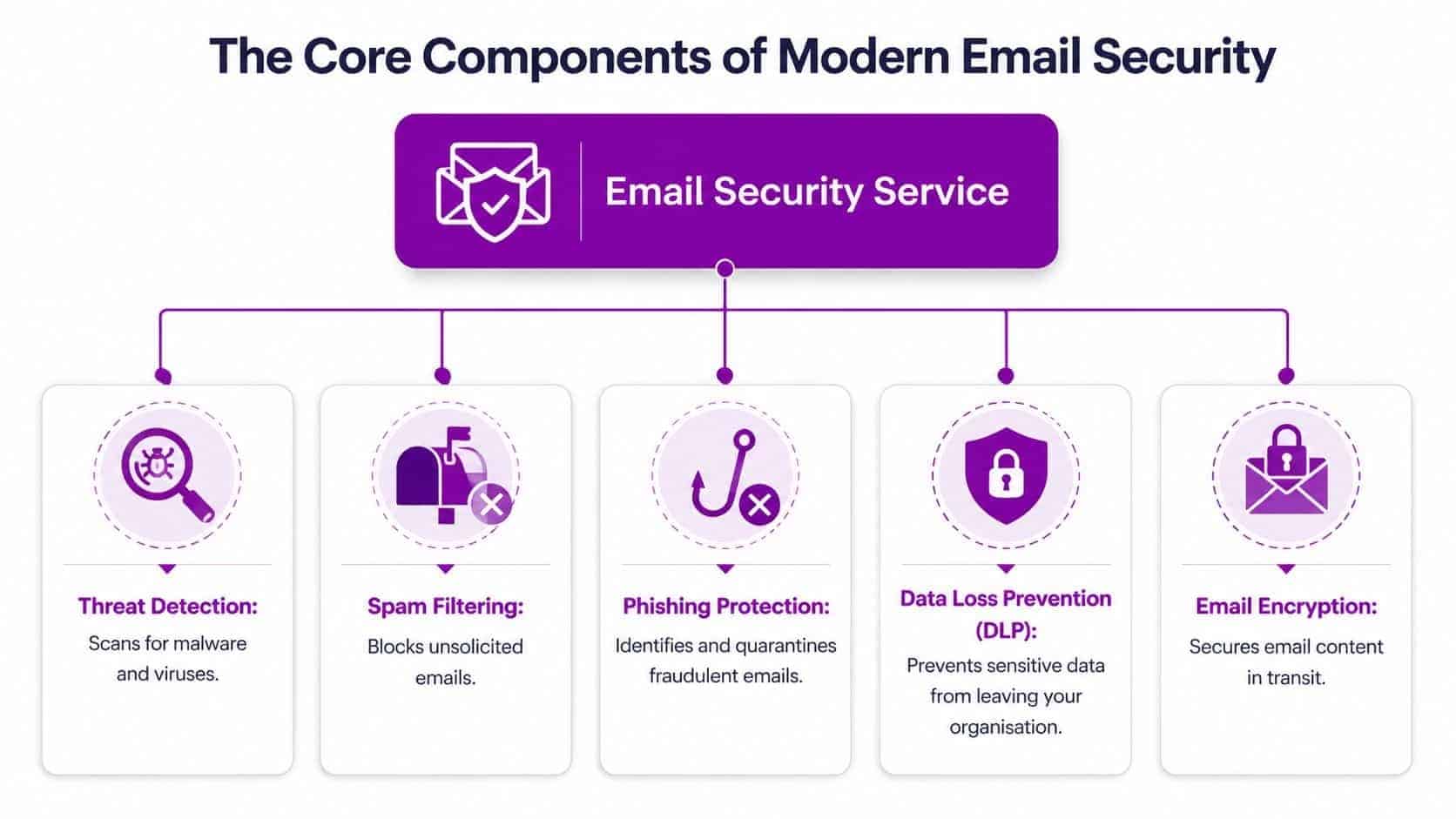
The Core Components of Modern Email Security
A proper service works in layers. That matters because no single control catches everything. One layer checks who sent the message. Another inspects what’s inside it. Another watches what users and compromised accounts do next.
Secure Email Gateways and Advanced Threat Protection
Think of the Secure Email Gateway, or SEG, as the outer checkpoint. It sits in front of the mailbox and inspects incoming and outgoing traffic. Basic gateways stop obvious junk. Better ones apply policy, reputation checks, content inspection, and sender controls in a much more disciplined way.
Then you have Advanced Threat Protection, often layered into or alongside the gateway. Here, modern detection earns its keep. Suspicious attachments can be detonated in a sandbox. URLs can be rewritten and checked at click time. Behaviour can be assessed rather than relying only on known malware signatures.
That’s important because UK organisations using ATP-enabled SEGs that utilise sandboxing reduced successful ransomware deployments by 72% (UK ATP-enabled SEG ransomware reduction finding). The reason is straightforward. Files and links are inspected for behaviour before users trigger the damage.
Authentication stops impersonation at the door
A lot of fraud still depends on weak sender validation. If your domain protections are loose, attackers can spoof trusted names and domains far too easily.
The key controls are:
- SPF checks which systems are allowed to send on behalf of your domain.
- DKIM adds a cryptographic signature so receiving systems can verify the message hasn’t been altered.
- DMARC tells receiving systems what to do when SPF or DKIM checks fail and gives you reporting visibility.
These aren’t optional hygiene items. They’re core business controls. Without them, staff may receive messages that appear to come from senior leaders, suppliers, or internal systems when they don’t.
DLP, encryption, and behavioural analytics
Strong email security also needs to watch what leaves the business.
A mature setup usually includes:
- Data Loss Prevention to flag or block sensitive data leaving by email.
- Encryption controls for confidential communications.
- Behavioural analytics to detect unusual sending patterns, odd login behaviour, or mailbox activity that doesn’t fit the user.
One reason businesses struggle here is that they buy a product but never tune the policies. DLP left in report-only mode won’t stop anything. Encryption that users bypass isn’t solving the problem. Behavioural alerts that nobody reviews are just noise.
The right service combines the technology with operational follow-through.
Enhancing Your Microsoft 365 and Azure Security
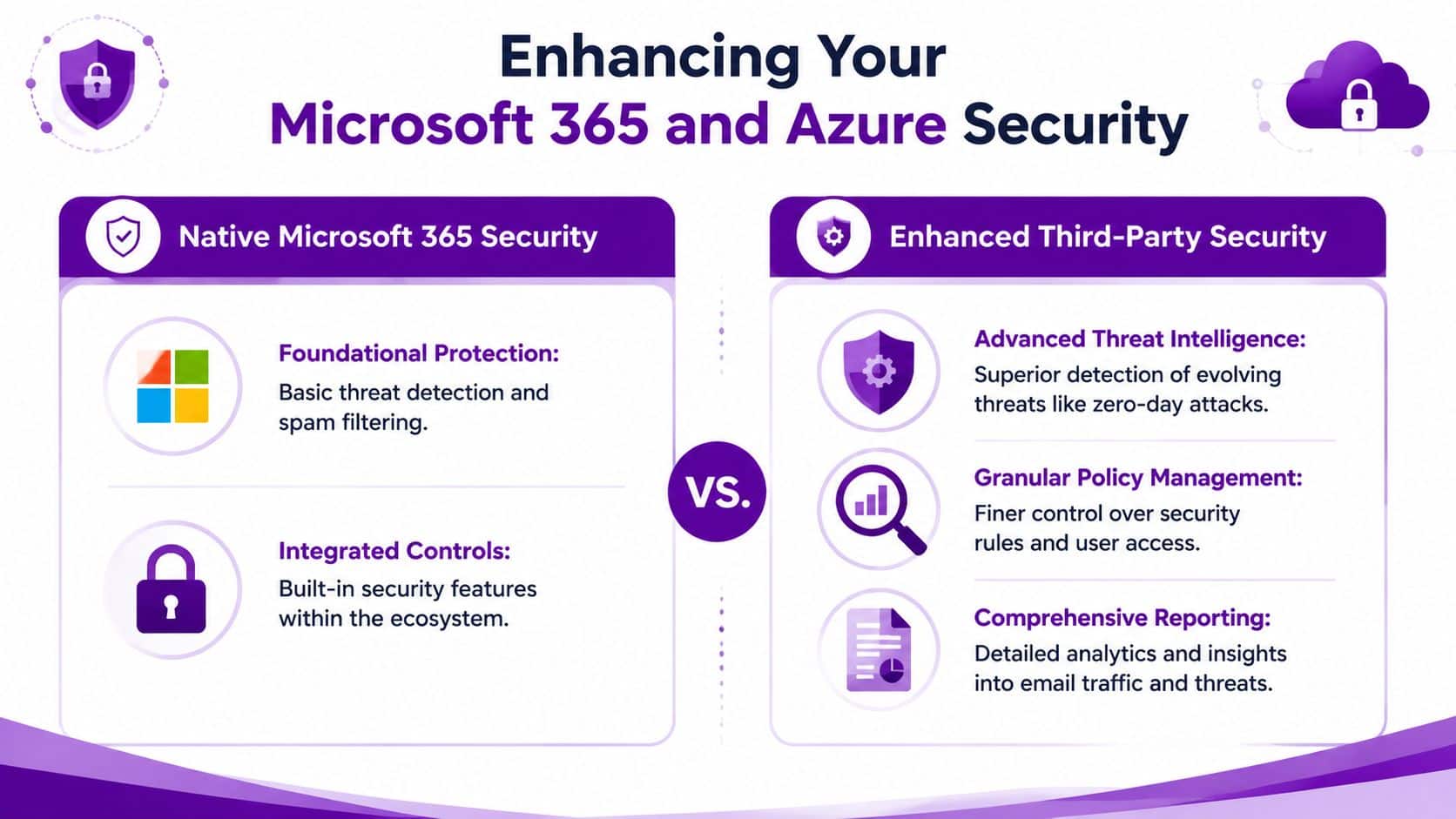
Microsoft 365 includes useful security features. That’s worth saying plainly. Exchange Online Protection, Microsoft Defender capabilities, conditional access, and identity controls all have value. If they’re configured properly, they improve your baseline.
The problem is that many small and mid-sized businesses never move beyond the baseline. They buy the licences, accept default settings, and assume the platform will sort itself out. It won’t.
Built-in protection is useful, but it has limits
Microsoft’s native tools are strongest when they’re part of a well-managed security programme. They’re weaker when nobody is actively tuning policies, investigating alerts, or hardening the tenant.
That’s a common East Midlands SMB scenario. Internal IT may be handling support, devices, projects, supplier issues, and business applications. Email threat tuning becomes one task among many.
In the UK, 79% of organisations consider email security solutions that include defensive AI capabilities very important or extremely important, with this especially relevant for mid-sized enterprises in the East Midlands where Microsoft 365 adoption is widespread and AI-driven phishing is escalating (TitanHQ 2025 State of Email Security findings as cited in the verified brief). That tells you where the market is moving. Businesses aren’t replacing Microsoft 365. They’re adding smarter layers around it.
Where dedicated email security services add value
A dedicated service usually strengthens Microsoft 365 in a few practical areas:
- Better impersonation detection for display-name fraud, lookalike domains, and thread hijacking.
- Stronger policy control around executives, finance users, VIP targeting, and high-risk mail flows.
- Clearer reporting so IT teams can see patterns, not just isolated alerts.
- Operational support when a mailbox is compromised or a suspicious campaign starts circulating.
For firms reviewing options, this guide to protecting your Microsoft 365 tenant gives a useful external perspective on where native controls help and where layered protection becomes necessary.
Later in the hardening process, it also helps to review Microsoft-focused steps such as Microsoft 365 security best practices so email protection sits alongside identity, access, and device controls rather than in isolation.
A short explainer can help make that distinction clearer:
Native Microsoft controls give you a platform. A dedicated email security service gives you tighter detection, policy depth, and operational coverage.
For some organisations, that extra layer may be a cloud email security product. For others, it may be a managed service from a Microsoft-focused provider such as F1Group that handles policy configuration, monitoring, and response around the tenant.
Choosing Your Service Model Implementation vs Managed
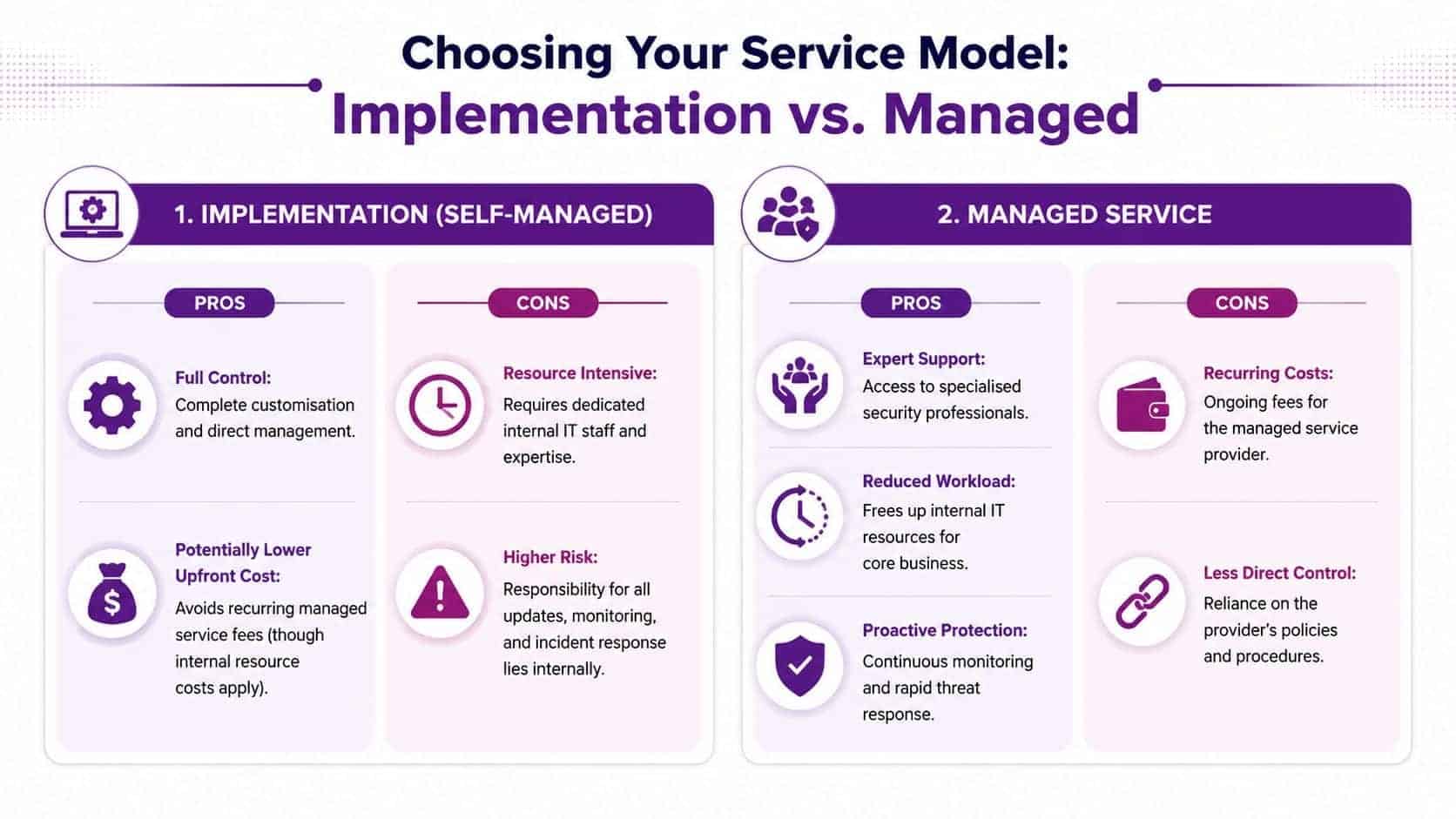
Once a business accepts that standard protection isn’t enough, the next question is operational. Do you implement the tooling yourself, or do you hand ongoing responsibility to a managed provider?
There isn’t a universal answer. The right choice depends on your internal capability, appetite for hands-on administration, and how quickly you need problems dealt with when they appear.
Implementation suits capable internal teams
A self-managed model can work well if your IT team has real security expertise and the time to use it. You control the policies, tune the alerts, manage exceptions, and investigate incidents directly.
That can be attractive if you need tight control over change, already run a mature Microsoft environment, or have specific compliance workflows to maintain.
The trade-offs are obvious once the system goes live:
- Ongoing tuning matters more than the initial setup.
- Alert review has to happen consistently, not when someone gets a spare hour.
- Staff absence creates exposure if only one or two people understand the platform well.
Managed services reduce operational drag
A managed model shifts day-to-day effort to a specialist provider. That often suits East Midlands SMBs better because internal teams are usually overloaded already.
The strengths are practical:
- Faster response when a suspicious campaign appears.
- Specialist oversight for policy updates and threat trends.
- Less internal admin around quarantine reviews, escalation, and mailbox compromise handling.
The trade-off is reduced direct control. You still define business requirements and approval boundaries, but you’re relying on the provider’s process, skill, and responsiveness.
The wrong model isn’t the one that costs more on paper. It’s the one your team can’t actually operate well.
Use the business reality test
Ask three blunt questions.
- Do we have the people? Not just to deploy the tool, but to manage it properly every week.
- Do we have the depth? Email security isn’t just Exchange admin. It’s authentication, detection tuning, incident handling, and user risk.
- Do we have the time pressure? If your team is already buried in support and project work, self-management often looks cheaper than it really is.
For many organisations, a managed service is less about outsourcing responsibility and more about making sure the controls you’re paying for are doing their job.
How to Select the Right Email Security Provider
Most providers can show you a features list. That isn’t the same as proving they can protect a live Microsoft 365 business with finance workflows, mobile users, shared mailboxes, third-party integrations, and a busy support desk.
The better buying question is not “what features are included?” It’s “how will this service reduce risk in our environment without making normal work harder than it needs to be?”
Start with operational fit
If you’re based in the East Midlands, support quality matters. You want to know who answers when a director’s mailbox is compromised, when a legitimate supplier is wrongly quarantined, or when finance believes they’ve clicked something they shouldn’t.
Ask about:
- Support access. Can you reach a real engineer quickly, or are you logging tickets into a queue?
- Microsoft 365 depth. Do they understand Exchange Online, Defender, Entra ID, conditional access, and mailbox permissions in one joined-up picture?
- Incident handling. What do they do when something gets through?
A polished portal is useful. Calm, competent response under pressure is more useful.
Look beyond per-user pricing
Email security is often sold on a per-user basis. That’s fine as a starting point, but it can hide the actual cost picture.
A cheap service may leave you doing the hard work yourself. A more expensive service may include monitoring, policy tuning, executive protection rules, and incident support that saves internal time and limits disruption. For UK businesses, make sure proposals are priced in GBP so you’re not introducing exchange-rate noise into what should be a straightforward comparison.
Ask provider questions that expose real capability
| Evaluation Area | Key Question for the Provider | Why It Matters |
|---|---|---|
| Microsoft 365 integration | How does your service sit alongside our existing Microsoft security controls? | You need layered protection, not overlap and confusion. |
| Sender authentication | Will you help us enforce and monitor SPF, DKIM, and DMARC properly? | Domain authentication is central to stopping spoofing and impersonation. |
| Threat handling | What happens when a malicious email reaches a user anyway? | No service catches everything. Response quality matters. |
| BEC protection | How do you detect invoice fraud, display-name spoofing, and thread hijacking? | The costliest attacks often involve social engineering rather than malware. |
| Reporting | What reporting will leadership and IT receive each month? | Visibility helps justify spend and identify recurring risk. |
| User awareness | Do you support training or awareness measures for staff? | Technology works better when users recognise suspicious behaviour. |
| Outbound protection | How do you detect compromised accounts and risky outbound mail? | Email security should protect reputation and data, not just inboxes. |
| GDPR alignment | How does the service support UK data handling and compliance requirements? | Security controls have to fit your regulatory obligations. |
| Service model | Which parts are managed by you and which remain with our internal team? | Clear ownership prevents dangerous assumptions. |
Choose a provider that talks plainly
Be wary of anyone who only speaks in acronyms and product names. Good providers can explain technical controls in business terms. They should be able to tell you what they'll block, what they'll monitor, what they'll escalate, and what still depends on your own people and processes.
That clarity matters more than a long feature matrix.
Your Actionable Checklist for Better Email Security
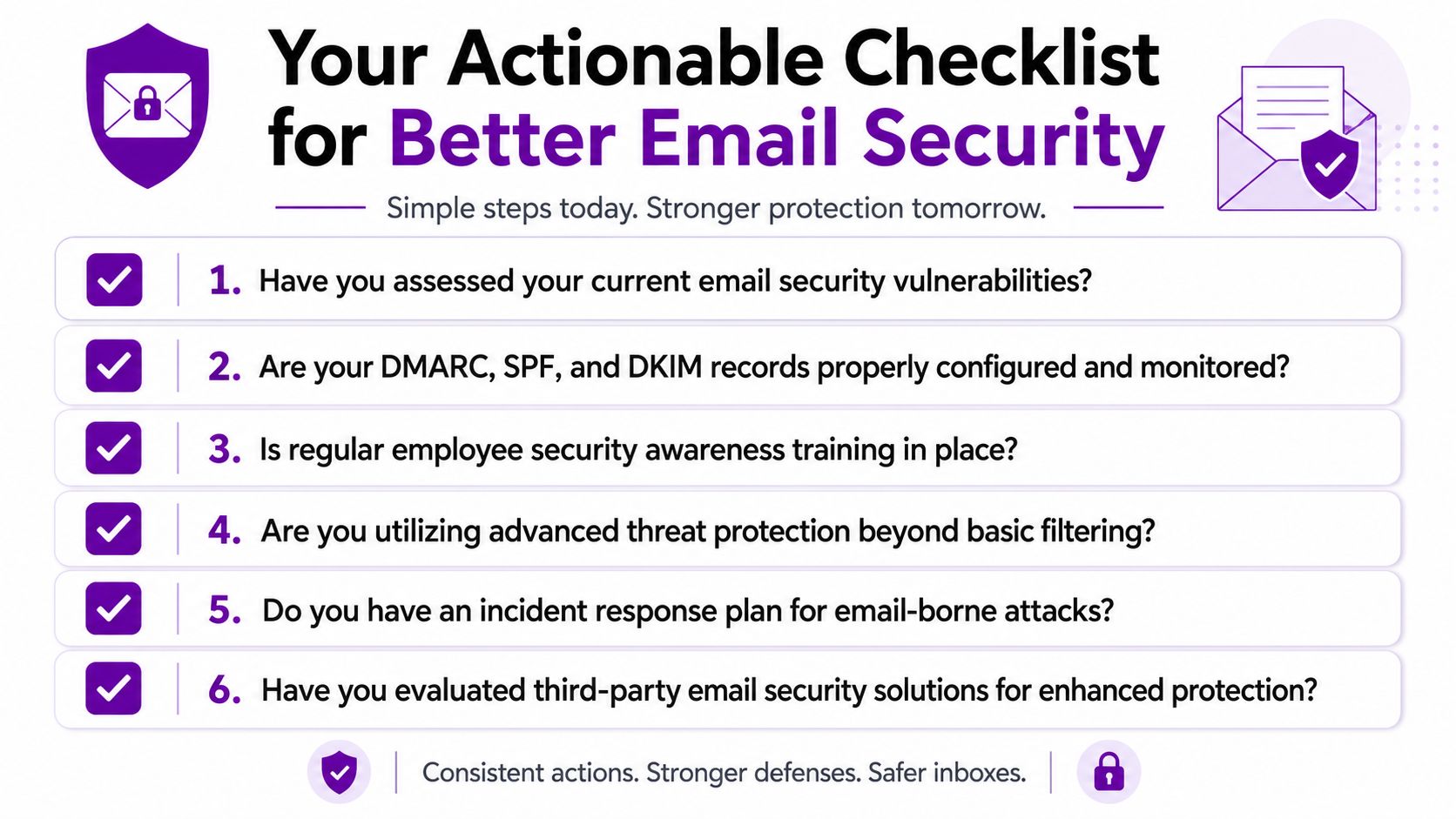
If your business runs on Microsoft 365, this is the short list worth working through now, not after a suspicious payment request or compromised mailbox.
Ask these questions internally first
- Are our domain protections in place? Check whether SPF, DKIM, and DMARC are configured, enforced, and reviewed.
- Are we relying on defaults? If your Microsoft 365 tenant has never had a proper email security review, assume there are gaps.
- Do finance and leadership have extra protection? They're the most common targets for impersonation and payment fraud.
- Can we spot account compromise early? Outbound anomalies, unexpected rules, and unusual mailbox behaviour should trigger action.
- Do users know what to do when unsure? Staff need a simple escalation route, not just annual awareness slides.
Ask these questions of any provider
- How do you handle AI-written phishing and impersonation attempts?
- What's your process if a malicious email gets through?
- Who manages tuning, quarantine review, and policy updates?
- How do you strengthen Microsoft 365 rather than duplicate it?
- What visibility will our management team get?
For a useful baseline before you speak to anyone, review these email security best practices. They'll help you separate good hygiene from the controls that need specialist support.
Email security services work best when they're treated as part of business resilience, not just another software purchase. The aim isn't to stop every single bad email forever. The aim is to reduce exposure, catch more of what matters, and respond quickly when something slips past the first line of defence.
If your organisation in the East Midlands relies on Microsoft 365 and you're not confident your current setup is enough, speak to F1Group. We help businesses review gaps, strengthen tenant security, and put practical email protection in place around real working environments. Phone 0845 855 0000 today or send us a message.