
You've bought the licences, briefed the leadership team and switched on Microsoft 365 Copilot. Then someone asks it to summarise a sensitive project, and the answer contains information they were never meant to see. The problem isn't that Copilot has magically bypassed security. The problem is that your existing permissions, retention rules and approval processes weren't ready for an assistant that makes hidden access visible.
For UK small and mid-sized businesses, Microsoft Copilot governance is a permissions and accountability discipline first, and an AI discipline second. It determines which answers employees are allowed to receive, what they may do with generated content, who reviews consequential outputs and how the organisation proves that controls are working.
The Tuesday Morning a Copilot Rollout Went Wrong
At a 60-person East Midlands business, the managing director approved Copilot for everyone after a short demonstration. The demonstration was impressive. Staff saw meeting summaries, draft emails and quick answers drawn from Microsoft 365. No one asked the less attractive question: what could each employee already access?
On Tuesday morning, a junior finance officer used Copilot to summarise a SharePoint folder labelled “Confidential, Redundancy Project”. The result was tidy, accurate and completely inappropriate. The officer hadn't deliberately opened the folder. Copilot worked with information available through the officer's existing permissions.
That fictional scenario is realistic because Copilot doesn't repair a poorly managed tenant. It can expose stale group memberships, inherited SharePoint access, broadly shared Teams files and abandoned accounts with remarkable efficiency.
The practical definition: Copilot governance decides which answers your staff are allowed to get, who can approve the actions that follow, and what evidence supports that decision.
The rest of the problem is manageable. You need a plain-English governance model, a UK-specific control baseline, a permissions remediation checklist, a phased 30, 60 and 90-day rollout plan, and a governance checklist that your IT manager, operations lead or managing director can sign off.
The starting point is simple. Don't treat Copilot as an ordinary Microsoft 365 add-on. Treat it as a new way for employees to discover, combine and act on organisational information.
What Microsoft Copilot Governance Actually Means
Microsoft Copilot governance is the combination of policies, roles, technical controls and reviews that govern how Microsoft 365 Copilot operates inside your organisation. It answers four practical questions:
- Data handling: What information can Copilot reach, where is that information stored, and how long are prompts, responses, recordings and transcripts retained?
- Roles and responsibility: Who owns the deployment, who administers the tenant, who approves high-risk outputs and who handles an incident?
- Written policy: What may staff ask Copilot to do, which data classes are prohibited, and when must a person verify the result?
- Risk management: How will you monitor usage, investigate mistakes, refresh the assessment and respond when the business changes?
The analogy is health and safety. Machinery governance isn't just a warning label on a piece of equipment. It includes the rulebook, trained operators, protective controls, incident reporting and inspection records. Copilot needs the same complete system around it.
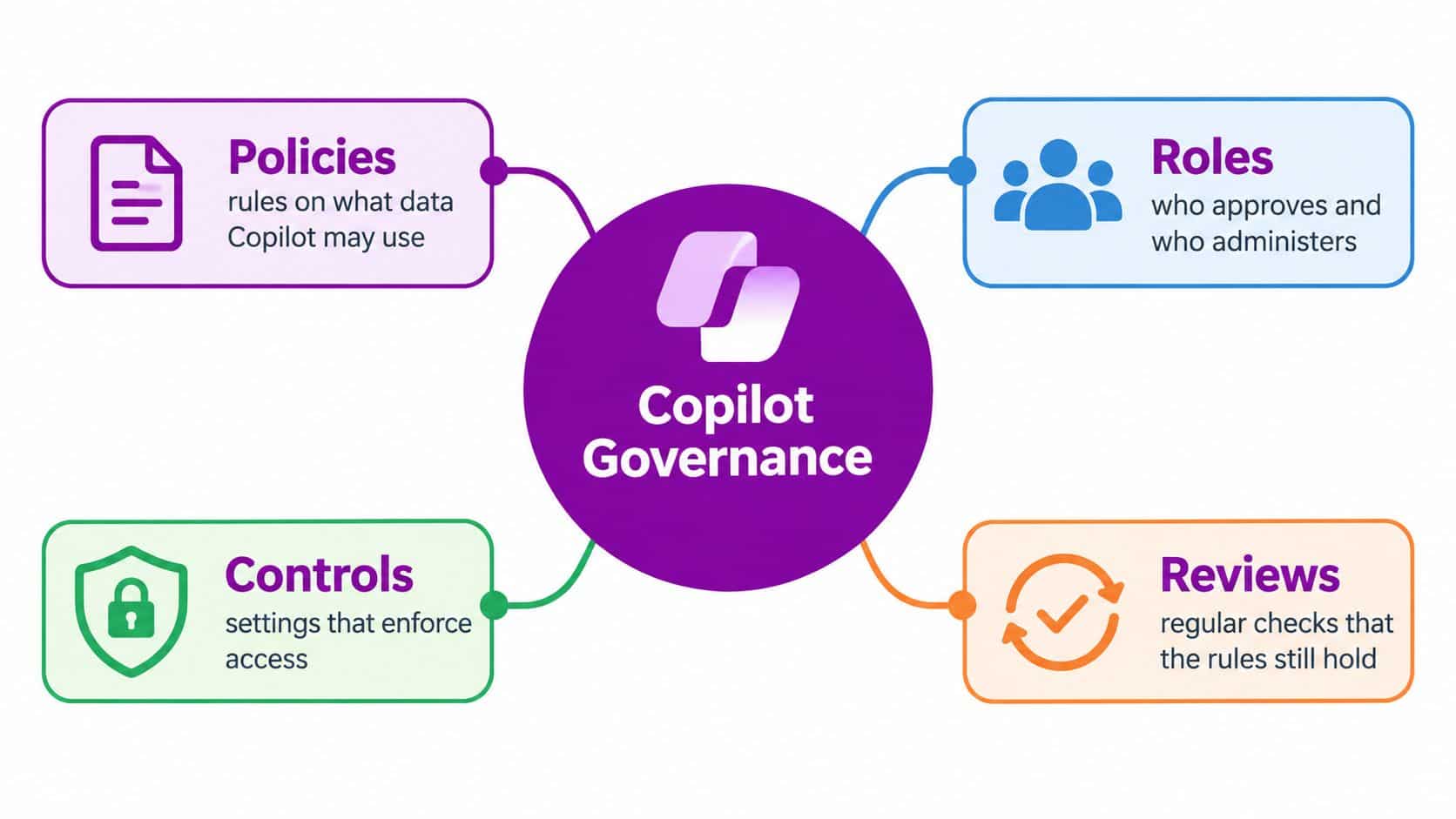
The four components in practice
| Component | What It Decides | Quick SMB Example |
|---|---|---|
| Policies | The permitted and prohibited uses of Copilot | Staff must not enter special-category personal data into prompts |
| Roles | Who approves, administers and escalates | The data protection lead owns the DPIA, while the IT manager administers access |
| Controls | The settings that enforce access and retention | Conditional access, sensitivity labels and retention rules protect information |
| Reviews | Whether the controls still work | The organisation reviews permissions, incidents and policy changes on a recurring schedule |
The most common mistake is licensing Copilot before these components exist. A licence gives a user capability. It doesn't create a lawful basis for processing personal data, correct a badly configured SharePoint site or decide whether a generated customer email is safe to send.
Your acceptable-use policy should cover approved uses, prohibited data, verification requirements, external sharing and reporting routes. Your incident-response runbook should include Copilot-related errors, such as an inappropriate summary, a fabricated statement in a customer message or a response based on information that should have been restricted.
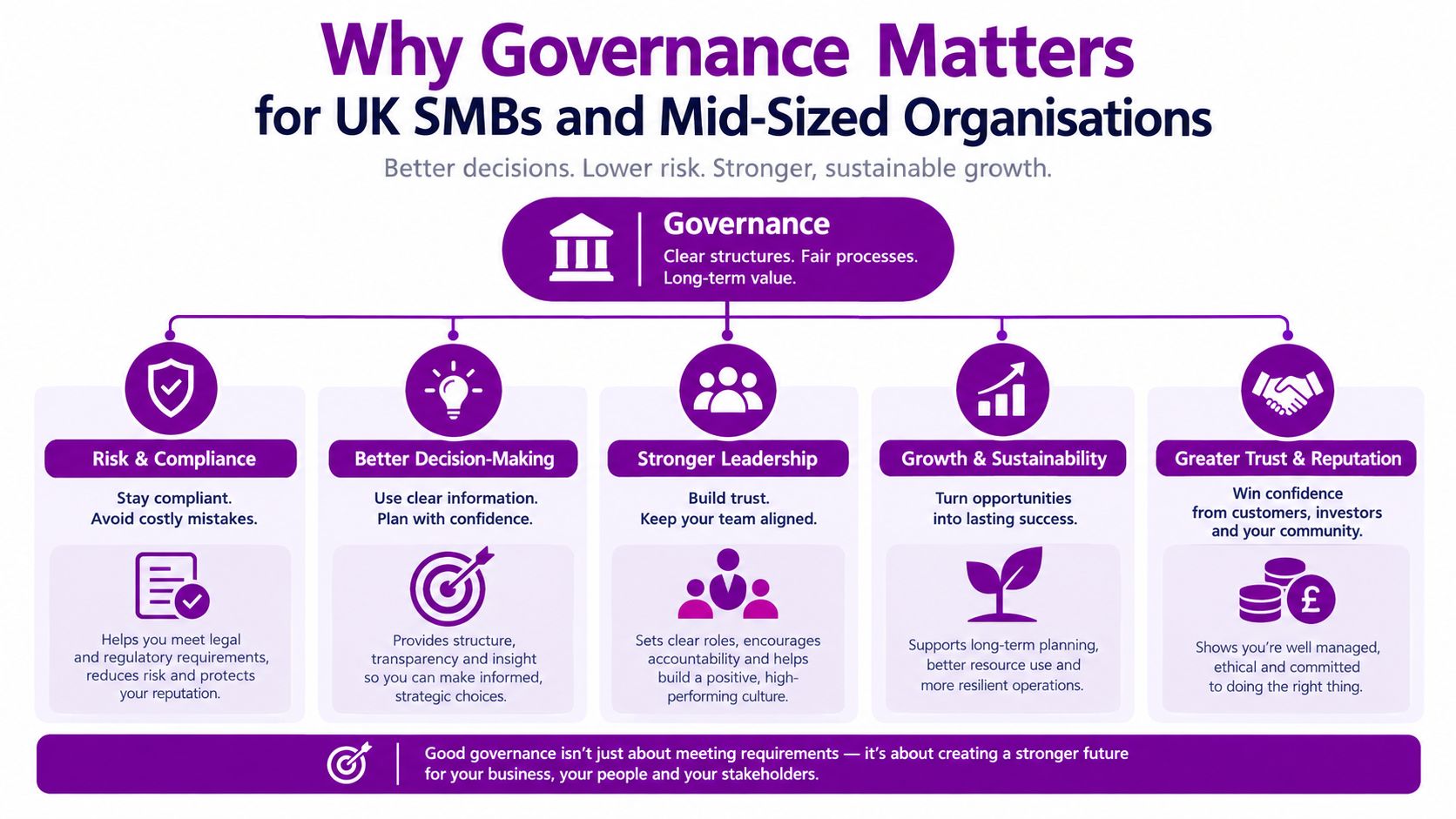
Why Governance Matters for UK SMBs and Mid-Sized Organisations
A smaller organisation can't assume that its size makes Copilot governance optional. The Information Commissioner's Office governance and accountability guidance states that organisations using AI should maintain a governance and privacy-management framework supported by suitable technical and organisational measures. That includes a named accountable owner and senior-management sign-off on a Data Protection Impact Assessment.
For a regional manufacturer, charity, professional-services firm or growing technology business, Copilot may become the first formal AI system used across departments. The existing Microsoft 365 environment may have evolved through years of quick sharing decisions, team changes and inherited permissions. There may be no dedicated information-governance team to inspect every site and group.
That combination creates an uneven risk profile. A single exposed redundancy plan, an incorrect HR recommendation or an unverified legal draft can create operational and regulatory consequences that a smaller business has limited capacity to absorb.
Match each risk to an owner
Good governance turns broad concerns into named actions:
- Privacy risk: The data protection lead documents the lawful basis, completes the DPIA and records mitigations.
- Access risk: The IT manager reviews SharePoint, OneDrive, Teams and Microsoft 365 group permissions before licensing.
- Content risk: Department heads define which outputs require human approval before external use.
- Accountability risk: A senior sponsor signs off the deployment and receives monitoring reports.
- Operational risk: The incident owner updates the response runbook and records corrective action.
Businesses assessing wider AI readiness may also find Agentable's AI readiness diagnostics useful as an external way to identify governance gaps before committing to a larger deployment. It should complement, not replace, your own Microsoft 365 permissions review.
Copilot can still deliver meaningful value when these controls are in place. For practical examples of where organisations are applying it, see F1Group's Microsoft Copilot use cases. The use case should never dictate the control level. A meeting summary, an HR recommendation and a customer complaint response need different approval expectations.
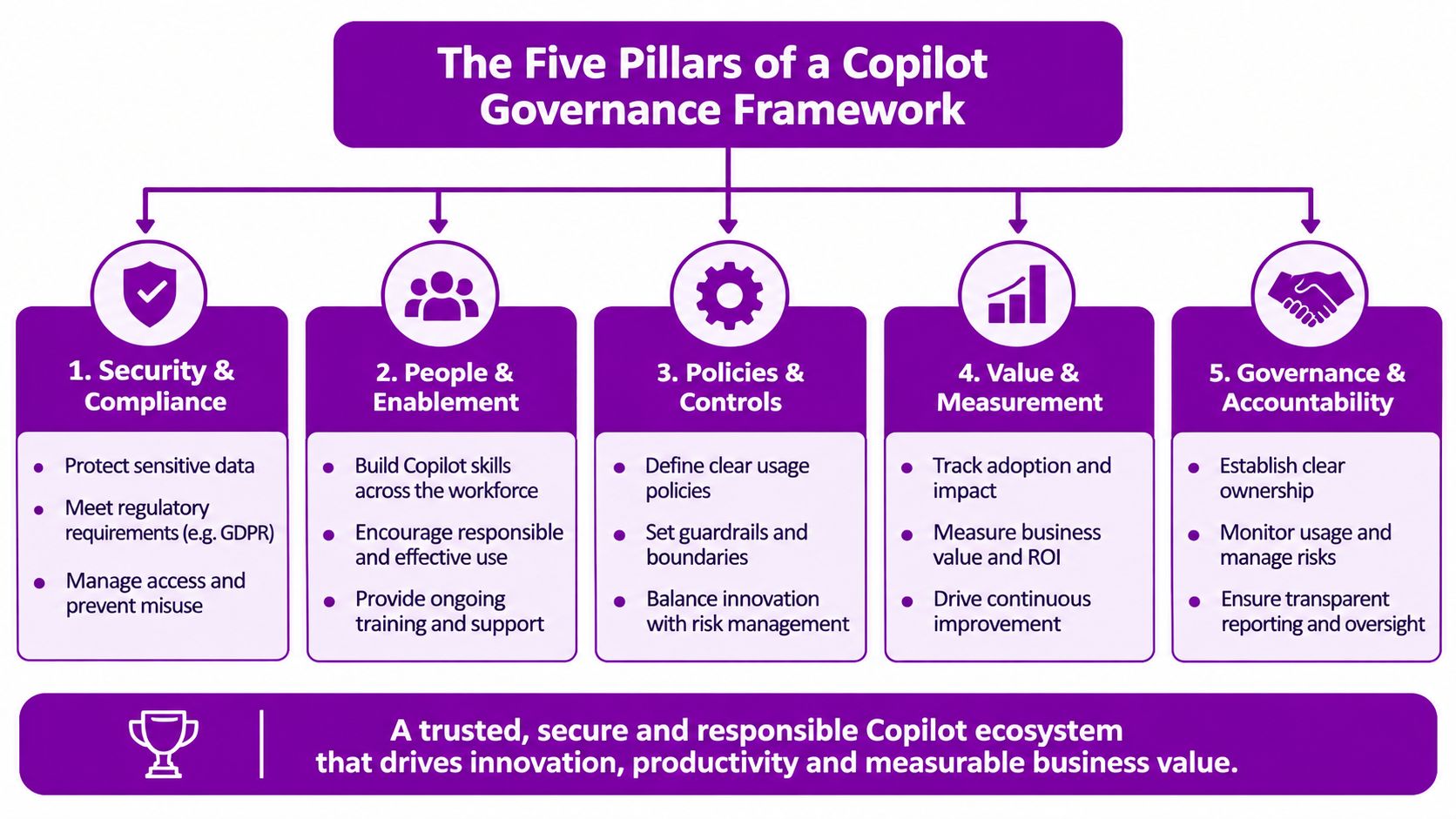
The Five Pillars of a Copilot Governance Framework
A usable framework has five concurrent pillars. They aren't a linear installation sequence. Each one produces controls and evidence that support the others.
Identity and access
Start with the people, not the prompts. Define who may use Copilot, which groups receive licences, how role-based access is administered and what conditional-access requirements apply. Enforce multifactor authentication, review privileged roles and require compliant devices where your risk profile demands it.
The artefact is an access and licensing register showing approved users, administrators, conditions and removal responsibilities.
Data and permissions
Copilot respects the Microsoft 365 permissions already granted to a user. That makes permissions hygiene central to deployment. Review SharePoint and Teams oversharing, inherited access, broad groups, external links and stale accounts. Apply sensitivity labels and retention rules, and document the approved tenant locations and data classes.
The output is a permissions remediation log and information-classification map. This is the pillar most organisations underestimate.
Policy and process
Your acceptable-use policy should explain what staff may ask Copilot to do, what information they must not provide, how they verify outputs and how they report suspected exposure. Pair it with a DPIA, a lawful-bases register, prohibited data classes and workflow rules for customer, HR, legal and financial content.
The ICO says that no decision affecting a customer should be made solely from Copilot output, because generated content may be incorrect. Build that principle into approval workflows rather than leaving it as informal advice.
Roles and accountability
Name the accountable owner. In an SMB, that may be the IT director, IT manager or operations lead, supported by the data protection lead and an executive sponsor. Define who approves the DPIA, who manages settings, who signs off external outputs and who receives escalations.
A useful comparison is an HR governance framework for SMBs, because it illustrates the value of defined decision rights rather than vague ownership.
The artefact is a responsibility matrix and escalation route.
Monitoring and review
Track access changes, incidents, reported errors, policy exceptions and relevant usage evidence. Review prompts and responses only within an appropriate lawful and proportionate monitoring framework. Refresh the DPIA when the scope, connected data, users, plug-ins, workflows or purposes materially change.
Create a recurring governance calendar, not a one-off launch task. The practical structure can be adapted from broader AI governance frameworks, provided it is tied to your actual Microsoft 365 configuration.
The two most commonly under-resourced pillars are data and permissions and roles and accountability. Paying for technology while leaving those areas informal is false economy.
This short video can help stakeholders visualise the governance discussion before a rollout:
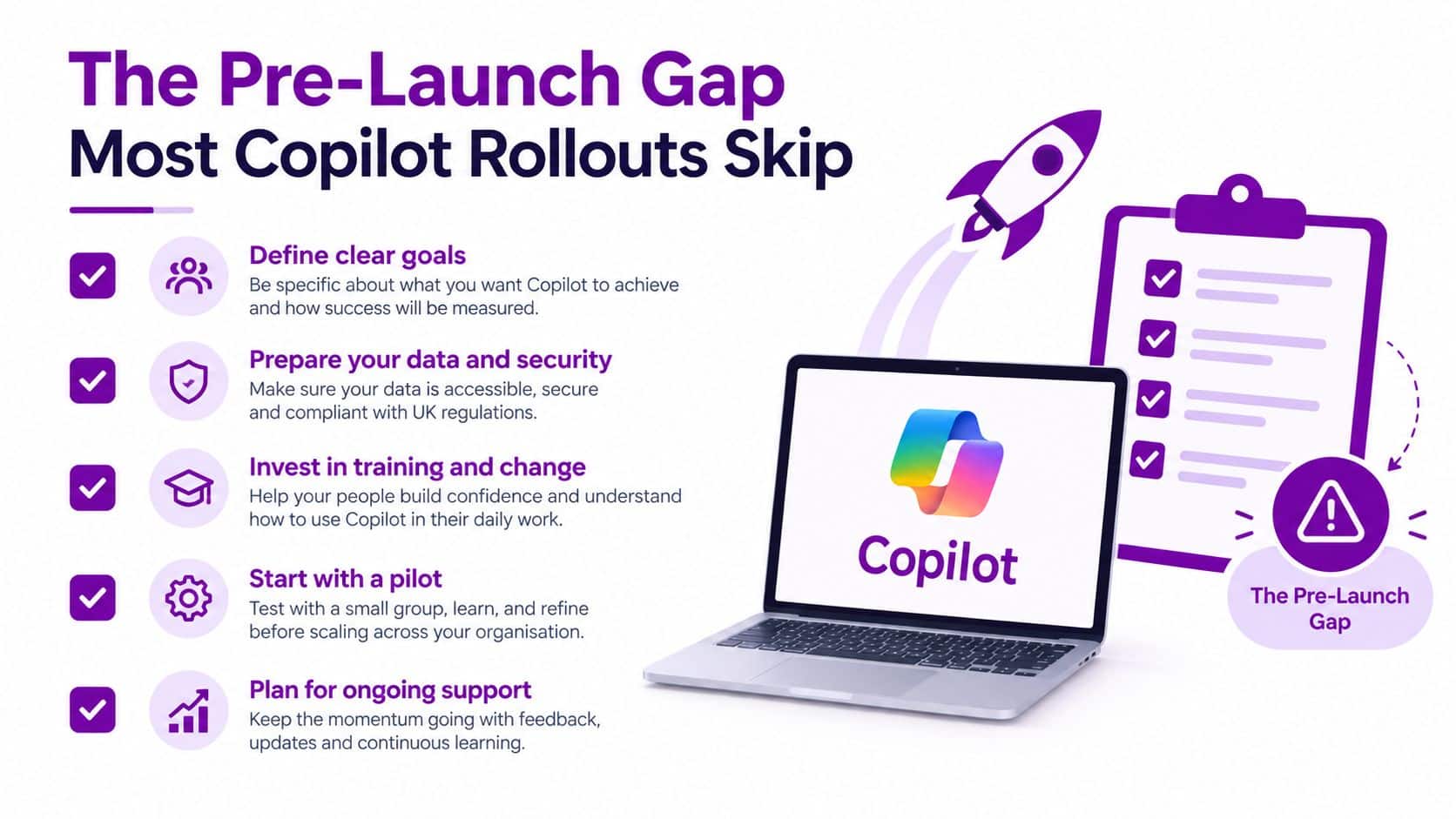
The Pre-Launch Gap Most Copilot Rollouts Skip
“Copilot respects your permissions” is technically reassuring and operationally incomplete. If a user can already access a confidential file because a SharePoint site was shared too broadly, Copilot can make that exposure easier to find.
Recent UK and US research found that 76% of organisations had deployed or piloted enterprise AI against Microsoft 365 data, while only 43% had completed a thorough permissions and oversharing review beforehand. The figures are reported by Infosecurity Magazine's coverage of the permissions gap. The lesson is clear: many organisations are putting an AI interface on top of access arrangements they haven't properly inspected.
Run the remediation baseline
Before licensing Copilot, inspect:
- External sharing: Identify SharePoint sites, OneDrive content and Teams resources with external access.
- Inactive accounts: Remove or disable accounts that no longer need access, and review ownership of abandoned sites.
- Broad group membership: Check Microsoft 365 groups and nested memberships that grant more access than a role requires.
- Sensitive information: Locate personal, financial, HR, redundancy and special-category data.
- Inherited permissions: Find areas where access has flowed through a parent site, group or library without deliberate approval.
Remediate high-risk exposure with restricted access, sensitivity labels, corrected group membership and broken inheritance where appropriate. Record the decision, owner, evidence and outstanding risk. A business doesn't need to claim that every permission is perfect. It does need a defensible sign-off and a scheduled review.
Require five artefacts before licensing
- A remediation log showing identified exposure, action, owner and accepted residual risk.
- An oversharing report covering sites, groups, links and inherited permissions.
- A sensitivity-label coverage map showing which sensitive data locations are protected.
- A completed DPIA with mitigations, an accountable owner and senior sign-off.
- An acceptable-use policy that defines prohibited data and human-review requirements.
The better question: Don't ask whether your permissions are perfect. Ask whether they're documented, signed off and scheduled for review.
This is especially important for East Midlands organisations without a dedicated information-governance function. A documented risk decision gives an IT manager and the board something concrete to revisit. A verbal assurance that “Microsoft says it's secure” doesn't.
Real UK Governance Models You Can Borrow From
You don't need to design a governance model from a blank page. UK public bodies have published concrete controls that can be scaled for commercial organisations.
The ICO's own Microsoft Copilot approach keeps Copilot data within secure UK Microsoft 365 and Azure tenants and states that tenant data isn't used to train foundation models. Its published retention controls delete Teams recordings and transcripts after 21 days and Copilot prompts and responses after 7 days. It also requires human oversight and rules out decisions affecting customers being made solely from Copilot output. See the ICO Microsoft 365 Copilot privacy notice for the published baseline.
The SSRO takes a classification-led approach. Copilot works within existing Microsoft 365 permissions, is restricted to information classified as OFFICIAL, excludes highly classified material and special-category personal data, and requires meaningful human involvement before external use or formal decisions. Its responsible AI approach is a useful model for defining prohibited data and approval points.
The UK Government Digital Service tested adoption at national scale rather than relying only on vendor claims or a small pilot. Its experiment ran from 30 September to 31 December 2024, involved 20,000 employees across 12 government organisations, and participants reported average time savings of 26 minutes per day. 82% said they wouldn't want to return to their pre-Copilot working conditions, according to the published cross-government findings. Those are user-reported findings, so separate perceived time savings from independently measured output.
| Model | Who It Fits | Key Controls to Adopt | Retention Defaults |
|---|---|---|---|
| ICO deployment | Organisations handling personal or customer data | UK tenant locations, human oversight, accountable processing controls | Teams recordings and transcripts deleted after 21 days, prompts and responses after 7 days |
| SSRO approach | Organisations needing classification and formal approval | OFFICIAL-style classification, excluded sensitive data, review before external use | Set according to classification and lawful business need |
| GDS experiment | Organisations testing value before wider adoption | Defined evaluation window, user feedback, measurable efficiency and sentiment indicators | Define before the pilot and assess whether the setting supports the evidence required |
Borrow the ICO's privacy controls where personal data dominates. Borrow SSRO's classification and approval model for sensitive work. Borrow GDS's structured evaluation approach when leadership wants evidence of business value.
A 30, 60 and 90 Day Rollout Plan for SMBs
Days 1 to 30, prepare
Assign the accountable owner and executive sponsor. Define the pilot group, inspect permissions and oversharing, draft the DPIA, document lawful bases, write the acceptable-use policy and obtain senior sign-off.
The preparation phase should produce a remediation log, risk register, access list and approval workflow. Don't issue broad licences while those records are still informal.
Days 31 to 60, control the rollout
Enable Copilot for a defined pilot cohort. Apply sensitivity labels and retention rules, deliver staff briefings and make human approval mandatory for customer communications, HR outputs, legal work and financial recommendations.
Explain what Copilot can and can't do in ordinary language. Staff need to know that a fluent response can still be wrong, incomplete or based on information that was shared too widely.
Days 61 to 90, expand with evidence
Review pilot logs, incidents, feedback and exceptions. Refine the DPIA, widen licensing in controlled waves, schedule the first quarterly governance review and lock in recurring permissions remediation.
UK Government guidance on generative-AI product safety standards calls for a DPIA during development and throughout the tool's full life cycle, not only at procurement. Each phase should therefore leave an auditable record that can be shown to your board, auditor or regulator.
Your Copilot Governance Checklist and Next Step
Use this checklist before you approve wider access:
- Accountability: A named owner, executive sponsor and escalation route are in place.
- Privacy: Lawful bases are documented, the DPIA is complete and senior management has signed it off.
- Policy: An acceptable-use policy covers permitted uses, prohibited data and output verification.
- Permissions: Oversharing has been reviewed, high-risk access has been remediated and the decisions are recorded.
- Classification: Sensitivity-label coverage is mapped and restricted data classes are defined.
- Identity: Conditional access, multifactor authentication and role-based licensing are configured.
- Retention: Rules cover prompts, responses, recordings and transcripts.
- Human review: High-risk customer, HR, legal and financial outputs require approval.
- Automated decisions: No legally or similarly significant decision relies solely on Copilot output.
- Assurance: Monitoring, incident response, staff training and recurring reviews are scheduled.
East Midlands organisations commonly make three mistakes: treating Copilot as an ordinary add-on, skipping the permissions audit and assuming vendor security claims remove the need for a DPIA. The GDS experiment offers a useful adoption benchmark, but its reported productivity and sentiment findings don't remove the need for local controls.
F1Group can assess Microsoft 365 readiness, remediate permissions, configure governance controls and support a controlled Copilot rollout across East Midlands organisations. Phone 0845 855 0000 today to discuss your governance position, or send us a message.
Speak with F1Group about a practical Copilot governance review covering permissions, data protection, policies, access controls and ongoing monitoring. Phone 0845 855 0000 today or contact the team to plan a safer Microsoft 365 Copilot rollout.