
Privileged Access Management, or PAM, is all about protecting the ‘keys to the kingdom’ within your company’s IT systems. Think of it as a comprehensive security strategy—a mix of smart policies and the right technology—designed to control, monitor, and secure every account that has special, elevated permissions. These are what we call privileged accounts.
Understanding Privileged Access Management

Let’s use an analogy. Picture your business as a high-security building. Most staff have a keycard that gets them through the front door and into their own office, but no further. But a handful of people—the head of security, perhaps, or the IT director—hold a master key. This key opens every single door, from the CEO’s office to the server room where all your critical data lives.
PAM is the system that decides who gets one of those master keys, keeps a log of every time it’s used, and makes sure it’s handed back safely when the job is done.
In the digital world, these master keys are the privileged accounts. They’re the admin accounts with sweeping access to everything that makes your business tick: servers, databases, cloud infrastructure, and core applications. Left unchecked, these accounts are a massive security hole just waiting to be exploited.
A strong PAM strategy is more than just buying a piece of software. It’s a complete framework that brings together people, processes, and technology to shield your most valuable systems from both outside attackers and insider threats.
To really grasp the power these accounts hold, it’s helpful to see how they stack up against the accounts your employees use every day.
Privileged vs Standard User Accounts
This table offers a quick comparison, highlighting the key differences between standard user accounts and the powerful privileged accounts that PAM is designed to protect.
| Feature | Standard User Account | Privileged Account (Super-User) |
|---|---|---|
| Primary Purpose | Day-to-day tasks (email, document editing, data entry) | System administration, network configuration, database management |
| Access Level | Limited to specific applications and data needed for a role | Broad, unrestricted access to underlying systems and critical data |
| Potential Impact if Abused | Low to moderate (e.g., unauthorised access to team files) | Catastrophic (e.g., entire system shutdown, massive data breach) |
| Monitoring | General activity logging | Intensive, session-by-session monitoring and auditing are essential |
| Example | A marketing specialist’s login for the company CRM | A system administrator’s domain admin account for the entire network |
As you can see, the gulf between them is huge. While a compromised standard account is a problem, a compromised privileged account can be a business-ending event.
The Growing Importance for UK Businesses
The need to get a firm grip on PAM has never been more critical. Cybercriminals actively hunt for these powerful accounts because they offer a fast track to a company’s crown jewels. Once an attacker gets their hands on privileged credentials, they can disable security software, exfiltrate sensitive data, and bring operations to a grinding halt.
This isn’t just a hypothetical threat; it’s a reality reflected in market trends. The Privileged Access Management market in the United Kingdom is growing at a phenomenal rate, projected to be worth around £515 million (approximately $653.7 million USD) by 2030. This surge shows a clear and widespread realisation among UK businesses: managing privileged access isn’t a ‘nice-to-have’ anymore, it’s a fundamental pillar of modern cybersecurity.
Ultimately, a well-implemented PAM strategy allows your organisation to confidently answer three vital questions:
- Who has access to our most critical systems?
- What are they actually doing with that access?
- Is that access necessary, appropriate, and secure?
By establishing tight controls and clear visibility, PAM provides a crucial line of defence, protecting your business from the kind of security breach that makes headlines for all the wrong reasons.
Why PAM Is Essential for Modern UK Businesses
It’s one thing to understand what privileged access is, but quite another to see how it connects to the day-to-day resilience of your business. The truth is, a solid Privileged Access Management (PAM) strategy is no longer a ‘nice-to-have’ for UK businesses; it’s a core part of survival and growth.
At its heart, PAM is about stopping costly data breaches right where they often start—by locking down the very keys to your kingdom.
Cybercriminals are laser-focused on getting their hands on privileged credentials. Why? Because they’re an all-access pass to your most valuable systems. Gaining control of just one administrator account is often all it takes for them to disable your security, launch ransomware across the network, and walk away with your most confidential data.
Mitigating Critical Threats
A good PAM strategy acts as a direct defence against a whole host of threats, both from outside and inside your organisation. By tightly controlling who can access what and when, you’re not just putting up a single wall; you’re building layers of security that are essential in today’s environment.
Here are the key risks PAM tackles head-on:
- External Attacks: Most sophisticated phishing campaigns and malware attacks have one objective: to steal administrator login details. PAM throws a spanner in the works. Even if credentials get stolen, they’re practically useless without passing extra checks like multi-factor authentication or being flagged by session monitoring.
- Insider Risks: Not all threats are external. An employee with more access than they need can cause enormous damage, whether by a simple mistake or with malicious intent. PAM reinforces the principle of least privilege, making sure people only have access to the specific tools and data required for their job. To dig deeper into this, it’s worth reading a comprehensive guide to insider risk management.
Achieving Compliance and Efficiency
Beyond pure security, PAM is absolutely vital for meeting regulatory demands. For any UK business, proving you’re compliant with standards like GDPR isn’t optional. PAM delivers the detailed audit trails and access logs you need to show you’re managing personal data responsibly.
The numbers really bring this home. The latest UK Cyber Security Breaches Survey revealed that around 16% of all businesses suffered negative consequences from breaches. For large businesses, that figure jumps to a massive 74%. This tells us that unprotected privileged accounts are a prime target.
Implementing PAM is an investment in your operational stability. It’s a clear signal to clients, partners, and regulators that you take security seriously, which builds trust and protects your brand’s reputation.
Finally, a well-implemented PAM solution makes your operations more efficient. By automating routine jobs like password rotation, access approvals, and session logging, you give your IT team their time back. They can then focus on projects that move the business forward, rather than getting bogged down in manual security admin.
Our expert team can help you put these effective strategies into action with our cyber security managed services.
Phone 0845 855 0000 today or Send us a message to learn more.
What Are the Core Components of a PAM Solution?
To really get to grips with Privileged Access Management, we need to look under the bonnet. A modern PAM system isn’t a single piece of software; it’s a strategic framework built from several interconnected components. Each one plays a specific part in building a robust defence around your most valuable digital assets.
Think of it like the security system for a bank vault. You don’t just have one big lock on the door. You have reinforced walls, time-locks, security guards, and surveillance cameras. Each layer addresses a different risk, and together, they create a formidable barrier that’s incredibly difficult to breach.
Let’s break down the essential working parts of a PAM solution.
Privileged Credential Vault
The heart of nearly every PAM solution is the privileged credential vault. This is your digital Fort Knox—a heavily encrypted and hardened safe where all privileged credentials live. We’re talking about the master keys to your kingdom: administrator passwords, SSH keys, and critical API keys.
Instead of being jotted down in a spreadsheet or, worse, hard-coded into a script, these credentials are securely locked away. To get access, an administrator or an application has to authenticate with the PAM system to ‘check out’ a credential for a limited time. Often, the system automatically changes the password right after it’s used. This completely removes the danger posed by static, easily stolen passwords.
The credential vault is your central strongbox. It ensures that even if a threat actor gets onto your network, they won’t find the master keys just lying around.
Privileged Session Management
The next critical layer is privileged session management. Picture having a security camera that not only watches but also records every single action a privileged user takes. That’s exactly what this component does.
It acts as a secure gateway, monitoring and recording all privileged sessions as they happen. This creates a detailed, unchangeable audit trail of every command typed and every button clicked. If a security incident ever occurs, your team can simply replay the session recording to see precisely what happened, which massively accelerates any forensic investigation. The sheer accountability it provides is also a powerful deterrent against misuse.

Least Privilege Enforcement
Perhaps the most important principle guiding modern PAM is the enforcement of least privilege. It’s a simple concept with a huge impact: only give people the bare minimum level of access they need to do their job, and absolutely nothing more.
This single act drastically shrinks your organisation’s attack surface. Someone working in marketing, for example, has no business accessing the company’s financial databases or fiddling with network settings. A PAM solution enforces these digital boundaries, preventing people from wandering into systems they shouldn’t be in.
This approach fits perfectly with a Zero Trust Architecture, where every access request is treated with suspicion and must be strictly verified. Key features that help enforce this principle include:
- Just-In-Time (JIT) Access: This provides temporary, time-limited access for a specific task. Permissions are granted only when needed and are automatically revoked when the task is done or the time runs out. It gets rid of the dangerous problem of ‘standing privileges’.
- Multi-Factor Authentication (MFA): This adds a crucial security layer by requiring at least two forms of verification before granting access, making a stolen password far less useful to an attacker.
Below is a breakdown of how these and other core features come together in a comprehensive PAM system.
Key Features of a Modern PAM System
| PAM Component | Primary Function | Key Security Benefit |
|---|---|---|
| Credential Vault | Securely stores and manages privileged passwords, keys, and secrets. | Prevents credential theft by centralising and encrypting sensitive information. |
| Session Management | Monitors, records, and controls all privileged user sessions in real-time. | Provides a complete audit trail for forensic analysis and deters malicious activity. |
| Least Privilege Enforcement | Restricts user access rights to the absolute minimum required for their role. | Drastically reduces the attack surface and limits the potential damage of a breach. |
| Just-in-Time (JIT) Access | Grants temporary, on-demand elevated permissions for specific tasks. | Eliminates standing privileges, ensuring access is only active when genuinely needed. |
| Application Control | Manages which applications can be run by users on endpoints. | Prevents the execution of unauthorised or malicious software, such as ransomware. |
| Threat Analytics | Analyses privileged activity to detect anomalous or high-risk behaviour. | Enables proactive threat detection and faster incident response by flagging suspicious actions. |
By combining a secure vault, total session visibility, and strict access controls, a modern PAM solution creates a powerful, multi-layered defence for your most critical systems and data.
Practical PAM with Microsoft Tools
If your business is already running on Microsoft’s platform, you’re sitting on a goldmine of powerful security tools. You don’t need to look for brand-new, complex solutions to start managing privileged access effectively. The capabilities are likely right there in your existing toolkit.
This is great news because it means you can move from theory to action without a massive investment. Let’s dive into three key Microsoft tools that can form the bedrock of a really solid PAM strategy for your business.
Azure AD Privileged Identity Management (PIM)
First up, and arguably the most important, is Azure AD Privileged Identity Management (PIM). Think of PIM as the ultimate gatekeeper for your most critical systems. It’s a service within Azure designed to manage, control, and keep a close eye on anyone with high-level access. Its entire philosophy is built on two core ideas: Just-In-Time (JIT) access and time-limited permissions.
Instead of your IT admins having the keys to the kingdom 24/7, PIM makes them ask for permission right when they need it. You can set it up so they have to provide a reason for needing access, which can then be sent to a manager for approval. It’s a simple but incredibly effective check and balance.
Here’s what makes PIM so powerful:
- Time-bound access: Permissions are only granted for a specific window, maybe a couple of hours, and then they disappear automatically. No more lingering, forgotten admin rights.
- Approval workflows: You can enforce a rule that requires a second person to sign off on any request for privileged access. It’s the digital equivalent of needing two keys to launch the missile.
- Access reviews: PIM prompts you to regularly review who has what permissions, making it easy to clean house and remove any access that’s no longer needed.
This dashboard gives you a glimpse of how PIM presents a clear, at-a-glance view of privileged roles and any pending activation requests.
From one central place, your team can manage their roles, approve requests, and audit all privileged activity. By bringing PIM into the mix, you shift from a world of constant, risky privilege to one where access is temporary, justified, and fully tracked. To get a better handle on the identity platform that powers all this, take a look at our guide on what Azure Active Directory is.
Windows LAPS for Local Admin Security
Next is a tool that’s so fundamental—and completely free—that every single business should be using it: Windows LAPS (Local Administrator Password Solution). It brilliantly solves a very old and very common security headache: using the same local administrator password on multiple computers.
Attackers love this common mistake. If they can crack that one shared password, they’ve instantly got admin rights across every machine that uses it. LAPS puts a stop to this. It automatically generates and rotates a unique, complex password for the local admin account on every single one of your domain-joined PCs.
LAPS ensures every workstation in your organisation has its own unique, randomised, and regularly updated local admin password, which is stored securely in Active Directory. This one simple move completely shuts down a favourite tactic attackers use to spread through a network.
Privileged Access Workstations (PAWs)
Finally, for those who need the absolute highest level of security, Microsoft strongly recommends the concept of a Privileged Access Workstation (PAW). A PAW isn’t a specific product you buy; it’s a security discipline. It involves setting up a dedicated, heavily locked-down computer used only for sensitive admin work.
This machine is hardened from the ground up. It has strict rules on what software can be run and which websites can be accessed (if any). The administrator uses this PAW for their high-stakes tasks and a separate, standard computer for everyday things like email and web browsing. This separation is crucial—it prevents a simple phishing email or a dodgy website from ever compromising an account with god-like privileges.
By weaving together the Just-In-Time controls of PIM, the endpoint protection of LAPS, and the secure environment of PAWs, you can build a truly robust PAM framework using the Microsoft tools you probably already own.
A Step-by-Step Roadmap to Implementing PAM
Getting started with Privileged Access Management can feel like a huge undertaking, but you don’t have to do it all at once. By breaking the journey down into manageable phases, any UK business can build a robust PAM strategy that works. A structured approach removes the complexity and ensures you build a solid foundation for long-term security.
It all starts with a simple but crucial principle: you can’t protect what you don’t know you have.
Phase 1: Discover and Catalogue
The first step is always discovery. You need to conduct a thorough audit to find and catalogue every single privileged account across your entire IT environment. This isn’t just about your main domain admins; it’s about digging deep to find local administrator accounts on workstations, service accounts used by applications, and privileged users in your cloud platforms like Azure.
Think of it as creating a complete map of your “keys to the kingdom”. Without this full picture, any attempt to secure these accounts will have dangerous blind spots that attackers are sure to find.
The graphic below shows the simple, three-stage process we follow for a successful PAM implementation.
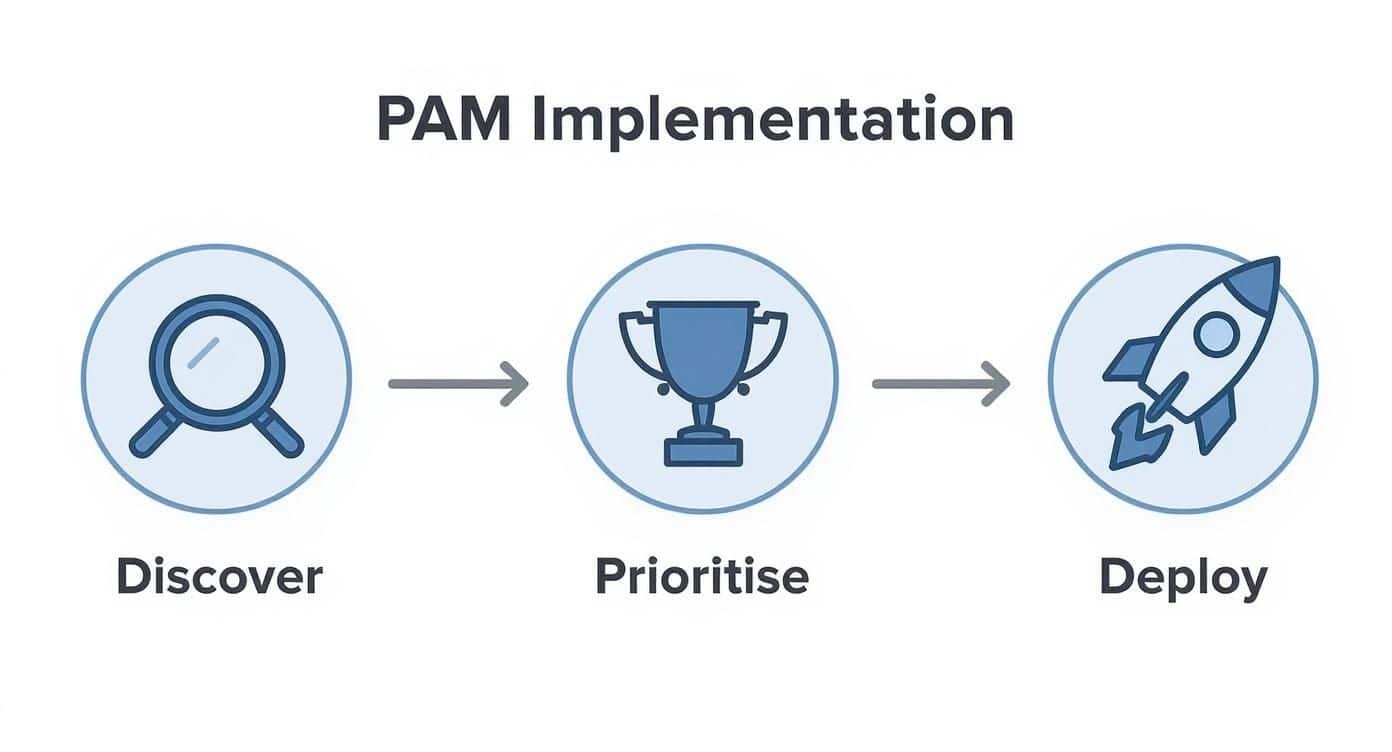
what is privileged access management pam process 1
As you can see, once you know what you have, the next logical step is to figure out what needs protecting first.
Phase 2: Prioritise and Plan
With your complete inventory in hand, it’s time to prioritise. Let’s be realistic—not all privileged accounts carry the same level of risk. An account that can control your entire network is a far juicier target for an attacker than a local admin account on a single, non-critical machine.
Your job here is to rank your accounts based on business impact and vulnerability. This lets you create a targeted plan, focusing your initial efforts where they will make the biggest difference. This stage is also about the human element: building a clear business case and managing the cultural shift within your IT team are just as vital as the technology.
Phase 3: Deploy in Phases
Trying to roll out a full-scale PAM solution in one big bang is a recipe for disruption and pushback. A much smarter strategy is a phased deployment, starting with foundational controls that deliver immediate security wins.
A typical phased deployment might look like this:
- Implement Windows LAPS: Start by securing local administrator passwords on all your workstations. It’s a free tool from Microsoft and a high-impact first step.
- Enforce Multi-Factor Authentication (MFA): Next, apply MFA to all known administrative accounts. This adds a powerful, extra layer of security straight away.
- Introduce Azure AD PIM: Begin using Just-In-Time access for your most critical cloud roles, getting rid of those risky “always-on” admin accounts.
Even with the best plan, implementation can be tricky. In fact, 57% of UK organisations report difficulties deploying PAM solutions, which really highlights the need for a well-planned, user-friendly approach. You can learn more about these UK-specific findings and how to avoid the common pitfalls.
This methodical approach aligns perfectly with established best practices for adopting new technology, like those in our guide to the Azure Cloud Adoption Framework. By starting small and building momentum, you can successfully roll out a comprehensive PAM strategy that protects your business without overwhelming your team.
Ready to start your PAM journey?
Phone 0845 855 0000 today or Send us a message to discuss your security needs.
Got Questions About PAM? We’ve Got Answers
When UK businesses start looking into Privileged Access Management, a few key questions always come up. Getting straight answers is crucial for seeing how PAM fits into your own security plan. Let’s tackle some of the most common queries we hear.
What’s the Investment for a PAM Solution in the UK?
The cost really depends on the size of your business and how complex your needs are. Some of the most effective foundational tools, like Windows LAPS, are actually free and built right into the systems you already use.
For more advanced capabilities, solutions like Azure AD PIM are often bundled into higher-tier Microsoft licences, which might run you somewhere between £7 to £10 per user per month. Full-blown, dedicated PAM platforms for larger enterprises can range from thousands to tens of thousands of pounds a year.
It’s helpful to think of it less as a cost and more as an investment. The upfront expense is almost always a fraction of the cost of cleaning up after a serious security breach.
Is PAM Just for the IT Department?
Not at all. While IT admins are the most obvious candidates, PAM is for any account that has more permissions than a standard user. It’s a common misconception that it’s only about “domain admin” accounts.
Think about all the other powerful credentials in your business:
- Service accounts that applications use to connect to databases or run automated tasks.
- Third-party accounts for vendors who need temporary access to fix or maintain a system.
- ‘Super-user’ accounts within your finance or HR software, which hold the keys to your most sensitive company and employee data.
A solid PAM strategy has to cover all of these, not just the ones with “admin” in the title.
What’s the Absolute First Thing We Should Do to Implement PAM?
The first, non-negotiable step is discovery. It’s simple, really: you can’t protect what you don’t know exists.
Before you buy any software or change any policies, you need to find every single privileged account across your entire network. That means digging into your on-premise servers, cloud platforms, network devices, and critical business applications.
Once you have a complete inventory, you can start to see where the biggest risks are. From there, you can begin applying foundational controls like multi-factor authentication (MFA) to your most critical accounts and build your strategy from there.
Everything else in a successful security plan is built on this foundation of knowing exactly what you need to protect.
To talk through your specific needs and get some expert guidance, give us a call on 0845 855 0000 or send us a message.
Let F1Group Guide Your PAM Strategy
Understanding what Privileged Access Management is and why you need it is one thing. Actually putting it into practice? That’s a whole different ball game. A solid PAM strategy is more than just a security measure; it’s a fundamental part of building a resilient business that can stand up to modern cyber threats. But it’s not a journey you should have to take on your own.
Figuring out what privileged accounts you have, creating the right policies, and rolling out the technology takes specialist expertise. Our team lives and breathes this stuff. We’re here to guide you every step of the way—from the initial discovery and planning right through to a smooth implementation and ongoing management. We make sure your PAM solution fits your business like a glove, turning a daunting project into a powerful security upgrade.
It’s time to get a firm grip on your privileged access and strengthen your defences. The last thing you want is for a security breach to show you where the gaps were.
Ready to secure your organisation’s most critical access points? Let’s talk.
Phone 0845 855 0000 today or Send us a message to get started.