
According to the UK Government Cyber Security Breaches Survey 2024, phishing remains one of the most common attack methods against UK organisations. For SMB owners in the East Midlands, that is reason enough to stop treating cyber security as an IT nice-to-have and start treating it as basic business protection.
If your company runs on Microsoft 365, stores files in SharePoint, uses Outlook every day, or hosts systems in Azure, you already have multiple points an attacker can target. Smaller firms are hit because they are easier to break into. Weak sign-in controls, inconsistent patching, poor mailbox protection, and staff who have never been shown what a modern phishing email looks like all give criminals a clear path in.
The right response is practical action. Switch on the controls that cut risk fast. Lock down the accounts that matter most. Back up the data you cannot afford to lose. Train staff to spot the fraud that lands in their inboxes every week.
That is the gap this guide is built to close. It focuses on what UK SMBs can implement inside Microsoft 365 and Azure without wasting budget on vague policy documents or shelfware. Where internal teams need support, managed Microsoft 365 security services from F1Group can help bridge the gap between basic DIY setup and proper ongoing protection.
The ten measures below are the controls worth putting in place first. Done properly, they reduce the chance of account compromise, ransomware disruption, invoice fraud, and costly downtime.
1. Implement Multi-Factor Authentication Across All Systems
Account takeover is still one of the fastest ways for criminals to get into a business. For East Midlands SMBs running on Microsoft 365 and Azure, MFA is one of the cheapest controls you can put in place to stop a stolen password turning into a breach.
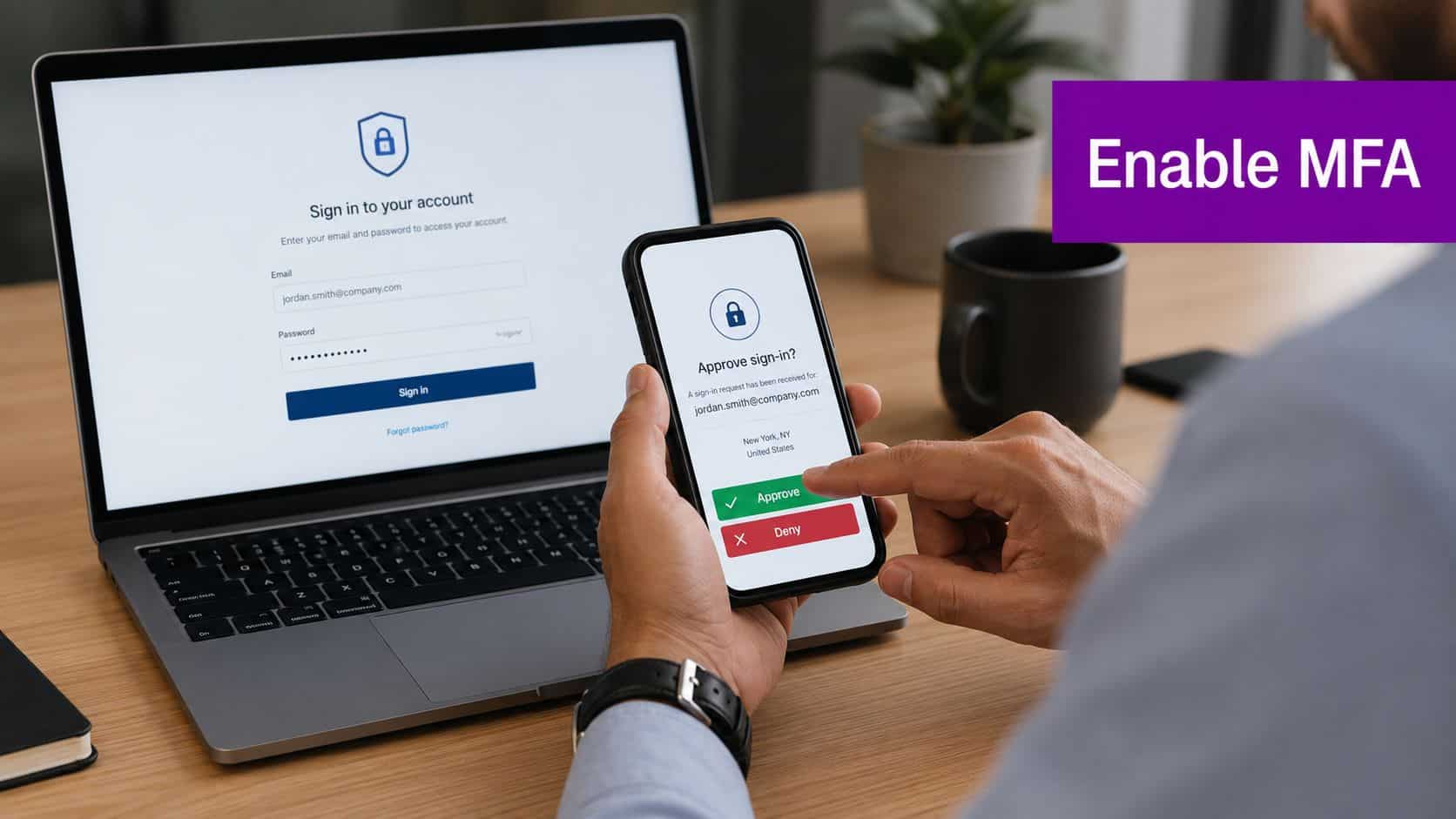
Passwords fail too often. Staff reuse them, phishing emails capture them, and attackers test them against cloud services from anywhere. MFA adds extra layers of digital protection so one exposed password does not hand over your email, files, finance tools, or Azure tenant.
If you use Microsoft 365, turn on MFA for every user. Then apply stricter controls to privileged accounts. In practice, that means using Microsoft Authenticator with number matching, blocking weak sign-in methods where possible, and using Conditional Access to challenge risky logins.
What to enable first
Start with the accounts that can do the most damage if compromised. Admin roles, finance users, directors, HR, and anyone with access to customer data should be protected first. Then extend MFA to every mailbox, every cloud app, every remote access tool, and every admin portal.
- Protect administrator accounts first: Apply MFA to Global Admin, billing, security, Exchange, SharePoint, and helpdesk roles immediately.
- Use app-based prompts: Prefer Microsoft Authenticator over SMS. SMS is better than nothing, but it is not the standard you should settle for.
- Set Conditional Access policies: Require extra checks for unfamiliar sign-ins, high-risk attempts, unmanaged devices, and access from outside expected regions.
- Control emergency access accounts: Keep break-glass accounts offline, tightly restricted, and regularly tested.
- Cover systems beyond Microsoft 365: Add MFA to VPN, remote desktop gateways, payroll platforms, password vaults, Azure portals, and line-of-business systems where supported.
Practical rule: If an account can access money, sensitive data, email, or admin settings, it gets MFA.
Many SMBs fall short. They switch on MFA for Microsoft 365 email, then leave VPN access, third-party SaaS tools, backup consoles, and Azure administration with password-only logins. That gap is exactly what attackers use.
For a plain-English explanation of rollout choices inside a Microsoft environment, read F1Group's guide to what multi-factor authentication is and how to apply it. If your internal team does not have time to set policies properly, enforce them consistently, and support users through rollout, managed support closes that gap before it becomes an incident.
2. Maintain Regular Software and Security Patch Management
Attackers love old software because known flaws are easier to exploit than defended systems. If your Windows devices, network kit, Microsoft 365 apps, and third-party business software aren't patched consistently, you're leaving obvious holes open.
Most SMBs don't fail because patching is impossible. They fail because nobody owns it, nobody tracks it, and updates get postponed until a problem forces action.
Build a patching routine that actually happens
Patch management needs a timetable, named responsibility, and a record of what's been done. In Microsoft environments, that usually means combining Windows Update for Business, Microsoft Intune, and a clear asset inventory so you know exactly what requires attention.
A practical routine looks like this:
- Maintain an asset list: Record laptops, desktops, servers, switches, firewalls, mobile devices, and key applications.
- Test before broad rollout: Check business-critical software on a small group first, especially finance, production, and CRM systems.
- Prioritise security fixes: Apply critical patches quickly, especially for internet-facing systems and admin tools.
- Automate where sensible: Use Windows Update for Business or Configuration Manager to reduce manual delay.
- Review failures weekly: A failed patch matters as much as a missing one.
The same logic applies beyond Microsoft. Printers, firewalls, Wi-Fi access points, NAS devices, and line-of-business applications often get ignored for months. That's a mistake.
Security works in layers. If you're reviewing identity controls alongside updates, this explanation of layers of digital protection is a sensible companion read. Patch discipline won't make headlines internally, but it does stop attackers walking through defects everyone already knows about.
3. Establish a Robust Password Policy and Use Password Managers
Password reuse still gives attackers an easy route into small businesses. In Microsoft 365 environments, one weak or repeated password can expose email, files, Teams chats, and admin access in a single incident.
Many UK firms still make passwords harder to live with than harder to crack. Staff respond the predictable way. They reuse logins, save them in browsers, write them on paper, or make tiny changes at reset time. That is a policy failure, not a user failure.
Fix the policy before blaming users
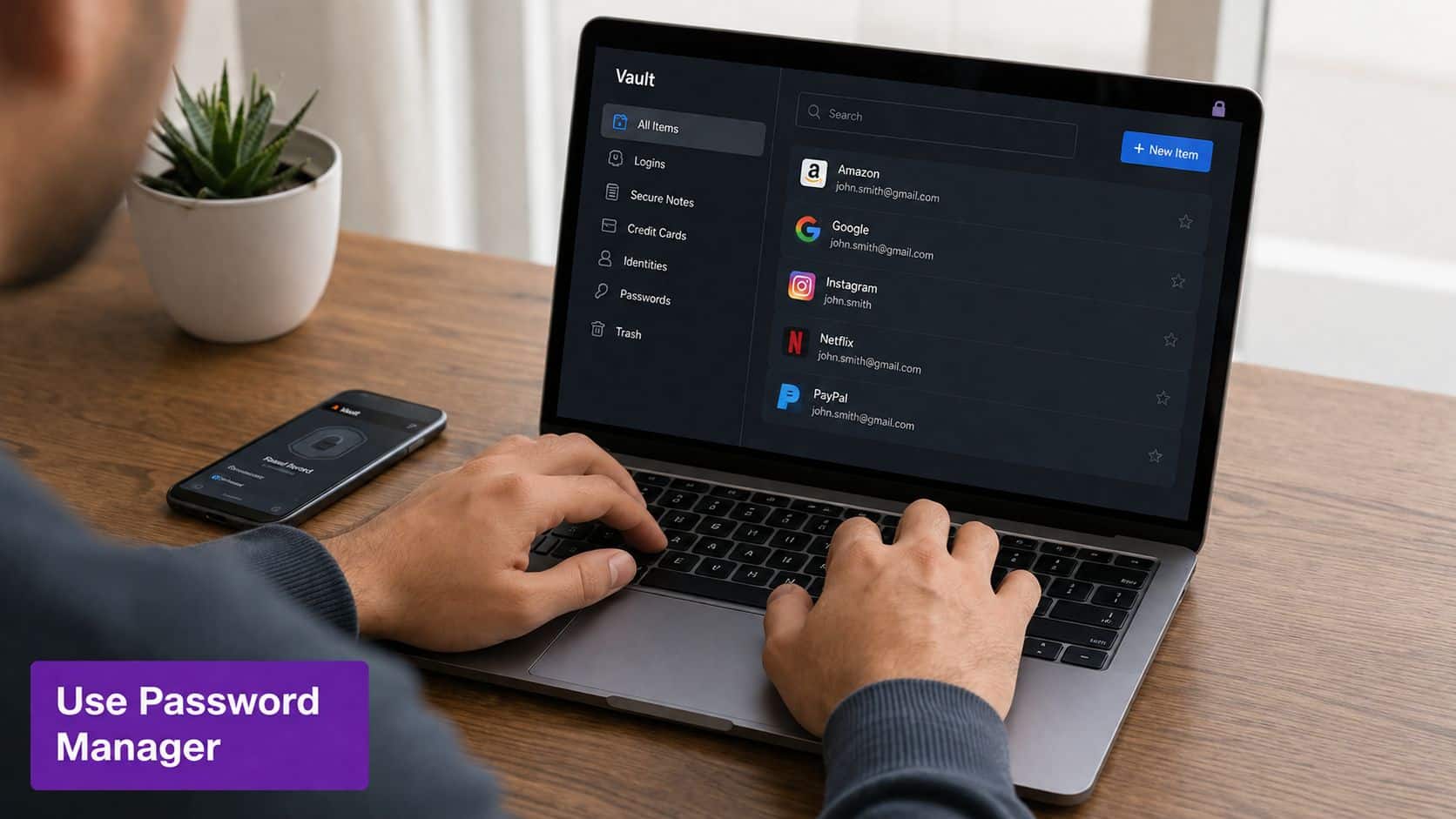
Set rules your team can follow under pressure. For most East Midlands SMBs, that means long passphrases, blocked weak passwords, no routine expiry, and a business password manager rolled out properly across Microsoft 365 and Azure-connected services. If your staff use supplier portals, finance platforms, remote admin tools, and shared cloud accounts, they need a secure way to store unique credentials for each one.
Microsoft Entra ID gives you the controls to do this properly. Use password protection to block common and compromised choices. Pair that with MFA from your first priority, then issue a password manager that supports secure sharing, delegated access, and admin oversight. That closes one of the most common gaps in smaller firms: shared logins passed around by email or kept in spreadsheets.
Use this standard:
- Require long passphrases: Use memorable multi-word passwords instead of short, complex patterns people forget.
- Stop scheduled password changes: Reset credentials after suspected compromise, risky sign-in activity, or staff changes.
- Block known bad passwords: Use Microsoft Entra ID password protection and banned password lists.
- Deploy a business password manager: Give staff one approved system for storing and generating unique credentials.
- Replace shared passwords with controlled access: Use role-based admin, vault sharing, and named accounts wherever possible.
This is also where DIY security often starts to break down. Writing a password policy is easy. Enforcing it across Microsoft 365, Azure, local devices, third-party apps, and leavers' accounts is the hard part. A managed IT partner such as F1Group can help East Midlands businesses set the policy, configure Entra ID, roll out the password manager, and tie it into wider user training, including security awareness and training for staff.
A Lincoln solicitor's practice, a Nottingham insurer, and a Scunthorpe manufacturer will not use the same systems. The security principle stays the same. Reduce password fatigue, remove bad habits, and control access properly before a preventable breach turns into downtime, fraud, or regulatory trouble.
4. Conduct Regular Employee Security Awareness Training
Most attacks still need a human to click, approve, reply, or trust the wrong request. Training matters because your staff sit directly between attackers and your systems.
The standard old advice isn't enough anymore. A 2025 NCSC report found 57% of new UK phishing attacks use AI-generated voice and text that are hard to distinguish from real executives, while 71% of UK SMEs reported increased AI-phishing incidents in 2025, according to this referenced cyber security tips source.

Train for the scams people are getting now
If your awareness programme still focuses only on spelling mistakes, dodgy logos, and suspicious links, it's out of date. Staff now need to challenge convincing requests delivered through email, Teams, phone calls, and voicemail. Finance, HR, and senior managers need extra scrutiny because they're common targets for impersonation.
Use short sessions, repeat them regularly, and make reporting easy. Training should feel operational, not ceremonial.
- Train at onboarding: New starters need clear guidance before they receive full access.
- Cover AI-led impersonation: Include fake executive requests, urgent payment changes, and voice cloning scenarios.
- Run phishing simulations: Use them as learning tools, not public shaming exercises.
- Tailor by role: Finance teams, senior leaders, and IT admins face different attack patterns.
- Make reporting simple: A one-click report button in Outlook beats vague instructions buried in a policy.
A staff member who reports a suspicious message early can prevent an account compromise, invoice fraud attempt, or malware incident from spreading.
For many SMBs, training becomes effective only when it's scheduled, tracked, and refreshed. F1Group has also covered security awareness and training in a practical business context, which is worth using if you need to formalise your programme.
5. Implement a Zero Trust Security Architecture
Zero Trust means no user, device, or session gets automatic trust just because it sits on your network or already knows one password. Every access request gets checked against identity, device health, location, and context.
That matters because hybrid work broke the old perimeter model years ago. Staff sign in from home, on the road, and through mobile devices. Microsoft 365, Azure, and third-party SaaS platforms don't care whether your office firewall feels secure. Identity is now the control plane.
Start with identity, not jargon
Too many businesses hear "Zero Trust" and assume it's an enterprise-only redesign. It isn't. In a practical SMB setting, it often starts with Microsoft Entra ID, Conditional Access, device compliance policies, endpoint detection, and least-privilege permissions.
A useful starting order is simple:
- Verify identity every time: Use Conditional Access to assess sign-in risk and require stronger controls where needed.
- Check device health: Only allow access from compliant, managed, encrypted devices.
- Limit privilege: Users shouldn't hold admin rights unless their role requires them.
- Segment access: A production user doesn't need the same access path as finance or senior management.
- Monitor continuously: Review risky sign-ins, unusual app consent, and privilege escalation events.
A medium-sized manufacturer in Leicester might separate production systems from standard office access. A professional services firm in Nottingham might restrict client data access to managed laptops only. A charity in Newark might apply tighter controls to trustees, finance, and donor records.
Operational test: If a compromised personal device can still log into company email and files without challenge, your trust model is too loose.
Zero Trust isn't one product. It's a discipline. Done properly, it closes the gaps that attackers exploit after they steal one password or compromise one endpoint.
6. Deploy Advanced Email Security and Phishing Protection
Email remains the easiest route into a business because it touches everyone. Invoices, delivery updates, job applications, customer requests, document shares, and internal approvals all land there. Attackers know that, so your filtering and inspection controls need to be strong before messages hit a user's inbox.
Microsoft Defender for Office 365 proves its worth. If you already run Microsoft 365, you should be using the email security tools available to inspect links, attachments, sender authenticity, and post-delivery threats.
Tighten the Microsoft 365 mail stack
Basic spam filtering isn't enough. You need domain protection, attachment controls, user reporting, and routine review of what the platform is catching or missing.
Set up these controls as standard:
- Enable Defender for Office 365: Use Safe Links, Safe Attachments, anti-phishing policies, and threat exploration features.
- Configure domain authentication: Apply SPF, DKIM, and DMARC to reduce spoofing of your domain.
- Add external sender tagging: Staff should be able to spot outside mail immediately.
- Block risky file types: Executables, scripts, and other dangerous attachments shouldn't flow freely by email.
- Review reported messages: Don't let user-reported phishing disappear into an unattended mailbox.
A legal firm handling confidential documents, an NHS-linked supplier receiving external attachments, or a manufacturing company processing purchase orders all need stronger email controls than default settings alone provide. The same goes for shared mailboxes, senior leadership inboxes, and finance teams that authorise payments.
Traditional phishing advice still has value, but it's no longer sufficient on its own. Strong filtering catches obvious threats before users ever have to judge them, and that's exactly how it should be.
7. Establish Comprehensive Data Backup and Disaster Recovery Plans
Backups are your recovery plan when prevention fails. If ransomware encrypts your files, an admin account is compromised, or a server dies on a Friday afternoon, backups decide whether you restore operations or spend days improvising under pressure.
Too many businesses assume Microsoft 365 alone covers every retention and recovery scenario they care about. It doesn't. You still need a deliberate backup strategy for email, SharePoint, OneDrive, Teams data, servers, and critical local systems.

Make recovery realistic, not theoretical
The standard 3-2-1 rule is still useful. Keep multiple copies, use different storage types, and hold at least one copy offsite. For ransomware resilience, add immutability or storage that can't be altered by a compromised admin account.
Your backup plan should answer four blunt questions. What gets backed up? Where does it live? How quickly can you restore it? Who is responsible when something goes wrong?
- Back up Microsoft 365 data separately: Use a dedicated backup platform for Exchange, SharePoint, OneDrive, and Teams.
- Protect backups from tampering: Use immutable storage, restricted admin rights, and separate credentials.
- Test restores regularly: A backup that hasn't been restored is still unproven.
- Document recovery order: Decide which systems come back first, such as finance, email, operations, and customer data.
- Train key staff: The people handling recovery shouldn't be reading the plan for the first time during an incident.
A Newark accountancy firm, a Scunthorpe engineering business, or an East Midlands charity will each have different restore priorities, but every one of them needs evidence that recovery works. F1Group's guide to backup and disaster recovery is a practical reference if you need to tighten that process.
8. Monitor Network Activity and Implement Intrusion Detection Systems
If you aren't watching your environment, you won't spot misuse until the damage is obvious. Good monitoring helps you catch suspicious sign-ins, unusual data movement, malware activity, and lateral movement before a minor issue becomes a serious incident.
This matters even more once your systems spread across office networks, home workers, Microsoft 365, Azure services, and third-party applications. Visibility has to follow the user and the workload, not just the building.
Focus on useful signals
Many SMBs either collect too little logging or far too much noise. The answer isn't endless alerts. It's targeted monitoring tied to action.
Use Microsoft Defender for Endpoint, Microsoft Defender for Cloud, and a SIEM platform where your risk justifies it. Then tune for the events you'll investigate.
- Monitor key choke points: Firewalls, remote access services, domain controllers, Microsoft 365 sign-ins, and cloud admin actions.
- Set baselines: Know what normal traffic, login times, and administrative behaviour look like.
- Correlate events: A failed sign-in pattern, suspicious mailbox rule, and impossible travel alert often belong to the same incident.
- Keep logs accessible: You need enough retained data to investigate properly after the fact.
- Define response steps: Blocking an IP, disabling an account, or isolating a device should be documented in advance.
A finance team in Lincoln might need better oversight of suspicious mailbox access. A healthcare provider in Nottingham may need stronger cloud and endpoint event review. A larger business with multiple sites might need centralised visibility across all of them.
Monitoring isn't about admiring dashboards. It's about giving your team enough evidence to act quickly and confidently when something looks wrong.
9. Secure Remote Access Through VPN and Endpoint Protection
Remote access is convenient for staff and useful for attackers. If home devices, unmanaged laptops, or weak remote connections can reach company systems, you've widened your exposure without meaning to.
That doesn't mean remote work is the problem. Poorly controlled remote work is the problem. The fix is to protect both the connection and the device using a mix of VPN controls, endpoint protection, identity checks, and access restrictions.
Lock down the route in
A proper remote access setup should verify the user, assess the device, encrypt the session, and restrict access to what that person needs. Microsoft Entra Conditional Access and Microsoft Defender for Endpoint fit naturally into that model.
For many SMBs, the practical standard should be:
- Require MFA on all remote access: No exceptions for convenience.
- Use managed devices: Only compliant laptops and mobiles should connect to business systems.
- Deploy endpoint protection: Defender for Endpoint or an equivalent EDR tool should monitor remote machines.
- Restrict access by role: A user working from home shouldn't inherit broad network access by default.
- Review remote activity: Watch for unusual login times, impossible travel, or access from non-compliant devices.
A Newark manufacturer might use Azure Virtual Desktop for sensitive production reporting rather than exposing internal systems directly. A Leicester professional services firm might allow only Intune-managed laptops to reach client data. A small charity with trustees working remotely might need stronger controls around shared documents and executive email.
Remote access should be treated like a privilege granted under conditions, not a permanent tunnel that stays trusted once connected.
10. Conduct Regular Security Audits and Penetration Testing
You need independent proof that your controls work. Internal assumptions don't count. Security audits check whether policies, permissions, and configurations are being followed, while penetration testing shows how an attacker might chain weaknesses together.
That's especially important as your Microsoft estate grows. It's easy to accumulate stale accounts, misconfigured Azure resources, exposed services, excessive permissions, and weak external access paths without noticing until someone tests them properly.
Audit what matters most
Start with systems that would hurt most if compromised. For many SMBs, that means Microsoft 365 admin controls, email security, Azure resources, backups, remote access, endpoint protection, finance systems, and privileged accounts.
A good review should include:
- Configuration audits: Check tenant settings, identity controls, device compliance, and admin role assignments.
- External attack testing: Assess internet-facing services, VPNs, portals, and exposed cloud assets.
- Privilege review: Remove excess rights and challenge inherited admin access.
- User-focused testing: Include phishing and social engineering where appropriate.
- Remediation tracking: Assign owners, deadlines, and verification after fixes are applied.
An accountancy firm in Nottingham might discover an Azure misconfiguration. A healthcare organisation in Leicester may need clearer evidence around compliance controls. A manufacturing business in Scunthorpe may use audit findings to prioritise investment where operational risk is highest.
If you want a plain-English overview of assessment methodology, this breakdown of types and process of security audits gives a useful primer. The important part is consistency. Review, fix, retest, repeat.
10-Point Cybersecurity Comparison
A single missed control can turn a routine Monday into a breach, an outage, or a ransom demand. For SMBs in the East Midlands running on Microsoft 365 and Azure, the right order matters just as much as the controls themselves.
Use this comparison to decide what to roll out first, what needs outside support, and where a managed partner such as F1Group can close gaps quickly without dragging your team into a long security project.
| Control | Implementation complexity | Resource requirements | Expected outcomes | Ideal use cases | Key advantages |
|---|---|---|---|---|---|
| Implement Multi-Factor Authentication (MFA) Across All Systems | Moderate. Requires configuration, exclusions review, and staged rollout across services | Licensing, authenticator apps or hardware keys, admin time, user support | Significant reduction in account compromise and phishing success | Microsoft 365, Azure, admin accounts, remote workers, supplier access | Strong protection against credential theft. Supports audit and compliance requirements |
| Maintain Regular Software and Security Patch Management | Moderate to high. Needs testing, scheduling, and staged deployment | Patch management tools, test environments, maintenance windows, IT staff | Fewer exploitable weaknesses, better stability, lower ransomware exposure | Windows estates, Azure workloads, servers, line-of-business systems, OT where applicable | Closes known security gaps before attackers use them |
| Establish a Strong Password Policy and Use Password Managers | Low to moderate. Policy changes are simple, user adoption takes effort | Password manager licences, training, Entra ID integration | Less password reuse, fewer weak credentials, fewer reset requests | Businesses with many cloud accounts, shared admin tasks, distributed teams | Safer credential storage, generated passwords, easier rotation and access control |
| Conduct Regular Employee Security Awareness Training | Low. Needs a repeatable programme, not a one-off session | Training platform, staff time, phishing simulations, reporting | Lower phishing click rates, faster reporting of suspicious activity | All SMBs, especially firms with lean IT teams | Reduces avoidable user error at low cost |
| Implement a Zero Trust Security Architecture | High. Best handled in phases across identity, device, access, and workload controls | Identity services, segmentation tools, monitoring, security expertise | Reduced lateral movement, continuous verification, clearer visibility across users and devices | Cloud-first and hybrid organisations, regulated firms, businesses with remote staff | Thorough least-privilege control, tighter access decisions, better breach containment |
| Deploy Advanced Email Security and Phishing Protection | Moderate. Requires policy tuning, mailbox protection, and ongoing review | Licensing, such as Microsoft Defender for Office 365, configuration time, monitoring | More phishing and malware stopped before users interact with it. Lower BEC exposure and fewer post-delivery threats | Organisations that depend heavily on email, including legal, healthcare, finance, and professional services | Real-time detection, attachment analysis, link protection, post-delivery response |
| Establish Data Backup and Disaster Recovery Plans | Moderate to high. Requires design, retention planning, and restore testing | Backup platform, offsite or immutable storage, DR testing time, ownership | Faster recovery from ransomware, deletion, hardware failure, and service disruption | Firms that cannot afford long outages or data loss | Immutable backup copies and tested restores cut downtime and reduce pressure to pay attackers |
| Monitor Network Activity and Implement Intrusion Detection Systems | High. Requires deployment, tuning, alert handling, and analysis | IDS or IPS, SIEM, threat intelligence, skilled analysts | Earlier detection of active threats and shorter attacker dwell time | Larger SMBs, regulated environments, multi-site networks, Azure-connected estates | Better visibility, stronger investigation capability, automated alerting |
| Secure Remote Access Through VPN and Endpoint Protection | Moderate. Needs client deployment, policy control, and device checks | VPN or secure remote access tools, EDR, device management, MFA | Encrypted access, device-based controls, lower risk from unmanaged endpoints | Hybrid teams, field staff, third-party access, remote administration | Protects data in transit and blocks access from unsafe devices |
| Conduct Regular Security Audits and Penetration Testing | Moderate. Requires scope, scheduling, remediation ownership, and retesting | Internal or external testers, remediation budget, reporting time | Finds weaknesses before attackers do and gives clear evidence for risk reduction | Regulated sectors, growing businesses, major infrastructure changes, pre-launch reviews | Independent validation and prioritised remediation planning |
From Tips to Action: Partnering for Stronger Security
A single weak setting in Microsoft 365 can undo months of good security work. One account without MFA, one unmonitored admin role, or one backup that has never been tested is often all it takes for a serious breach to turn into downtime, lost revenue, and a long recovery.
The main job is implementation. SMB owners across the East Midlands usually know the basics. The problem is getting those basics applied consistently across Microsoft 365, Azure, laptops, mobiles, servers, and third-party access without leaving gaps behind.
Security also degrades faster than many firms expect. Staff join and leave. Devices fall out of compliance. Old accounts stay active. New apps get connected to Microsoft 365. Azure permissions expand over time. If nobody checks the evidence, risk builds unseen.
Well-run businesses keep control of three things. They assign ownership. They standardise the settings that matter. They review proof, not assumptions. In Microsoft 365 and Azure, that means checking Conditional Access, sign-in activity, privileged roles, Defender alerts, Intune compliance, and restore results on a set schedule.
For many UK SMBs, that work should not sit on the corner of one overloaded manager's desk. It needs process, follow-through, and technical knowledge. The cost of doing it properly is usually far lower than the cost of recovering from ransomware, email compromise, or extended service outage.
F1Group is one option for firms that want that support. The company provides IT support and cyber security services across Lincoln, Nottingham, Leicester, Scunthorpe, Grimsby, and Newark, with a Microsoft-focused approach that fits businesses running Microsoft 365 and Azure. That gives SMBs a practical middle ground between trying to handle everything internally and hiring a full in-house security team.
If your business still relies on basic passwords, inconsistent patching, untested backups, default Microsoft configurations, or broad admin access, fix those weaknesses now.
If you need practical help tightening Microsoft 365 security, improving backups, enforcing MFA, or building a managed cyber security plan across the East Midlands, contact F1Group. Phone 0845 855 0000 today or send us a message.