
Your finance director can't open Outlook, two teams are waiting for a SharePoint document, and staff have started using personal file-sharing tools because nobody knows whether the problem is local or part of a wider Microsoft incident. The helpdesk is busy resetting passwords, while an administrator is trying to work out why a security policy blocked a legitimate sign-in. That isn't a Microsoft 365 strategy. It's operational risk.
For a mid-sized UK business, Microsoft 365 support should protect access, data, productivity and continuity. It should cover the everyday work across Exchange, Teams, SharePoint and OneDrive, but it must also deal with identity, governance, licensing, migration, outage planning and the controlled adoption of Copilot. The difference between a provider that merely answers tickets and one that manages the environment becomes obvious when something important breaks.
What Microsoft 365 Support Really Means for Your Business
A business without structured support often works around problems rather than solving them. A new starter waits for access to Teams, an old account remains active after someone leaves, a SharePoint site grows without an ownership model, and users create inconsistent workarounds when Outlook behaves unpredictably. Each issue looks small. Together, they create avoidable exposure and wasted management time.

The real scope of support
Microsoft 365 support starts with user assistance, but it shouldn't end with password resets. A capable partner manages the environment as a connected service:
- Identity and access: Entra ID, MFA, guest access, administrator permissions and joiner, mover and leaver processes.
- Collaboration: Teams, SharePoint, OneDrive and Exchange configuration, ownership and permissions.
- Security: Conditional Access, threat response, data loss prevention and sensible policy exceptions.
- Operations: Service health, alerts, licence allocation, device posture and recurring faults.
- Adoption: User guidance, training and practical help when new features change established workflows.
- Continuity: Runbooks for outages, recovery procedures and communication plans.
The UK public sector provides a useful illustration of the scale involved. Cabinet Office guidance reported that Microsoft 365 was widely used across UK government, and by 2024 nearly every department used the suite. The government also formalised a government-wide Microsoft 365 security baseline in 2023, aligned with sensitivity labels and data loss prevention, as described in the UK government security guidance reporting. The lesson for businesses is straightforward. Microsoft 365 has become an operating platform, not just a collection of office applications.
Practical rule: If your provider only reacts after a user reports a fault, you've bought break-fix assistance, not managed support.
Break-fix versus managed ownership
Break-fix support waits for disruption. Managed support looks for the conditions that cause disruption, such as unmanaged privileged accounts, excessive permissions, neglected devices, licence drift or poorly controlled sharing.
Ask a prospective provider what it monitors, what it reviews routinely and what it owns without waiting for permission. The answer will tell you whether the service is designed to maintain a reliable Microsoft 365 environment or to close tickets.
Core Services Every Managed Microsoft 365 Provider Should Deliver
A serious provider should be able to show how its service operates on an ordinary working day. Look for defined ownership rather than a list of product names.
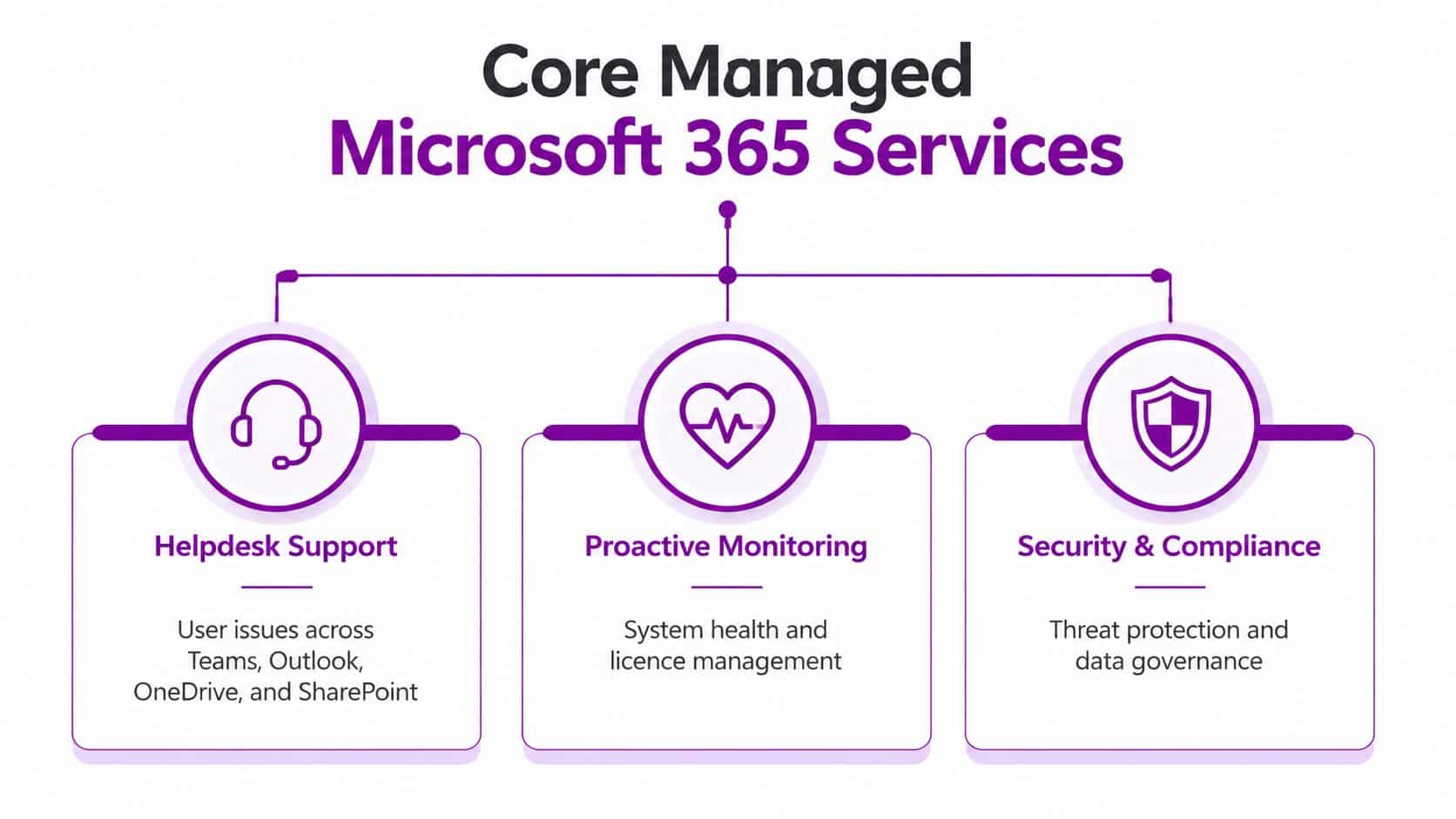
Helpdesk and administration
Users need one clear route for problems across Outlook, Teams, OneDrive and SharePoint. The support desk should diagnose whether an issue concerns the user, device, tenant configuration, permissions or Microsoft's service.
Behind the desk, administrators should handle account provisioning, group membership, licence assignment, shared mailboxes, Teams policies and SharePoint permissions. A leaver process should remove access promptly, preserve required business data and document who approved the action. That level of discipline prevents support from becoming a sequence of isolated fixes.
Security and compliance
Microsoft's Secure Configuration Blueprint for UK Government recommends MFA for global administrators and guests, alongside Entra ID Conditional Access policies. The same principles apply to commercial organisations.
Security Defaults can provide a simpler baseline. Conditional Access gives more control, allowing a provider to block legacy authentication, require compliant devices and apply tighter rules to privileged roles. Support matters here because a policy that protects the organisation can also prevent access to Exchange, Teams or SharePoint when it has been designed or applied badly. The provider must be able to explain the failure, correct it safely and retain the security objective.
Monitoring, updates and recovery
Proactive monitoring should include service health, suspicious sign-in activity, device compliance, storage and licence use. The provider should review recurring alerts instead of allowing them to become background noise.
Update management needs the same balance. Users should run supported, secure software, but changes should be assessed for compatibility with line-of-business applications and critical workflows. Recovery planning should cover accidental deletion, compromised accounts and ransomware scenarios. Microsoft 365 retention features can help, but retention isn't the same as an independent backup strategy. Ask exactly what can be restored, how restoration is authorised and how the provider tests the process.
Use this checklist when evaluating a supplier:
- Defined ownership: Someone is accountable for administration, security and escalation.
- Documented controls: MFA, Conditional Access, permissions and recovery settings are recorded.
- Actionable reporting: Reports identify risks and decisions, not just alert volumes.
- User support: The desk can handle application, identity and collaboration faults.
- Resilience procedures: Outage diagnosis and continuity steps are written and rehearsed.
Why SMBs Benefit Most from Expert Microsoft 365 Support
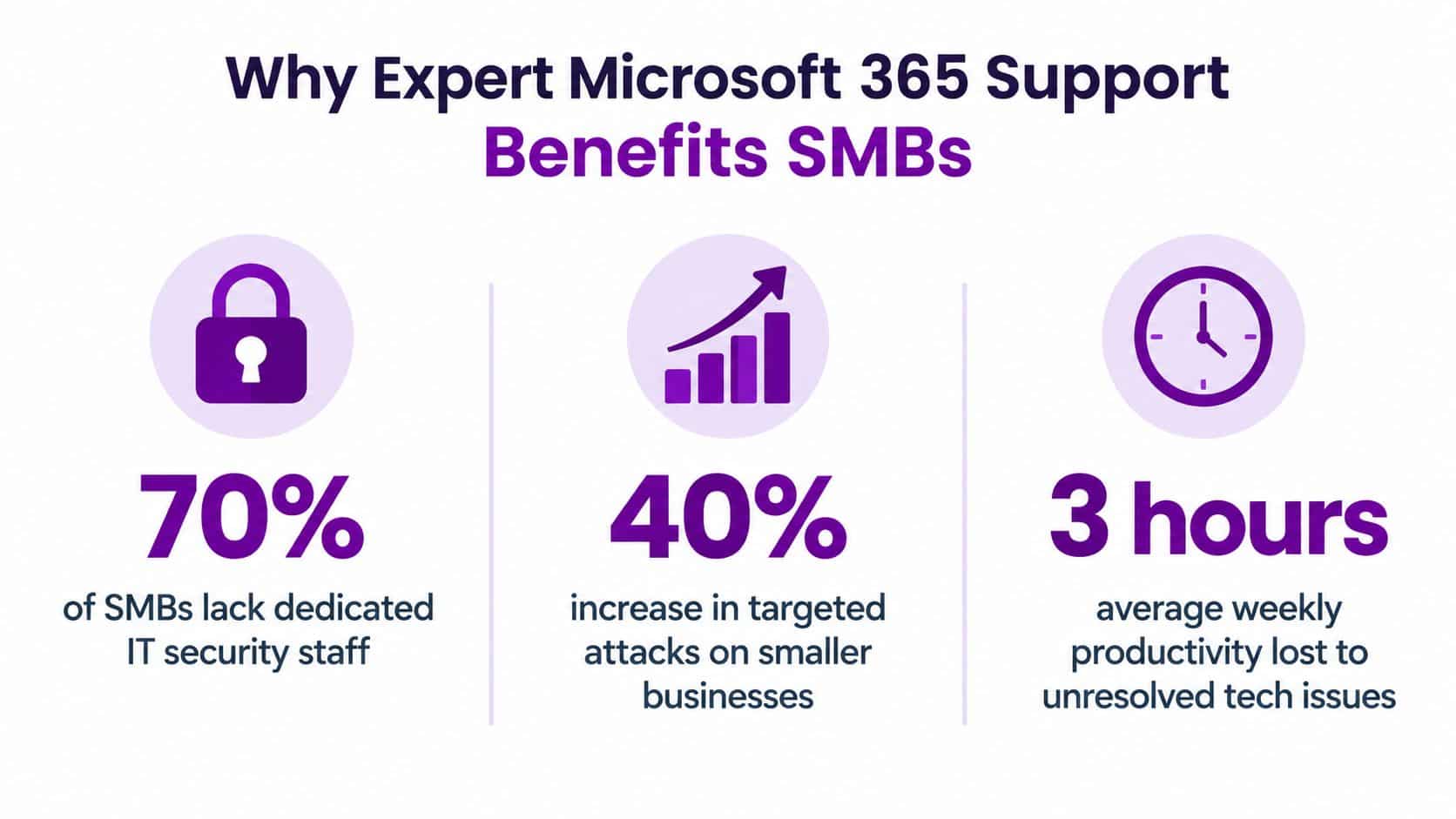
Small and mid-sized businesses often have the least room for an IT mistake. They may not have specialists for identity, security, collaboration and licensing, yet their staff still depend on the same cloud services every working day. Asking one generalist to cover every discipline creates a fragile environment and a long queue of deferred improvements.
The cost objection is understandable. A managed service appears on the budget, while licence waste, unresolved access issues and weak configuration are spread across different budgets. That accounting hides the actual cost. A senior employee waiting for access, a sales team unable to retrieve a proposal, or an administrator responding to a suspicious sign-in all consume business capacity.
Where the value appears
Expert support is most valuable when your organisation is growing, moving premises, introducing hybrid working, acquiring another business or tightening cyber security. It also pays for itself in management attention when internal staff can stop handling routine provisioning and repeated application faults.
The UK public sector's Copilot experiment shows why support requirements are changing. From September to December 2024, 20,000 civil servants across 12 major organisations took part in the largest Microsoft 365 Copilot deployment in UK government at that time. Adoption reached 83% in the first month and remained around 80% for the rest of the trial, while users reported saving an average of 26 minutes per day, according to the cross-government Copilot findings report. More than a third reported saving over half an hour daily, 85% said the tool offered good organisational value, and 82% said they wouldn't want to return to working without an AI assistant.
Those results don't mean every business should buy Copilot immediately. They do show that adoption depends on training, workflow design, prompt governance and data controls. A provider that only manages licences won't prepare your people to use the tool safely or productively.
The sensible buying decision
Don't compare providers solely on the monthly fee. Compare the operational outcome. Ask whether the service reduces repeat incidents, improves access governance, gives managers usable reporting and provides a named escalation route during a serious event.
A useful partner should also be able to work with your existing IT team. You might need full management, co-managed support or help with a defined migration and security project. The right model depends on your internal capability, but the requirement remains the same: someone must own the risks that fall between applications.
Migration and Onboarding Done Right
A Microsoft 365 migration is not complete when mailboxes appear in Outlook. It's complete when users can work, permissions make sense, data has an owner and support knows how to resolve the new environment's problems.
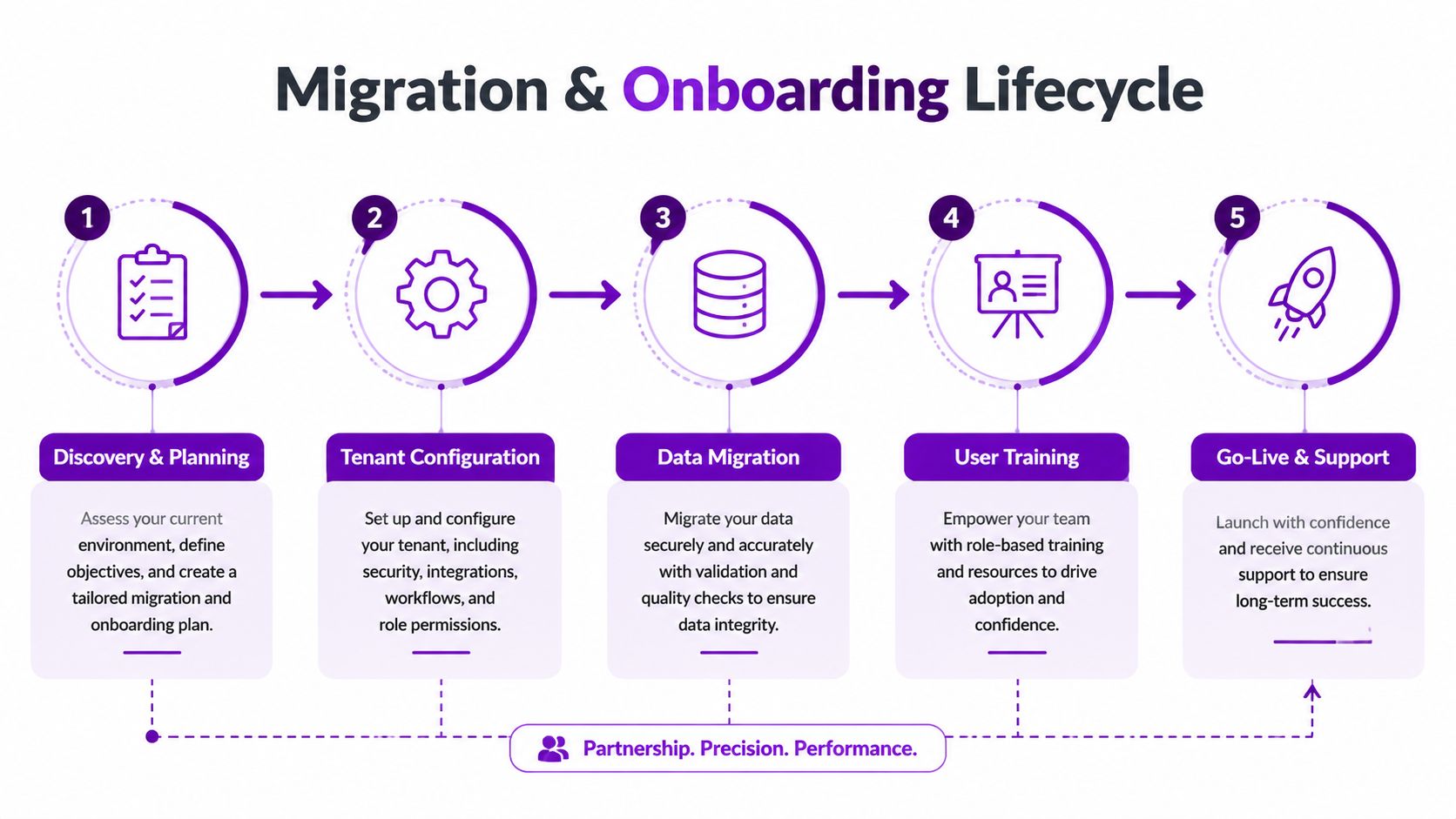
Start with discovery
Begin by documenting users, domains, mailboxes, devices, file locations, shared drives, Teams, SharePoint sites, applications and retention requirements. Identify stale data and duplicate structures before moving them. Data mapping matters because a careless lift-and-shift can preserve years of clutter and make permissions harder to understand.
Check dependencies before changing anything. Email routing, mobile devices, multifunction printers, line-of-business applications and external sharing can all rely on the existing configuration. A provider that promises a quick migration without showing its discovery method is cutting corners.
Configure, migrate and validate
The target tenant needs a deliberate design for identity, security groups, devices, sharing and administrative roles. Configure policies before users arrive, but test them with representative accounts. Excessive permissions are difficult to remove later, while an overly restrictive policy can disrupt legitimate work.
Migrate in a controlled sequence. Validate mail flow, calendars, contacts, file access, Teams membership and SharePoint permissions. Keep a rollback and communication plan for the cutover, including a clear route for urgent support.
Use this Microsoft 365 migration checklist to structure the planning conversation with your provider.
Onboard people, not just accounts
Users need to know where documents belong, when to use Teams rather than email, how OneDrive synchronisation works and what information must not be shared externally. Short, role-specific guidance works better than a generic presentation. Give managers a way to reinforce the new habits, then monitor the questions arriving at the service desk after go-live.
The following video can support conversations about the migration and onboarding process:
Post-migration support should include a stabilisation period, issue trends and a review of unresolved design decisions. If a supplier disappears after cutover, you're left paying for the consequences of its shortcuts.
Understanding Microsoft 365 Pricing and Packaging in the UK
Microsoft's UK business pricing is shown excluding VAT, and availability can vary by country or region, as stated on the Microsoft 365 UK business plans page. Treat the figures below as licence list-price benchmarks, not a complete support budget. Implementation, managed services, backup, security add-ons and specialist consultancy may sit outside the subscription.
| Plan | Monthly Cost (ex VAT) | Desktop Apps | Advanced Security | Best For |
|---|---|---|---|---|
| Business Basic | £5.40 per user/month | No | Limited compared with Premium | Businesses needing hosted email and cloud services |
| Business Standard | £10.80 per user/month | Yes | Limited compared with Premium | Staff requiring desktop Office applications |
| Business Premium | £16.90 per user/month | Yes | Yes | Organisations needing stronger identity, device and information protection |
| Microsoft 365 E7 | £81.60 per user/month | Yes | Enterprise-level capabilities | Organisations with complex enterprise requirements |
These UK prices come from Microsoft's product comparison page. A separate UK public-sector digital marketplace pricing document lists annual figures including £45.60 for Business Basic, £112.80 for Business Standard, £181.20 for Business Premium, £337.20 for E3 and £577.20 for E5.
Choose capability, not status
Business Basic suits users who can work through browser and mobile applications. Standard is the practical choice when staff need installed Word, Excel, PowerPoint and Outlook. Premium is usually the more sensible starting point for a business that needs stronger control over identities, devices and information.
Enterprise licensing becomes relevant when requirements exceed the business-plan model, particularly around scale, compliance or advanced security. Don't put every user on the highest tier without analysing roles. Conversely, don't choose a cheaper plan and then recreate its missing controls through manual workarounds.
For a deeper review of licence allocation and Office 365 costs, use this Microsoft licensing guide. Your provider should review dormant licences, role changes and add-ons as part of normal service management.
How to Choose a Local Managed Provider in the East Midlands
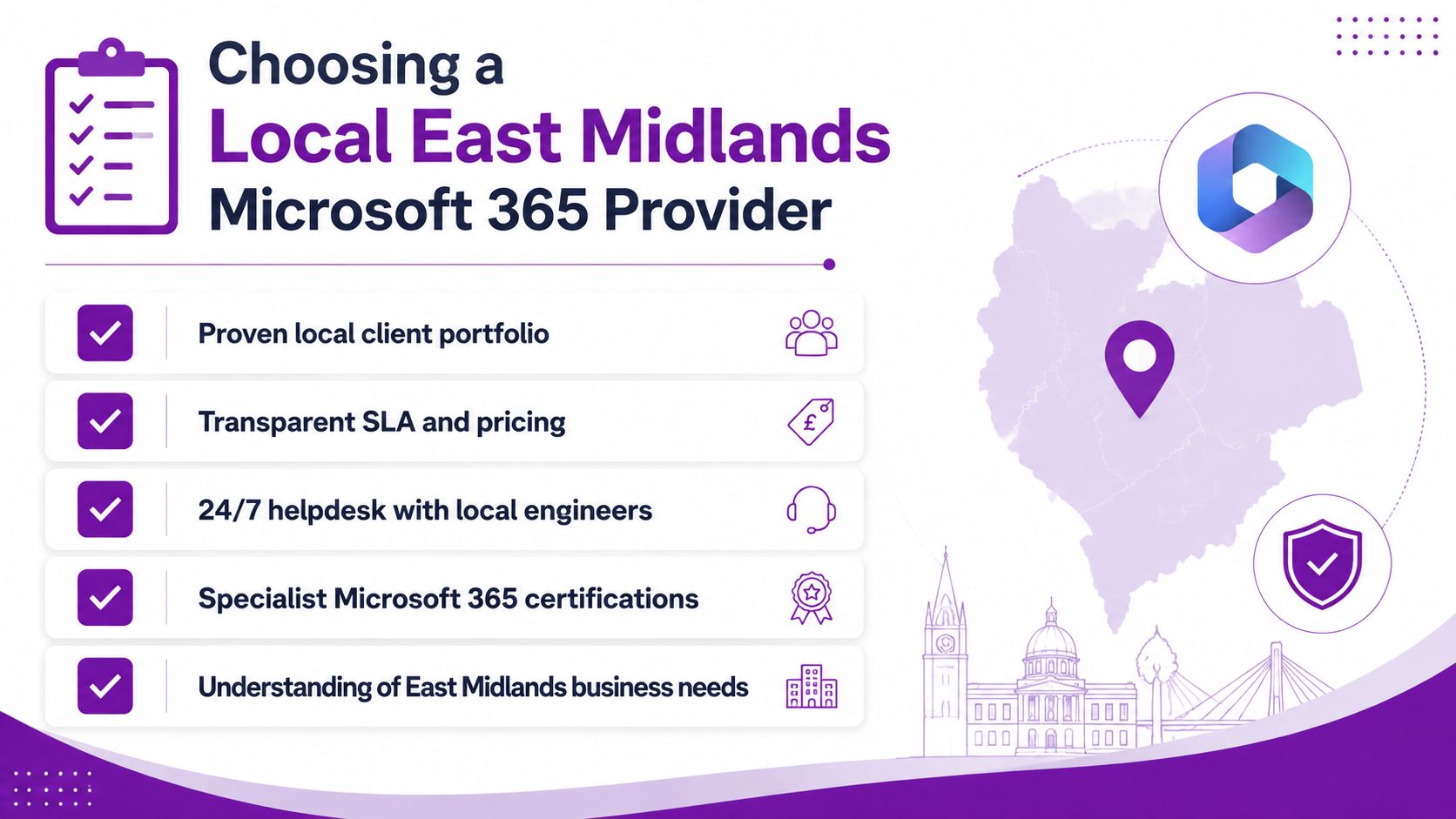
Local coverage matters when you need someone who understands your organisation, can attend where appropriate and can build a relationship beyond a ticket portal. For businesses in Lincoln, Nottingham, Leicester, Scunthorpe, Grimsby and Newark, the shortlist should reflect both technical capability and practical regional coverage.
Don't confuse a local address with a local service. Ask where engineers are based, which issues they resolve remotely, when on-site attendance is available and how out-of-hours escalation works. A provider should explain its service boundaries clearly rather than implying that every problem receives the same response.
Assess the supplier before signing
Use a structured evaluation:
- Microsoft capability: Ask for relevant vendor certifications and evidence of current Microsoft 365 project work.
- People and trust: Confirm whether engineers are DBS-checked where your environment and client access require it.
- Service levels: Review response and restoration targets for critical, high and routine incidents.
- Escalation: Identify the person who takes ownership when the service desk can't resolve an issue.
- Security operation: Ask how privileged access, MFA, Conditional Access and alert handling are governed.
- Reporting: Request examples of service reviews, risk registers and improvement recommendations.
- Contract flexibility: Check termination, onboarding, project work and changes in user numbers.
- Scalability: Establish how the supplier will support acquisitions, new sites, remote workers and changing workloads.
Test the working relationship
Give shortlisted providers a realistic scenario. Ask them to explain how they'd respond if several users lost access to Outlook and Teams, while one administrator reported suspicious sign-in activity. You're testing judgement, communication and prioritisation, not just product vocabulary.
F1Group delivers managed IT services and Microsoft-focused support across the East Midlands, including Microsoft 365, Azure, Copilot AI and cyber security. Its IT service provider overview gives businesses a starting point for assessing whether a partner's services match their operating model.
Building Resilience and Preparing for Copilot AI
A managed Microsoft 365 provider earns its value during an incident and during major change. Outage resilience and Copilot readiness are connected because both require accurate information about dependencies, permissions, data and decision ownership.
Plan for service disruption
Microsoft's UK service-status guidance and outage information highlights why support teams must distinguish tenant faults from upstream platform incidents. Independent UK outage tracking has reported geographically clustered impact, including London and Greater Manchester, during Microsoft 365 incidents. A good runbook checks the Microsoft 365 admin centre health status, confirms the number and location of affected users, tests the network path and checks whether authentication, Outlook or Teams is failing before anyone makes risky tenant changes.
Your continuity plan should state:
- Who declares an incident: Name the accountable decision-maker.
- How staff communicate: Keep an alternative channel available if Teams or Exchange is unavailable.
- What work continues offline: Identify documents, contact lists and approval processes that staff can access safely.
- When to escalate: Record Microsoft and provider escalation routes, including the information required.
- How recovery is confirmed: Validate representative users before declaring normal service.
UK users experienced Microsoft 365 and Outlook disruption in 2025, including reported impact in London and Manchester, while a later incident affected Office 365, Outlook, Teams, Exchange and administrator access, as reported by Computing's outage coverage. The practical conclusion is clear. Resilience planning can't start after the next outage.
Establish Copilot readiness
Copilot can expose existing permission problems because it works within the information a user is allowed to access. Before rollout, review SharePoint sharing, sensitive labels, retention, data loss prevention, privileged roles and the business purpose for each user group.
Microsoft announced that it would begin in-country processing for Microsoft 365 Copilot prompts and responses in the UK by the end of 2025. For regulated organisations, that commitment should still be assessed alongside contractual terms, tenant configuration, information classification and internal policy. The evaluation of the DWP Microsoft 365 Copilot trial is useful context, but it doesn't remove the need for your own governance review.
Common Questions About Microsoft 365 Support Answered
How quickly should support respond?
The answer must be written into the service-level agreement. Ask for separate targets for a business-critical outage, a security incident, a single-user fault and a routine request. Response time isn't the same as resolution time, so require both to be defined.
Can we keep our existing licences?
Usually, a managed provider can work with your current Microsoft licensing arrangement, but ownership, billing, tenant permissions and support boundaries need documenting. Ask who controls the tenant and who handles renewals before signing.
What happens during an out-of-hours emergency?
Your contract should specify whether monitoring continues, how you reach the on-call team and which incidents qualify for emergency response. If those details are vague, assume the service is business-hours support.
Does support include Copilot?
It may not. Confirm whether the provider covers readiness assessment, permissions review, policy design, user training, prompt governance and post-rollout monitoring, rather than just purchasing licences.
What does Microsoft handle directly?
Microsoft operates the cloud platform and provides product support routes. A managed provider adds tenant administration, user support, configuration ownership, security operations, migration expertise and business-specific escalation. The two services complement each other, but they aren't interchangeable.
Growth should trigger a service review. Your support partner must be able to adjust identities, devices, licensing, security controls and onboarding without turning every change into an unmanaged project.
F1Group provides managed Microsoft 365 support, migration assistance, security guidance, Azure and Copilot services for organisations across the East Midlands. Visit F1Group, call 0845 855 0000 today, or send us a message to discuss a support model that protects daily operations and prepares your business for its next stage.