
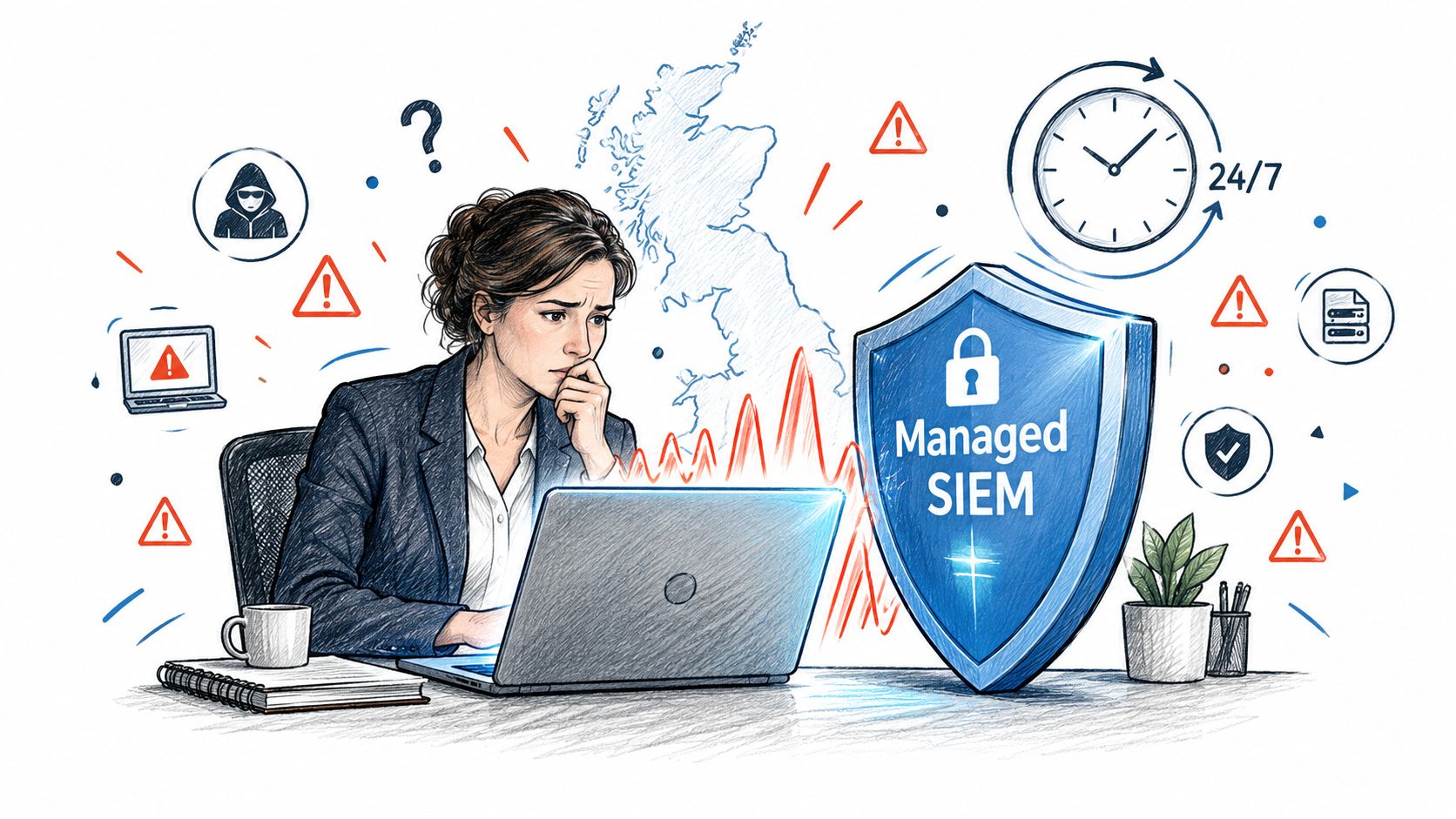
43% of UK businesses experienced a cyber security breach or attack during the previous 12 months. A managed SIEM service gives organisations without a 24-hour security team continuous monitoring, alert triage and incident support before suspicious activity becomes a confirmed breach.
That figure changes the conversation for East Midlands business owners. Security monitoring isn't just a concern for large financial institutions or national retailers. A manufacturer in Nottingham, a professional services firm in Lincoln, or a growing distributor in Leicester can all have identity systems, cloud applications, endpoints, email and firewalls generating security events every day. The difficult part isn't producing logs. It's recognising the meaningful pattern in time to act.
The State of UK Cyber Threats and the Rise of Managed SIEM Services
The UK Government's Cyber Security Breaches Survey 2025 estimated that 43% of UK businesses, approximately 612,000 organisations, experienced a cyber security breach or attack during the previous 12 months. It also estimated that 19% of businesses, about 267,000 organisations, were victims of at least one cybercrime, while cyber-facilitated fraud affected approximately 40,000 organisations.
For a busy SME, the practical scenario is familiar. Someone signs in to Microsoft 365 from an unusual location, a mailbox forwarding rule appears, and an administrator account changes a cloud setting. Each event might look harmless in isolation. Together, they may indicate account compromise, but only if the organisation collects the relevant records and correlates them quickly.
What the service actually provides
A managed SIEM service combines security information and event management technology with an external team that configures the platform, monitors alerts, investigates suspicious activity and escalates incidents. Buying SIEM software alone doesn't provide that operating capability. Your organisation would still need to connect data sources, maintain detection rules, investigate alerts, manage retention and decide what happens at night or during holidays.
The Government survey found that only 39% of UK businesses had a formal cyber security strategy in 2025, compared with 47% in 2024, although adoption reached 57% among medium-sized businesses and 70% among large businesses. That leaves many smaller organisations relying on general IT staff who already have infrastructure, user support and compliance responsibilities.
Practical rule: If nobody owns alert review outside normal working hours, the organisation doesn't have continuous monitoring, regardless of what security products it has purchased.
A managed service fills that operational gap. It doesn't remove the need for sensible access controls, patching or staff awareness, and it doesn't guarantee that every attack will be stopped. It does give an SME a structured way to collect evidence, identify suspicious behaviour and involve the right people without building a dedicated security operations team from scratch.
How a Managed SIEM Service Works Under the Hood
A managed SIEM service is best understood as a controlled evidence pipeline. Security events leave systems across the business, travel through protected connections, enter a central platform, and are assessed by detection logic and security analysts. The quality of each stage determines the usefulness of the final alert.
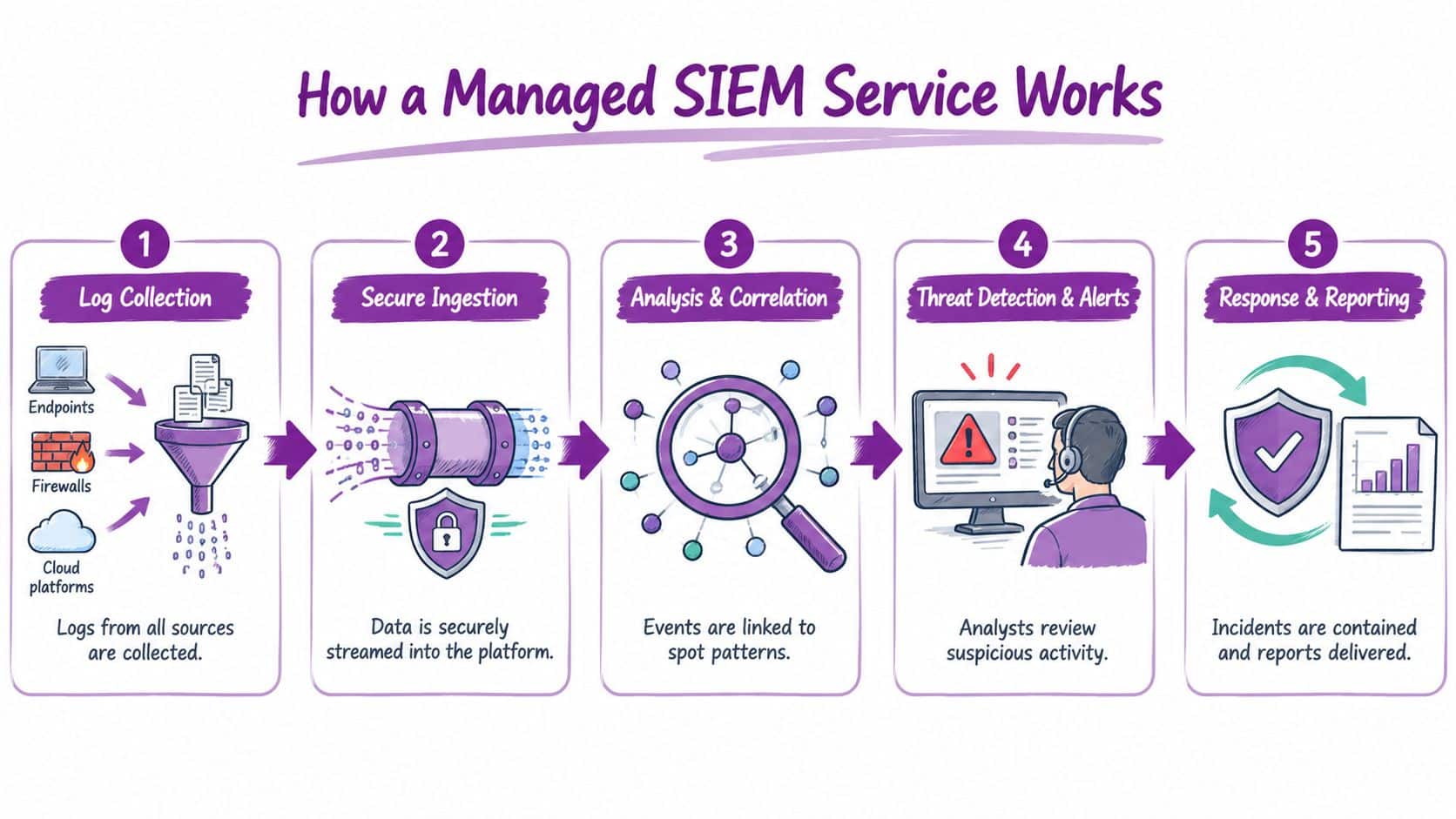
The telemetry journey
Log collection starts with the systems that matter to an investigation. Typical sources include Entra ID, Microsoft 365, Azure, endpoint security tools, firewalls, proxy services, DNS, email security and line-of-business applications. A provider should identify why each source is being connected, rather than treating maximum ingestion as the definition of good coverage.
Secure ingestion moves those records into the SIEM or its associated data store. NCSC guidance recommends near-real-time transfer protected with TLS, machine-readable and documented formats, and accurate UTC timestamps. These details may sound administrative, but they allow analysts to place events in the correct order and distinguish a genuine sequence from unrelated noise.
Analysis and correlation links events using fields such as user identity, device identity, source, destination and time. A failed sign-in isn't automatically an incident. A failed sign-in followed by a successful access, a mailbox rule change and a privileged configuration update deserves a different response.
Threat detection and alerting applies rules, behavioural analysis and investigation context to the event stream. The managed provider maintains parsers and detection content, adjusts noisy rules and checks that expected sources continue to send data.
Response and reporting turns a technical finding into an operational decision. Analysts document what happened, identify affected accounts or hosts, recommend containment and provide an investigation record for the internal IT team, leadership, insurers or legal advisers.
The provider normally owns platform operation, connector health, rule maintenance and first-line triage. Your organisation still owns business decisions, authorisation for disruptive actions and the accuracy of information about critical systems. A service should document that division clearly. For a closer look at the detection layer, see this guide to threat detection.
Monitoring and Incident Response in a Managed SIEM Service
Monitoring only creates value when people make decisions about what the alerts mean. A sensible managed SIEM workflow separates automated detection from human validation, so your IT team isn't handed an unfiltered stream of technical events.
The operational cycle
-
The platform receives an event. A connector sends activity from an identity provider, endpoint, cloud service, firewall or application. The service checks whether the source is healthy and whether the record contains the fields required for useful analysis.
-
Detection logic identifies a pattern. Rules may connect several low-level events or flag activity that differs from an established baseline. The rule should explain why the event matters, not just identify an unusual action.
-
An analyst validates the alert. The analyst checks the account, device, timing, related events and known business context. A new administrator sign-in might be legitimate during a planned change, while the same sign-in alongside an unexpected mailbox rule may require escalation.
-
The provider assigns an appropriate severity. Severity should reflect likely impact, confidence and urgency. A suspicious event affecting a privileged account needs a different response from an isolated failed sign-in with no supporting evidence.
-
The internal team receives an actionable escalation. Good escalation includes the affected identity or device, relevant timestamps, evidence, recommended containment and the decision needed from the customer. “Investigate this alert” isn't enough.
-
Containment and recovery are coordinated. Depending on the agreed service scope, the provider may recommend or perform actions such as disabling an account, isolating a device or blocking a connection. The customer must know in advance which actions are pre-authorised and which require approval.
The difference between a managed SOC and a dashboard is this decision loop. A dashboard can display a suspicious sign-in at midnight. A monitored service can validate it, contact the agreed people and preserve the evidence for the next working day. Organisations building their wider response process can also use this complete incident management walkthrough to clarify ownership, communications and recovery activities.
The service should complement, not obscure, your internal process. Define escalation contacts, business-critical systems, acceptable containment actions and the evidence your insurer or solicitor may need. Manage detection and response effectively by agreeing those boundaries before an incident creates pressure.
Managed SIEM vs In-House Security Operations The Real Comparison
An internal SOC offers control and direct access to business context. It can also become a substantial operational commitment. The comparison isn't between a subscription and a software licence. It concerns people, coverage, process ownership, platform maintenance and the ability to investigate when the usual IT contact is unavailable.
| Factor | Managed SIEM Service | In-House SOC |
|---|---|---|
| Platform operation | Provider configures and maintains the service | Internal team owns the platform |
| Monitoring coverage | Continuous coverage through the provider’s operating model | Depends on internal staffing and rota arrangements |
| Alert triage | External analysts validate and prioritise alerts | Internal analysts investigate events |
| Business context | Customer supplies context through agreed contacts and documentation | Analysts usually sit closer to business operations |
| Detection tuning | Provider maintains rules with customer input | Internal team writes and tunes detection logic |
| Incident authority | Shared responsibility, defined in the service agreement | Direct internal control |
| Scaling | Provider can add sources and service capacity as needs change | Recruitment, training and tooling must scale internally |
| Cost profile | Recurring service cost with agreed scope | Staffing, platform, training and maintenance costs |
| Best fit | SMEs and organisations without round-the-clock security capability | Mature teams with specialist expertise and operational capacity |
Where each model works
An in-house SOC can make sense when an organisation already has security analysts, needs highly bespoke detection logic, or must retain close control over every investigative and response decision. It still needs a dependable logging architecture, coverage arrangements, rule maintenance and time for analysts to investigate rather than constantly firefight.
For many East Midlands SMEs, the practical constraint is not interest in security. It's capacity. A small IT team may understand the business extremely well but still lack the staffing to review alerts continuously, maintain integrations and preserve investigation quality during holidays, sickness or competing projects.
The managed model isn't automatically cheaper in every circumstance, and it can reduce direct control over platform operations. The provider may also need customer input before taking disruptive action. Ask for the service description, escalation thresholds, retention terms, response responsibilities and arrangements for changing or ending the service before comparing headline prices.
The right question isn't “Who owns the SIEM?” It's “Who will investigate a credible alert, with enough context, when our usual team isn't available?”
Integrating a Managed SIEM Service with Microsoft 365 and Azure
Microsoft-centric organisations often have valuable security evidence spread across Microsoft 365, Entra ID, Azure, endpoints and network controls. Microsoft Sentinel can act as the central SIEM platform, while a managed service connects and interprets those feeds alongside information from firewalls, servers and third-party applications.
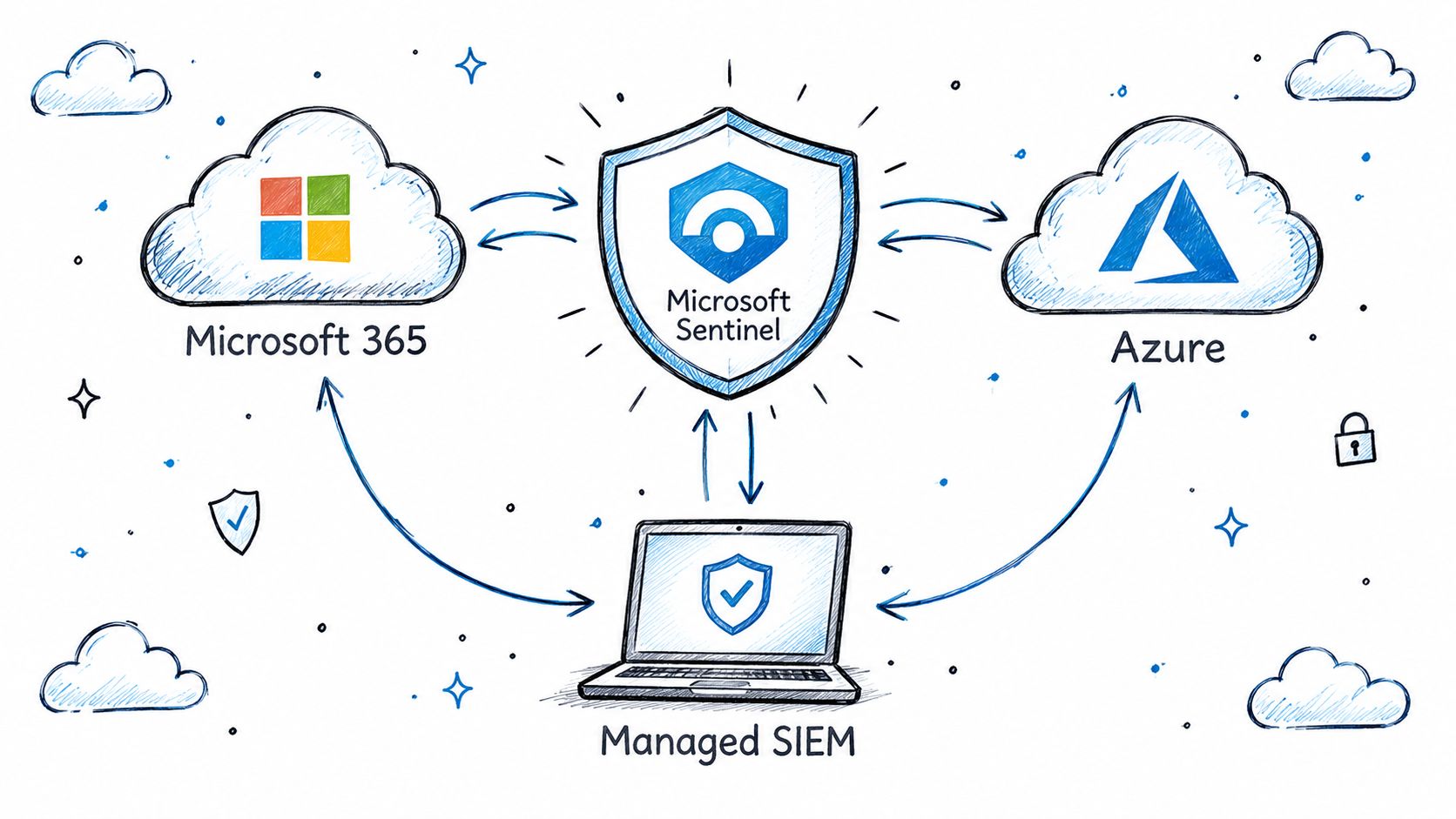
Prioritising Microsoft data sources
Start with identity. Entra ID sign-ins, authentication changes, privileged-role activity and conditional access results help analysts understand who accessed what and how access was granted. Microsoft 365 audit activity adds information about mailbox actions, file access and administrative changes.
Azure activity logs show changes to subscriptions, resources, permissions and configurations. Endpoint telemetry provides the host-level view, including process activity, suspicious execution and device state. Firewall, proxy, DNS and email security logs add network and message context that cloud records alone can't provide.
The onboarding question should be, “What investigation will this source support?” A source that produces a large volume of low-value events may consume budget without improving detection. A smaller set of well-mapped sources can give analysts a stronger view of account compromise, data access and privilege escalation.
A managed provider should also check permissions, connector health, ingestion delay, parser behaviour and whether Microsoft 365 audit settings cover the activities the organisation expects to investigate. Dynamics 365, third-party SaaS tools and specialist operational systems may need separate integration work, especially where their records use different identities or timestamp conventions.
This video provides additional context on how Microsoft security services fit into a wider monitoring approach:
A single pane of glass is useful only when the underlying records remain attributable and searchable. Ask the provider to demonstrate a realistic investigation, such as tracing an identity event through Microsoft 365, Azure and an endpoint, rather than showing only a polished dashboard.
Why Log Quality Matters More Than SIEM Deployment Alone
A SIEM can only correlate the evidence it receives. If timestamps are inconsistent, user fields are missing, device identities change or a critical source stops sending records, the platform may create false positives, miss relationships or leave investigators unable to reconstruct the incident.
NCSC guidance on logging and monitoring recommends machine-readable, documented formats, accurate UTC timestamps with significant-event precision, globally unique device identifiers and near-real-time transfer protected with TLS. It also supports central streaming to a SIEM or SOC for rapid analysis.
Test the evidence before paying for coverage
A sensible readiness review should happen before full onboarding:
- Identify critical assets: List the identity systems, endpoints, cloud services, network controls and applications that would matter in an investigation.
- Verify retention: Confirm that high-value logs can be retained and searched for at least six months, reflecting NCSC guidance that incidents may take months to detect.
- Check time synchronisation: Compare timestamps across representative systems and confirm that events can be ordered in UTC.
- Validate attribution: Ensure records identify the relevant user, device, source and destination rather than presenting anonymous activity.
- Simulate a failure: Disable or interrupt a test log source and confirm that somebody receives a warning about the monitoring gap.
- Reconstruct an event: Take a short, controlled sequence of known activities and ask whether the collected records tell the story accurately.
This exercise may uncover missing Microsoft 365 audit activity, delayed firewall records or application logs that can't be searched in a practical way. That isn't a failure of the review. It is valuable evidence about where the organisation's security posture needs work.
Forensic readiness comes first: The first benefit of a managed SIEM may be exposing blind spots, not producing more alerts.
The same principle applies when evaluating complementary monitoring products, including a Secure Logiq security platform. Focus on evidence quality, ownership of log-source health and the provider's ability to prove that records remain useful during an investigation.
Compliance Use-Cases and UK GDPR Breach Notification Support
Security monitoring becomes particularly valuable when an organisation has to explain what happened, when it happened and which people or records may be affected. Under UK GDPR, an organisation must report a notifiable personal-data breach to the Information Commissioner's Office without undue delay and, where feasible, no later than 72 hours after becoming aware of it, as explained in the ICO's personal data breach guidance.
The notification needs information such as when the incident occurred, when it was detected, its nature and impact, and the categories and approximate number of people and records affected. A managed SIEM doesn't decide whether notification is legally required. It can, however, give the organisation centralised event records, alert timestamps and an investigation history from which responsible people can make that assessment.
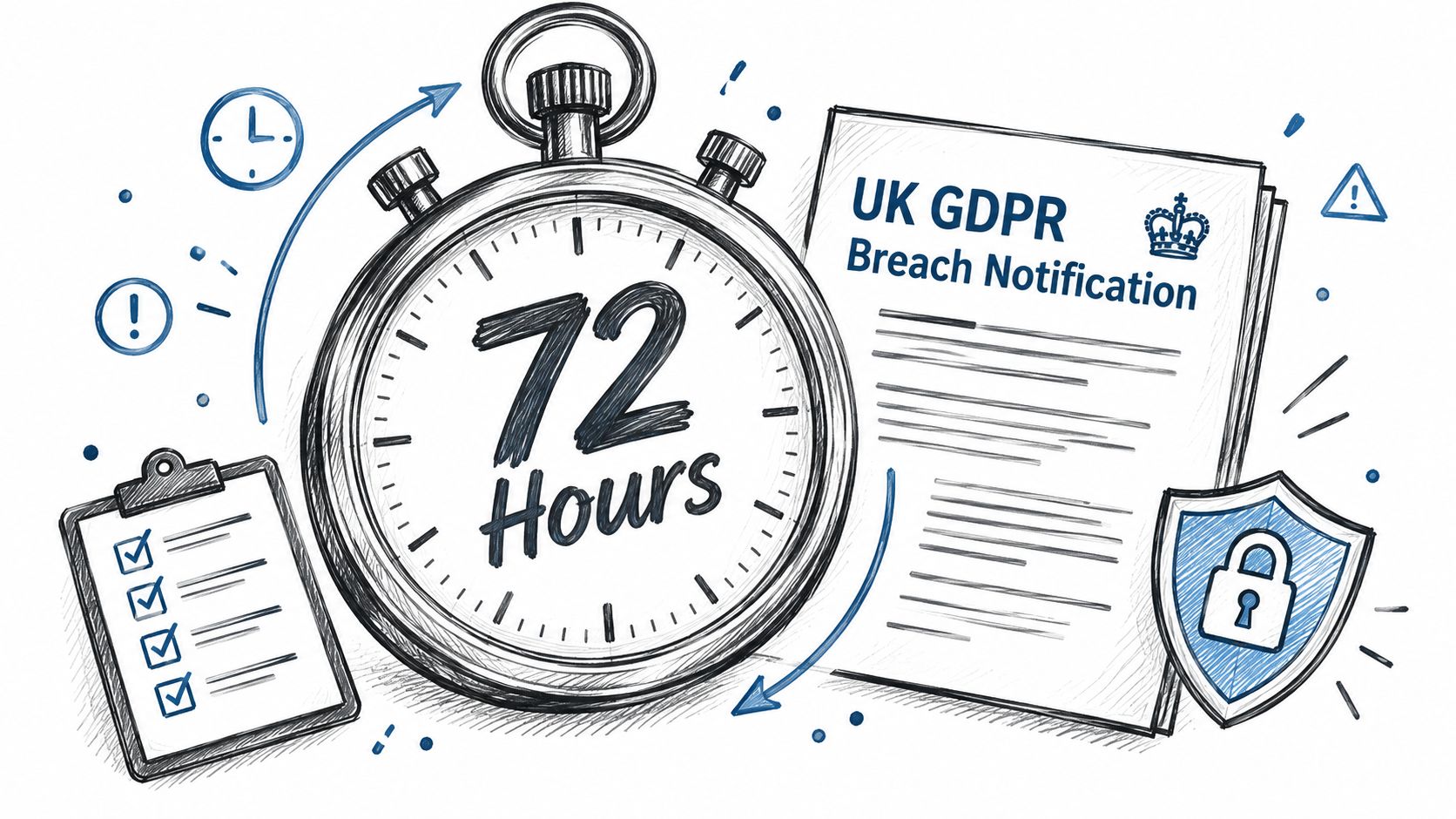
Evidence supports judgement, not liability transfer
The distinction matters. The service provider may identify suspicious activity and preserve records, but the business remains responsible for understanding its processing activities, assessing risk, notifying the ICO where required and communicating with affected individuals when appropriate.
Centralised monitoring can support several practical questions:
- Detection timing: When did the organisation first receive a credible indication of compromise?
- Scope: Which accounts, devices, applications or records show related activity?
- Impact: Is there evidence of access, alteration, exfiltration or merely attempted access?
- Decision history: Who reviewed the evidence, what action was taken and why?
Organisations should include these responsibilities in their incident plan rather than assuming that a security alert automatically starts a complete compliance response. A useful GDPR compliance checklist can help connect technical monitoring with governance, ownership and reporting decisions.
Onboarding a Managed SIEM Service Practical Steps for Businesses
Successful onboarding starts with investigation questions, not a long integration catalogue. An East Midlands business should know which systems are critical, what suspicious activity would look like, who can authorise containment and what evidence must remain available after an event.
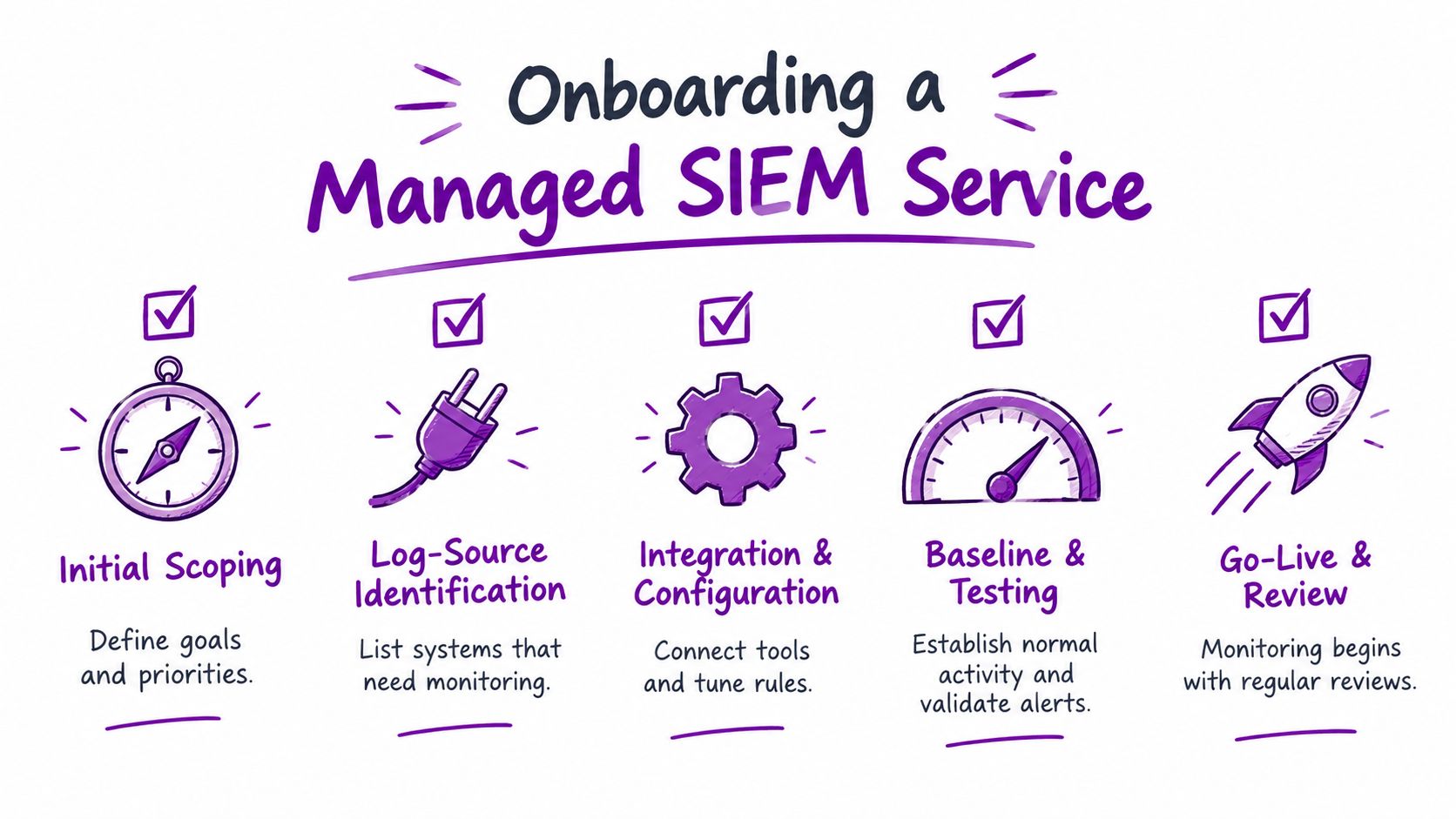
A practical onboarding sequence
-
Initial scoping: Record business priorities, critical services, regulatory concerns, known weaknesses and the hours when internal support is available. Define the incidents that would justify immediate escalation.
-
Log-source identification: Map identity, Microsoft 365, Azure, endpoint, firewall, proxy, DNS, email and application sources. For each one, document the investigation question it answers and the owner responsible for access and configuration.
-
Integration and configuration: Connect sources securely, standardise timestamps, confirm user and device identifiers, configure retention and establish the first detection rules. Avoid ingesting everything before the provider has explained its value and cost implications.
-
Baseline and testing: Review normal administrative activity, test expected alerts and run a controlled incident-reconstruction exercise. Check parser health, ingestion latency, field completeness and warnings for disabled or misconfigured sources.
-
Go-live and review: Agree escalation contacts, response permissions, reporting format and service measures. Review the logging strategy every 6 to 12 months as cloud services, applications and attack paths change, in line with the practical need to keep monitoring relevant.
The handover should leave your team with more than a portal login. Request a current source inventory, documented responsibilities, escalation procedure, retention statement, investigation examples and a method for reporting failed or delayed data feeds. Those artefacts make it easier to demonstrate that monitoring is actively managed rather than merely switched on.
For a small organisation, this staged approach controls cost while protecting the evidence that matters most. It also gives the provider an opportunity to find weaknesses before the service is described as fully operational.
F1Group provides Microsoft-focused managed cyber security services, including Microsoft Sentinel-based monitoring, centralised threat analysis and support for Microsoft 365, Azure, firewalls, servers and user devices. Visit F1Group, phone 0845 855 0000 today, or send us a message to discuss a managed SIEM service built around your systems and incident-response needs.