
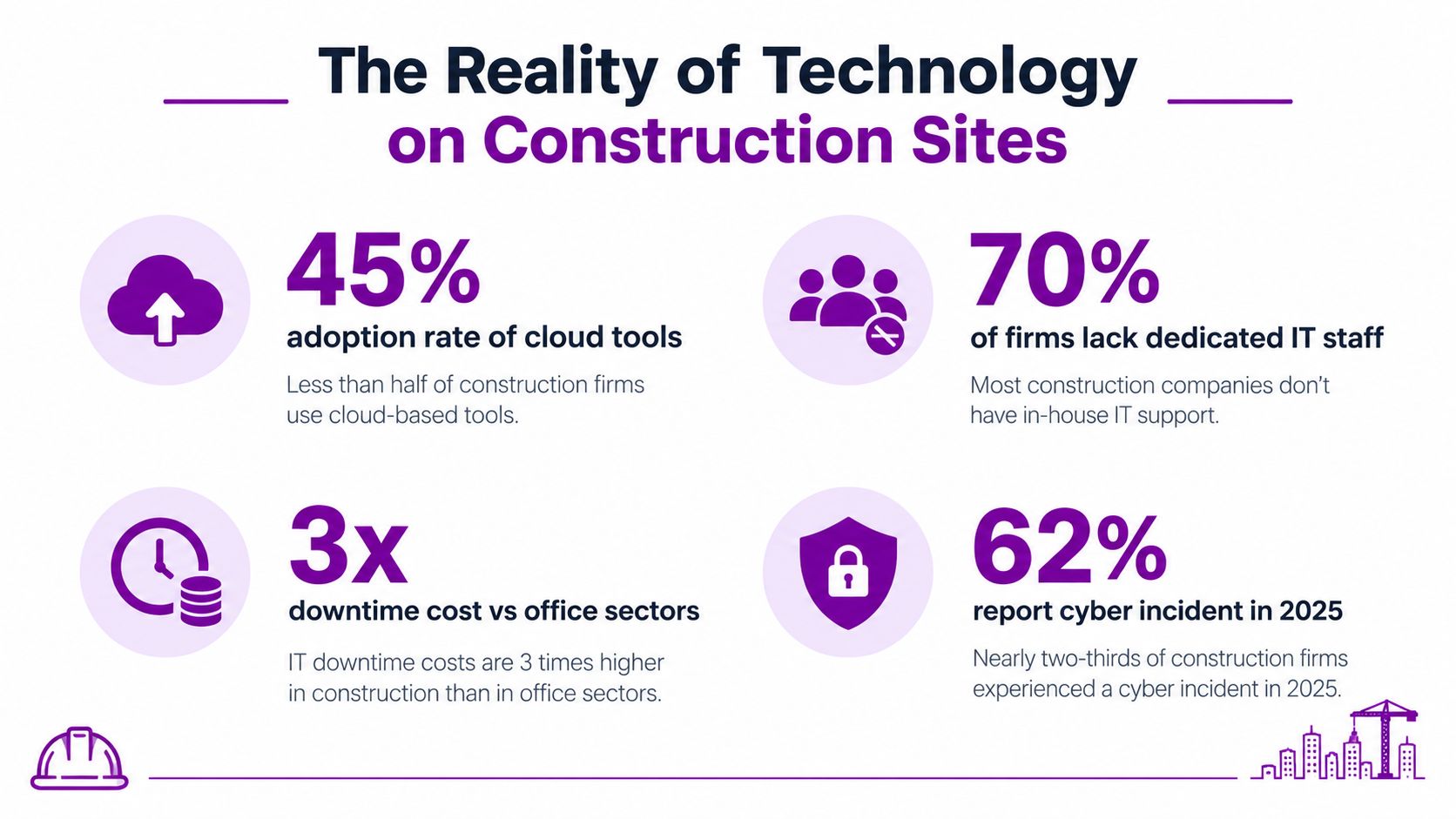
Only 12% of construction firms use digital tools across all projects, while 41% use technology for progress monitoring and health, safety and wellbeing. That uneven adoption makes operational IT support a critical differentiator, not merely a technical convenience.
The pattern is familiar across building sites. A site manager is standing beside a temporary office, trying to open the latest drawing on a tablet with a low battery, intermittent connectivity and a sync error. In the main office, a contracts manager is waiting for the same document, while an estimator is working from an older spreadsheet saved in a different folder.
Construction has never lacked technology. It has lacked consistent connections between people, devices, applications and project data. The practical role of it support for construction is to provide that operational glue, so information can move securely from a dust-covered tablet to the project manager, commercial team, architect and client without creating duplicate versions or avoidable delays.
The Reality of Technology on Construction Sites
A site manager doesn't experience an IT failure as an abstract systems problem. They experience it when a safety document won't load, a form refuses to sync, a shared mailbox stops accepting messages or a new subcontractor can't access the project platform. A short interruption can force someone back to paper, memory or an unapproved personal messaging app.
The contrast between firms is often visible on the same type of project. One contractor may have centrally managed Microsoft 365 accounts, encrypted laptops, controlled access to drawings and reliable mobile connectivity. Another may rely on individually configured devices, shared passwords and files passed between teams by email. Both firms may have bought cloud software. Only one has built the support model needed to make it dependable.
The RICS Digitalisation in Construction Report 2024 shows that adoption is real but uneven. That matters because a platform only improves delivery when users can access the right information, understand the workflow and get help when something fails.
Where the friction starts
Temporary site offices create a particular mixture of pressures:
- Connectivity changes: Wireless coverage, mobile signal and broadband arrangements can vary between sites, so remote access must cope with practical conditions rather than an ideal office network.
- Device movement: Laptops, tablets and phones leave controlled premises, are shared between shifts and can be exposed to dust, weather, loss and accidental damage.
- Project turnover: New contractors, consultants and suppliers need access quickly, but access should be limited to the information and systems they require.
- Document pressure: Drawings, specifications, inspection records and programme information need clear ownership, version control and dependable synchronisation.
Good support resolves the immediate fault while looking for the repeat cause. If a tablet repeatedly loses access, resetting it each time is not the answer. The support team should examine connectivity, authentication, device health, application configuration and the user's workflow.
The physical environment matters too. A useful guide to how to set up a site office can help teams think through the space, utilities and working conditions before technology is installed. IT planning should then cover the network, power, printing, secure storage and support route that the site will need.
Practical rule: If a site worker has to invent a workaround to keep a digital process moving, the business has an IT support problem, a workflow problem or both.
The same principle applies in other operational industries. The discussion of IT support for manufacturing is relevant because factories and construction sites both need technology that works outside a conventional desk-based environment. For a contractor, reliable support means fewer interruptions, cleaner project records and less pressure on site staff to act as unofficial IT administrators.
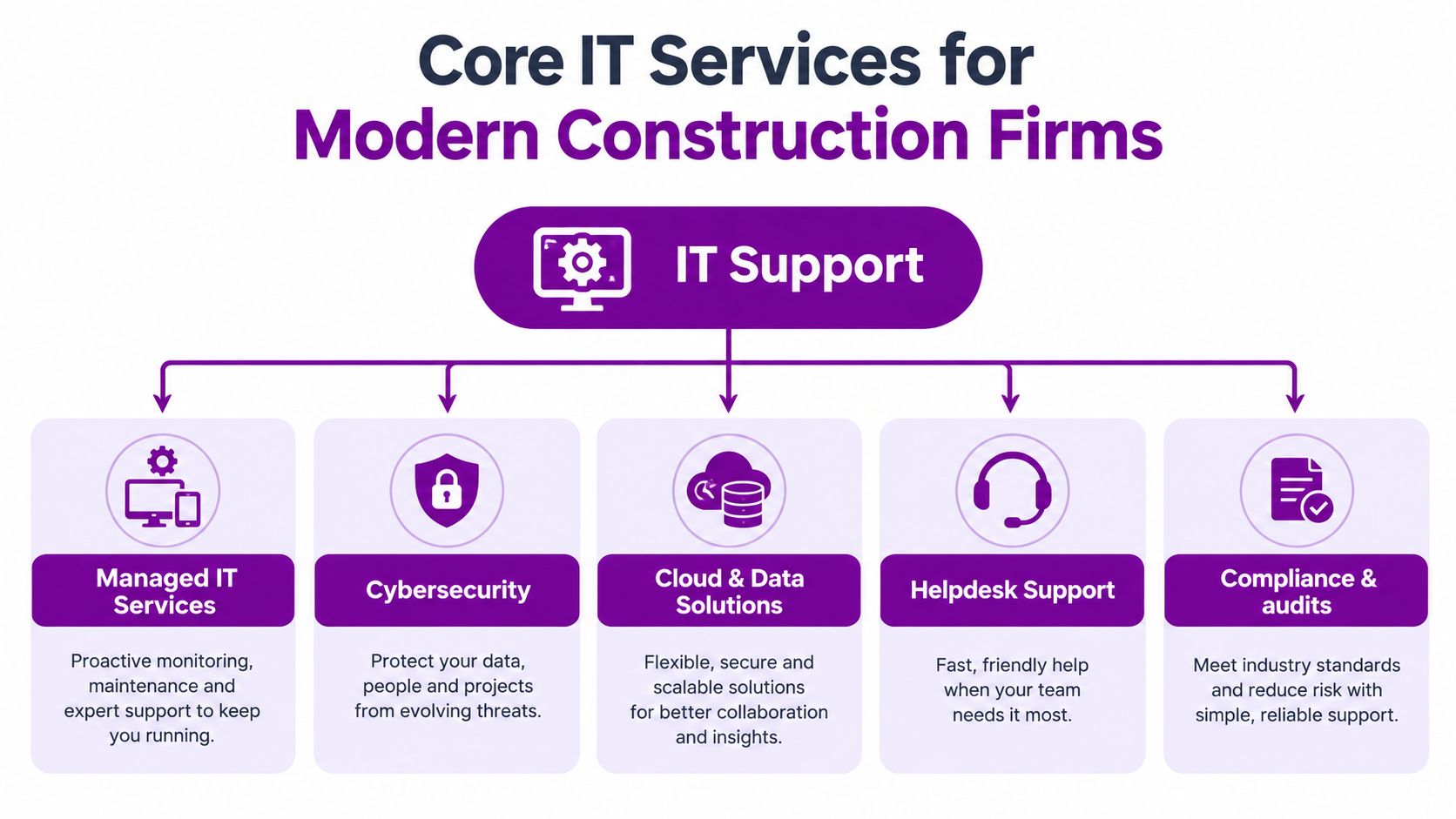
Core IT Services for Modern Construction Firms
Construction IT works as an ecosystem. A helpdesk cannot compensate for poorly managed identities, and a cloud platform cannot solve a weak site connection. The right service model joins infrastructure, software, devices and security into a controlled operating environment.
Managed infrastructure
The foundation includes networks, Wi-Fi, routers, switches, connectivity, laptops, tablets and user accounts. A managed provider monitors device health, applies updates, maintains appropriate configurations and records what the business owns. That visibility makes it easier to replace failing equipment, remove unused accounts and prepare a new site without starting from scratch.
Connectivity deserves particular attention. A contractor may need secure access from a head office, temporary site office, home worker's connection and mobile device. Support should define what happens when the primary connection fails, how users authenticate remotely and which project information remains available when a site is temporarily offline.
Microsoft 365 and cloud controls
Microsoft 365 can bring email, Teams, SharePoint, OneDrive and identity management into a coherent working environment, but only if someone designs the structure. Random Teams sites, inconsistent SharePoint permissions and unmanaged guest accounts recreate the same fragmentation that cloud adoption was meant to remove.
A sensible model defines:
- Document ownership: Each project needs a clear home for controlled information.
- Access rules: Staff, subcontractors and consultants should receive access appropriate to their role and contract.
- Retention and recovery: Important project records need protection against deletion, corruption and account compromise.
- User guidance: People need short, practical instructions for finding, sharing and updating information.
Specialist software also needs attention. BIM and CAD applications may depend on powerful workstations, licensing, file paths, graphics performance and compatible versions. A generic helpdesk that only resets passwords won't provide enough support when a design team can't open a coordinated model or a large drawing package takes too long to work with.
Field tooling and integration
Field devices bridge the gap between the site and the office. Configuration should include enrolment, encryption, screen locking, application deployment, remote wipe and a clear process for lost equipment. Offline capability should be tested rather than assumed, particularly for forms and records that must later synchronise with a central system.
Integration is the difference between a collection of apps and a usable operating model. If project management, finance, document control and reporting systems don't exchange information sensibly, staff retype data and create competing records. A construction-aware IT partner should map those hand-offs before recommending another platform.
Teams that depend on specialist applications may also need targeted support for Qeapps users, particularly where a business has a mix of operational and office-based systems. The principle is broader than any individual product. Support should protect the complete workflow, not just the application named in the ticket.
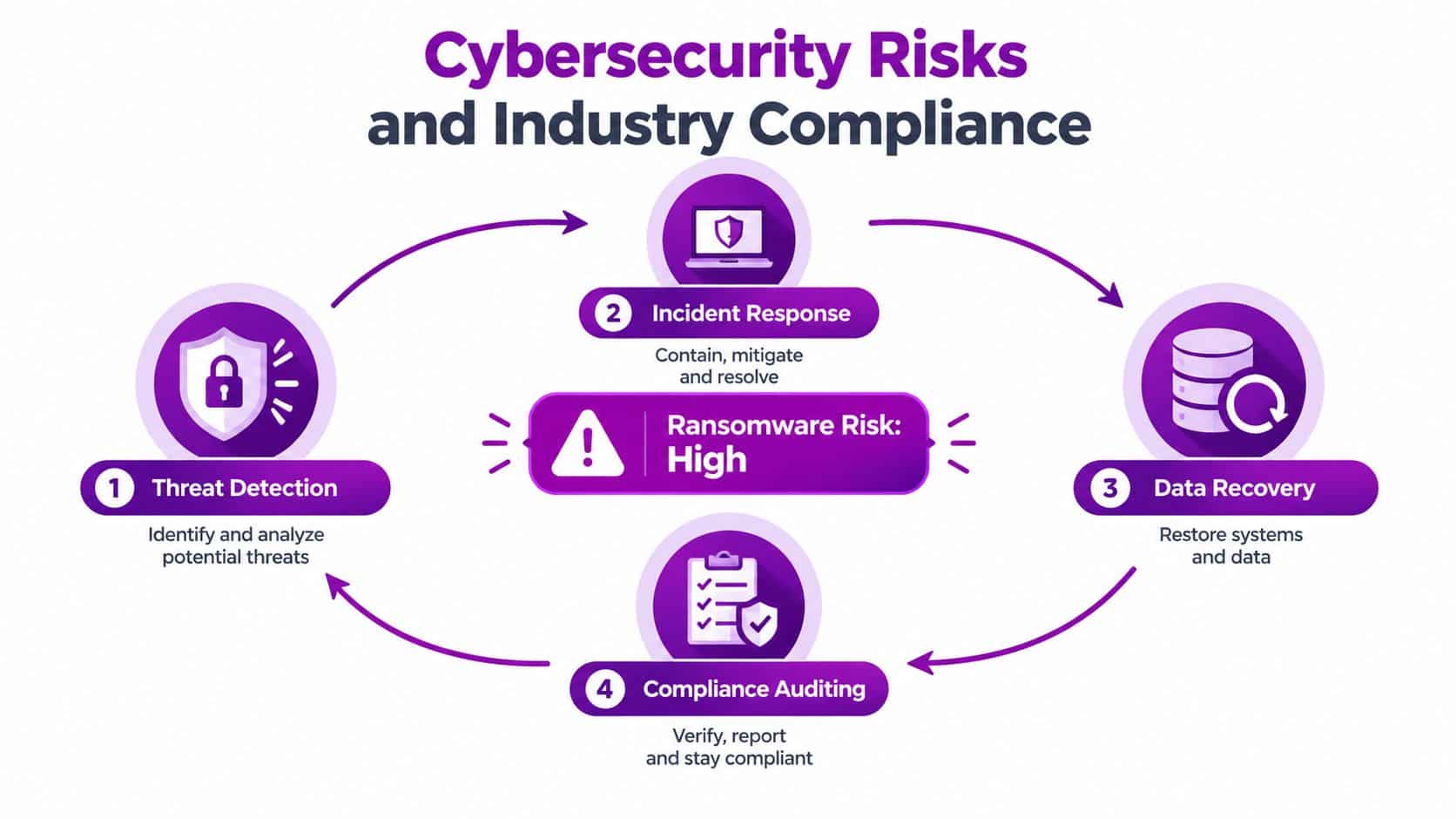
Cybersecurity Risks and Industry Compliance
Construction companies hold commercially sensitive information, payment details, personal data, design records and access to active projects. They also collaborate with a wide supplier network, which creates more identities, devices and file-sharing relationships to manage. Basic antivirus on office computers doesn't address that full exposure.
The UK Government Cyber Security Breaches Survey 2025 found that 3% of businesses reported a ransomware breach or attack in the previous year. Its 2025/2026 technical report included a construction sample of 5,329 organisations, showing the scale at which the sector is being examined in national cyber research.
The operational consequence can be severe. Industry coverage reports an average of 24 days of downtime per ransomware incident for UK construction businesses, while IoT malware activity targeting construction rose 410% year on year and inadequate IT/OT segmentation contributed to 81% of OT incidents, as reported by Insurance Business. Those figures point to a support requirement that includes segmentation, identity hardening, tested backups and incident response, not just a faster way to log a helpdesk ticket.
Security controls that work in practice
The National Cyber Security Centre identifies the interconnected nature of design, construction and handover workflows, and recommends controls covering passwords, backups, phishing prevention, supplier collaboration and incident response. Its construction cyber security guidance is useful because it treats security as a business continuity issue.
A managed approach should include:
- Identity protection: Use strong authentication, remove dormant accounts and review guest access regularly.
- Device control: Enrol laptops and tablets, enforce updates and separate business data from unmanaged personal devices.
- Backup validation: Maintain protected backups and test restoration. A backup that has never been restored is an assumption, not a recovery plan.
- Network segmentation: Separate office systems, guest access, site equipment and operational technology where appropriate, so one compromised device has fewer paths to other assets.
- Incident response: Define who makes decisions, who contacts suppliers, how accounts are contained and how project teams continue working.
Building safety adds another reason to treat information management as an operational discipline. For higher-risk buildings, the Building Safety Act requires the golden thread of building information to be held electronically, with construction-phase duties in force from 1 October 2023. Construction Leadership Council guidance says that information should be accessible, accountable, accurate, electronic, secure, transferable, understandable and up to date, as summarised in this overview of IT support for construction companies.
Security controls should therefore protect both confidentiality and the integrity of project records. Firms reviewing insurance arrangements may also find it useful to understand what cyber cover for construction businesses can and can't replace. Insurance can support recovery costs, but it doesn't replace access controls, tested backups or a credible response plan.
A practical explanation of the certification route is available through Cyber Essentials certification guidance. Certification isn't a substitute for broader resilience, but the process can expose weak ownership and inconsistent controls.
The security cycle should continue after an incident. Detect, contain, recover, review and improve. That is how a construction firm turns a one-off technical response into a repeatable capability.
Selecting the Right Managed IT Partner
Price matters, but the cheapest support arrangement can become expensive when it excludes site visits, project work, security monitoring or out-of-hours response. A construction firm should assess a provider against the disruption it needs to prevent, not just the number of support hours included.
Start with the operating model. Ask whether the provider supports temporary sites, mobile workers, subcontractor access and mixed office environments. A supplier that only understands permanent office networks may struggle with a site that changes location, connectivity and user population throughout a project.
A buyer's checklist for East Midlands contractors
Use these questions during supplier conversations:
- Regional coverage: Can the team attend sites across Lincoln, Nottingham, Leicester, Scunthorpe, Grimsby and Newark when remote support isn't enough?
- Construction experience: Can the provider explain how it manages drawings, BIM and CAD workstations, mobile devices, project platforms and supplier access?
- Microsoft capability: Does it have practical expertise in Microsoft 365, Azure, Teams, SharePoint and device management, rather than just selling licences?
- Security ownership: Who monitors alerts, tests backups, investigates suspicious activity and leads the first response to ransomware?
- Service levels: Are response priorities, escalation routes and resolution targets written in plain English?
- People and access: Are engineers appropriately vetted, vendor-certified and trained to handle sensitive project information?
- Transition plan: How will the supplier document the current environment, transfer knowledge and avoid disruption during onboarding?
A local presence has practical value. An engineer who understands the travel pattern between an office, a compound and several regional sites can plan support more realistically than a provider that treats every issue as a remote desktop session.
What to test before signing
Request a short discovery exercise rather than accepting a generic presentation. Ask the provider to identify how it would onboard a new site, disable a departing subcontractor's access, recover a deleted project folder and support a tablet that loses connectivity.
Look closely at exclusions. Some contracts cover helpdesk incidents but charge separately for Microsoft administration, cyber response, site visits, project changes or backup testing. Those charges aren't automatically unreasonable, but they should be visible before the contract starts.
The managed IT services for firms discussion is a useful reference point when comparing a reactive helpdesk with a broader managed service. The right partner should give the contractor a clear owner for technology decisions, not just a ticket number.
Ask for evidence: A credible provider should be able to show how it records assets, reviews access, tests recovery and reports service performance without exposing another customer's confidential information.
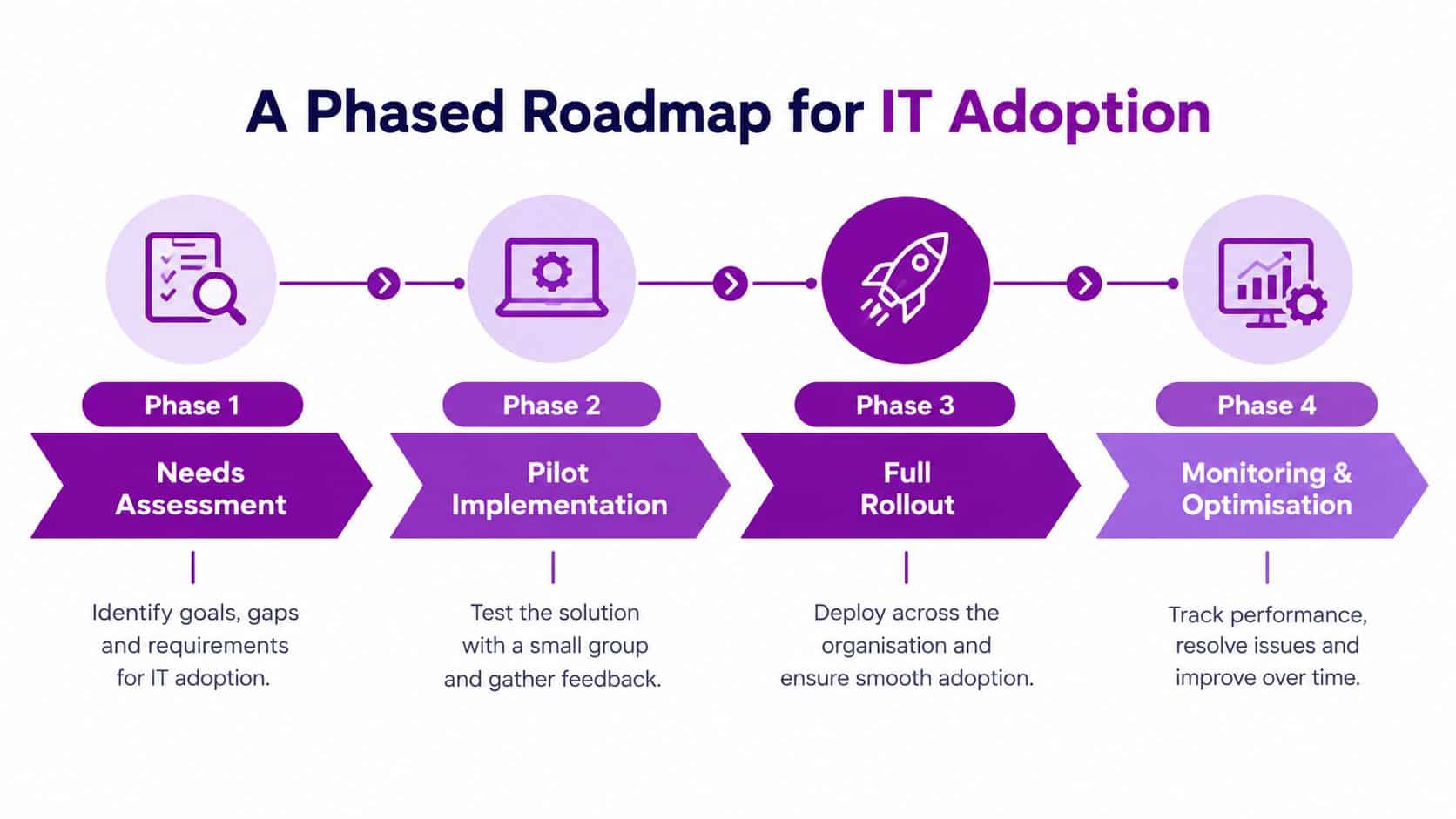
A Phased Roadmap for IT Adoption
Replacing every system at once is rarely sensible for a live contractor. Projects have deadlines, teams have established habits and a large technology change can create more uncertainty than it removes. A phased roadmap protects daily delivery while building a stronger foundation.
Phase one, understand the working environment
Begin with an inventory of users, devices, applications, connectivity, data stores and suppliers. Map how a document travels from design to approval, how a site report reaches the office and how financial information moves into billing or forecasting.
This assessment should identify immediate risks as well as longer-term opportunities. Prioritise unsupported devices, shared accounts, unclear ownership, untested backups and sites with unreliable connectivity. Don't start with a software shopping list. Start with the points where work stops or information becomes unreliable.
Phase two, stabilise and pilot
Address the fundamentals before introducing new complexity. Standardise account setup, device security, patching, backup arrangements and support routes. Then choose a contained pilot, such as one office team, one project workflow or one type of mobile form.
A pilot should answer practical questions:
- Can users access what they need from the site?
- Does information synchronise reliably?
- Can the support team resolve common problems quickly?
- Does the new process reduce duplicate entry?
- Can the business recover if the service or device fails?
Give site and office users a direct way to report friction. A technically elegant process won't survive if it adds steps that people can't complete under site pressure.
Phase three, roll out with ownership
Expand only after the pilot has produced clear lessons. Publish simple standards for naming, permissions, document locations, device enrolment and supplier access. Train people by role. A site manager needs different guidance from a commercial administrator or CAD specialist.
Rollout should also include an exit plan for old systems. Keeping every legacy platform available indefinitely preserves duplicate data, unclear permissions and ongoing support costs. Retire systems deliberately, archive information appropriately and tell users where the authoritative record now lives.
Phase four, monitor and improve
Adoption isn't complete when a new platform goes live. Review service tickets, failed synchronisation, access requests, security alerts, backup results and user feedback. Examine whether the system is helping project teams work or merely moving administration into a different interface.
The NBS 2025 digital construction reporting describes an industry where AI use is becoming more established, while concern about falling behind remains high. It also identifies implementation cost and lack of in-house expertise as significant barriers. That combination supports a measured approach. Contractors need enough capability to adopt useful tools, but they also need governance that prevents each new application becoming another isolated island.
Transforming Operational Resilience Through IT
Reliable it support for construction connects decisions that are often treated separately. Device management protects the tablet on site. Identity controls protect the account behind it. Connectivity keeps the workflow moving, while document governance protects the record that the project may need months later.
That joined-up view matters because cyber resilience and project efficiency depend on many of the same disciplines. Clear ownership, controlled access, dependable backups, accurate inventories and prompt support help a contractor recover from an incident and avoid ordinary daily friction.
The wider threat environment reinforces the point. The Howden analysis of cyber exposure in construction reports 204 major, nationally significant cyberattacks in the year to September 2025, compared with 89 in the previous year, equivalent to around four serious attacks a week across the UK economy. Construction firms don't need to treat every alert as a crisis, but they do need the capability to distinguish noise from a genuine threat and act quickly when it matters.

For local East Midlands contractors, the buyer's decision should come down to operational fit. Can the partner support the office and the live site? Can it manage Microsoft 365 and Azure alongside specialist construction applications? Can it protect project information, attend when necessary and explain technical risk in commercial terms?
F1Group provides managed IT support, Microsoft 365 and Azure services, cyber security, backup and disaster recovery, network infrastructure, connectivity, onsite assistance and helpdesk support across the East Midlands. Its vendor-certified and DBS-checked team supports organisations remotely and on site, with services that can be scaled as projects and business requirements change.
Speak to F1Group about bringing your site devices, Microsoft systems, connectivity, backup and cyber security under a practical support model. Call 0845 855 0000 today or send us a message to discuss the right next step for your construction business.