
Most IT managers don't start by asking, what is data loss prevention. They start with a problem.
A member of staff emails a spreadsheet to the wrong contact. Someone saves a customer export into the wrong cloud folder. A manager copies a payroll file onto a laptop so they can finish work at home. None of that looks dramatic in the moment. It looks like a normal working day, right up until someone realises sensitive information has left the business.
That's where Data Loss Prevention, or DLP, matters. In practical terms, DLP is the set of controls that helps you find sensitive information, recognise when it's being handled in a risky way, and then respond. Sometimes that response is a warning. Sometimes it's encryption. Sometimes it's a hard block. The point isn't to make work harder. The point is to stop avoidable mistakes and reduce the chance that confidential data leaves your control.
For most UK small and mid-sized businesses, DLP is no longer a specialist enterprise topic. If you run Microsoft 365, hold personal data, and rely on email, Teams, OneDrive and SharePoint every day, DLP has moved into the category of normal business protection.
An Everyday Mistake a Costly Data Breach
An accounts assistant finishes a report late in the afternoon. They type the first few letters of a supplier's name into Outlook, accept the wrong auto-complete suggestion, and send the file. The attachment includes names, bank details and internal notes. No malware. No advanced attacker. Just one rushed click.
That sort of incident is exactly why DLP exists.
A lot of businesses hear the term and assume it means an expensive platform watching every file on every device. In reality, the simplest explanation is usually the best one. DLP is a safety net for sensitive data. It helps your systems recognise information that matters, spot risky handling, and take the right action before the damage is done.
What DLP means in plain English
Think about the ways data leaves a business every day:
- Email attachments sent to customers, suppliers and colleagues
- Cloud file sharing through OneDrive, SharePoint and Teams
- Endpoint activity on laptops and desktops
- Removable media such as USB drives
DLP sits across those channels and asks a practical question. Should this information be moving this way?
If the answer is yes, it allows the action. If the answer is maybe, it can warn the user or log the event. If the answer is no, it can stop the transfer.
Sensitive data is rarely lost in dramatic ways. More often, someone is just trying to do their job quickly.
Why this catches businesses out
Mid-sized organisations are especially exposed because they've grown past informal controls but often haven't fully replaced them with structured ones. Staff collaborate across departments, remote work is normal, and information moves constantly through Microsoft 365. That's efficient, but it also means a single mistake can travel fast.
The businesses that handle this well don't rely on staff being perfect. They put guardrails around high-risk data. That's the practical value of DLP. It doesn't replace user awareness, security policy or access control. It supports all three by enforcing rules where people work.
Why Your Business Cannot Afford to Ignore DLP
Ignoring DLP usually means accepting silent risk. Sensitive data keeps moving, staff keep sharing files, and the business assumes common sense will be enough. It often isn't.
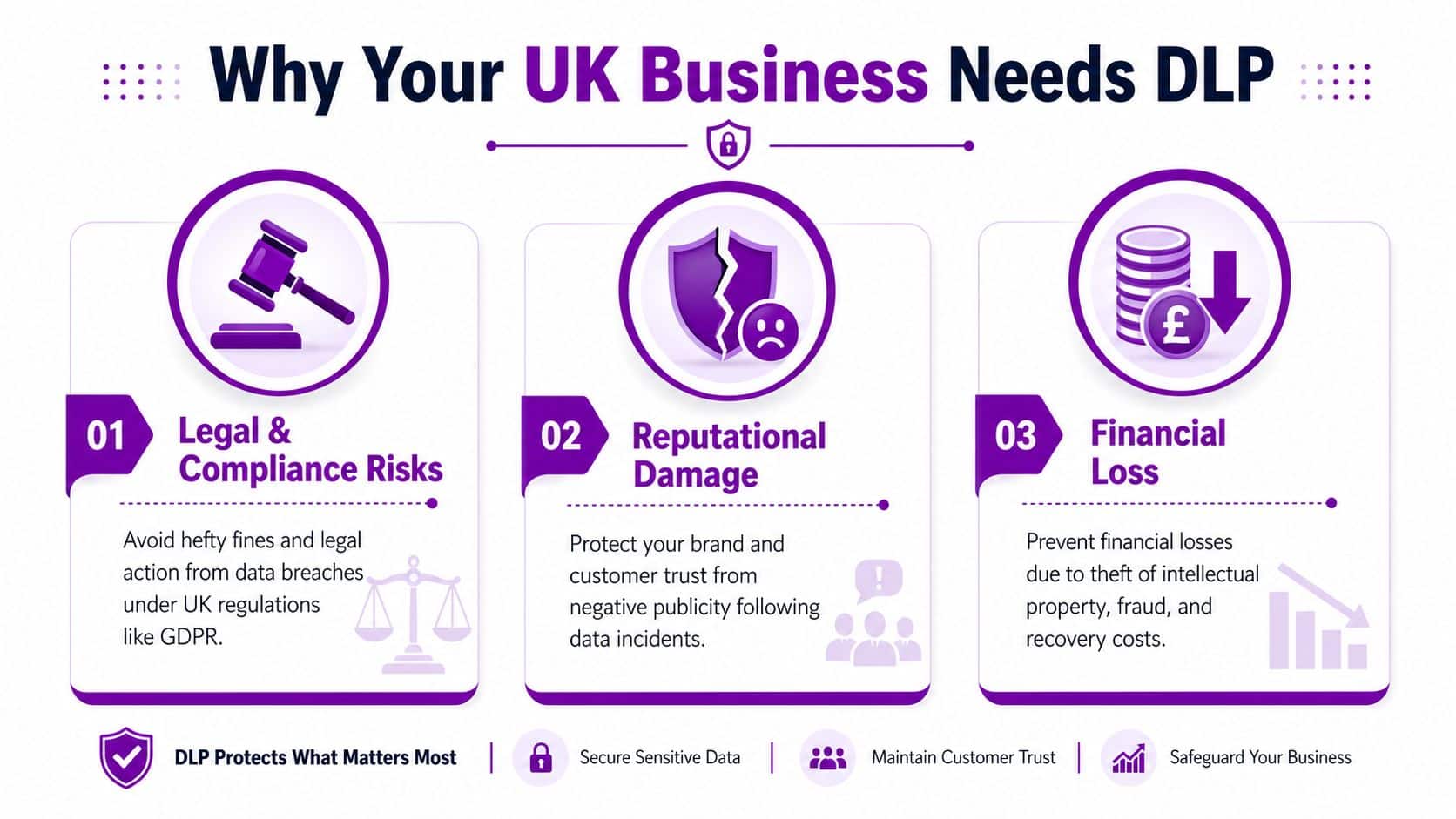
For UK organisations, the first pressure is legal. The UK GDPR and the Data Protection Act 2018 make protection of personal data a legal requirement, and the ICO can issue administrative fines of up to the higher of £17.5 million or 4% of annual worldwide turnover for the most serious infringements, as outlined in Microsoft's summary of data loss prevention in Microsoft Purview.
Compliance is only one part of the problem
Fines get attention, but they're rarely the first pain point an organisation feels. The more immediate damage usually comes from disruption.
A data leak creates work for real people inside the business:
- IT teams have to investigate what happened and where the data went
- Management has to decide on notification, containment and next steps
- Customer-facing teams have to answer difficult questions
- Compliance and legal staff have to document the incident properly
Then there's the reputational impact. A business can recover from a technical issue more easily than from a credibility issue. If customers think you handle their information carelessly, the commercial damage can linger well beyond the incident itself.
The threat environment is already active
This isn't a hypothetical concern. The UK Government's Cyber Security Breaches Survey 2024 found that 50% of UK businesses and 32% of charities experienced some kind of cyber security breach or attack in the previous 12 months, and among larger businesses the figure rises to 70%. That matters because DLP helps reduce one of the most common consequences of both attacks and everyday mistakes. Data leaving approved channels.
If you're reviewing broader approaches to managing cybersecurity risks, DLP fits into that conversation as a control that deals with information handling, not just perimeter defence.
Practical rule: If your business stores personal data, financial records, contracts or intellectual property, you already have a DLP problem to solve. The only question is whether you're solving it deliberately.
Why SMBs should take this seriously
Smaller internal teams often mean fewer people available to monitor alerts, tune policies and investigate incidents. That makes focused, well-configured controls more valuable, not less. For many mid-sized businesses, DLP becomes the point where security, compliance and day-to-day operations finally join up.
How Data Loss Prevention Technology Actually Works
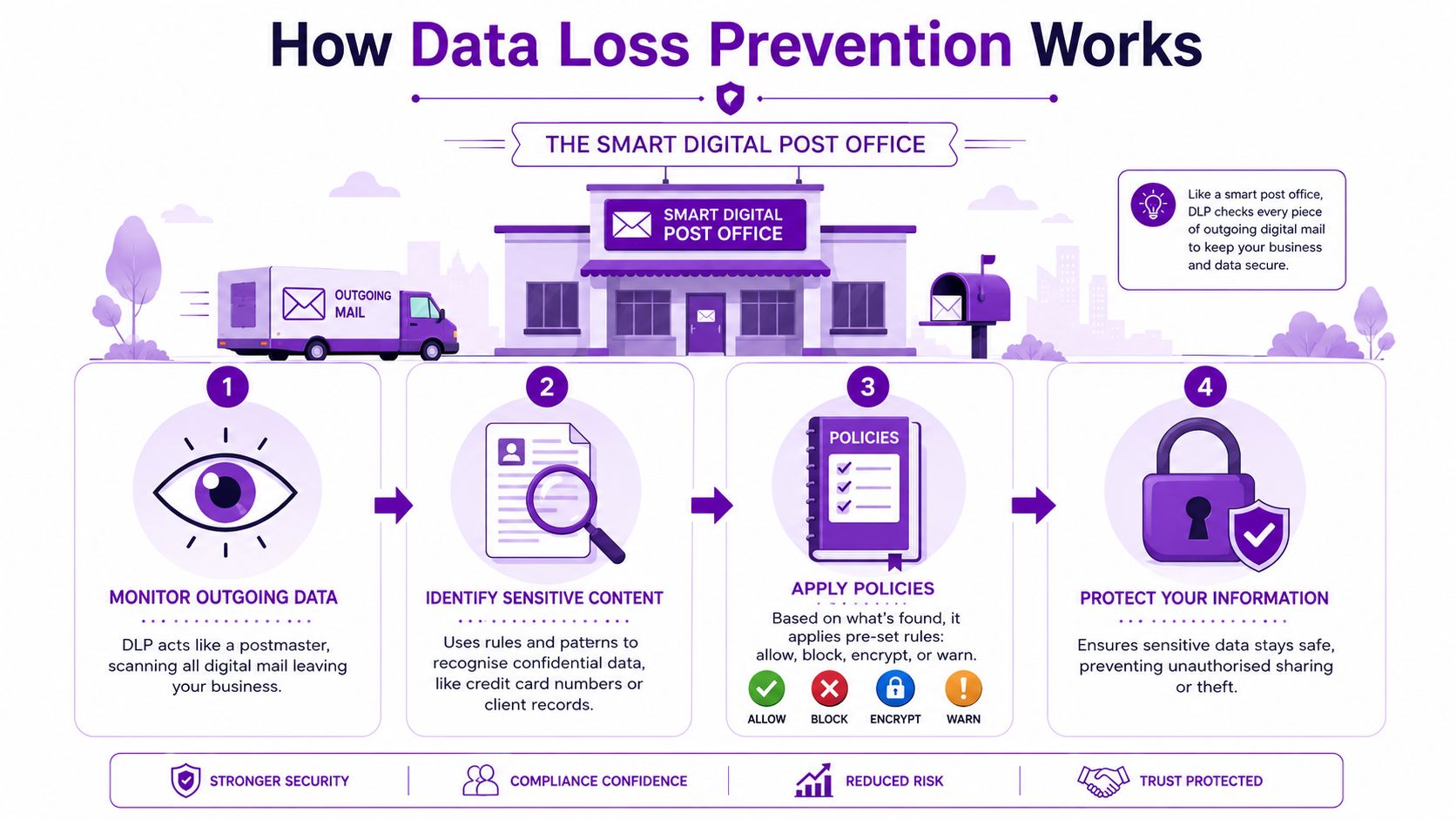
The easiest way to understand DLP is to think of it as a smart digital post office.
Every day, staff send messages, upload files, copy data between systems and save documents into shared locations. DLP acts like a postmaster that checks what's being moved, where it's going, who's sending it, and whether the transfer matches your rules.
Technically, DLP is a control layer that inspects data in use, in motion, and at rest using deep content inspection plus contextual analysis. NIST defines DLP as a system's ability to identify, monitor, and protect data through deep packet content inspection and contextual security analysis within a centralised management framework in its data loss prevention glossary entry.
The three places DLP watches
DLP only makes sense if you know where data can be exposed. There are three main states.
| Data state | What it means in practice | Typical business example |
|---|---|---|
| Data in motion | Information moving between people or systems | An email attachment leaving Exchange Online |
| Data at rest | Information stored somewhere | A file in SharePoint or OneDrive |
| Data in use | Information being handled on a device | A user copying data from a spreadsheet on a laptop |
If you only monitor email, you miss what happens in cloud storage. If you only scan stored files, you miss what people do when they actively handle data. Good DLP needs all three views.
How DLP decides whether something is risky
Modern DLP doesn't just search for obvious words like “confidential”. It uses two types of analysis together.
- Content inspection looks inside the data itself. That can include patterns, labels, document properties and recognised sensitive information types.
- Contextual analysis looks at the surrounding circumstances. Who sent it, where it was going, which device was used, and whether the action fits normal behaviour.
That combination matters. A file may be acceptable when shared internally with the finance team but not when uploaded to a personal cloud account. The content might be identical. The context changes the risk.
What happens after DLP detects something
Detection alone doesn't protect anything. The control only becomes useful when it triggers a response.
A DLP rule might:
- Allow a normal business action
- Warn the user before they continue
- Block an unauthorised transfer
- Encrypt content before it leaves
- Log and alert so someone can review the event
Good DLP is selective. If it blocks everything, staff work around it. If it blocks nothing, it's just reporting.
That's why tuning matters so much. The technology is capable, but the outcome depends on how well its rules reflect the way your business operates.
Common DLP Policies and Real World Examples
The quickest way to make DLP feel practical is to stop talking about it as a platform and start talking about it as a set of business rules.

A practical UK-relevant DLP implementation usually combines data classification, policy enforcement, and incident response. Microsoft describes DLP as operating through discovery, protection, and investigation, allowing rules to block, encrypt, or alert on risky transfers across email, cloud storage, and endpoints in its overview of what data loss prevention is.
What a policy looks like in the real world
Take a finance team preparing payroll information. A member of staff exports the file and tries to send it externally for convenience. A sensible policy might detect the sensitivity of the content and then either block the email entirely or force a safer route.
Another example is board papers stored in SharePoint. If a document is labelled as confidential and someone attempts to move it to a personal storage location, DLP can intervene before the file leaves the approved platform.
These are common actions DLP policies can take:
- Warn the user when they try to send sensitive information externally
- Block the action when the destination is clearly unauthorised
- Encrypt the content if external sharing is allowed but must be protected
- Audit the event so IT or compliance can investigate patterns
Examples that fit a mid-sized business
A useful policy set usually starts small and specific:
- Customer data in email: Prevent staff from sending customer records outside the business unless there is an approved process.
- Payroll and HR files: Restrict sharing of salary data, bank details and employee documents to defined groups only.
- Commercial documents: Flag attempts to share pricing files, contracts or acquisition material beyond approved teams.
- Cloud storage controls: Warn or block when sensitive documents are moved from Microsoft 365 into unmanaged locations.
One reason many projects struggle is that businesses try to write broad rules before they've labelled data properly. If the system can't tell the difference between an internal draft and a confidential report, the alerts quickly become noisy and staff stop trusting them.
What works and what doesn't
What works is a policy tied to a real business scenario. What doesn't work is enabling dozens of generic rules and hoping the system sorts itself out.
A strong starting point is to define a handful of data types that matter most, then map them to the places users work. That usually means Exchange Online, SharePoint Online, OneDrive and Teams. If you need a clearer view of how those controls are structured, F1Group's guide to data loss prevention policies shows how Microsoft 365 rules can warn, block and log activity across those services.
The best DLP policy is rarely the strictest one. It's the one staff understand and can work with.
Protecting Your Data with Microsoft 365 and Azure
For many UK SMBs, the good news is that DLP doesn't need to start with another standalone security platform. If your users already live in Outlook, Teams, SharePoint and OneDrive, much of the control surface is already inside the Microsoft ecosystem.
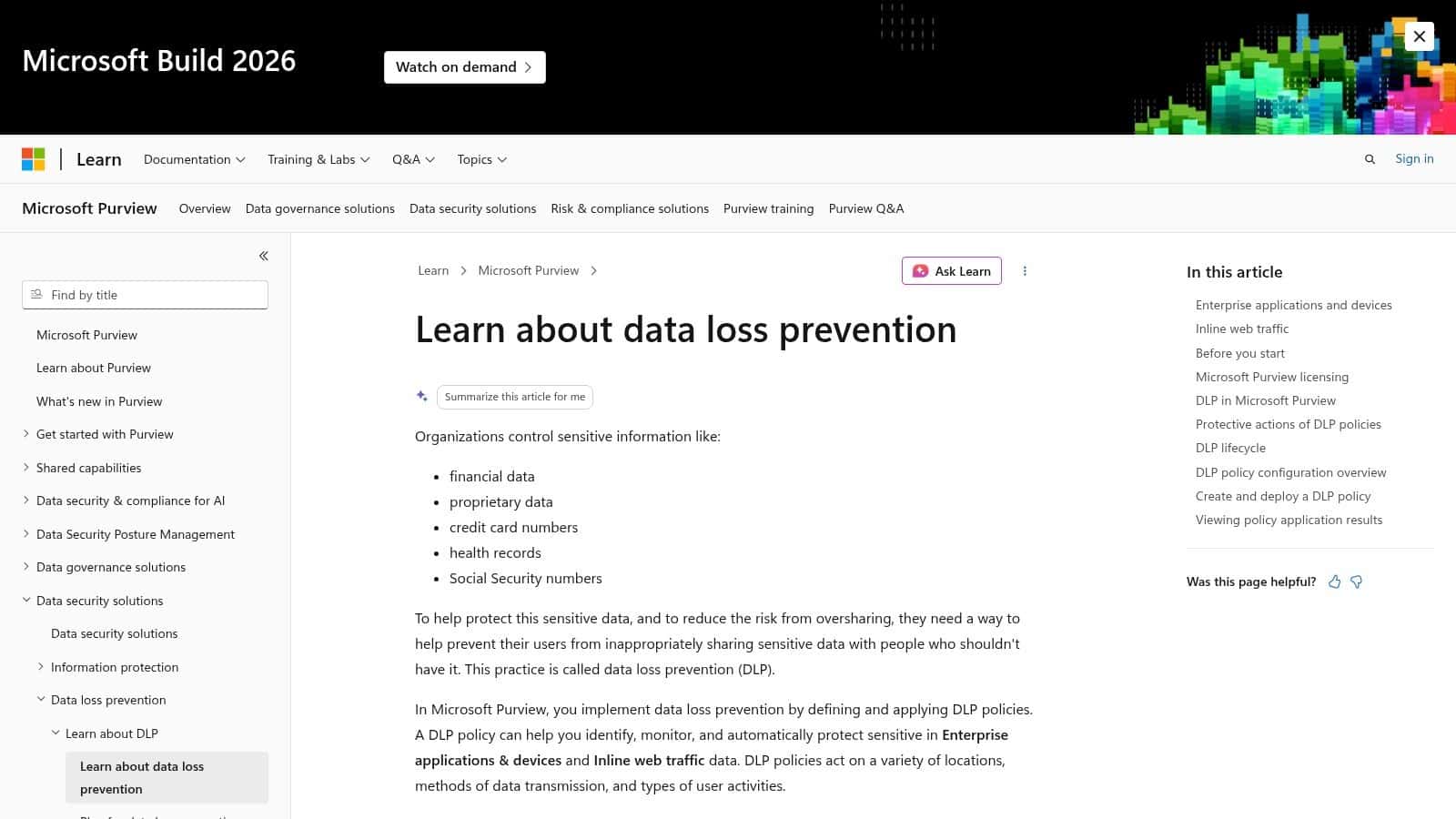
Microsoft's approach centres on Purview Data Loss Prevention, which lets you apply policies across core Microsoft 365 services from a single administration layer.
Where Microsoft DLP fits day to day
Users don't think in terms of security platforms. They think in terms of tasks.
They send an email in Outlook. They share a file from OneDrive. They drop a document into a Teams chat. They save working files in SharePoint. If DLP only exists in a separate tool that nobody sees, it won't change behaviour at the right moment. Microsoft 365 DLP can put the control inside those normal workflows.
In practical terms, that means you can apply policies across:
- Exchange Online for email and attachments
- SharePoint Online for document libraries and collaboration spaces
- OneDrive for Business for personal work storage
- Microsoft Teams for chat and channel sharing
That consistency is a significant advantage. The same business rule can follow the data across the services your staff already use.
Why this suits mid-sized organisations
For a mid-sized business, complexity is often the main blocker. Separate products for email DLP, endpoint DLP and cloud sharing controls can create three policy sets, three admin experiences and three streams of alerts. That's hard to maintain with a lean internal team.
Using Microsoft-native tooling usually gives you a more workable starting point. Not because it does everything automatically, but because it reduces the moving parts. You can align classification, policy tips, audit trails and investigation within the same environment.
If your wider security approach is already built around Microsoft, it's also worth reviewing broader Microsoft 365 security best practices so DLP sits alongside identity, access control and device management rather than operating in isolation.
Azure and the wider Microsoft stack
Azure matters here less as a separate DLP product and more as part of the overall security architecture. Businesses commonly hold data across Microsoft 365, Azure-hosted applications and managed endpoints. The practical job is to make sure policies, labels and access decisions stay aligned across those environments.
That's especially important when cloud applications, file repositories and user devices all form part of the same process.
Here's a useful short explainer from Microsoft's ecosystem to see that model in context:
Where businesses often go wrong
The common mistake is assuming that owning Microsoft 365 means DLP is effectively done. It isn't. The tools still need sensible scope, working policies and regular review.
What tends to work better is:
- Start with your highest-risk data rather than every possible data type
- Use labels and classifications consistently so policies have something reliable to act on
- Enable user-facing policy tips so staff understand why an action is being stopped
- Review incidents regularly and tune the rules based on what's happening
That turns DLP from a licence feature into an operational control.
A Practical DLP Implementation Checklist for Your Business
A failed DLP rollout usually starts the same way. IT switches on blocking rules too early, users hit them in normal work, and the business starts asking for exceptions before the policies are even understood.
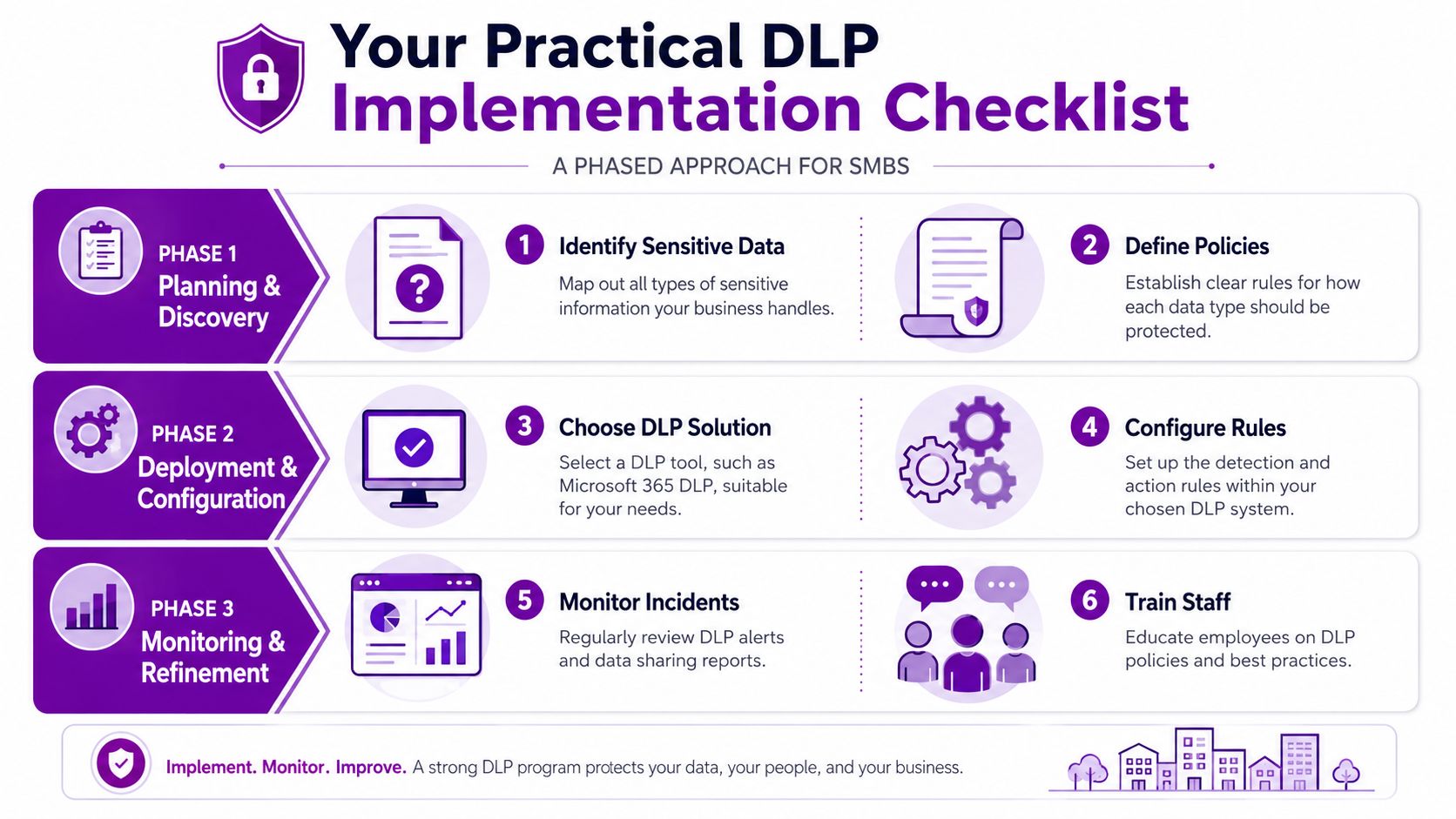
A workable rollout is calmer than that. It starts with visibility, tests rules against real behaviour, and only blocks activity once you know the policy matches a genuine risk.
Start with discovery, not enforcement
Before writing DLP rules, map the data your business would struggle to lose or expose. In a mid-sized company that often means HR records, payroll files, customer data, contracts, finance documents and board papers.
Then look at the day-to-day handling of that information:
- What information needs protecting
- Which teams use it
- Where it is stored
- How it is shared internally and externally
This sounds basic, but it is the part that prevents bad policy design. If IT does not understand normal data movement, DLP will flag legitimate work and miss the risky behaviour that matters.
Use report-only mode first
Microsoft 365 gives you a safer way to start. Run policies in audit or report-only mode first and review what would have been triggered across Exchange, SharePoint, OneDrive and Teams.
That shows three things quickly. Which rules are useful. Which ones are too broad. Which business processes need an exception, a label change or a different control altogether.
I usually advise clients to treat this stage as evidence gathering, not a technical formality. If you skip it, enforcement becomes guesswork.
Watch first. Warn second. Block last.
Refine the policies before users feel the pain
Early alerts always need tuning. Some rules will catch harmless activity, such as a finance team sending routine documents to an approved third party. Others will miss sensitive files because naming, labelling or storage is inconsistent.
The practical fix is to review incidents with the people who own the process, not just the security team. Ask why the file was sent, whether the destination was expected, and whether the action should be blocked, warned or just logged.
A useful tuning cycle usually includes:
- Reviewing incident logs to find the noisiest rules
- Speaking to process owners so IT understands the business reason behind the action
- Improving labels and data locations so sensitive content is easier to identify
- Separating high-risk events from lower-risk activity so every policy does not respond in the same way
Teach users at the point of action
Users respond better to guidance inside the tools they already use than to a policy PDF buried on the intranet. Policy tips in Microsoft 365 can warn someone as they send an email, share a file or upload a document, which gives them a chance to correct the action before it becomes an incident.
Written policy still matters. If your organisation needs clearer rules around acceptable use, data handling and escalation, these information technology policy examples are a useful starting point.
Enforce gradually and review often
Once a policy has been observed, tested and tuned, move the highest-risk scenarios into enforcement first. Good early candidates include payroll data sent externally, passport or NI details shared inappropriately, or confidential documents copied into personal storage.
A phased rollout keeps disruption under control:
| Phase | Focus | Typical action |
|---|---|---|
| Phase one | Visibility | Discover data and monitor activity |
| Phase two | Education | Warn users and collect feedback |
| Phase three | Enforcement | Block or protect the most critical events |
DLP needs an owner after go-live. New teams, new suppliers and changes in Microsoft 365 usage will alter what normal looks like. If nobody reviews incidents, updates policies and closes old exceptions, the control becomes noisy and staff stop taking it seriously.
Secure Your Data and Your Business Today
DLP is easiest to understand when you stop treating it as a security acronym and start treating it as a business control. It helps prevent ordinary mistakes from becoming reportable incidents. It supports compliance, but it also protects trust, reduces avoidable disruption and gives IT teams a practical way to enforce sensible handling of sensitive information.
For most UK mid-sized businesses, the strongest starting point is usually the Microsoft estate they already use every day. Outlook, Teams, SharePoint and OneDrive are where data moves. That's where DLP needs to work.
The difference between a useful DLP programme and a frustrating one comes down to implementation. Start with discovery. Use audit mode first. Tune carefully. Teach users in context. Enforce gradually.
If you need help turning that into a workable plan, get expert support before you switch on broad blocking rules and create unnecessary friction.
If you need help planning or implementing Data Loss Prevention in Microsoft 365, speak to F1Group. Phone 0845 855 0000 today or send us a message.