
You know the point where the spreadsheet starts fighting back. The timesheets are late, finance is chasing missing cost codes, a project manager swears the margin is fine, and the invoice goes out two weeks after the work was done. That is usually when Dynamics 365 Project Operations stops looking like another software purchase and starts looking like a control decision.
For project-led businesses in the East Midlands, the core question is not whether the platform has enough screens. It is whether it can hold sales, delivery, resourcing and finance together without turning into a glorified timesheet tool with a CRM bolted on. Microsoft's own formulas for effort, cost and revenue tracking make that question sharper, because they force the conversation onto auditable numbers rather than status updates and gut feel (Microsoft Project tracking overview).
When a Spreadsheet Timesheet Is No Longer Enough
The break point usually shows up in ordinary ways. A delivery lead has one version of the plan, finance has another, and the account manager is still working from a quote that changed last week. By the time everyone agrees on the current position, the job is already drifting.
Spreadsheet-led project control becomes brittle at that point. It can record time, but it does not naturally connect time to remaining effort, forecast variance or invoice readiness. Microsoft's project tracking model is built around those links, with progress percentage based on actual effort to date divided by Estimate at Complete, and remaining effort calculated as EAC minus actual effort (Microsoft Project tracking overview).
Practical rule: if your project review meeting still starts with “Which spreadsheet is current?”, the business has already outgrown spreadsheet control.
In a mid-sized UK firm, that matters because the pain is rarely just administrative. Delayed invoicing affects cash flow, weak resource visibility makes utilisation look better than it is, and finance ends up reconciling project truth after the fact. Microsoft also applies the same logic to cost tracking, where cost % used is actual cost to date divided by estimated cost at complete, and cost-to-complete is derived from estimated completion cost minus actual cost to date (Microsoft Project tracking overview).
If you already rely on Power Automate for approvals and hand-offs, the better move is to put those workflows beside project data, not beside isolated spreadsheets. A practical starting point is this overview of Power Automate workflows, because the value comes from joining process steps to the project record, not from automating a broken process faster.
What Dynamics 365 Project Operations Does
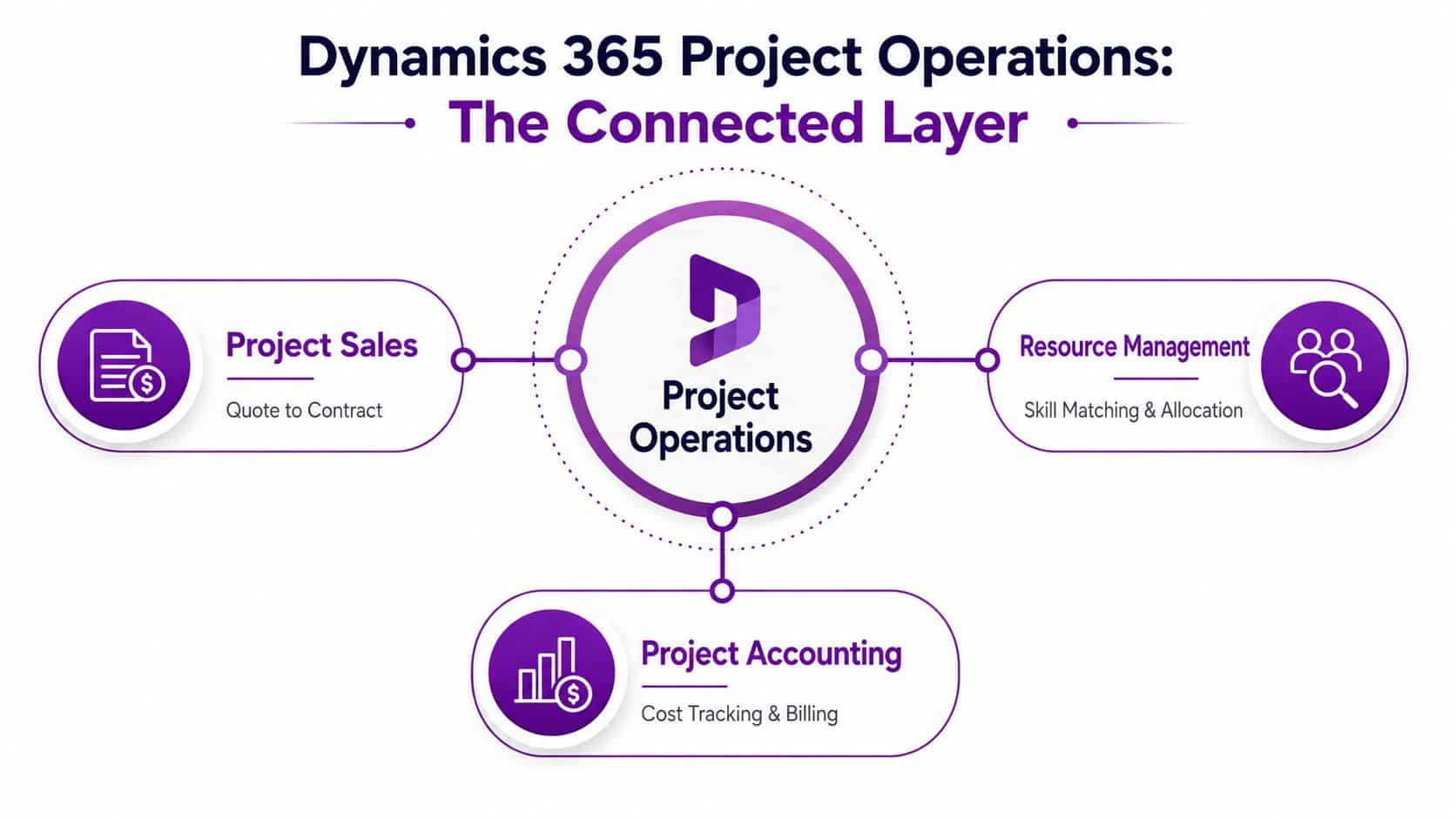
A UK project-led firm usually feels the gap first in sales handover, then in resourcing, then in finance. Dynamics 365 Project Operations sits across those handoffs and ties together project sales, resource management and project accounting. Microsoft's architecture places delivery and planning data in Dataverse, while invoicing, revenue recognition, project costing and statutory financials stay in Dynamics 365 Finance (Microsoft Project Operations architecture training).
That split is the point. It lets delivery teams work in a project-first model while finance keeps control of the accounting boundary. Dual-write keeps the two sides aligned, so the architecture choice affects governance, latency and master-data discipline, not just what users see on screen (Microsoft Project Operations architecture training).
The working mental model
Project Operations handles the project-side record of work, Finance handles the accounting record, and Microsoft 365 plus the Power Platform provide the day-to-day work surfaces. That separation helps because it stops one application being forced to do every job badly.
A project-led SME usually needs three things at once. Sales has to quote in a controlled way. Operations has to allocate people and track delivery. Finance has to bill and recognise revenue without rebuilding the job from emails and spreadsheets. Project Operations is built around that chain, not around a single timesheet screen.
The deployment model explains why some implementations stay tidy and others become hard to govern. If master data, roles and financial boundaries are not designed properly, Dual-write becomes a source of confusion rather than control. If they are designed well, the business gets one operational picture without flattening finance into a delivery tool.
Why the split architecture is a governance decision
A connected Microsoft stack still needs clear ownership. A UK firm that wants auditability should treat the architecture choice as part of the control framework, because system boundaries decide who owns what and where the source of truth sits.
The question is whether the business wants a project system that talks to finance, or a project system that tries to absorb finance. Those are different deployment decisions, and Project Operations works cleanly only when that line is set early.
Key Capabilities That Make It a Project Control System
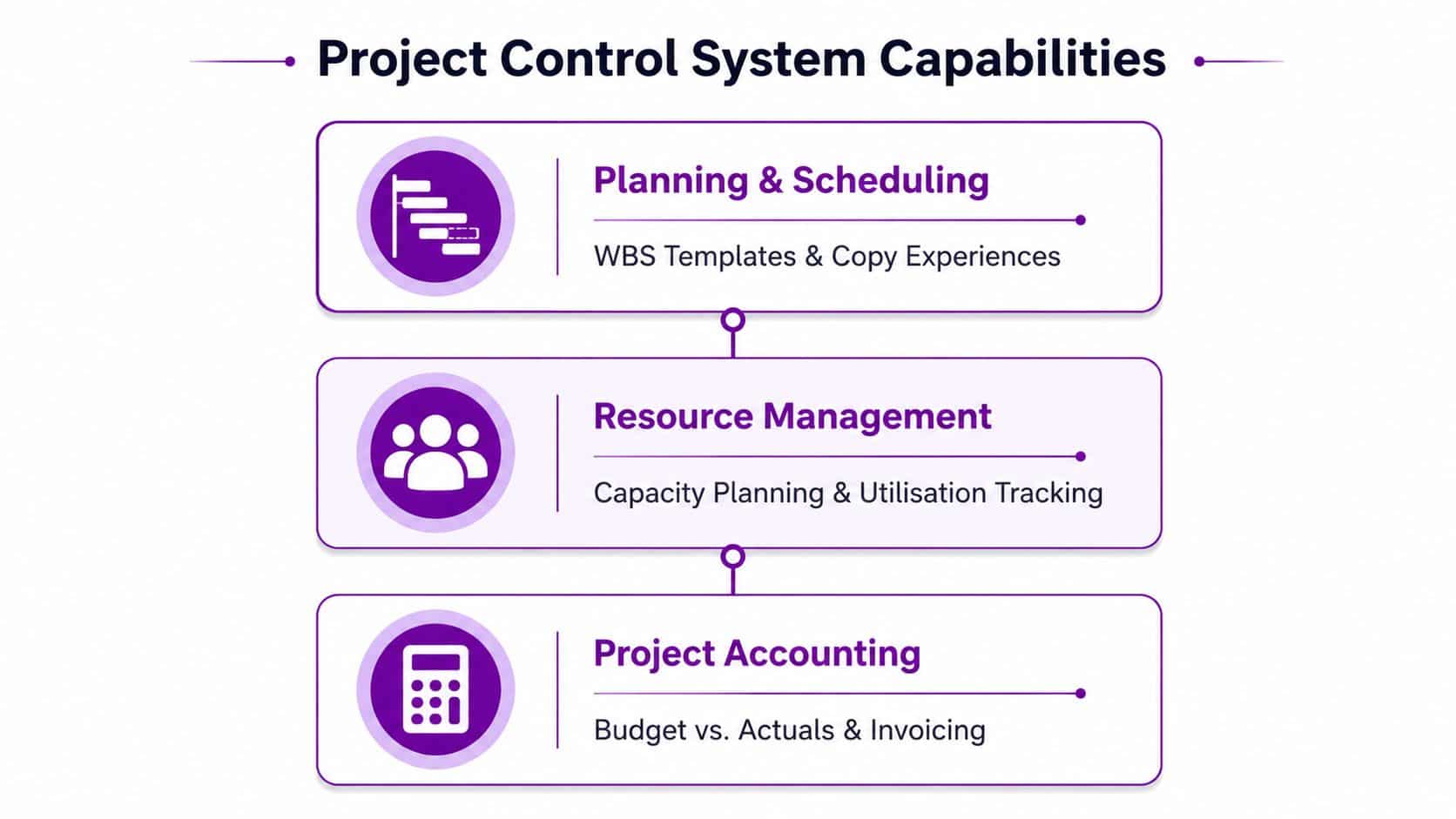
Microsoft's release direction is useful because it shows where day-to-day control is tightening, especially around WBS templates and copy experiences in project planning, plus better expense management and time entry on mobile and browser (Microsoft 2025 release wave 1 plan). That matters because project control starts before the first timesheet is approved.
Planning and scheduling
Planning only works if teams can reuse it. WBS templates and copy experiences reduce the need to rebuild the same structure for every engagement, which helps agencies, consultants and technical delivery teams that run similar work repeatedly. The value is consistency, not extra process.
Microsoft's modern architecture uses Unified Resource Scheduling and Project for the Web for planning on new modern-architecture projects (Microsoft modern architecture guidance). That gives planning a more structured base, but it also means the migration design has to account for how resources, tasks and assignments are reconciled.
Resource management and utilisation
Resource management is where many businesses either save money or leak it. Microsoft says Project Operations provides analytics and insights on resource use, availability and gross margins (Microsoft Project Operations features training). In practice, that gives managers a view of who is available, who is overbooked, and which work is supporting margin.
A schedule board is useful only if the resource data behind it is clean. If skills, calendars and roles are sloppy, the board just makes the mess more visible.
That is why assignment timescales matter. The system has to support sensible booking behaviour, otherwise the plan turns into a wishlist instead of a forecast. The best deployments treat resource governance as part of day-to-day management, not as an admin task.
Time, expense, billing and revenue
Microsoft has also focused the roadmap on expense management on mobile and browser, time entry on mobile devices and browsers, discounts and fees on the modern architecture, and larger invoices via async dual-write (Microsoft 2025 release wave 1 plan). Those changes are not cosmetic. They affect how quickly work moves from delivery into invoicing.
The formula model is the control layer. Microsoft defines progress percentage as actual effort to date divided by EAC, remaining effort as EAC minus actual effort, and projected effort variance as planned effort minus EAC (Microsoft Project tracking overview). It also defines billable revenue % as actual revenue divided by total estimated revenue, with remaining revenue equal to estimated revenue at complete minus actual revenue (Microsoft project sales tracking).
For a UK services firm, that is the difference between “we think the job is fine” and “we know how much is left to deliver, bill and recover”. If the platform is configured properly, every timesheet, expense and invoice update feeds the same control loop. The governance question usually shows up in the data model and in the operating rules, which is why some firms add a clear Power Platform layer for extensions and approvals instead of customising the core process.
How It Connects to Microsoft 365, Power Platform, Azure and Copilot
A lot of Microsoft discussions make the stack sound more fragmented than it is. In practice, Project Operations sits in a broader estate where Microsoft 365 handles collaboration, the Power Platform handles low-code extension, Azure supports integration and security, and Copilot adds the newer AI layer. The value comes from moving work between those layers without creating another shadow system.
Microsoft 365 in day-to-day delivery
For a UK project team, Microsoft 365 is the working surface. Teams is where people coordinate, Outlook is where scheduling and approvals still happen, and documents are usually shared in the same Microsoft environment where the project is managed. That reduces the temptation to copy data into emails and spreadsheets just to keep everybody aligned.
The practical gain is simple. People stay in their normal collaboration tools while the project record remains in Project Operations, so the business gets traceability without forcing users into a separate working habit.
Power Platform and low-code extension
Project Operations also fits naturally with the Power Platform, which is where many businesses extend approval paths, build lightweight apps and automate hand-offs. If you want a useful refresher on the wider platform, this guide to what is Power Platform is a sensible starting point.
That matters for UK firms because not every process should become a custom code project. A project intake form, a simple approval step or a reporting layer can often be handled with low-code tooling, provided the data model in Project Operations is clean enough to support it.
Azure and governance
Azure is less visible to end users, but it is critical for identity, integration and data services. It is the layer that helps the Microsoft estate behave like one environment rather than a patchwork of connected products. For an IT manager, that means the design conversation should cover security boundaries, connectivity, and where system integration is being controlled.
Copilot and the still-maturing pieces
Microsoft's roadmap for Project Operations includes new AI-oriented features across the wider release waves, and the product blog highlights automated status reporting, risk identification and plan generation as part of the direction of travel (Microsoft Project Operations blog). Those capabilities are promising, but they're not a substitute for disciplined master data or stable governance.
The honest view is that AI only helps if the project records are worth summarising. If your schedules, roles and actuals are messy, Copilot will produce a faster version of the same uncertainty.
Licensing, Cost and Fit for SMBs Versus Larger Enterprises
Microsoft lists Project Operations for the UK market at $135 per user/month, paid yearly on the product page (Microsoft Project Operations pricing). That gives buyers a commercial anchor, but the pricing question only makes sense when you match it to deployment scope and reporting needs.
Project Operations licensing tiers at a glance
| Tier | Core capabilities | Typical UK fit |
|---|---|---|
| Project sales | Quotations, project-based selling, early commercial control | Smaller project-led teams that need a cleaner quote-to-order flow |
| Project management | Planning, resourcing, time, expense and project tracking | SMBs and mid-market firms that need delivery control without a full finance overhaul |
| Integrated Finance scenario | Delivery plus project accounting, invoicing and statutory finance integration | Larger or more complex organisations that need finance-grade reporting across entities |
That table is the useful way to think about it. An SME often gets the most value from faster invoicing, fewer spreadsheets and clearer margin visibility. A larger enterprise gains more when it needs cross-entity accounting, tighter statutory reporting and more complex resource governance.
For a firm comparing options, it can help to look at broader ERP and integration work alongside Project Operations. A practical reference point is Wonderment Apps ERP services, especially if the business is already weighing how much of its process should sit in Microsoft versus in adjacent systems.
The common mistake is over-buying the integrated scenario too early. If the finance team does not need that level of boundary management yet, the implementation can become heavier than the business can absorb. The better answer is to buy only the control you can govern well.
Implementation Roadmap and Migration Best Practice
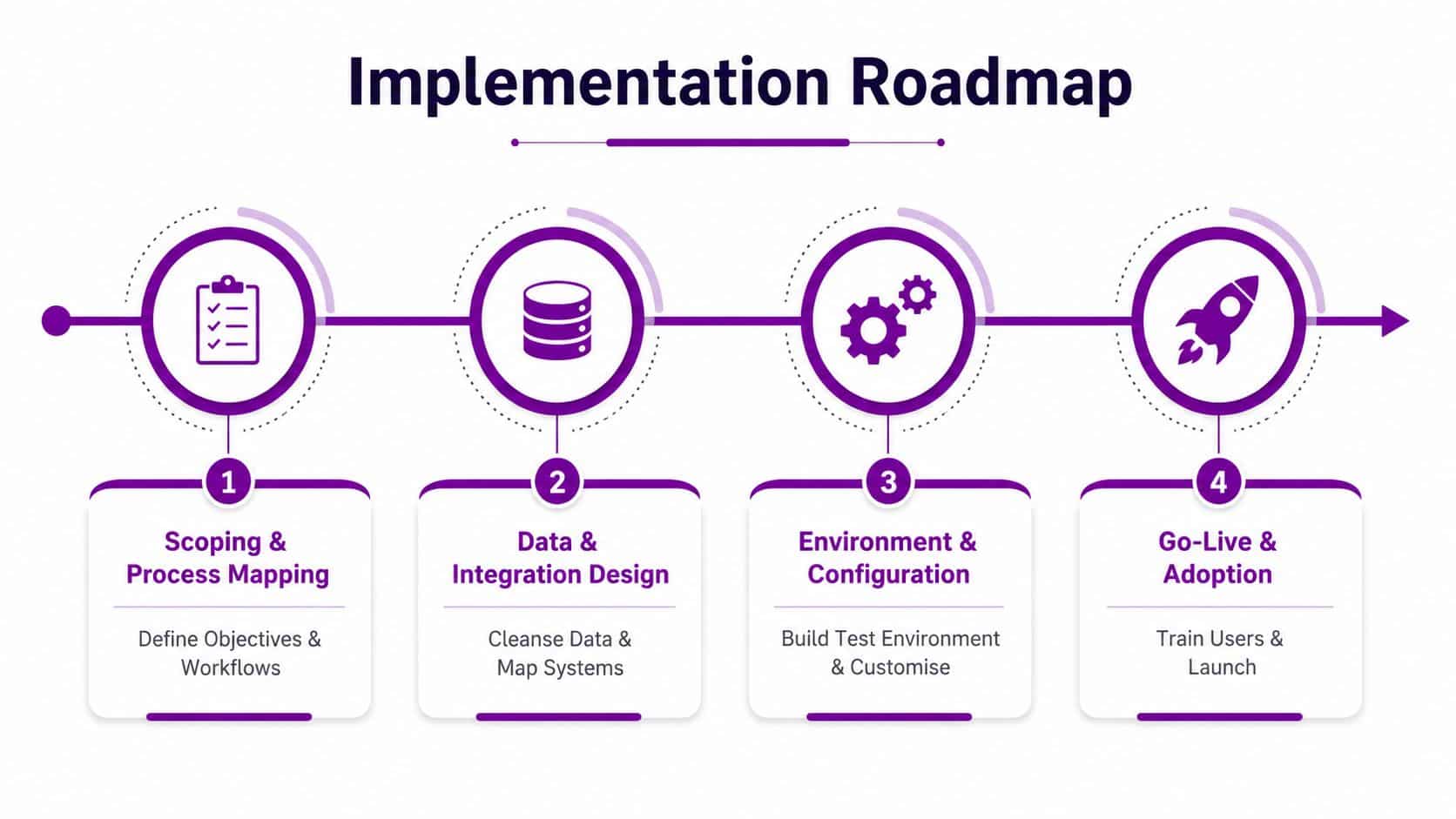
Project Operations projects in UK SMEs usually go wrong for the same reason, the business tries to install software before it has agreed how delivery, billing and finance should work together. The licence is rarely the actual issue. Weak process ownership, dirty data and unclear boundaries between project control and finance are what create the pain.
Start with scoping and process mapping
Before configuration starts, the business needs a clear view of how it quotes, tracks, bills and recognises revenue. That means defining who owns the commercial model, where approvals sit, and which exceptions the team will allow. If the current way of working varies by manager or by project, the system will expose that immediately.
The practical test is simple. If two project managers describe the same process differently, the implementation team needs to resolve that before go-live, not after.
Design data and integration properly
The same discipline applies to moving to a new ESP, because any platform change with process and data dependencies depends on clean mapping, controlled cutover and realistic expectations about what can be fixed during migration. Project Operations is no different. Resource records, project structures and financial hand-offs need to be designed before users begin testing, otherwise the pilot becomes a data-cleaning exercise.
If the business has a long history of inconsistent project records, data migration best practices should be treated as part of the implementation plan, not as a side note. Bad historical data can weaken reporting, distort margins and make the first month after go-live harder than it needs to be.
Treat modern architecture as a hard checkpoint
Microsoft's modern architecture guidance sets out a clear rule. Before switching an existing legal entity, projects must be fully closed, invoices completed, revenue recognition and eliminations finished, and there must be no pending project transactions or open documents left. That is a reconciliation exercise, not a casual upgrade step.
For UK firms, that matters because finance teams often want one clean cutover with reporting that stands up to scrutiny. Once a new modern-architecture project is in place, planning uses Unified Resource Scheduling and Project for the Web, so the migration design has to fit both the old operating model and the new one without leaving gaps in controls or reporting.
Pilot, roll out, then optimise
A controlled pilot should run the full chain from quote to timesheet to invoice. That shows whether the commercial setup, approvals and postings work together. If the pilot struggles, the cause is usually process clarity or data quality, not the interface.
Only after the pilot is stable should the team widen the rollout and refine reports, approval paths and exception handling. That is where Project Operations starts to look like a finance-grade control system rather than a timesheet tool with CRM attached.
A sensible sequence is easy to defend in front of the board. Scope first. Data second. Architecture third. Pilot fourth. Adoption fifth. If the team compresses any of those steps too early, the business usually pays later in support tickets, manual reconciliations and reporting gaps.
ROI, KPIs and Common Failure Modes
Microsoft points Project Operations users toward resource use, availability, gross margins and tracking progress and spend as core analytics areas. That is a useful baseline, but UK firms need a wider KPI set if they want to judge whether the platform is delivering real control, not just cleaner timesheets. For the finance team, the test is whether project data can stand up in management accounts, invoice reviews and margin discussions without a lot of manual repair.
A board-level set usually needs utilisation, project margin, invoice cycle time, on-time delivery and forecast accuracy. Those measures show whether delivery is generating profit, whether billing is keeping up with work completed, and whether the business is still confident in the numbers it is using to manage the portfolio. In practice, I would also watch whether project managers and finance are looking at the same figures, because mismatched reporting is a common sign that the architecture has not been designed properly.
The warning side matters just as much. Common Dynamics projects run into data migration errors, low user adoption, over-customisation, integration difficulty, hidden costs and compliance gaps. Those problems are not unique to Project Operations, but they surface quickly when a firm tries to force a new PSA layer onto poor master data, unclear process ownership and a weak control model.
If the team wants everything customised on day one, the implementation is already in danger. Standard process first, exceptions second.
The right question for an SME is whether the platform can be run cleanly enough to capture the value. If that answer depends on heavy custom work, several unreconciled systems or weak process discipline, the business may be better served by a simpler setup in the short term. That is the trade-off many mid-sized firms face, because finance-grade reporting is usually won through governance and data quality before it is won through features.
Project Operations is still a fit for smaller and mid-sized organisations. The value comes from treating it as a governed control system, with clear approval paths, disciplined master data and reporting that finance trusts. Run that way, it can tighten margin visibility and invoicing discipline. Run it loosely, and it becomes another layer of admin.
Bringing It Together with F1Group in the East Midlands
The three questions I'd ask before committing are straightforward. Which deployment approach fits your finance and security posture. Which features change day-to-day work. Which partner can own the change from scoping through support.
That is where the local decision matters. For East Midlands firms, F1Group brings Microsoft-focused delivery across Dynamics 365, Microsoft 365, Azure, the Power Platform and Copilot, with scope work, deployment support, integration and managed services all sitting in the same support model. Since 1995, that sort of ownership has mattered more than flashy demonstrations, because the hard part is making the system stick.
If your business is trying to decide whether Dynamics 365 Project Operations should be a finance-grade control platform or just another operational layer, the answer usually sits in the architecture choices, not the licence brochure. Get those decisions right early, and the platform can be very effective. Get them wrong, and you'll spend months untangling process and data.
If you're weighing up Project Operations for a project-led business, F1Group can help you scope the right architecture, plan the migration and connect the platform to the rest of your Microsoft estate. Visit F1Group to discuss your requirements, then phone 0845 855 0000 today or Send us a message.