
The monthly vulnerability report has landed in your inbox. It runs to hundreds of pages, flags old software, exposed services and Microsoft 365 configuration issues, and gives your team no obvious order of attack. Your engineers spend time debating false positives while the important weakness remains open.
That’s the failure I see most often. Vulnerability scanning only creates value when it shortens the route from exposure to verified remediation. For an East Midlands business running Microsoft 365, Azure, remote endpoints and customer-facing applications, scanning should provide a current risk signal, a ranked work queue and evidence that fixes worked.
The UK’s experience shows why this matters. The NCSC Annual Review 2023 recorded 24.48 million Early Warning notifications to subscribing organisations about potential malicious activity or vulnerability exposure. It also reported 2,005 incidents and tips, up nearly 64% from 1,226 the previous year. The practical lesson is simple: your attack surface changes continuously, so your remediation process must keep pace.
What Vulnerability Scanning Actually Means for Your Business
The useful definition is straightforward. Vulnerability scanning checks live systems for known weaknesses, unsafe configurations and missing security updates, then gives your team evidence to act on. It isn’t a guarantee that every attack path has been found, and it isn’t a substitute for patching, secure configuration, penetration testing or incident response.
Think of a commercial building. A scan is the night-time walk-around. Someone checks doors, windows, service entrances, lighting, locks and visible signs of damage. The walk-around tells the facilities manager what needs attention, but it doesn’t replace the alarm system, access-control policy or the contractor who repairs the broken lock.
The NCSC explanation of vulnerability scanning makes an important technical distinction. Vulnerability assessment checks whether live systems are definitely vulnerable to specific issues, using carefully crafted, non-malicious payloads. That is more useful than merely listing open ports, because an open service isn’t automatically an exploitable weakness.
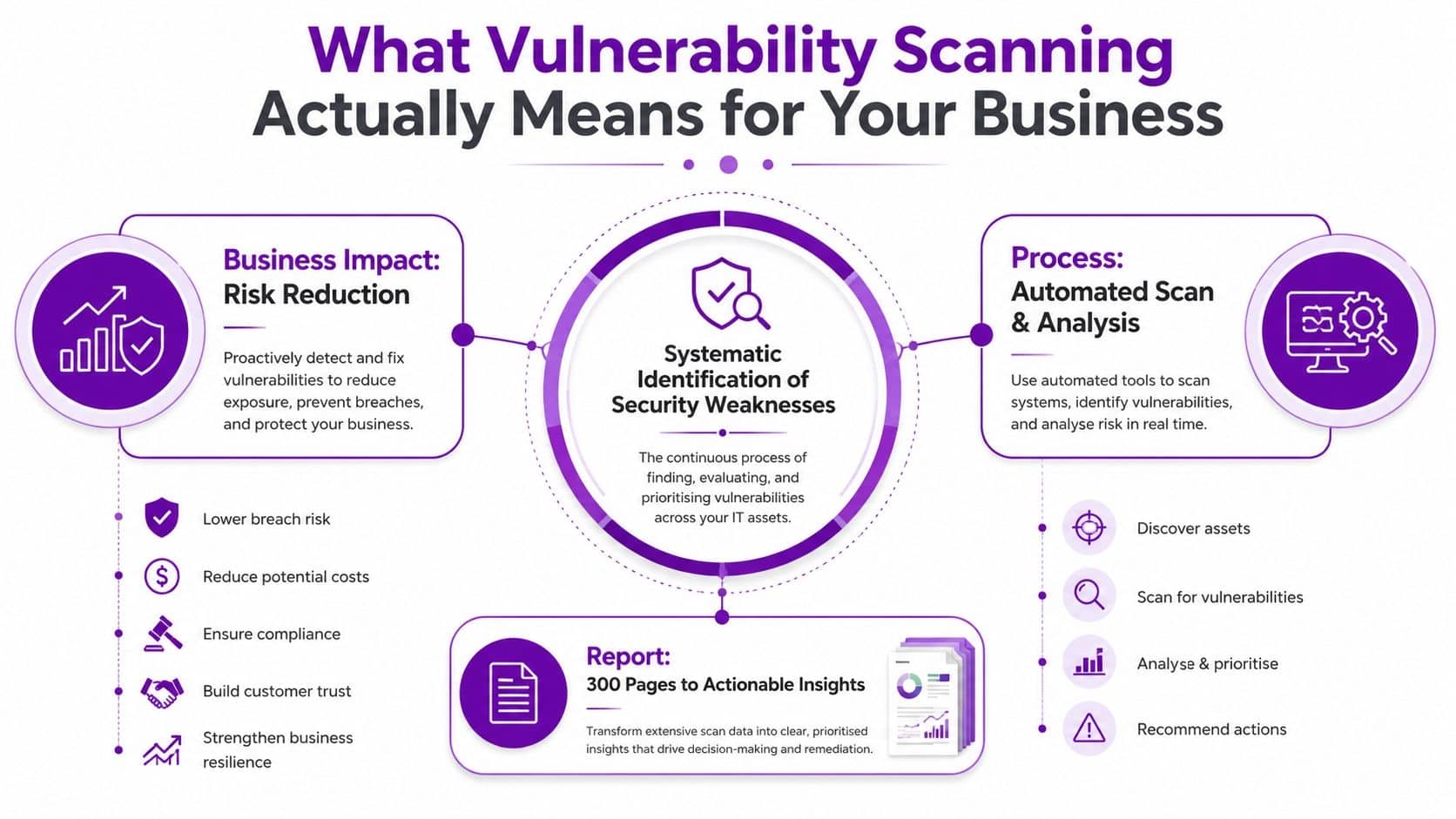
What the scan can tell you
A well-scoped scan can help your team identify:
- Known software weaknesses: The scanner compares observed versions and responses with vulnerability intelligence.
- Configuration exposure: Authenticated checks can inspect operating-system settings, installed software and security controls that an external probe cannot see.
- Attack-surface changes: New services, forgotten servers and cloud assets can enter scope as your organisation changes.
- Remediation status: A retest can show whether a patch or configuration change removed the finding.
It won’t prove that an application contains no business-logic flaw, expose every zero-day, or replace a properly scoped penetration test. It also won’t produce trustworthy results if your asset list is incomplete or its credentials fail.
Practical rule: A scan report is not the deliverable. A short, owned and verified fix list is the deliverable.
Patching remains the action. Configuration baselines define the desired state. Vulnerability scanning identifies where the current state falls short and helps you check the result afterwards. For an IT Director, that makes scanning a management control, not a technical checkbox.
The Five Scan Types and When to Use Each
A single scan type never covers the full estate. A mid-sized organisation should combine scan methods around its architecture, Microsoft 365 and Azure workflows, and the fixes its team needs to complete.
Network scans
Network scanning examines reachable infrastructure, including firewalls, switches, routers, servers and exposed services. Use it to establish the external perimeter and internal network exposure. It gives a useful starting point for remediation, but provides limited visibility into local host settings and cloud controls.
Host-based scans
Host-based scanning checks an endpoint or server from inside, using an agent or authenticated connection. It can inspect operating-system settings, installed applications and patch status. Use it for Windows devices managed through Intune, servers and systems that disclose too little information over the network.
Container scans
Container scanning inspects images, layers and dependencies before deployment. Development teams building services for Azure or another platform should place these checks in the build and release workflow, so vulnerable components can be fixed before production. The scan does not assess the complete behaviour of a running application.
Web application scans
A web application scan probes customer portals, websites and line-of-business applications for detectable weaknesses. Scope it carefully and use safe testing, particularly where forms, authentication or integrations connect to production data. It supports, but does not replace, manual penetration testing in the UK.
Authenticated cloud scans
An authenticated cloud scan uses approved credentials or APIs to inspect cloud assets and settings. Microsoft 365 and Azure need this coverage because an external scan can inspect the public entry point, while authenticated checks can review identity policies, permissions and internal configuration.
Unauthenticated and authenticated scans answer different questions. An unauthenticated scan sees the front entrance. An authenticated scan checks the rooms, cupboards and controls behind each door. Run both where the risk and access arrangements justify them.
| Scan type | Best suited to | Main limitation |
|---|---|---|
| Network | Infrastructure and perimeter exposure | Limited visibility inside hosts and cloud services |
| Host-based | Operating systems, applications and local settings | Requires reliable agent or authenticated access |
| Container | Images, layers and dependencies | Doesn’t replace runtime and application testing |
| Web application | Websites and digital services | Needs careful scope and safe production handling |
| Authenticated cloud | Microsoft 365, Azure and cloud configuration | Depends on secure access and correct permissions |
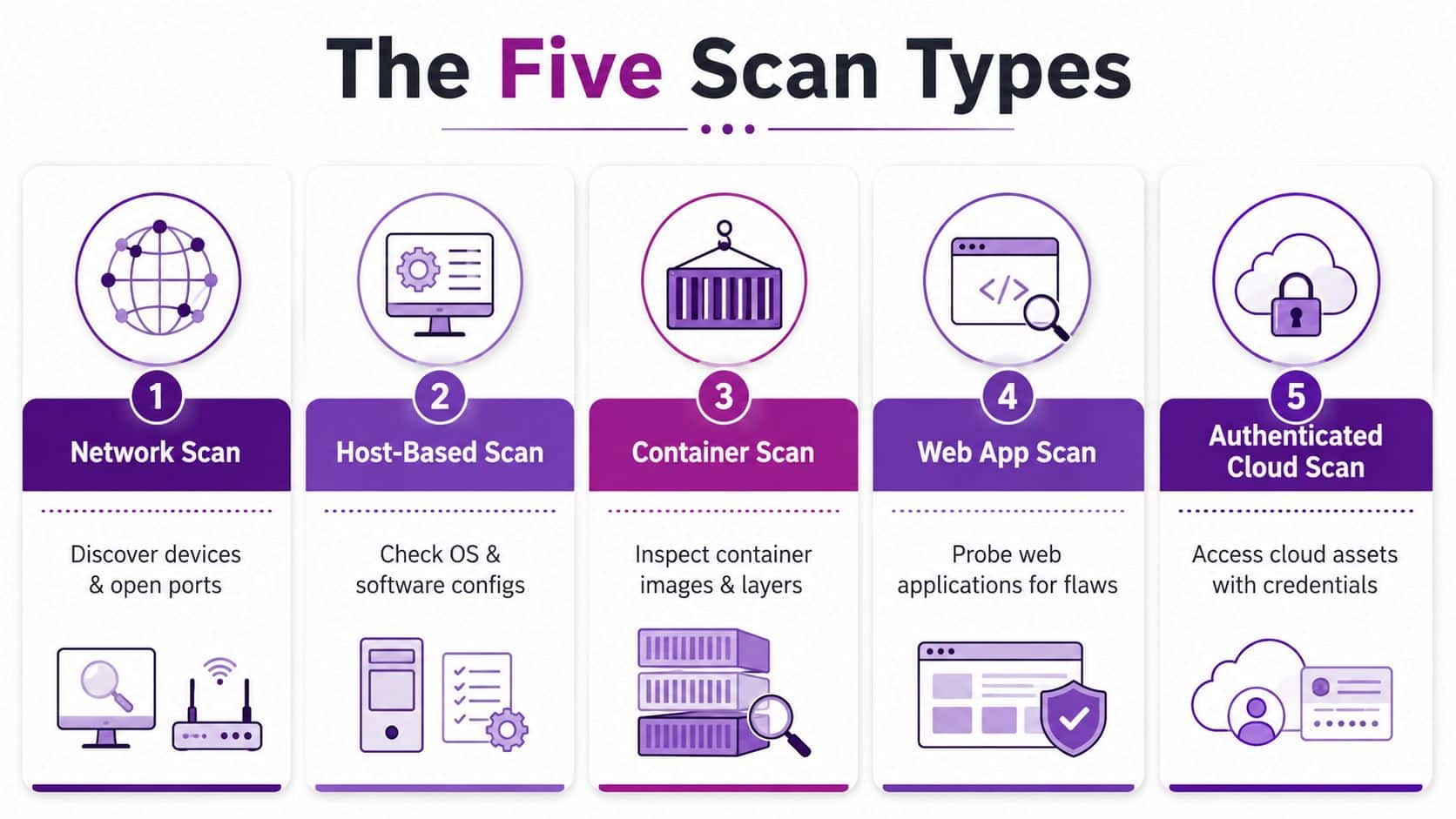
For an organisation with roughly 50 to 250 staff, a practical baseline combines external network scanning, authenticated host checks, web application scanning and cloud configuration assessment. Add container scanning when the business develops or deploys containerised workloads. Link the results to named owners and Microsoft 365 or Azure work items, so each finding drives a verified fix rather than sitting in a report.
How a Modern Scan Actually Works
The scanner is only one part of the process. Coverage begins with an accurate inventory, because an unscanned asset creates a false sense of security.
Start by collecting information from active and passive sources. Active discovery queries reachable systems. Passive sources can include endpoint records, network data and cloud inventories. The NCSC asset-management guidance recommends combining these sources and reconciling procurement records and cloud billing with asset records. That catches devices, subscriptions and services that never made it into the formal inventory.
Step one is defining the estate
Agree what belongs in scope before the first scan runs. Include internet-facing websites, digital services, infrastructure devices, servers, end-user clients, Microsoft 365 services, Azure subscriptions and development workloads where they apply.
A health organisation provides a useful warning, even if your business is not part of the NHS. A department may know about its main clinical or corporate systems but miss an externally hosted service, an inherited application or a supplier-managed endpoint. The scanner can't assess what nobody has identified or authorised it to reach.
Fingerprinting comes before matching
The scanner then identifies services and protocols, often using standard network tools and non-destructive requests. The NCSC scanning information explains why this matters. Reliable assessment depends on confirming that the relevant service exists, then matching observed versions or responses to known vulnerable conditions.
That means an open port isn't the same as a confirmed vulnerability. Poor fingerprinting can create false positives, while an inaccurate service response can hide the condition the scanner was meant to detect.
Credentials improve the picture
Unauthenticated testing shows what an outsider can observe. Authenticated testing lets the scanner inspect installed software, patch levels and local settings. In Microsoft environments, that may involve controlled access through endpoint or cloud-management integrations rather than a broad, permanent administrator password.
Treat scanning credentials as sensitive assets. Use least privilege, restrict where accounts can authenticate, monitor their use and rotate them through your normal identity controls. A scanner that reaches more systems can produce better findings, but it also needs stronger access governance.
The output should be a set of findings tied to specific assets, evidence, severity, affected software or configuration, recommended action and status. Your team should be able to distinguish a confirmed weakness from a discovery observation before anyone opens a remediation ticket.
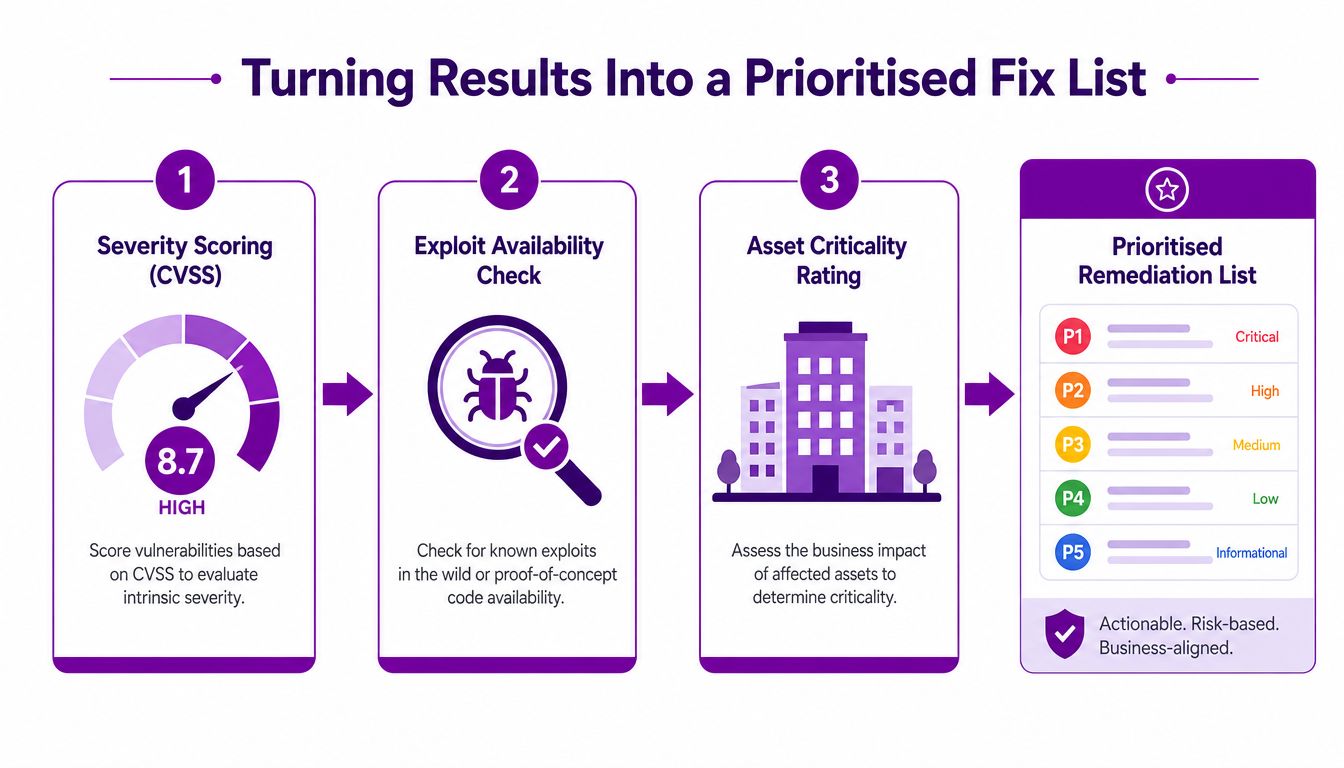
Turning Scan Results Into a Prioritised Fix List
A long report becomes useful only when someone can answer three questions: what should we fix first, who owns it and how will we prove it is fixed?
Start with technical severity, such as a CVSS score. That provides a consistent way to describe the potential impact of a vulnerability, but it isn't enough to set your business order. A high-scoring issue on an isolated test system may deserve less immediate attention than a lower-scoring weakness on an internet-facing service connected to customer data.
Next, check exploit availability and exposure. Has the issue become a realistic attack path in your environment? Is the affected system reachable from the internet, accessible to a broad internal population or connected to privileged identity services? Finally, apply asset criticality. A vulnerability on a domain controller, finance platform, customer portal or privileged management system needs a different response from one on a disposable development machine.
Use ownership, not debate
A simple RACI-style arrangement prevents findings from sitting between teams:
- Responsible: The infrastructure, application or cloud engineer makes the change.
- Accountable: The service owner accepts the risk or confirms the fix.
- Consulted: Security, compliance and the relevant business lead review impact.
- Informed: The IT Director receives progress, exceptions and overdue items.
Classify the queue into immediate action, scheduled remediation and formally accepted risk. Don't let a risk acceptance become a permanent filing cabinet. Give it an owner, a reason, an expiry or review point and a compensating control where appropriate.
The UK public sector provides a useful operational benchmark. During the 2025 to 2026 rollout of the Vulnerability Monitoring System, UK government reporting said continuous scanning of around 6,000 public-sector websites checking about 1,000 vulnerabilities reduced the median time to fix DNS vulnerabilities from 50 days to 8 days, an 84% improvement, and reduced the median time for other issues from 53 days to 32 days. It also reported a 75% reduction in the backlog of critical open domain-related vulnerabilities. These figures are reported in The Register's coverage of the UK government system.
The lesson for an SMB: Scanning earns its budget when it changes remediation behaviour, not when it produces more findings.
For a broader operational view, use this guide to vulnerability management as a reference point when defining ownership, exceptions and verification.
Building a Remediation Workflow Around Microsoft 365 and Azure
A useful workflow turns a scan finding into a verified reduction in risk. For each meaningful issue, assign ownership, apply the change, confirm the resulting state and retest the affected asset.
Create an actionable remediation record
Record the affected asset, evidence, risk rating, business owner, technical owner, due date and rollback approach. In Microsoft 365, separate tenant configuration findings from endpoint findings. In Azure, include the subscription, resource, workload owner and dependencies that could make the change disruptive.
Link the record to your change management and access-control processes. A practical IT security policies guide can help align vulnerability remediation with patching, change management and incident handling.
Patch or configure the affected service
Use Intune for Windows endpoint updates, application deployment and configuration enforcement. Use Defender for Cloud to review Azure workload recommendations and route cloud findings to the responsible team. For Microsoft 365, inspect Exchange Online, SharePoint Online and identity settings directly, because an external network scan cannot validate many tenant controls.
Review MFA coverage, conditional access drift, emergency access arrangements and stale global administrator accounts. Remove unnecessary privilege, then document the owner and reason for every approved exception.
Teams managing Microsoft 365 adoption can also use practical Microsoft 365 tips for Edmonton when translating tenant features into routine administration and user practice.
Verify the actual state and retest
Verification requires confirming the actual endpoint, workload or tenant setting identified by the finding, rather than relying on a deployment screenshot. Run a targeted retest and confirm that the original evidence no longer appears.
Customer-facing services need controlled changes. Put the modification through the change advisory process, define a maintenance window where required and confirm that monitoring can detect a regression. Apply the same control to internal settings, while keeping approval proportionate to the risk.
Protect time for remediation
East Midlands IT teams often have limited engineering capacity. Assign a regular review slot, protect time for high-priority fixes and reserve capacity for retesting. A scanner without people assigned to act on its output produces a more polished backlog, not better security.
How Often to Scan and What Compliance Demands
A monthly scan should be the minimum operating rhythm across the estate. The NCSC guidance on carrying out vulnerability assessments says assessments across the entire estate should take place at least monthly, while the NCSC also recommends scanning at least monthly and immediately after changes that could affect a critical issue.
That baseline needs tightening for higher-risk assets. The Ministry of Justice guide recommends scanning internet-facing websites and digital services, infrastructure devices and server applications every week, with end-user clients scanned every two weeks. It also requires known issues to be logged as vulnerability alerts with an identifier, risk rating, fix description and patch-materials link where available. Use that level of operational detail even if your organisation isn't bound by the same internal guide.
| Asset type | Suggested cadence | Common tools |
|---|---|---|
| Internet-facing websites and digital services | Weekly and after material change | Web application scanner, external network scanner |
| Infrastructure devices and servers | Weekly and after material change | Network scanner, authenticated host scanner |
| End-user clients | Every two weeks, with monthly estate review | Intune, endpoint agent, authenticated host scanner |
| Microsoft 365 and Azure configuration | Monthly and after material identity or cloud change | Microsoft security and cloud assessment tools |
| Applications under development | During development and before release | Web application, dependency and container scanners |
The UK government secure-by-design guidance says scanning shouldn't be a one-off event at go-live. Run appropriate checks throughout development, using different tools across applications and infrastructure where necessary.
Treat Cyber Essentials, ISO 27001 and PCI DSS as prompts to evidence a disciplined vulnerability process, not as reasons to scan only before an audit. Your evidence should show scope, cadence, findings, ownership, exceptions, fixes and retests. For Power Platform and Dynamics 365 customisations, bring security checks into the delivery lifecycle rather than waiting until users depend on the finished solution.
When a Managed Vulnerability Scanning Service Makes Sense
Running scanning in-house gives you direct control and scope flexibility. It also makes your team responsible for asset inventory, scanner maintenance, credentials, tuning, false-positive handling, reporting, remediation coordination and retesting. For a busy East Midlands IT team, those tasks can delay fixes and weaken the evidence needed for public-sector or regulated work.
A managed service fits when repeatable scanning is competing with operational priorities, or internal security expertise is limited. Compare the options against the decisions an IT Director must own:
| Decision area | In-house ownership | Managed delivery |
|---|---|---|
| Coverage depth | Depends on internal time and expertise | Partner maintains an agreed coverage process |
| Signal-to-noise ratio | Your team tunes findings | Specialist review can reduce avoidable noise |
| Expertise | Available only when internal staff have capacity | Expertise is available as part of the service |
| Cost predictability | Tool cost plus variable staff time | Recurring service cost with defined scope |
| Audit readiness | Evidence must be assembled internally | Reporting and remediation records can be structured from the start |
F1Group provides security audit work that includes network vulnerability assessments and automated scanning for known vulnerabilities across a network. Its Microsoft-focused engineers work across Microsoft 365, Azure, Dynamics 365 and Power Platform environments. That matters when remediation requires a configuration change, conditional access adjustment or cloud ownership decision rather than a standalone report.
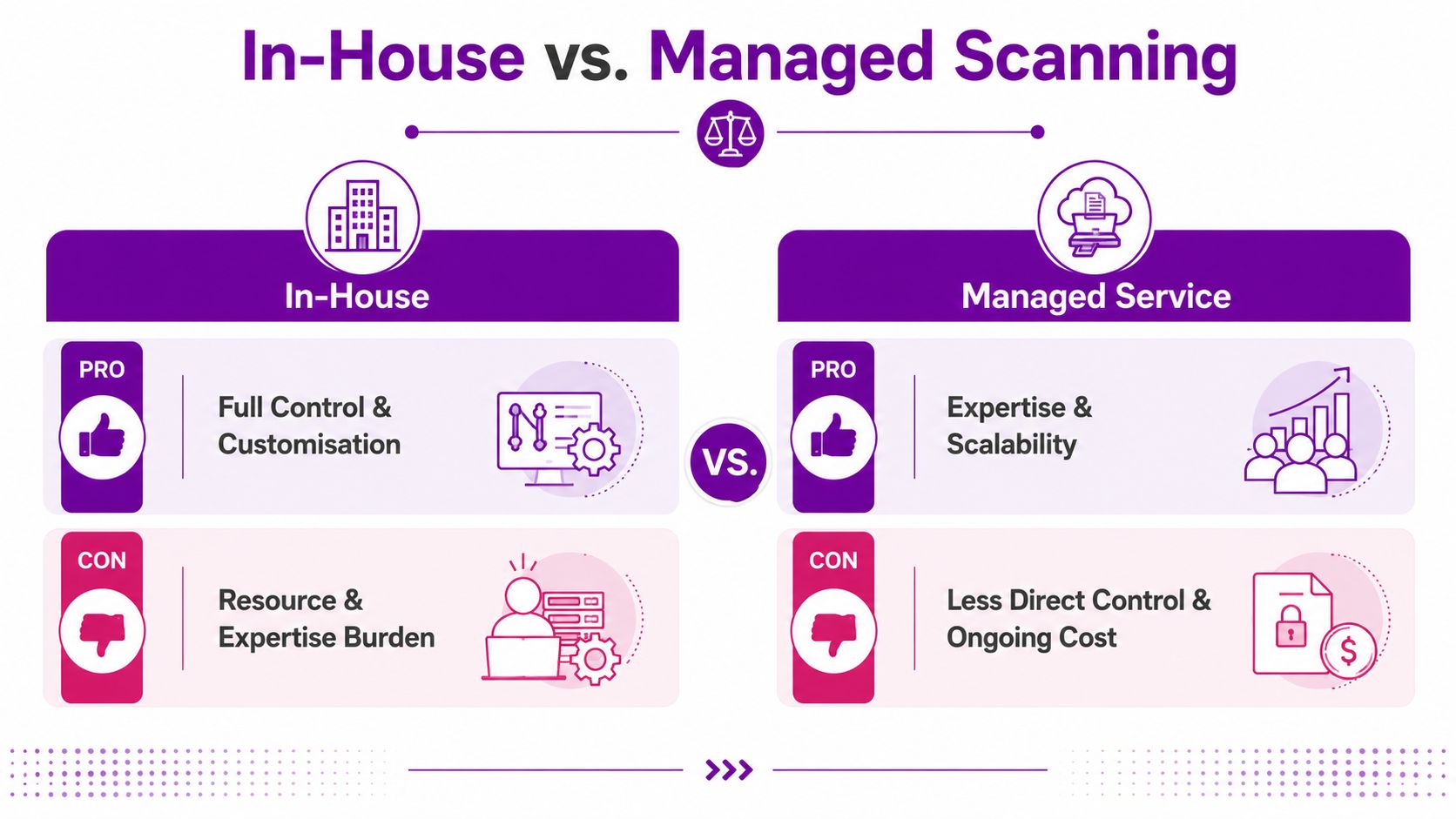
For a 120-user business, the practical difference is ownership and follow-through. Internal staff may wait for a quarterly security review before assessing findings. A managed arrangement can run recurring scans, filter results, route tickets to the correct owner and report overdue remediation. That creates a faster path from discovery to verified fix, including changes across Microsoft 365 and Azure.
Business risk acceptance and service ownership should remain inside your organisation. Outsource only the repeatable mechanics when your team cannot perform them consistently. Keep the decision rights internally, while using specialist capacity to maintain scanning, triage and retesting.
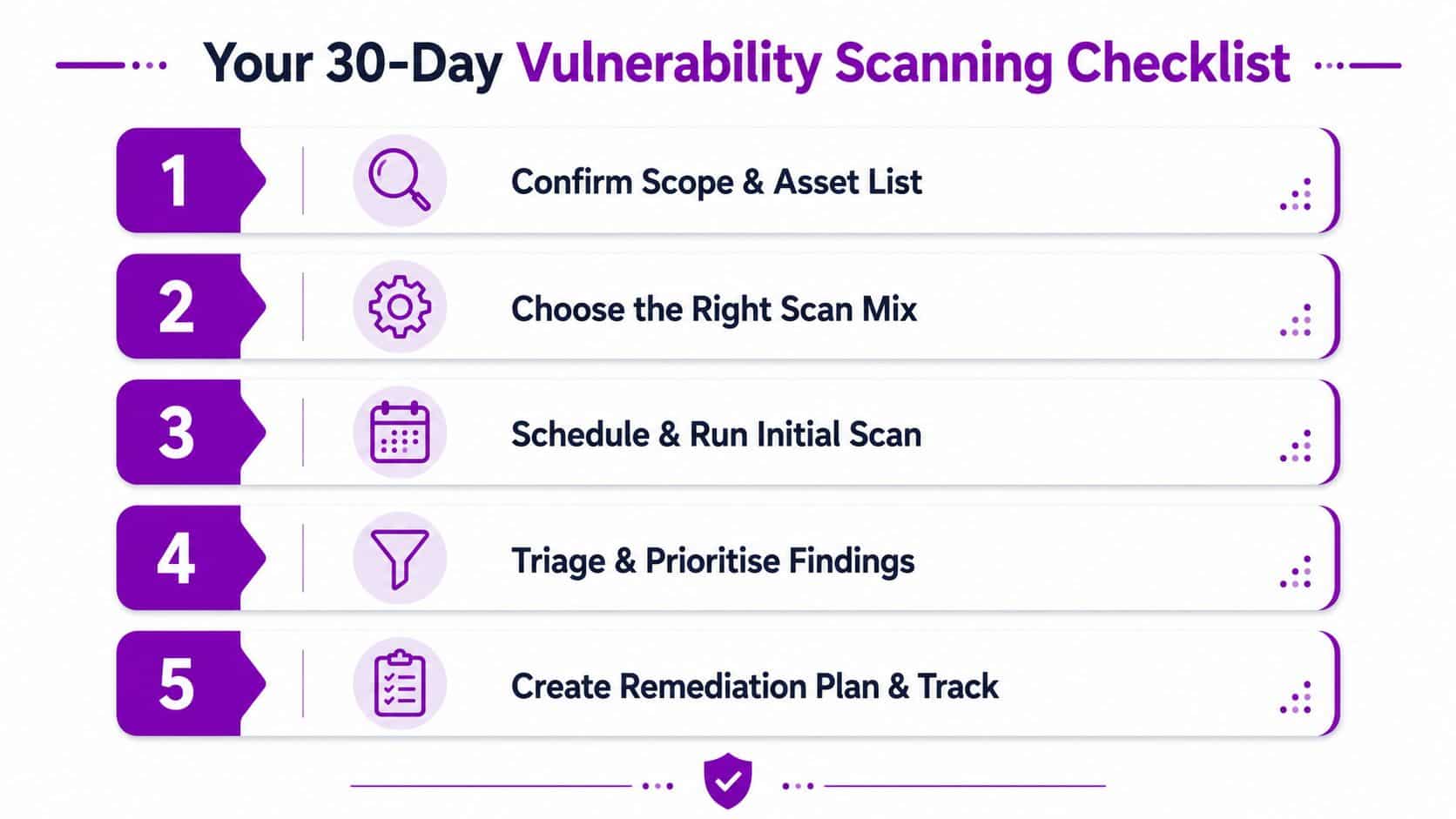
Your 30-Day Vulnerability Scanning Checklist
Use the first month to establish a working service, not to chase a perfect tool.
- Confirm scope and asset list: Reconcile procurement records, cloud billing, endpoint records and known internet-facing services.
- Choose the scan mix: Combine external network, host-based, web application and authenticated cloud checks where your estate requires them.
- Run the initial scan: Document scope, credentials, exclusions, scan date and any assets that couldn't be reached.
- Triage the findings: Rank severity alongside exploitability, exposure and business criticality. Assign a technical owner and accountable service owner.
- Create the remediation plan: Ticket the priority fixes, agree change windows, verify completed work and schedule retests.
Set a recurring review with infrastructure, application, cloud and business owners. After the first cycle, check which assets were missed, which findings generated noise and whether fixes were verified. If your team doesn't have the capacity to run that process reliably, F1Group can assess your estate, set up vulnerability scanning and connect findings to Microsoft 365 and Azure remediation work.
Call F1Group on 0845 855 0000 today to discuss a practical vulnerability scanning and remediation service for your organisation. You can also send us a message and arrange a focused review of your Microsoft 365, Azure and wider estate.