
Microsoft 365 Copilot for Service is already procurable in the UK through the Digital Marketplace at roughly £38.47 to £42.12 per user per month. The central question for a mid-sized UK service team isn't whether it can be bought, but whether that licence spend pays back through better case handling, faster knowledge retrieval and more consistent customer responses.
The familiar scene is a shared inbox full of customer emails, agents switching between Outlook and Dynamics 365, supervisors chasing overdue cases in Teams, and experienced staff rewriting the same answers every week. Copilot can reduce that friction, but it won't repair poor CRM data, unclear permissions or an unreliable knowledge base.
The UK evidence is useful because it moves the discussion beyond vendor demonstrations. A formal Department for Business and Trade pilot launched in October 2024, allocated 1,000 licences to UK-based staff and ran for three months, ending on 30 December 2024. Its official evaluation was published on 2 June 2025, giving UK buyers a practical reference point for controlled adoption rather than a promise of instant transformation. Read the official DBT Microsoft 365 Copilot evaluation.
What Mid-Sized UK Service Teams Should Know Before Buying
A mid-sized UK service desk can buy Microsoft 365 Copilot for Service through the Digital Marketplace, but the licence price is only the starting point. The current Digital Marketplace listing places Copilot for Service at roughly £38.47 to £42.12 per user per month, depending on the supplier and contract structure. The listing also indicates an approved UK public-sector buying route, education pricing and a free trial.
Your reseller must state what sits behind that figure. Copilot for Service does not replace the systems that store cases, contacts, knowledge and service history. Confirm whether the proposal includes an existing Dynamics 365 Customer Service foundation, the required Microsoft 365 entitlements, Microsoft Entra ID configuration and any additional Dynamics seats.
Verify the licence assumption
Request a written licensing map before agreeing rollout dates. It should answer four questions:
- Copilot entitlement: Which agents receive Copilot for Service, and which users require the wider Microsoft 365 Copilot experience?
- CRM foundation: Does the organisation already hold Dynamics 365 Customer Service Enterprise or another qualifying service plan?
- Identity baseline: Is Microsoft Entra ID configured with the required access controls?
- Implementation costs: Are connector work, data cleansing, security design, training and change management included?
The full business case must cover the service workflow, not just the assistant licence. If the quote excludes these layers, it is incomplete.
Practical rule: Budget for the complete service workflow, not the Copilot line item.
Start with a controlled cohort
For a service desk of 50 to 500 agents, begin with a defined group rather than buying for the full headcount. Select experienced agents who understand the case process, can spot unsafe suggestions and will provide specific feedback. Start with lower-risk work where benefits are visible, such as case summarisation and draft preparation.
Set clear checks before expanding. Review factual accuracy, customer tone, handling of sensitive information and whether agents save time. Copilot earns its licence when it reduces repetitive case work without weakening human review. It disappoints when the knowledge base is outdated, CRM records are incomplete or permissions prevent it from reaching the right context.
F1Group's cloud transformation services provide one possible route for assessing the wider Microsoft estate before treating Copilot as an isolated purchase.
| Item | Detail |
|---|---|
| UK procurement route | Digital Marketplace listing for Copilot for Service |
| Indicative UK price | About £38.47 to £42.12 per user per month |
| Commercial variable | Supplier, contract structure and included services |
| Foundation to verify | Microsoft 365 and/or Dynamics 365 Customer Service licensing |
| Sensible first purchase | A defined agent cohort, not the entire service desk |
What Microsoft 365 Copilot for Service Actually Does
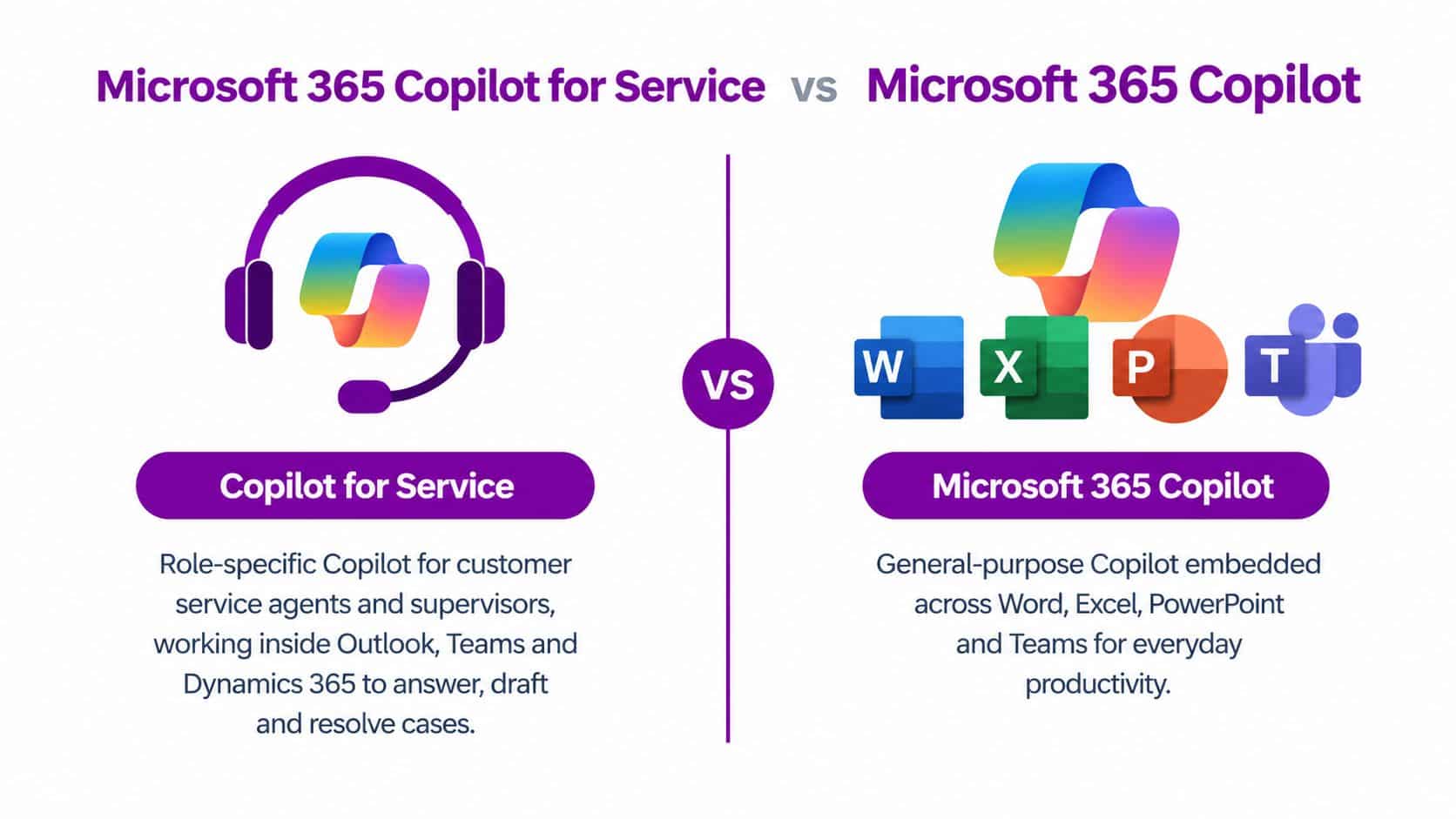
Microsoft 365 Copilot for Service is a role-specific assistant for customer-service agents and supervisors. It isn't the same product as general Microsoft 365 Copilot, which supports knowledge workers inside applications such as Word, Excel, PowerPoint and Teams.
The distinction matters because buyers often see the Copilot brand and assume one licence covers every scenario. It doesn't. Copilot for Service is designed around cases, service records, knowledge articles, customer history and agent workflows. Its usefulness depends on access to those sources.
Two Copilots, different jobs
| Capability | Copilot for Service | Microsoft 365 Copilot |
|---|---|---|
| Primary user | Customer-service agents and supervisors | General knowledge workers |
| Main context | Cases, customer history and service knowledge | Documents, email, meetings and workplace content |
| Typical output | Case summaries, grounded replies and service notes | Draft documents, email summaries and productivity assistance |
| Core dependency | Connected CRM and governed knowledge base | Microsoft 365 tenant data and assigned user licence |
| Best fit | Case handling and service operations | Everyday productivity across Microsoft 365 |
Inside Dynamics 365 Customer Service, Copilot for Service can summarise a long case timeline, suggest a response grounded in knowledge articles and related case information, and help produce wrap-up notes. In practical terms, an agent can spend less time reconstructing what happened and more time deciding what should happen next.
The CRM connection is not optional decoration. Microsoft documents the product as a guided deployment with architecture guidance, Teams and Outlook deployment information and CRM technical documentation in its UK English Copilot for Service adoption portal. That makes the implementation principle clear: the assistant sits on top of existing service workflows, so the quality of the underlying CRM and knowledge model sets the ceiling for value.
What it isn't
Copilot for Service isn't a chatbot builder. It doesn't replace the design work required for customer-facing automation, routing, escalation or a complete contact-centre platform. Nor is it a replacement for Contact Center as a Service.
If your main problem is an absence of a customer self-service channel, start with the contact-centre and automation architecture. If your problem is that agents lose time searching records, drafting routine replies and writing summaries, Copilot for Service is much closer to the right tool.
How It Works Inside Teams, Outlook and Dynamics 365
Copilot for Service earns its licence by removing specific service friction. Each Microsoft surface supports a different task, so UK buyers should test complete workflows rather than judge the product from a feature list.
Dynamics 365 Customer Service
Dynamics 365 remains the authoritative case record. Copilot can combine the timeline, previous interactions, customer context and relevant knowledge into a concise working summary. Agents can review that context before replying, while supervisors can use generated wrap-up notes to assess how a case progressed.
Suggested replies are useful only when the knowledge base is current and permissions are correctly configured. An answer based on an obsolete procedure is still wrong, even when the wording is polished. During a pilot, sample drafts against approved articles and record why agents accept, edit or reject each suggestion. That evidence shows whether the tool improves handling time without weakening quality.
Outlook
Service work often starts in Outlook. Agents need case context beside the customer's message, without repeatedly switching into the CRM. Copilot for Service can surface relevant service information and help draft a response using the connected case and approved knowledge sources.
The gain is reduced context switching, not just faster typing. The draft is more useful when it remains tied to the correct customer record. Shared-mailbox handling, case association and permission design must be settled before rollout, or the Outlook experience will create more checking work than it removes.
Teams
Teams has greater value for supervisors and internal collaboration than for routine case drafting. A supervisor can ask about queue ageing, workload or possible SLA risk, then decide where an internal handoff is needed.
The data flow has three parts. The connected CRM provides operational signals, organisational knowledge sources provide grounding, and Microsoft's AI services handle orchestration. Microsoft describes the wider service experience as combining Dynamics 365 and Microsoft 365 context while respecting existing permissions in its service-agent announcement.
Teams and Outlook also require the Microsoft 365 Copilot licence to be assigned to the user who needs the integrated experience. Treat identity, role mapping and access testing as implementation tasks, not administration after the purchase.
If your CRM foundation is still being designed, Dynamics 365 Customer Service implementation support can separate configuration, integration and Copilot readiness before the licence decision is made.
A Day in the Life of a Service Agent Using Copilot
At 8:40am, an agent opens the shared inbox and finds a customer asking why a replacement part hasn't arrived. The email contains an order reference but no clear description of the previous conversations. In the old workflow, the agent searches Outlook, opens Dynamics and scans the timeline before writing anything.
Copilot starts with triage. The agent asks it to identify the likely case, summarise the previous contact and find the approved delivery guidance. Copilot creates or associates the case context, then proposes a reply based on the available knowledge article and prior interaction.
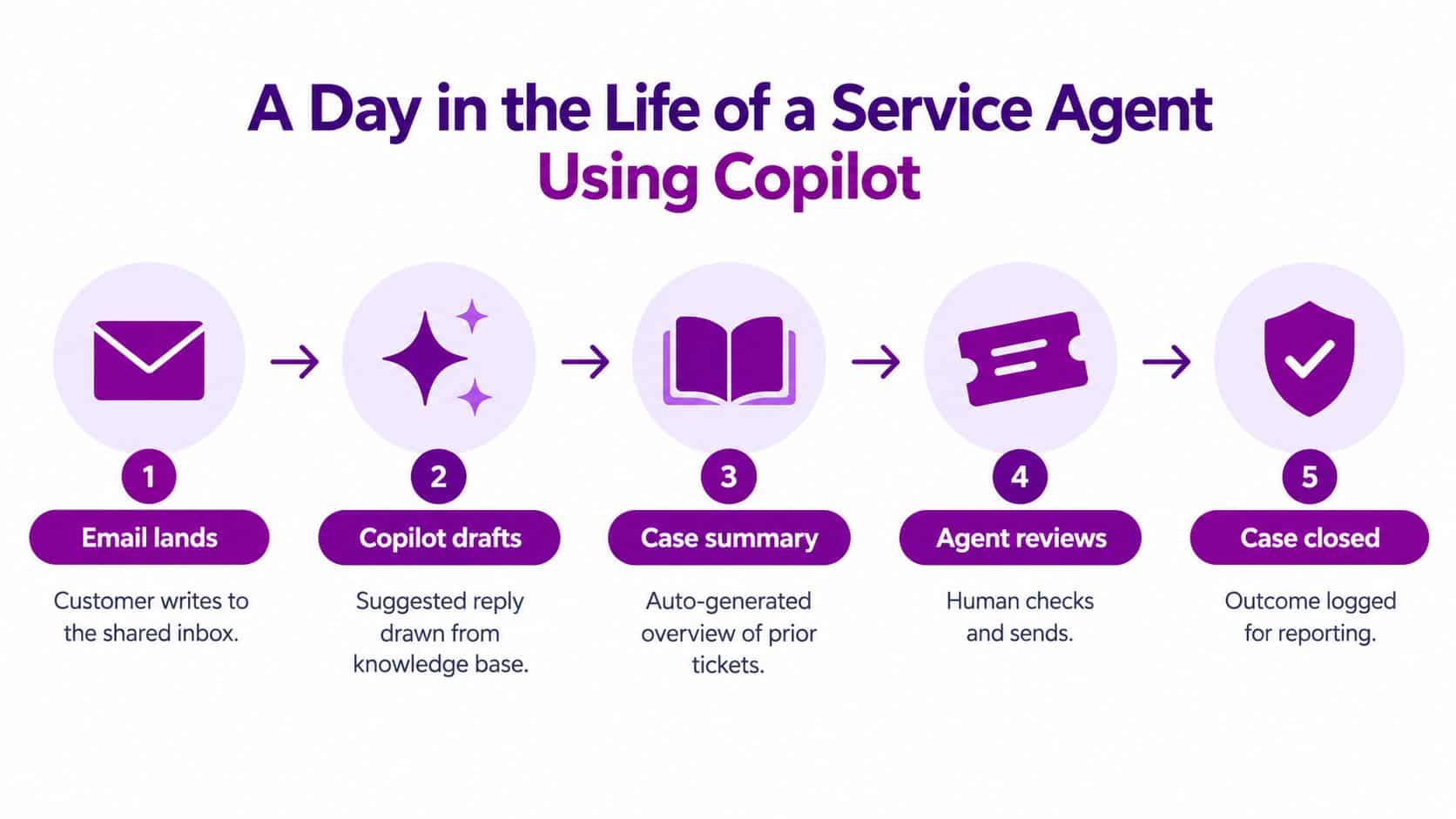
The draft might explain the next action, ask for a missing reference or set an expectation about a follow-up. The agent checks the order details, confirms the wording against the knowledge article and removes anything that sounds more certain than the record supports. Copilot has accelerated the first draft, but the agent remains accountable for the answer.
The handoff still needs judgement
The case then moves into Dynamics 365 Customer Service. Copilot creates a short summary of the timeline, highlights the unresolved point and prepares a note for the next colleague. If an internal specialist is needed, the agent opens a Teams conversation with the summary rather than pasting the entire history manually.
That handoff is where the weaknesses appear. Copilot can misread a frustrated customer as aggressive, miss a qualification in the email or select a related but incorrect knowledge article. The agent must verify sentiment, dates, product details and any commitment made to the customer.
Human review matters most where the wording creates an obligation. Check refunds, safety advice, contractual promises, complaints and escalation decisions line by line.
At the end of the shift, the agent asks Copilot to summarise the case outcome and identify any follow-up task. The supervisor reviews the record and checks that the final status, notes and ownership are complete. The result is less post-interaction administration, but not the removal of professional judgement.
A practical demonstration can show how the surfaces fit together. Use the video below as a starting point, then test the same journey against your own mailbox, case schema and knowledge articles.
UK Pricing, Licences and Prerequisites at a Glance
The UK buying decision has two separate questions. First, which Copilot capability matches the role? Second, what foundation already exists in the tenant? Confusing those questions produces under-scoped quotes and disappointing pilots.
The Digital Marketplace includes Copilot for Service at about £38.47 to £42.12 per unit per month, while a separate Microsoft UK benchmark lists broader Microsoft 365 Copilot at £23.10 per user per month when paid yearly, excluding VAT and subject to annual auto-renewal. Microsoft's UK enterprise pricing page is the place to check the broader SKU, while the Digital Marketplace listing should be checked for the service-specific route.
Another UK public-sector listing shows CDW offering Copilot for Service at £16.44 per unit, and a separate listing places Microsoft 365 Copilot at £286.53 per licence per year. Those figures demonstrate why a buyer should compare the actual quote structure, included services and term, rather than copying one marketplace figure into a business case. The public-sector service listing provides that additional procurement context.
| Item | Copilot for Service | Microsoft 365 Copilot, broader | Prerequisite to verify |
|---|---|---|---|
| Primary use | Agent and supervisor service workflows | General Microsoft 365 productivity | Role-based assignment |
| UK benchmark | About £38.47 to £42.12 per user per month | £23.10 per user per month when paid yearly, excluding VAT | Current quote and payment term |
| CRM dependency | Dynamics 365 Customer Service or supported CRM connection | Microsoft 365 data and services | Customer Service plan and data access |
| Microsoft foundation | Qualifying Microsoft 365 and/or Dynamics licensing | Microsoft 365 base plan | E3, E5 or another eligible plan |
| Identity | Microsoft Entra ID and role permissions | Microsoft Entra ID account | Access model and Conditional Access |
| Technical access | Supported Outlook, Teams and browser experience | Microsoft 365 apps and Copilot endpoints | Network allow-list and app versions |
| Additional budget | Implementation, training and change management | Implementation, training and change management | Partner scope and internal capacity |
Microsoft's Copilot requirements guidance confirms that users need an assigned Microsoft 365 licence and Microsoft Entra ID account, and that the organisation must allow relevant Copilot endpoints and Microsoft 365 URLs. Validate browser, Outlook and Teams support with your administrator before purchase.
These figures exclude partner implementation costs. Digital Marketplace pricing changes, so verify the £38.47 to £42.12 band at the point of purchase and obtain a line-by-line quote.
Data Residency, Governance and Security for UK Buyers
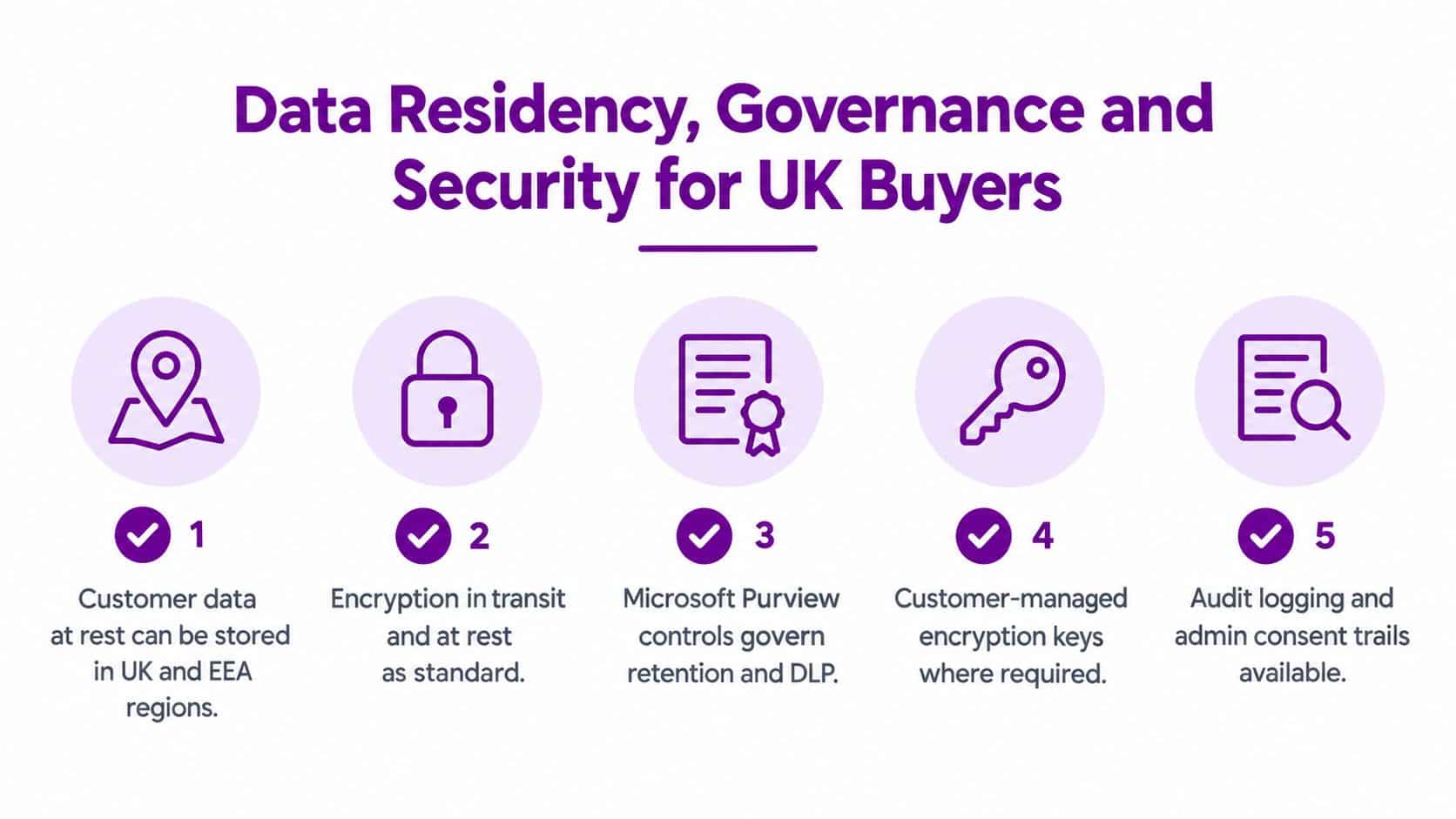
UK buyers often ask a simple question: does the data stay in the UK? The accurate answer needs more precision. UK public-sector procurement records state that Copilot for Service data storage and processing locations include the United Kingdom and the EEA, and that UK Official data can be stored and processed through in-scope Microsoft services. The relevant Digital Marketplace record supports that procurement and residency position.
That doesn't mean every prompt, model operation, telemetry event or abuse-monitoring flow should be treated as automatically confined to a UK data centre. Microsoft's regional guidance for Copilot Studio identifies UK South and UK West for UK data, while Microsoft has stated that in-country processing for Microsoft 365 Copilot in the UK is expected by the end of 2025, with local inferencing expected in 2026. Those are published timelines and expectations, not a substitute for checking the service-specific contractual and technical position at sign-off.
Controls to configure before rollout
Your DPO and security lead should review the service against the existing Microsoft 365 and Dynamics model:
- Identity controls: Apply Conditional Access, privileged-access controls and role-based permissions before agents receive access.
- Information protection: Use sensitivity labels for cases and knowledge content where classification is required.
- Auditability: Confirm that Copilot prompts, responses, administrative actions and consent trails are captured in the available audit controls.
- Data Loss Prevention: Configure DLP policies to reduce the risk of customer personal data leaving approved channels, including data exposed through manipulated or misleading instructions.
- Retention: Align case, conversation, prompt and audit retention with the organisation's policy and sector obligations.
The wider debate about accountability is developing quickly. The discussion around AI integrity contract shifts is useful for legal and procurement teams because it highlights why supplier terms, responsibility boundaries and evidence of control matter as AI becomes embedded in operational work.
For a structured internal review, use AI governance frameworks alongside the product documentation.
Hand your DPO this checklist
Ask Microsoft or the reseller to confirm the processing locations for the exact SKU, tenant configuration and connected data sources. Then document whether the organisation accepts the distinction between UK or EEA storage, broader service processing and the published local-processing roadmap.
Also record the lawful basis for processing, the data categories exposed to the assistant, retention settings, audit evidence, human review requirements and the procedure for disabling a feature if output quality or data handling fails an agreed control.
A Phased Rollout That Mirrors What the UK Pilot Learned
The UK Government's cross-government experiment involved 20,000 employees, with participating organisations committing to at least 1,000 licences each. The findings recorded an average saving of 26 minutes per day per user. The cross-government findings report gives the strongest UK benchmark in this article, but it doesn't justify handing every service-desk agent a licence immediately.
Adoption was uneven. Overall adoption reached 83% at one point and remained around 80%, while Teams peaked at 71%, Excel at 23% and PowerPoint at 24%. The detailed experiment findings suggest that communication-heavy work attracts more engagement than broad, uniform adoption across every application.
That matters for service desks. Agents live in email, chat, records and queues, so a narrow service workflow may earn value earlier than a broad productivity rollout. Start with the work people already repeat.
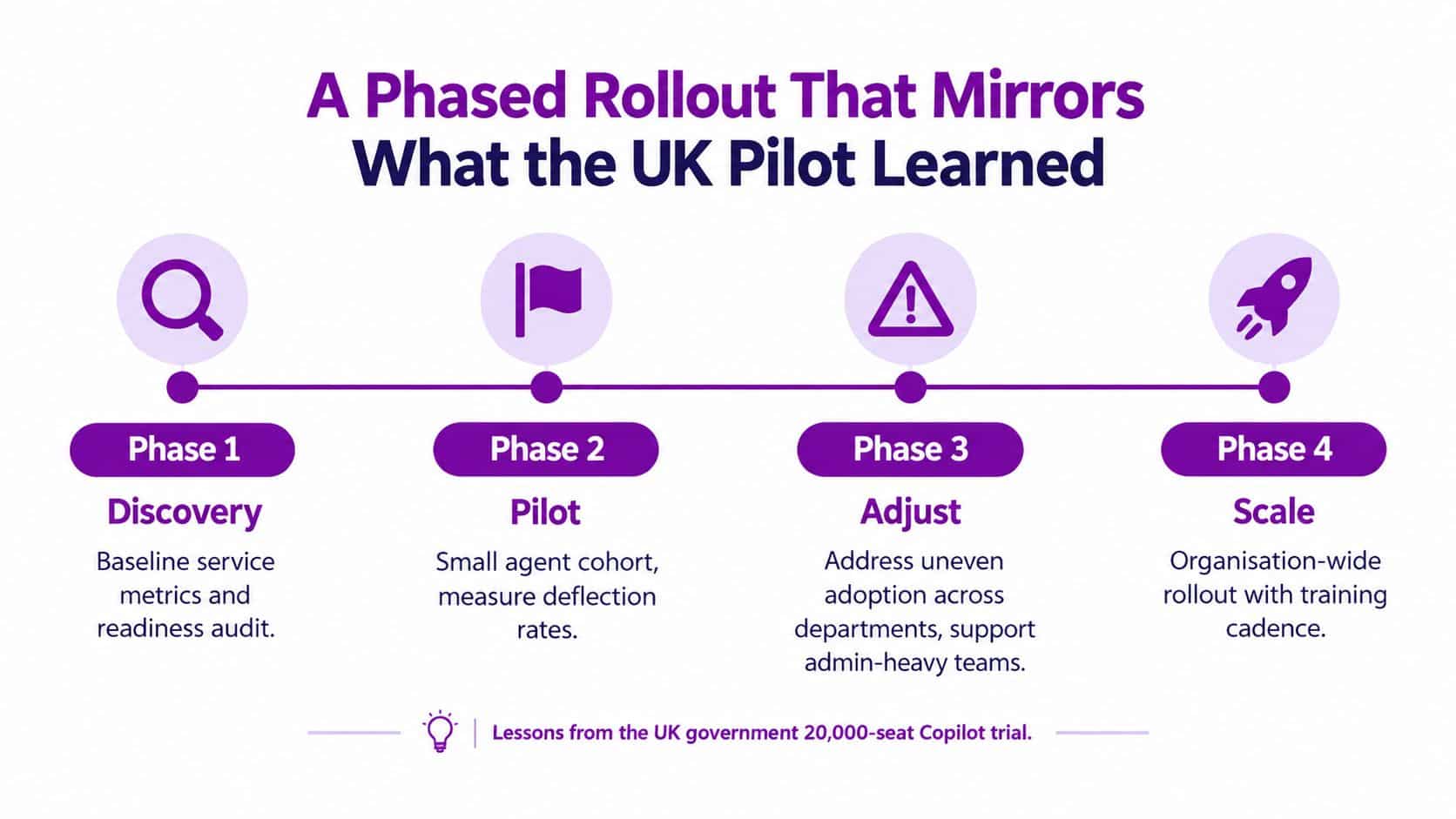
Phase one, establish the baseline
During weeks one to four, give a small group of senior agents access to case summarisation in Dynamics 365 Customer Service. Record the existing handle-time pattern, quality review results, rework and customer satisfaction baseline before changing the process.
Name a service owner, technical owner and data-protection contact. If the CRM data is incomplete, fix that before expanding the pilot.
Phase two, add communication workflows
During weeks five to ten, introduce Outlook email triage and Teams-based internal replies. Sample drafts through weekly quality reviews and classify errors by type, such as wrong article, missing context, unsupported commitment or unsuitable tone.
Don't measure adoption alone. A user can open Copilot frequently without improving the customer outcome.
Phase three, adjust the operating model
From week eleven onwards, consider knowledge-article drafting and AI-suggested macros only when the earlier controls are working. Support admin-heavy teams directly, because their tasks may not resemble the communication patterns that drive early adoption.
Set an explicit off-ramp. Pause expansion if quality declines, agents stop checking drafts or the knowledge base produces repeated errors.
Phase four, scale with evidence
Scale only when the service owner can show that the workflow improves against the agreed baseline without creating unacceptable risk. Keep weekly metric reviews, named champions and a training cadence in place after the licence count grows.
The government evidence supports a measured approach. It doesn't say that every department, role or application benefits in the same way.
Making the Decision and Next Steps for Your Service Desk
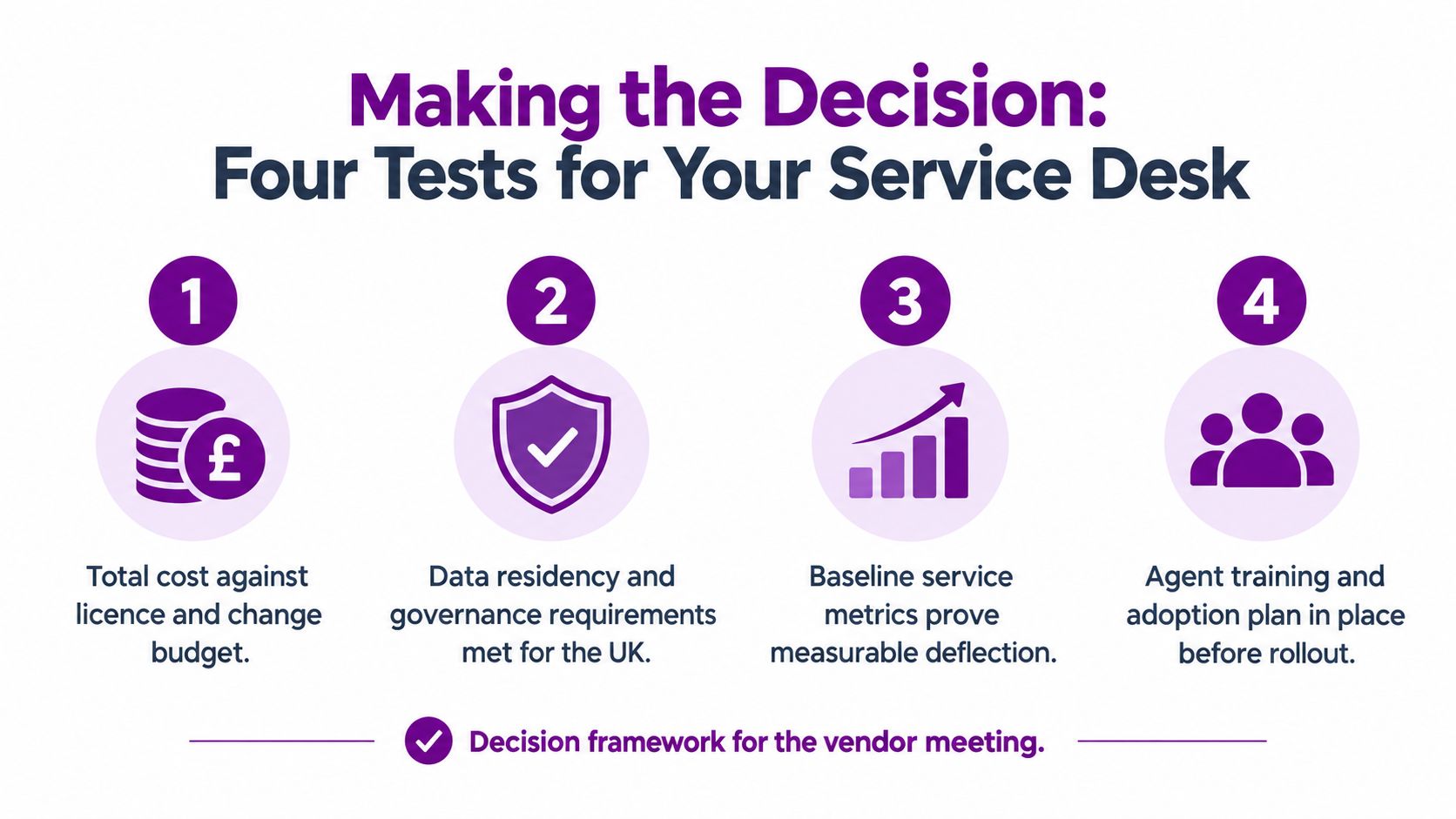
Take four tests into the vendor meeting. They cut through the feature demonstration and force the conversation back to service outcomes.
First, inspect the data. Are Dynamics 365 Customer Service records complete, consistently categorised and linked to the right knowledge articles? Copilot can't compensate for contradictory procedures, missing ownership or a case history that agents already distrust.
Second, validate the technical baseline. Confirm Microsoft Entra ID, role-based access, Conditional Access, endpoint access, Outlook and Teams readiness. If the tenant blocks Copilot endpoints or exposes inconsistent permissions, the rollout will fail for technical reasons rather than because the product lacks capability.
Third, test the economics against a six-month payback model, not a vendor's optimistic projection. Include the service-specific licence, existing Microsoft and Dynamics entitlements, implementation, training, quality assurance and the time supervisors spend reviewing AI-assisted work. Use your own handle-time and customer-satisfaction baseline.
Fourth, obtain a written residency and governance position for your sector. Confirm where data is stored, where processing occurs, which retention and audit controls apply, and whether the published UK processing roadmap meets your risk appetite.
Decision rule: Buy Copilot for Service when you can name the repetitive service work it will improve, prove the data is ready and measure the result. Don't buy it because the broader Copilot programme needs a service-desk success story.
The UK price band is a useful starting point, not a final quote. Validate the current Digital Marketplace terms, licence dependencies and partner scope against your own service desk before signing the order form.
F1Group can scope Microsoft 365 Copilot for Service around your Dynamics 365 Customer Service environment, identity controls, data governance and agent rollout plan. For a UK service-desk assessment, visit F1Group, call 0845 855 0000 today, or send us a message.