
The spreadsheet was meant to make reporting easier. Instead, it has become the place where finance figures, HR records, packaging data and security checks meet shortly before a deadline. Your IT Director wants one reliable answer, finance has a newer version, an external adviser is asking for supporting evidence, and nobody can say with certainty who approved the final figure.
That situation is common for lean UK teams. Compliance reporting isn't one task. It's a collection of recurring obligations, each with its own scope, deadline, format, data owner and evidence requirement. The practical answer isn't always another specialist application. Often, the Microsoft 365, Azure, Dynamics 365 and Power BI services already in place can provide the reporting pipeline, if they're configured as a controlled process rather than used as disconnected tools.
Why Compliance Reporting Keeps UK Businesses Awake
An IT Director at a mid-sized East Midlands manufacturer may begin with a familiar set of responsibilities: support the finance system, protect employee data, maintain access controls and keep operational systems available. Then reporting duties start to overlap. Finance needs accounts filed, HR needs employment information maintained, the sustainability team needs operational evidence, and operations needs packaging data captured as materials move through the site.
The difficulty isn't just the number of tasks. It's the uncertainty around which figures are authoritative, who owns them, when they must be checked and where the submission evidence belongs. A spreadsheet can record a deadline, but it won't automatically prove that the source data was complete, that a second person reviewed it or that the submitted file was the approved version.
Practical rule: Treat every reporting obligation as a small service with an owner, a process, a deadline and an evidence trail.
That mindset changes the IT conversation. Instead of asking whether the business is compliant in general, ask whether each obligation has a defined source system, validation rule, approval route and retention location. The answer should be visible to finance, legal, operations and IT without relying on one person's memory.
This guide explains the concept in plain language, then applies it to UK regulation. It shows how to design a reporting process, automate collection and approval with familiar Microsoft tools, and avoid the mistakes that cause late or poorly evidenced submissions. You'll also find practical templates and checklists that a busy team can adapt immediately.
What Compliance Reporting Really Means
Think of compliance reporting as the MOT test for your organisation's obligations. The regulator is the examiner, your business data is the vehicle being tested, and the filed report is the certificate. A vehicle can look clean and still fail because a required component doesn't work. Likewise, a report can read accurately while failing because it uses the wrong format, misses a required disclosure or lacks evidence of timely submission.
Every report needs three connected ingredients:
- Reliable business data: Figures must come from identified systems and named owners. If a number comes from a spreadsheet, the process should record who prepared it and which source records support it.
- The required output format: Some obligations require structured digital information, not just a well-written document. The reporting basis, taxonomy and filing destination must match the entity and obligation.
- Filed evidence: The organisation needs proof of what was submitted, when it was submitted and who approved it. A draft in an inbox isn't submission evidence.
Internal monitoring and external statutory reporting serve different purposes. Internal monitoring checks whether controls operate throughout the year. External reporting sends the required information to a regulator, filing authority or other prescribed recipient. The two must connect, because internal checks should produce the evidence and validated data needed for the external report.
For example, a compliance calendar can identify a deadline, while a Power BI dashboard can show missing data and a Power Automate approval flow can capture review. A controlled SharePoint library can preserve the final file and its version history. Guidance on leaving reporting for HR can also help teams separate HR-owned reporting from obligations that require finance, IT or operational input.
The financial consequences are clear in UK enforcement. HMRC's National Minimum Wage regime opened 5,200 new cases, closed 4,800 cases, identified about £5.8 million in arrears owed to 25,200 workers, and issued around 750 penalties worth £4.2 million in 2024/25, as recorded in its national enforcement and compliance report. Compliance reporting feeds casework, financial recovery and penalties. It isn't merely paperwork for an archive.
The UK Regulatory Landscape You Must Report Against
UK reporting duties depend on entity type, size, sector, accounting framework and filing destination. That combination matters because selecting the wrong basis at the start can make a report non-compliant even when the narrative is accurate.
For financial reporting, FRS 100 defines the applicable framework for UK and Republic of Ireland entities, while FRS 102 applies to entities not using adopted IFRS, FRS 101 or FRS 105, according to the Financial Reporting Council's FRS 102 guidance. The first control should therefore be a rules decision, not a document-writing task.
| Obligation | Applies To | Deadline / Cadence |
|---|---|---|
| Companies House accounts | Private companies and LLPs | Subsequent-year accounts must be delivered within 9 months of the accounting reference period end. |
| Companies House accounts | Public companies | Subsequent-year accounts must be delivered within 6 months of the accounting reference period end. |
| First accounts | Companies and LLPs with first accounts covering more than 12 months | 18 months from incorporation or 3 months from the accounting reference date, whichever is longer, under Companies House filing guidance. |
| Annual Financial Report | Companies admitted to trading on a UK regulated market | File with the FCA within 4 months of the financial year-end, in XHTML, and keep it publicly available for at least 10 years. |
| Payment practices reporting | The UK’s largest companies and LLPs | Half-yearly for financial years beginning on or after 6 April 2017. The threshold is £49.5 million when prorated for an 11-month financial year, with government guidance giving £56.2 million for a 380-day year. See the payment practices reporting guidance. |
| Packaging data reporting | Large and small UK packaging producers | Large producers report every 6 months, small producers annually. The next deadlines are 1 October 2026 for large producers and 1 April 2027 for small producers, according to packaging reporting guidance. |
Companies on a UK regulated market that prepare IFRS consolidated accounts must digitally tag those statements unless an exemption applies. Finance, legal and IT therefore need a validated XHTML and XBRL pipeline, versioned evidence and taxonomy checks across FCA and Companies House channels.
For a broader data-protection control view, an internal GDPR compliance checklist can help identify ownership, evidence and review gaps before they affect a filing.
Designing a Compliant Reporting Process
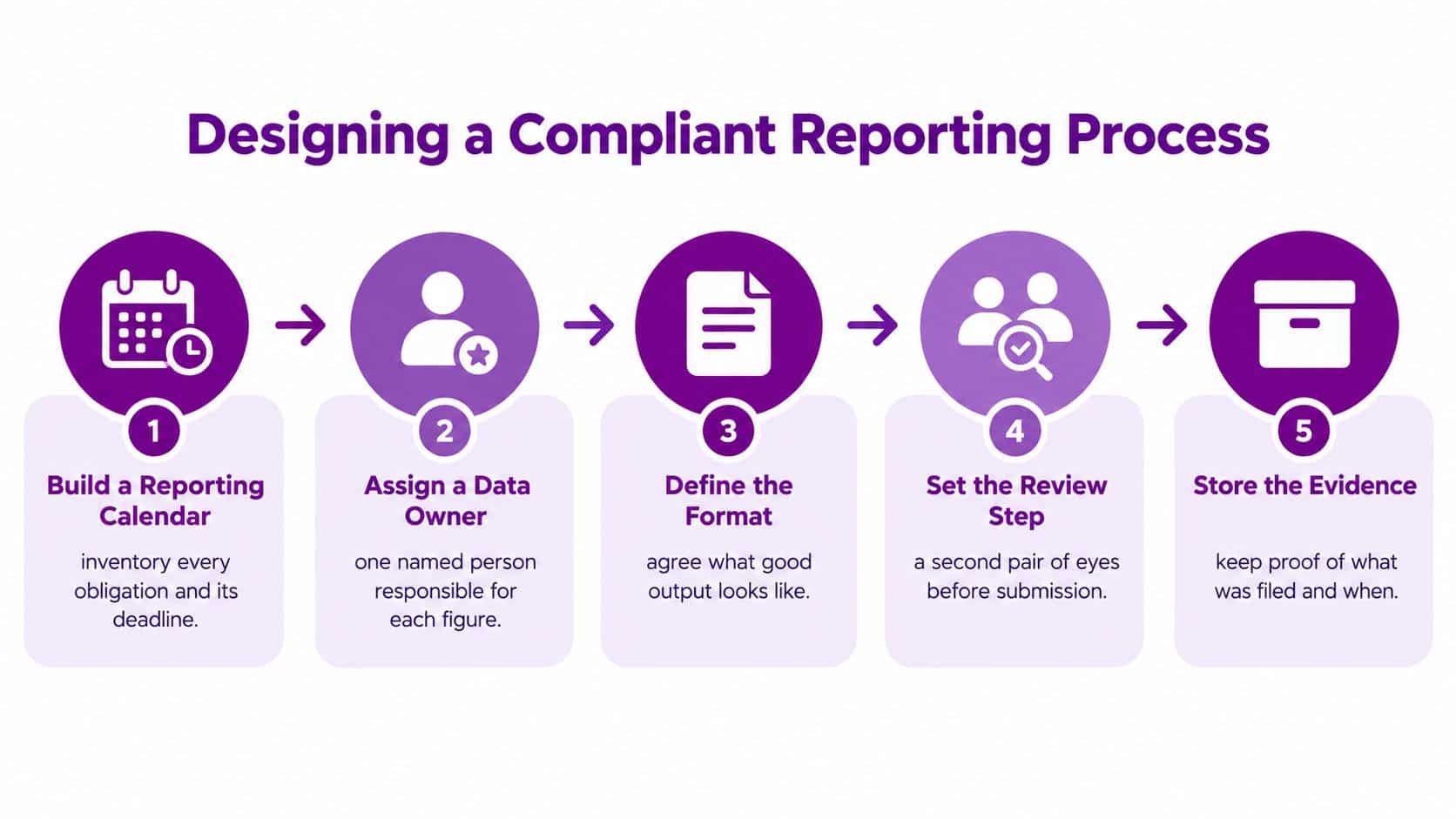
A reliable process begins before anyone opens a report template. Build the machinery in five stages, then assign each stage to the Microsoft service best suited to it.
Start with the obligation map
Create one reporting calendar in Microsoft 365. Record the obligation, entity or business unit affected, filing destination, due date, preparation date, reviewer, data owner and evidence location. SharePoint provides controlled storage, while Microsoft Lists can make the calendar searchable and filterable.
Name the data owner
A report should never say only “finance owns this”. Finance may own the accounts, but operations may own production records, HR may own workforce information and IT may own access or security evidence. Assign one named person to each material input and one accountable approver for the final submission.
Dynamics 365 can act as the system of record for operational information where it holds the relevant process data. SharePoint can hold supporting documents, declarations and signed reviews. The owner remains accountable even when the information is collected automatically.
Define format and validation
Agree what a valid output looks like before collection starts. Power BI can display missing fields, unusual values and unresolved exceptions. Power Apps can provide a structured form where a spreadsheet would otherwise allow inconsistent entries.
Build review into the route
Power Automate can send a prepared report to a reviewer, record the decision and return exceptions to the owner. Microsoft Teams can support discussion, but the approval record should live in the controlled workflow rather than disappear into a chat thread.
Preserve the evidence
Microsoft Purview retention labels, SharePoint version history and Azure storage can support retention, access control and evidence preservation. Azure logging can record relevant system activity, while Microsoft 365 governance controls help restrict who can alter or approve records.
The control is not the software. The control is the combination of ownership, validation, approval and evidence.
A practical lone worker policy guide illustrates the same principle outside financial reporting. A policy becomes useful when responsibilities, review points and records are clear. Your IT policy template should follow that approach, with explicit owners and evidence requirements rather than broad statements that nobody can test.
Automation and Audit Trails That Stand Up to Scrutiny
Manual reporting usually fails in three places. The team lacks a single source of truth, nobody can reconstruct who changed a number, or the final report has no proof of review. These gaps often appear after submission, when an auditor or regulator asks a simple question and the organisation has to search email, local files and meeting notes.
Power Automate can make the process more predictable. A scheduled flow can read the reporting calendar, request source data from named owners, check that required fields are present and route the draft to an approver. A second flow can notify the owner about exceptions, while a final step stores the approved output and submission confirmation in a controlled library.
Power BI adds an early warning layer. A dashboard can show blank fields, records outside an agreed period, unmatched totals or items awaiting confirmation. It shouldn't replace professional judgement, but it can help the reviewer focus on exceptions instead of checking every record manually.
Answer the auditor's three questions
A defensible audit trail should answer:
- Where did this number come from? Link the reported value to the source system, record set or document.
- Who approved it? Preserve the named reviewer, decision and approval date in the workflow.
- Where is the evidence? Store the submitted file, confirmation and relevant supporting records under a defined retention rule.
SharePoint version history can show document changes. Microsoft 365 unified audit logs can support investigation of activity across relevant services. Azure activity logs can provide evidence of changes in Azure resources, access and workflow components. Purview retention labels can help prevent controlled records from being deleted or altered before the required retention period ends.
Automation doesn't remove accountability. It makes accountability visible. The flow can collect a figure, but a named person still needs to assess whether the figure is reasonable and whether the report meets the applicable requirement.
For an independent view of evidence gaps, an IT audit services approach can help test whether system activity, approvals and retained records would stand up to scrutiny.
Common Pitfalls and the Changes Ahead
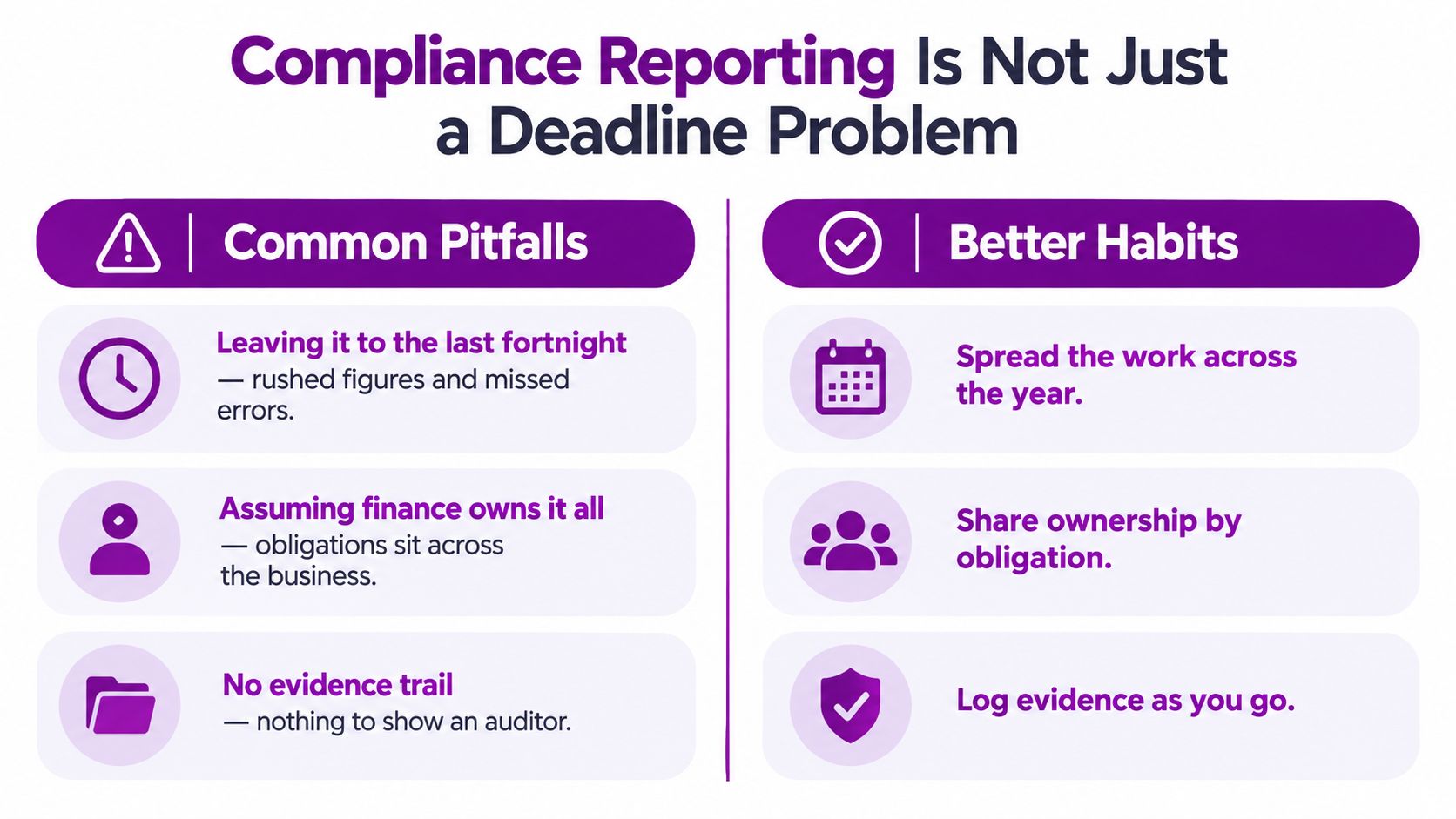
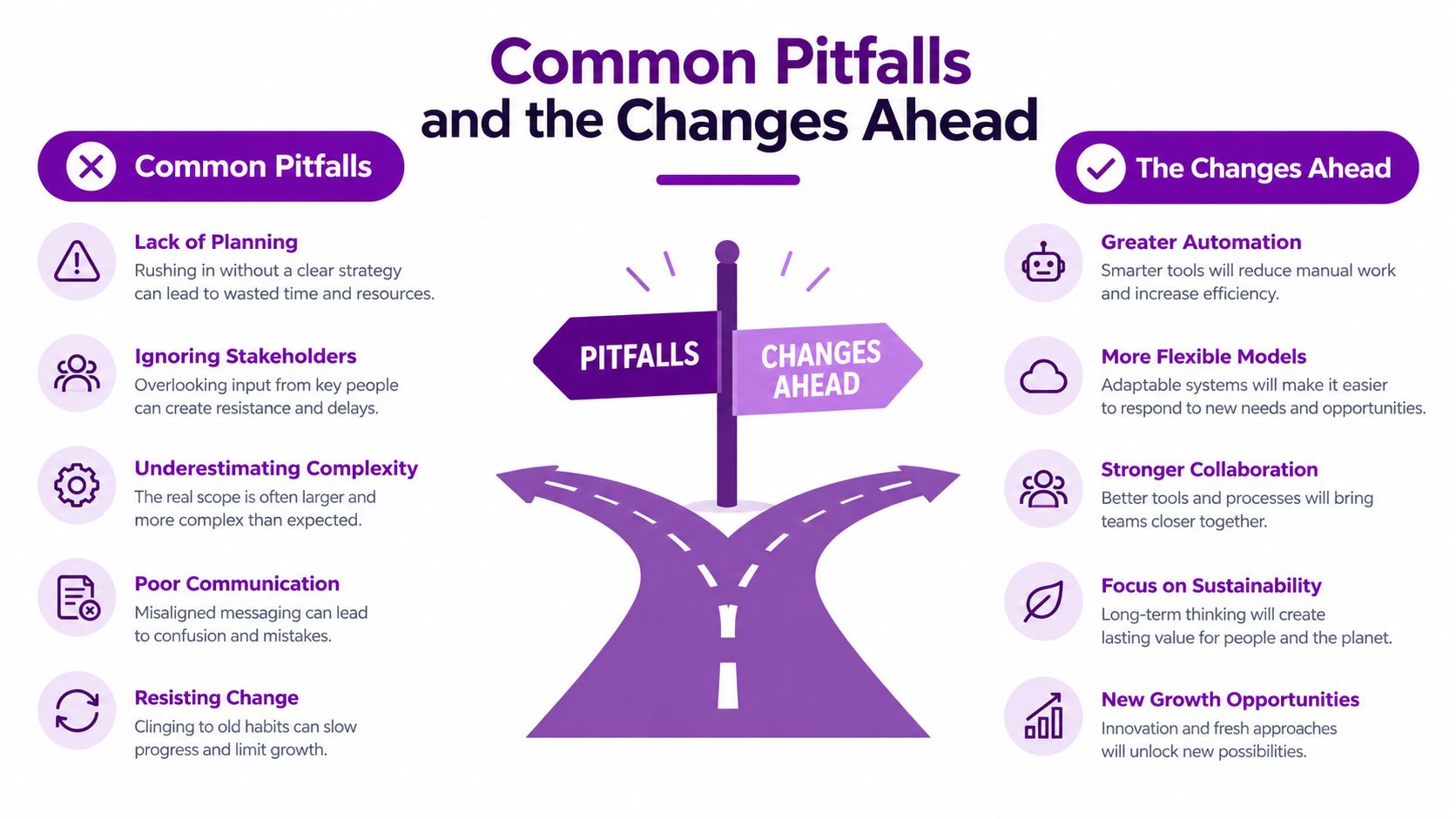
The most common mistake is treating compliance reporting as a last-minute deadline problem. A team leaves the work to the last fortnight, discovers missing data, asks several people for figures and submits the least-wrong version available.
A disciplined process spreads effort across the year. The calendar triggers collection early, dashboards expose gaps, and the reviewer has time to challenge unusual figures. This approach also prevents the assumption that finance owns everything. Many reports depend on operations, HR, procurement, IT and external advisers.
Email is another weak point. A chain of messages may show that people discussed a figure, but it rarely provides a dependable record of the approved version, the final evidence or the exact submission. Store the decision and the artefacts in a controlled location instead.
Separate immediate work from future preparation
The UK direction of travel means structured reporting capability deserves attention. UK Sustainability Reporting Standards were published in February 2026, and FCA-listed firms are being pushed towards mandatory UK SRS S2 reporting, with Scope 3 on a comply-or-explain basis, as described in analysis of the proposed corporate reporting reforms.
Companies House has confirmed that all UK registered companies will need to file accounts in iXBRL format from April 2028, according to the same source. That is future preparation, not a reason to delay current controls. Start by mapping data ownership, structured output needs and evidence storage.
A Practical Compliance Reporting Setup for SMEs
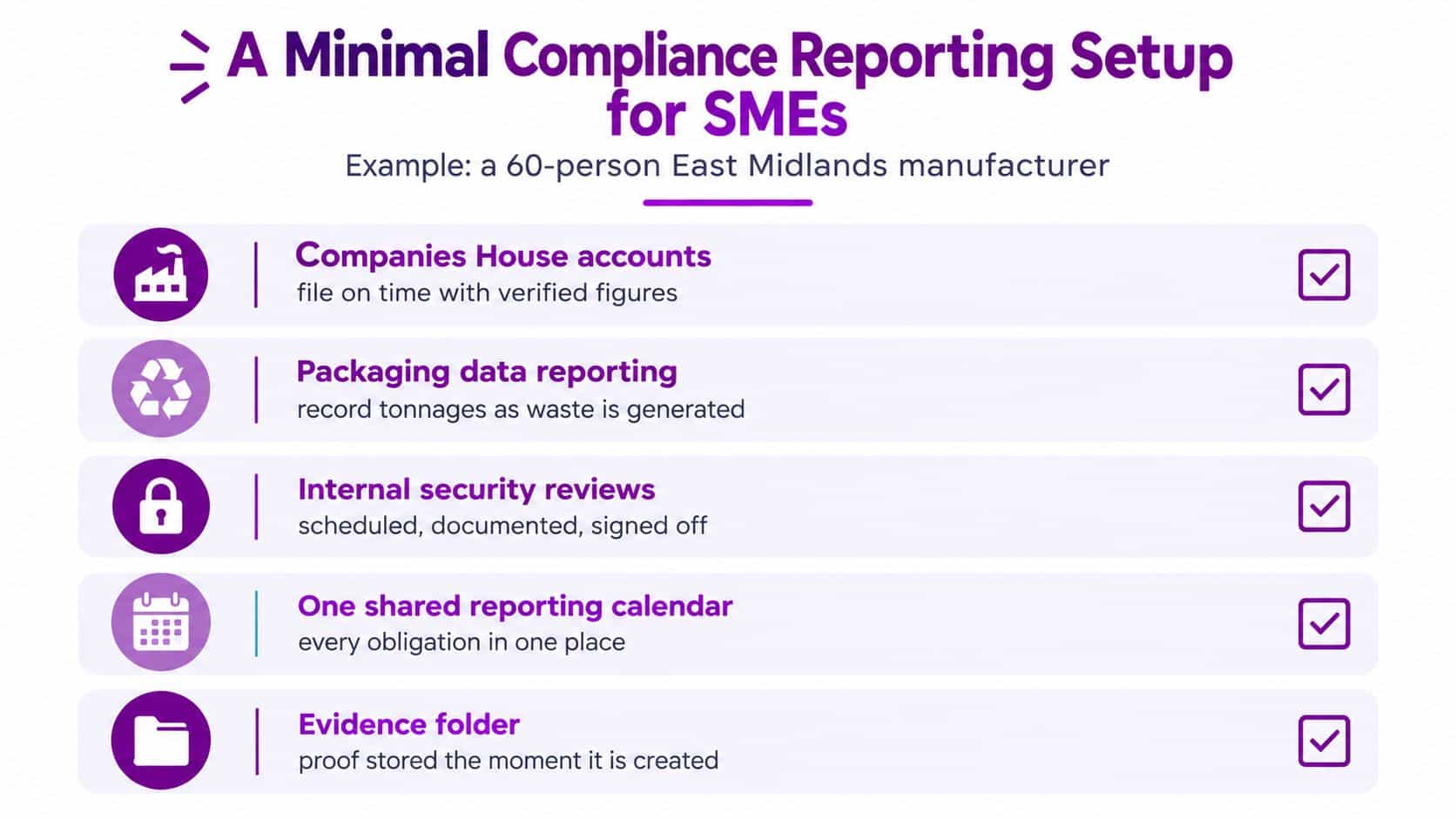
Take a representative 60-person East Midlands manufacturer. Its minimum workable setup covers Companies House accounts, packaging data reporting and internal security reviews. It doesn't need a separate application for every obligation. It needs one controlled process that makes ownership and evidence obvious.
The reporting calendar sits in Microsoft 365, with each obligation linked to an owner, reviewer and evidence folder. Dynamics 365 supplies operational records where appropriate, while SharePoint stores source documents and approved outputs. A Power BI dashboard highlights missing or inconsistent information, and Power Automate routes the report for review before the final file is retained under a Purview policy.
Small businesses often struggle with time burden, complexity and limited in-house expertise in financial reporting, as described in government research on regulatory compliance challenges. A 2026 FCA panel report also identifies technological barriers for SMEs, including digital identity, AML and KYB costs, and limited timely data sharing. That makes a small, clearly governed toolset more practical than uncontrolled tool sprawl.
Copy and adapt this checklist
- List obligations: Record each report, entity, destination and cadence.
- Assign ownership: Name the person responsible for each input and approval.
- Check source data: Connect each figure to Dynamics 365, SharePoint or another defined source.
- Validate exceptions: Use Power BI to flag missing, late or inconsistent records.
- Approve centrally: Route the final report through Power Automate.
- Retain evidence: Store the submitted output, approval and confirmation under a Purview retention rule.
F1Group can help configure Microsoft 365, Azure, Power Platform and security controls around this type of reporting process. The important outcome is a repeatable operating model that a small team can run without depending on one spreadsheet owner.
Your Next Steps to Stress-Free Compliance Reporting
Start with an inventory. Write down every recurring report, who it applies to, where it goes, what format it requires and when the deadline falls. Include internal reviews as well as statutory submissions, because internal evidence often supports external reporting.
Then create the shared calendar and assign a data owner to every significant figure. Don't assign a department alone. A named person can confirm whether the source is complete, explain an exception and hand the item to the reviewer.
Your immediate action list is straightforward:
- Map the obligations: Confirm entity type, reporting basis and filing destination.
- Set preparation dates: Bring data collection forward so the deadline isn't the first working date.
- Automate requests: Use Power Automate for reminders, validation and approval routing.
- Expose data quality: Build a Power BI view of missing fields, exceptions and overdue approvals.
- Lock down evidence: Use SharePoint, Purview and Azure logging to preserve source records, decisions and submitted files.
A mid-sized organisation doesn't necessarily need specialist compliance software. The Microsoft stack it already licences can cover much of the process when its services are connected deliberately and governed consistently.
If your team lacks the time or in-house expertise to build this, phone 0845 855 0000 today or send us a message so F1Group can take ownership of the setup. A well-designed reporting process gives your team confidence because every obligation has a clear owner, a controlled workflow and evidence ready when it's needed.
F1Group helps UK organisations design compliance reporting workflows across Microsoft 365, Azure, Dynamics 365, Power BI and Power Automate, including governance, automation and audit evidence. Visit F1Group to discuss a practical setup for your business, or phone 0845 855 0000 today.