
£80.70 per user per month is the UK base Dynamics 365 Field Service licence price, but the true cost of ownership is driven by implementation day rates and attach licensing structures rather than the headline software price. Contractor access, scheduling add-ons, support and integration can change the budget far more than the published seat cost.
That challenges the most popular advice about Dynamics 365 Field Service pricing. Many buying guides reduce the decision to a monthly licence comparison, then leave the IT director to explain why the implementation budget has expanded once discovery, data migration, integrations and user adoption appear in the statement of work.
The right question isn't “What does a Field Service licence cost?” It's “What operating model are we funding, who needs which level of access, and what will it take to make the platform work reliably across the organisation?” That shift from subscription price to total cost of ownership produces a more credible business case and fewer unpleasant surprises.
The Reality of Field Service Software Costs
The published seat price is the easiest number to approve and the least reliable guide to the project budget. Microsoft's UK Dynamics 365 Field Service pricing page sets out the annual UK licence basis, excluding VAT. Treat that figure as a licensing reference, not a deployment forecast.
With the baseline established, the immediate saving comes from avoiding identical licensing for dispatchers, service managers, mobile engineers, occasional users and external contractors. Their work differs, so their access should differ too. Assigning every person the same full licence creates avoidable spend before Field Service delivers operational value.
Licence cost is only one budget line
Your financial model should include the work required to make the application usable:
- Process design: Map work orders, approvals and scheduling before configuration starts. Existing habits rarely fit the target operating model without changes.
- Integration: Finance, inventory, customer records, asset data and billing may need controlled exchanges with Field Service.
- Data migration: Clean, map and validate customer, equipment and service history data before users rely on it.
- User adoption: Dispatchers and engineers need role-specific training, supported by practical workflows rather than a generic product demonstration.
- Support: Assign ownership for incidents, changes, release management and ongoing optimisation after launch.
Peripheral services can expose costs that the core licence estimate misses. If the operating model requires tax or VAT validation, assess pricing for VAT validation API during discovery. An external dependency found after scope approval can force integration work, testing and operational changes into an already constrained budget.
Practical rule: Approve the licence mix and delivery model together. A low subscription estimate paired with an incomplete implementation scope is not a saving.
The contrarian position is straightforward. Licence price is often the least sensitive variable in the total budget. Customisation, integration and support decisions usually influence financial outcomes more than the published seat cost. Ask suppliers for a lifecycle model that separates licences, professional services, support, add-ons and future changes.
That separation gives finance a defensible approval basis. It shows which costs apply from day one, which can be phased, and which depend on operational complexity. Without it, procurement may approve an apparently affordable project while the delivery team lacks funding for go-live readiness, adoption or reliable post-launch operations.
Understanding Base and Attach Licence Structures
Microsoft licensing becomes more economical when you map access to existing Dynamics applications instead of assigning every person a standalone Field Service licence. A base licence provides the qualifying Dynamics entitlement, while an attach licence can add Field Service for a user who already holds an eligible base application licence.
A UK Microsoft partner licensing summary lists a Field Service Attach licence at £15.10 per user per month for users who already have a qualifying base licence, such as Sales Enterprise or Customer Service Enterprise. It also explains that the base licence must be purchased first at standard pricing. The same summary lists Field Service at £71.60 and Resource Schedule Optimisation at £22.60, illustrating how the licensing mechanic can materially change the structure of a UK deal. These figures are detailed in this UK Dynamics licensing summary.
Map roles before buying seats
Start with the work each person performs, not their department or job title.
- Dispatchers: Usually need the full tools required to create, allocate and manage work.
- Service managers: Need operational visibility, control and reporting, although their existing Dynamics entitlement may affect the best commercial route.
- Engineers: Need the access required to receive and complete assigned work through the mobile experience.
- Contractors: May need a restricted licence rather than the full internal-user entitlement.
- Occasional users: Should be assessed carefully. Infrequent access doesn't automatically justify the same licence as a dispatcher.
The attach route is especially relevant where Sales Enterprise or Customer Service Enterprise is already deployed. It can reduce the incremental Field Service cost for eligible users, but it doesn't remove the requirement to hold the qualifying base licence. Buying an attach licence without validating that prerequisite creates a compliance and budgeting problem.
UK licence cost comparison
| Licence Type | Monthly Cost (GBP) | Ideal User Profile |
|---|---|---|
| Field Service Attach | £15.10 | Existing qualifying Dynamics users who need Field Service |
| Field Service | £71.60 | Core users requiring the full Field Service application |
| Resource Schedule Optimisation | £22.60 | Resources needing advanced scheduling capability |
The table reflects the partner licensing summary, not a universal quote. Microsoft pricing can vary by country, currency, regional variant, contract terms and reseller arrangements, so procurement should validate the commercial basis of every proposal.
Use the same discipline in your wider software licensing best practices. Document the qualifying base licence, the user role, the required features and the contract assumptions. That record makes renewal reviews easier and helps prevent a growing collection of licences that no longer matches the operating model.
Evaluating Essential Add-Ons and Contractor Access
A lean Field Service deployment is often the better financial decision. Start with the roles, workflows and access each team needs, then add capability only when a measurable operational constraint justifies it. The transparent seat price is only the starting point. Add-ons and contractor access can materially change the UK cost model.
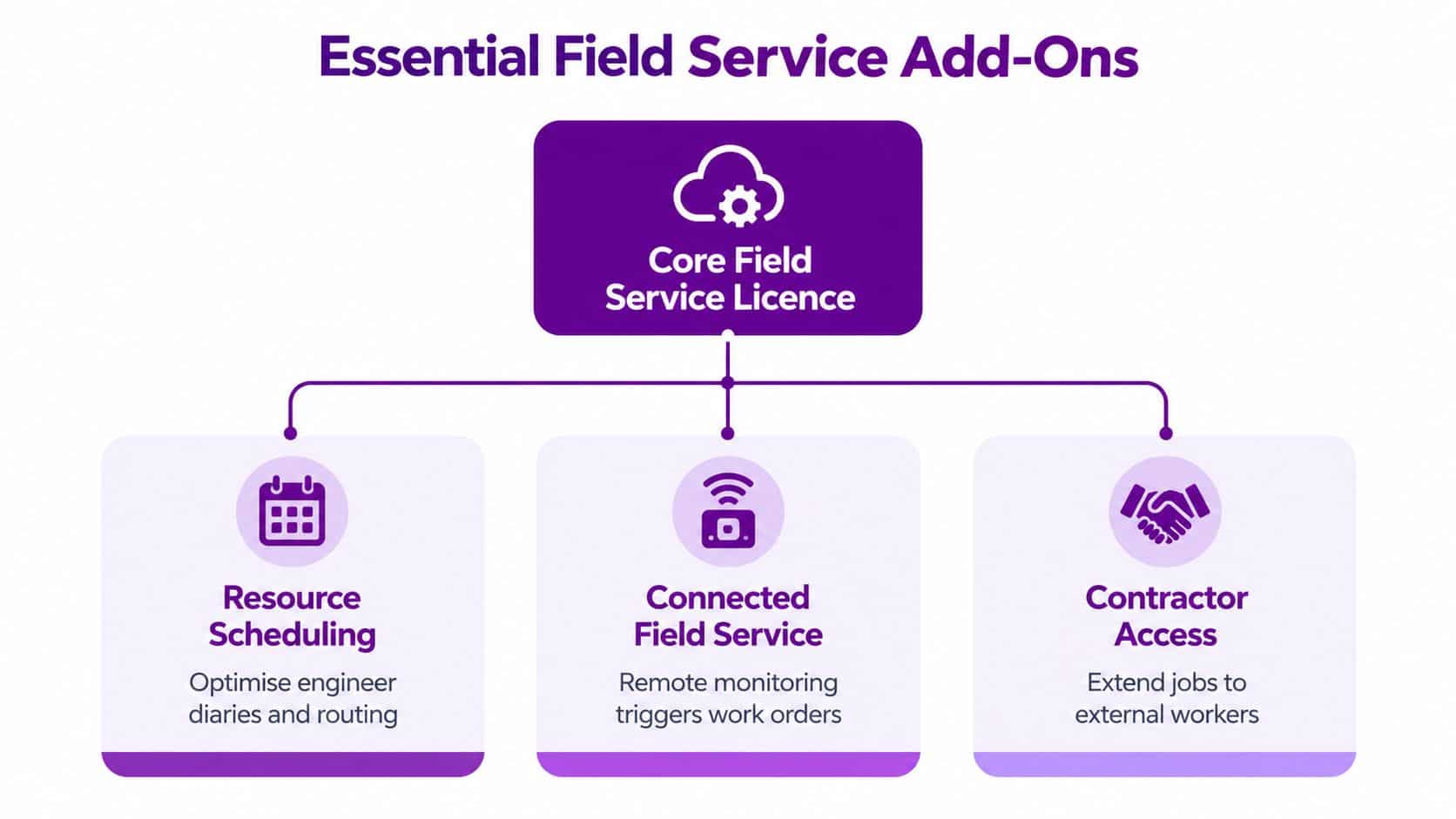
Building on the £80.70 base price noted earlier, the incremental decisions are contractor access at £38.40 per user per month and Resource Scheduling Optimisation at £23.10 per resource per month, based on Microsoft's UK pricing information. These figures are stated on an annual commitment and exclude VAT. Treat them as a commercial reference point, not a final quotation. Validate the currency, regional variant, commitment, user type and reseller terms before approving a business case.
Choose the add-on by operational constraint
Resource Scheduling Optimisation earns its place when dispatchers coordinate complex diaries, territories, skills, availability or changing priorities. Do not buy it because automated scheduling sounds attractive. First determine whether the problem comes from incomplete resource data, inconsistent planning practices or genuine optimisation complexity. Scheduling software cannot correct poor records or unclear ownership.
Contractor access addresses workforce composition rather than scheduling sophistication. If external engineers need to receive assignments and update work, while avoiding the full internal operating model, the contractor licence can control spend. Define the permitted actions in detail. A lower-cost licence still fails if it cannot support the contractor's real workflow, or if users need repeated manual workarounds.
Connected Field Service belongs later unless remote monitoring already forms part of the service strategy. Sensors, alerts, asset data and automated work-order triggers create value only when someone owns the resulting response. Agree who reviews alerts, confirms faults and initiates work before connecting devices. Otherwise, the organisation adds data, noise and support effort without improving field operations.
A practical decision test
Ask three questions for every proposed add-on:
- What operational decision will it improve?
- Which named users or resources will use it?
- What process will change once it is enabled?
Unclear answers mean the purchase should wait. Configure the core work-order and mobile processes first, validate the data, then introduce automation against a documented constraint. This sequence gives finance a defensible approval trail and prevents unused functionality from becoming a recurring cost.
Set role boundaries before licensing. Contractors, planners and managers should have distinct responsibilities, and the security model should enforce those responsibilities from the start. Review usage after deployment. A licence that was justified during design may become unnecessary when the operating model changes.
The Hidden Weight of Implementation and Support
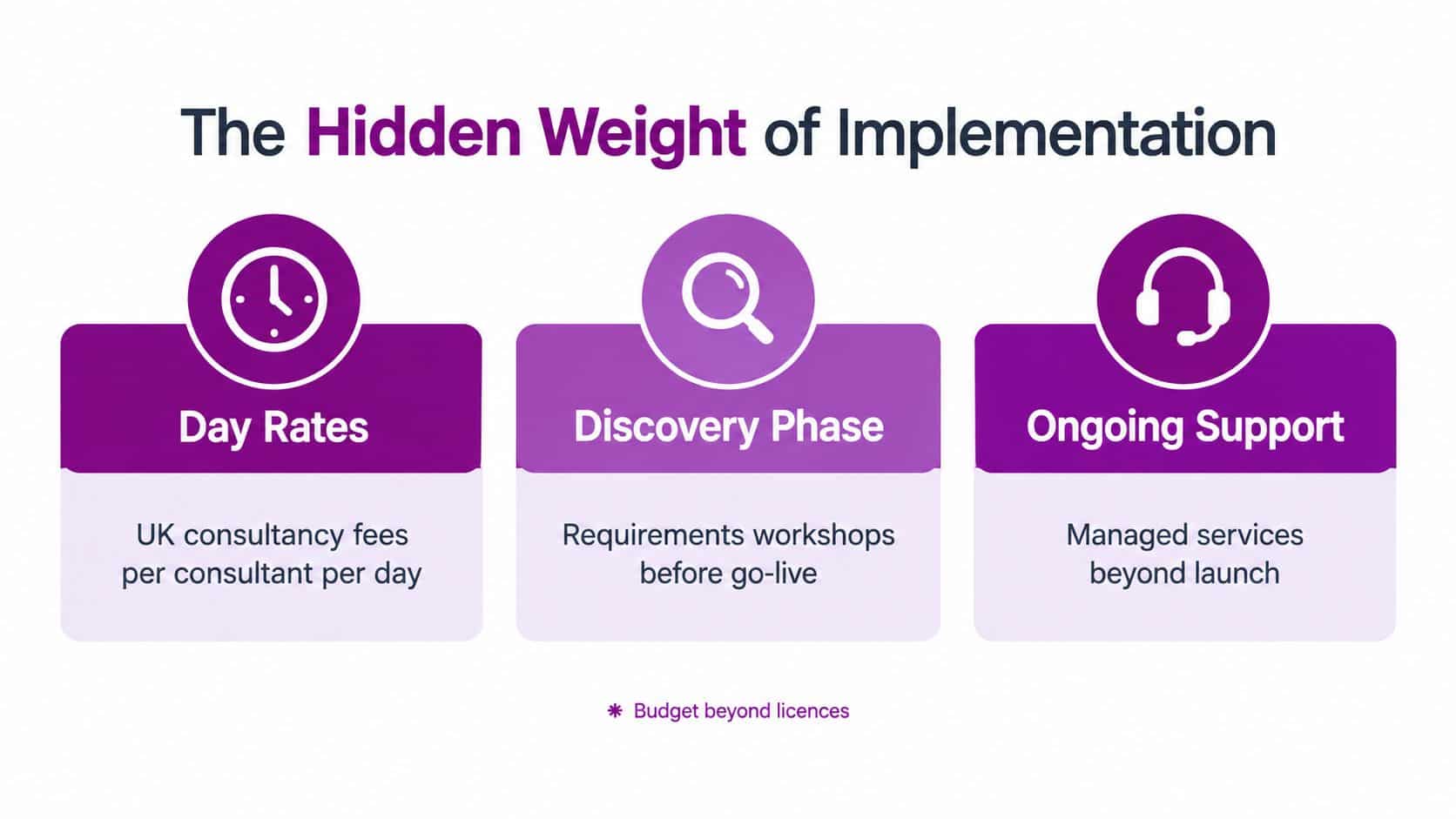
Professional services are where many UK Dynamics 365 Field Service budgets become unrealistic. Public UK procurement listings quote implementation day rates from £445 to £1,600, and other listings quote £600 to £2,440 per day, as shown in the UK Digital Marketplace service listing. Those ranges demonstrate why a complex deployment can cost considerably more in services than the initial licence estimate suggests.
Independent UK-facing guidance in the same procurement context states that implementation for a simple project can start at £20,000 to £60,000, with support costs around £35 per user per month. These figures aren't a universal quotation, but they make the commercial point clearly: the effort required to design, integrate and operate the system can outweigh the published application cost.
Read the statement of work defensively
A partner proposal should identify the assumptions behind every major activity. “Integration with ERP” is not a sufficient description. You need to know which systems are involved, which records move between them, how errors are handled and who owns testing.
Look for explicit scope around:
- Discovery: Workshops, process mapping, requirements decisions and solution design.
- Configuration: Work orders, territories, booking rules, statuses, security roles and mobile forms.
- Data: Extraction, cleansing, transformation, trial loads and reconciliation.
- Integration: Interfaces with finance, inventory, customer, asset or billing systems.
- Testing: Business acceptance, regression testing, integration testing and defect resolution.
- Training: Separate content for dispatchers, managers, engineers and administrators.
- Go-live: Cutover planning, data validation, early-life support and escalation.
- Optimisation: Enhancements that sit outside the initial deployment.
A cheaper day rate doesn't make a cheaper project if the partner needs more days to compensate for weak discovery.
Support is part of the operating model
Support shouldn't be an afterthought attached to the go-live date. Decide whether the internal IT team can manage application administration, user support, integration monitoring and change requests, or whether a specialist partner needs to provide those services.
Microsoft's direct pricing may look precise, while partner offers can vary by contract length and reseller terms. That doesn't make partner pricing unreliable. It means the buyer must compare the service wrapper, response commitments, ownership boundaries and escalation route as carefully as the licence line.
The strongest commercial proposal links support to business risk. A service organisation that depends on accurate scheduling and timely work completion may need a more structured support arrangement than a small team with simple workflows. Price the consequence of failure, not just the number of support hours.
Modelling Total Cost of Ownership Scenarios
A useful TCO model doesn't need false precision. It needs clear inputs, consistent assumptions and a visible distinction between recurring and one-off costs. Start with the licence profile, then add implementation, integrations, data work, training, support and optional capabilities.

Build the model in layers
Layer one is access. List each user group and assign the licence required for its actual tasks. Separate internal users, existing qualifying Dynamics users, contractors and people who only need limited participation. Don't apply the most expensive licence as a default.
Layer two is capability. Add scheduling optimisation, connected asset functionality or other modules only where the process requires them. Record whether each item is essential for go-live, planned for a later phase or merely desirable.
Layer three is delivery. Estimate discovery, configuration, integration, data migration, testing, training and cutover as separate workstreams. This prevents a single implementation figure from hiding the activities most likely to expand.
Layer four is operation. Include support, administration, release management, reporting changes and future enhancements. A platform that is affordable to launch but difficult to maintain isn't cost-optimised.
Three useful planning scenarios
For a small regional maintenance team, keep the first release narrow. Focus on work orders, core scheduling, mobile completion and the minimum data required to operate. Defer complex integrations and advanced automation until the team has validated its processes.
For a mid-sized service operation, model role-based licensing more carefully. Existing Dynamics users may be candidates for attach licensing, while contractors should be separated from internal engineers. Include integration design and user adoption as explicit budget lines, because process coordination becomes more important as teams and locations expand.
For a national engineering fleet, treat the platform as an operating system rather than a standalone application. Model territories, resource rules, asset data, ERP integration, reporting, support governance and phased deployment. A national rollout should have a defined release sequence, decision forum and ownership model.
Give finance a repeatable formula
Use this structure:
First-year TCO = recurring licences and add-ons + implementation services + data and integration work + training + first-year support.
For a longer-term view, separate the recurring annual costs from one-off delivery work and add planned enhancement capacity. Don't present a single total without showing the assumptions behind it. Finance should be able to adjust user groups, contractor participation, support choices and implementation scope without rebuilding the entire case.
For organisations connecting service operations to wider finance and operational processes, the discussion should sit alongside the broader ERP considerations for SMEs. Field Service pricing can't be optimised in isolation if the deployment changes inventory, invoicing or customer data ownership.
Strategies for Long-Term Cost Optimisation
Cost control doesn't end when the first users sign in. The licence estate, add-ons, support demand and business processes will change, so governance must continue after deployment.
Harvest licences instead of carrying dormant access
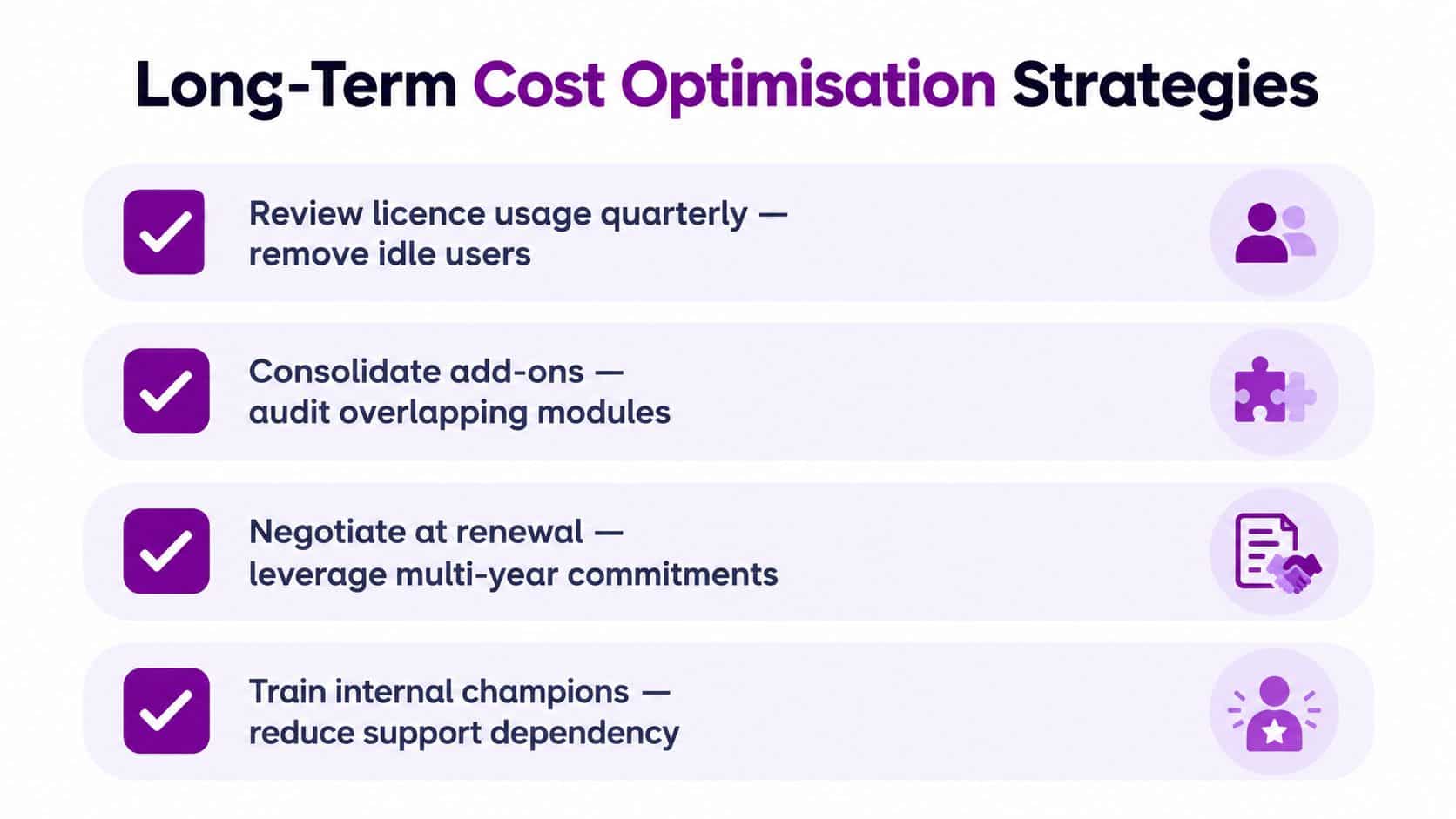
Review usage regularly and remove access that no longer has an operational purpose. A leaver, role change or contractor departure should trigger a licence review. Keep an audit trail showing why each user has the assigned entitlement and whether a base licence makes an attach route appropriate.
This is more effective than waiting for renewal. By that point, unused access may have been carried through the contract without anyone owning the decision.
Phase capability around value
Don't deploy every integration, automation and reporting enhancement at once. A phased rollout lets the organisation stabilise core workflows before it adds complexity. It also aligns recurring costs with the parts of the service model that are ready to use.
Prioritise the capabilities that remove a defined operational constraint. If scheduling is the bottleneck, improve resource data and dispatch rules before adding advanced optimisation. If billing is delayed, resolve work completion and finance integration before investing in peripheral features.
Govern add-ons and support
Keep an add-on register with the owner, purpose, user or resource group and renewal decision. Audit overlapping capabilities, especially where Power Platform tools, partner applications and Dynamics functionality serve similar needs. The cheapest module is not necessarily the best option if it creates additional administration or duplicates data.
Support should follow the same principle. Train internal champions for routine questions, retain specialist assistance for complex configuration and integration, and make ownership clear. This reduces dependency without leaving the IT team exposed when the platform changes.
Renewal discipline: Treat contract renewal as a design review, not an automatic extension.
Before renewal, compare actual usage with the approved role model, review the value of each add-on, challenge unused capacity and ask the reseller to explain every commercial assumption. Multi-year commitments may affect the offer, but they should only be accepted when the user forecast and operating model are credible.
Next Steps for Your Field Service Transformation
Start with a licensing and process workshop, not a product demonstration. Bring the service manager, dispatch lead, finance owner, IT administrator and someone who understands the current field workflow. Their combined view will expose the difference between what the organisation wants, what engineers need and what the data can support.
Ask prospective partners:
- Which users need the full Field Service application?
- Which users may qualify for an attach licence?
- Which contractors need restricted access?
- What data will be migrated, and who will cleanse it?
- Which integrations are essential for the first release?
- What assumptions sit behind the implementation estimate?
- Who owns testing, training, cutover and post-launch support?
- How will licence usage and add-ons be reviewed after go-live?
A credible partner should answer with a transparent commercial model rather than a single headline figure. The proposal should show recurring licences, one-off implementation work, support, optional features and the conditions that could change the estimate.
For organisations assessing the UK market, guidance on choosing a Dynamics 365 partner in the UK can help structure that evaluation. The right partner will challenge unnecessary customisation, explain the licensing mechanics, protect data quality and provide an operating model that remains manageable after launch.
The practical recommendation is clear. Price the roles first, validate attach eligibility, isolate contractor access, phase advanced features and insist on a detailed implementation and support scope. That is how an IT director turns Dynamics 365 Field Service pricing into a controlled investment rather than an underfunded software purchase.
F1Group can help you assess Dynamics 365 Field Service licensing, implementation scope, integrations and ongoing support with a UK-focused cost model. Visit F1Group, phone 0845 855 0000 today, or send us a message to discuss your field service transformation.