
Most East Midlands SMEs don't start looking at cloud IT infrastructure because it's fashionable. They start because the server in the office cupboard has become a liability. It's slow to upgrade, awkward to back up properly, and always one hardware fault away from a very bad Monday morning.
That usually shows up in practical ways. Staff can't get to systems easily when they're off-site. Line-of-business applications feel brittle. Replacing ageing hardware means another large capital spend, yet the result is still a fixed environment that can't flex when the business changes.
Cloud IT infrastructure is the point where IT stops being a room full of kit you have to keep alive and becomes a service designed around how your business works. For an SME, that often means better resilience, cleaner security controls, easier remote access, and a clearer path for growth. It also means making decisions properly, because a rushed cloud move can create a different set of problems.
Moving Beyond the Office Server Room
A lot of businesses are still running critical systems on equipment that was perfectly sensible a few years ago but now creates drag. The server still works, so replacing it never feels urgent. Then warranty cover ends, storage fills up, backups get patchy, and every change needs careful handling because no one wants downtime.
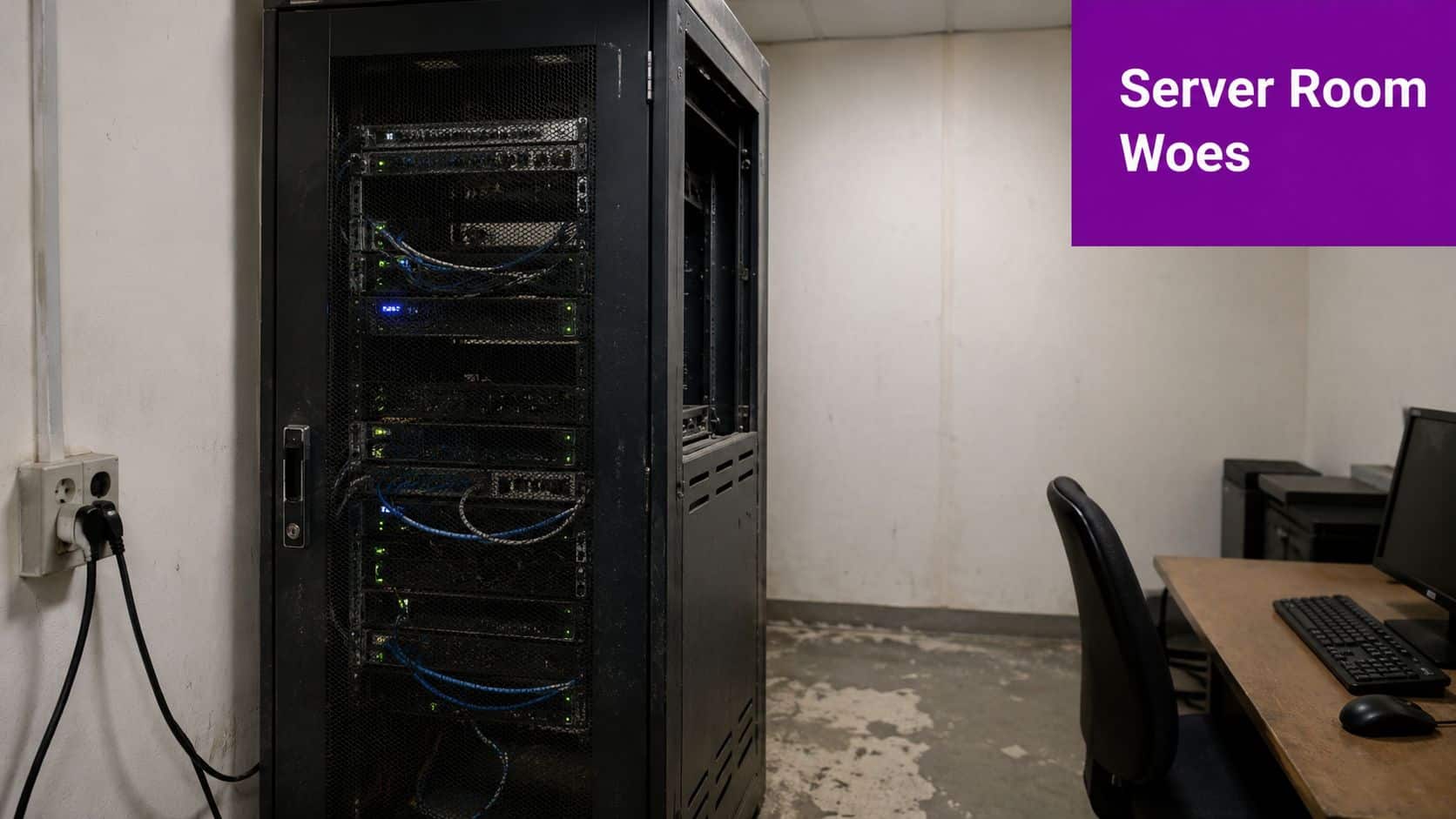
That's where cloud infrastructure usually becomes a board-level conversation rather than just an IT one. The UK Cloud Computing Market is valued at USD 64.97 billion in 2026 and is projected to grow at a Compound Annual Growth Rate of 15.86% to reach USD 135.64 billion by 2031, which reflects the wider shift away from on-premises infrastructure and towards cloud platforms across UK organisations, according to Mordor Intelligence's UK cloud computing market analysis.
What changes for an SME
Moving to the cloud doesn't mean throwing everything away. It means deciding which systems should stay, which should move, and which should be replaced with better services.
For most SMEs, the first gains are usually:
- Less hardware risk. You're no longer tying critical operations to one physical machine in one building.
- Simpler access. Staff can work securely from the office, home, or site visits without awkward workarounds.
- More predictable planning. IT becomes easier to scale when you open a new site, hire more users, or adopt new software.
A server room often looks cheaper than the cloud until you include downtime risk, maintenance effort, refresh cycles, and the time your team spends nursing old systems.
If you're still weighing up hosted infrastructure against dedicated hardware, this guide to server solutions gives a useful comparison of the trade-offs.
What Is Cloud IT Infrastructure Really
Cloud IT infrastructure is rented computing capability delivered as a service. The simplest analogy is property. You can buy land, build an office, secure it, maintain the boiler, replace the roof, and handle every fault yourself. Or you can rent space in a serviced building where the foundations, power, cooling, and physical security are already handled.
That's the key shift. You stop spending so much effort on owning the plumbing and start focusing on what your business needs the plumbing to do.
From capital spend to operating spend
With on-premises infrastructure, you buy servers, storage, networking equipment, licences, and support contracts upfront. That's capital expenditure. In the cloud, you usually consume services monthly based on the resources you use. That's operational expenditure.
For an SME, that doesn't automatically mean cheaper. It means more flexible. If your demand changes, your environment can change with it. If you need a test server for a project, you can provision it without buying another box. If a system no longer serves the business, you can retire it more cleanly.
The three service models
The jargon can make this sound more complicated than it is. Most cloud conversations fit into three models.
| Service Model | What You Manage | Common Use Case |
|---|---|---|
| IaaS | Operating systems, applications, data, user access, and workload configuration | Migrating a server-based application into Microsoft Azure virtual machines |
| PaaS | Applications, data, and access policies | Running a database or web app without managing the underlying server |
| SaaS | Users, settings, and data governance | Using Microsoft 365 for email, files, Teams, and collaboration |
Where SMEs usually start
IaaS is often the first step for businesses with existing software that can't easily be replaced. If you run a line-of-business application that currently lives on a Windows Server, Azure Virtual Machines can be a practical bridge. You keep the application, but the hardware layer moves out of your building.
PaaS works well when you want less infrastructure overhead. Instead of maintaining a database server yourself, you use a managed database service and focus on the application.
SaaS is the model most firms already know, even if they don't describe it that way. Microsoft 365 is the obvious example. You don't manage Exchange servers or SharePoint hardware. You manage users, permissions, retention, and how the service fits the business.
Practical rule: Don't choose a service model because it sounds modern. Choose it based on how much control you need, how much management effort you want to remove, and whether the application can actually work in that model.
The Core Components of a Cloud Environment
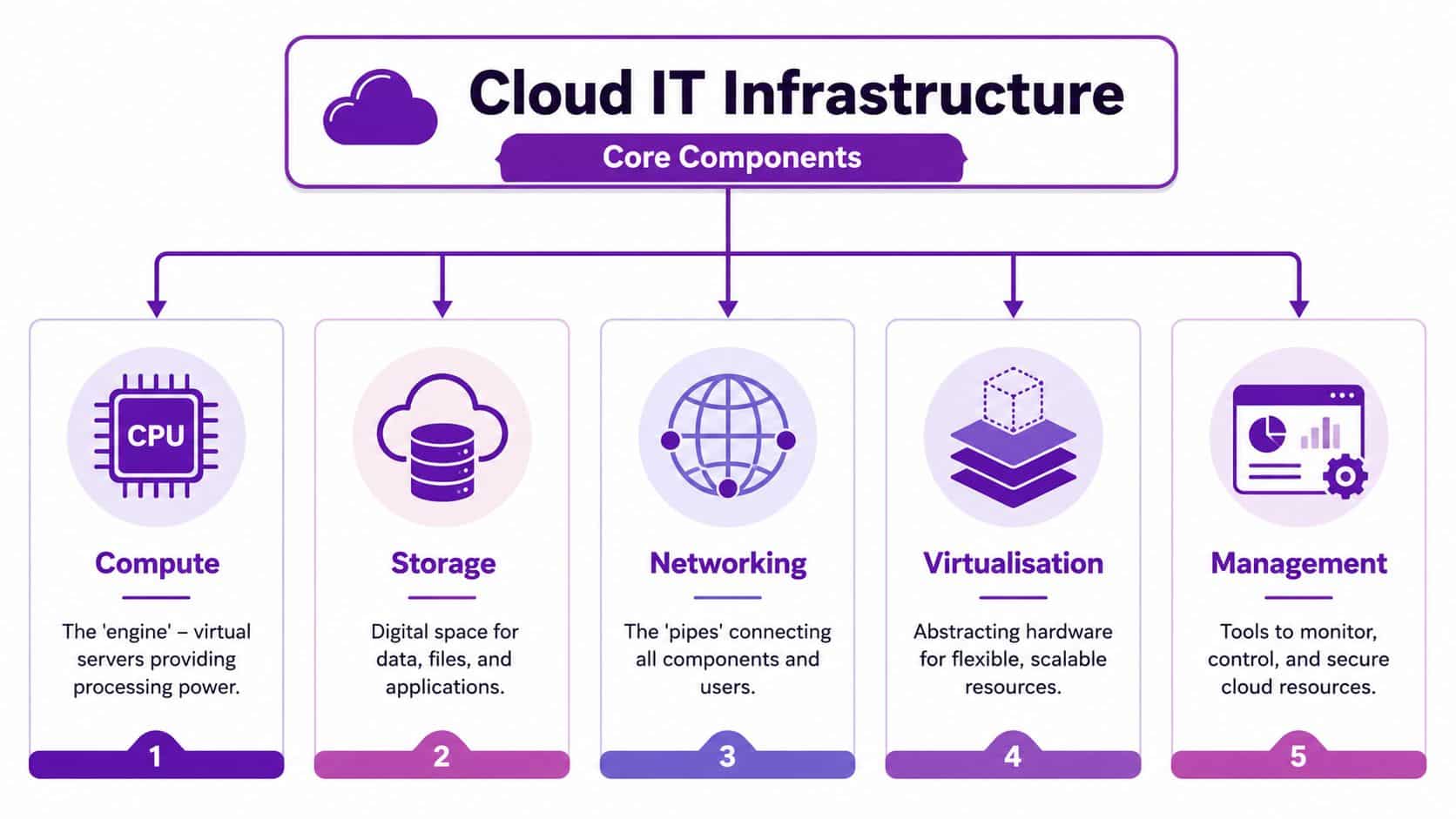
Cloud IT infrastructure isn't one thing. It's a stack of services working together. Once you understand the building blocks, Azure discussions become far easier because you can separate business needs from product names.
In Q1 2026, global cloud infrastructure services spending hit $129 billion, representing year-on-year growth of 35%, and the UK public-sector cloud market alone was valued at approximately £6 billion in 2024, which shows how heavily organisations are investing in the core foundations of cloud environments, as noted in this cloud computing statistics roundup.
Compute and storage
Compute is the engine. In Azure, this is often a virtual machine or another processing service that runs your application. If your finance system currently needs a server, compute is the resource doing that work in the cloud.
Storage is where the data lives. That includes files, databases, backups, and application data. The business question isn't just “where do we put files?” It's also “how quickly must they be retrieved?”, “how long do we keep them?”, and “who should access them?”
A practical Azure example is separating production data from backup data. That gives you cleaner recovery options and reduces the temptation to treat one copy of data as both live storage and backup.
Networking and identity
Networking is the set of connections between users, applications, and services. If compute is the engine and storage is the warehouse, networking is the road system. Poor design here causes many cloud frustrations. Systems work, but they work slowly, unpredictably, or insecurely.
Identity controls who gets in and what they can do. In a Microsoft estate, that usually means Microsoft Entra ID, role-based access, and conditional access policies. For SMEs, identity is one of the biggest wins in the cloud because it replaces a lot of inconsistent local permissions with more standardised control.
Virtualisation and management
The visual above includes virtualisation, which is the layer that abstracts the underlying hardware and lets cloud resources scale and move more flexibly than physical servers in a single office.
Management is what stops cloud becoming a black box. That includes monitoring, alerting, logging, patch oversight, security review, and cost control. Azure gives you tools for this, but the important point is operational discipline. If no one is reviewing alerts or tagging resources properly, the environment becomes untidy quickly.
For firms comparing models, private cloud versus public cloud options can help clarify where each approach fits.
- Compute supports applications your staff rely on every day.
- Storage protects business records and affects recovery capability.
- Networking governs access between office users, remote staff, and cloud services.
- Identity enforces control over users, devices, and permissions.
- Management keeps the whole environment visible so issues are spotted before they interrupt work.
Key Benefits and Risks for Your Business
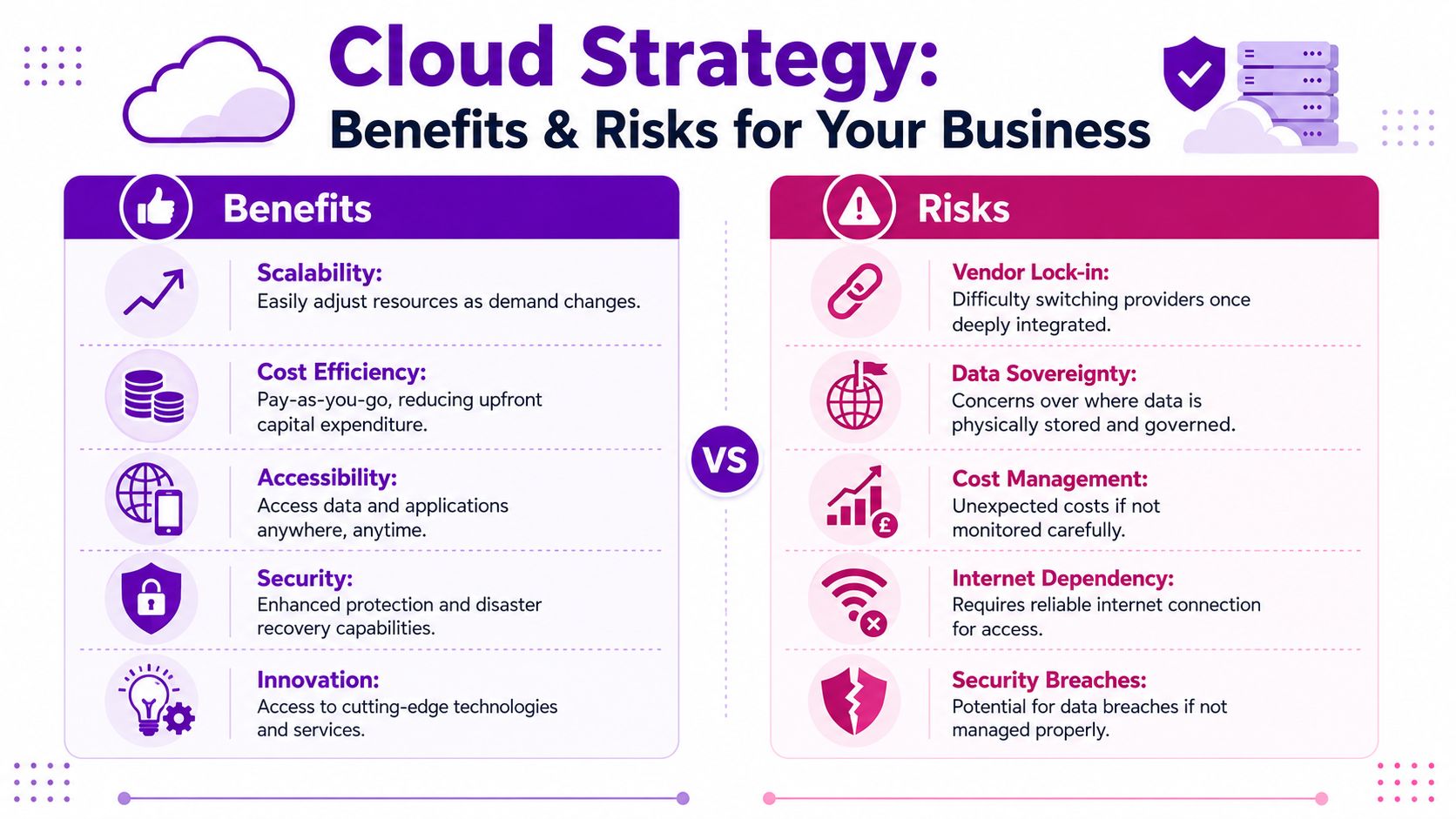
The cloud solves real business problems, but it also punishes vague planning. I've seen firms move too quickly, assume the platform will sort everything out for them, and then discover that unclear ownership creates messy access, poor backup choices, and monthly costs that nobody expected.
Where cloud delivers value
The strongest benefit is agility. If your business needs a new environment, extra storage, or a secure way to support remote users, cloud services can usually be provisioned faster than buying and deploying physical kit.
There's also resilience. Well-designed cloud infrastructure avoids the single-point failure problem of the office server room. Backups, replication options, and service availability are easier to build into the design from the start.
Then there's accessibility. Staff aren't tied to one building in the same way. For East Midlands firms with field teams, satellite offices, or directors who travel regularly, that matters.
Cloud works best when you treat it as an operating model, not just a different place to host the same old problems.
The risks that need managing
The first risk is cost drift. Cloud is convenient, which means resources can be created quickly and forgotten just as quickly. Test environments, oversized virtual machines, and unnecessary storage tiers all add up.
The second is vendor lock-in. Deep integration with one platform can be sensible, especially for Microsoft-based businesses, but only if you understand what would be difficult to move later.
The third is data sovereignty and locality. This is particularly relevant for regulated sectors and organisations handling sensitive records.
For East Midlands SMEs, local infrastructure realities also matter. Fortune Business Insights' UK cloud market coverage notes that only 5% of UK per-GDP cloud capacity is outside major hubs, and that 40% of rural East Midlands businesses are being pushed into more complex hybrid setups because of limited local options.
What tends to work and what doesn't
What works:
- A clear application-by-application review before migration.
- Standard identity and device policies from day one.
- A cloud design based on business priorities, not whichever feature looks attractive.
What doesn't:
- Lifting every server into Azure unchanged and hoping for savings.
- Leaving cost ownership unclear between finance, IT, and department heads.
- Treating backup and disaster recovery as automatic, because they aren't.
Adopting the Cloud A Strategy for SMEs
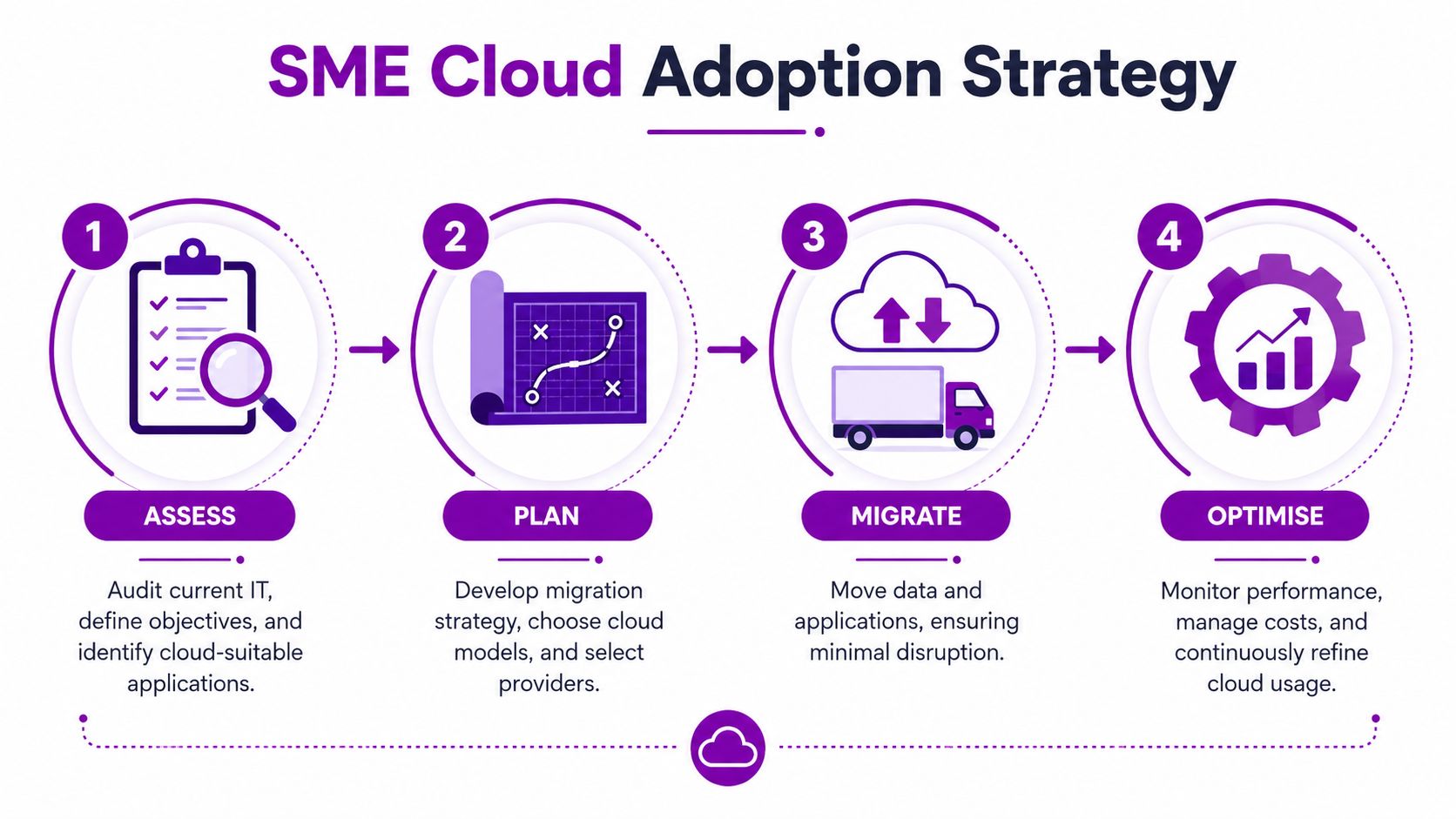
A sensible cloud move for an SME is staged. It isn't a single technical project. It's a business change with infrastructure, security, support, and budgeting wrapped together.
Assess
Start with what you have now. List the applications, servers, file stores, integrations, printers, remote access methods, and backup arrangements. Then separate business-critical services from everything else.
Questions worth asking early include:
- Which systems must stay available daily for trading, production, or customer service?
- Which applications are old but still essential and may need IaaS first?
- Which workloads would be better replaced with Microsoft 365, Dynamics 365, or another service?
This stage often reveals that the problem isn't just infrastructure. It's undocumented dependencies, old permissions, and unsupported software.
Plan
The planning stage decides where each workload should live and how users will access it. For a Microsoft-focused SME, that often means a blend of Azure Virtual Machines, Microsoft 365, Entra ID, backup services, and security tooling.
Azure pricing needs to be discussed in practical terms. In the UK, Azure costs depend on service usage, resource consumption, and geographic region, as outlined in BCN's explanation of Azure cost factors. For a small UK business, two Azure Windows VMs for line-of-business applications, with 500 GB storage and Azure Backup, can cost approximately £250 per month, according to Leap IT's UK cloud provider comparison.
That figure isn't a universal budget. It's a useful benchmark for a modest starting estate.
Migrate
Migration should be sequenced. Don't start with the noisiest, least documented system in the building. Start with something important enough to matter, but controlled enough to learn from.
A typical first phase might include:
- Identity first. Get user accounts, access policies, and security controls aligned.
- File and backup services next. These often deliver visible benefits quickly.
- Line-of-business servers after that. Move them once monitoring, support, and rollback plans are ready.
A structured framework helps here. Microsoft-centric organisations often use an Azure cloud adoption framework to shape the sequence and governance.
Here's a useful overview of cloud adoption in practice:
Optimise
The first live month in Azure is not the end of the job. It's the start of operating properly in the cloud.
Review:
- Virtual machine sizes so you're not paying for headroom you don't need.
- Storage choices so backup, archive, and active data are separated sensibly.
- Support processes so alerts go to someone who can act on them.
If you're buying through an Enterprise Agreement, there's also a direct pricing point worth noting. CyberOne reports that Microsoft Azure costs for EA customers in the UK will decrease by 5% to 6% from 1 February 2025 for GBP transactions. That won't remove the need for governance, but it does matter when budgeting longer-term Azure spend.
Security and Cost Management Best Practices
The cloud doesn't remove responsibility. It changes it. Microsoft secures the underlying platform, but you still control identities, access rules, device posture, workload configuration, data retention, and many day-to-day security decisions.
That's why the shared responsibility model matters so much. If a user has excessive permissions, if multifactor protections are weak, or if a backup policy is missing, those aren't platform failures. They're customer configuration issues.
Security that stands up in the real world
For UK-based cloud infrastructure, security and sovereignty need disciplined configuration. The CIS benchmark guidance for cloud infrastructure security compliance describes a 100% configuration compliance framework covering over 100 baselines across 30 vendors. For an SME, that translates into a simple principle. Secure cloud environments are built from standards, not from ad hoc settings.
In practice, that means:
- Use least-privilege access so staff only have what they need.
- Apply baseline configurations consistently across servers and services.
- Review logs and alerts regularly using Azure's monitoring and security tools.
- Test backup recovery instead of assuming backup equals recovery.
If a business is still dealing with legacy data risk during a migration, specialist data recovery experts can also be relevant where old storage, damaged drives, or incomplete historical backups complicate the move.
Security failures in the cloud are often management failures before they become technical failures.
Cost control without guesswork
Cloud bills become difficult when no one sets boundaries. Azure Cost Management + Billing should be part of the operating model from the start, not added after the first unpleasant invoice.
Good habits include:
- Set budgets and alerts for subscriptions and major workloads.
- Rightsize virtual machines after real usage becomes visible.
- Remove idle resources created for testing or short-term projects.
- Tag resources clearly so costs can be traced to teams or services.
For organisations that want a structured approach, cloud cost optimisation guidance is useful when building reporting and governance into regular IT operations.
One practical note on tooling. F1Group provides managed services around Microsoft 365 and Azure, including monitoring, security configuration, and cost oversight for organisations that need operational support rather than just a one-off migration project.
Begin Your Cloud Journey with F1Group
The businesses that get the most from cloud IT infrastructure usually start with a straightforward question. What problem are we trying to solve? Sometimes it's ageing servers. Sometimes it's poor remote access. Sometimes it's the need for stronger security, cleaner backup, or a platform that can support growth without another hardware refresh.
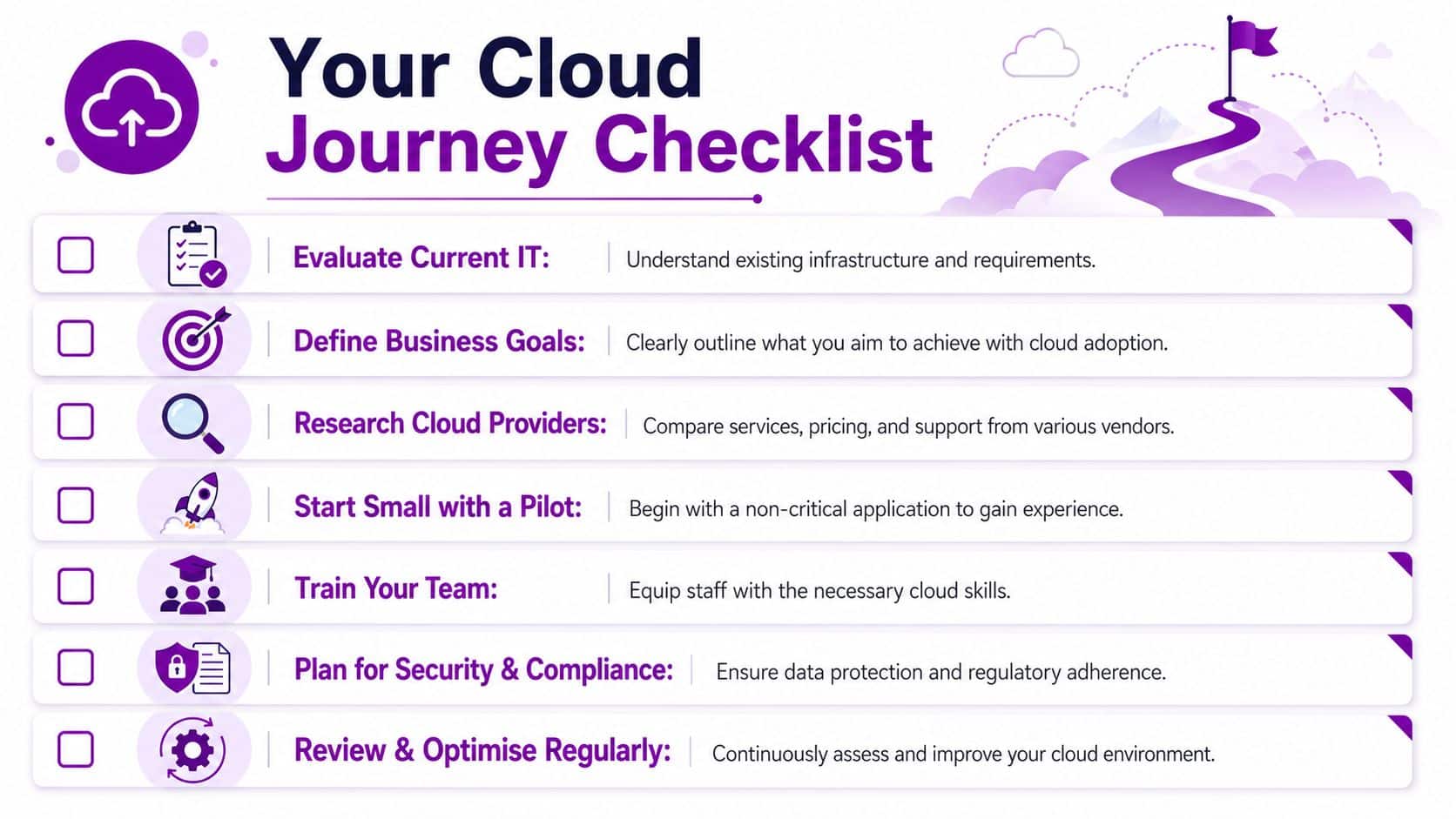
A sensible next-step checklist
Use this as a starting point:
- Review current pain points. Identify where your present setup slows staff down or creates risk.
- Decide what success looks like. Faster access, stronger resilience, better reporting, easier support, or reduced hardware dependence.
- Pick one practical pilot. A file service, a backup improvement, or a line-of-business server is often a better start than a huge all-at-once migration.
- Clarify ownership. Decide who will approve spend, review security, and manage operational changes.
- Keep the design simple. Complexity arrives quickly in the cloud. It's easier to add carefully than to untangle a rushed setup later.
A first cloud move doesn't need to be dramatic. It needs to be well judged. For East Midlands SMEs, that usually means balancing Microsoft capability, support responsiveness, compliance requirements, and realistic budgeting in GBP from the outset.
The right result is not “everything in Azure”. The right result is an environment that supports the business better than the server room did.
If you're planning your first major move to the cloud, F1Group can help you assess your current setup, shape a practical Microsoft-based roadmap, and avoid the usual mistakes that make cloud projects expensive or hard to support. Phone 0845 855 0000 today or Send us a message.