
You're in the middle of a normal workday when it happens. A file won't open, a SharePoint library looks wrong, the finance team can't reach a mailbox, and someone says, “we've got backups, haven't we?” That's the moment most East Midlands firms discover that backup solutions aren't a storage purchase, they're a governance and recovery discipline.
That distinction matters because the UK has already moved the goalposts. The Data Protection Act 2018 sits alongside UK GDPR, and ICO guidance makes it clear that organisations should be able to restore the availability and access of personal data in a timely manner after an incident, which turns backup and recovery into part of compliance practice rather than a nice-to-have IT extra. At the same time, the UK cyber-risk picture is blunt, the Cyber Security Breaches Survey 2024 reported that 50% of businesses and 32% of charities experienced a breach or attack in the previous 12 months, and ransomware was one of the incident types tracked, so recovery capability is now part of day-to-day business resilience, not a rare disaster plan detail. For small and mid-sized firms, a failed restore can become an outage, a compliance problem, and a reputational mess all at once. The right answer is to design for recovery first, then buy the storage that supports it.
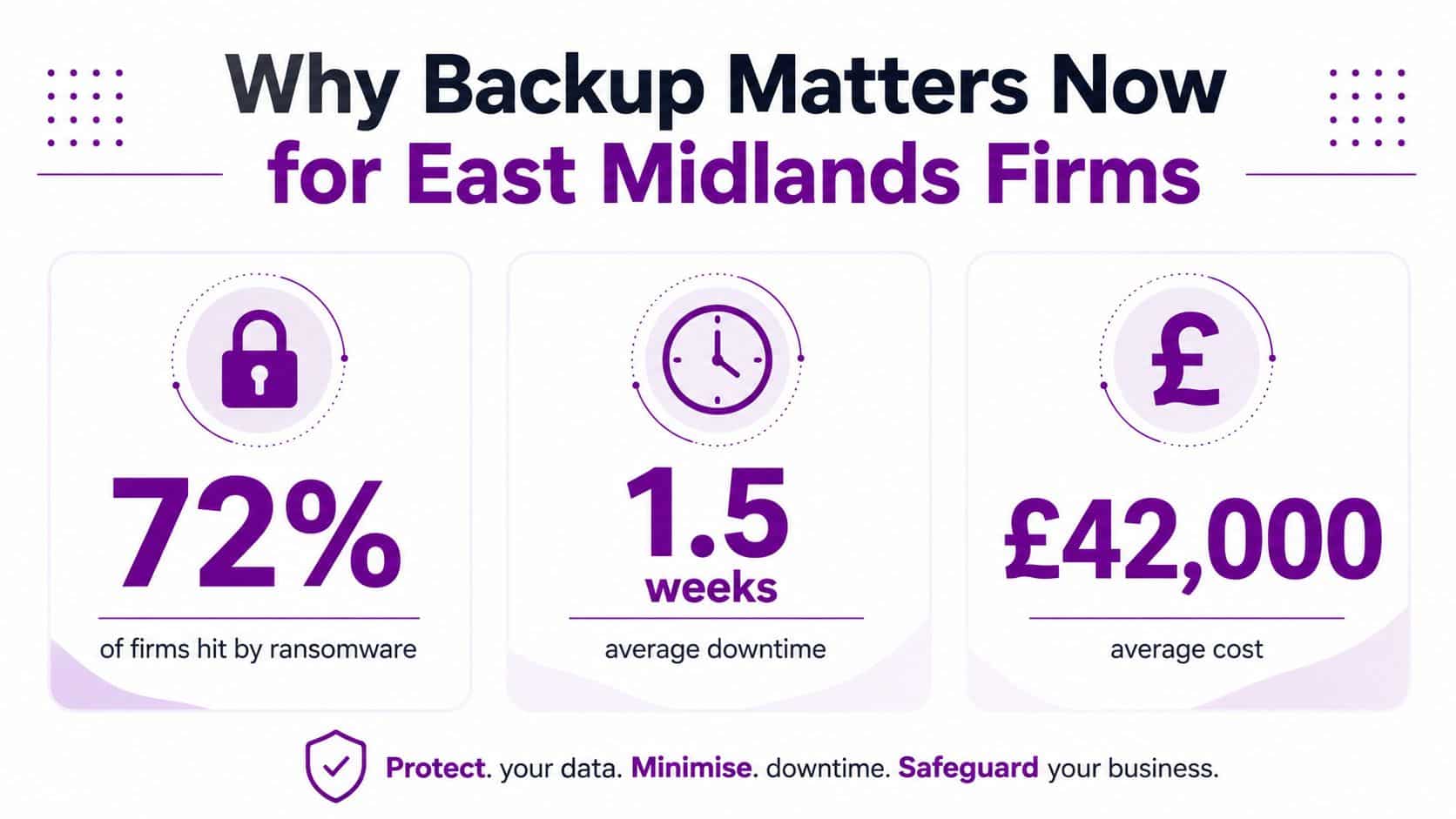
Why Backup Solutions Matter More Than Ever for East Midlands Firms
A manufacturing firm in Nottingham, a professional services practice in Leicester, or a charity in Lincoln all hit the same wall in different ways. The finance director wants invoices. Operations want line-of-business data. The IT lead wants to know whether the last clean copy is usable. When the only answer is “the backup job ran”, the business is already in trouble.
The UK cyber picture explains why that risk keeps rising. The Cyber Security Breaches Survey 2024 shows that attacks are common across business and charity sectors, and the NCSC keeps pushing offline or immutable backups because ransomware attacks live systems and connected backups first. That is why backup stopped being housekeeping. It became the last line between an incident and a prolonged shutdown.
Compliance is now part of recovery
The legal side is just as important. Under the Data Protection Act 2018 and UK GDPR, organisations handling personal data need more than a copy somewhere. They need controlled retention, access management, and a recovery process that can restore data after loss, corruption, or cyber extortion. If the restore fails, the problem isn't just operational, it can become a reportable and regulatory issue.
Practical rule: if a restore would take you outside your acceptable outage window, you don't have a backup strategy, you have a storage habit.
That is especially true for smaller East Midlands firms with lean IT teams. One person might manage Microsoft 365, laptops, a line-of-business server, and a cloud tenant, which means a single bad event can touch customers, employees, and regulators in one blow. If you want to see how this fits into wider continuity planning, keep a close eye on business continuity and disaster recovery guidance. The business case is simple. Better backup design protects revenue, compliance, and trust at the same time.
Core Concepts Every Decision Maker Should Understand
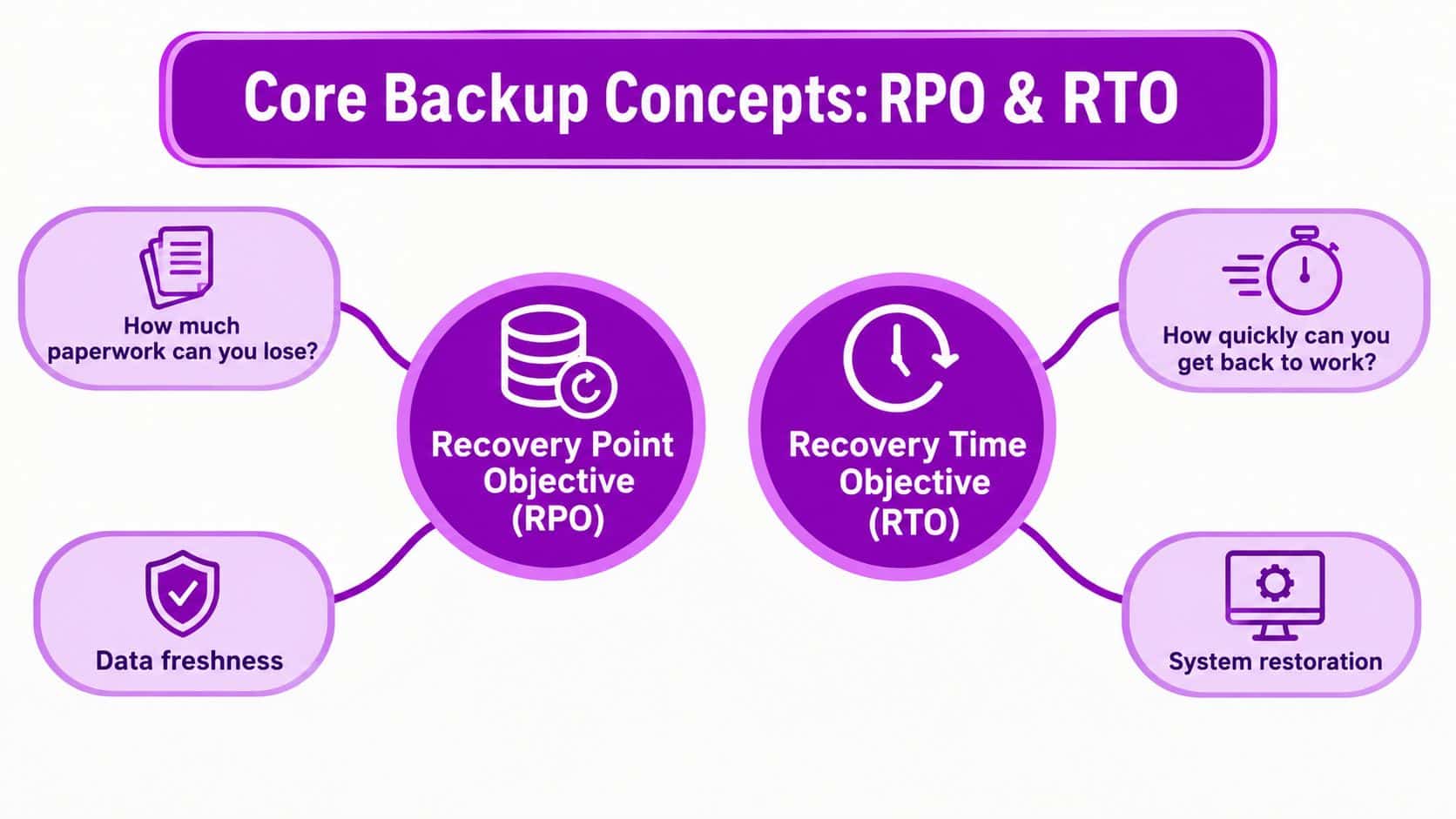
Backup conversations go wrong when directors let vendors hide behind jargon. You need just a few terms, and you need them in plain English. RPO tells you how much data loss you can tolerate. RTO tells you how long the business can tolerate being down. For critical workloads, a resilient programme should target an RPO of less than or equal to 1 hour, defined as the maximum tolerated data loss.
RPO and RTO without the nonsense
Think of RPO as how much paperwork you can afford to lose from the desk before it becomes a crisis. Think of RTO as how quickly you need to be back at that desk with the lights on and the phones working. Those numbers should be set by the business, not by the backup vendor, because finance, sales, and operations will all feel the pain differently.
Retention policy is the next decision. It decides how long you keep backup copies, what gets overwritten, and what you must retain for legal or operational reasons. If a supplier only offers short retention and your business needs longer evidential history, that is not a small gap, it's a design failure.
Backup is not disaster recovery
A backup copy is not the same thing as disaster recovery. Backup gives you data. Disaster recovery gives you a way to bring systems, identity, and services back in an order the business can use. A sensible solution should support encryption at rest and in transit, because a backup that leaks is just another breach.
Backups are only useful if someone can restore them under pressure, not after a polite test on a quiet Tuesday.
Ask vendors how they handle restore order, role dependencies, and application consistency, not just whether files are copied. Also ask what happens if a tenant admin account is compromised. A good proposal should answer that directly, because recovery design matters more than backup volume. If you need a practical bridge into broader resilience, the partner discussion at cloud vs on-premises planning is worth reading once you know your RPO and RTO targets.
Comparing On-Premises, Cloud and Hybrid Backup Approaches
The wrong question is “which backup model is best?” The right question is which model fits the way the business runs. A warehouse-heavy distributor, a Microsoft 365-led services firm, and a regulated charity do not need the same design. They need a setup that matches recovery speed, control, and operational effort to the risk.
Use the model that fits the workload
On-premises still fits where latency matters, where systems are tightly tied to local infrastructure, or where the organisation wants direct control over storage and recovery equipment. Cloud backup fits when the business wants elastic capacity, offsite resilience, and less hardware to maintain. Hybrid usually wins for East Midlands firms because they live in two worlds at once, Microsoft 365 and cloud apps on one side, older servers and local line-of-business tools on the other.
A logistics team that needs fast access to operational files will put recovery speed first. A charity with a small IT team will care more about administrative simplicity and offsite resilience. That difference is exactly why Faberwork LLC's logistics expertise is useful background, because it shows how operational models shape data-handling requirements before backup is even discussed.
| Criteria | On-Premises | Cloud | Hybrid |
|---|---|---|---|
| Recovery speed | Strong for local restores | Depends on connectivity | Good balance |
| Cost predictability | Hardware-heavy | Subscription-led | Mixed |
| Compliance footprint | Direct control | Needs governance | Strong if designed well |
| Ransomware exposure | Lower only if isolated | Lower only if well protected | Best when layered |
My view on the trade-off
I would not choose pure cloud for every workload, and I would not build a purely local backup stack for a business that is already cloud-first. The usual failure is not the platform. It is the assumption that one model covers everything. A hybrid approach lets you separate fast recovery from long-term resilience, which is what most mid-sized firms need in practice.
If you want a clearer split between the two deployment styles, this on-premises versus cloud overview is useful once you are matching architecture to workload. The point is to reduce recovery risk where it lives.
Microsoft 365 and Azure Backup Essentials
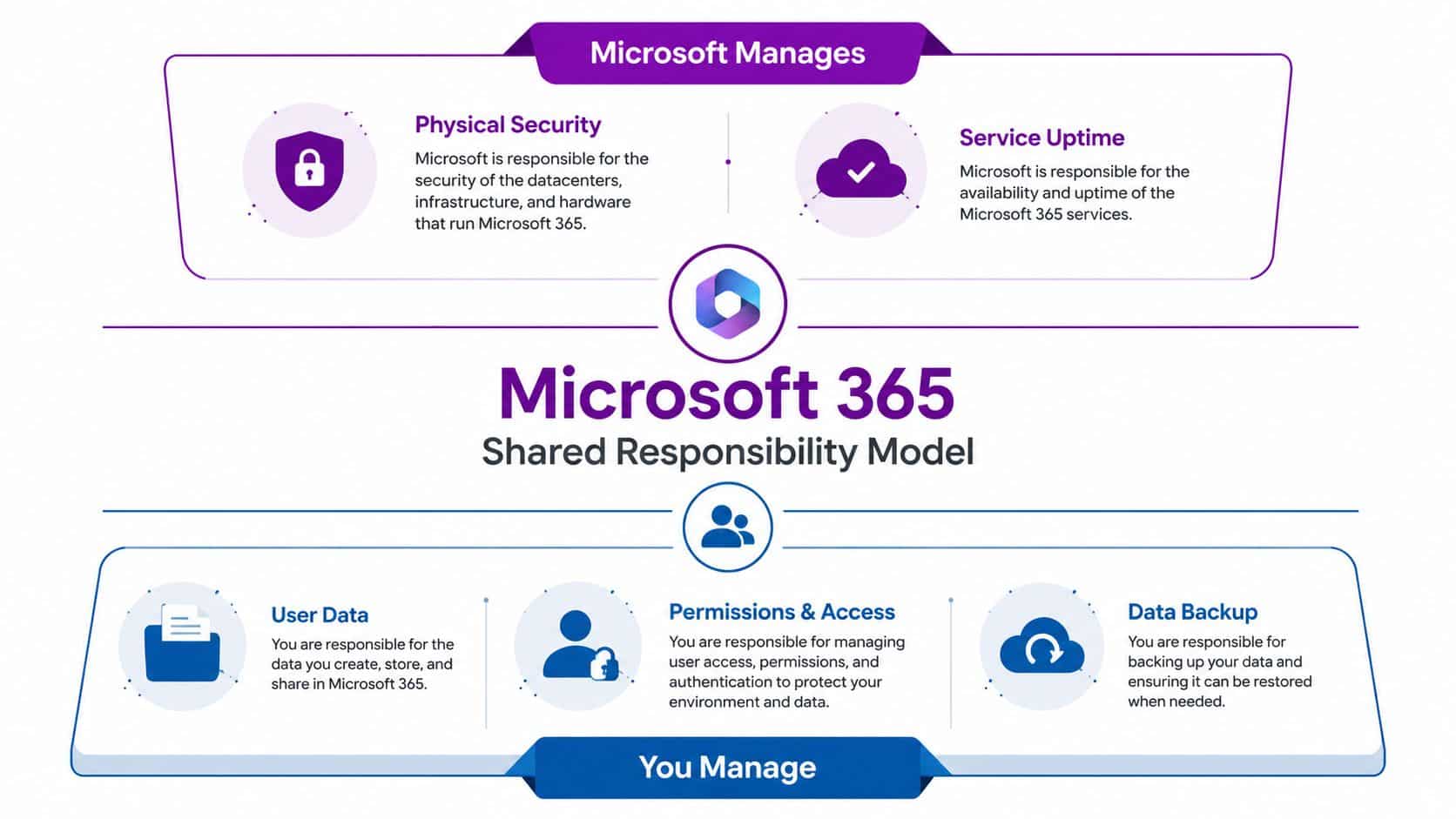
A Microsoft 365 tenant is not protected just because Microsoft runs the service. The business still owns user data, permissions, and backup, and that is the part too many firms get wrong. The shared-responsibility model matters because Microsoft secures the platform, while you remain responsible for the information, access, and recovery choices your business depends on.
What most Microsoft backups miss
Exchange Online, SharePoint, OneDrive, Teams, and Azure workloads each fail in different ways. A file is only one recovery target. A deleted account, a wiped conditional access policy, or broken DNS and IAM state can do more harm than a missing document library because the business may lose the ability to sign in, route traffic, or enforce security controls.
Most cloud backup tools focus on files, VMs, and application data. They often leave out cloud configuration states such as IAM, DNS, and network settings, which is exactly where a recovery effort can fall apart after a misconfiguration or account compromise. Restoring data without restoring the control plane gives you clean files and a broken service. For Microsoft 365-focused firms, recovery planning has to cover mailbox data, SharePoint, OneDrive, Teams, and tenant configuration as a single recovery set. If identity is broken, data access is broken too.
What to ask for in a Microsoft stack
A proper Microsoft backup design needs third-party backup for SaaS workloads, Azure-native protection where it fits, and configuration recovery for the pieces Microsoft will not rebuild in the way your business needs. That is the practical difference between storing copies and restoring a working service. If you want a clear starting point for cloud-to-cloud backup discussions, the backup for Office 365 guidance sets out the right questions to ask.
Do not ask whether Microsoft 365 is “backed up”. Ask whether you can restore the data, the permissions, and the service configuration in the order your business needs.
For East Midlands firms standardising on Microsoft, that is the question that matters. A good partner will talk through identity protection, version history, retention, and how Azure workloads fit into the same recovery policy. That separates copy retention from actual recovery of the business.
An Implementation Checklist That Actually Works
The NCSC guidance is not complicated, but it is easy to ignore. Keep three copies, use two media types, and keep one copy offsite. Then isolate backups from the main network and make storage immutable where possible, because connected backup targets are exactly what ransomware tries to destroy first.
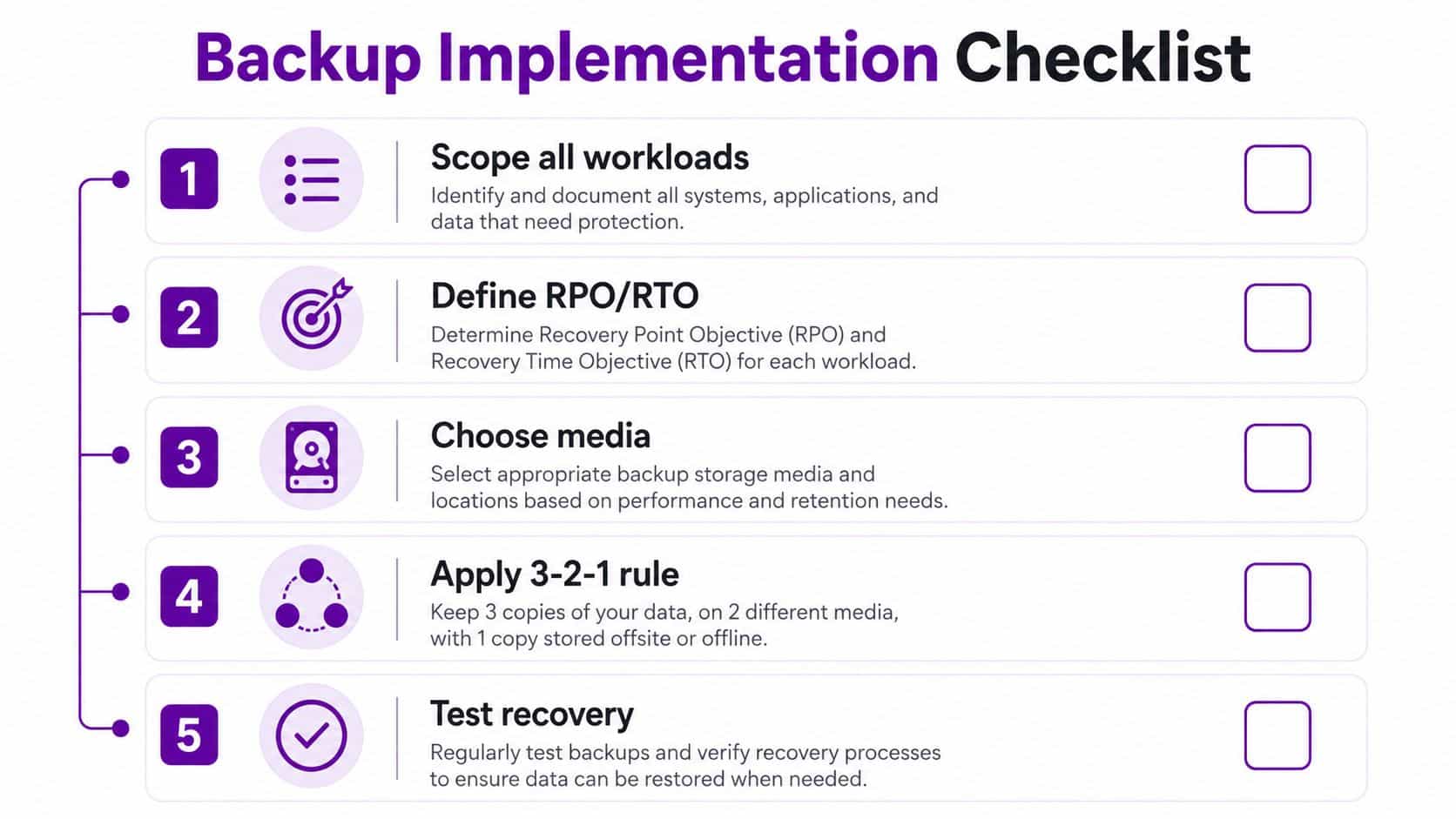
Five acceptance tests for the IT team
-
Scope every workload. If a server, Microsoft 365 workload, laptop, or cloud configuration state contains business data, it is in scope. If it isn’t in scope, the gap is documented and signed off.
-
Set RPO and RTO per workload. Critical systems need tighter objectives than low-priority archives. A one-size-fits-all recovery target is lazy design.
-
Separate media and locations. Use at least two media types and keep one offsite copy. That offsite copy should not sit on the same admin path as production.
-
Make the backup immutable. If malware or a rogue admin can delete it, it isn’t resilient. Isolated and immutable storage is the minimum sensible bar.
-
Test restores on a schedule. A backup that hasn’t been restored in anger is only a claim. The recovery evidence must be real, recorded, and repeatable.
The Business Continuity Institute’s position is clear, backup should be treated as a compliance discipline, with quarterly restore tests, immutable storage, and SIEM logging so auditors can see whether jobs succeeded or failed. That changes the whole conversation. You’re not buying storage, you’re building proof.
If you can’t show restore evidence, you can’t show resilience.
The embedded check is simple. Schedule a restore test, document the result, and make sure the backup record matches the service the business depends on. The YouTube video below is useful as a quick visual aid for teams that need to align on process before they redesign the tooling.
Cost, Vendors and Managed Service Considerations
Backup pricing gets messy when people pretend it’s only about storage per gigabyte. It isn’t. Real cost sits across licences, cloud storage growth, egress, immutable capacity, restore testing, admin time, and the overhead of proving recovery to auditors. If you ignore those pieces, the invoice will look cheap right up until the first serious incident.
What you’re actually paying for
A direct vendor relationship can work if you have an in-house IT team that understands policy, retention, and recovery testing. A reseller may help package licensing and support, but they won’t own the whole recovery outcome. A managed service partner is different, because it wraps backup into a wider resilience service, which is often a better fit for a 25 to 250-seat East Midlands business that doesn’t have a full-time backup specialist.
The hidden cost is usually not the backup copy, it’s the recovery engineering. Someone has to define the restore order, verify the logs, keep the evidence, and make sure retention growth doesn’t turn into cost drift. That’s why the cloud outsourcing guide for CTOs is relevant here, it gives useful context for deciding when to hand a technical function to a partner rather than trying to carry every control internally.
What a sensible buying decision looks like
The Business Continuity Institute’s guidance fits neatly here. Treat backup as compliance discipline, not just IT. That means quarterly restore tests, immutable storage, and SIEM logging so failures are visible, not hidden. If a supplier can’t support that posture, they’re selling convenience, not resilience.
I’d split the buying decision into three questions:
- Can they prove restores work? If not, walk away.
- Can they cover Microsoft 365, Azure, and local systems together? If not, you’ll end up with gaps.
- Can they keep the evidence clean for audit? If not, the cost is higher than it looks.
For most East Midlands firms, managed backup is worth paying for when internal IT is already stretched and the business can’t afford a failed restore. The price of doing it properly is still lower than the price of discovering you’ve been storing unusable copies for years.
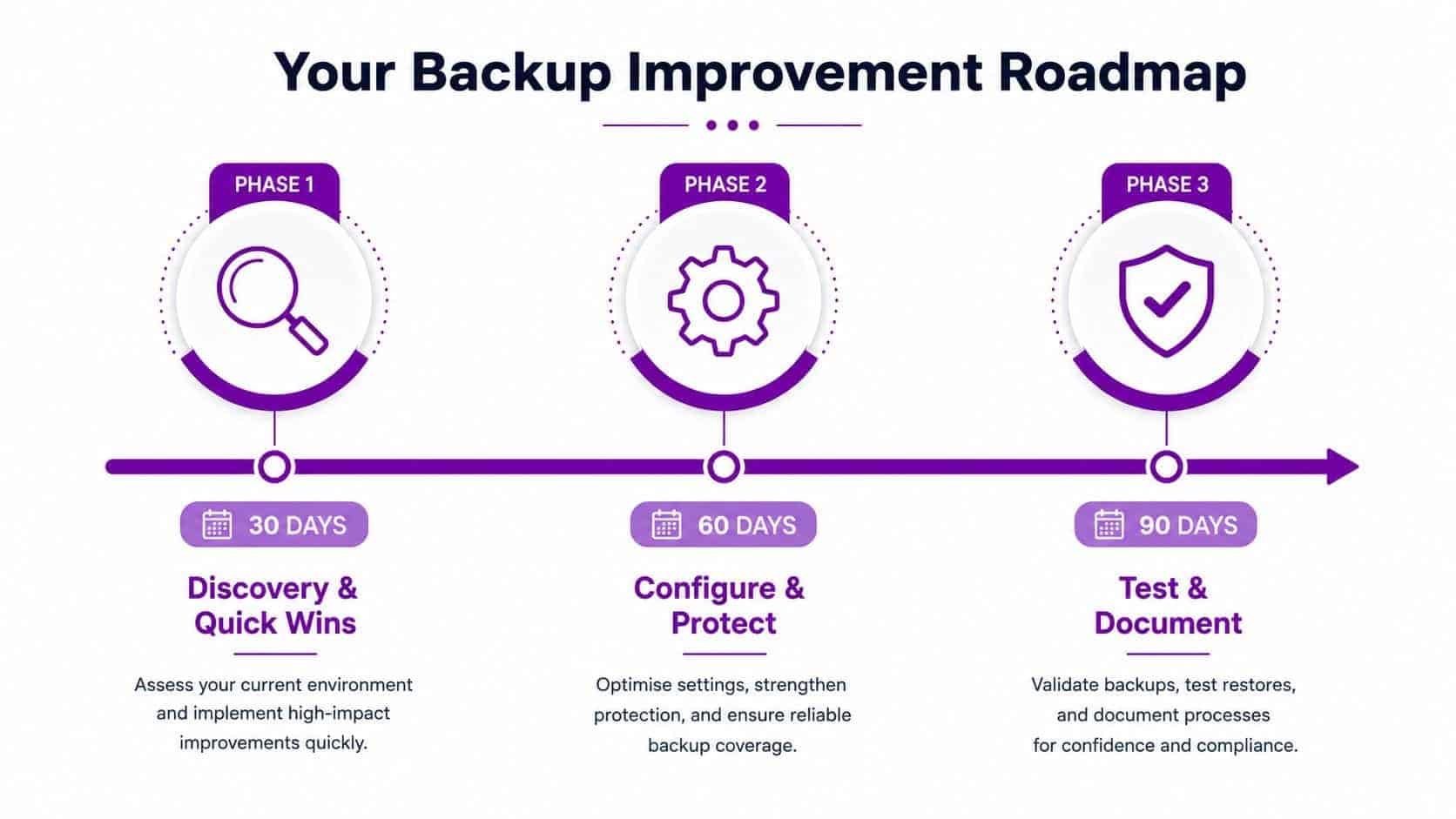
Your Next 30, 60 and 90 Days of Backup Improvements
The first 30 days should be about discovery, not buying kit. Inventory every workload, identify Microsoft 365 and Azure gaps, and document the current RPO and RTO for the systems the business uses. If you can’t name the critical workloads, you can’t protect them properly.
Days 31 to 60 are for design and procurement. Pick the operating model, agree immutability and isolation requirements, and decide whether you need a vendor, a reseller, or a managed service partner. Make sure Microsoft 365 and Azure configuration recovery are included, not treated as optional extras.
Days 61 to 90 are where the programme becomes real. Automate recovery tests, collect evidence, and fold the results into the wider business continuity plan. Use verification methods such as checksum checks, sandbox restore tests, and recovery simulation, because proof matters more than promises.
The right goal is not more backup data. It’s faster, cleaner, better-evidenced recovery.
Datto’s verification guidance is useful here because it describes validation through checksum verification, sandbox testing, and recovery simulation, and it notes that a backup can be booted as a virtual machine with a login-screen screenshot captured as recoverability evidence. That is the standard you should be aiming for, proof that the backup is usable when the business needs it. If your current process can’t produce that, don’t call it resilient.
If your East Midlands business needs backup design that holds up under ransomware, compliance pressure, and Microsoft 365 recovery headaches, speak to F1Group. We design and manage practical backup and recovery services for organisations that need clear ownership, clean evidence, and fast restores, not vague reassurance. Visit F1Group and get in touch, or call 0845 855 0000 today and send us a message at https://www.f1group.com/contact/.