
A sales director opens the weekly forecast and finds three different versions of the truth. One opportunity sits in a spreadsheet, another is buried in an inbox, and a third has an encouraging note in Teams but no updated CRM record. The sales team is busy, yet nobody can confidently explain which deals are real, which need attention, or whether the forecast reflects current customer conversations.
That situation is common among growing UK businesses. Spreadsheets and lighter CRM tools can work while the sales process is simple, but they become harder to control as more people manage leads, accounts and opportunities. Microsoft positions Dynamics 365 Sales as a cloud-based CRM for managing leads, opportunities and customer relationships, with native connections to Outlook, Teams and the wider Microsoft ecosystem. (Microsoft Dynamics 365 Sales)

This guide is for sales directors, IT managers and business owners deciding whether Dynamics 365 for Sales has reached the point where its structure justifies the migration effort. It focuses on the practical decision, not a catalogue of features: how the system works, what the UK licences cost, how Microsoft integration affects value, and how to move from spreadsheets without disrupting active selling.
You can also use this guide alongside a broader resource on how to choose a sales CRM in 2026, particularly if you're comparing Dynamics 365 Sales with lighter platforms. The right choice depends on process complexity, reporting expectations, existing Microsoft investment and the quality of the data you're prepared to bring across.
Introduction Why Sales Teams Outgrow Spreadsheets
A spreadsheet doesn't fail because it can't hold customer names or deal values. It fails because it relies on every salesperson entering information in the same way, at the right time, in the right file. As the team grows, one person records a probability, another records a sales stage, and someone else leaves the opportunity unchanged after a customer meeting.
The sales director then spends time reconciling files rather than coaching the team. Reports become manual exercises, follow-up depends on personal inboxes, and the business risks losing useful relationship knowledge when an employee changes role. None of these problems necessarily appears in a single dramatic incident. They accumulate through small omissions that make the pipeline less dependable.
Practical rule: If the leadership team can't explain how an opportunity moved from enquiry to close, the problem is usually process visibility, not a lack of sales effort.
The UK buying decision has a specific shape. Many small and mid-sized firms aren't asking whether CRM software exists. They're asking whether replacing spreadsheets and a lighter CRM will create enough operational benefit to justify data cleansing, configuration, training and user adoption. Independent UK CRM data reports that 32% of UK SMEs still manage customer data in spreadsheets, while 50% of UK micro-businesses don't use CRM at all. The same source reports that CRM usage among SMEs is rising at 12.6% year on year. (UK CRM adoption and market data)
That makes the switching threshold important. Dynamics 365 Sales may be excessive for a very small team with a straightforward pipeline, but it can become a sensible operational layer when several sellers need shared stages, managers need consistent forecasts, and IT needs stronger control over identity, permissions, integrations and reporting.
The rest of the decision is easier when you treat CRM as a sales operating system rather than a contact database. First establish what the platform controls, then match its capabilities to real sales jobs, examine the licence tiers, assess Microsoft ecosystem value, and plan the migration around the people and data that will determine whether the system succeeds.
What Dynamics 365 for Sales Is and How It Works
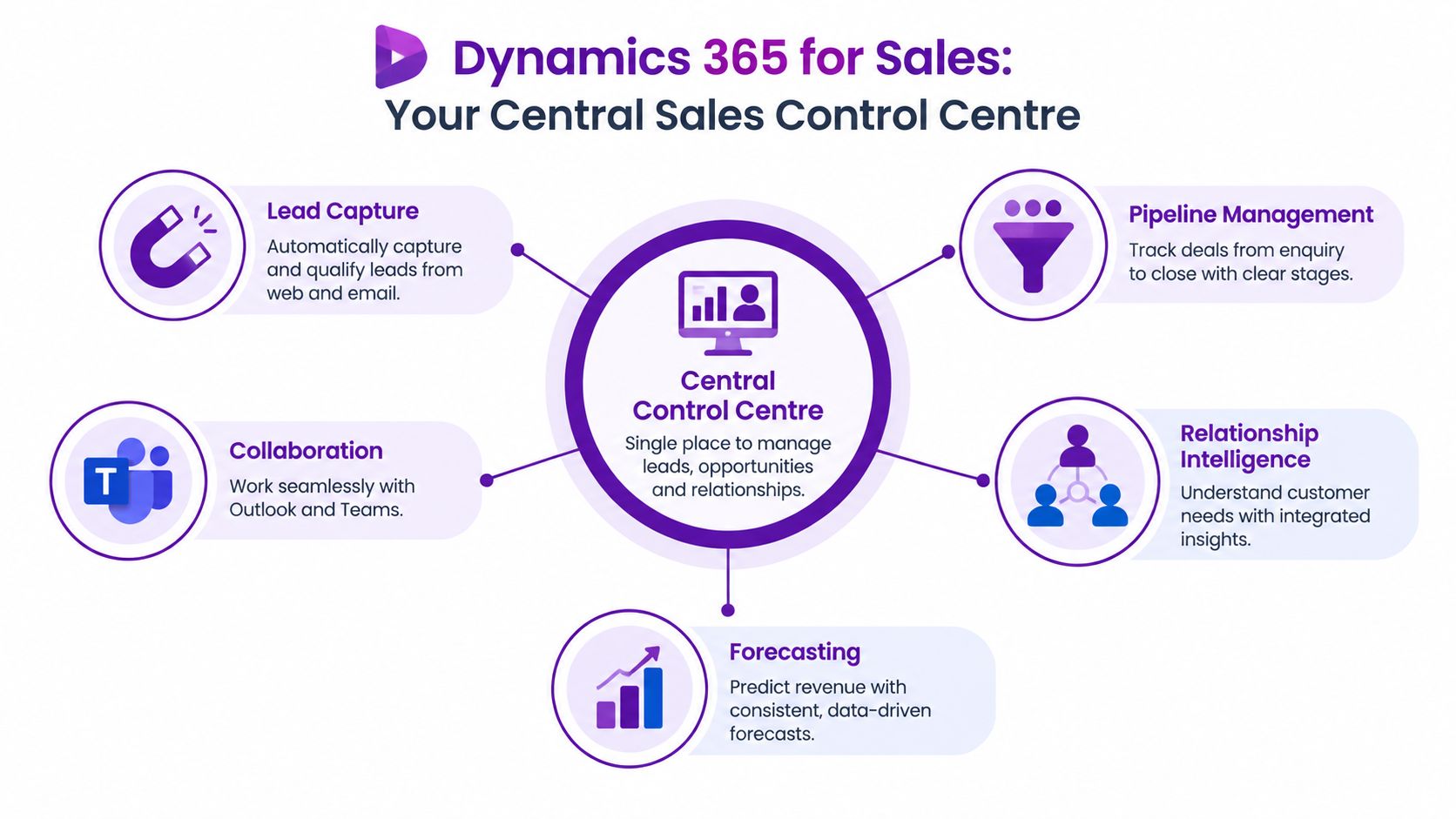
Think of Dynamics 365 Sales as a central sales control centre. A spreadsheet is more like a collection of individual notebooks. Each salesperson may keep useful information, but the business has no dependable central view unless someone manually combines those notebooks.
Dynamics 365 Sales brings the main objects of a sales process into one cloud-based CRM environment:
- Leads represent potential buyers or enquiries that still need qualification.
- Accounts and contacts hold business and individual relationship information.
- Opportunities represent active potential deals with stages, activities, values and expected close details.
- Activities record calls, meetings, emails and follow-up work.
- Forecasts and dashboards help managers review pipeline health and expected revenue.
The value comes from the connections between these records. A lead can become an opportunity, an opportunity can move through defined stages, and activities can show whether the seller is progressing the relationship or carrying an old record forward. That shared structure gives managers a consistent language for pipeline reviews.
The difference between records and control
A lightweight CRM might store contacts and opportunities. Dynamics 365 Sales is designed to help an organisation standardise how sales work happens. That distinction matters when the sales director needs more than a list of customers.
For example, a business could require every opportunity to include a next action, expected close date and defined stage before it appears in a forecast. The system can then support a repeatable management process rather than relying on a salesperson's preferred spreadsheet layout.
Microsoft presents Sales as a core application within the wider Dynamics 365 suite. For organisations already using Microsoft 365, the platform's native relationship with Outlook and Teams can make it easier to connect daily communication with structured CRM records. A wider overview of the platform is available in this explanation of Microsoft Dynamics 365.
Why the Microsoft context matters
The platform is particularly relevant to Microsoft-centric UK organisations because it can sit alongside tools employees already use. Sellers may work in Outlook, collaborate in Teams, analyse performance in Power BI and use other Dynamics applications for related business processes.
That doesn't remove the need for design. A badly configured CRM can still create friction, and integration can't compensate for unclear sales stages or poor data ownership. The advantage is architectural: the business can build around a connected identity, collaboration and data environment instead of stitching together unrelated systems.
Core Features That Drive Sales Performance
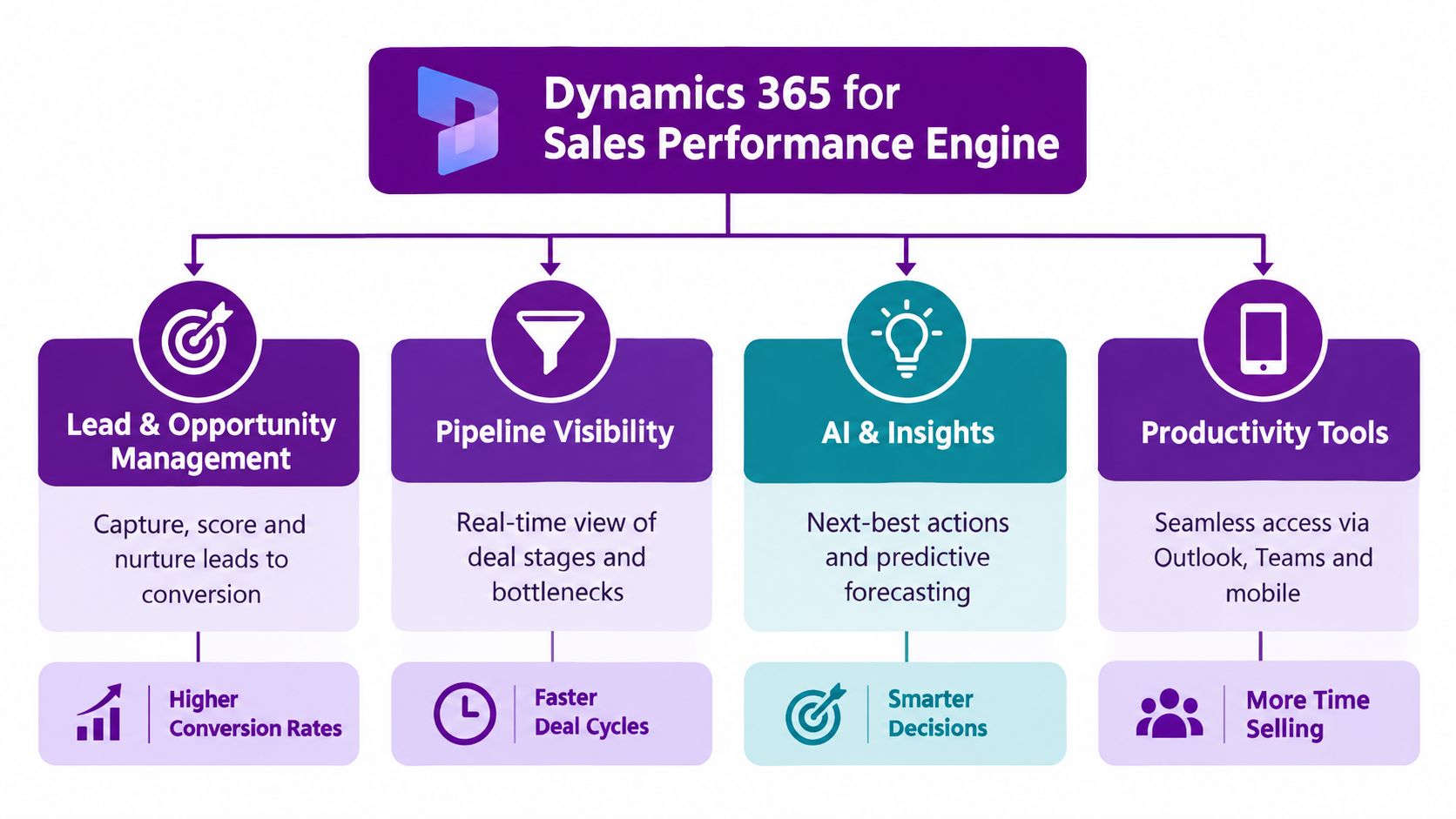
The useful question isn't whether Dynamics 365 Sales has a feature. It's whether that feature removes a recurring sales obstacle. A sales manager needs visibility, a seller needs relevant information at the point of action, and the business needs records that remain trustworthy after the meeting ends.
Managing leads and opportunities
Lead management gives the team a controlled place to capture, qualify and progress potential demand. Instead of leaving every enquiry in an inbox, the business can define what makes a lead worth pursuing, who owns it and what should happen next.
Opportunity management then gives active deals a consistent path. A sales director might define stages such as qualification, discovery, proposal and negotiation, with required information at each point. The names and rules should reflect the organisation's actual buying process, not an abstract model copied from another company.
This helps answer practical questions quickly:
- Ownership: Who is responsible for the next action?
- Momentum: Has the opportunity progressed since the last review?
- Quality: Is the deal supported by a real customer need and credible timing?
- Exposure: Which opportunities are likely to distort the forecast?
Forecasting and pipeline visibility
Forecasting is only as reliable as the information underneath it. Dynamics 365 Sales gives managers a structured way to examine deal stages, expected value, close timing and seller activity. The benefit isn't a magical prediction. It's a more disciplined process for challenging assumptions.
A pipeline view can also reveal bottlenecks. If opportunities remain in one stage for too long, the manager can investigate whether sellers need support, whether the stage definition is unclear, or whether the business is carrying weak deals that should be closed or disqualified.
Sales leadership insight: A forecast becomes useful when it prompts a better conversation about evidence, next actions and risk.
Relationship intelligence and productivity
Salespeople rarely work from one application. They read emails in Outlook, attend meetings in Teams, update records and prepare for the next customer conversation. Dynamics 365 Sales is designed to connect those activities with customer and opportunity information, reducing the need to reconstruct a relationship from memory.
Embedded intelligence can help highlight relevant activity, relationships and potential next actions. AI assistance can also support tasks such as drafting emails or summarising account and deal context. UK sales research reports that 90% of UK sales organisations already use some form of AI, and that 46% of UK sellers have used agents, with nearly half planning to do so by 2027. (UK CRM and AI market research)
The constraint is data quality. AI can make a well-maintained CRM more useful, but it can't reliably fix missing contacts, ambiguous stages or outdated opportunity records without careful governance.
Dynamics 365 for Sales Licensing and UK Pricing Explained
Licensing decisions should follow the sales operating model, not start with the cheapest visible price. Microsoft's UK pricing page lists Sales Professional at £50.00 per user per month, Sales Enterprise at £80.70, and Sales Premium at £115.30, with yearly billing. (Microsoft UK Dynamics 365 Sales pricing)
| Licence Tier | UK Price Per User Per Month | Best For | Key Inclusions |
|---|---|---|---|
| Sales Professional | £50.00, paid yearly | Teams needing structured core CRM | Lead, opportunity and relationship management in a cloud CRM |
| Sales Enterprise | £80.70, paid yearly | Growing teams needing deeper control | Professional capability plus customisation, extensibility, embedded intelligence and manual forecasting |
| Sales Premium | £115.30, paid yearly | Organisations prioritising advanced sales intelligence | Enterprise capability bundled with Sales Insights |
The distinction between Professional and Enterprise is operational, not merely financial. A UK licensing guide identifies customisation, extensibility, embedded intelligence and manual forecasting as Enterprise inclusions. (Dynamics 365 licensing guidance) If your process needs custom fields, more advanced controls or structured forecasting, Professional may create limitations that become expensive to work around.
Understanding Sales Premium
Sales Premium bundles Sales Enterprise with Sales Insights, which focuses on intelligence, connection insights and predictive modelling. (Dynamics 365 Sales licensing explanation) That makes Premium relevant where the team has the data quality, management discipline and appetite to use those capabilities.
Buying a higher tier doesn't automatically create better sales performance. If sellers don't update opportunities or managers don't agree on stage definitions, advanced intelligence will have weak material to work with. Start with the sales problems you need to solve, then select the lowest tier that supports the required process without blocking planned growth.
Attach licences and wider Dynamics use
The attach licence model can affect the overall calculation. Sales Professional and Sales Enterprise can each be supplemented with attach licences at £16.40 per user per month, while Sales Premium doesn't have an attach option. (UK Dynamics 365 attach licensing)
This matters when the same user needs more than one Dynamics application. Ask Microsoft or your licensing partner to confirm eligibility, user rights and the exact subscription arrangement before committing. Licence price is only one part of total cost. Configuration, data migration, training, support and ongoing administration also belong in the business case.
How Dynamics 365 for Sales Integrates Across Microsoft 365 Azure and Power Platform
The strongest argument for Dynamics 365 Sales often isn't the CRM screen itself. It's the ability to connect sales data with the tools employees already use and the services IT already governs.
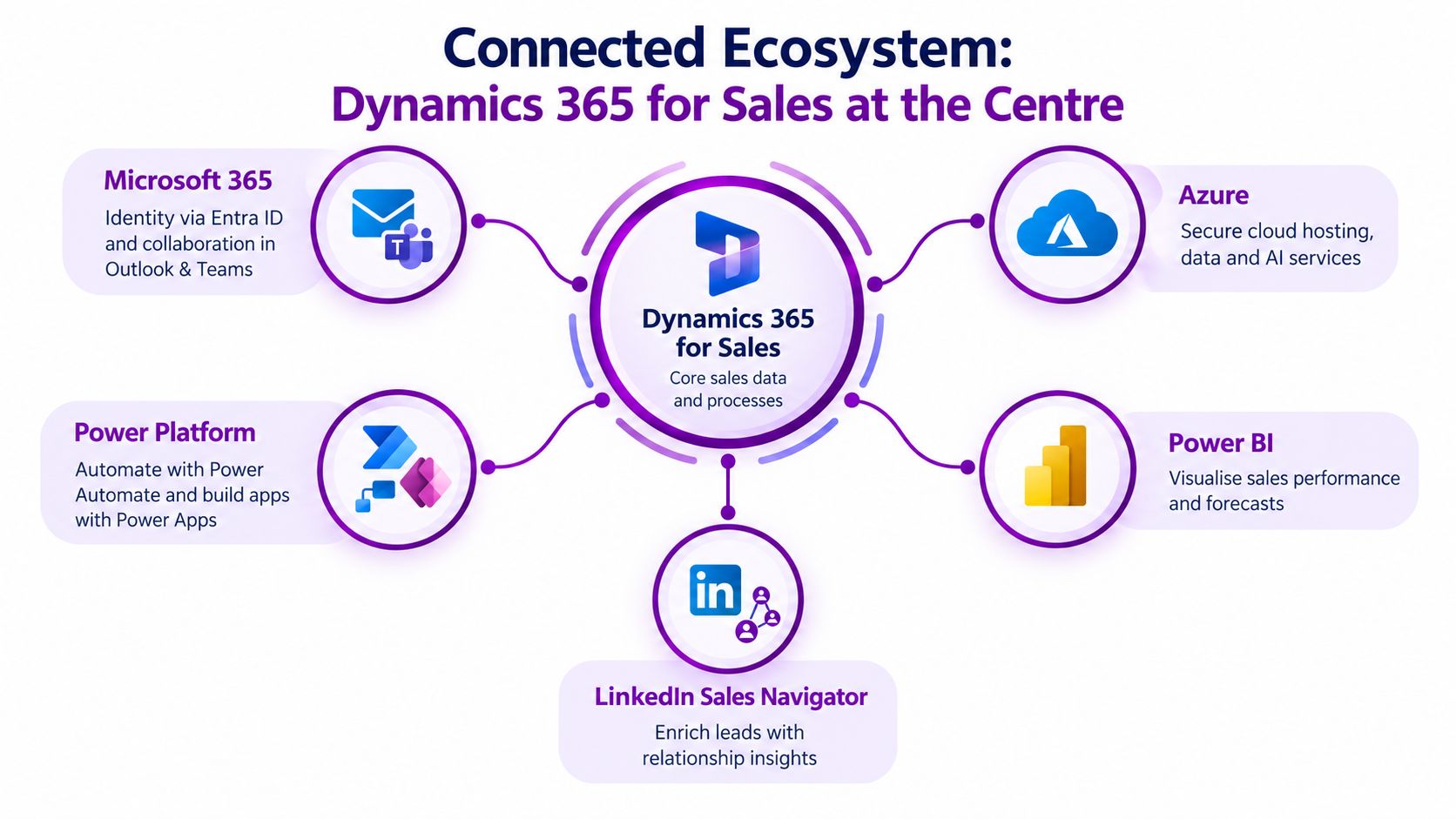
A seller may receive an email in Outlook, discuss an opportunity in Teams, update a record in Dynamics 365 Sales, and review performance through Power BI. Power Automate can move information between business processes, while Power Apps can provide a specific experience for a particular team or field activity. Azure supports the cloud services, data and AI capabilities that sit behind the wider Microsoft environment.
A connected working day
Consider a sales manager reviewing a proposal that needs internal approval. Rather than asking for an update in a separate email chain, the team can collaborate in Teams while referring to the opportunity record and its current information. An automated workflow could route an approval, update a status or notify the right people when a condition is met.
Power BI can turn structured sales data into management views. The useful output isn't a colourful dashboard for its own sake. It might show where deals stall, which sources produce qualified opportunities, or whether forecast changes reflect real customer activity.
For IT, the Microsoft-native approach can reduce integration overhead by keeping identity, analytics and workflow automation within a familiar ecosystem. UK-focused guidance highlights native connectivity and lower total cost of ownership as architectural advantages for organisations already using Microsoft 365, Power BI, Azure and Business Central. (Dynamics 365 and Salesforce comparison for UK organisations)
Extending without creating another silo
Power Platform is valuable when the standard CRM experience doesn't quite fit. A business might build a simple application for partner referrals, automate a handover to operations, or create a reporting workflow that draws on Dynamics data.
LinkedIn Sales Navigator may also be relevant for teams that need relationship and prospecting context, subject to the appropriate licensing and integration design. The principle is to extend the sales process around governed CRM data, rather than creating another independent list that later needs reconciliation.
For an example of how Microsoft-related lead generation activity can be approached, review these Microsoft Power Platform lead generation results. Organisations planning a wider architecture can also explore Dynamics 365 integration services before deciding which systems should exchange data and which should remain separate.
Implementation and Migration Best Practices for a Smooth Transition
Migration is where the spreadsheet decision becomes real. The business has to decide which records matter, which fields are trustworthy and which habits need to change. Treating implementation as a software installation usually creates a technically live system that sellers avoid.
Independent UK data reports that 32% of UK SMEs manage customer data in spreadsheets. (UK CRM adoption and market data) That doesn't mean every spreadsheet row belongs in Dynamics 365 Sales. Migration should improve the quality of the operating process, not preserve every historic inconsistency.
Start with discovery
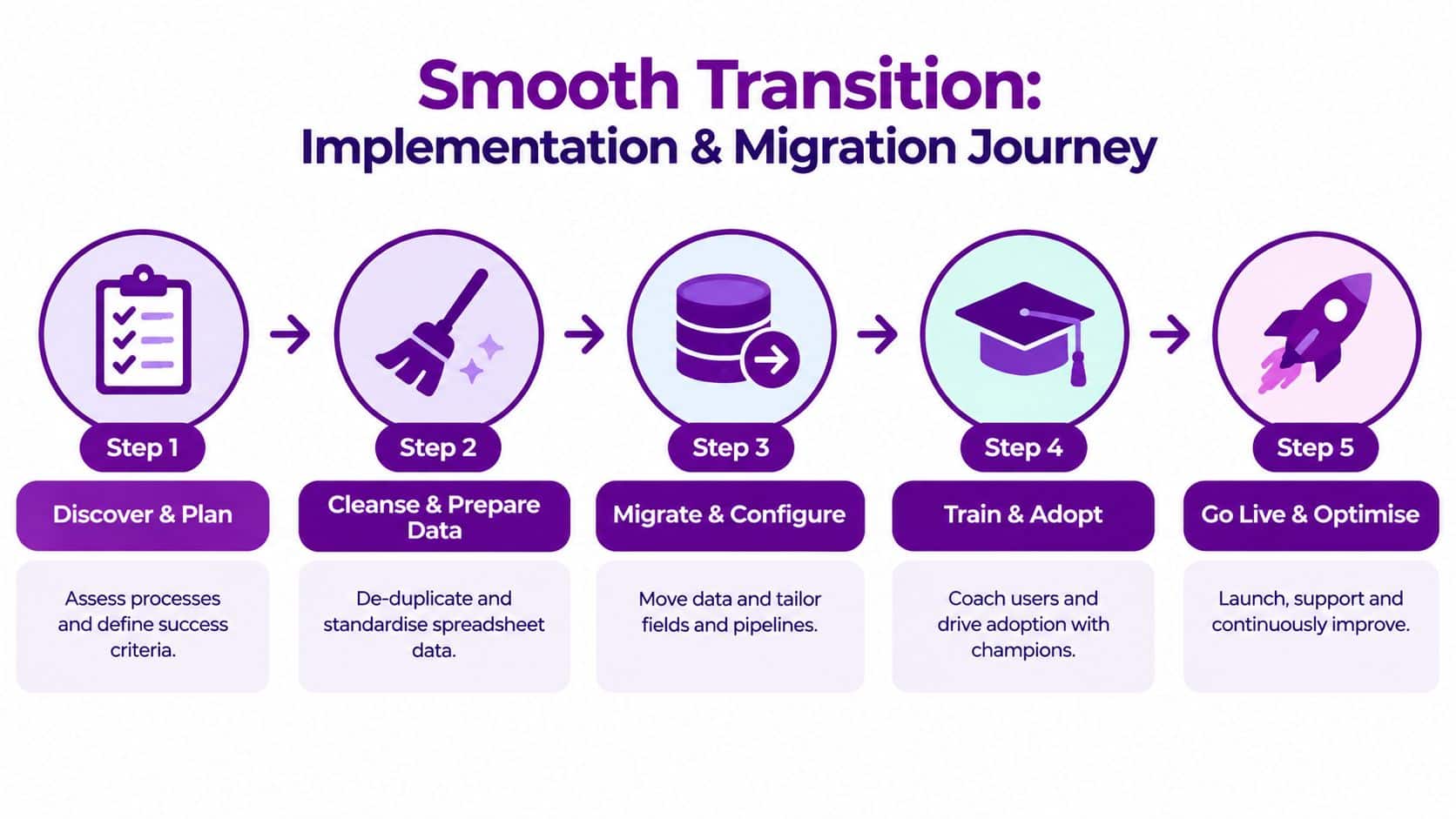
Document how leads arrive, who qualifies them, how opportunities progress and what managers need for forecast reviews. Include exceptions. A charity, professional services firm and product business may all use the word “opportunity” while meaning different things operationally.
Agree success criteria before configuration. These might include a reliable owner for every active opportunity, a defined next action, a consistent stage model and a report that sales leadership trusts. The criteria should describe behaviour and management outcomes, not just whether the system has been switched on.
Clean data before moving it
Data cleansing is not glamorous, but it determines whether users trust the new CRM. Remove duplicates, standardise company and contact names, review old opportunities and decide how to handle incomplete records.
Use a deliberate migration policy:
- Define what moves: Separate active customers, live opportunities, useful prospects and historic information.
- Map fields: Match spreadsheet columns to Dynamics 365 Sales fields and identify anything needing transformation.
- Resolve ownership: Assign records to real users or teams before go-live.
- Test representative data: Include ordinary records and difficult exceptions, not only clean examples.
- Validate with users: Ask sellers and managers to check whether the migrated information supports their daily work.
Migration principle: Don't ask, “Can we import this column?” Ask, “Will this information help someone make a better sales decision?”
Configure, train and adopt in phases
Configure the pipeline around agreed sales stages, then test it with a small group of users. Champions can identify friction early and demonstrate practical workflows to colleagues. Training should use the organisation's own leads, accounts and opportunities so that users learn the process rather than memorise generic buttons.
Plan support for the first weeks after launch. Review incomplete records, stage usage and user feedback, then make controlled improvements. A practical guide to planning the wider CRM implementation can help IT and business stakeholders structure that work.
Real World Use Cases ROI and Your Next Steps with F1Group
A professional services firm may use Dynamics 365 Sales to connect prospects, client relationships, opportunities and follow-up activity across several consultants. A growing business-to-business supplier may need a shared pipeline so that the sales director can distinguish genuine buying activity from deals that have remained open. A charity may use a structured relationship process to manage corporate partnerships and income opportunities without relying on one person's spreadsheet.
The return isn't limited to licence cost. A sensible business case considers the time managers spend reconciling reports, the revenue risk created by missed follow-up, the effort required to prepare forecasts and the value of retaining relationship knowledge in a shared system. It should also include configuration, migration, training, support and the internal time required to agree a workable sales process.
UK adoption provides context for the decision. One UK-focused database reports 6,895 UK companies and 29,650 verified decision-maker contacts using Microsoft Dynamics across product lines. (Microsoft Dynamics usage in the UK) A separate UK technology database lists 85 named UK organisations using Microsoft Dynamics 365 Sales, including PwC, EY, Legal & General, NTT DATA, Grant Thornton UK and Reconomy. (UK organisations using Dynamics 365 Sales)
The relevant question for a smaller organisation is still practical: does the current process hide enough risk, consume enough management time or limit enough growth to justify change? If sellers need shared ownership, managers need a dependable pipeline and the business already uses Microsoft 365, Dynamics 365 Sales deserves a structured assessment rather than a feature-list comparison.
F1Group can help UK organisations assess requirements, plan Dynamics 365 Sales implementation, migrate data, connect Microsoft services and provide ongoing support. The sensible next step is a focused conversation about your current pipeline, data quality, licence needs and desired operating model.
Phone 0845 855 0000 today to discuss how F1Group can support your Dynamics 365 for Sales planning, migration and Microsoft ecosystem integration. You can also send us a message or visit F1Group for practical advice for your organisation.