
You’re probably in one of two positions right now.
Either you’ve chosen a provider for Microsoft 365, Azure, Dynamics 365 or cyber security support, and a long contract has landed in your inbox. Or you’re comparing providers and realising that every proposal sounds sensible until you reach the legal terms.
That’s where the master service agreement matters. Not because it’s the most exciting document in the buying process, but because it decides how the relationship works when systems go down, projects change, invoices are disputed, or a security incident has to be handled quickly. If you’re a growing business in Nottingham, Lincoln, Leicester, Newark, Scunthorpe or Grimsby, that isn’t theory. It’s operational risk.
The Critical Document Most Businesses Overlook
A lot of businesses treat the contract as the admin step that comes after the main decision. They focus on the service desk hours, the monthly fee, the Microsoft credentials, and whether the provider seems responsive.
Then the paperwork arrives and the pressure to sign starts. Internal teams want the migration started. Licences need ordering. Devices need enrolling. Everyone wants to move.
The problem is simple. If you sign a weak agreement, you don’t find out where it fails until something goes wrong.
A Master Service Agreement, usually shortened to MSA, is the document that sets the legal and commercial rules for the relationship between your business and your IT provider. It governs the long-term arrangement rather than one isolated job.
That sounds dry. In practice, it answers very practical questions:
- What’s included: Does support cover Microsoft 365, Azure, Dynamics 365, Power Platform and cyber security monitoring, or only part of that stack?
- What’s excluded: Are on-site visits, third-party hardware, legacy software, and user training included or chargeable?
- What happens during failure: If Microsoft services are unavailable or a critical issue affects your users, what response and remedy applies?
- Who carries which risk: If a data issue, outage, or project dispute occurs, where does liability sit?
A good MSA doesn’t just protect both sides in court. It prevents the argument from happening in the first place.
For East Midlands firms, especially those moving from fragmented support into a managed cloud model, that matters more than is often realized. You might start with Microsoft 365 support, then add Azure management, Dynamics 365 support, identity controls, Power BI reporting, or Copilot governance later. If the foundation agreement is clear, each addition is easier to commission.
If it isn’t clear, every change becomes a negotiation about assumptions. That’s where delays, friction and cost start to creep in.
What Is a Master Service Agreement An Analogy
An MSA works like the standing rules for a building project. The plans for each room can change, but the rules on access, insurance, payment, defects and responsibility stay in place for the full job.
That is the most useful way to read it if you are buying ongoing Microsoft services.
A manufacturer in Leicester might start with Microsoft 365 support, then add Azure hosting, Dynamics 365 changes, Intune policy work and Copilot controls over the next year. If the legal and commercial terms sit in one master document, each new piece of work can be approved through a shorter schedule instead of reopening the whole contract. That saves time, and it also significantly reduces the chance that a rushed project document inadvertently overrides something your finance, compliance or IT lead expected to remain unchanged.
The MSA deals with the relationship, not the task list
In practice, the MSA covers the parts of the arrangement that need consistency across every service you buy:
- Legal terms such as confidentiality, data protection, limits of liability, dispute resolution and intellectual property
- Commercial terms such as charging method, invoicing, payment dates, renewal and termination
- Operating rules such as governance meetings, security responsibilities, change control and escalation routes
For UK businesses, that drafting needs to reflect UK law rather than imported US template language. Liability clauses still need to stand up under UCTA 1977. Sales and renewal wording should also avoid the kind of unfair or unclear practices that now face closer scrutiny under the DMCC Act 2024. Generic templates rarely deal with that well, especially in Microsoft service arrangements where support, licensing, security and advisory work often sit together.
If you are working with a managed service provider for Microsoft environments, this distinction matters early.
The SOW defines the actual work being bought
The Statement of Work, or service schedule, is where the specific service sits. It should describe what will be delivered, when it will be delivered, what it depends on, and what it costs.
One schedule might cover Microsoft 365 administration and support. Another might cover an Azure migration with clear milestones. A separate one might deal with Dynamics 365 configuration, a Power Platform build or a conditional access rollout.
That division keeps each document useful.
| Document | What it does | What it should not do |
|---|---|---|
| MSA | Sets the core legal, commercial and operational framework | List every task, milestone and technical setting |
| SOW or service schedule | Defines the service, deliverables, assumptions and charges | Rewrite core contract terms each time new work is ordered |
| SLA | Sets service levels, response targets and service credits or remedies | Act as the entire contract on its own |
Why the distinction matters in Microsoft projects
Microsoft estates change quickly, but not always in neat project phases. A business may add Defender, Purview, Entra ID, backup, data retention policies or Copilot usage controls as needs change, budgets shift or compliance pressure increases. If each addition requires legal redrafting from scratch, procurement slows and internal approval becomes harder than the technical work itself.
I see a different problem just as often. Providers bundle everything into one proposal and leave the boundaries vague. It looks tidy during the sales stage. Later, the awkward questions start. Is tenant hardening included or chargeable. Who owns the Power Platform solution files. What happens if a Copilot deployment creates a data exposure issue because permissions were never cleaned up first.
A good MSA does not answer every technical question. It makes sure those questions are asked in the right document, by the right people, before the work starts.
Why an MSA Is Your Safety Net in the Cloud
Cloud services are marketed as simple. Buying them often is. Running them properly over time isn’t.
Microsoft 365, Azure, Dynamics 365 and Power Platform all sit inside a live operating environment. Users change. Permissions drift. Integrations expand. Security controls need adjusting. That means your agreement with an IT provider has to handle movement, not just a one-off setup.

A strong MSA gives that moving environment structure. It does two important things at once. It creates stability for the core relationship, and it leaves room to add or alter services without renegotiating every principle.
It reduces friction when your requirements change
That speed benefit is measurable. ONS data shows businesses using MSAs for managed IT cut contract negotiation time by 25% between 2015 and 2020, and a 2024 Gartner UK IT report noted that organisations with effective MSA SLAs achieved 92% uptime for Dynamics 365 deployments, compared with 78% without (master service agreement reference).
Those figures matter because cloud support is rarely static. A business that starts with core support often moves into broader managed service arrangements. If you want a plain-English overview of what that operating model looks like, this summary of a managed service provider is useful context.
It creates accountability around uptime and response
An MSA should support your SLA, not leave it floating on its own.
If Dynamics 365 becomes unavailable, or a user-wide Microsoft 365 issue affects email, Teams or authentication, the contract should already say:
- How incidents are classified
- Who must respond
- What service window applies
- What remedy follows if the provider misses the agreed standard
Without that framework, “best endeavours” tends to replace accountability.
It protects business continuity, not just legal position
The practical value of an MSA isn’t that it gives solicitors more to read. Its value is that it gives both sides a reliable operating position.
For cloud services, that usually means clarity on matters such as:
- Data handling: Who processes what, under which instructions, and with what security obligations
- Access control: How administrator access is granted, recorded and revoked
- Change authority: Who can approve tenant changes, firewall changes, licence changes or production deployments
- Escalation: Which issues go to the service desk, which go to technical account management, and which go straight to senior escalation
Cloud problems become contract problems when ownership isn’t defined.
That’s the point many businesses miss. A cloud outage, a failed change, or a permissions mistake doesn’t begin as a legal issue. It begins as an operational issue. The MSA decides whether the people involved already know their role.
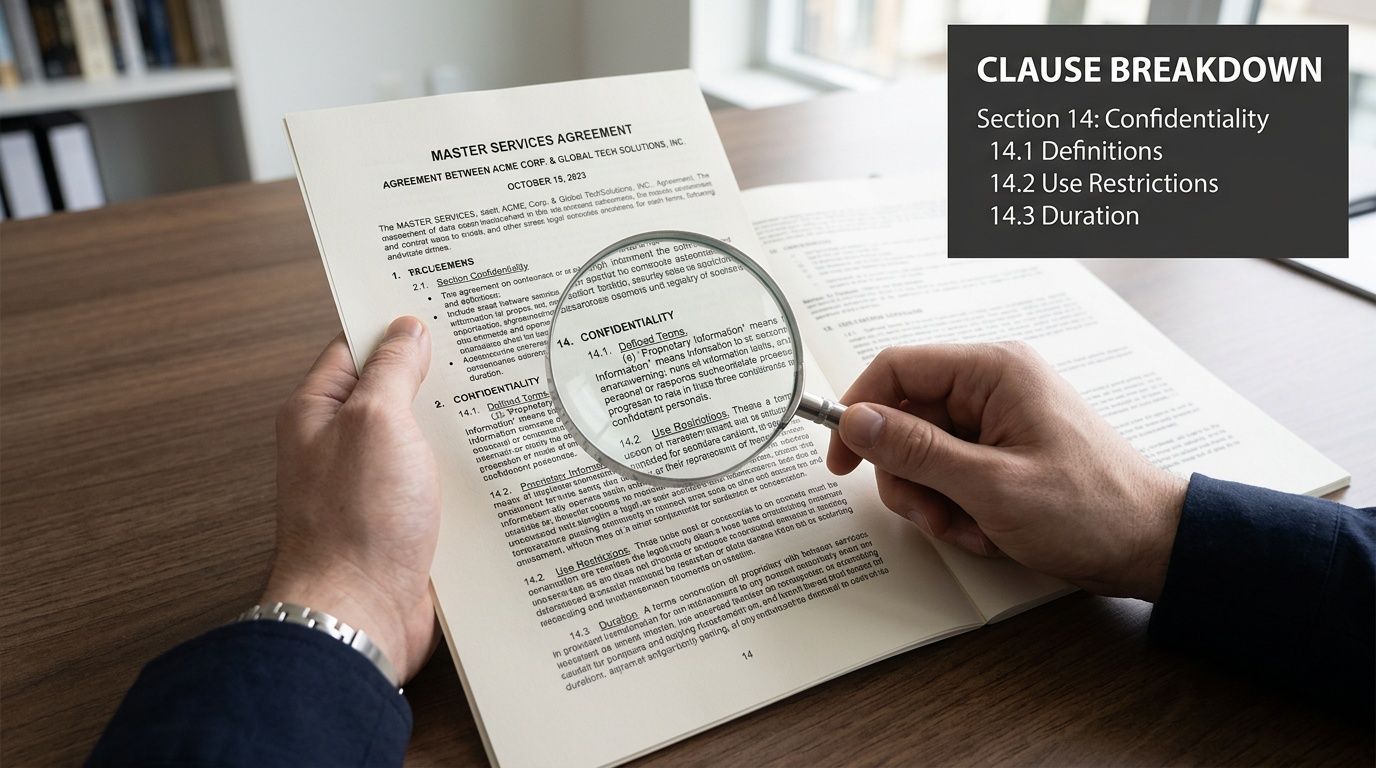
Deconstructing Key Clauses in Your IT Service Agreement
A clause only matters when something has gone wrong, someone wants extra work, or the relationship is ending. That is why this part of the MSA deserves a slower read than the pricing page.
For East Midlands businesses buying Microsoft services, the pressure points are usually predictable. A support request turns into a small project. A Copilot rollout raises fresh questions about data access. An Azure change affects cost, security, and who is responsible for recovery if it fails. Good drafting deals with those points before they become a dispute.
Scope of services
Scope is where many IT agreements start to drift.
If the contract says “IT support” or “Microsoft assistance”, both sides will read something different into it. The client assumes day-to-day help, strategic guidance, and minor change work are included. The provider may have priced for reactive support only. That gap usually appears after the agreement is signed.
A better clause draws clean boundaries. For a Microsoft-focused MSA, that often means separating:
- Included support: Microsoft 365 administration, Azure tenant management, endpoint support, Dynamics 365 issue resolution, identity and access support
- Project work: migrations, tenant-to-tenant moves, major redesigns, custom Power Apps, data cleansing
- Excluded items: third-party line-of-business software, unsupported legacy servers, non-core hardware maintenance, consumer devices
That level of detail prevents a familiar argument. “We thought that was included” is expensive for both sides.
For UK SMBs, scope also affects regulatory exposure. If a provider touches customer communications, online sales tooling, or subscription processes, the work may sit closer to the standards expected under the DMCC Act 2024 than a generic support contract suggests. The agreement should reflect the actual service being bought, not a recycled template from a US software deal.
Service levels and remedies
Service levels need plain definitions, not sales language.
A strong clause states what is being measured, during which service window, against which systems, and what happens if the provider misses the target. Terms such as “commercially reasonable efforts” can appear in a contract, but they should sit behind measurable commitments, not replace them.
The table below shows the difference.
| SLA element | Good contract wording looks like | Weak wording looks like |
|---|---|---|
| Availability | “Microsoft 365 administration service available during contracted support hours, excluding planned maintenance” | “Provider will aim to maintain good availability” |
| Incident response | “Critical incidents acknowledged within defined response window” | “Urgent issues handled promptly” |
| Resolution target | “Priority 1 incidents worked continuously during support window until service restoration or agreed workaround” | “Issues resolved as soon as possible” |
| Remedy | “Service credits apply when service thresholds are missed” | “Parties will discuss suitable remedy” |
The remedy point matters more than many clients expect. If there is no agreed consequence for poor performance, the SLA becomes a reporting tool rather than a contractual commitment.
For Microsoft estates, precision also helps separate provider responsibility from Microsoft responsibility. If Exchange Online has a platform-wide outage, your MSP cannot contract around Microsoft’s own service incident. If the provider misconfigures conditional access and locks users out, that is different. The wording should make that distinction clear.
Change control
Microsoft environments change constantly. Licences change. Security baselines change. Integrations change. Users ask for one small adjustment and it turns into a wider piece of work.
A proper change control clause should cover:
- Who can request a change
- How the impact is assessed
- Whether security, cost or timetable changes need approval
- What happens if urgent remedial work is needed first
- How the revised scope becomes binding
This is especially important for Azure, Dynamics 365, and Copilot deployments. A seemingly minor request, such as adding access to a dataset or linking a new workflow, can affect permissions, retention, billing, testing, and support ownership. If the contract has no method for assessing that impact, the work either happens informally or stalls while both sides argue about scope.
In practice, the best change clauses are disciplined without being slow. They allow urgent security work to start quickly, then require the paperwork to catch up within an agreed period.
Liability limits and indemnities
This is the clause finance teams notice first and operational teams often leave until too late.
Under UCTA 1977, liability clauses in a business-to-business IT contract still have to be reasonable. A supplier cannot write in a low cap and assume it will always stand. Reasonableness depends on the bargaining position, the service being supplied, the insurance in place, and the type of loss that could arise.
Caps are normal. The point is to decide whether the cap fits the service risk. A modest helpdesk contract and a partner managing business-critical Azure workloads, identity controls, or regulated Dynamics data should not carry the same liability structure.
It also helps to separate two concepts that clients often merge:
- A liability cap limits the amount recoverable in specified claims
- An indemnity is a promise to cover defined losses or third-party claims if certain events occur
If an indemnity sits outside the cap, the exposure may be much wider than the summary page suggests.
Check the carve-outs carefully as well. Many providers exclude indirect or consequential loss. That is common. The harder question is whether the exclusions stay proportionate for confidentiality breaches, data protection failures, IP infringement, or deliberate misconduct. The UK Information Commissioner’s Office guidance on controller and processor responsibilities is a useful reference point for data-related risk allocation in service contracts (ICO guidance on contracts and liabilities).
Intellectual property
IP clauses matter whenever the provider builds something specific for your business.
In Microsoft work, that could be:
- a custom Power App
- a Power Automate flow
- bespoke Dynamics 365 configuration
- scripts, connectors or documentation
- reporting models in Power BI
The contract should distinguish between three categories:
- Pre-existing IP owned by the provider before the work started
- New deliverables created specifically for your organisation
- Reusable components the provider uses across more than one client
Clients often assume payment equals ownership. It does not. Ownership depends on the wording and, in some cases, the licence model under which the solution is delivered.
A workable position is usually straightforward. The provider keeps its underlying tools, methods, and generic accelerators. The client receives ownership of, or a clearly defined right to use, the bespoke deliverables created for its tenant, processes, and data. If Copilot agents, prompts, or custom connectors are involved, the clause should say so expressly. AI-related output is still output. If it matters to your operations, address it directly.
Termination rights
Termination clauses tell you what leaving will look like in real life.
A fair clause usually covers:
- Termination for cause if one party materially breaches the agreement
- Termination for insolvency if one party can no longer perform
- Termination for convenience after the initial term, often with notice
The harder part is exit support. If that is vague, termination becomes operationally messy even where the legal right to leave is clear.
Check whether the agreement deals with:
- Notice period
- Exit support obligations
- Handover of credentials, documentation and configuration records
- Data export and retention
- Final charges and transitional fees
This matters a great deal in Microsoft estates. If tenant access, global admin roles, CSP billing relationships, backup access, and configuration records are not handed over in an orderly way, the business may have the right to terminate but still struggle to take control. I have seen exits run smoothly where the clause was detailed and tested against reality. I have also seen exits delayed because nobody had defined who would release what, and in what order.
What usually works and what usually doesn’t
From a practitioner’s perspective, the agreements that work well are usually the ones that stay close to how the service will be delivered.
Clauses that usually work well
- Specific service schedules attached to a stable master agreement
- Measurable SLAs with clear remedies
- Balanced liability wording tied to the actual service risk
- Clear IP ownership for custom Microsoft solutions
- Defined exit support so the relationship can end professionally
Clauses that usually cause trouble
- Broad sales language used as legal scope
- Undefined support promises such as “fully managed”
- Indemnities drafted too widely
- No change control discipline
- Termination rights without an exit plan
The best MSA is usually the one both sides can use on a bad day, not the one that looked polished in procurement.
Sample MSA Clause Language for Microsoft Services
Sample wording is useful because it shows the level of precision you should expect. This is illustrative only, not legal advice, and it should be reviewed by your solicitor before use.
Sample SLA clause for managed Microsoft 365 services
Service Availability
The Provider shall deliver managed support services for the Customer’s Microsoft 365 environment in accordance with the service levels set out in this Agreement and any applicable Service Schedule. For services expressly designated as covered by an availability commitment, the Provider shall target 99.5% availability during the agreed service period, excluding planned maintenance, Microsoft platform incidents outside the Provider’s control, and outages caused by Customer systems or third-party dependencies.
Incident Priorities
Incidents shall be classified as follows:
- Critical Incident. A fault causing a severe business impact, including widespread inability to access core Microsoft 365 services or a significant cyber security event.
- High Priority Incident. A fault materially affecting a department, business process, or key user group.
- Medium Priority Incident. A fault causing limited operational impact with a workaround available.
Response and Resolution Targets
For Critical Incidents, the Provider shall use continuous efforts during the applicable support window to restore service and shall target a Mean Time to Resolution under 4 hours where the incident falls within the Provider’s contractual control and support scope.
For High Priority and Medium Priority Incidents, the Provider shall respond and progress the matter in accordance with the Service Schedule.
Service Credits
If the Provider fails to meet the agreed uptime benchmark, the Customer shall be entitled to a service credit. Where the Agreement links service credits to downtime, standard UK MSP contract templates may provide for 10% to 15% of monthly fees per hour of downtime, depending on the agreed model and wording in the contract template basis already described in the verified data. Any service credit mechanism should be drafted precisely in the final agreement.
Exclusions
The SLA shall not apply to issues caused by Customer delay, unauthorised changes, unsupported third-party software, or Microsoft service incidents that the Provider could not reasonably remediate under the contracted scope.
Why this wording is stronger
It does three things properly:
- Defines the service so nobody is guessing what the commitment applies to
- Distinguishes targets from absolutes so there’s less room for false assumptions
- Separates provider responsibility from Microsoft platform responsibility
The most common drafting mistake is pretending the provider controls everything in the Microsoft stack. They don’t. The contract should reflect the service the provider manages, not promise universal control over every upstream dependency.
Your MSA Negotiation Checklist for UK Businesses
Negotiating an MSA isn’t about trying to “win” the contract. It’s about making sure the document matches the exact service you’re buying.
That matters even more under the UK’s newer digital contract rules. The Digital Markets, Competition and Consumers Act 2024 requires greater transparency in digital service contracts, and a 2025 UK Government report highlighted that 68% of SMEs faced disputes over unclear terms, while a CMA review found 45% of mid-sized firm MSAs non-compliant with those transparency rules (HCR Law overview of master service agreements).
Start with the commercial reality
Before you mark up any clause, get clear internally on three points:
- What service are you buying
- What risks would seriously harm the business
- Which terms are essential for your board, finance lead, or IT team
If you don’t settle that first, negotiation becomes reactive.
A fixed-fee support arrangement at £2,500 per month will usually need tighter definition around inclusions and exclusions than a variable arrangement, because margin pressure can push both sides into disputes about what the monthly fee really covers. A variable model gives more flexibility, but it can create budgeting uncertainty if the approval route for extra work is weak.
The checklist that catches most issues
| Check Point | What to Look For | Red Flag |
|---|---|---|
| Scope | Clear list of covered Microsoft services and explicit exclusions | Sales wording used instead of contractual definition |
| SLA | Measurable uptime, response and remedy wording | “Reasonable efforts” without hard metrics |
| Charges | Clear monthly fee, project fee, and out-of-scope rates | Extra charges referenced but not defined |
| Liability cap | Cap linked to a realistic period of fees | Cap set too low to reflect the service risk |
| Indemnities | Specific events covered, with sensible boundaries | Broad indemnity that sits outside the cap |
| IP ownership | Client ownership or clear licence for custom outputs | Silence on Power Apps, scripts, reports or automations |
| Data protection | Processor obligations and customer responsibilities stated plainly | Generic privacy wording not tailored to service delivery |
| Termination | Notice rights and exit help defined | Right to exit without any handover obligation |
| DMCC transparency | Terms written clearly and consistently | Hidden restrictions, vague renewals, unclear cancellation wording |
Questions worth asking in the room
Use direct questions. They surface issues faster than long legal comments.
- If our Azure estate changes mid-term, how is that authorised and charged?
- What exactly is excluded from the monthly support fee?
- Does the liability cap apply to indemnities, confidentiality breaches, and data protection claims?
- Who owns bespoke Power Platform work created during the term?
- What practical assistance do we get if we terminate and move provider?
If you’re starting from a procurement brief rather than a draft contract, an IT RFP template can help structure the right questions before terms become entrenched.
Clear negotiation usually shortens the sales cycle. Ambiguity is what drags deals into legal limbo.
What to push back on
Not every point needs a fight. These often do.
Low liability caps that don’t reflect business-critical services.
Auto-renewal wording that’s easy to miss.
Undefined change requests that let scope expand informally.
Weak exit assistance where credentials, tenant access and documentation aren’t mentioned.
AI add-ons bundled in without clear responsibility for output, data handling or user governance.
The best outcome is balanced. If the provider can’t operate the contract practically, the document will fail in delivery. If your business can’t rely on the wording during stress, it has failed already.
Future-Proofing Your MSA for AI and Emerging Tech
AI changes the risk profile of an IT agreement because the service is no longer only about uptime, access and support. It also becomes about output quality, data handling, attribution and downstream consequences.

That matters for businesses adopting Microsoft Copilot, Power Automate, Dynamics 365 AI features, and custom Power Apps with AI-assisted workflows.
A 2025 British Computer Society survey revealed that 72% of East Midlands IT directors cite inadequate MSA protections as a barrier to adopting AI like Copilot, and 2025 data from The Law Society of England & Wales points to a 35% rise in IP disputes for custom Power Apps linked to issues such as ownership and AI-related output risk (Thomson Reuters UK on what an MSA is).
Where standard clauses often fall short
Traditional indemnity and liability wording doesn’t always deal well with AI-specific scenarios such as:
- AI hallucinations that produce inaccurate business content
- Bias or flawed outputs in HR, customer service or reporting workflows
- Prompt and output ownership where staff and provider teams both shape the result
- Training and data-use limits for sensitive business information
A future-ready MSA should spell out whether AI outputs are advisory, who validates them before operational use, and who is responsible if those outputs are wrong.
Clauses worth adding now
For Microsoft AI services, I’d look for wording around:
- Permitted AI use in support, automation and development work
- Human review obligations before AI-generated output is relied on
- Data handling restrictions for prompts, logs and model-connected workflows
- IP ownership rules for AI-assisted custom development
- Suspension or rollback rights if an AI feature causes operational risk
If your business is deploying chatbot or assistant functionality, external privacy guidance can also be useful. This practical guide to GDPR compliance guidelines for AI chatbots is worth reviewing alongside your legal advice, especially when personal data and automated interactions are involved.
For organisations considering Microsoft’s AI stack more broadly, this overview of Microsoft AI Copilot helps frame the operational side that the contract then needs to support.
AI clauses shouldn’t try to predict every future tool. They should define responsibility clearly enough that new tools can be adopted without reopening every core risk point.
Secure Your Partnership and Your Business Today
A master service agreement isn’t there to slow down an IT project. It’s there to stop your business walking into avoidable uncertainty.
When it’s drafted properly, it gives you a stable framework for Microsoft 365, Azure, Dynamics 365, Power Platform and AI services. It defines service quality, allocates risk sensibly, protects your data, and makes future projects easier to launch. When it’s vague, every outage, change request and handover becomes harder than it should be.
If you want a starting point for simpler agreements in an early-stage context, tools such as an agreement generator can be useful for inspiration. For live IT support, cloud transformation and managed Microsoft services, though, your contract needs proper review and tailoring.
The goal isn’t paperwork for its own sake. It’s a working relationship that stays clear under pressure.
If you’re reviewing a contract for managed IT, Microsoft 365, Azure, Dynamics 365, Copilot or Power Platform support, F1Group can help you approach it with practical clarity. We support organisations across the East Midlands with dependable Microsoft-focused services and a hands-on, accountable approach. Phone 0845 855 0000 today or Send us a message https://www.f1group.com/contact/.