
You're probably already closer to a data leak than you think.
A member of staff sends quotes from Outlook, stores working files in OneDrive, chats in Teams, and occasionally copies content into Copilot or another AI tool to save time. That's normal modern work. It's also exactly how sensitive data leaves a business by mistake.
For most small and mid-sized firms in the East Midlands, the main problem isn't a Hollywood-style cyber attack. It's routine behaviour inside Microsoft 365. Wrong attachment. Wrong recipient. Overshared folder. Spreadsheet downloaded to a personal device. Client details pasted into an AI prompt because someone wanted help drafting an email faster.
That's where data loss prevention policies come in. Done properly, they give you control without strangling productivity. Done badly, they create noise, false positives, and frustrated staff who find workarounds.
My advice is simple. Start small, focus on your most sensitive data, and build DLP around the way your people already work in Microsoft 365.
The Accidental Email That Cost a Fortune
An accounts assistant is chasing a late payment. They open Outlook, attach what they think is a single invoice export, type the client's address, and press send. Ten minutes later, someone notices the attachment wasn't the invoice pack. It was a spreadsheet containing far more than it should have, including customer contact details, internal notes, and historic order data.
No one meant to do anything reckless. No one was stealing data. It was a normal employee, doing a normal job, making a very ordinary mistake.
That's why these incidents are dangerous. They don't start with criminal intent. They start with convenience, speed, and distraction.
Why this hits SMBs harder
A larger enterprise might absorb the operational disruption. A smaller organisation usually can't. The leadership team gets dragged into damage control, client confidence takes a hit, and internal teams lose days dealing with the aftermath.
Worse, many businesses discover too late that they had no technical control in place to stop the mistake. Outlook sent the message. OneDrive synced the file. Teams made it easy to share. Microsoft 365 did exactly what the user asked.
Practical rule: If staff can send, share, copy, or upload sensitive data without any policy check, you don't have data control. You have hope.
What a DLP policy changes
A proper DLP policy would have looked at the content before it left the business. It could have flagged personal data, warned the user, blocked external sending, or alerted IT for review. That turns a breach into a near miss.
That's the point of data loss prevention policies. They don't rely on people being perfect. They assume people are busy, fallible, and under pressure. Then they put guardrails around the risky actions.
For a UK SMB, that's not bureaucracy. It's operational common sense.
What Are Data Loss Prevention Policies Really
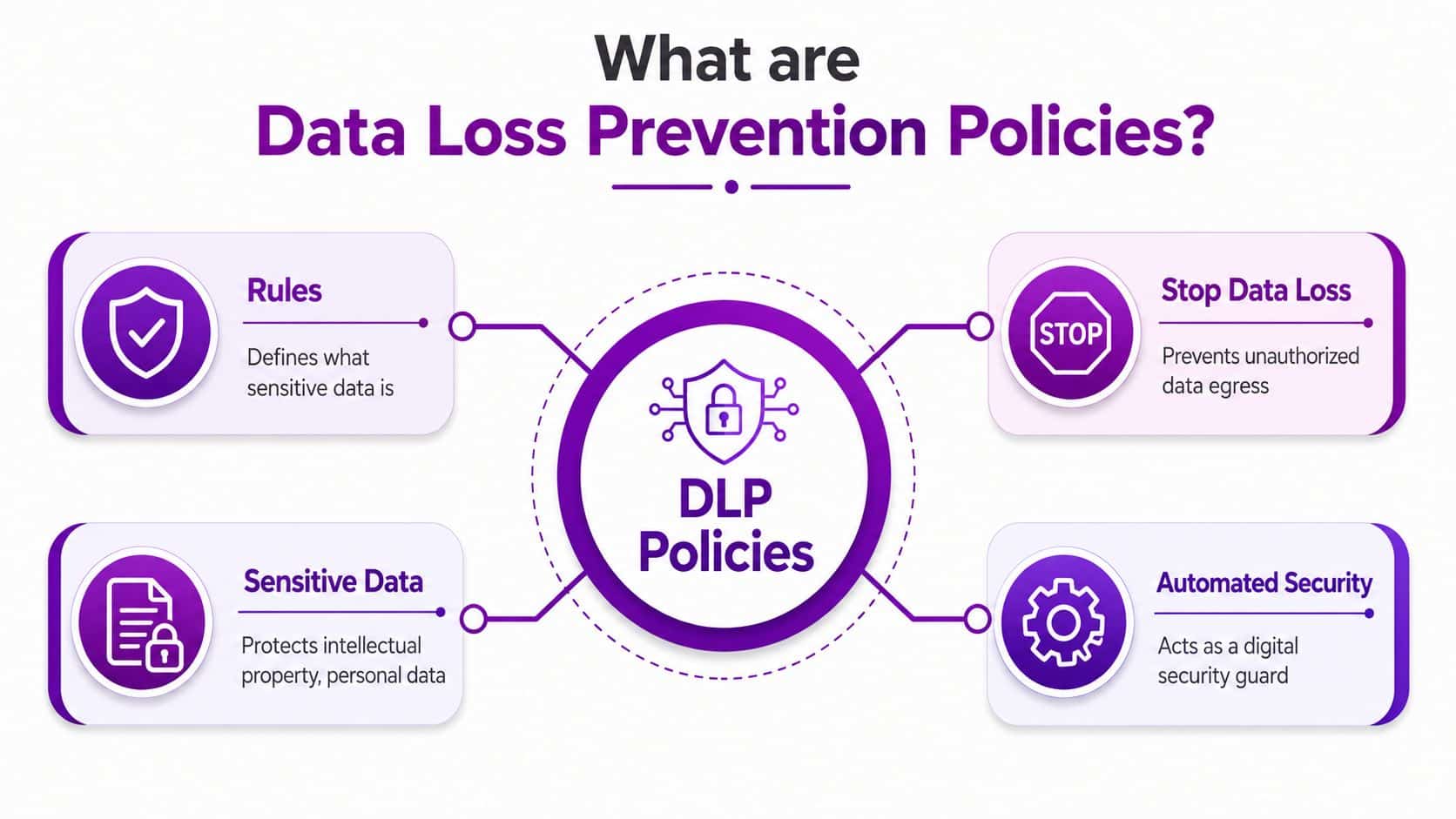
A data loss prevention policy is a set of rules that tells your systems what sensitive information looks like, where it's allowed to go, and what should happen when someone tries to move it in the wrong way.
The simplest way to think about it is this. A DLP policy acts like a digital security guard inside Microsoft 365. It doesn't just watch files sitting in one folder. It watches how information is used across email, Teams, SharePoint, OneDrive, devices, and web traffic.
The three places DLP works
Most businesses need protection in three different situations:
- Data in use means someone is actively working with it on a laptop or desktop. Think copying client data, printing a payroll file, or pasting confidential content into an app.
- Data in motion means the information is moving. Email attachments, Teams messages, and uploads to websites all sit here.
- Data at rest means the data is stored somewhere such as SharePoint, OneDrive, or a file repository.
If your controls only cover one of those, you've got gaps. A business that blocks risky emails but ignores oversharing in Teams still has a problem.
What a policy actually does
A well-built policy can do several things at once:
- Detect sensitive content such as personal data, financial records, or internal commercial documents
- Warn the user with a policy tip before they complete the action
- Block sharing, sending, copying, or uploading in higher-risk situations
- Log and alert so IT or management can review what happened
That's why DLP isn't the same as a written policy in a staff handbook. The handbook says what should happen. DLP in Microsoft 365 helps enforce it.
Why Microsoft 365 matters here
If your business already runs on Exchange Online, SharePoint, OneDrive, and Teams, you don't need to bolt on a completely separate way of thinking. Microsoft's approach is designed to monitor sensitive items and protect them across enterprise apps, devices, and inline web traffic, as explained in the Microsoft Purview DLP overview.
That matters because most SMBs don't need more disconnected security tools. They need better control over the tools they already use every day.
DLP is most effective when it follows the data through normal work, not when it sits off to one side as an isolated security project.
Why DLP Matters for Your Business and Compliance
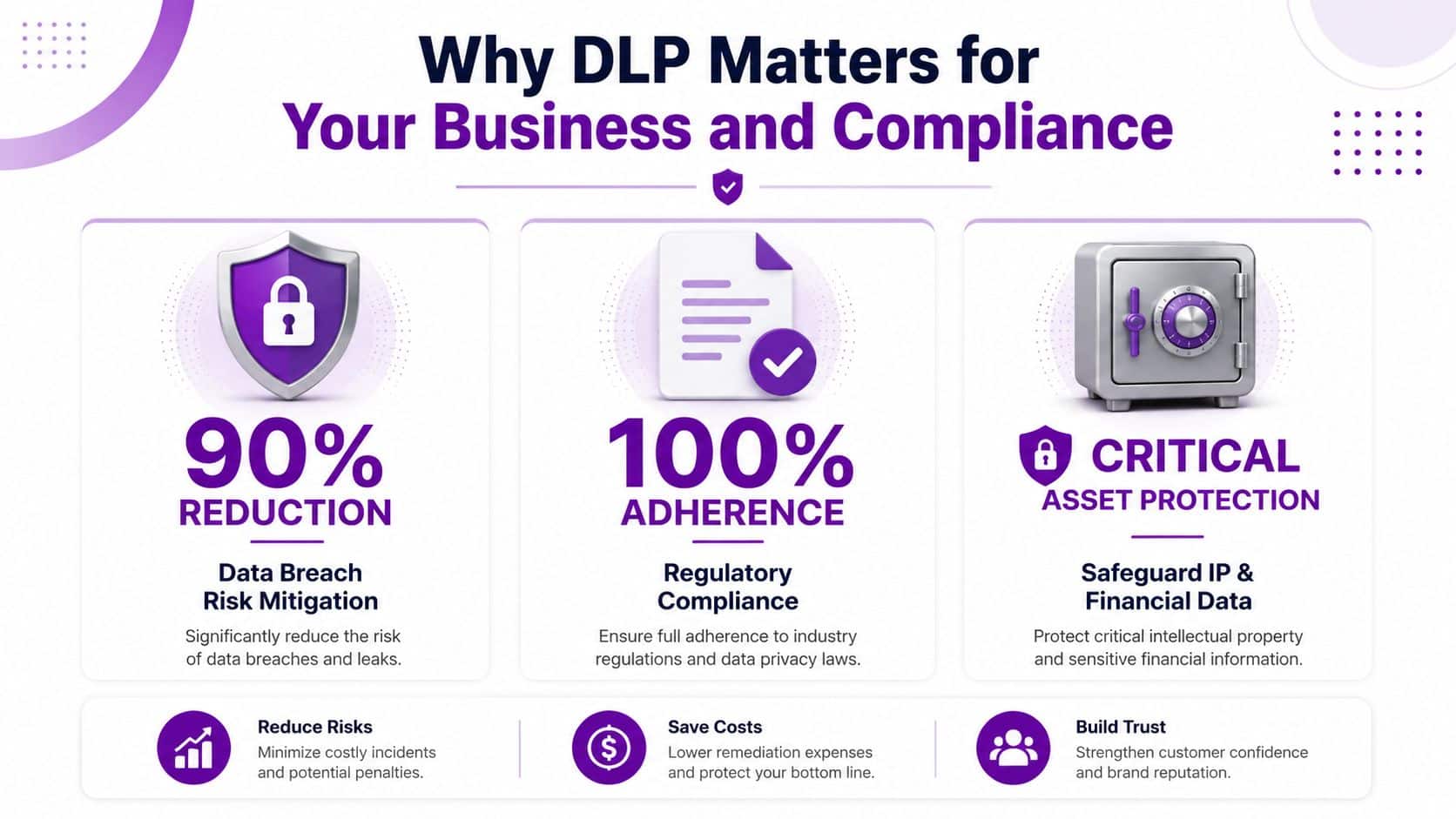
If you treat DLP as a niche IT feature, you'll underinvest in it and regret it later. This is a business control, a compliance control, and a trust control.
The legal point is straightforward. The UK's Information Commissioner's Office can issue fines of up to £17.5 million or 4% of annual worldwide turnover for serious infringements of UK GDPR, and DLP policies are a practical way to demonstrate the “appropriate technical and organisational measures” expected for protecting personal data, as outlined in this data loss prevention policy explainer.
It protects more than personal data
Most business owners immediately think about GDPR. Fair enough. But the damage from poor data control goes wider than regulated personal data.
A decent DLP setup also helps protect:
- Commercial information such as pricing files, proposals, and contract drafts
- Financial records including payroll data, bank details, and management reports
- Operational data such as client lists, supplier terms, and internal planning documents
When that information leaks, the cost isn't only regulatory. It's reputational, contractual, and practical.
It turns compliance into a working control
A lot of organisations have compliance documents that sound fine in a meeting and fall apart in day-to-day use. DLP fixes that by translating broad obligations into enforceable technical rules inside Microsoft 365.
For example, if your policy says staff must not send personal data externally unless there is a valid business reason, DLP can support that with policy tips, approvals, or hard blocks. That's far more credible than relying on annual training and crossed fingers.
If your team operates internationally or works with overseas entities, this wider compliance guide for global tech companies is useful context because it shows how data handling expectations travel across borders. For a UK-specific baseline, it also helps to review the practical business view in this GDPR compliance guide.
My recommendation
Put DLP on the leadership agenda, not just the IT task list.
Good DLP policy design answers a board-level question. What information could hurt us if it left the business, and what are we doing about it today?
If you can't answer that clearly, you need to act.
Designing Your First DLP Policies in Microsoft 365
The biggest mistake I see is firms jumping straight into settings without deciding what they're protecting. That creates blunt rules, irritated users, and endless tuning.
Start with one principle. DLP policy design in Microsoft 365 is a classification-to-control mapping problem. In plain English, you classify data first, then decide what controls apply to each class.
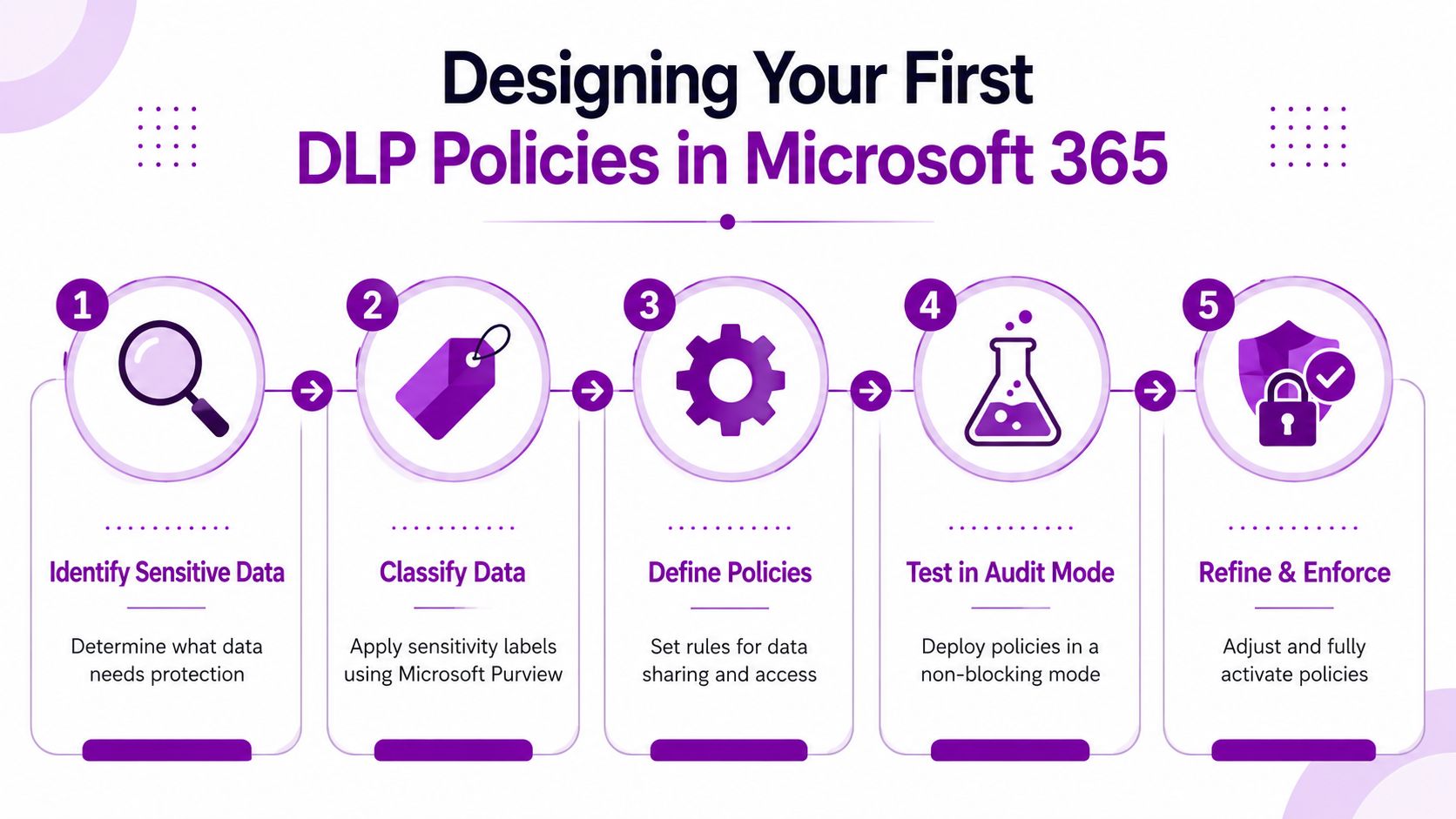
Step one, define your sensitivity tiers
Keep it simple. Most SMBs don't need a massive taxonomy.
A practical starting point is:
- Public for information you're happy to share openly
- Internal for routine operational content
- Confidential for sensitive commercial or staff information
- Restricted for the small set of data that must have the strongest controls
Many firms tend to overcomplicate things. Don't start with dozens of labels. Start with a structure your managers can understand and your users can follow.
Step two, identify sensitive information types
Microsoft Purview includes built-in ways to identify sensitive items, and that's where the platform becomes useful quickly. You can align policies to common regulated data types and then add your own business-specific logic.
Examples might include:
- UK personal data used in HR, customer service, or finance
- Payment-related information in accounting workflows
- Custom business markers such as project names, proposal templates, or client identifiers
Step three, bind each class to a control
This is the bit that matters most. Classification without action is just admin.
Use a simple model:
| Data classification | Typical Microsoft 365 control |
|---|---|
| Public | Allow normal sharing |
| Internal | Warn on unusual external sharing |
| Confidential | Restrict external email and unmanaged upload paths |
| Restricted | Block external sharing unless tightly controlled |
This is exactly why Microsoft Purview's DLP framework depends on accurate classification logic. If the logic is weak, the action is wrong. If the classification is sound, the control becomes useful.
A sensible rule format looks like this:
- If the file or message contains sensitive content
- And the user is trying to send, upload, or share it in a risky way
- Then warn, block, encrypt, or alert
Step four, test before you enforce
Before you turn on blocking, give your team a visual overview of the process and the controls they'll live with:
Run your early policies in audit or test mode. Watch the matches. Review whether they reflect real risk or just noise. Then tighten the controls.
Start with high-value, obvious cases. Payroll files, customer exports, finance folders, HR records. Don't begin with edge cases.
Step five, cover the real Microsoft 365 paths
Your first DLP policies should usually target the channels people use most:
- Exchange Online for outbound email
- SharePoint Online for document libraries and team sites
- OneDrive for personal work storage and sharing
- Microsoft Teams for messages and file collaboration
That gives you immediate coverage where accidental data loss happens most often in UK SMBs.
Sample DLP Policy Templates for UK Businesses
You don't need to start from a blank sheet. You need a sensible first draft that matches how your business works.
These examples are meant to be adapted inside Microsoft 365, not copied blindly. Treat them as starting points for discussion between IT, operations, HR, and finance. If you need broader governance wording around acceptable use and user behaviour, these information technology policy examples are a useful companion.
Sample Microsoft 365 DLP Policy Templates
| Policy Name | Sensitive Info to Protect | Conditions | Recommended Action |
|---|---|---|---|
| UK GDPR Data Protection | Personal data in customer records, HR files, contact lists, case notes | User tries to email externally, share from OneDrive, or post in Teams with sensitive personal data present | Show policy tip first, then block external sharing for higher-risk matches and alert IT |
| Financial Data Control | Payroll reports, bank details, invoices, management accounts, payment files | File is shared outside the organisation, copied to unmanaged locations, or attached to outbound email | Restrict external sending, warn internal users, require review for exceptions |
| Confidential Business IP | Strategic plans, proposal documents, pricing sheets, project documents, board papers | Document contains selected keywords, labels, or location-based markers and is being shared broadly | Limit access, block unauthorised sharing, log incidents for management review |
How to use these templates properly
The right approach is to tie each template to a real business risk.
A manufacturer might focus first on drawings, pricing, and supplier terms. A charity may prioritise donor data and case information. A professional services firm will usually start with client records, finance data, and proposal material.
What not to do
Don't create one giant policy that tries to govern everything. That's lazy design.
Instead:
- Separate personal data from commercial secrecy because the risks and responses are different
- Use different actions for different channels because an email risk isn't always the same as a Teams or OneDrive risk
- Give users a chance to learn where the risk is lower and block decisively where the consequences are higher
That balance is what makes data loss prevention policies usable rather than obstructive.
A Practical Deployment and Testing Checklist
Most DLP failures aren't technical. They're rollout failures. Someone enables too much, too quickly, users get blocked from legitimate work, and confidence in the whole project collapses.
A controlled deployment is the only sensible approach.
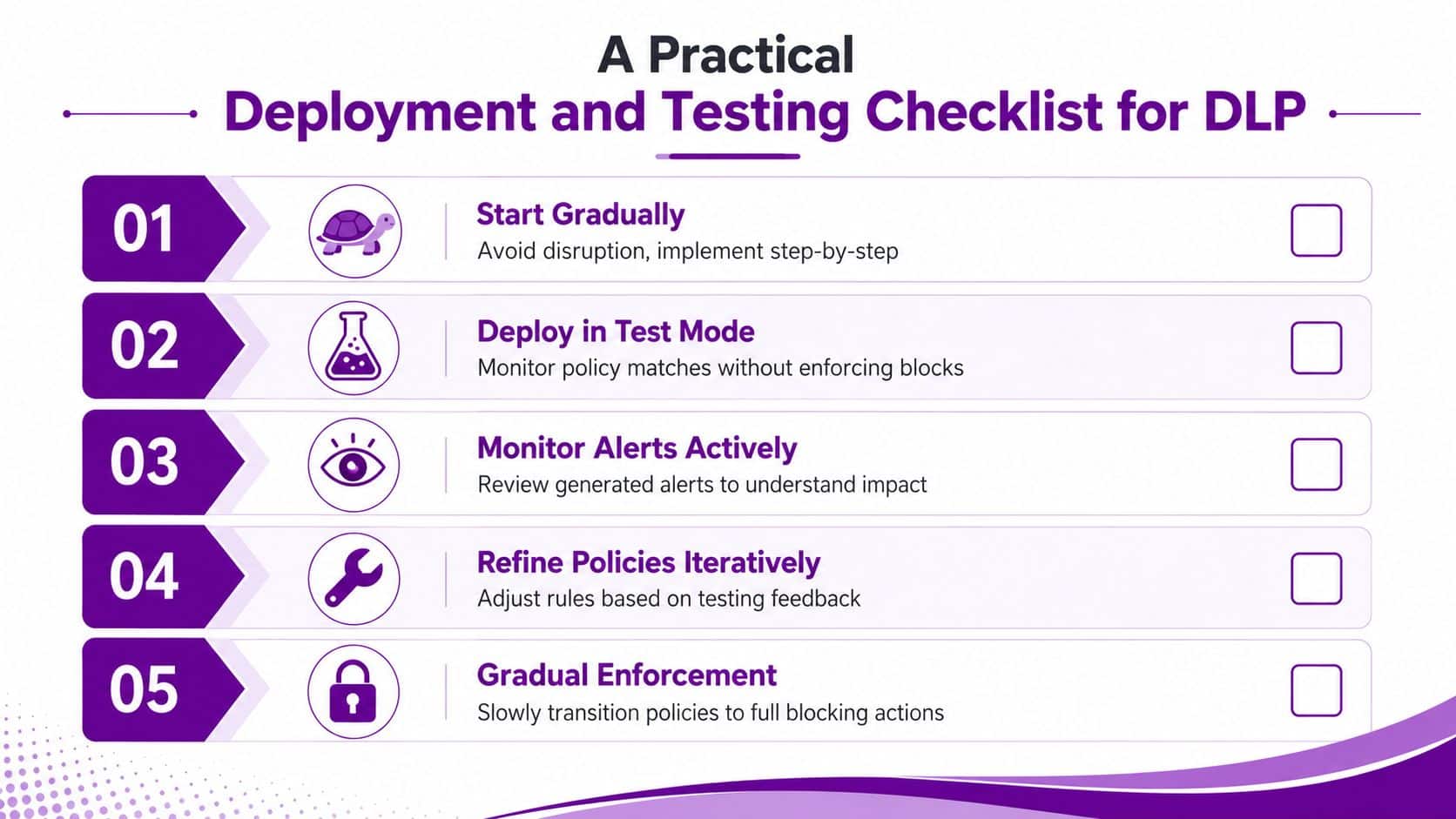
Start in shadow mode
Modern DLP strategy has to account for new exfiltration paths such as AI-assisted data handling, and controlled deployment with shadow policies and user behaviour analytics can improve accuracy and reduce disruption, as discussed in this modern DLP guidance from Safe Security.
That's why your first move should be monitoring without disruption.
In shadow mode, the policy runs, detects matches, and records what would have happened. Users carry on working. IT gets visibility without starting a civil war with the sales team.
Use this rollout sequence
-
Pick one high-risk use case
Start with something obvious, such as external emailing of personal data or oversharing from a finance document library. -
Deploy in test mode
Review what the policy catches. You're looking for relevance, not volume. -
Check the false positives manually
Open the incidents. Read the context. If the policy keeps triggering on harmless content, fix the logic before moving on. -
Introduce user notifications
Policy tips in Microsoft 365 are useful because they teach users at the exact moment they're about to make a mistake. -
Move to selective enforcement
Only block when you've proved the rule is accurate and the business understands it.
Extend your thinking to AI and cloud behaviour
Older DLP strategies fall short. They focus on email and maybe endpoints, but ignore collaboration apps and AI tools.
For a Microsoft 365 business, your checklist now needs to include:
- Copilot and AI prompts where users may paste sensitive content into summaries or drafting tools
- Teams chat and file sharing because informal collaboration often bypasses older control assumptions
- OneDrive external sharing which users often treat as harmless when it isn't
- Endpoint handling especially if staff work remotely and move files between managed and unmanaged devices
If your DLP policy doesn't consider AI-enabled workflows, it's already behind your users.
Operational checks before full enforcement
Use a short internal go-live checklist:
- Business owner confirmed for each policy area
- Affected departments briefed before controls tighten
- Exception route documented for legitimate edge cases
- Alert review assigned to a named person or team
- Recovery controls in place including resilient Microsoft 365 data protection, which is why many firms also review their backup for Office 365 options
That final point matters. DLP helps stop bad movement of data. It doesn't replace backup, recovery, or retention planning.
Responding to a DLP Alert A Simple Playbook
A DLP alert isn't proof that your business has failed. It's proof the control saw something worth checking.
The right response is calm, consistent, and documented.

Investigate first
Open the alert in Microsoft 365 and look at the context. Who triggered it? What content was involved? Was the action blocked, overridden, or completed another way?
Don't assume intent. Staff make mistakes. Good analysts verify before they escalate.
Triage by business risk
Use plain categories:
- Low risk for one-off accidental events with limited exposure
- Medium risk for repeated poor handling or policy bypass attempts
- High risk for deliberate-looking behaviour, sensitive exports, or repeated attempts to move restricted data
That risk view also helps with communications. If an incident becomes visible to clients, donors, regulators, or the press, your technical response needs to line up with your message handling. These crisis communications plan examples are useful for shaping that side of the response.
Remediate and improve
For lower-risk incidents, the fix might be user coaching and a small policy adjustment. For more serious events, you may need management, HR, legal, or compliance involved.
The best DLP teams treat every alert as feedback. Either the user needs better guidance, or the policy needs better tuning.
That mindset keeps the programme improving instead of becoming a pile of ignored notifications.
Protect Your Data with Expert Guidance
Most businesses don't need more theory on data protection. They need controls that work in the Microsoft 365 estate they already rely on every day.
That means knowing what data matters, mapping it to sensible controls, rolling policies out gradually, and tuning them against real user behaviour. It also means dealing with the way people now work, including Teams collaboration, OneDrive sharing, and AI-assisted workflows.
Good data loss prevention policies reduce avoidable risk. They help staff make better decisions in the moment. They give leadership clearer oversight. And they turn vague compliance obligations into practical, visible controls.
For organisations across the East Midlands, the gap usually isn't access to technology. Microsoft 365 already provides a strong foundation. The gap is design, deployment, and governance.
If you want DLP done properly, treat it like a business protection project with technical enforcement, not a box-ticking exercise.
If you want practical help designing and deploying Microsoft 365 data loss prevention policies, speak to F1Group. We help organisations across the East Midlands turn security and compliance requirements into working controls that staff can live with. Phone 0845 855 0000 today or send us a message.