
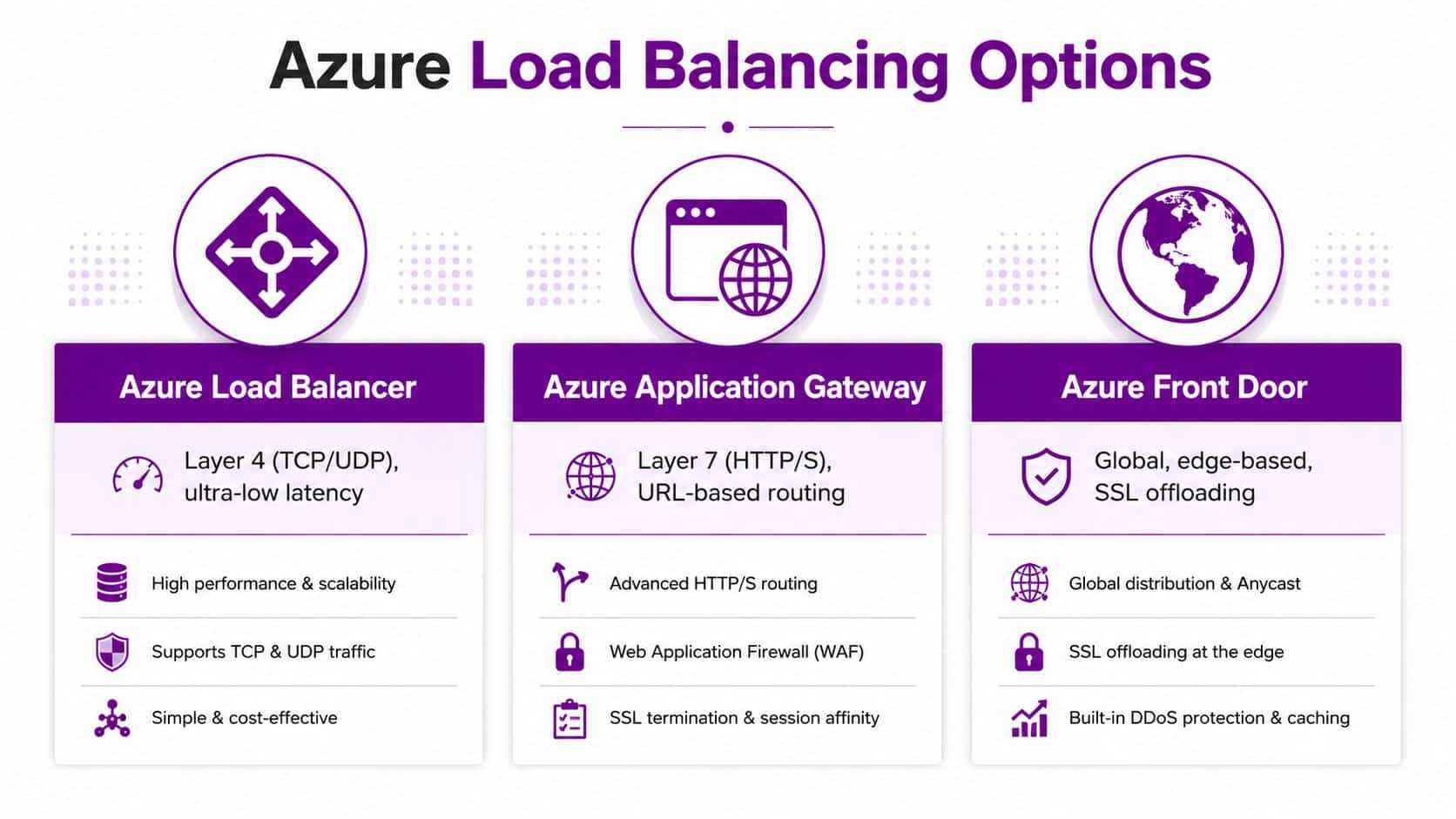
Azure offers a spectrum of load-balancing services, from Azure Load Balancer and Application Gateway to Front Door and Traffic Manager. They differ by operating layer, with Azure Load Balancer working at Layer 4 while Application Gateway and Front Door add Layer 7 capabilities, and by geographical scope, from regional distribution to global traffic management.
An East Midlands business can have an application that performs perfectly during a quiet morning, then slows sharply when orders arrive, staff log in, or customers access a promotion. Users don't see the backend design. They see spinning pages, failed connections, and a service that appears unreliable.
Azure load balancing addresses that uneven demand by directing connections towards suitable, healthy backends. The difficult part isn't switching on a product. It's choosing the right service, designing regional and outbound connectivity properly, and making sure monitoring reflects what users experience.
Understanding the Challenge of Uneven Traffic
A trading application running on several virtual machines can still behave like a single-server system if traffic distribution is poorly configured. One backend may receive more connections than its neighbours, or a server may remain in rotation after its application has stopped responding properly. The result is familiar: pages take longer to load, transactions time out, and the IT team starts investigating only after users have reported the problem.
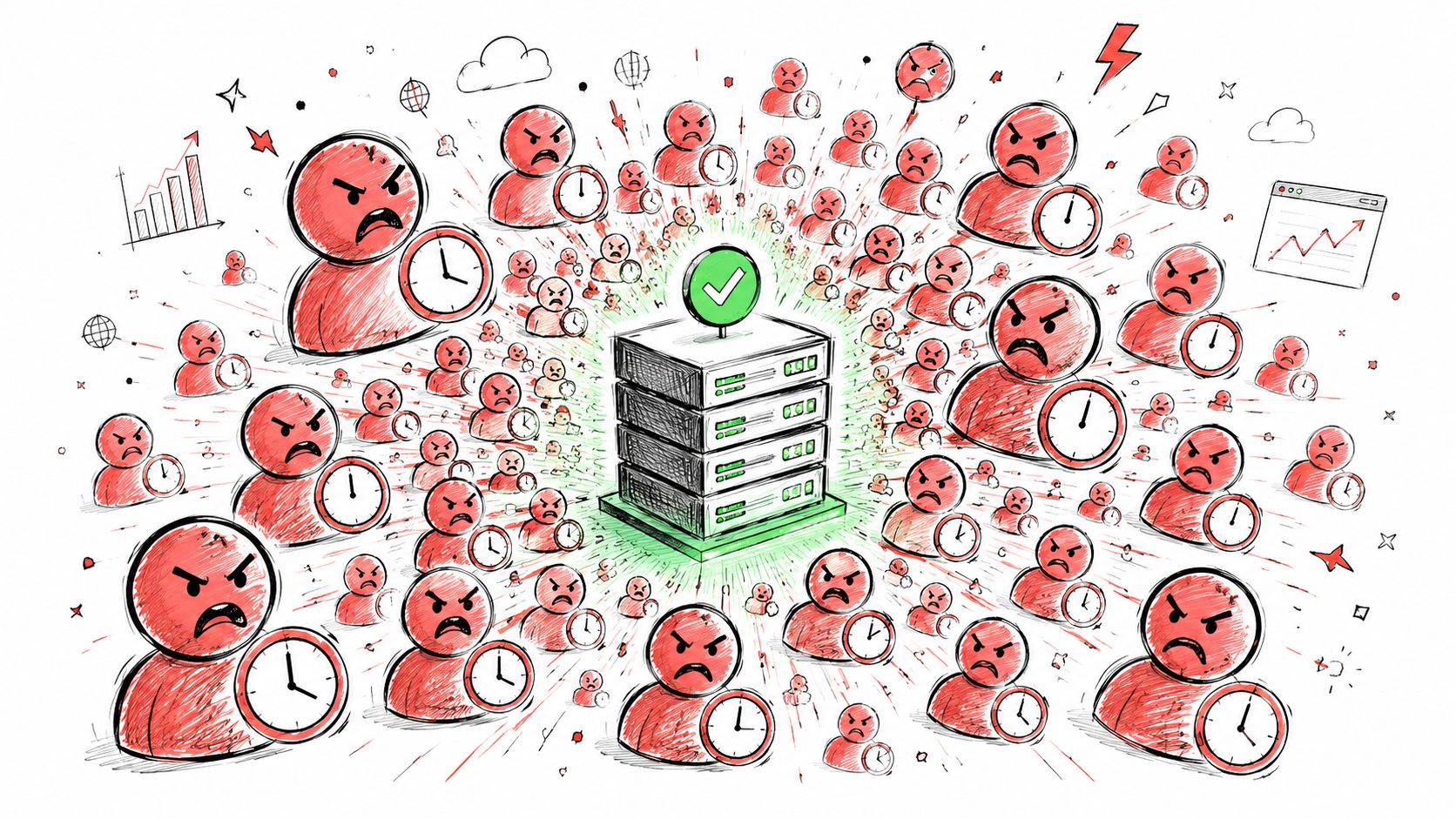
The important distinction is between traffic distribution and application resilience. A load balancer can spread connections across backend virtual machines or scale sets, but it can't repair a broken application, correct a database bottleneck, or make an unsuitable architecture reliable. It gives the workload a controlled entry point and uses health information to decide where new connections should go.
What users experience
Consider a manufacturing supplier in the East Midlands with a customer portal, stock service, and internal order processing system. The portal may be available from the outside, yet the supporting service behind it could be overloaded or unreachable. Without a health-aware distribution layer, the frontend continues directing users towards a backend that isn't capable of completing requests.
Azure Load Balancer is designed to distribute incoming network traffic across backend virtual machines or virtual machine scale sets. Microsoft's Azure Load Balancer architecture guidance recommends the Standard tier for globally distributed users where geo-proximity routing can direct requests towards the nearest region.
Availability needs a failure plan
Resilience means more than having several servers in one pool. The backend instances need suitable health probes, the network security rules must permit those probes, and the application must cope with connections that were already established when a backend becomes unhealthy.
Practical rule: Treat load balancing as a failure-management system, not simply as a way to share processor demand.
A sensible design starts with the traffic itself. Identify which services need TCP or UDP distribution, which need HTTP-aware routing, whether users are confined to the UK, and whether a regional outage must trigger recovery elsewhere. Those answers usually reveal whether Azure Load Balancer is sufficient or whether another Azure service belongs in front of it.
Navigating the Azure Load Balancing Landscape
Azure's products overlap in purpose, but not in behaviour. Selecting one because it has “load balancing” in its name can produce either an expensive design that solves the wrong problem or a basic design that lacks necessary application controls.
| Service | Operating layer | Best fit | Geographical role |
|---|---|---|---|
| Azure Load Balancer | Layer 4, TCP and UDP | High-throughput network traffic and backend availability | Regional, availability-zone, and cross-region designs |
| Application Gateway | Layer 7, HTTP and HTTPS | URL-aware web routing and web application controls | Regional application delivery |
| Front Door | Layer 7, global web delivery | Global application routing, edge delivery, and SSL offloading | Global |
| Traffic Manager | DNS-based traffic management | DNS responses across endpoints and regions | Global endpoint direction |
Azure Load Balancer works with network flows rather than web page content. It doesn't inspect URL paths or HTTP headers, so it's appropriate for TCP and UDP services where low-overhead distribution matters. Application Gateway understands HTTP and HTTPS requests, which makes it more suitable when routing depends on a hostname or URL path, or when web application firewall controls are required.
Front Door operates globally and is aimed at application-layer delivery across Azure's edge network. Traffic Manager takes a DNS-based approach, which makes it useful for directing clients between endpoints but gives it different failover and caching behaviour from a direct network proxy.
Match the service to the decision
For an internal service or a public TCP workload, Azure Load Balancer is often the cleanest starting point. For a customer-facing website requiring path-based routing, TLS termination, or web application firewall integration, Application Gateway is a more appropriate fit. For a globally accessed web platform, Front Door may provide the required edge and application-layer capabilities.
The strategic Azure cloud guide provides broader context for fitting Azure services into an enterprise architecture. For East Midlands organisations reviewing connectivity, hosting, and platform decisions together, the network of the future is also a useful perspective on how infrastructure choices affect long-term operations.
This video offers a visual introduction to the service family and its typical use cases:
The cheapest architecture isn't automatically the most economical. Using Application Gateway for traffic that only needs Layer 4 distribution can add unnecessary controls and operational overhead. Using Azure Load Balancer for a web routing problem forces the application or another component to handle logic the service doesn't provide.
Core Architecture and Configuration Patterns
A solid Azure load-balancing design usually separates regional distribution from cross-region direction. A regional Standard Load Balancer can distribute traffic among backend virtual machines or scale sets, while a cross-region configuration can direct users towards a healthy regional frontend. Microsoft documents Azure Load Balancer as supporting traffic within a region, across regions, and across availability zones, with UK South listed as both a home region and a participating region for the global tier. The cross-region capability was generally available by July 2023, so it should be treated as a mature platform option rather than a preview feature. See Microsoft's cross-region Load Balancer overview for the supported architecture.
For a UK business, UK South can act as the home region for a global design while another participating region provides additional resilience. That arrangement can support active/active or disaster-recovery patterns without automatically moving the primary frontend outside the Microsoft UK cloud geography. The correct choice depends on application state, data replication, regulatory requirements, and how much complexity the business can operate confidently.
Design the backend deliberately
Microsoft recommends at least two instances in a backend pool because a single instance removes the redundancy benefit of load balancing. The pool should contain equivalent application capacity, consistent configuration, and a health endpoint that tests something meaningful. A probe that only confirms a port is open may not identify an application that is accepting connections but unable to process requests.
Session persistence also deserves scrutiny. Microsoft's architecture guidance warns against relying on session persistence when reliability is the priority, because it can concentrate traffic on one backend and weaken failover. Where sessions are required, move state into a shared store or design the application so that a user can move safely between instances.
Health probes are part of the firewall design
Azure Load Balancer health probes use the fixed source IP 168.63.129.16. The backend must allow that address inbound on the probe port, and Microsoft specifically advises checking Network Security Group deny rules that block 168.63.129.16 or AzureLoadBalancer on that port. A healthy virtual machine can therefore appear unavailable because the NSG or guest firewall rejects the probe.
Configuration check: Test the probe path from the network security rules through to the application listener. Don't assume that a successful administrator connection proves the probe will succeed.
Document the frontend, backend pool, rule, probe, NSG, and outbound path together. That record makes change control easier and helps an engineer distinguish an application failure from a routing or security failure. Broader planning guidance is available in this cloud IT infrastructure resource.
Implementing Resilience and Outbound Connectivity
Inbound traffic is only half the design. Backend virtual machines may need to reach software repositories, payment services, identity platforms, monitoring endpoints, and business APIs. A load balancer distributing inbound connections doesn't automatically provide a reliable outbound architecture.
Microsoft states that default outbound access retires on 30 September 2025, as explained in its Azure Load Balancer best-practice guidance. Organisations moving legacy workloads to Azure should therefore treat implicit internet egress as unavailable for planning purposes and define explicit outbound connectivity.
Choose an explicit egress pattern
For VM internet access, NAT Gateway is often the cleaner design because it separates outbound translation from inbound distribution. An outbound rule on a Standard Load Balancer is another option where the load balancer is already central to the network design. The choice should reflect connection volume, address management, security policy, and how clearly the team wants to separate inbound and outbound responsibilities.
Microsoft recommends manual port allocation for outbound rules to reduce the risk of SNAT exhaustion or connection failures. That setting needs to be considered alongside the number of backend instances and the connection behaviour of the application. A workload that creates many short-lived outbound connections can behave very differently from one that maintains a small number of long-lived sessions.
The distinction is easy to miss:
- Inbound distribution: Azure Load Balancer selects a suitable backend for incoming flows.
- Outbound connectivity: NAT Gateway or an explicit load balancer outbound rule provides controlled internet egress.
- Security enforcement: NSGs, Azure Firewall, routing, and application controls determine what that egress can reach.
An overview of hyperscale cloud infrastructure can help put this separation into a wider infrastructure context, but SMB designs should remain proportionate. A small application doesn't need an elaborate global topology if its users, dependencies, and recovery requirements are local.
Understand what a failed probe does
A failed probe stops Azure Load Balancer sending new connections to the unhealthy instance. Microsoft also states that existing connections aren't dropped immediately. They continue until the application or client ends them, so application-level timeouts and retry behaviour need to be tested rather than assumed. A backend that fails slowly can therefore remain visible to existing users even after the load balancer has removed it from new connection selection.
Azure Monitor and Resource Health provide the operational view needed to investigate this behaviour. Configure diagnostics, establish normal patterns for connection and backend health, and alert on degradation that matters to the service. Recent health event logging improves investigation, but logs won't compensate for an incorrect outbound design or an unsuitable probe.
Evaluating Costs and Procurement Options
Azure Load Balancer pricing is consumption-based, so the bill depends on the tier, configured rules, and data processed. Microsoft's Load Balancer pricing information explains that Standard Load Balancer charges vary by rule and data processing, while Global tier traffic between regions doesn't incur additional packet charges when routed from a Global-tier Load Balancer to a Regional-tier Load Balancer.
That detail changes how a UK organisation should compare architectures. A global design may introduce more components, monitoring, and operational responsibility, yet the traffic treatment between global and regional tiers can affect the cost model for a multi-region disaster-recovery arrangement. Don't judge the design from the hourly resource charge alone. Include data processing, public IP resources, NAT Gateway or firewall services, monitoring, support, and the engineering time needed to test failover.
Build a UK estimate properly
Microsoft's pricing calculator converts local currency using London closing spot rates captured during the two business days before the last business day of the previous month. That makes the Azure pricing calculator the appropriate mechanism for a UK estimate rather than a fixed conversion rate.
Create separate scenarios for:
- Regional service: One Standard Load Balancer, its rules, processed data, monitoring, and outbound design.
- Resilient service: Multiple regional frontends, cross-region distribution, replicated application capacity, and failover testing.
- Managed operation: Azure consumption plus support, alert response, patching, incident ownership, and periodic architecture review.
Use GBP for internal approval and record the assumptions behind the estimate. A low resource price can be misleading if the design relies on implicit outbound access, has no operational alerts, or requires emergency rework during an incident.
Procurement is part of the architecture
Azure Load Balancer appears in UK Digital Marketplace G-Cloud listings from Microsoft and major channel partners. Those listings include UK-relevant service details such as real-time network metrics, dashboards, and managed-service scope, showing that Azure load balancing is an established, purchasable capability in the UK public-sector ecosystem. The service has remained listed through at least 2024 to 2026, which indicates continuity in that marketplace. Some listings advertise rates of roughly £0.02 to £0.03 per instance per hour, although the supplier, service scope, and consumption assumptions must be checked carefully against the specific listing. See the G-Cloud Azure Load Balancer service listing for the procurement context.
For an SMB, the practical question is whether direct Microsoft consumption or a managed service gives better control and accountability. The cloud cost optimisation guidance is useful when reviewing those wider operating costs.
Practical Migration Checklist and Final Recommendations
A successful migration starts with observation, not product selection. Capture how users connect, which protocols applications use, where outbound calls go, and what failure looks like from the user's perspective. Then design the smallest architecture that meets the required availability and operational standard.
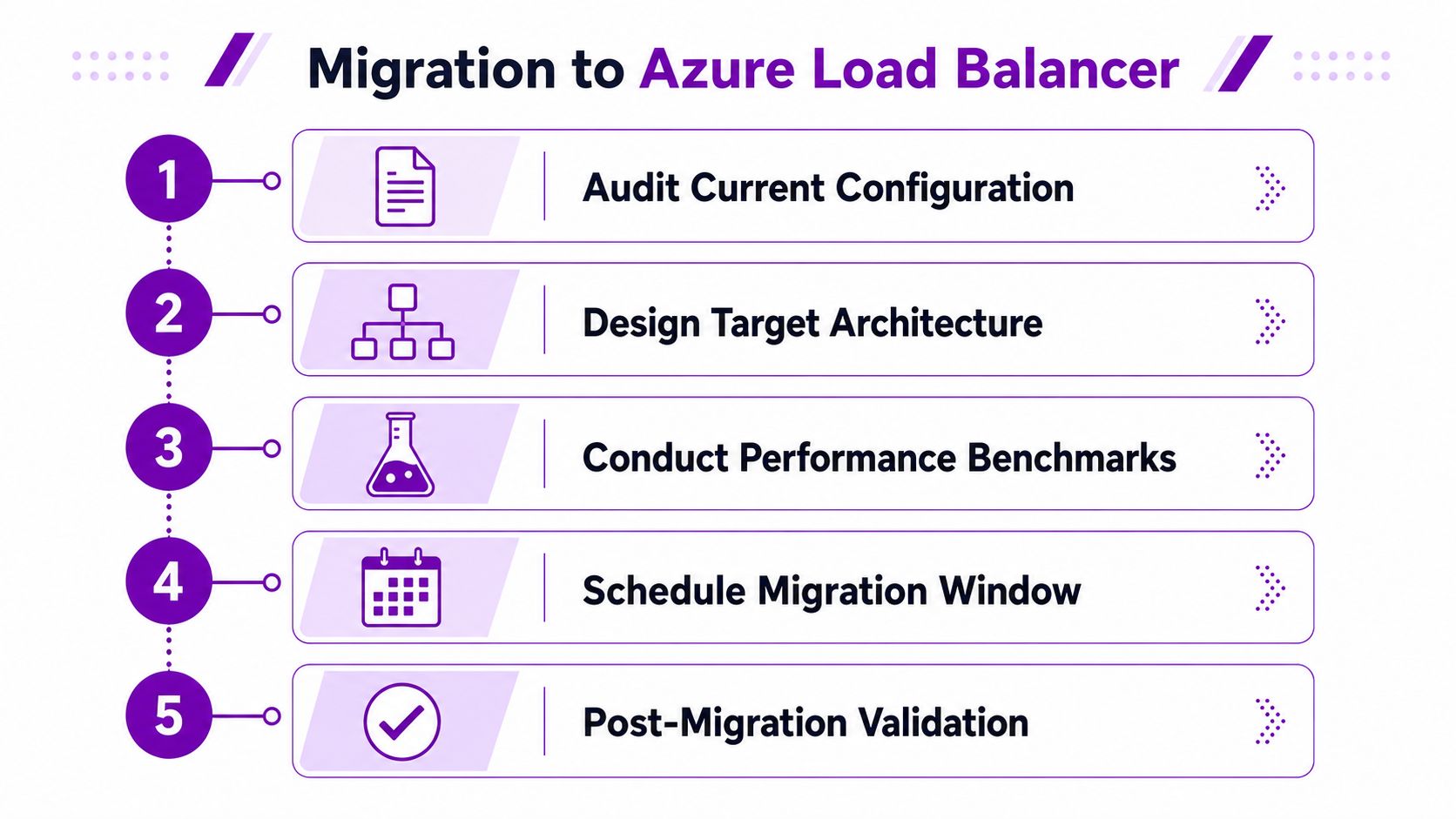
Use a five-part migration sequence
-
Audit current configuration. Record existing servers, listeners, dependencies, firewall rules, session behaviour, inbound flows, and outbound destinations. Separate Layer 4 requirements from HTTP or HTTPS routing needs.
-
Design the target architecture. Select Azure Load Balancer, Application Gateway, Front Door, Traffic Manager, or a combination based on protocol and geography. Decide whether a regional deployment is enough, or whether UK South and another participating region are needed for resilience.
-
Test failure and performance. Validate health probes, backend removal, connection draining behaviour, session handling, outbound access, and monitoring. Test an application failure, not only a stopped virtual machine.
-
Schedule the migration window. Define rollback criteria, ownership, communications, DNS or endpoint changes, and the checks that must pass before users return to the new path.
-
Validate after migration. Confirm healthy backend distribution, expected outbound routes, alert delivery, diagnostic visibility, and application response from representative user locations.
Keep the operating model simple
Whitelist the health-probe source correctly, use at least two backend instances where redundancy is required, and define outbound access explicitly through NAT Gateway or load balancer outbound rules. Configure Azure Monitor diagnostics and Resource Health checks before production traffic arrives, so the team has a baseline for normal operation.
For most East Midlands SMBs, the right answer won't be the most elaborate global design. It will be a measured combination of suitable service selection, clear failure boundaries, controlled egress, realistic cost modelling, and tested operational ownership. Azure Load Balancer is powerful at Layer 4, but it won't replace Application Gateway or Front Door when the application needs Layer 7 decisions.
F1Group can assess your Azure traffic flows, backend health checks, outbound connectivity, resilience requirements, and expected GBP costs, then help implement and support a practical design. Visit F1Group to discuss your Azure load-balancing requirements, or call 0845 855 0000 today and send us a message.