
A policy document often appears only after something goes wrong. A new starter receives more access than they need, a departing employee keeps a Microsoft 365 account active, or a director asks where the latest approved security policy is and nobody can find it. For many East Midlands SMEs, the problem isn't a lack of good intentions. It's the absence of a practical template IT policy that connects written rules to people, systems and evidence.
A useful policy should tell staff what they can do, show managers what they must approve, and give your IT team clear checks to perform. It should also leave an audit trail that makes sense to customers, insurers and assessors. The UK government's Better Regulation Framework demonstrates the value of repeatable structures, defined headings, calculations and review checkpoints across a formal policy process, rather than relying on free-form documents (GOV.UK Better Regulation Framework).
Why Your Business Needs an IT Policy Template
A Derbyshire engineering firm discovers that ransomware has encrypted a week's project files after spreading through an unmanaged workstation. The recovery questions expose the weakness: who could install software, who approved local administrator access, where the files were stored, and who had to verify the restore?
Without a written policy, those answers rely on memory. That leaves the business exposed before any auditor becomes involved. Staff might save customer material in personal cloud accounts, use unapproved transfer services, or share Microsoft 365 links externally without recognising the risk. This shadow IT grows when the approved tools, owners and escalation routes are unclear.
A missing policy also increases exposure under UK GDPR. A document alone does not create compliance, but it can define how staff handle personal data, approve access, retain records, report incidents and dispose of information securely. Customers may request this evidence during onboarding, while insurers and assessors may check whether controls are documented and operating. A policy that contradicts your Microsoft 365 configuration, Azure setup or service desk process can demonstrate weak governance instead of control.
What a template should do
A template provides a dependable starting structure. It must become a working document, not a generic PDF with your logo. Adapt each section to your staff, Microsoft 365 tenant, Azure subscriptions, suppliers and customer contracts.
Assign these operating controls:
- A named owner: One person remains accountable for accuracy and updates.
- An approval route: A director or senior sponsor approves the policy and material exceptions.
- A review cadence: The owner reviews it annually and after a significant change, such as a new Azure service, acquisition or security incident.
- Evidence locations: Store staff acknowledgements, access approvals, restore-test results and review minutes in defined locations.
- Operational links: Connect each rule to a procedure, Microsoft 365 or Azure setting, ticket workflow or supplier responsibility.
Practical rule: If nobody can identify who updates the policy, who approves exceptions or where evidence is retained, you have paperwork, not an operating policy.
The UK's official content model separates policy papers, guidance, statistics and transparency data, giving each format a defined purpose (Inside GOV.UK content formats). Apply the same discipline to your IT policy. Keep rules readable, assign owners, record decisions and retain evidence where staff and assessors can find it.
A template becomes valuable when it governs real actions: access changes, Microsoft 365 sharing, Azure permissions, incident handling and recovery testing. Build those links into the document before approval, then make the owner responsible for checking that the policy still matches the way the business operates.
Core Sections Every IT Policy Template Should Cover
A useful policy has six core sections. They should be short enough for staff to understand, but precise enough for a manager or technician to enforce. Avoid statements such as “users must maintain strong security”. Write the rule so the reader knows what action is required.
Six sections that create an operational baseline
Acceptable use should define personal browsing, prohibited activity, removable media, software installation and use of company equipment. A workable clause might state that staff may use company devices for limited personal browsing, but they must not install software without service desk approval or use unapproved storage for business files.
Access control needs more than “access is restricted”. State that users receive the minimum permissions required for their role, managers approve access, and joiners, movers and leavers follow a documented process. An example clause could require the service desk to disable a leaver's account when the authorised offboarding request is received, then record completion in the ticket.
Data protection should align handling rules with UK GDPR responsibilities and your internal classification scheme. Tell staff how to label confidential customer drawings, employee records and commercially sensitive material, and where each category may be stored. Your supporting classification decisions should match the systems staff use, as set out in this guide to data classification.
Backup should identify protected systems, backup ownership, retention decisions and restore testing. The familiar 3-2-1 approach can be used as a design principle, but the policy must also say who tests a restore, what gets recorded and how failed tests are escalated. A backup that nobody has restored is an assumption, not evidence.
Incident response must name the first contact, escalation path and decision points. A ransomware clause could require staff to disconnect an affected device from the network, contact the service desk immediately, and avoid negotiating or deleting evidence without authorisation. The decision tree should identify who contacts insurers, legal advisers, customers and relevant authorities.
Bring your own device rules should state whether personal devices are permitted, which minimum security controls apply, and how work data is separated from personal content. If access requires mobile device management, say so. If a device falls out of compliance, define whether access is blocked or reviewed.
| Section | Purpose | Example Clause Theme |
|---|---|---|
| Acceptable use | Set boundaries for devices, software and online services | Personal browsing is limited, and software installation requires approval |
| Access control | Manage permissions throughout the user lifecycle | Managers approve least-privilege access and leavers are removed promptly |
| Data protection | Control handling of personal and sensitive information | Classification labels determine storage and sharing rules |
| Backup | Support recovery from loss, corruption or ransomware | Critical data is backed up and restores are tested and recorded |
| Incident response | Make escalation fast and consistent | Staff report suspected incidents immediately and preserve evidence |
| BYOD | Separate company data from personal use | Approved management controls are required before business access |
The document should also show how security testing evidence is stored. Teams that need a repeatable approach can organize pentest evidence by framework, then map the evidence to the relevant policy section rather than leaving reports in an isolated supplier folder.
For a practical starting point, compare your draft against these IT policy examples, then replace generic wording with your actual owners, platforms and approval routes.
Tailoring the Template for Microsoft 365 and Azure
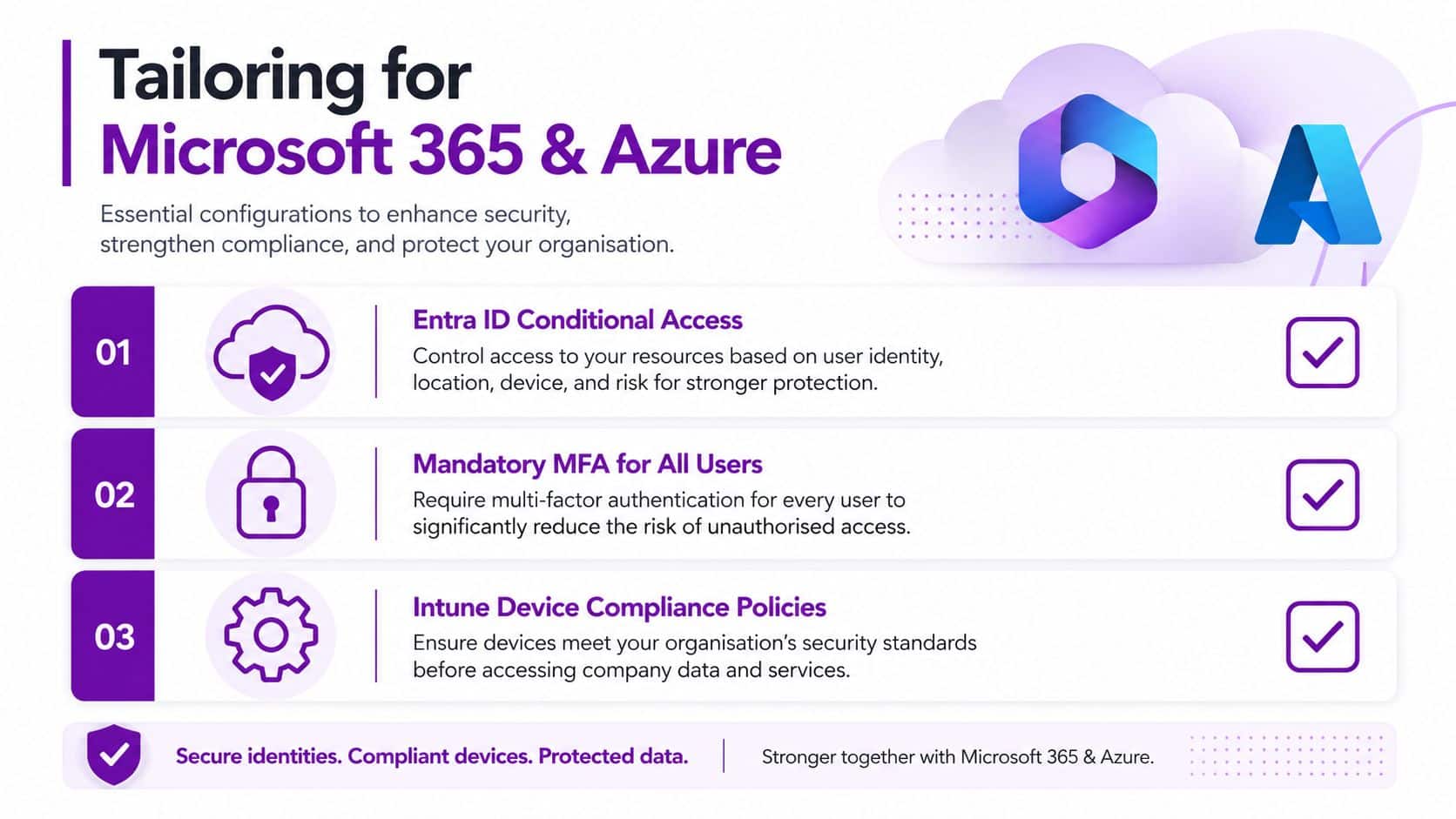
A Microsoft 365 policy must name the controls administrators configure, the people responsible for them and the evidence they retain. “The cloud is secure” gives staff no instruction. Record how access, sharing, monitoring and retention settings are applied in your tenant.
Start with Microsoft Entra ID Conditional Access. Require multi-factor authentication for all users, then document how break-glass and service accounts are restricted, approved and reviewed. State whether device compliance, sign-in risk and location conditions apply. Keep the policy linked to configuration exports, approval records and exception decisions, so an auditor or director can see what the rule means in practice.
Microsoft Defender for Cloud Apps can show cloud application use and risky activity. Name the person who reviews alerts, the response deadline and the evidence folder. State which unsanctioned applications staff must not use for company data. For SharePoint and OneDrive, define external sharing, permitted guest access, shared-site ownership and the process for removing stale links.
Exchange needs equally specific wording. Reference transport rules for protecting sensitive information, blocking prohibited content or applying warnings where those rules exist in your configuration. Include email authentication in the technical baseline. An administrator can use an SPF and DKIM checker to verify that the policy's email-protection requirements match the organisation's domain configuration.
Azure controls need named evidence
For Azure, document role-based access control at subscription and resource-group level. Separate management identities from ordinary user accounts, restrict privileged roles and require approval before permissions change. Use Azure Key Vault for secrets instead of storing credentials in scripts, documents or tickets.
Send relevant activity and security logs to Log Analytics. The policy must state who checks them, what triggers escalation, how long evidence is retained under approved retention rules and how it is disposed of. Set a retention period that matches the business purpose and available capacity, rather than promising indefinite storage.
Copilot and Dynamics 365 require clear data-handling rules. State which information staff may submit to generative AI tools, which material is prohibited and how outputs are checked before use. For Dynamics 365, define role access, customer-data boundaries and approval for integrations. Align these rules with your data classification guidance, while naming the Microsoft controls that enforce them.
Roles, Responsibilities and the Adoption Checklist
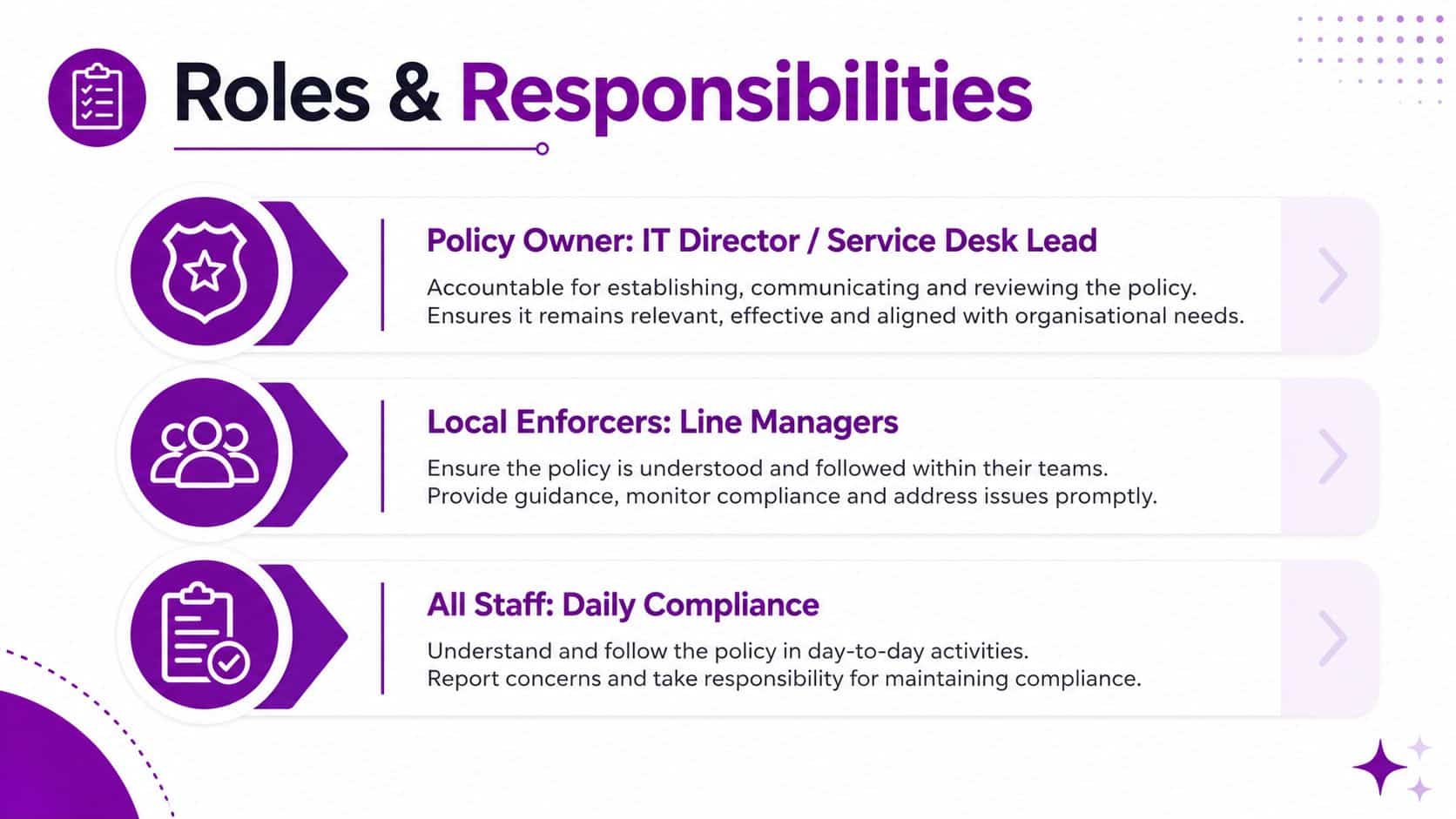
Policy ownership fails when it sits with a department rather than a named person. Assign the IT Director or outsourced service desk lead as policy owner, line managers as local enforcers and a senior sponsor, usually a director, as approver. This structure gives each decision a clear route and prevents unresolved exceptions from sitting in a shared inbox.
The owner maintains the document, coordinates reviews and records exceptions. Line managers check that staff follow access, equipment and reporting rules during daily work. The senior sponsor accepts the business risk, approves the current version and decides whether an exception can remain.
Give each control a human owner
Pair every major policy section with a named owner, approval date and review point. The operations manager might own acceptable use, while the IT lead owns access control. The backup owner must be able to produce restore evidence, rather than repeat a supplier's assurance.
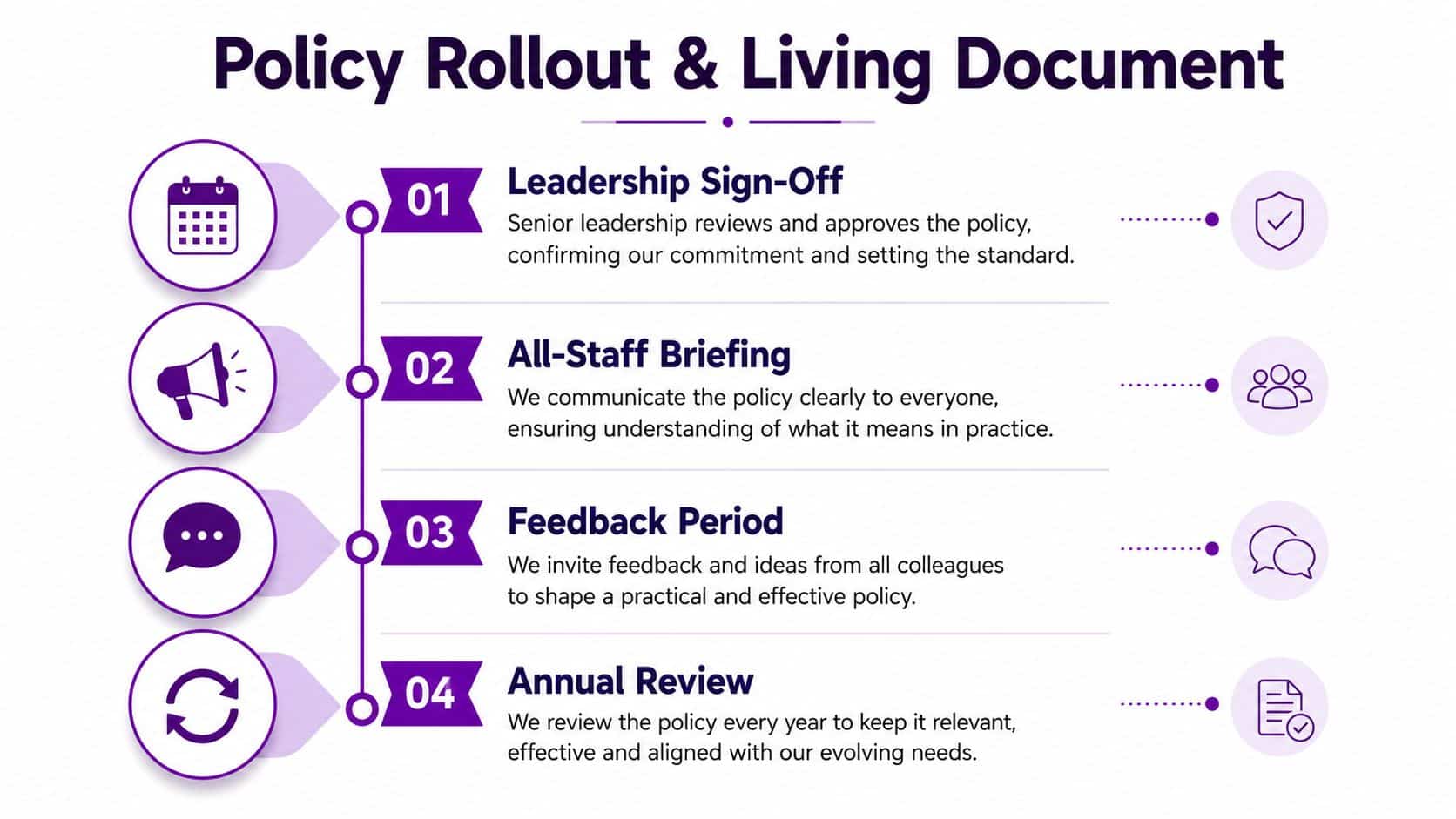
Review the policy every 12 months or after a material change. A new tenant structure, major supplier, significant security incident or change in regulatory obligation should trigger an earlier review. Record the change, the decision, the evidence checked and the actions assigned. For a useful control framework, map relevant responsibilities and evidence to the NCSC Cyber Assessment Framework, rather than treating the policy as a document that only needs annual approval.
Use this adoption checklist:
- Staff acknowledgement: Record that every relevant employee received and accepted the current policy.
- Training records: Store attendance, completion or briefing evidence with the policy record.
- SharePoint evidence: Keep the signed policy, version history and review minutes in a restricted SharePoint folder.
- Conditional Access confirmation: Record that the documented Entra ID policies match the live configuration.
- MFA enforcement: Confirm that mandatory MFA applies to all users and document approved exceptions.
- Offboarding procedure: Cross-check a recent leaver process against the policy and retain the service desk evidence.
- Asset register cross-check: Reconcile assigned devices, privileged accounts and business applications.
- Backup restore test: Record the system tested, result, owner and corrective action.
- Incident tabletop: Walk through a realistic incident and record decisions, gaps and actions.
- Sign-off log: Capture the approver, version, date and outstanding exceptions.
Audit evidence should answer three questions: who approved it, when was it checked, and what happened when the control failed?
Read receipts, restricted permissions and version history can support audit trails relevant to Cyber Essentials and ISO 27001. They do not replace the controls. They show how the business operates them, who checks them and what happens when performance falls short.
In-House Management Versus a Managed IT Partner
A business with 25 to 250 seats can manage its IT policy internally, but only if it commits real ownership. An internal model keeps day-to-day decisions close to the business and can reduce the headline cost. It also requires a named IT lead, documented procedures, evidence collection and cover outside ordinary working hours.
A managed IT partner brings established processes, monitoring, policy templates and regular review meetings. The trade-off is commercial. You'll need to assess contract terms, service levels, escalation arrangements and the recurring fee. A typical managed service fee may sit between £35 and £75 per user per month, as specified in the service proposal, so compare the full scope rather than the monthly figure alone.
| Factor | In-House | Managed IT Partner |
|---|---|---|
| Cyber Essentials readiness | Depends on internal knowledge and evidence discipline | Usually supported by established control reviews |
| Microsoft 365 licence optimisation | Owned by internal staff | Reviewed as part of service or consultancy scope |
| Azure cost governance | Requires regular internal analysis | Can be included through scheduled cloud reviews |
| Incident response time | Limited by staff availability and cover | Defined by agreed service levels and escalation |
| Audit evidence | Internal team must collect and retain it | Partner may provide evidence packs and monitoring records |
| Staff training | Organised internally | May be delivered through a service portal or scheduled sessions |
| Policy ownership | Direct control remains inside the business | Responsibilities must be defined contractually |
The internal model works well where an IT Director has authority, time and access to technical specialists. It breaks down when policy updates depend on one person who is also handling support tickets, projects and supplier management.
A managed partner shouldn't become the owner of your business risk by default. Keep strategic ownership and approval in-house, then delegate monitoring, patching, evidence retention and technical execution under a clear RACI model. A service such as managed IT support for UK businesses can fit this model when the scope, response expectations and decision rights are explicit.
For many SMEs, the strongest arrangement is hybrid. The director approves the policy, the internal owner sets priorities, and the partner supplies the operational capacity needed to keep the controls working.
Rolling Out the Policy and Keeping It Alive
A Nottingham marketing agency with 40 staff rolled out its policy after finding that different teams were using different storage and collaboration habits. Leadership signed the document, the agency recorded an all-staff briefing in Teams, and each employee completed a written acknowledgement through SharePoint.
The rollout included a mandatory phishing simulation within two weeks, followed by a scheduled quarterly review in the shared calendar. The difficult part wasn't publishing the document. It was collecting acknowledgements, clarifying who approved external sharing and making sure the service desk could produce evidence without searching across personal inboxes.
Build a repeatable maintenance rhythm
Store the current version in a restricted SharePoint location. Keep version history in a SharePoint list, archive previous PDFs, and tag incident reviews against the policy section that the incident exposed. If an event reveals a weakness in access control, record that relationship directly. Don't leave the lesson buried in a ticket.
A review should be triggered by change, not just by the calendar. Revisit the policy after:
- A new Microsoft 365 licence tier: The available controls and responsibilities may change.
- An Azure tenant restructure: Subscription roles, management identities and logging arrangements may need revision.
- A Copilot rollout: Acceptable use and data-boundary rules must reflect the new tool.
- A regulator update: Legal and contractual obligations may alter handling or evidence requirements.
- A material incident: The affected clause and related procedure need testing and possible amendment.
Teams seeking practical examples of turning written rules into technical controls can review these policy enforcement examples. The principle is straightforward: translate important requirements into checks that systems or named people can verify.
Record the briefing and provide a clear route for staff questions. Accessibility matters too. The Department for Education says non-text content needs an appropriate text equivalent and that meaningful text shouldn't be embedded in images because users can't resize or customise it (DfE accessibility guidance). Keep the policy readable in its document form, and make any supporting diagrams simple, horizontal and focused on one idea, following Norfolk County Council's diagram guidance (Norfolk County Council diagram guidance).
A sensible operating rhythm is monthly spot checks, quarterly evidence audits and an annual full rewrite. The dates matter less than assigning ownership and recording the result. Your template IT policy becomes valuable when staff use it, managers enforce it and the business can prove that someone checked it.
F1Group can help your business turn a template IT policy into working Microsoft 365, Azure and cyber security controls, with named responsibilities and retained evidence. Visit F1Group, phone 0845 855 0000 today, or send us a message to discuss your policy rollout.