
Data classification is the practice of tagging information by sensitivity so the right security controls, access rules, and retention policies are applied automatically. In a small East Midlands office, that might mean an accounts team sends a spreadsheet to a supplier without realising it holds customer names, addresses, or payroll details, and suddenly a simple email has become a data protection problem.
Most businesses already have this issue, even if nobody has called it by the right name. Files move from Outlook to Teams, from OneDrive to SharePoint, then onto laptops and cloud apps, so the old idea of “that file lives in one folder” just doesn't hold up anymore. If you're running a lean team, the useful way to think about data classification is not as paperwork, but as a metadata label that tells Microsoft 365 what to do next.
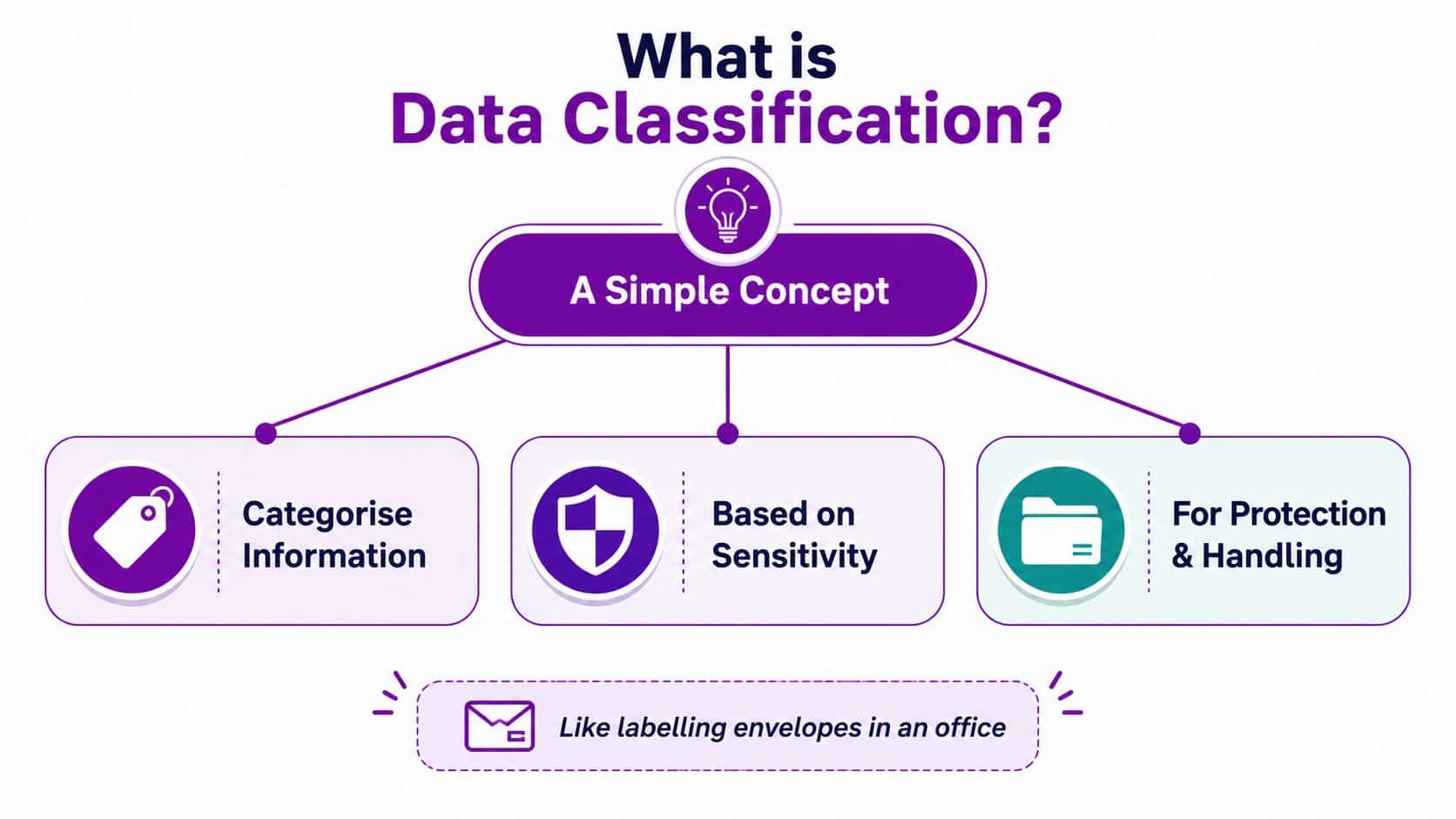
A Plain English Definition of Data Classification
A local services firm might keep customer quotes in SharePoint, invoices in Outlook, and project notes in Teams. One person forwards a file to a contractor, another downloads it to a laptop, and nobody stops to ask whether the file should have stayed inside the business. That's where data classification earns its keep.
What the label actually does
Data classification means sorting information by sensitivity so different handling rules can be applied to it. In Microsoft 365 terms, the label is the signal, and the security control is the response, which is why Microsoft's guidance ties classification to encryption, access restriction, retention, and logging rather than treating it as a filing exercise only. The same guidance also maps well to the familiar labels public, internal, confidential, and restricted, because the point is to connect a label to a real control set, not to produce a neat document for a shelf. Microsoft's guidance on data classification and labels
That shift matters because classification is now live metadata, not a static policy. A file can be created in Word, shared in Teams, emailed through Exchange, then opened on an endpoint, and the label is what keeps its meaning attached as it moves. The UK's National Cyber Security Centre frames classification as a way to keep controls proportionate to business risk, which is exactly why the label needs to travel with the data rather than sit beside it in a policy binder. Microsoft's security guidance for data classification in cloud environments
Practical rule: if the label doesn't drive a control, it's just decoration.
For a small business, that's the breakthrough. Classification turns “we hope staff use judgment” into a machine-readable instruction that Microsoft 365 can enforce consistently, which is the difference between guessing and being able to defend your choices later.
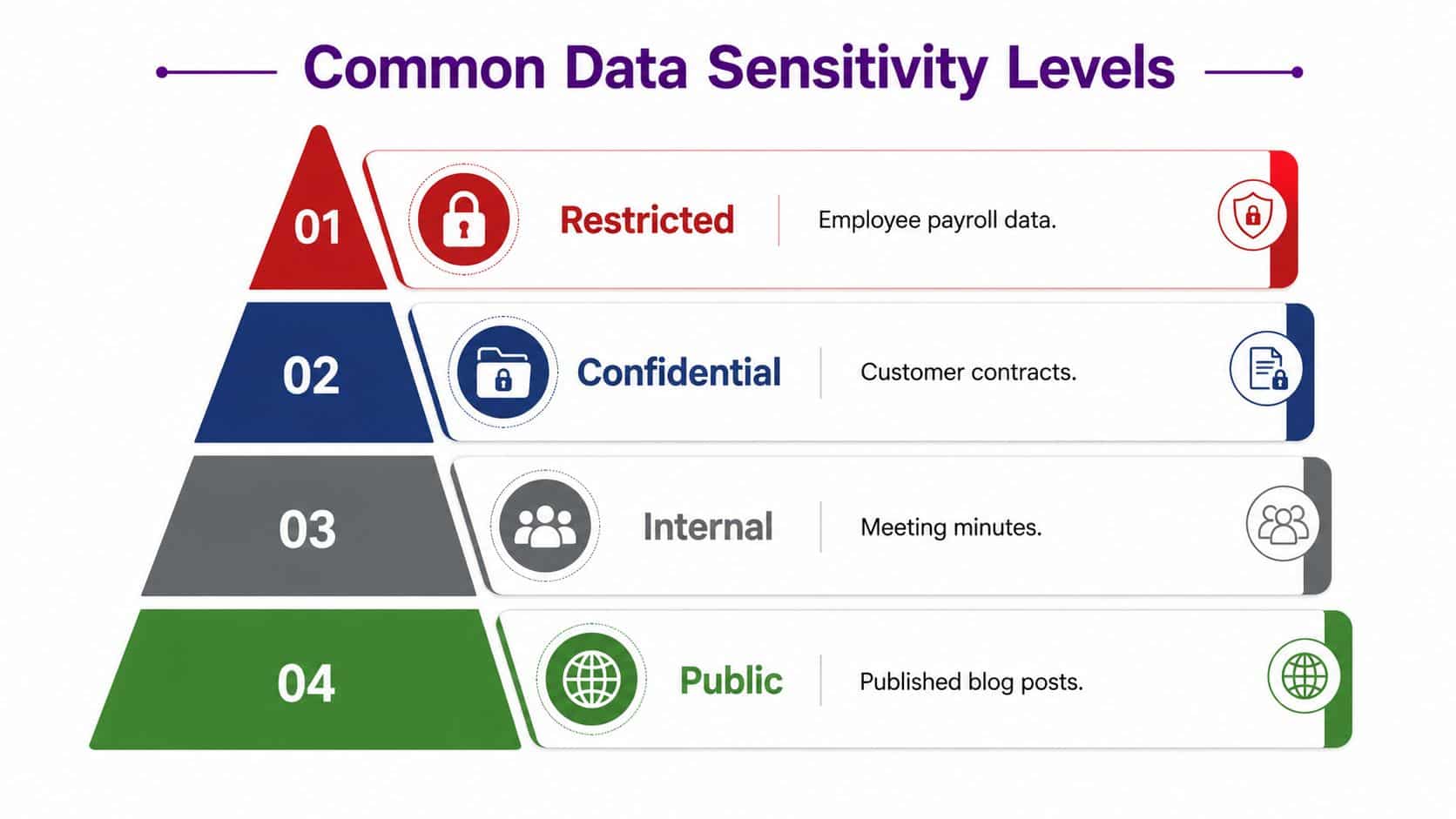
Common Sensitivity Levels and What They Mean
A useful classification scheme gives people a clear handrail. A receptionist, a project manager, and a finance director should not all have to guess the same answer about the same file. Four levels are enough for many East Midlands firms, as long as each label leads to a clear action rather than sitting on a document like a neat sticker.
Public, Internal, Confidential and Restricted
Public is the open notice board. It suits marketing brochures, published blog posts, and approved website content, because the business expects those items to be shared widely. In Microsoft 365, these files may still need version control and simple retention rules so the organisation keeps an orderly record, but they do not usually need tight access barriers.
Internal is for material meant for staff use only, such as meeting minutes, project updates, and process notes. The content stays within the company, yet it does not need the same level of protection as customer records or finance files. A sensible Microsoft 365 setup may allow internal sharing inside the business while blocking casual forwarding to people outside it.
Confidential covers information that would cause trouble if it reached the wrong person, such as customer contracts, pricing sheets, or private supplier terms. At this level, access restriction and encrypted sharing matter more, because the value of the document depends on who can open it and who cannot.
Restricted is the highest tier for the most sensitive material. Payroll data, board papers, and sensitive personal records belong here, along with special category information where it exists. The control set should be tighter still, with limited access, stronger encryption, careful logging, and stricter rules for sharing and retention.
The label should answer three questions at a glance, who may open it, whether it can leave the organisation, and how long it should stay.
That is why labels need to connect to controls in Microsoft 365 rather than live only in someone's head. A file marked Confidential should be handled differently from an internal meeting note, just as a locked cash room is treated differently from a shared storage cupboard. The label is the instruction, and the control is the response.
What data loss prevention looks like in practice
A short video can also help if you're explaining this to managers who do not live in the IT stack every day.
Manual, Automated and Hybrid Classification Methods
The right method depends on how much data you hold, how disciplined your users are, and how much tolerance you have for missed labels. A two-office business with a few hundred files behaves very differently from a mid-sized firm with thousands of shared documents, email threads, and Teams channels. The method should fit the team, not the other way round.
Manual, automated and hybrid side by side
Manual classification means users apply the label themselves in Word, Excel, Outlook, or SharePoint. It's cheap to start with and easy to understand, which makes it attractive for very small teams. The weakness is obvious, people forget, they rush, or they disagree about which label fits.
Automated classification uses system detection, pattern matching, and trainable classifiers in Microsoft Purview to assign labels based on content and context. That scales much better when the file count grows, but it needs tuning, because no automated rule gets every edge case right on day one. IBM describes classification as a progression that includes data discovery, categorising data, labelling and tagging, applying controls, and review and optimisation, which is a good way to think about an automated estate. IBM's data classification workflow
Hybrid classification is the most realistic path for many small and mid-sized businesses. Central teams set default labels, sensible policies, and auto-apply rules, while users only step in when something needs a human decision. Alation also describes a practical mix of public, internal, confidential, and restricted labels across structured and unstructured data, which fits how most Microsoft 365 estates work. Alation's overview of data classification
A simple decision lens helps:
- Few users, low risk: manual may be enough.
- More files, more sharing, more personal data: hybrid is usually the safer choice.
- High volume or repeated mistakes: automate the obvious cases and keep human review for exceptions.
Over-engineering automation is just as risky as relying on memory. The goal is consistent control, not technical showmanship.
The Classification Workflow in a Microsoft 365 Environment
A labelled file should behave consistently as it moves through your Microsoft 365 estate. If a confidential client report starts in Outlook, gets discussed in Teams, and ends up in SharePoint, the classification should stay attached and drive the right treatment at each stage. That's what makes the scheme operational rather than decorative.
From discovery to optimisation
The first stage is discovery. Microsoft Purview and related Microsoft security tools look for sensitive content such as financial data, personal data, and intellectual property, then help identify what's worth labelling in the first place. In a live estate, that means scanning places where the same document can exist in several forms, which is why discovery has to cover files, email, collaboration spaces, and endpoints.
The second stage is categorisation. The system compares content and context, then suggests a label based on the rules you've defined. A finance file with payroll terms should not be treated the same way as an internal meeting agenda, even if both were created by the same person.
The third stage is labelling and tagging. Once applied, the label becomes persistent metadata on the file or email, so the system can recognise it later. That persistence is the key difference between a policy and a control, because the label travels with the item instead of disappearing when the user closes the app. NIST's data classification overview is useful here because it stresses persistent labels and managing data at scale.
The fourth stage is control application. Conditional access, DLP, and sharing rules read the label and decide what a person can do, including whether they can forward, download, print, or open the file on an unmanaged device.
The final stage is review and optimisation. Reports, overrides, and policy exceptions feed back into better rules, so the scheme improves instead of drifting.
| Stage | What Happens | Microsoft 365 Capability |
|---|---|---|
| Discovery | Sensitive content is found across files and messages | Purview scanning, trainable classifiers |
| Categorisation | A likely label is suggested | Policy-based classification logic |
| Labelling and tagging | The label is written as persistent metadata | Sensitivity labels |
| Control application | Permissions and sharing are adjusted | Conditional access, DLP, sharing policies |
| Review and optimisation | Exceptions and reports refine the rules | Audit, reports, policy tuning |
For a practical lens on connecting classification to wider security work, see security risk management in Microsoft-led estates.
Why Classification Matters for UK GDPR, the ICO and Cyber Security
A business owner in the East Midlands might see data classification as another policy task until something goes wrong, a payroll file is shared too widely, a customer list sits in the wrong folder, or a Teams chat holds details that should have stayed private. Classification matters because it turns those loose files into labelled items that Microsoft 365 can treat differently, so the right controls follow the right data. Microsoft's data classification guidance shows how labels can connect directly to technical controls, rather than sitting in a handbook nobody opens.
Why the regulator angle is practical, not abstract
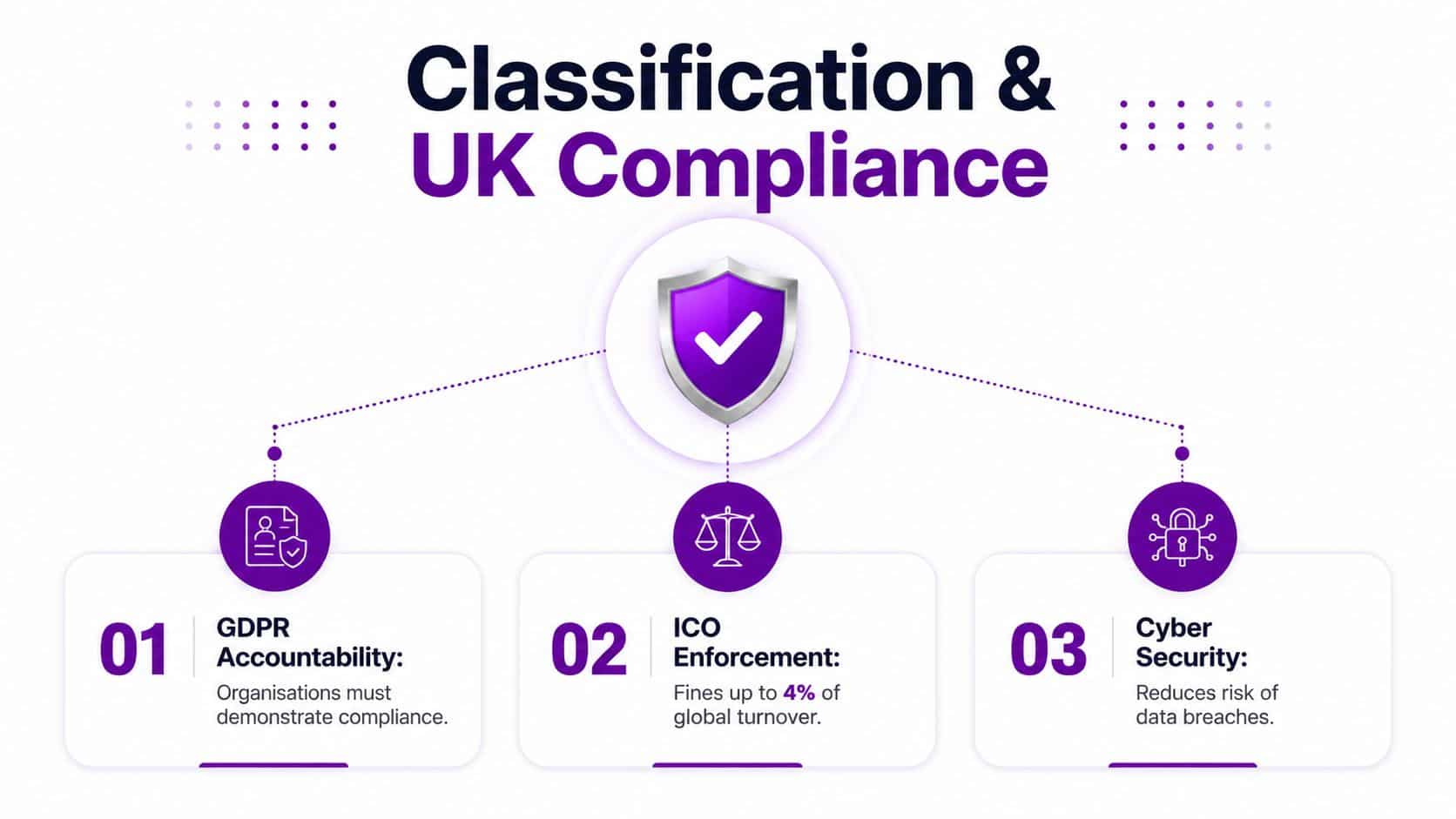
The ICO expects organisations to handle personal data with care and to collect and keep only what they need. A clear classification scheme helps because once staff can separate personal, confidential, and restricted material, retention and deletion rules become easier to apply in a consistent way instead of depending on memory or guesswork.
The security side works the same way. The National Cyber Security Centre recommends classification so controls match business risk, and that matters in Microsoft 365 and Azure because the same document can move between Teams, SharePoint, OneDrive, Exchange, and endpoints. The label becomes the machine-readable instruction that tells those services how the file should travel, who may open it, and what happens if it leaves the trusted environment.
For a UK business owner, the value is evidence that stands up in a conversation with auditors, insurers, or a client asking awkward questions. If you can show that payroll was labelled Restricted, external sharing was limited, and retention settings followed policy, you have something far stronger than a vague statement about “taking security seriously.”
The ICO's public guidance makes clear that the UK GDPR and Data Protection Act 2018 apply to personal data processing in the UK, and that personal data must be processed lawfully, fairly and transparently. That is why spotting personal data early matters, because you cannot protect, justify, or delete what you have not first recognised. The ICO's data protection guidance sets that legal backdrop, while classification gives you the day-to-day control point inside Microsoft 365.
If the file contains personal data, classification is the point where legal duty turns into a technical rule.
That is also why a good rollout should feel light for staff. A short review against this GDPR compliance checklist can help you check whether your labels, retention rules, and sharing settings still match the way your team works.
A Practical Rollout Path for Small and Mid-Sized Businesses
A small business doesn't need a giant governance programme to get real value from classification. It needs a manageable scheme, a few clear labels, and controls that people can live with. The smartest rollout is the one your team will still follow six months later.
Phase one through four without the admin bloat
Start with scoping. Pick the two or three categories that matter most, usually customer personal data, financial records, and confidential board or management papers. That keeps the first version focused on real risk rather than trying to classify every file type in the building.
Move into labelling design. Define four sensitivity tiers in Microsoft Purview, use clear names, and give each label a visual marker that staff can recognise at a glance. Keep the wording plain, because the more labels you create, the more likely users are to ignore them.
Then set policy enforcement. Bind the labels to conditional access, external sharing restrictions, DLP rules, and retention policies so the label produces an actual outcome. This is the point where classification stops being a concept and becomes a working control set.
Finish with adoption. Train users on a single rule, label it before you save it, share it, or send it, then review reports each month to catch mistakes and drift. For a small team, the initial design and rollout can often be handled in short working sessions rather than a long programme of meetings, but the tuning of trainable classifiers and alignment to standards such as ISO 27001 or Cyber Essentials Plus is often where outside help pays for itself.
If you want a Microsoft-led implementation that covers this kind of label design, policy binding, and rollout support, F1Group can help with Microsoft 365, Azure, and related security controls as part of a wider managed service.
A lean scheme beats a clever one that nobody uses.
The biggest mistake is trying to get every edge case perfect before anything goes live. Small teams do better when they start with the files that matter most, then refine from real use.
Common Pitfalls and How to Avoid Them
Classification projects don't usually fail with drama. They fade because the business makes them too broad, too technical, or too easy to ignore. The fix is usually simpler than the original mistake.
The failures that quietly undo the work
Over-labelling everything as confidential is the fastest way to break trust. If every file looks dangerous, staff stop paying attention and DLP alerts become noisy, so reserve the stronger labels for the material that needs them.
Treating classification as a one-off project creates drift. New teams, new apps, and new document types appear all the time, so review the scheme regularly and adjust the rules as the business changes.
Relying only on users to label everything leaves too much to memory. Default labels and auto-apply policies reduce the burden on staff and make the result more consistent, especially in busy departments where files are created quickly.
Ignoring Copilot, AI assistants, and shadow SaaS apps creates blind spots. Data now moves into tools that may not follow the same pathways as SharePoint or Outlook, so the classification scheme has to be tested against those new routes.
Building too many tiers turns a simple system into a guessing game. If people can't remember the difference between six similar labels, they'll choose badly or not at all.
The corrective habit is the same across all five problems, keep the scheme simple, let the labels trigger controls, and review the results often enough to catch drift before it becomes a habit. That fits both the UK GDPR accountability principle and the NCSC's proportionality approach, because both expect controls to match the actual risk, not the idealised diagram.
Key Takeaways and Next Steps for Your Organisation
Data classification is not a filing exercise. It is the labelling mechanism that turns policy into automatic control inside Microsoft 365 and Azure. If you run an East Midlands SMB, the practical aim is a usable scheme with four tiers, default labels, and DLP rules attached to them, not a perfect taxonomy that nobody follows.
Keep three ideas in mind. First, classification supports UK GDPR accountability by showing that your controls match the sensitivity of the data. Second, it helps with ICO data minimisation because retention becomes easier to manage consistently. Third, it gives you a practical route to NCSC proportionate controls across SharePoint, Teams, OneDrive, email, Copilot, and unmanaged SaaS apps.
A good starting point is simple. Decide which documents need protection, decide which labels staff can apply without hesitation, and make sure those labels trigger the right controls automatically. That turns classification into part of daily work, rather than another policy file sitting in a folder.
The biggest risk is delay while the data keeps moving. If your business already uses Microsoft 365, now is the time to decide which files deserve protection, which labels make sense, and which controls should fire automatically.
Phone 0845 855 0000 today or send a message through the contact form to scope a practical classification rollout with the F1Group team. They've been helping organisations across the East Midlands work more efficiently and securely with Microsoft technologies since 1995.
F1Group helps East Midlands organisations put practical Microsoft 365 controls behind their data protection policies, so classification becomes something your team can use. If you want a lean rollout that fits your business, visit F1Group and start a conversation about labels, controls, and day-to-day Microsoft security support.