
A Monday morning authentication failure rarely starts with the directory itself. It starts with a person in a regional office who can't sign in, a production application rejecting valid credentials, or a service account that stops working after its cached ticket expires. In a UK mid-market organisation, the visible outage is usually the final symptom of dependencies that weren't mapped before the migration window.
Active Directory migration is therefore not a matter of copying users from one place to another. It's a controlled change to authentication, authorisation, policy, applications and operational trust. The safest projects make those dependencies visible before anyone schedules cutover.
What an Active Directory Migration Really Involves
At 08:17 on a Monday morning, a 280-seat manufacturer in the East Midlands discovers that staff at its regional office can't authenticate. The forest restructure completed over the weekend, user objects appear in the target domain, and file shares are still online. Yet some users receive logon errors, a line-of-business application refuses connections, and the help desk is trying to distinguish a local problem from a directory-wide failure.
That situation is typical of a migration that treated identity as an object move rather than an operating dependency. A directory migration can involve moving users, groups, computers and service accounts between domains or forests, preserving access through SIDs and trusts, and changing the systems that issue and validate authentication tickets.
The directory is only one part of the change
Active Directory migration can mean several different things:
- Forest-to-forest migration: Objects move between separate forests, often after an acquisition or corporate restructure. Trusts, SID history and application dependencies become central.
- Domain consolidation: Organisations reduce multiple domains or child domains into a simpler structure within an existing forest.
- Hybrid identity transition: On-premises Active Directory remains in use while identities synchronise to Microsoft Entra ID, formerly Azure AD, for Microsoft 365, Azure and cloud applications.
- Cloud directory migration: The organisation changes where identities are managed, which can affect device join, Conditional Access, single sign-on and application provisioning.
These are different projects, even when the business describes all of them as “moving AD”.
Authentication dependencies follow the identity
A user object can arrive in the target domain and still fail to provide a working user experience. Group Policy, Kerberos tickets, SID history, Exchange attributes, certificate templates, service accounts and line-of-business applications all depend on more than the display name or email address.
A file share may authorise access through an ACL containing a source SID. An application may use an SPN tied to a service account. A certificate template may depend on permissions that were never documented. A scheduled task may run under an account that nobody remembers creating.
Practical rule: Treat every authentication path as a migration item, not just every user and group.
The narrow UK labour-market demand for migration specialists supports that distinction. ITJobsWatch records only 2 permanent UK vacancies specifically requiring an “Active Directory Migration Consultant” in the 6 months to 28 January 2025, or 0.003% of all permanent jobs advertised. The same source lists a median annual salary of £81,500, with quoted pay ranging from £74,050 at the 10th percentile to £86,950 at the 90th percentile. That isn't evidence that AD has disappeared. It indicates that migration remains a specialised project discipline rather than a routine administration task.
The decisions that matter come before the cutover window: what moves, what stays, which dependencies are allowed to coexist, what proves success, and what causes the team to roll back.
Common UK Migration Scenarios and Their Real Risks
Most UK mid-market migrations fit one of three patterns. Each has a different reason for starting, a different dependency profile and a different definition of “finished”.
Merging forests after an acquisition
A newly acquired organisation may have its own forest, administrators, policies, applications and identity lifecycle. The driver is usually operational consistency, simpler support, improved security governance or integration with Microsoft 365.
The technical work can include trust creation, object migration, password handling, SID history, group mapping, workstation re-joining, certificate replacement and application remediation. The business may see one company, but the infrastructure still contains two separate security authorities.
The key risk is unmapped ownership. A source-domain account might control a warehouse system, a backup job or an application integration that has no current owner. Mailboxes and OneDrive content add another layer, particularly where Exchange hybrid or tenant consolidation is involved. Deprovisioning must remain reliable throughout coexistence, otherwise an employee who leaves one organisation may retain access through a second identity.
Consolidating domains within one forest
A same-forest restructure can look easier because trusts and core directory services already exist. It still affects OU design, Group Policy inheritance, group scope, DNS dependencies, service accounts and workstation membership.
The risk often sits in permissions that nobody has rationalised. A domain consolidation can preserve old access while making it harder to understand who has it. If the team carries historical groups and broad permissions into the target structure, the technical move may succeed while least privilege gets worse.
The broader UK market shows why organisations still need these skills. ITJobsWatch recorded 2,077 permanent jobs mentioning Active Directory in England in the 6 months to 7 May 2025, representing 4.32% of permanent jobs advertised. In the Midlands, the source lists 380 matching adverts and a median salary of £34,000. Recurring AD demand exists, but migration-specific work remains a specialist change.
Extending or replacing on-premises AD with cloud identity
Hybrid Microsoft 365 adoption commonly retains on-premises AD while synchronising identities to Microsoft Entra ID through Azure AD Connect. The organisation may also introduce hybrid join, cloud authentication, Conditional Access and single sign-on for applications.
This scenario fails when teams assume synchronisation equals migration. Azure AD Connect can synchronise identity data, but it doesn't automatically redesign on-premises domains, migrate every mailbox dependency or resolve group scope. Cloud identity changes can also expose stale accounts, guest access and excessive permissions that were less visible in the old structure.
Security and compliance are central. ITBrief reports that 43% of IT professionals identified security and compliance as the biggest challenges in Microsoft 365 mergers. That concern maps directly to AD migration because permissions, access controls, auditability and policy alignment change alongside identities.
For a 100 to 500-seat organisation, the project length depends on estate complexity rather than headcount alone. A clean same-forest restructure may move in a controlled sequence, while a forest merger or hybrid transformation can become a much longer programme involving application owners, compliance teams and business testing.
Discovery, Risk Assessment and Tool Selection
Tool selection belongs near the end of discovery, not the beginning. Buying a migration suite before understanding the estate often creates a false sense of progress while the difficult dependencies remain undocumented.
Start with an evidence-led inventory
Build a source-of-truth record for every domain and forest. At minimum, document:
- Topology: Domains, forests, trusts, sites, domain controllers and FSMO role holders.
- Health: Replication status, time synchronisation, DNS dependencies and controller event logs.
- Schema: Custom attributes, extensions and applications that query them.
- Identity objects: Users, groups, computers, privileged accounts, service accounts and managed service accounts.
- Authentication services: Kerberos, LDAP, certificates, smart cards, federation and application-specific sign-on.
- Non-Windows dependencies: Linux hosts, network appliances, NAS platforms, Java applications and devices using LDAP or Kerberos.
- Microsoft 365 links: Azure AD Connect configuration, synchronisation scope, Exchange attributes, mailbox locations and OneDrive ownership.
Don't rely on an export that only lists users and groups. A migration inventory needs to answer which systems authenticate against AD, which systems authorise through group membership, and which systems still use hard-coded domain names or SIDs.
Classify risk by application behaviour
For each application, record its authentication method, service account, SPNs, certificate dependencies, business owner and acceptable outage. Then classify the application by rollback exposure.
A system that can be stopped and reconfigured quickly is not equivalent to a production platform that holds customer or financial data. A batch process that runs outside office hours may require a separate test window. An application with no documented owner should be treated as high risk until somebody proves otherwise.
The F1Group data migration best-practices guidance is useful as a complementary planning reference, but the AD project still needs its own identity dependency register. File and data movement don't replace authentication testing.
Justify the tool against the estate
Only after discovery should the IT lead compare ADMT, Azure AD Connect and third-party platforms. The decision record should explain:
- Which object types need to move.
- Whether SID history or password migration is required.
- Whether mailboxes and collaboration data sit inside the scope.
- How many administrators will operate the tooling.
- What support is available if trusts, replication or synchronisation fail.
- How the team will test, monitor and reverse each migration wave.
- What licensing continues after the project ends.
The board doesn't need a feature checklist. It needs a reasoned explanation of why the selected approach matches the organisation's risks, internal skills and compliance obligations.
Comparing ADMT, Azure AD Connect and Third-Party Tools
The right tool depends on the change being made. ADMT is designed for domain and forest migration work. Azure AD Connect is primarily an identity synchronisation service. A third-party platform can reduce administration across a broader migration, but its licensing and operating model need scrutiny.
The table below focuses on the trade-offs a UK SMB normally feels during delivery.
AD Migration Tools Compared for UK SMBs
| Dimension | ADMT | Azure AD Connect | Third-Party, for example Quest or Binary Tree |
|---|---|---|---|
| Primary scope | Users, groups, computers and selected migration objects between domains or forests | Synchronises selected on-premises identities and attributes to Microsoft Entra ID | Broader identity, domain, mailbox and collaboration migration depending on the product |
| SID history | Supports SID history, but configuration and delegation must be correct | Not a full on-premises domain migration mechanism | Often provides guided workflows for coexistence and access preservation |
| Password migration | Possible with the appropriate configuration and password migration support | Synchronises identity credentials according to the configured Microsoft Entra model | May offer password synchronisation or migration features, subject to product design |
| Licensing | The software is essentially free, but administration, testing and troubleshooting carry project cost | Licensing is tied to the Microsoft 365 and Microsoft Entra design rather than a full domain move | Per-user or per-seat licensing can become difficult to manage as the user population grows |
| Internal team fit | Suitable for a capable two to four-person IT team with identity experience | Familiar to teams already operating Microsoft 365, but it doesn't replace domain migration skills | Can shorten delivery, but the team still needs to understand the target identity model |
| Failure support | Recovery depends heavily on internal documentation and Windows expertise | Strong for synchronisation diagnostics, limited for broken forest trusts or mailbox restructuring | Vendor support can help, although escalation and product knowledge affect outcomes |
| Hybrid scenario | Useful for the on-premises part, not the complete cloud operating model | Strong fit for synchronisation and hybrid identity | Useful where hybrid identity, mailboxes and coexistence need coordinated workflows |
ADMT's cost advantage comes with administrative overhead. Its SID injection behaviour, delegation requirements and dependency on healthy trusts make it unforgiving when the source estate is poorly understood.
Azure AD Connect is the wrong answer when the business needs to consolidate forests, move workstation membership or restructure on-premises permissions. It can be the right answer for a controlled hybrid identity design, provided the team separates synchronisation from migration.
Third-party platforms can reduce manual work and project duration, but they don't remove the need for discovery. Per-seat pricing may scale awkwardly above roughly 500 users, so the commercial model should be tested against the full migration population rather than the initial pilot.
For a technical overview of the cloud identity terminology involved, see F1Group's explanation of Azure Active Directory. F1Group also provides Azure Active Directory implementation and migration services, including identity moves, Conditional Access and application single sign-on connections.
Coexistence, Cutover and Rollback Mechanics
Coexistence is not a holding pattern. It's an operating state with defined permissions, monitoring and exit criteria. The source and target environments must be able to communicate, administrators must know which identity is authoritative, and the project team must know what evidence proves that each wave has worked.
Begin by establishing the required trust relationship or synchronisation configuration. Validate name resolution, authentication paths, group access and administrative delegation before migrating production users. A trust that exists in the console but fails under real resource access isn't a functioning migration control.
Audit before you migrate
Microsoft's inter-forest guidance requires Audit Account Management and Audit directory service access to be enabled on source and target domain controllers before SID history migration can succeed. Microsoft documents these audit requirements and explains that administrators can configure them manually or allow ADMT to configure them when it first runs.
Audit policy gives the team evidence. It can show whether objects were created correctly, whether access requests are reaching the expected domain and whether the migration generated unexpected administrative activity. Without that evidence, a successful-looking migration can still leave a weak audit trail.
Use SID history deliberately
Windows can evaluate a user's current SID together with previous SIDs stored in the sIDHistory attribute. That allows a migrated identity to access legacy resources whose ACLs still reference the source SID. Microsoft explains how SID history preserves access to legacy resources during an inter-domain migration.
The mechanism is temporary, not a permanent authorisation strategy. Once ACLs have been rewritten against target-domain groups and identities, remove SID history according to the approved security plan. Leaving it in place extends the life of old permissions and makes later access reviews harder.
SID history migration can also fail for reasons that are easy to overlook. Microsoft's troubleshooting guidance requires the Migrate SID History extended right and states that group scope must match during group mapping and merging. A group scope mismatch can block the process even when the objects themselves look correct.
Run cutover in waves
For an office of around 250 users, a practical sequence is:
- Pre-stage objects and groups: Create the target objects, map group membership and record source-to-target identifiers.
- Validate the pilot: Use representative users from finance, operations, remote working and the regional office, not only IT administrators.
- Migrate groups in waves: Move access groups before user cutover where the dependency model supports it.
- Align infrastructure: Validate DNS, time sources, replication and certificate services before changing workstation or application authentication.
- Re-point services: Update Exchange or Microsoft 365 identity relationships, applications, scheduled tasks and service accounts.
- Change user authentication: Move workstations and users in a defined sequence, with support staff monitoring live failures.
- Confirm access: Test file shares, printers, line-of-business applications, mailboxes, OneDrive and privileged operations.
Rollback triggers must be measurable. Authentication failure rates above the agreed threshold, a broken trust certificate, replication backlog, failed mailbox access or critical application errors should stop the wave. The threshold belongs in the runbook before the window opens.
Rollback is a decision, not an emotion. If the evidence crosses the agreed trigger, restore the last known-good state rather than extending the outage while the team debates responsibility.
System State backups, documented restore procedures and preserved source services support reversion. Snapshots alone aren't a complete rollback plan for domain controllers. The runbook should state who authorises rollback, which services are restored, how DNS and workstation membership are returned, and how the team confirms that source authentication works again.
An auditor will expect change tickets, a signed rollback runbook, test evidence, migration logs and business sign-off. Those artefacts matter because identity changes affect security and compliance after the technical work appears complete.
Testing, Hardening and a Real-World Cutover Story
A 180-user professional services firm in the East Midlands planned to consolidate two forests over a weekend. The Friday evening began well. The trust verified, domain controllers reported healthy replication, and the pilot group completed its checks.
On Saturday, the team migrated groups in waves and tested file access after each change. During application validation, they found a forgotten line-of-business system that had hard-coded the old domain SID. The application had no current owner in the project register, so the discovery was late but still recoverable.
The rollback trigger did its job
On Sunday morning, authentication failures from the regional office exceeded the agreed threshold. The team rolled back rather than allowing the issue to spread across the estate. The failure was traced to an authentication path that had not been represented in the pilot, not to the general user migration process.
The incident exposed three testing gaps:
- Pilot selection: The pilot had included office staff and IT users, but not a regional-office workflow with the affected application.
- Group Policy loopback: The team had checked standard policy application but hadn't validated loopback processing for the regional computers.
- SPN validation: The service principal name inventory had missed the application's dependency on the old identity path.
A migration pilot must exercise business behaviour, not just successful sign-in. Test the user, the device, the application, the resource and the policy path together.
Harden the target after access is stable
Once the migration is complete and ACLs have been rewritten, remove SID history under change control. Review privileged group membership, disable unnecessary administrative accounts, retire the old trust when no approved dependency remains, and enable the advanced audit policy subcategories needed for ongoing investigation.
Azure AD Connect password writeback should be configured selectively, with clear ownership and a documented recovery process. It isn't a substitute for deciding which password authority the organisation wants during coexistence.
A useful post-cutover review checks:
- Replication health: Look for delayed or failed replication across the target estate.
- Authentication failures: Review trends by office, application, device and account type.
- Stale references: Search for old SIDs, old domain names, retired SPNs and legacy service accounts.
- Policy application: Confirm that security settings and user policies apply as intended.
- Access governance: Recheck privileged groups, guest access and dormant accounts.
- Business ownership: Obtain confirmation from application owners, not just the infrastructure team.
The project ends when the new identity model is secure, supportable and understood. A successful logon on Monday morning is only the first proof point.
Timelines, Pitfalls and Your Next Step
For a 250 to 750-seat UK organisation, plan for 4 to 6 weeks of discovery, 6 to 10 weeks of design and pilot work, and 8 to 16 weeks of phased cutover for a same-forest restructure. A forest-to-forest migration or hybrid Azure AD join programme can take 6 to 9 months, especially where applications, acquisitions and compliance controls are involved. These planning ranges are editorial estimates based on project complexity, not universal guarantees.
The recurring pitfalls are predictable:
- Over-trusting ADMT defaults: The tool can't understand undocumented application dependencies.
- Skipping SID history scope checks: Group scope mismatches can stop migration.
- Ignoring gMSA and service accounts: Background services often fail after interactive users appear healthy.
- Leaving legacy domain controllers online: Old authentication paths can remain active and obscure ownership.
- Weak target audit policy: The team loses evidence precisely when it needs to investigate.
- Miscounting Microsoft 365 licences: Hybrid identity changes can alter the commercial design.
- Assuming DNS will just work during rollback: Reversion needs a tested sequence, not a hope.
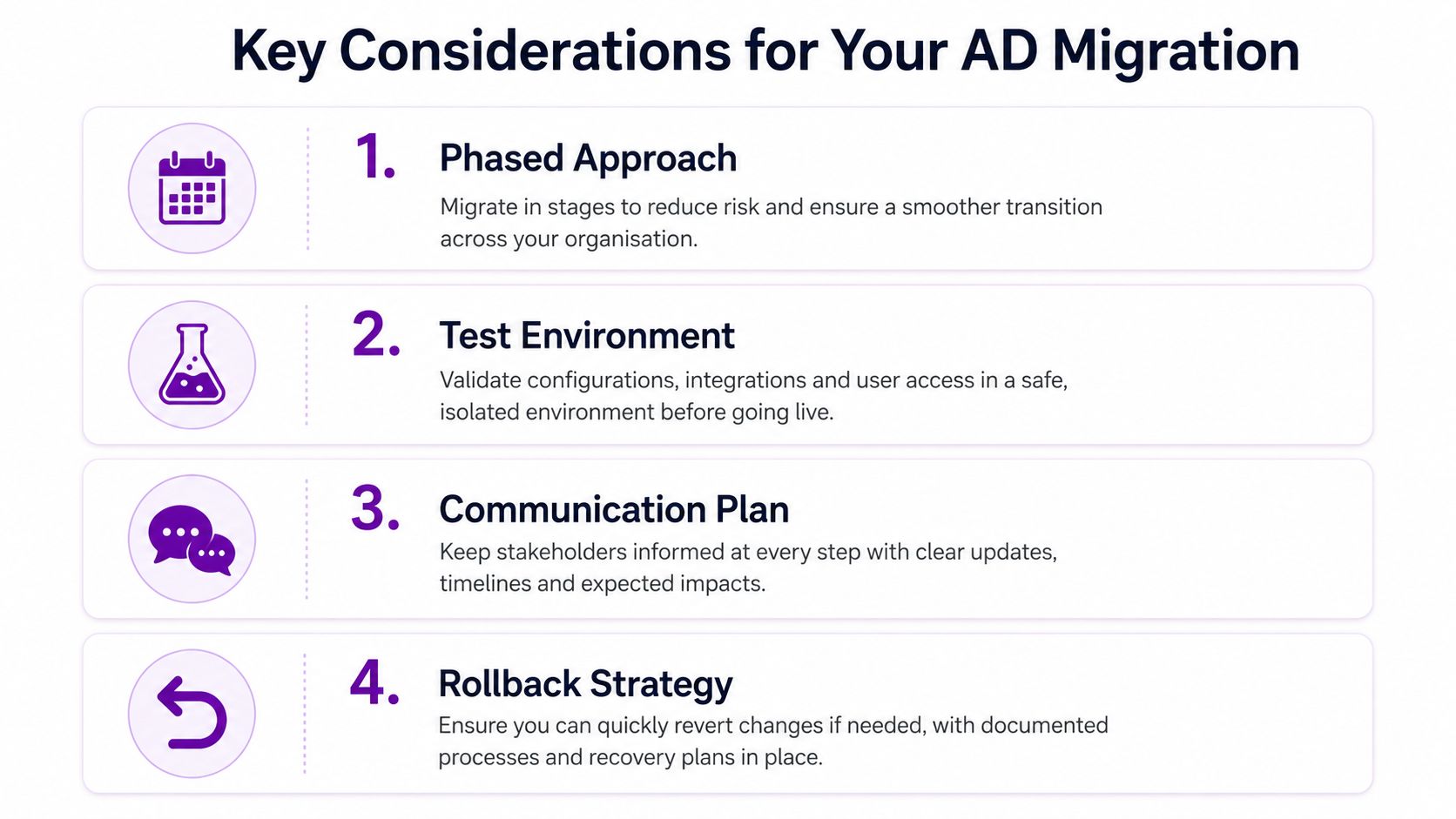
The decision is straightforward. Handle the work in-house if you have a senior identity engineer with previous cutover experience and ADMT exposure, supported by people who understand your applications. Engage a partner if the estate is multi-forest, includes acquired companies, or falls within compliance scope such as Cyber Essentials Plus or ISO 27001.
For organisations considering the removal of Active Directory, the same discipline applies. First establish what still depends on it, then choose whether to consolidate, modernise or retire components in controlled stages.
The following video provides another visual introduction to the planning considerations:
Call F1Group on 0845 855 0000 today to discuss your Active Directory migration, identity discovery, Microsoft 365 integration and rollback planning. Send us a message to arrange a scoping conversation with a Microsoft-focused team serving organisations across the East Midlands.
F1Group can map your directory dependencies, plan phased identity changes and support Microsoft 365, Azure, Conditional Access and application sign-on work throughout the transition. Visit F1Group to start a practical conversation about reducing migration risk before your next cutover window.