
Your finance team wants tighter control over sensitive data. Your sales team wants Microsoft 365, modern collaboration, and customer-facing applications that can scale. Meanwhile, the server room still contains ageing systems that support essential processes and can't be moved safely or economically in a single project.
That is the practical starting point for many mid-sized organisations across Lincoln, Nottingham, Leicester, and the wider East Midlands. Hybrid cloud solutions let you connect existing infrastructure with Microsoft Azure and other cloud services, then decide where each workload belongs. The right approach isn't to move everything because cloud is fashionable. It's to place every application, dataset, and recovery function where security, performance, resilience, compliance, and cost make sense.
What Hybrid Cloud Actually Means for Your Business
An IT Director might be dealing with a familiar conflict. The organisation stores payroll information and operational records on local servers, perhaps because an old application depends on them. At the same time, employees expect Microsoft Teams, SharePoint, Power Platform, and cloud-based line-of-business tools to work from the office, home, and customer sites.
Hybrid cloud provides the connection between those two realities. The UK National Cyber Security Centre defines hybrid cloud as an architecture that enables connectivity and interactions between cloud services and systems hosted on-premises, and describes it as a variant of multi-cloud, as outlined in this summary of UK cloud adoption guidance.
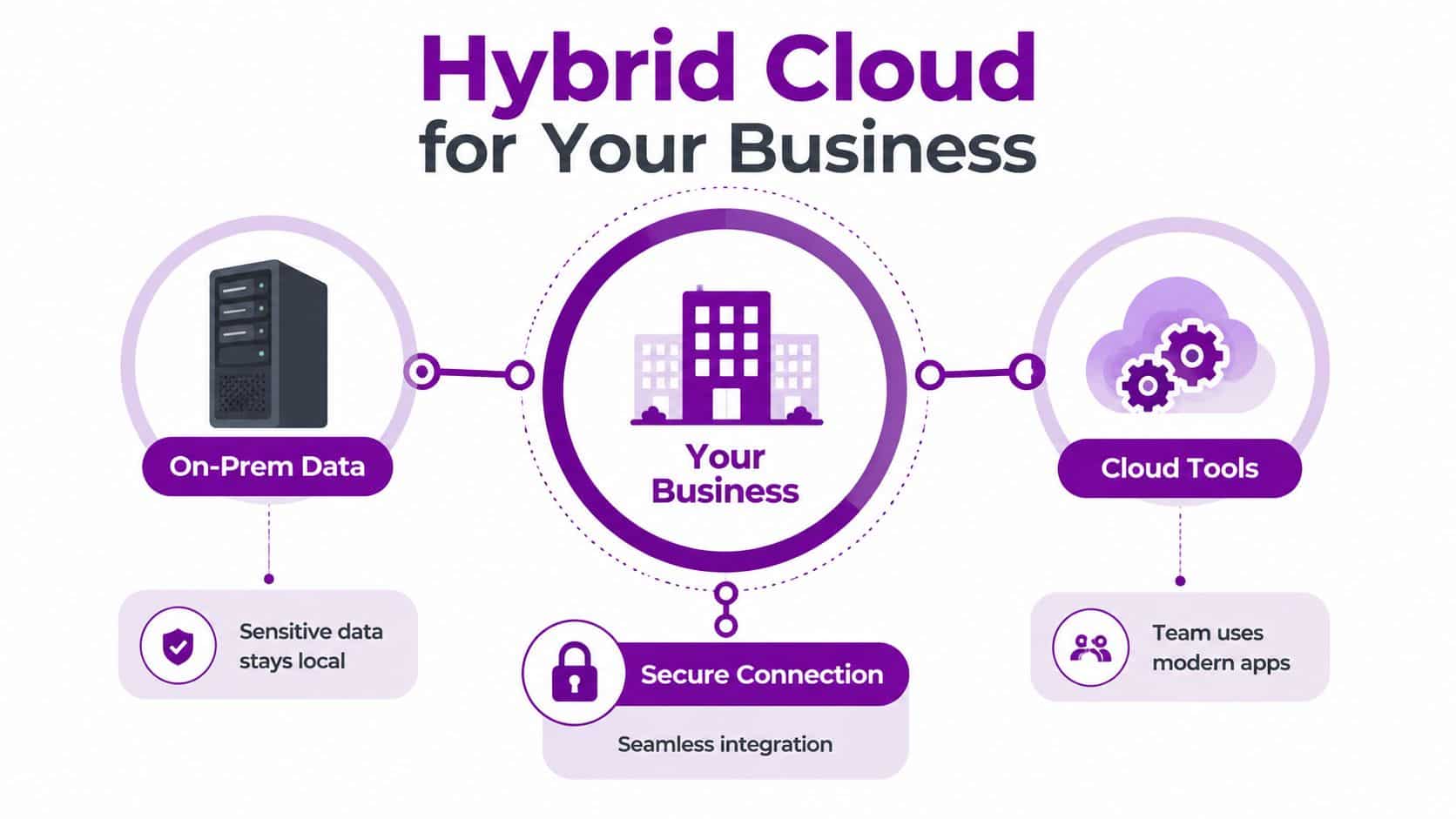
The key point is interaction. Your on-premises servers aren't just sitting beside an unrelated cloud subscription. Identity, applications, data flows, monitoring, backup, and security controls connect the environments so users experience a coherent service.
Hybrid, multi-cloud, and public cloud
A public cloud model places workloads with a provider such as Microsoft Azure. It can offer rapid provisioning, elastic capacity, and access to managed services, but it may not suit every legacy application or sensitive dataset.
Multi-cloud means using more than one cloud provider. An organisation might use Azure for Microsoft workloads and another provider for a specialist service, with each environment potentially managed separately.
Hybrid cloud combines on-premises or private infrastructure with one or more public clouds. It gives you a deliberate placement model:
- Keep locally: Systems with unusual hardware dependencies, strict control requirements, or difficult migration paths.
- Move to Azure: Collaboration services, modern applications, analytics, and workloads that benefit from managed platform services.
- Connect both: Identity, reporting, integration, backup, and disaster recovery services that need information from each environment.
Practical rule: Hybrid cloud isn't a halfway house. It should be an intentional operating model with clear ownership, security boundaries, and workload decisions.
For a mid-sized UK business, that distinction matters. You can modernise without forcing a risky replacement of every legacy system, while still giving teams access to cloud capabilities that support growth.
How Hybrid Cloud Architecture Works
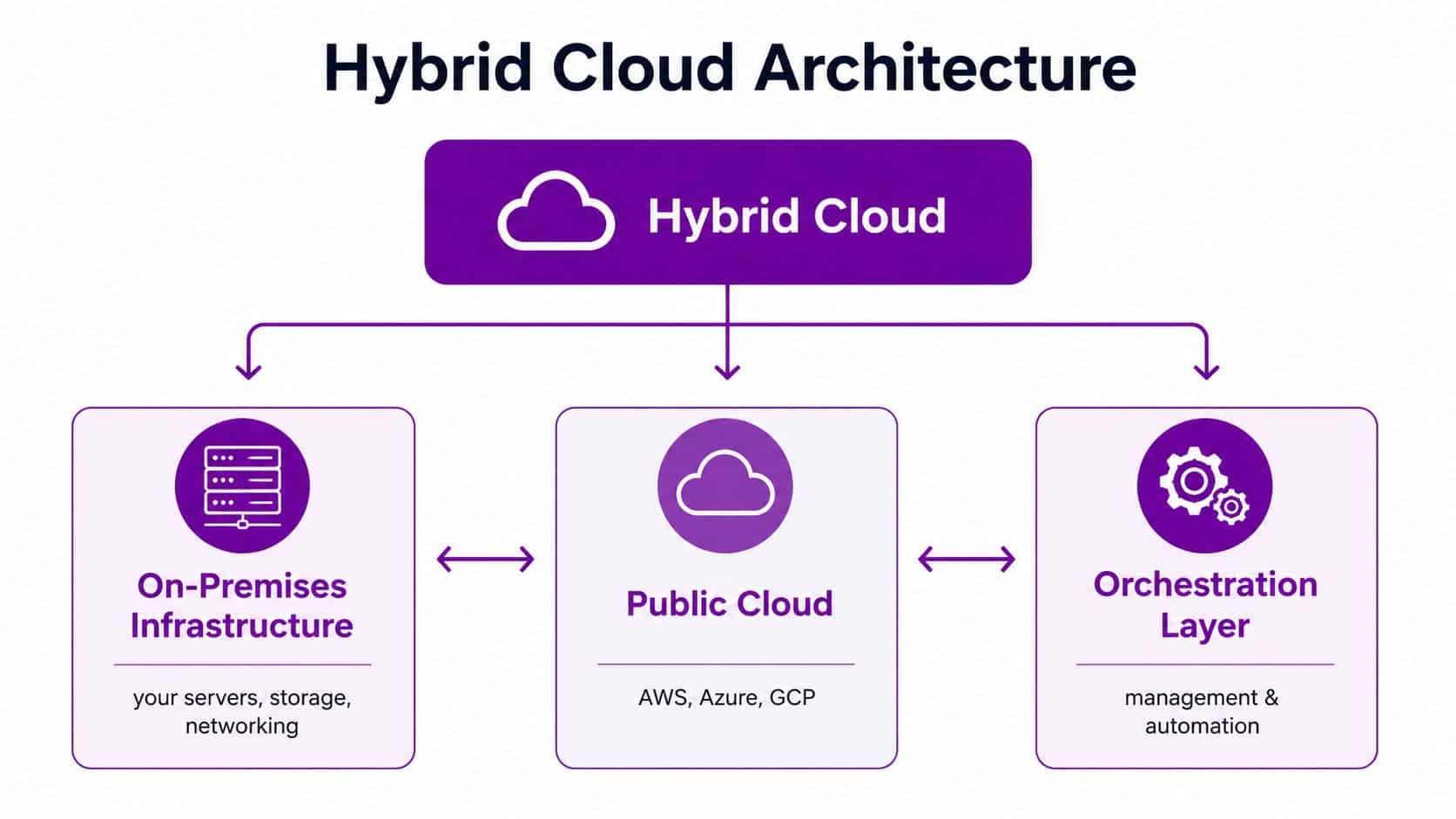
Think of the architecture as a secure bridge between two islands. One island is your office or data centre, where servers, storage, applications, and network equipment run under your control. The other is Microsoft Azure, where you can provision computing, databases, identity services, backup, analytics, and application platforms.
The bridge needs more than a network cable. It must carry traffic securely, authenticate users and services, direct workloads correctly, and give administrators a consistent view of what is happening.
The three architectural layers
On-premises infrastructure includes your physical or virtual servers, storage, switching, firewalls, and applications. This layer often remains essential for older databases, manufacturing systems, specialist software, and data that the organisation wants to retain locally.
The cloud platform is commonly Azure for Microsoft-centric organisations. Azure can host virtual machines, managed databases, app services, storage, identity integrations, security tooling, and recovery resources.
The connectivity and orchestration layer joins the two. Site-to-site VPN can provide an encrypted connection over the internet. ExpressRoute offers a dedicated private connection into Azure where predictable connectivity, performance, or security requirements justify it. Hub-and-spoke networking can centralise shared services such as firewalls, DNS, inspection, and connectivity, while separate spokes contain business workloads.
Identity must work across both environments
Users shouldn't need one identity for local systems and another for cloud applications. Microsoft Entra ID, formerly Azure Active Directory, can integrate with existing Active Directory so authentication and access policies operate across the estate.
That integration needs careful design. Decide which directory is authoritative, how privileged accounts are protected, how synchronisation is controlled, and what happens when connectivity to the office is unavailable. Apply multi-factor authentication and least-privilege access to cloud administration, not just user sign-in.
Choose the connection to match the workload
A site-to-site VPN may suit a smaller deployment or an initial migration. ExpressRoute can be more appropriate for workloads that exchange substantial data with Azure or require a more predictable private connection. Neither option fixes poor application design, weak identity controls, or undocumented dependencies.
Start by mapping traffic flows. Identify which systems need to communicate, which direction data travels, what latency applications require, and which services must remain available during a network outage. Then build monitoring around the connection, not just the servers at either end.
Why UK Businesses Are Choosing Hybrid Over Full Cloud Migration
Full public-cloud migration sounds simple in a board presentation. In practice, a mid-sized organisation may have ageing applications, contractual obligations, data residency concerns, specialist hardware, and staff who need uninterrupted access to systems that were never designed for cloud operation.
UK policy supports cloud adoption, but it doesn't require every workload to use public cloud. The government introduced its Cloud First policy in 2013, and later guidance clarified that public cloud isn't always achievable. Community, hybrid, and private deployment models can be acceptable in specific circumstances, making hybrid cloud a legitimate operating model for public-sector and regulated workloads. The UK government collection on cloud technology and the public sector provides the relevant policy context.
By January 2025, the State of Digital Government review reported dedicated transformation budgets totalling £1.3 billion, with around 55% of central government organisations saying more than 60% of their estate was already on the cloud. Adoption remained uneven. Around 63% of the Home Office estate was on public cloud, while NHS Cambridge still had around 95% of its estate on-premises, according to the same review and government collection.
Those figures don't show failure. They show different workload realities.
Commercial adoption is already substantial
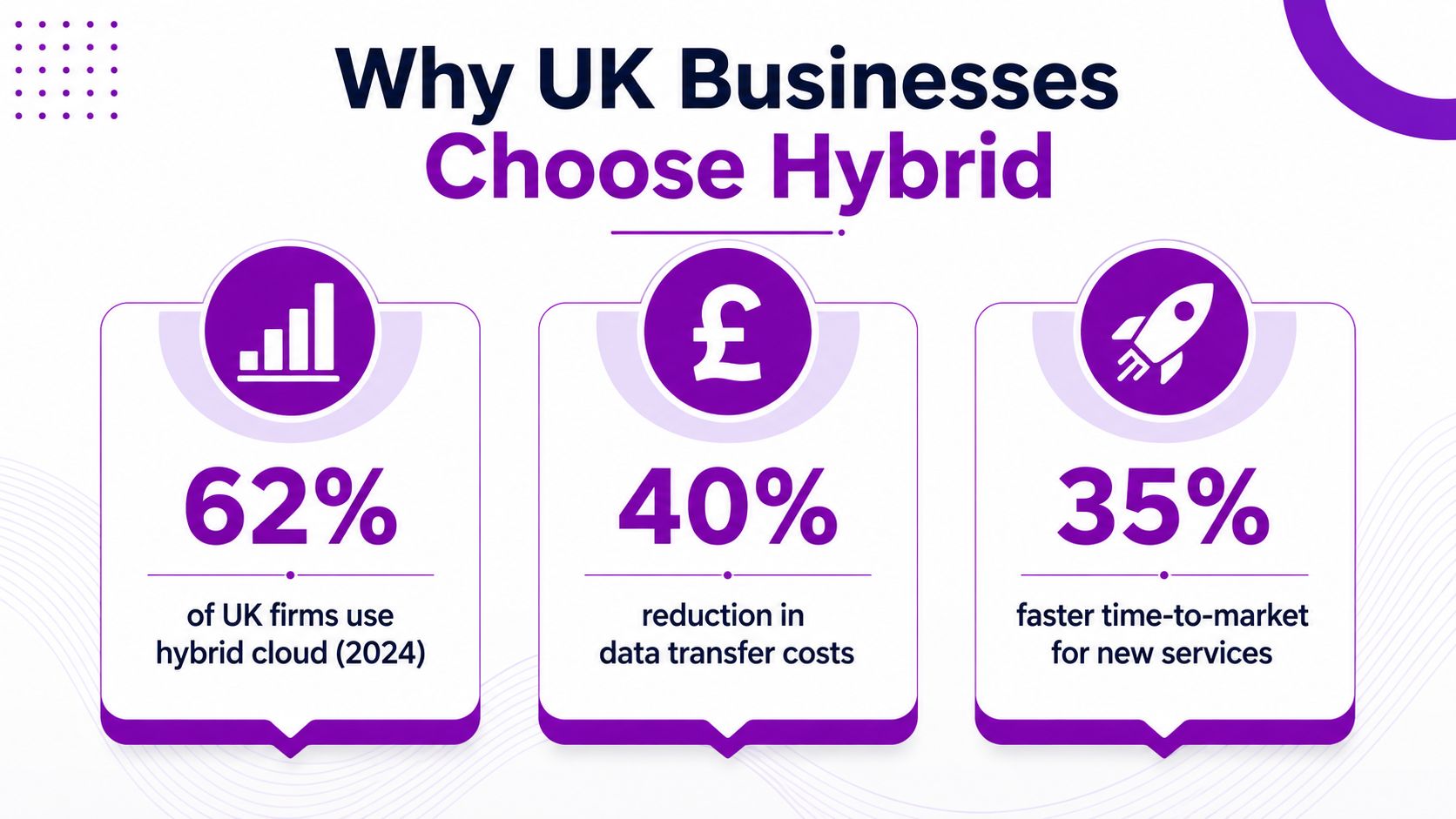
The UK hybrid cloud market generated estimated revenue of USD 5,139.8 million in 2023 and is projected to reach USD 13,855.6 million by 2030, representing a projected 15.2% CAGR from 2023 to 2030, according to Grand View Research's UK hybrid cloud market outlook. These are USD figures because that is how the source reports the market. They shouldn't be treated as a GBP price list or converted without a stated exchange rate.
The same market outlook identifies software as a service as the largest segment in 2023, accounting for 53.32% of revenue, while infrastructure as a service is the fastest-growing segment. Ofcom's cloud services market study found that, among IaaS and PaaS users, 44% used public and private cloud in an integrated way, while 10% used both as separate IT architectures, as reported in the market evidence linked above.
Workload placement is the real decision
A customer portal may belong in Azure because it needs flexible capacity and managed services. A financial application may remain local because its software vendor, integrations, or control requirements make migration unattractive. Backup and disaster recovery can span both environments, giving the organisation more recovery options without duplicating every production system.
That is why I recommend a workload-by-workload assessment. Don't ask, “Can we move this to Azure?” Ask, “What business outcome do we gain, what risk changes, and what operating cost follows if we move it?”
Microsoft Azure Hybrid Solutions for Mid-Sized Organisations
Most mid-sized UK businesses already have a Microsoft foundation through Windows Server, Microsoft 365, Active Directory, and PowerShell. Azure hybrid solutions work best when they extend that investment rather than introduce an entirely separate management model.
The choice usually comes down to what you need to change first. If the immediate problem is visibility, start with Azure Arc. If you need Azure-style services close to local data, consider Azure Stack HCI. If continuity is the priority, assess Azure Site Recovery.
Compare the practical options
| Solution | Best For | Key Features | Typical Monthly Cost (GBP) |
|---|---|---|---|
| Azure Arc | Managing on-premises and multi-environment resources | Azure management plane, policy, inventory, governance, and support for connected servers and services | Depends on enabled Arc capabilities, resource type, and usage. Obtain a workload-specific Azure quote |
| Azure Stack HCI | Running virtualised workloads and selected Azure services locally | Local hyperconverged infrastructure, Azure integration, central management, and support for workloads that need local processing | Depends on hardware, licensing, support, and capacity. Price through a validated design |
| Azure Site Recovery | Disaster recovery for supported workloads | Replication, recovery orchestration, planned failover, and testing for selected servers and applications | Depends on protected instances, storage, network traffic, and recovery design |
| Azure VPN or ExpressRoute | Connecting sites and Azure securely | Encrypted tunnels or dedicated private connectivity, routing, and controlled access between environments | Depends on connection type, bandwidth, provider, and regional design |
Don't use the table as a substitute for a design. Azure charges vary by region, service tier, licence position, storage, data movement, and operating pattern. A cheap proof of concept can become expensive if nobody defines retention, shutdown schedules, access controls, or ownership.
Select the first tool by operational pain
Use Azure Arc when your team needs one governance and management view without moving every server. It can be particularly useful for applying policy, tracking resources, and bringing selected on-premises systems into an Azure-led operating model.
Use Azure Stack HCI when latency, local processing, or data control makes local hosting important, but you still want closer alignment with Azure management and services. It requires a proper hardware and support design, so it isn't a casual software add-on.
Use Azure Site Recovery when a business continuity gap creates immediate exposure. Test failover, document application dependencies, and confirm that recovery objectives are realistic. For broader planning and managed implementation, see managed Azure services.
Security, Management, and Cost Considerations
Hybrid cloud fails operationally when teams secure Azure one way, local servers another way, and the connection between them as an afterthought. Treat the environment as one service with separate trust zones.
The NCSC warns that role-based access control must be adapted so a compromise of on-premises infrastructure doesn't allow an attacker to pivot into cloud infrastructure, or the other way around. That means separate administrative paths, privileged identity controls, strong authentication, network segmentation, and continuous review of permissions.
Security checklist
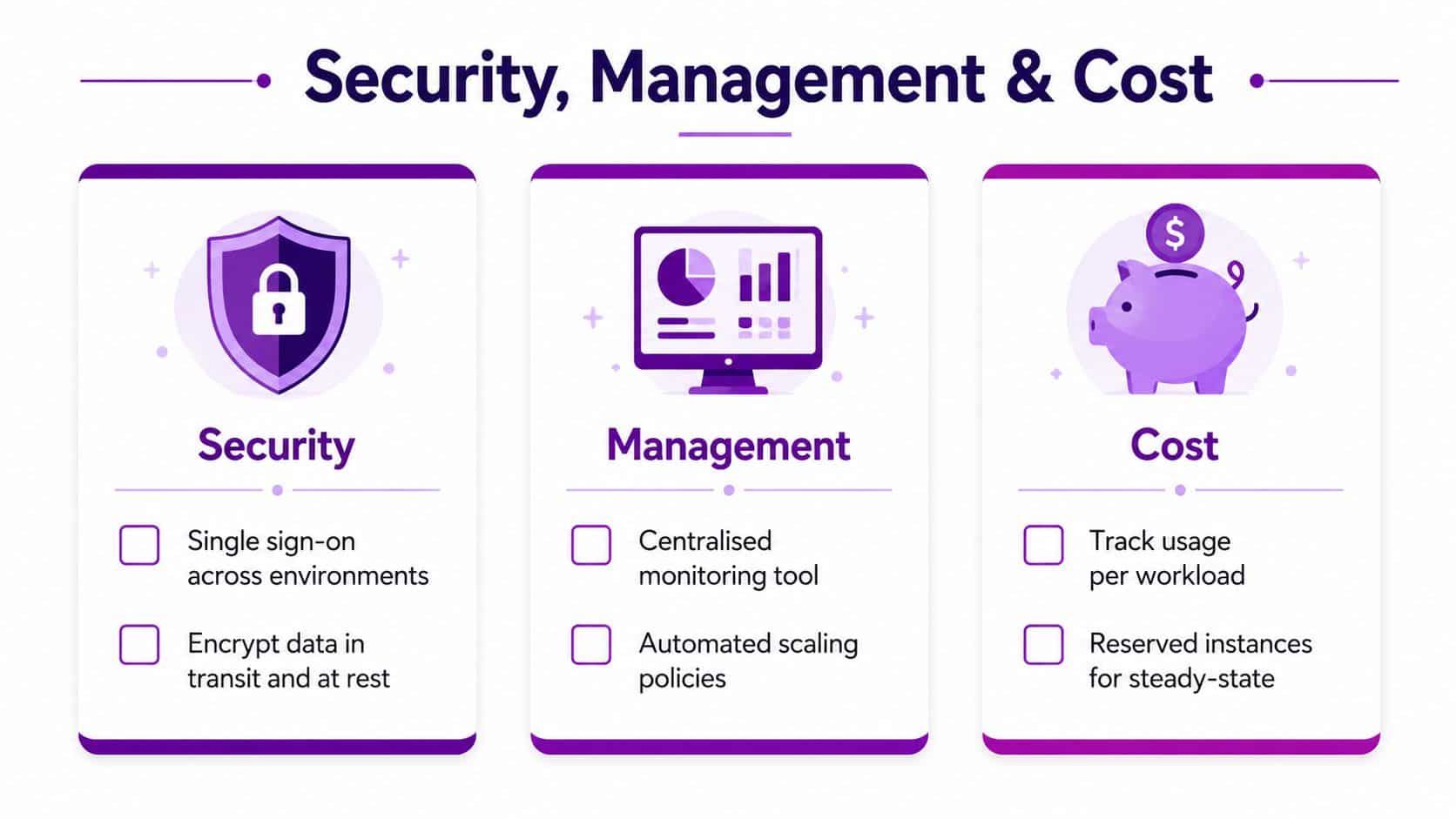
- Separate privileged access: Use dedicated administrative identities and multi-factor authentication for Azure, servers, firewalls, and backup systems.
- Segment the network: Restrict movement between user devices, server networks, management networks, and Azure workloads.
- Encrypt connections and data: Protect information in transit between sites and in storage, then manage keys and secrets deliberately.
- Test recovery access: Confirm that administrators can recover systems when the main directory, network, or security tool is unavailable.
Management needs a single operational view
Azure Monitor, Log Analytics, Microsoft Defender for Cloud, Microsoft Sentinel, and existing monitoring platforms can provide visibility across different parts of the estate. The tool choice matters less than the operating discipline. Someone must own alerts, investigate exceptions, patch systems, review capacity, and close recurring problems.
Automation should handle repeatable work such as server onboarding, policy application, patch scheduling, backup checks, and resource shutdown. Infrastructure as code and documented change control reduce configuration drift between environments.
For a practical perspective on how to unify on-prem and public cloud, review the operational patterns that bring monitoring, governance, and workload control into one model. Your own architecture still needs to reflect its applications, controls, and support arrangements.
Cost is more than the Azure invoice
Azure consumption pricing can work well for variable workloads. Reserved capacity may suit predictable services, but only after you understand demand and commitment risk. Data transfer, storage growth, backup retention, software licensing, connectivity, monitoring, security tooling, and staff time can all affect the total cost.
UK Digital Marketplace examples illustrate the range. One listed hybrid cloud service is priced at £0.03 to £15,500 per unit per month, while another is priced at £95 to £2,240 per unit per day, as shown in NCSC guidance on service and deployment models. These aren't universal prices. They demonstrate that hybrid procurement is modular and highly dependent on service scope.
Track cost by workload, environment, and owner. For a focused review of Azure spending and governance, see cloud cost optimisation.
Planning Your Hybrid Cloud Migration
Don't start with a platform purchase. Start with an estate map.
List applications, servers, databases, integrations, users, data classifications, support contracts, recovery requirements, and dependencies. Include systems that nobody wants to touch. A workload that looks isolated often depends on a local database, file share, scheduled task, or authentication service.
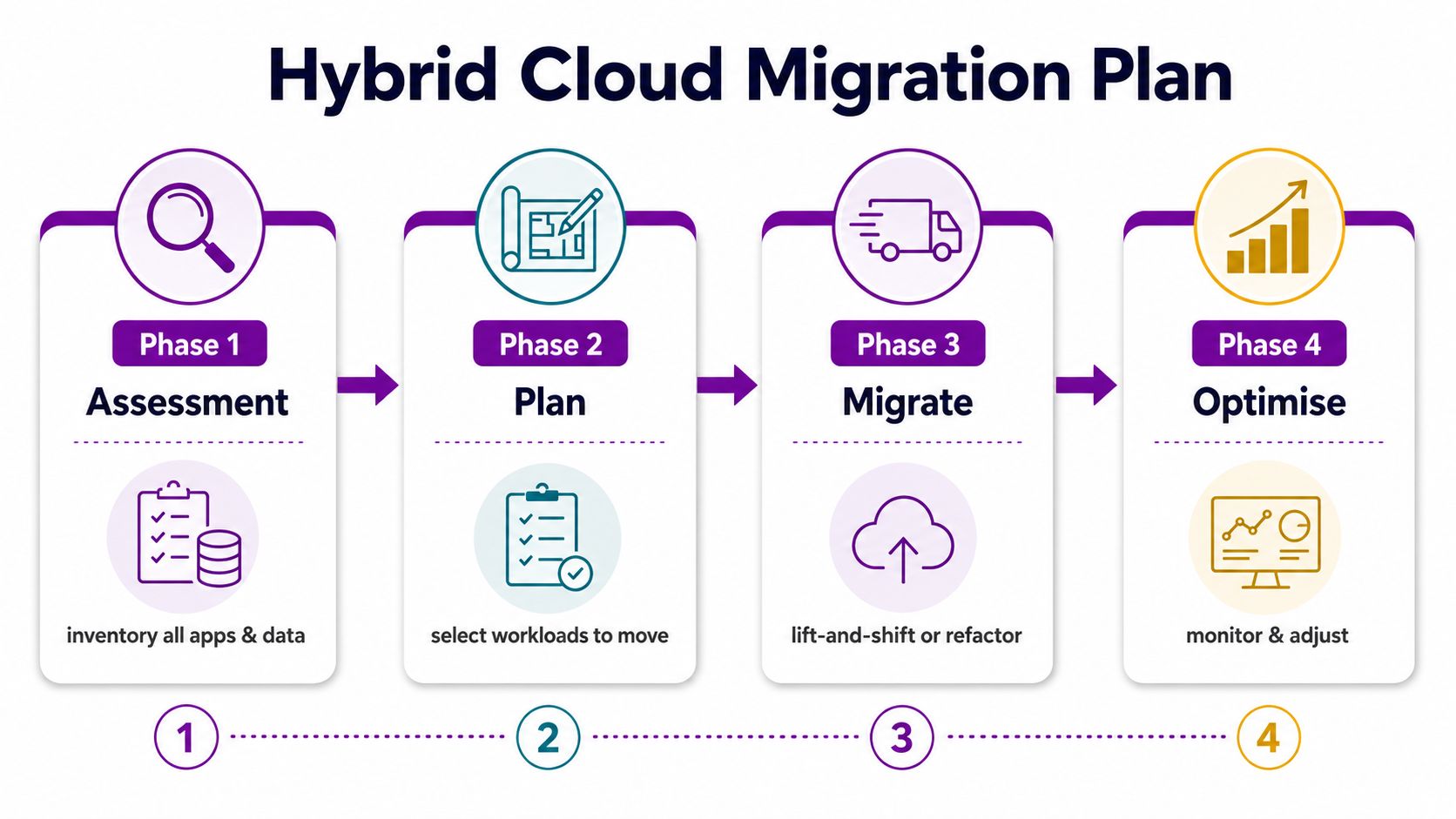
Four phases keep the project controlled
Assessment establishes facts. Record ownership, technical condition, business value, compliance needs, performance requirements, and dependencies. Classify each workload as suitable for local hosting, Azure migration, modernisation, retirement, or further investigation.
Design defines the target state. Choose connectivity, identity, security zones, backup, monitoring, recovery, and data placement before moving production services. Decide which Azure region and services fit the organisation's legal, operational, and resilience requirements.
Implementation should use manageable migration waves. A lift-and-shift approach can move a compatible workload with limited change. Re-platforming may use a managed database or application service. Re-architecting offers deeper cloud-native benefits but demands more design, testing, and application ownership.
Optimisation begins after migration, not at project closure. Review performance, access, security alerts, recovery tests, licence use, and Azure consumption. Remove temporary resources and update documentation as the environment changes.
Set realistic checkpoints
Within three months, an organisation can aim to complete discovery, define governance, establish secure connectivity, and test a low-risk workload. By six months, it may have completed several migration waves and introduced consistent monitoring and recovery testing. Within twelve months, the focus should be a stable operating model, not a forced move of every remaining system.
Pause when ownership is unclear, recovery has not been tested, costs cannot be assigned, or a migration exposes undocumented dependencies. A controlled pause is cheaper than turning a technical issue into a business outage. Azure migration planning and delivery support is available through Azure cloud migration services.
Choosing the Right IT Partner for Your Hybrid Cloud Journey
A cloud reseller can provision an Azure subscription. That isn't the same as delivering a hybrid cloud operating model.
Choose a partner that can document your existing estate, design the network and identity boundaries, migrate workloads in stages, monitor both environments, manage security, test recovery, and explain the bill. Microsoft certifications matter, but they should support practical delivery rather than replace it.
Questions to ask before appointing a partner
- Architecture experience: Ask for examples of Azure hybrid deployments involving legacy systems, local infrastructure, and Microsoft 365.
- Support ownership: Confirm who monitors alerts, responds to incidents, manages patches, and attends site when remote action isn't enough.
- Compliance understanding: Ask how the partner handles UK data protection obligations, data residency decisions, privileged access, audit evidence, and supplier responsibilities.
- Migration method: Require a written approach covering discovery, dependency mapping, pilot workloads, rollback, testing, and handover.
- Pricing clarity: Ask what is included in managed support, what Azure consumption remains variable, and how project work is approved.
- Regional coverage: East Midlands organisations should consider whether the partner can provide practical on-site support across locations such as Lincoln, Nottingham, Leicester, Scunthorpe, Grimsby, and Newark.
Security assurance deserves the same scrutiny as technical delivery. If your organisation needs external assurance or audit support, this resource on top SOC 2 audit firms can help you frame the questions, although SOC 2 expertise shouldn't replace UK-specific compliance advice.
F1Group has supported businesses across the East Midlands since 1995, with Microsoft-focused services covering managed IT, Microsoft 365, Azure, Dynamics 365, Power Platform, cyber security, and bespoke application work. Its certified and DBS-checked team can support architecture, integration, migration, monitoring, and on-site assistance where a hybrid environment needs hands-on ownership.
Hybrid cloud solutions are valuable when they reduce risk and give each workload a sensible home. They become expensive when nobody owns the architecture after implementation. Before you commit to Azure services or new hardware, ask an experienced partner to assess your estate, identify the right first workload, and set out the operating costs and controls in writing.
F1Group can assess your on-premises estate, design a Microsoft Azure hybrid architecture, and manage the connectivity, security, migration, monitoring, and ongoing optimisation around it. Visit F1Group to discuss your requirements, or phone 0845 855 0000 today and send us a message about your hybrid cloud plans.