
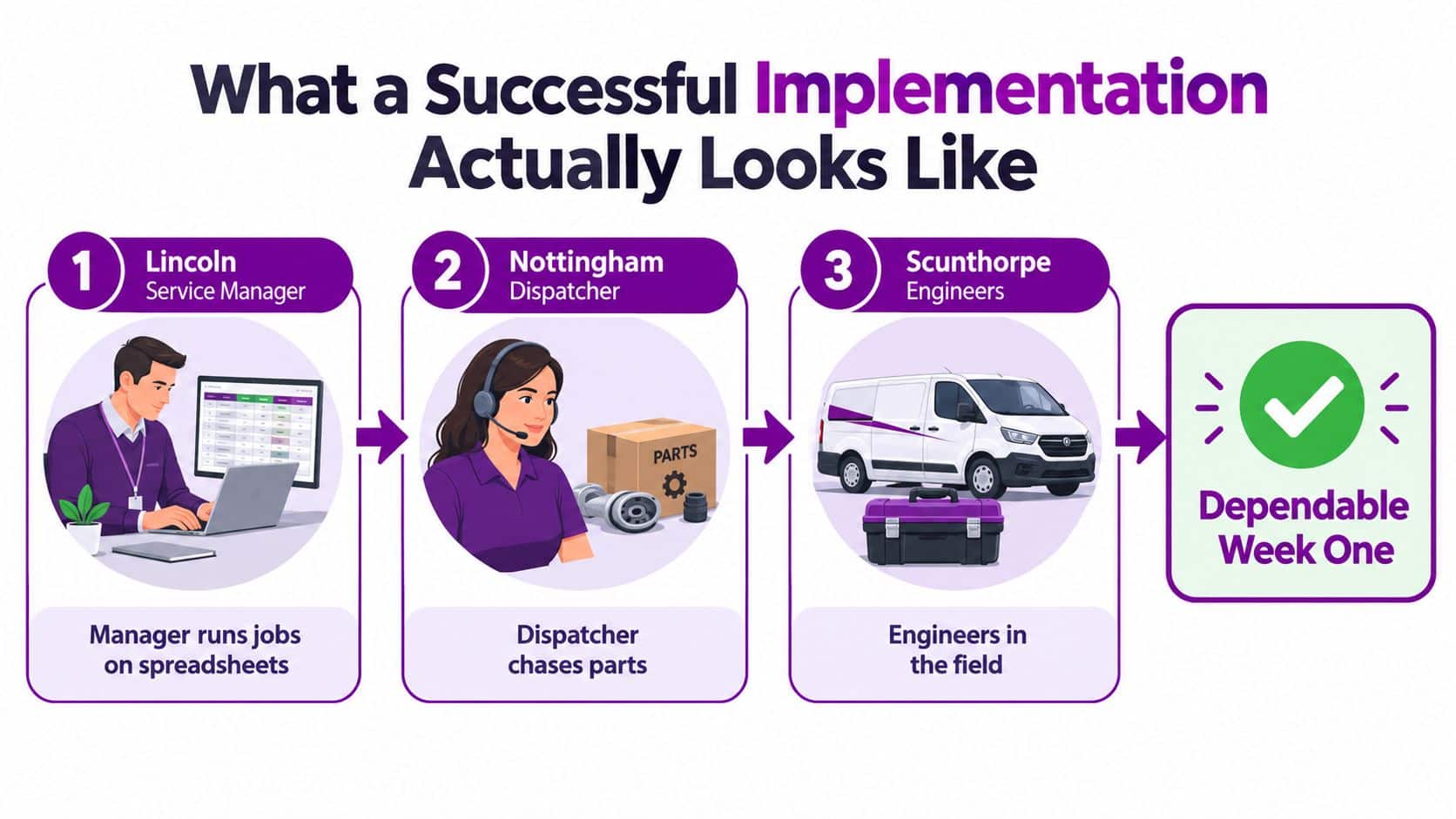
A service manager in Lincoln is reconciling three spreadsheets before the morning briefing. In Nottingham, the dispatcher is calling suppliers to find a missing part while an engineer waits at a customer site. In Scunthorpe, a technician loses signal halfway through a job and isn't sure whether the mobile update has been saved. Everyone is busy, but nobody has a dependable view of what happens next.
That is the starting point for a Dynamics 365 Field Service implementation. You aren't buying scheduling software. You're redesigning how customer requests, work orders, people, parts, travel, evidence and invoices move through the business. The platform matters, but the operating model matters more.
What a Successful Implementation Looks Like
The Lincoln service manager needs one dependable work order, not another dashboard repeating spreadsheet data. It should show the customer, asset, priority, required skills, promised appointment and parts requirement. The Nottingham dispatcher must confirm parts availability before assigning the job, while the Scunthorpe engineer needs a mobile workflow that still supports the work when connectivity disappears.
A successful implementation gives all three roles one operational record and one agreed process.
The UK has a substantial digital base, but service processes still vary widely in their readiness for cloud adoption. The UK Government's 2024 Business Data Survey found that 77% of UK businesses handled digitised data of some kind, while 19% stored or processed data through a public-cloud provider, 35% used on-premises servers and 13% used private-cloud providers. For an East Midlands operator, a new Field Service environment may therefore need to work alongside existing finance, inventory and customer systems.
Practical rule: Design the operating process first, then configure the technology that supports it.
Treat the implementation as four connected jobs. Define the service model and the minimum data needed to run it. Configure the Field Service core without replacing standard capability with unnecessary custom code. Integrate only the systems that must exchange information on day one, then test mobile use across the region, including poor-connectivity conditions. Train each user group and measure whether the new process has replaced the old one.
The result should be visible in daily work: clearer territory ownership, better dispatch decisions, reliable offline updates and cleaner hand-offs to stock and finance. Software configuration alone will not deliver that outcome.
If the internal team needs experienced Dynamics 365 capability, explore top Dynamics 365 talent via GENTY recruitment. Choose people who understand dispatch, assets, stock and field behaviour, not only configuration screens.
Scoping the Project and Getting the Foundations Right
Don't buy licences before the steering group can answer a simple question: which service process is being changed first? Define the service line, customer promise, depot or territory, contractor involvement and financial hand-off before anyone starts building forms.
For an East Midlands pilot, candidates might include Lincoln, Nottingham, Leicester, Scunthorpe, Grimsby or Newark. Choose one area where the team can observe the whole process, from call intake to invoice and warranty closure. A geographically meaningful pilot exposes travel, skills and coverage problems that a tidy office demonstration won't reveal.
Build the operational baseline
Capture the current values for:
- First-time fix: Record the existing result before promising improvement.
- Repeat visits: Separate avoidable return journeys from planned follow-up work.
- Travel time: Use actual routes and regional density, not assumptions.
- Schedule adherence: Record late arrivals, early completions and dispatcher overrides.
- Engineer utilisation: Distinguish productive job time from travel and administration.
- Parts availability: Track stock held centrally, locally and in vans.
- Work-order completion: Check whether notes, evidence, time and parts are complete.
- Invoice lag: Measure the delay between job completion and finance-ready information.
- Mobile failure rate: Record failed updates, missing attachments and synchronisation issues.
Translate each measure into a Dataverse field or Power BI measure and assign an owner. A KPI without an owner becomes a presentation item rather than an operating control.
Define the minimum data model
Before automation, agree the meaning of the core records. The project team should document accounts, contacts, assets, functional locations, products, skills, territories, incidents, entitlements and price lists. It should also define work-order types, incident types, booking statuses, characteristics, priorities and service-level rules.
Rushed projects create expensive confusion. If one team uses "breakdown" for an emergency repair and another uses it for every reactive visit, scheduling and reporting will be unreliable. If skills are incomplete, the optimiser can recommend an available engineer who cannot safely perform the work. If van stock is not modelled, the dispatcher will see a technically scheduled job that still fails at the customer site.
Make licensing a design decision
Microsoft's UK pricing page lists Dynamics 365 Field Service at £80.70 per user per month, paid annually and excluding VAT. It lists the Contractor licence at £38.40 per user per month, and Resource Scheduling Optimisation at £23.10 per resource per month, also paid annually and excluding VAT. Confirm capabilities and access restrictions against your user roles before selecting the cheaper option.
| Role | Licence option | Indicative monthly price, excl. VAT |
|---|---|---|
| Internal dispatcher or full Field Service user | Dynamics 365 Field Service | £80.70 per user |
| External or limited-access technician | Contractor licence | £38.40 per user |
| Automated scheduling resource | Resource Scheduling Optimisation | £23.10 per resource |
For a wider view of the commercial decision, compare the role assumptions in Dynamics 365 Field Service pricing. The right licence isn't the cheapest licence. It's the one that supports the work the person must complete without pushing essential activity back into email or spreadsheets.
Configuring the Field Service Core Without Over-Customising
Start with standard capability and prove where it fails. Customisation should solve a confirmed operational gap, not compensate for an unclear process.
Configure the rules before the clever features
Use this order:
- Work-order structure: Define how requests become work orders, including ownership, priorities, incidents and customer commitments.
- Booking behaviour: Set statuses, cancellation rules, rescheduling rules and escalation points.
- Resources and territories: Model people, skills, characteristics, depots, travel assumptions and availability.
- Parts and commercial records: Connect products, price lists, inventory, van stock, billable time and expenses.
- Mobile execution: Build the technician experience around inspection, safety, notes, parts, signatures and completion evidence.
- Automation and optimisation: Add flows, recommendations and advanced scheduling after the foundation survives real scenarios.
This sequence prevents the common mistake of building automation on top of unstable definitions. A flow can move a record quickly, but it can't decide whether the underlying status or part classification is correct.
Treat mobile as the job, not a form
A technician isn't completing an administrative form for the office. They're using the mobile client to understand the asset, follow the work, record what happened and prove completion. The design must make it easy to capture the right information in the right order, including readings, photos, customer signatures, parts used, labour time, expenses and follow-up requirements.
The hand-off to finance deserves particular attention. If completion evidence writes to the wrong work order, if parts remain in van stock, or if billable time doesn't reach the finance process, the system may look successful while creating new reconciliation work.
A UK field-service review analysis found that 40% of negative or mixed software reviews involved reliability problems, including crashes, slowness, failed synchronisation or functions not working, compared with 22% concerning workflow design. The analysis is based on public reviews rather than a representative UK deployment sample, so treat it as directional. Its operational message is still clear: offline behaviour, device management and synchronisation monitoring are release gates. See Growth 4 Trades recommendations for broader context on the practical needs of trades and service businesses.
Keep phase one deliberately narrow
A sensible minimum viable configuration includes reliable work orders, resource scheduling, mobile completion, parts usage, customer sign-off, core finance hand-off and basic Power BI reporting. Leave advanced predictive maintenance, extensive portal work, complex contractor structures and non-essential automation for a later phase unless they are required for the pilot.
Over-customisation creates two problems. It increases the testing surface, and it gives users more ways to avoid the standard process. Configure the smallest operating model that can run a real day of work, then expand from evidence.
Integration Choices That Decide Whether the Pilot Holds Together
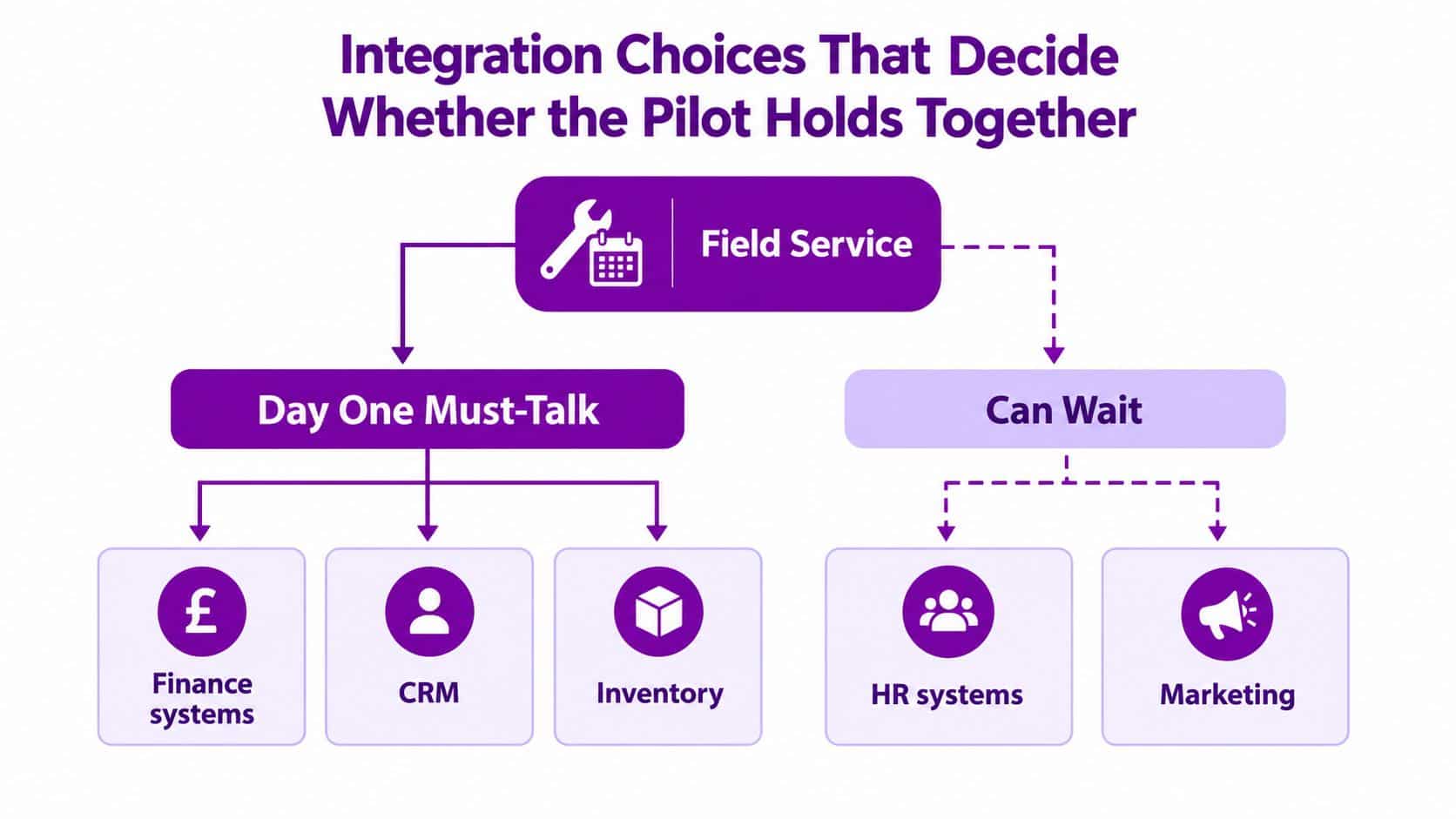
The pilot doesn't need every system connected. It needs the right information to arrive at the right point in the service process.
Finance comes first when technicians' time, parts and expenses must create billable transactions. That might mean Business Central, Sage or a legacy ERP. Decide which system owns products, prices, customers, tax treatment, invoices and credit status. If both platforms can edit the same record without an agreed ownership rule, reconciliation will become a permanent manual task.
Customer data comes next. Dynamics 365 Sales or Customer Service may hold accounts, contacts, cases and relationship history. Field Service needs enough context to execute the job, but it shouldn't become a second uncontrolled CRM. Establish the source of truth for account identity, addresses, contacts, assets and entitlements.
Microsoft 365, Teams and Outlook can support identity, notifications and dispatcher collaboration. Use them to improve visibility, not to recreate dispatch through message threads. A Teams conversation may help colleagues solve an exception, but the decision and its outcome should remain on the work order.
Use location and asset data carefully
Azure Maps or another route service can help estimate travel and support realistic scheduling. Its value depends on good territory, address and appointment-window data. An inaccurate address or an unrealistic travel assumption can make an apparently efficient schedule impossible for the engineer.
IoT and telemetry should feed assets and functional locations only when the organisation knows what action follows an alert. Connecting a sensor that creates noise doesn't produce preventative maintenance. It creates another queue for the dispatcher.
Use Dataverse security roles, identity controls and environment management before connectors run in production. A Data Protection Impact Assessment should document personal data in customer records, work orders, technician profiles and location-related processes, together with access, retention and deletion responsibilities. UK Government Digital Marketplace guidance describes DPIAs as a way to operationalise and demonstrate UK GDPR accountability, and covers public, private and hybrid deployment considerations, including data location, erasure, access, anonymisation and portability. Review the UK GDPR and DPIA guidance for cloud implementation during design, not at the final approval meeting.
For wider business-system context, software recommendations for growing companies can help frame which applications deserve attention now and which can wait. For hands-on planning around interfaces and ownership, see Dynamics 365 integration services.
Monitor integrations rather than assuming they work. Use Dataverse telemetry, exception queues and Power BI measures for failed messages, stale records, missing invoice inputs and unsynchronised updates. A silent failure is more dangerous than an obvious outage because users continue working with false information.
Testing That Stops the Go-Live Failures
A demonstration proves that the system can work. Testing proves that the operation can continue when conditions are inconvenient, devices fail and information arrives late.
Use four layers. Unit testing checks configuration and individual automations. Integration testing checks the movement of customers, assets, products, bookings, parts, labour and financial data between systems. User acceptance testing asks dispatchers, supervisors and technicians to complete realistic scenarios. A controlled pilot then exposes operational issues that scripted testing misses.

Test the conditions your engineers face
Take devices onto industrial estates, rural routes and customer premises. Test weak 4G, dead zones and complete loss of connectivity while the technician is:
- Opening an asset: Confirm that required work and safety information remains available.
- Capturing evidence: Save notes, photos, readings and signatures without network access.
- Recording parts: Check that usage queues correctly and does not create duplicate deductions.
- Changing status: Verify that the update is stored locally and synchronises later.
- Closing the job: Confirm that completion evidence writes back to the correct work order.
- Recovering a device: Test lost-device procedures, authentication, remote wipe and replacement access.
- Resolving conflicts: Define what happens when office staff and technicians edit the same record.
Check attachment limits, synchronisation rules, local storage, device security and unsynchronised-record reporting. Do not accept a general statement that the mobile app supports offline work. Define which processes must work offline, then validate each one on an actual route.
Run realistic acceptance scenarios
Test emergency callouts outside normal office hours, multi-engineer jobs, contractor handovers, warranty closure, cancelled appointments, unavailable parts and a customer who refuses to sign. Ask the dispatcher to manage the exception while the technician continues working. Dynamics 365 Field Service must preserve the operational record, not only complete the happy path.
The Service Council's field-service benchmark reports a 76% industry-median first-time-fix rate, with leading operators at 87% and weaker operators at 55%. Treat these comparative figures as prompts for a baseline discussion, not as a promised result. Your pilot should also measure schedule adherence, travel time, parts availability, work-order quality, invoice lag and mobile failure.
Release gate: Do not expand the pilot until completion evidence, stock reconciliation, finance hand-off and mobile synchronisation work under realistic conditions.
Compare the pilot with a similar non-pilot team for four to eight weeks. Require stable results across at least two scheduling cycles before expansion. The project board then has evidence about behaviour and operating performance, rather than screenshots from a test environment.
Change Management and Adoption That Decide Whether the Project Lasts
A technically correct system can still fail. If technicians keep paper notes, dispatchers keep private spreadsheets and supervisors accept updates through informal messages, the old process remains the system of record.
The people risk is measurable. The UK Government's 2025 rapid evidence review found that 33% of businesses identified financial costs as a significant barrier to advanced-technology adoption, while 25% identified workforce skills gaps. It also found that anticipated business-change difficulties can discourage adoption across UK SMEs. Training isn't a launch-day presentation. It's part of the operating design.
Train roles around decisions and exceptions
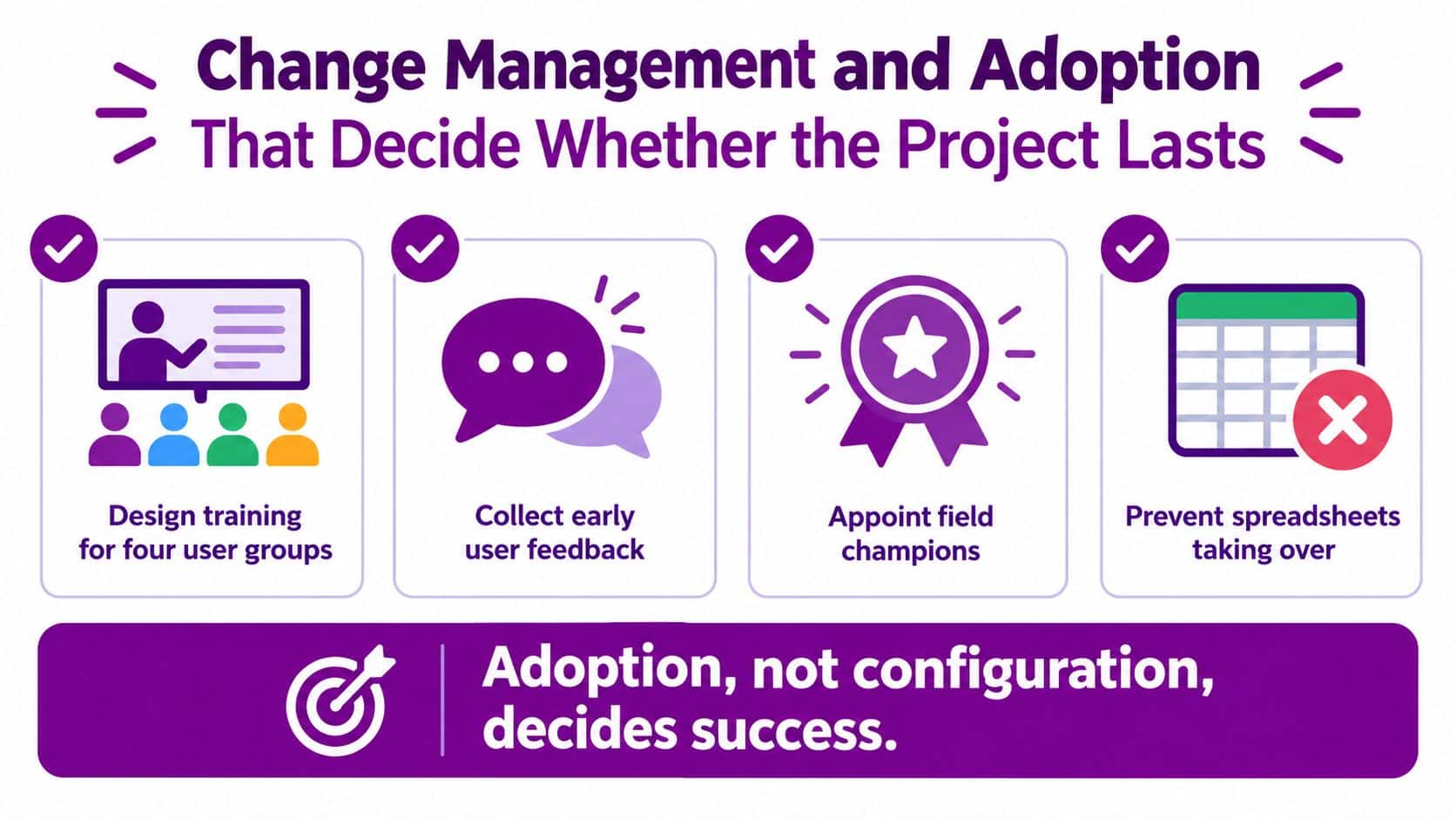
Technicians need short, device-specific practice for finding work, reviewing assets, working offline, recording parts, adding evidence and closing jobs. Dispatchers need to manage priorities, skills, territories, appointments, exceptions and rescheduling. Supervisors need to review quality, approve corrections and coach performance. Contractors need a clear access model and a focused workflow that doesn't expose records they don't need.
Use realistic jobs from the pilot region. An engineer in Grimsby should practise the same kind of weak-connectivity and parts scenario that the live team will encounter. A dispatcher in Nottingham should manage an unavailable engineer without reverting to a phone tree.
Put ownership on the floor
Appoint field champions who can explain the process in practical language and report friction quickly. Make the service manager accountable for adoption, not just the IT project manager. Leaders should ask for work-order quality and mobile completion evidence in daily reviews, rather than accepting verbal updates that bypass the platform.
Track:
- Mobile completion: Whether technicians finish jobs in the application.
- Exception volume: How often dispatchers override the intended process.
- Work-order quality: Whether required notes, parts, evidence and signatures are present.
- User feedback: Which steps cause delay, confusion or duplicate entry.
- Spreadsheet use: Where offline workarounds continue and why.
The rule is simple. Remove a workaround only after you've removed the reason people created it.
For a practical perspective on the people side of transformation, review change management in digital transformation. The implementation team should also maintain a visible decision log, a list of known issues and a route for technicians to suggest improvements without creating uncontrolled customisation.
Go-Live, Pilot Expansion and the First 90 Days
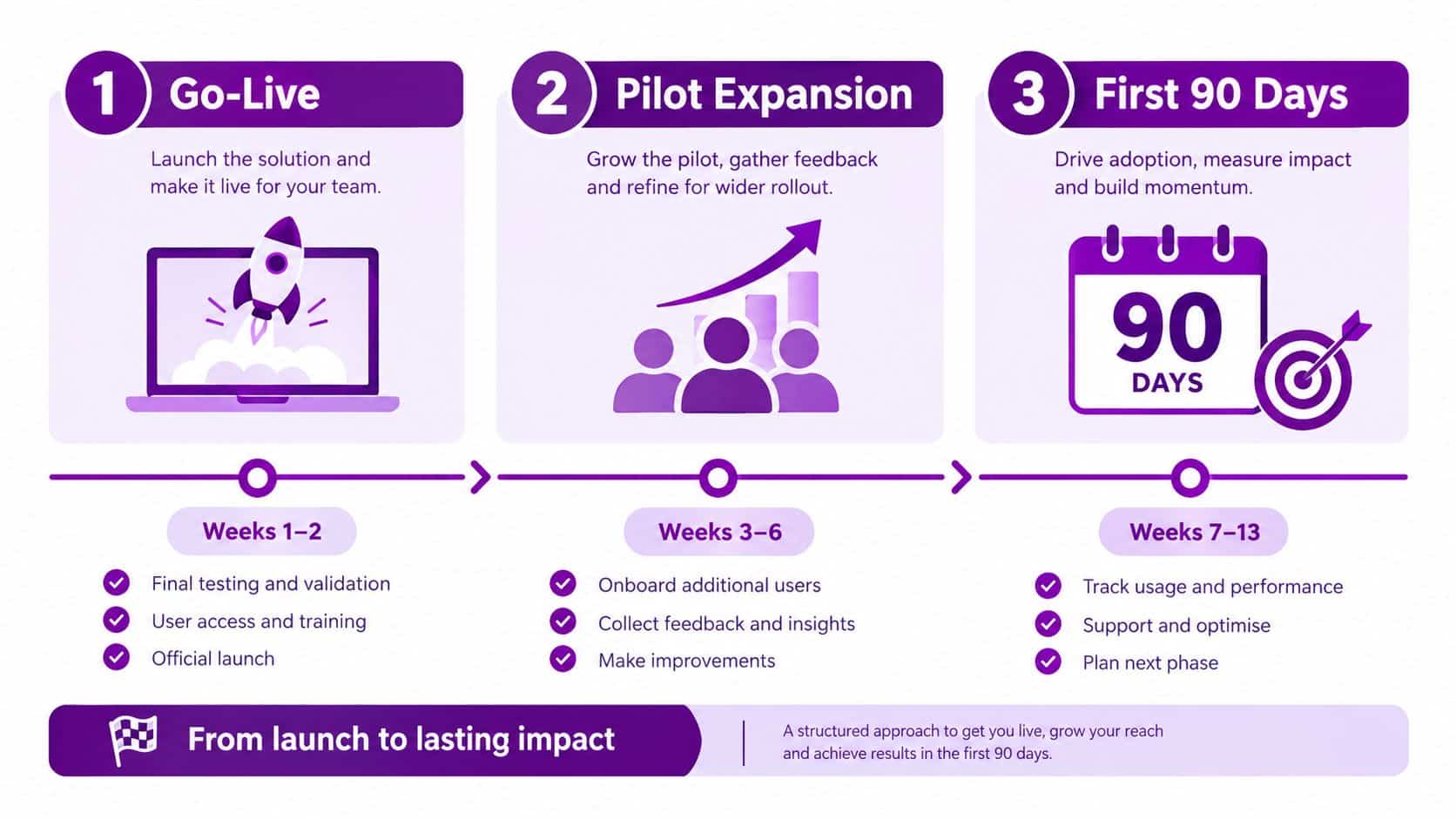
Go-live should start with one depot, service line or contract type. Choose a team large enough to expose real scheduling pressure but small enough for the project team to support directly. Keep the non-pilot comparison team on its existing process so the board can distinguish platform effects from seasonal or workload changes.
Run the first 90 days as an operating cycle
At go-live, staff the support channel, monitor synchronisation, review failed integrations and check that every completed job contains the expected evidence. Don't use the first week to launch unrelated automation.
During the pilot, compare performance with a similar non-pilot team for four to eight weeks. Review first-time-fix rate, schedule adherence, travel time, parts availability, work-order completion time, invoice lag and mobile failure. Power BI should give the service manager a daily view, while the project team investigates exceptions rather than manually correcting every record.
After two stable scheduling cycles, decide whether to expand. If results are inconsistent, fix the process, data or training before adding another territory. Expansion should follow operational evidence, not the date on the project plan.
The Productivity Institute's 2024 survey reported that 90% of UK firms had adopted at least one advanced digital technology, with cloud computing used by around four in five firms. Nearly half of adopters reported improved service quality, while slightly more than one-third reported improved product quality. Those findings support a serious business case for digital service improvement, but they don't remove the need to connect the technology to measures your team owns.
By the end of the initial period, hand responsibility to an operational owner. The project team can manage defects and enhancements, but the service organisation must own process standards, KPI definitions, training refreshes and the decision about what gets changed next.
If you're planning a Dynamics 365 Field Service implementation across Lincoln, Nottingham, Leicester, Scunthorpe, Grimsby or Newark, F1Group can help assess licensing, scope integrations, configure the platform, migrate data, test mobile workflows, train users and plan cutover. Phone 0845 855 0000 today or send us a message to discuss the operating model before you commit to the build.