
A finance manager asks a familiar question: what will next quarter look like, and why did that line suddenly fall? Your Power BI dashboard can answer what happened. It can often help explain why. The next question is harder: what is likely to happen next, and what should the team do before it does?
That is where Power BI predictive analytics becomes useful. It isn't a magic button that turns incomplete records into reliable decisions. It is a governed process that connects good source data, a time-aware model, forecasting or machine-learning techniques, human judgement and an operational response.
For an East Midlands organisation that already uses dashboards, predictive analytics is a practical next step. This guide explains what Power BI can do natively, where AutoML and Azure Machine Learning fit, how to test a forecast, and how to introduce it without allowing an attractive chart to create false confidence.
Why Predictive Analytics Is the Next Step After Your Dashboards
A dashboard review often starts with a retrospective question. The operations manager sees rising service tickets, the finance lead sees a change in cash position, or the sales director notices that one region has fallen behind plan. The report gives everyone a shared view of the facts, but the meeting soon moves forward: will the pattern continue, and what capacity do we need?
Descriptive reporting records the past. Predictive analytics uses historical patterns and relevant drivers to estimate a future outcome. That distinction matters because a forecast gives managers something to test, challenge and act on, rather than just another view of yesterday's performance.
The UK already has a foundation for this work. The Office for National Statistics found that 9% of UK firms had adopted artificial intelligence in 2023, with data processing using machine learning identified as the most common AI application at 9% of firms. Adoption was higher in information and communication, business services and manufacturing in different proportions, showing that capability varies considerably by sector. Read the Office for National Statistics analysis of technology and AI adoption for the full context.
A commercial capability, not a novelty visual
Power BI makes the first step accessible because many teams already have reports, scheduled refreshes and familiar business measures. A service desk might forecast ticket volume, a distributor might estimate replenishment demand, and a finance team might monitor expected cash movement. Each use case starts with a management decision, not with a preference for a particular algorithm.
The important shift is cultural as well as technical. A forecast should sit beside its assumptions, uncertainty and owner. If the business can't explain what the prediction means or what action follows it, the visual adds complexity rather than value.
What Predictive Analytics Actually Means
A weather forecast is a useful analogy. The forecaster combines historical observations with current conditions to estimate what may happen next, then communicates uncertainty rather than promising a perfectly accurate result. Business forecasting works similarly. It uses available evidence to estimate future outcomes, but unusual events, missing information and changing behaviour can still make the prediction wrong.
UK businesses already work with digital information, although many haven't progressed from routine reporting to advanced modelling. Approximately 83% of UK businesses handle digital data, 72% of those data-handling businesses analyse it, and only 4% report engaging with big data, according to the UK Government's Business Data Use and Productivity Study.
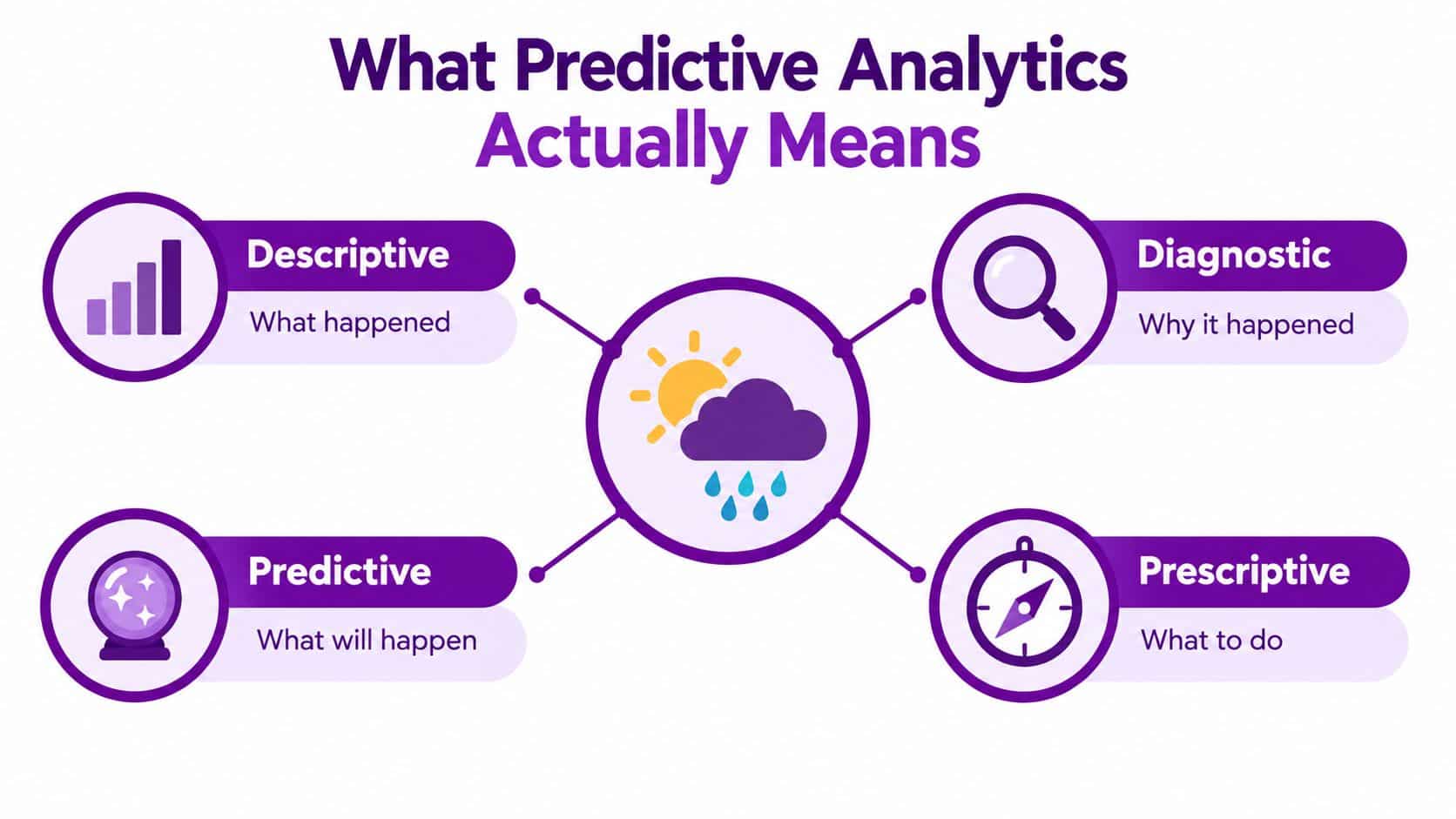
Four questions your report can answer
- Descriptive: What happened? For example, how many tickets arrived last month?
- Diagnostic: Why did it happen? For example, did a software release, customer group or region contribute to the increase?
- Predictive: What is likely to happen? For example, how many tickets might arrive next week?
- Prescriptive: What should we do? For example, should the team alter staffing, prioritise a queue or contact a customer?
Four model families commonly appear in SME projects:
- Time-series forecasting estimates a future value from observations ordered over time, such as weekly ticket volume or monthly sales.
- Classification assigns an outcome or category, such as whether an account may become a service risk.
- Regression estimates a numeric value, such as a sales projection or expected handling time.
- Anomaly detection identifies an unusual spike or dip, such as an unexpected transaction pattern or sudden operational change.
These approaches answer different questions, so choosing the model after defining the decision is essential. A technically complex model won't compensate for an unclear business purpose, unreliable dates or inconsistent definitions.
Guiding principle: A transparent forecast that managers can question will usually create more value than a complex forecast nobody understands.
Power BI's Built-In Forecasting and Anomaly Detection
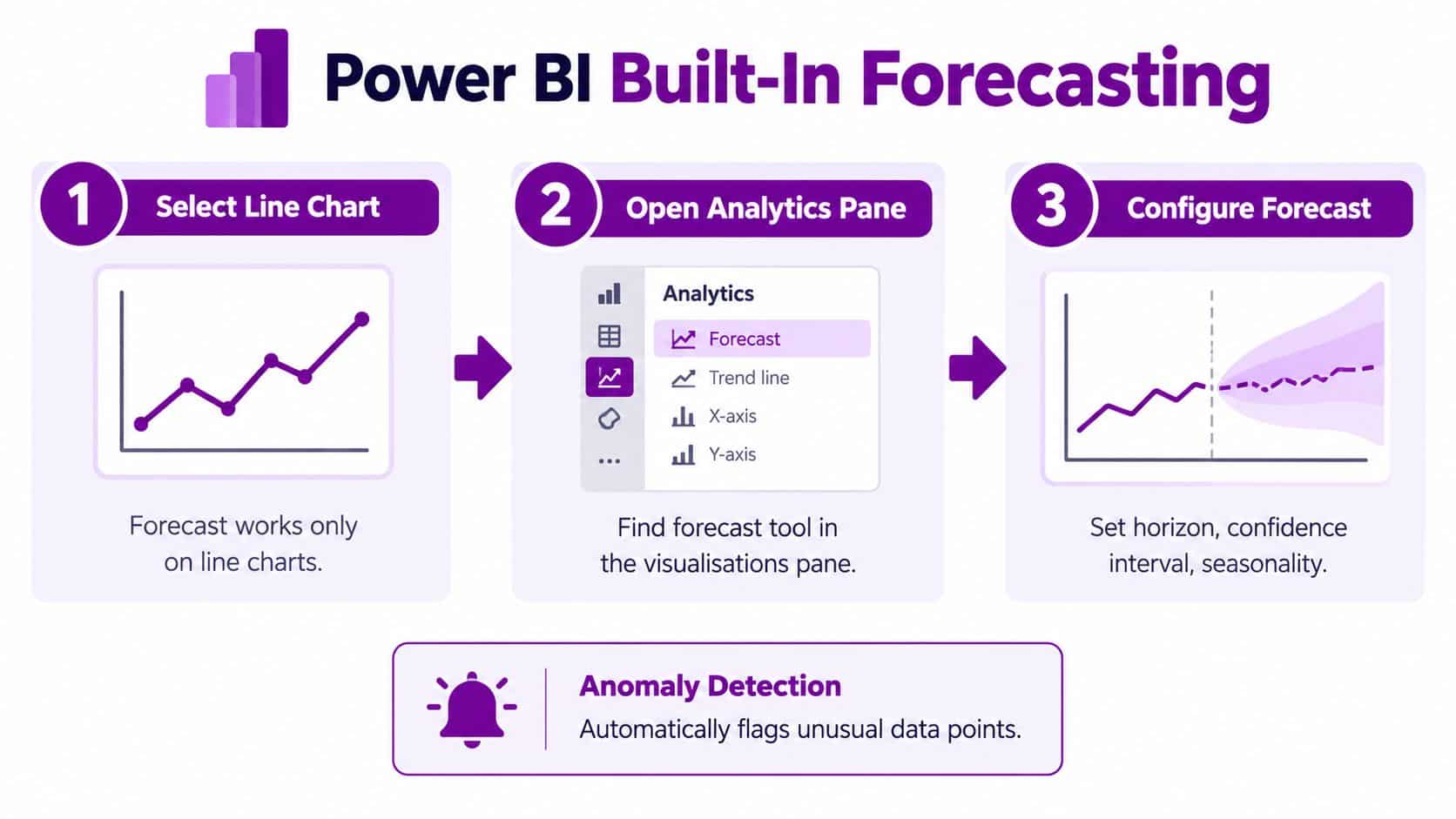
Power BI's built-in tools provide a sensible starting point for a team that has never built a model. The forecast function is accessed through the Analytics pane and uses historical trends to estimate future values. Microsoft documents an important limitation: forecasting is available only for line-chart visuals, so it isn't a general predictive function that can be applied automatically to every chart type. The Microsoft documentation for the Analytics pane explains the supported configuration.
Start with a clean time series
Create a line chart with a suitable date field and a consistent measure. The Analytics pane then allows you to configure the forecast length and confidence interval. The first setting controls how far into the future the estimate extends. The second displays a range around the central prediction, helping users see that the result contains uncertainty.
That range is important in a management meeting. A single line can look precise even when the underlying evidence is weak. A confidence interval encourages the reader to consider planning conditions rather than treating the forecast as a guaranteed target.
Power BI's anomaly detection complements forecasting. It identifies unexpected spikes or dips in time-series data and adds an expected range to a line chart. Microsoft documents a minimum requirement of at least four data points for anomaly detection, and the Power BI anomaly detection guidance explains how sensitivity and explanatory factors work.
Use anomalies to start an investigation
Sensitivity can be adjusted so that the report flags more deviations or limits results to more significant departures. When Power BI identifies an anomaly, it can analyse fields in the model and suggest possible explanations, presented by explanatory strength. That doesn't prove causation, but it gives an analyst a useful starting point for investigation.
Python and R visuals provide a bridge to custom analysis, but they also introduce extra requirements around packages, execution environments, permissions and support. For more advanced or repeatable models, AutoML and Azure Machine Learning provide a more structured route. Teams comparing their reporting foundations can also review Power BI data visualisation guidance from F1Group.
AutoML and Azure Machine Learning Integration
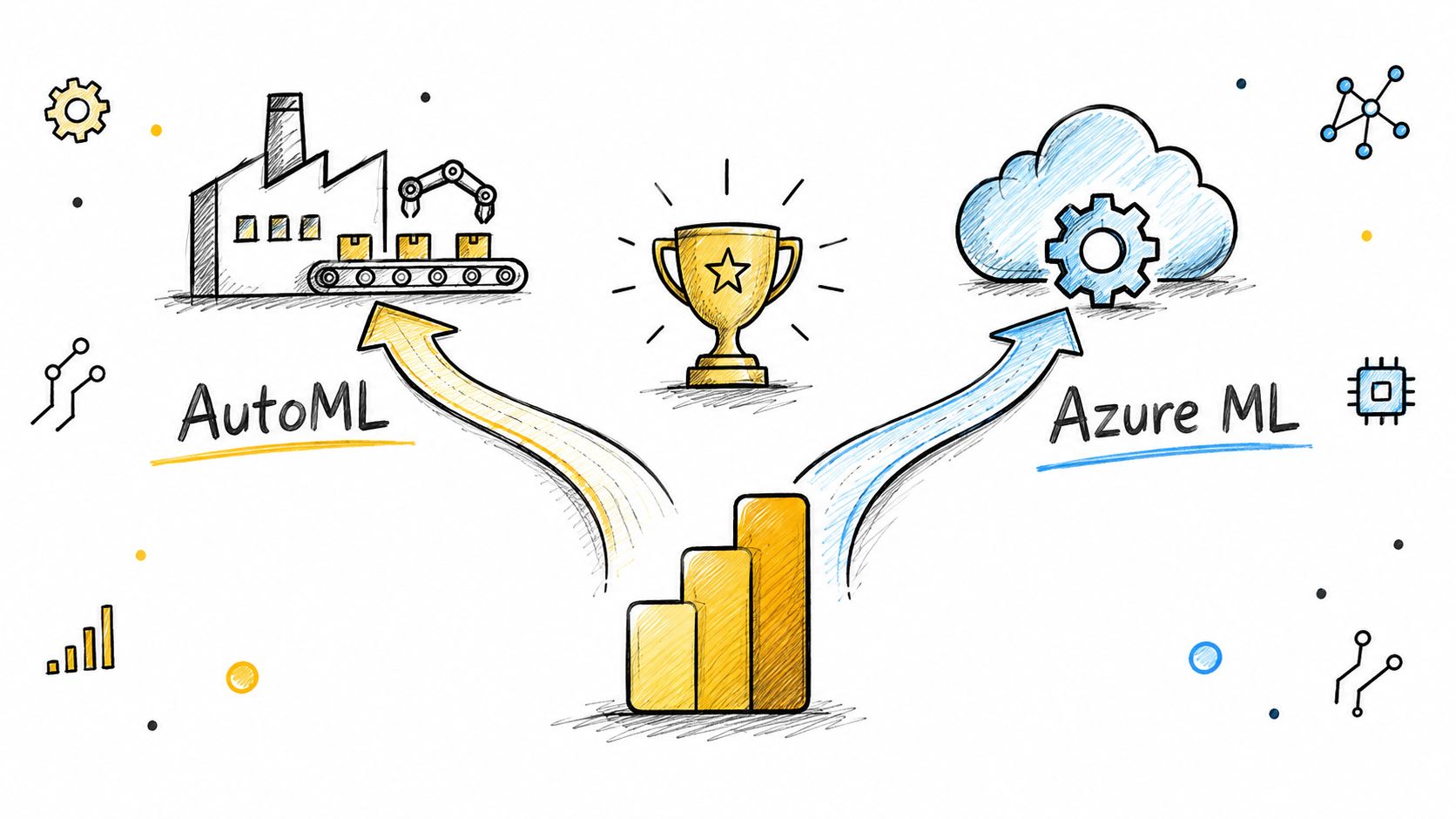
Built-in forecasting suits a quick, focused question. Larger modelling requirements call for a clearer separation between data preparation, training, deployment and reporting. AutoML and Azure Machine Learning provide two routes, but they aren't interchangeable.
Choose the route that matches the team
AutoML is useful when an organisation wants to explore a defined problem without selecting every modelling technique manually. In supported Power BI dataflow scenarios, it can test model approaches and present results so the team can compare candidates. That lowers the barrier for a business with analysts and Power Platform skills but no dedicated data science function.
Azure Machine Learning suits a more controlled operating model. It supports deliberate choices about algorithms, features, training, deployment, retraining and monitoring. This route is appropriate when the forecast affects an important process, needs repeatable governance or must be managed across several environments.
The decision should be based on more than model sophistication:
- Use built-in forecasting for a straightforward time-based estimate in a line chart.
- Use AutoML when the business has a defined target and needs help comparing modelling approaches.
- Use Azure Machine Learning when the organisation needs deeper control, lifecycle management and repeatable operational processes.
- Use a hybrid design when Power BI remains the decision interface but another service handles training and prediction.
A maintenance team considering failure prediction may find Forge Reliability's practical guide useful for understanding how machine learning can support maintenance decisions. The lesson applies more broadly: the model is only one part of the system.
Data quality, stable identifiers, consistent timestamps and dependable refreshes usually matter more than choosing between two similar algorithms. A forecast can only learn from the history supplied to it. F1Group's overview of cloud for business intelligence is relevant when the reporting layer depends on several cloud-connected sources.
Evaluating a Forecast Before Anyone Trusts It
A forecast can look convincing and still be unhelpful. The line follows the historic pattern, the visual is polished, and the confidence band appears reasonable. None of that proves that the model will support the next operational decision.
A proper evaluation holds back part of the historical record. The model learns from an earlier training period, is adjusted against a validation period, and is then assessed on a later test period. For time-series work, those periods should be separated chronologically, not randomly. Random splitting can place later patterns into training data, allowing the model to learn information that would not have been available when the original decision was made.
Use measures that answer different questions
Mean absolute error, or MAE, describes the average size of the errors without considering direction. It is easy to communicate when the business wants an estimate of typical miss.
Root mean squared error, or RMSE, gives greater weight to larger errors. It is useful when a major miss creates much more disruption than several small ones.
Mean absolute percentage error, or MAPE, expresses error relative to the actual value. It can help compare performance across measures with different scales, although very small or zero actual values require care.
| Metric | What it measures | Best used when |
|---|---|---|
| MAE | Average absolute difference between prediction and actual result | Managers need an understandable typical error |
| RMSE | Error with greater emphasis on large misses | Large mistakes create disproportionate operational cost |
| MAPE | Error expressed relative to the actual value | The team needs a scale-aware comparison across forecasts |
Every proposed model should also face a naïve baseline. For a seasonal process, that might be the previous comparable period. For another process, it might be the previous available value. Deployment is justified only when the predictive model produces a stable improvement against that simple reference, not merely a better result on one convenient test period.
Evidence from UK SMEs shows why this discipline matters. A study of 53 UK SMEs reported predictive-analytics adoption at approximately 5%, while broader UK SME adoption of big-data analytics was reported as below 1%. The study links the gap to limited statistical-analysis capability and difficulty progressing beyond basic reporting. The findings are available in the UK SME predictive analytics study.
A Worked Power BI Predictive Pipeline
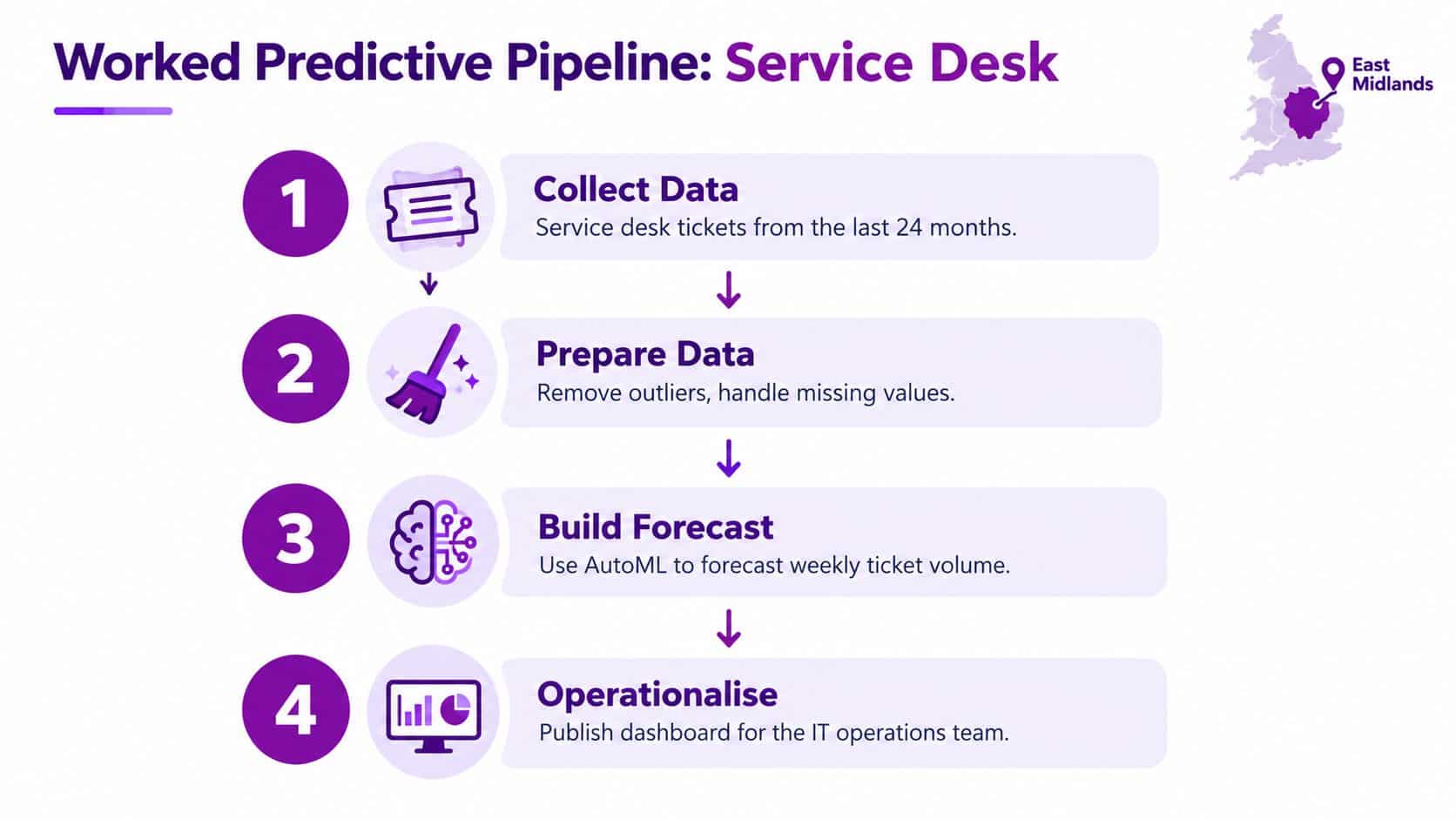
Consider an East Midlands service desk that wants to anticipate weekly ticket volume. The objective isn't to produce an impressive forecast. It is to give the IT operations team earlier visibility of workload, so managers can review capacity and investigate unusual demand.
From source records to a decision
Start with ticket history from the service-management platform. Each record should have a reliable observation date, a unique ticket or entity key, a consistent category and the outcome needed for analysis. Missing dates, duplicated records and changes in categorisation need to be resolved before training begins.
The semantic model should separate historical actuals from forecast outputs. Keep the date dimension clear, preserve the entity key and prevent future-period records from entering the training data. A model that accidentally sees information from the period it is supposed to predict can produce a misleadingly strong result.
A practical flow looks like this:
- Ingest: Bring ticket, category, priority and resolution information into the governed data pipeline.
- Prepare: Standardise dates, handle missing values, review outliers and document exclusions.
- Train and test: Use chronological training, validation and test periods, then compare AutoML or another model with a naïve baseline.
- Publish: Present the prediction, confidence interval, forecast horizon, data freshness and error measures in Power BI.
The report should make the operational meaning clear. A manager might see the expected weekly volume, the uncertainty range, the last refresh time and an alert when actual tickets move outside the expected range. Power BI anomaly detection can identify unexpected spikes or dips, with Microsoft documenting a minimum of four data points for that feature. A Power BI tutorial for beginners from F1Group can help teams strengthen the reporting fundamentals around the model.
The same pipeline can support stock replenishment, customer-service demand, cash-flow monitoring or workforce planning. The use case changes, but the controls remain: reliable dates, a defined target, protected test periods and a clear owner for the resulting decision.
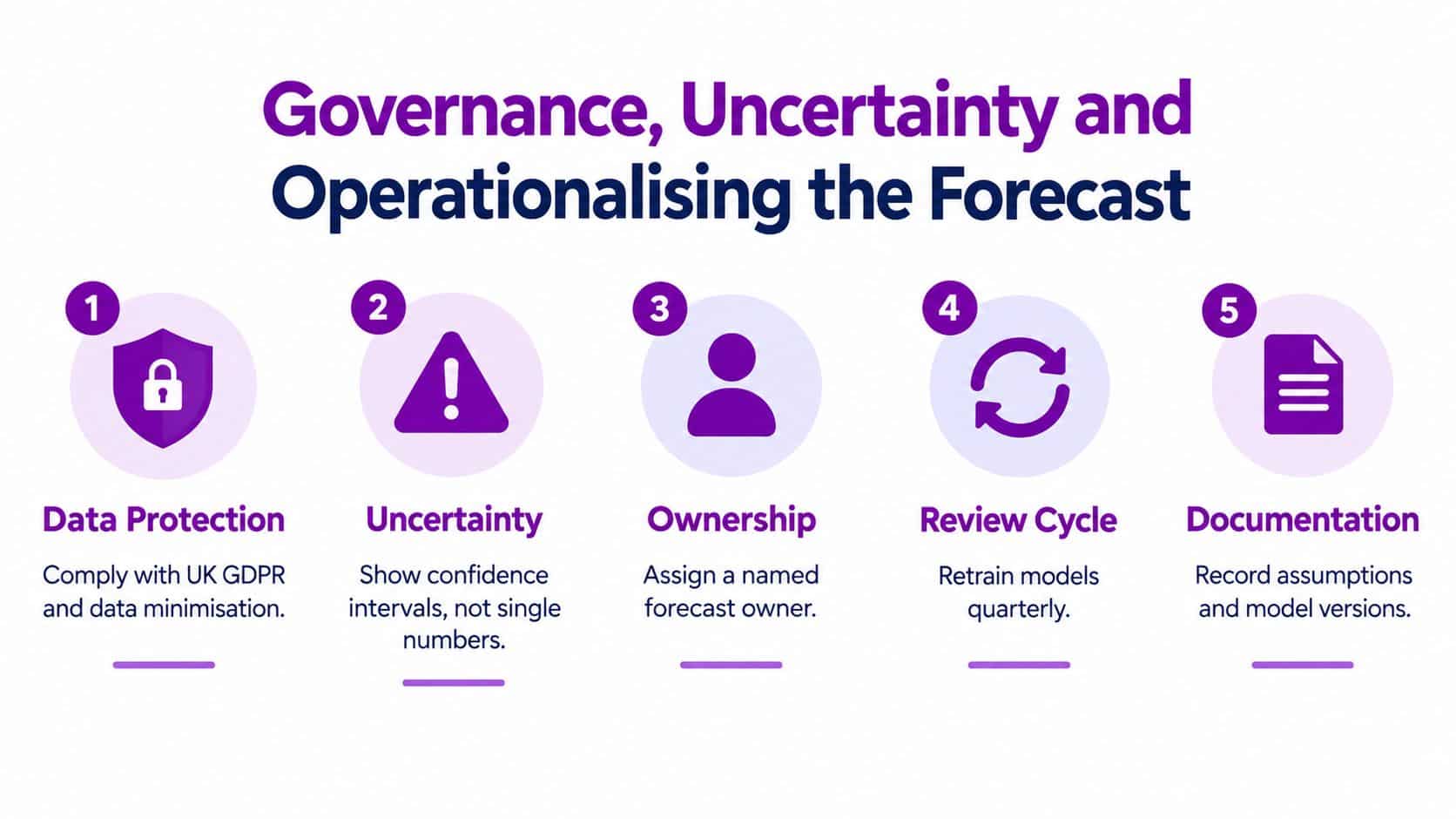
Governance, Uncertainty and Operationalising the Forecast
Accuracy isn't the same as usefulness. A highly accurate model can still create harm if nobody owns its output, users can't see its assumptions, or the organisation applies it automatically to employees or customers without review.
A governed forecast records the data used, the model version, the refresh status and the conditions under which the prediction is valid. If the source system changes its categories or the business experiences a structural change, historical relationships may no longer hold. Monitoring should therefore look for drift, stale data and unusual error patterns, not only whether the line looks smooth.
Put controls around the decision
A production report should expose more than the prediction itself:
- Prediction error: Show how recent forecasts compared with actual outcomes.
- Data freshness: Display when the source data and model output were last refreshed.
- Sample size: Help users understand how much history supports the estimate.
- Forecast horizon: Make the covered future period explicit.
- Permissions: Restrict sensitive HR, finance or customer information to appropriate roles.
- Exception workflow: Define who investigates an alert and what action follows.
- Audit trail: Record material changes to data, assumptions, model versions and approvals.
UK evidence highlights the maturity gap behind this discipline. Among businesses handling digitised data, 25% analyse personal or non-personal data to generate new insights, while 41% report using AI for at least one purpose, according to the UK Business Data Survey. Broad AI use doesn't automatically mean that teams have documented ownership, explainability or review processes.
A less accurate but transparent forecast may deliver more value than a complex model that managers can't challenge. This matters particularly when predictions influence staffing, service prioritisation or customer treatment. For finance leaders wanting a complementary view of driver-based planning, forecasting techniques for CFOs provides useful context, but any method still needs local ownership and evidence.
Operational rule: Put a human review step between a prediction and a consequential business action.
A Practical 30-60-90 Day Adoption Plan
A phased rollout gives an IT Director or Operations Manager a manageable way to test value without committing the organisation to a large modelling programme immediately.
The first 30 days
Choose one decision with a clear owner, such as service-desk workload or replenishment planning. Inventory the source systems, check date and entity quality, agree the baseline KPI and document who may view the information. At this stage, the team should also define what success means and which actions the forecast is expected to support.
By 60 days
Build a prototype using Power BI's line-chart forecasting where the use case is suitable. Test AutoML or another governed modelling route when the problem needs more flexibility. Preserve a chronological holdout period and compare every candidate with a naïve baseline. Review the result with the people who would use it, rather than relying only on a technical score.
By 90 days
Move the selected model into a controlled production process. Publish prediction intervals, error, data freshness and forecast horizon beside the output. Assign a named owner, define an exception workflow and schedule a review of drift, assumptions and business outcomes. The model should earn its place in management meetings by improving a decision, not by adding another dashboard page.
Budget discussions can use Microsoft's current UK reference price for Power BI Pro, listed at £10.80 per user per month when paid yearly, excluding VAT, or £129.60 per user per year before VAT. Check the Microsoft UK Power BI pricing page before procurement because prices can change. Licensing is only one part of the cost. Data preparation, governance, modelling, support and user adoption also need consideration.
F1Group can help East Midlands organisations connect data sources, build Power BI models and reports, and establish a managed approach to Microsoft-focused analytics. Phone 0845 855 0000 today or send us a message through the F1Group contact page.
F1Group can help you turn existing Power BI dashboards into a governed predictive analytics pipeline, from data preparation and model design to operational reporting and support. Call 0845 855 0000 today or visit F1Group to discuss a practical forecasting project for your organisation.