
Your server room has become a liability, your board wants a cloud plan with a number attached, and someone has suggested moving everything to Azure over a few weekends. For a mid-sized business in the East Midlands, that's exactly how cost overruns and Monday morning outages start. A proper Azure migration assessment stops that reflex. It tells you what should move, what shouldn't, what it'll cost in pounds each month, and what breaks if you sequence it badly.
Why a UK Mid-Market Business Should Care About an Azure Migration Assessment
Take a familiar picture. A 120-seat manufacturer near Nottingham, or a charity headquartered in Lincoln, has grown by accretion. There's a file server nobody dares switch off, a line-of-business database tied to an ageing SQL instance, Microsoft 365 licences bought in three separate tranches, and a handful of SaaS tools that finance pays for but IT has never formally documented.
Nobody designed this estate. It accumulated. Now the hardware warranty is expiring, cyber insurance renewal asks awkward questions about backups and privileged access, and the leadership team wants the resilience and flexibility Azure promises without a nasty surprise on the first bill.
What goes wrong when you skip the assessment
Skipping straight to migration creates predictable failures.
- Dependent workloads move apart: You rehost an application server but leave its database on-premises, then wonder why performance collapses and users blame the cloud.
- Licence sprawl follows you: Unused Microsoft 365 licences, duplicate security tools and oversized virtual machines get replicated in Azure, so you pay monthly for waste you used to own outright.
- Egress and transactions shock finance: Compute looks cheap until storage transactions, backup, monitoring and data leaving Azure appear on the invoice.
- Retirement opportunities are missed: Systems that should have been switched off years ago are lovingly migrated, secured and backed up at your expense.
An assessment converts a vague ambition into a defensible decision. It gives directors evidence, not vendor enthusiasm.
Even large estates struggle with this
You shouldn't feel behind. The UK Government introduced its Cloud First policy back in 2013, making cloud the default for public-sector technology. Yet by the 2025 State of Digital Government Review findings on cloud adoption, approximately 55% of central-government organisations reported that more than 60% of their IT estate was in the cloud, and maturity was uneven. About 63% of the Home Office estate was on public cloud, whereas NHS Cambridge had roughly 95% still on-premises.
That's the lesson for a 50 to 500 seat organisation. Well-funded national bodies with dedicated cloud teams have taken years and still run mixed estates. Many also replicated existing systems in the cloud without full reengineering. You don't have their headcount, so you can't afford to learn by trial and error in production.
An assessment is not a delay to migration. It's the work that stops migration becoming an expensive way to move your existing problems to a monthly subscription.
Do you need one, or can you just start moving servers? If you can't name every dependency, owner, recovery requirement and monthly run cost for the workloads in scope, you need one. Starting without that knowledge isn't bold. It's unplanned.
What an Azure Migration Assessment Actually Is
In plain English, a Azure migration assessment is a structured evaluation of your current estate that produces a workload-by-workload recommendation for Azure, with costs, risks and sequencing attached. It answers four questions. What have we got? How does it connect? What should each item become in Azure? What happens if we're wrong?
The diagram below sets out how that evaluation differs from narrower exercises.
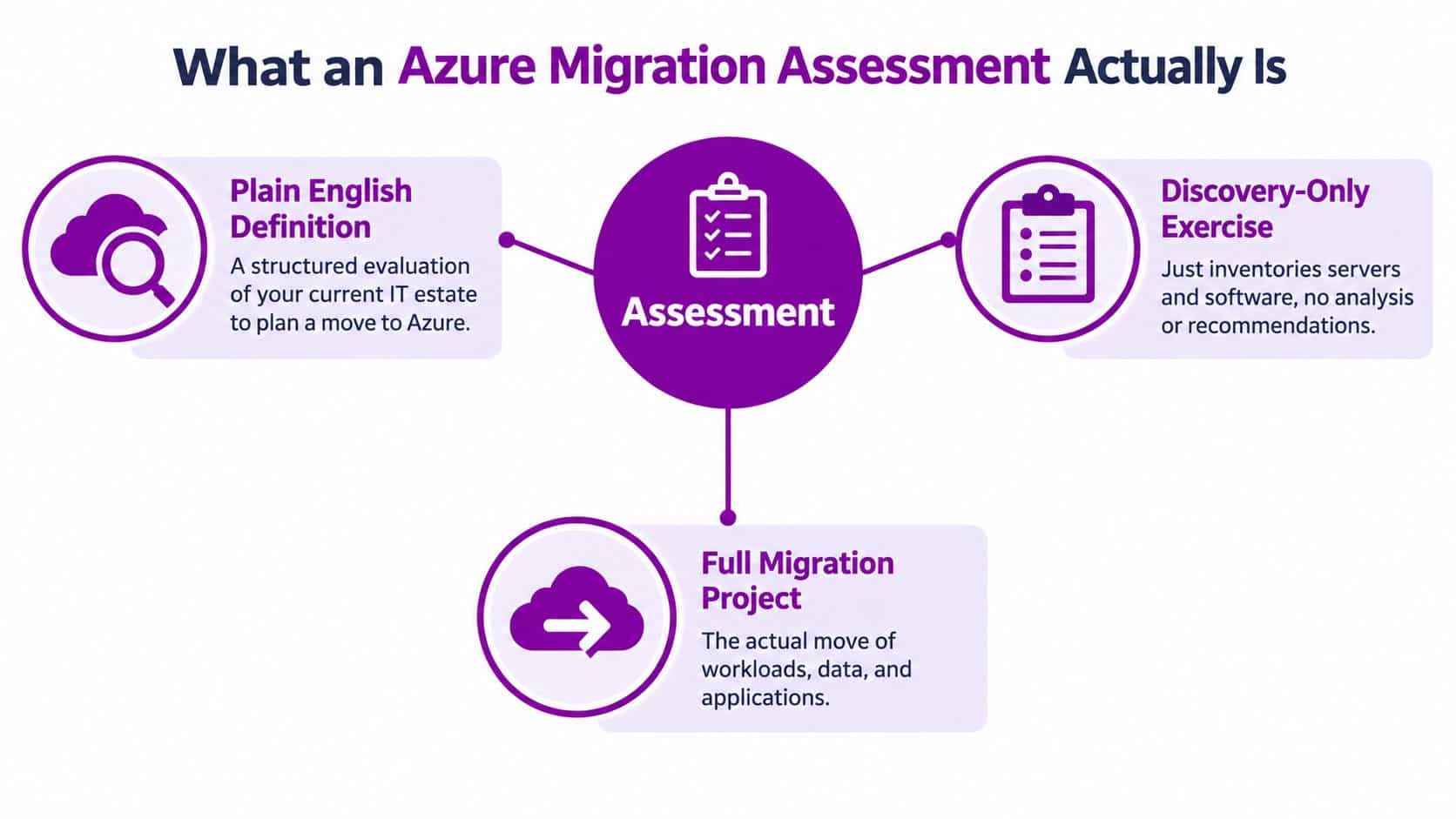
Assessment, discovery and migration are not the same thing
A discovery-only exercise inventories servers, databases and software. Useful, but it stops at a list. A full migration project moves workloads, data and users. The assessment sits between them. It analyses the inventory, tests assumptions, models cost and recommends a route.
Think of it as a building survey before you buy a house. Discovery tells you how many rooms there are. The survey tells you whether the roof leaks, whether the extension has proper foundations, and whether you should renegotiate, repair or walk away. You wouldn't skip the survey because the estate agent's brochure looked reassuring. Apply the same discipline here.
Where Azure Migrate fits
Microsoft's Azure Migrate is the centrepiece tool for most mid-market assessments. It discovers on-premises servers, databases and web apps, groups them, and scores readiness for target Azure services. Importantly, Azure Migrate core assessment tooling for server, database and web-app workloads is available at no additional charge, while third-party ISV tools used alongside it may incur separate charges.
That boundary matters for budgeting. The Microsoft tooling gives you a credible starting inventory without a separate assessment licence fee. It does not make the whole assessment free. Dependency analysis, application interviews, security review, cost modelling and board-ready recommendations still take skilled time, whether that's your internal team or a partner's. Any supplier who presents tool output as the finished assessment is selling you a spreadsheet, not a plan.
The five decisions every workload needs
Each workload ends the assessment with one of five labels.
- Rehost: Move largely as-is to an Azure virtual machine.
- Replatform: Move with modest changes, for example to a managed database or Azure Files.
- Refactor: Redesign properly for cloud services because the current shape won't perform or won't be cost-effective.
- Retain: Keep on-premises or in its current SaaS home for now, with a stated reason.
- Retire: Switch off, archive the data properly, and stop paying to protect something nobody uses.
That single decision per workload, evidenced and costed, is the core product. Everything else in the assessment exists to make those five-way calls safely.
One final distinction helps. Discovery itself is not tied to a destination. Choosing a UK Azure region for the eventual workloads is a later, separate decision that affects latency, service availability and data residency. Don't let a region debate stall you from finding out what you own.
The Four Phases of an Azure Migration Assessment
Run an assessment in the wrong order and you'll model costs for servers that shouldn't exist, or design security for applications you're about to retire. The four phases below follow the sequence we'd expect a UK mid-market IT team to execute.
The flow below summarises the phases before the detail.
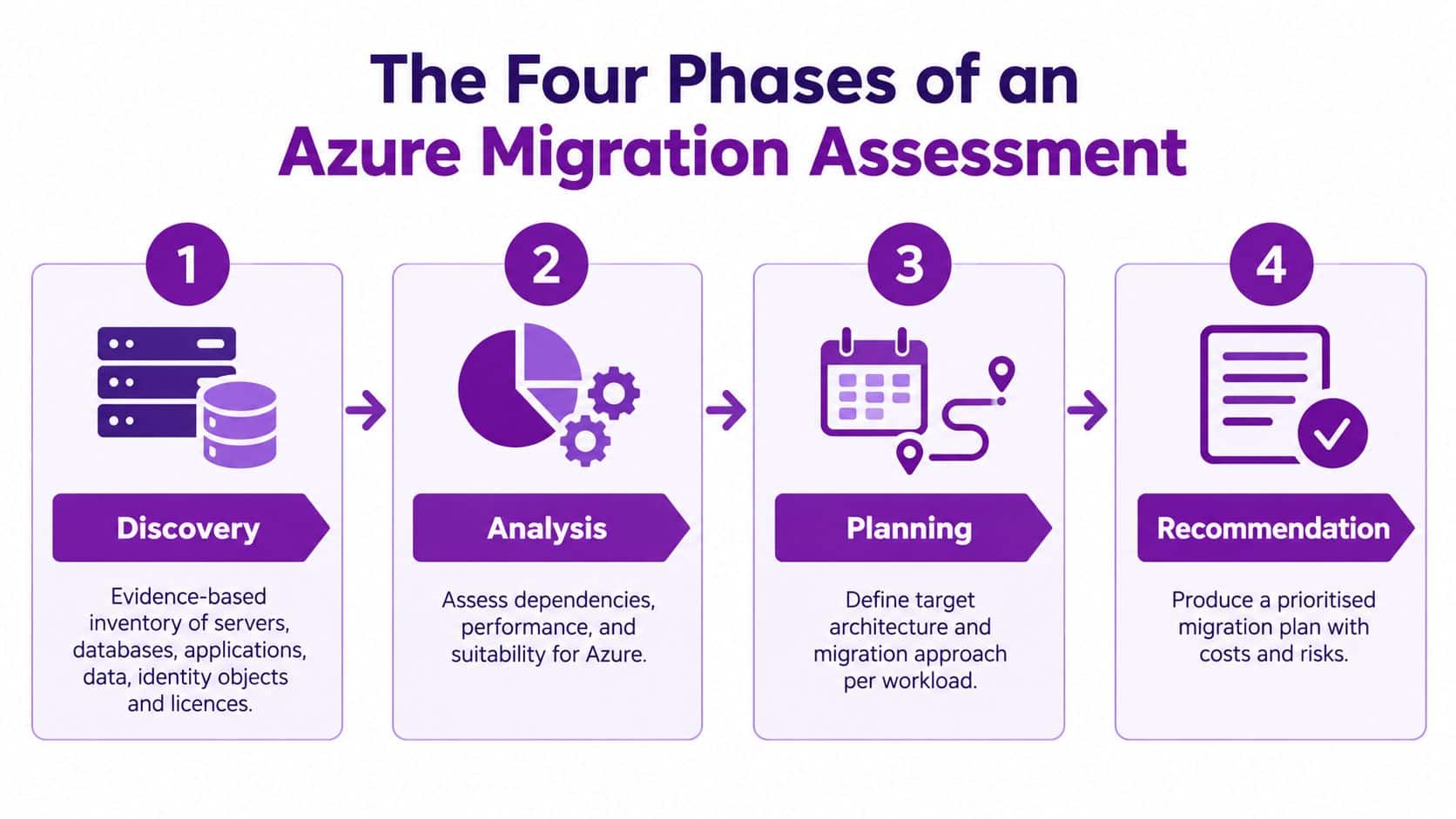
Phase one and phase two
Discovery builds an evidence-based inventory. You deploy Azure Migrate and appropriate scanners, then reconcile tool output against finance records, Microsoft 365 licensing, backup catalogues and what service owners tell you in interviews. The inventory covers servers, databases, file shares, applications, identity objects, integrations and data classifications. If a system has no named business owner, record that as a finding, not a footnote.
The deliverable is a single inventory the business trusts. Not three spreadsheets that disagree.
Dependency mapping is the phase cheaper assessments skip, and it's where migration risk either surfaces or hides. You trace which applications call which databases, which scheduled jobs move files at night, which services authenticate against which identity sources, and which third parties connect into your estate. Application owners validate the map, because network traffic alone won't reveal the spreadsheet macro that finance runs at month end.
The deliverable is a dependency map with migration groupings. Workloads that must move together are grouped together. That one artefact prevents most self-inflicted outages.
The short video below gives a useful visual walkthrough of assessment activity in practice.
Phase three and phase four
Total cost of ownership modelling is where honesty matters most. Don't compare an ageing on-premises server, already paid for, against an Azure virtual machine price and declare victory. A full run-state model includes storage transactions, backup, monitoring, network egress, security tooling, support and reserved-capacity commitments, alongside the people cost of operating the platform.
UK budgeting needs extra care here. Under the Microsoft Customer Agreement pricing basis for Azure, Azure prices are generally calculated in US dollars even for UK customers, with sterling amounts derived from London closing spot rates captured during the two business days before the final business day of the preceding month. Your GBP planning figure can therefore move month to month. Record both numbers in every estimate: the underlying USD figure and the GBP equivalent, dated. If anyone shows you a USD example without the GBP UK equivalent beside it, send it back.
The deliverable is a monthly run-state cost per workload, with assumptions written down so finance can challenge them.
Risk and readiness closes the loop. You assess skills, support cover, change capacity, security controls, data residency requirements, recovery objectives and how hybrid operation will work while some systems remain on-premises. You also address exit planning at this stage, not after signature.
The deliverable is a risk register with owners and mitigations, plus a clear statement of what must be fixed before the first workload moves.
The Four Phases at a Glance
| Phase | Main activity | Primary output | Most common shortcut |
|---|---|---|---|
| Discovery | Inventory servers, data, identities, licences | Trusted single inventory | Trusting one old spreadsheet |
| Dependency mapping | Trace application, data and integration links | Migration groupings | Moving servers one by one |
| TCO | Model full run-state cost in USD and GBP | Monthly cost per workload | Comparing compute only |
| Risk and readiness | Test skills, security, recovery and exit | Risk register with owners | Treating go-live as the finish |
Practical rule: If a phase produces no artefact a director can challenge, it hasn't happened yet, whatever the project plan says.
Outage Resilience and Business Impact in the Assessment
Here's the uncomfortable point most Microsoft sales material glosses over. Moving a workload to Azure does not, by itself, make that service resilient. If your internet connection fails, if an application depends on a single on-premises component you left behind, or if nobody has tested a restore, your users experience an outage regardless of whose data centre hosts the server.
The diagram below sets out how business impact should be assessed rather than assumed.
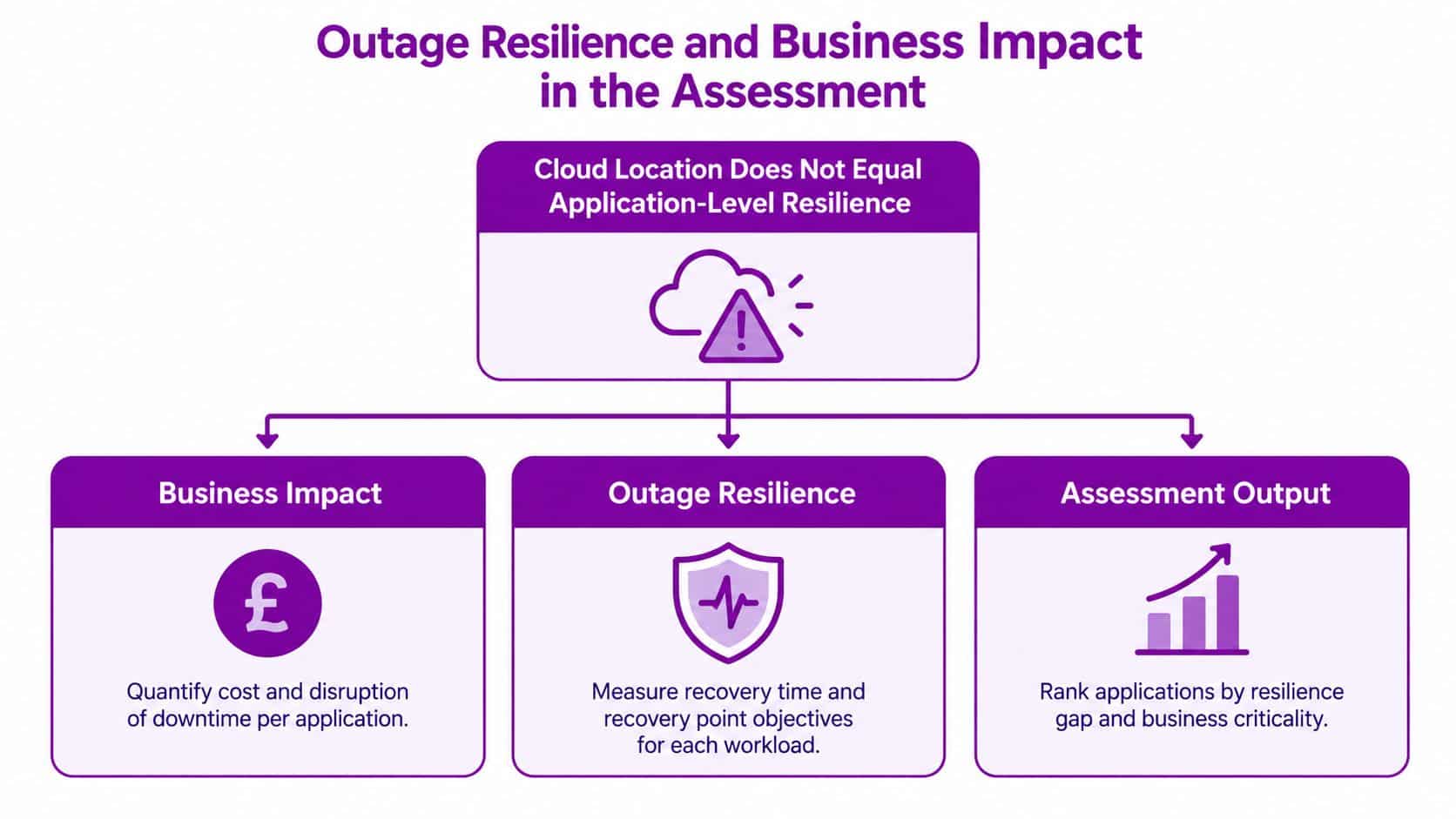
What the UK numbers tell you
This isn't a theoretical risk. According to the UK Business Data Survey 2026 findings on outage impact, 20% of businesses storing data away from their premises experienced business impact from a server or cloud outage or downtime. Read that again. Off-premises storage did not remove the impact.
Migration itself worries organisations for the same reason. A separate analysis of 95 UK public-sector bodies found 46% identified service interruption as a primary migration concern. Those organisations weren't being timid. They understood that the move is a period of heightened risk, and that continuity has to be designed rather than hoped for.
What a credible assessment therefore quantifies
Your assessment should include a business-impact analysis per service, not per server. For each business service, record what downtime costs or disrupts. Lost trading, stalled production, missed safeguarding or casework deadlines, regulatory reporting failures. The owner of the service states the impact, not IT alone.
From that analysis you set two targets per workload.
- Recovery-time objective: How long can this service be unavailable before the impact becomes unacceptable?
- Recovery-point objective: How much data can you afford to lose, expressed as time, before rework becomes impossible?
Those targets then drive design choices. Backup frequency, replication approach, whether a workload needs resilience across Azure availability options, and whether your connectivity needs a secondary path. Without the targets, you're buying resilience features by guesswork and probably overspending on services that could tolerate a day offline while under-protecting the one system that stops the business by lunchtime.
Restore testing is essential. A backup you've never restored is a hypothesis. The assessment should require a representative restore test and record how long it took, then compare that against the recovery-time objective. Where there's a gap, the assessment names it and prices the fix.
Finally, document a fallback plan. If a migration wave fails, how do you roll back, who decides, and how long will it take? For East Midlands charities and smaller PLCs with thin IT cover, this matters more, not less. You don't have a large operations team to improvise at midnight.
Every assessment should be able to answer one question in writing. If Azure or our internet connection fails, exactly how long can each business service be unavailable, and what will recovery cost? If your assessment can't answer that, it's an inventory, not a continuity plan.
Security, Compliance and Exit Planning as Pre-Migration Gates
Treat security as something you'll switch on after the move and you'll migrate your vulnerabilities first, then pay to fix them under pressure. Secure Azure isn't a product you buy at the end. It's a sequencing outcome, decided before the first workload moves.
The checklist below frames the gates that should be passed in order.
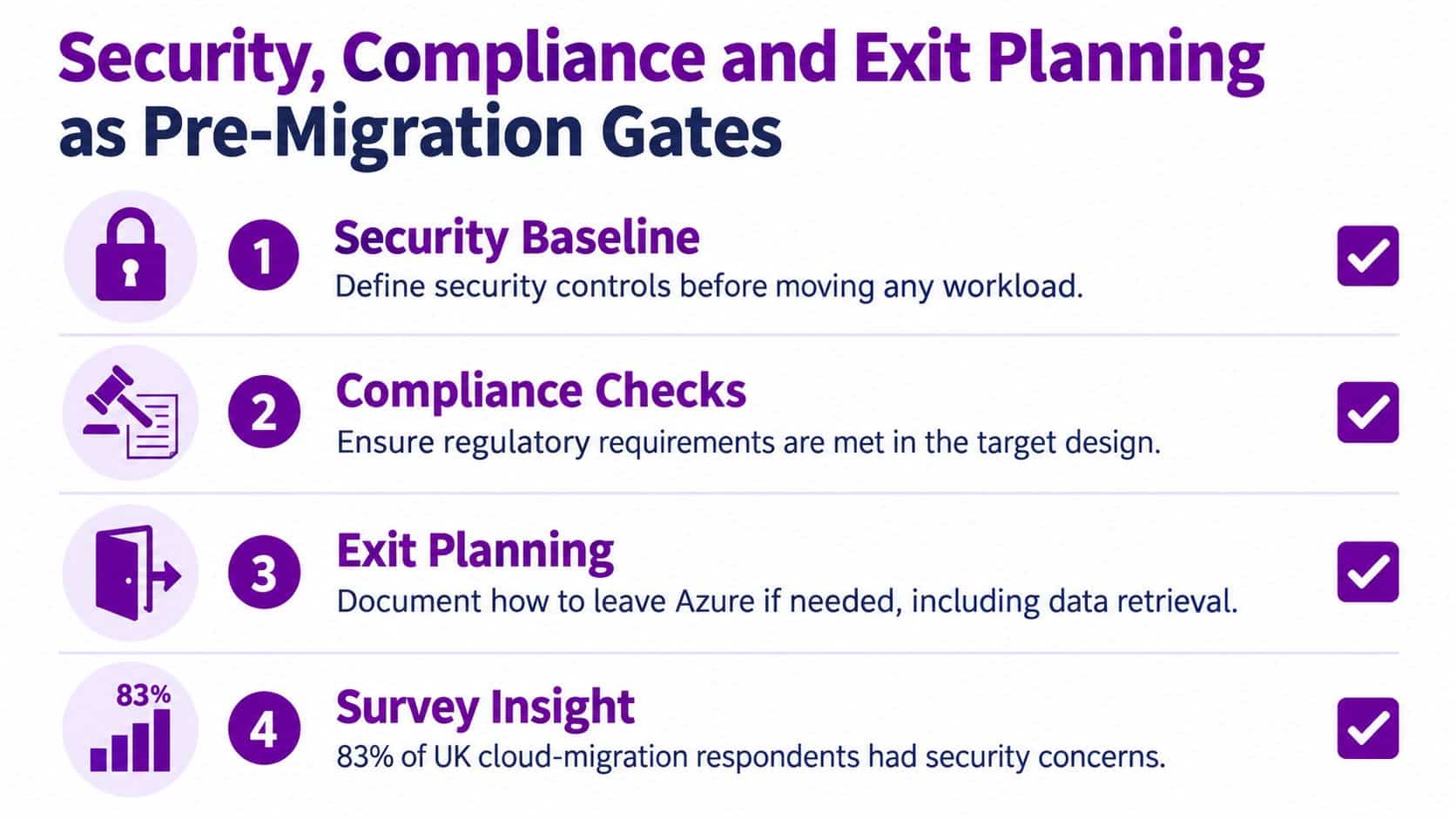
The evidence for putting security first
A recent UK cloud-migration survey reported through Cloud Bridge guidance on secure cloud migration for UK businesses that 83% of respondents had experienced security issues during or after migration, 57% said security teams were consulted too late to influence planning, and 90% considered regulation a major source of migration complexity.
The pattern is familiar. Delivery speed gets measured, deadlines get set, and security arrives when the architecture is already committed. By then, fixing identity design or logging means rework nobody budgeted for. Your assessment must break that sequence deliberately.
Build a pre-migration security gate
No workload moves until the gate is passed and signed. For a mid-sized UK organisation, the gate should cover at least these items.
- Identity and access: Multifactor authentication enforced, conditional access policies tested, privileged accounts separated and reviewed, leavers' access provably removed.
- Data governance: Data classified and labelled, retention rules agreed with the data protection lead, and a named owner for each data set in scope.
- Visibility and recovery: Central logging switched on before migration, backups configured in the target design, and restore tests completed.
- Incident readiness: A tested incident response procedure, with supplier escalation routes documented and board or trustee ownership explicit.
Two questions expose whether the gate is real. Which controls must exist before the first workload moves? And who signs off that our Microsoft 365, Azure and line-of-business data can legally and operationally be migrated? If the answers are vague, stop. Consulted too late is a choice, and it's the wrong one.
Compliance belongs in the same conversation. Regulation drives retention, residency, audit logging and reporting duties, and those duties shape architecture. Retrofitting them costs more and satisfies auditors less.
Exit planning is a design requirement
Few suppliers volunteer to discuss leaving. Discuss it anyway, while you still have bargaining power. National Audit Office guidance, set out in its guidance for audit committees on cloud services, asks whether an organisation has assessed the cost and barriers to retrieving data in a usable format, whether contracts require electronic data delivery, and whether the mechanics of extraction are understood from the outset.
Apply that directly to Azure. Document export formats and tooling for databases, file shares, SaaS-connected data, identity objects, infrastructure definitions, logs, backups and application secrets. Identify where proprietary APIs or managed database features create lock-in, and decide consciously whether the benefit justifies it. Test a representative export or restore. Paper promises about portability are worth little in a dispute.
Your exit plan needs two scenarios. A planned transition with a realistic timeframe, data-integrity checks and a cost estimate for temporary parallel running. And an emergency exit, with recovery objectives and chain-of-custody controls, for supplier failure or a serious incident.
For organisations handling regulated or public-interest records, there's a sharper point. The National Audit Office links cloud planning to continuing duties to preserve and make records available under the Public Records Act. A migration that works technically but can't produce usable records on demand has failed a core obligation. Your assessment should say so plainly if that's a risk.
Turning the Assessment into a Sequenced Migration Roadmap
An assessment that ends in a glossy deck has wasted everyone's time. The output you need is a roadmap a finance director can interrogate and an IT manager can execute, workload by workload.
The illustration below captures that progression from evidence to a defensible sequence.
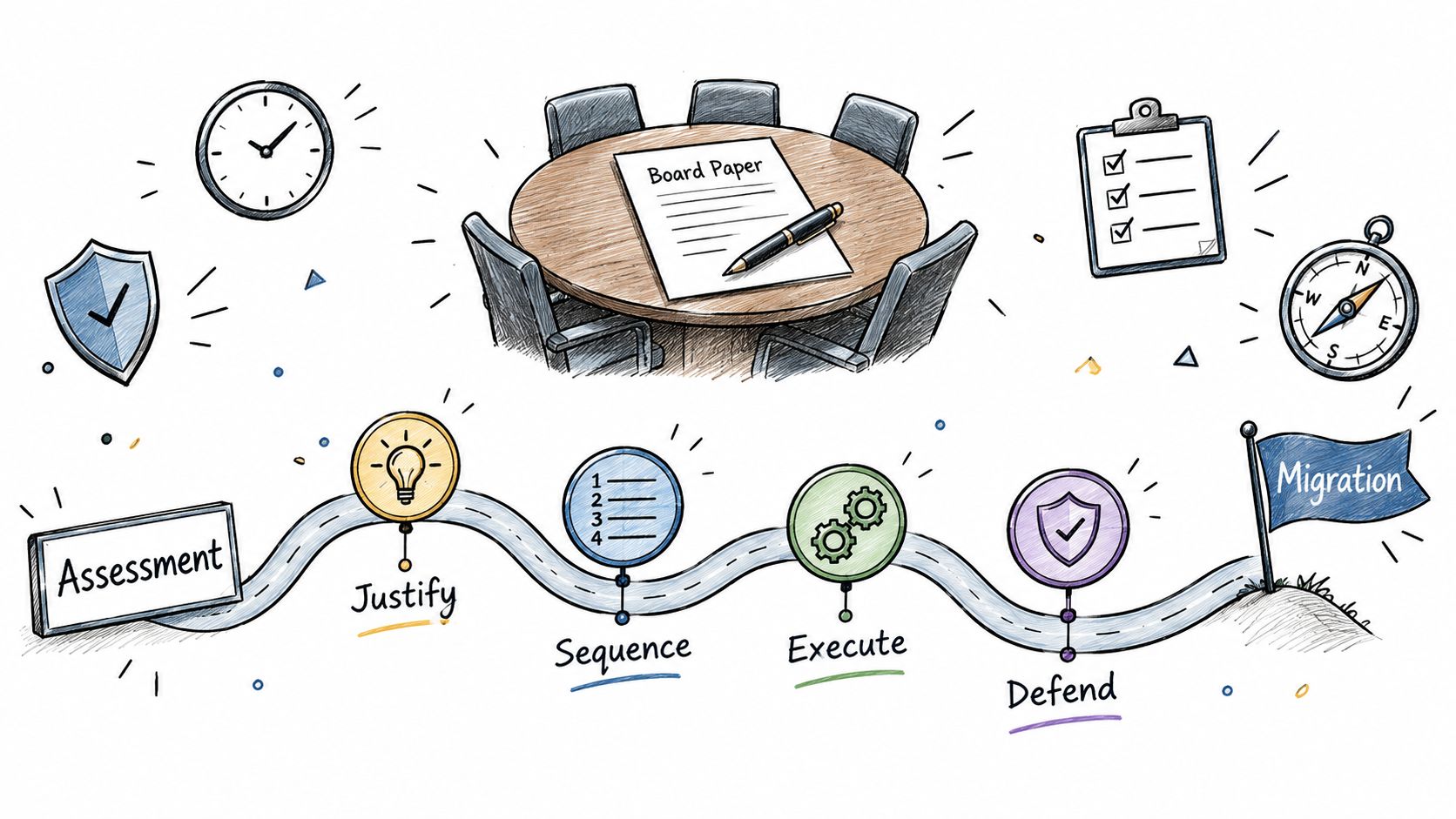
Start with a lifecycle view
The National Audit Office recommends a lifecycle approach. Its insights on cloud services for audit committees cover strategic justification, implementation, data migration, configuration, security, ongoing assurance, operational capability and cost control. That's a sound checklist for any board paper.
For an SMB, compress that lifecycle into a workload decision register. It's the single most useful document in the whole programme, and it should be maintained after migration, not filed.
What each row of the register records
One row per workload, with no hiding places.
- Business criticality and owner: Who suffers if this stops, and who can accept risk on its behalf?
- Decision and target service: Rehost, replatform, refactor, retain or retire, and the named Azure service where relevant.
- Technical blockers: Unsupported versions, dependency clashes, licensing constraints.
- Cost: Estimated monthly consumption with the USD base figure and the GBP equivalent, dated, plus one-off migration effort.
- Rollback and success measures: How you reverse the move, and the measurable criteria that confirm it worked.
F1Group is one example of a Microsoft-focused partner that documents applications, servers, databases, integrations, identities and data classifications into this kind of readiness view for East Midlands organisations. Whether you build the register internally or with help, insist on owning it. A register locked inside a supplier's tooling is a hostage, not an asset.
Sequence by risk, not by enthusiasm
Sensible sequencing follows a pattern. Identity and governance first, because every later wave depends on secure access, logging and cost controls being in place. Then low-risk line-of-business workloads with tolerant recovery objectives, so the team practises the migration runbook where mistakes are cheap. Outage-sensitive systems come later, only once restore tests have proved you can meet their recovery targets.
Plan for hybrid operation as the normal state, not an embarrassment. UK public-sector research has shown most organisations don't expect to be fully cloud-based quickly, and your estate will likely run on-premises, Azure and SaaS side by side for a considerable period. The roadmap should fund and staff that coexistence properly, including connectivity, patching and monitoring across both worlds. A single heroic cutover date makes for a tidy slide and a fragile business.
Region choice sits in the roadmap, not the discovery stage. As Microsoft sets out on its Azure Migrate product overview, Azure Migrate is a non-regional service, so the assessment itself isn't tied to a specific region. The target region you choose for migrated workloads still affects service availability, latency, data-residency considerations and the prices used in the business case. For most UK mid-market workloads, a UK region supports residency expectations and keeps latency low for UK users. Record the reasoning per workload, because some services or user populations may justify a different choice.
Readiness Checklist and Next Steps for Your Business
Use this checklist this week. If you can't produce the artefact, note who owns creating it and by when. Each item pairs with the question a director will eventually ask.
Artefacts a credible assessment produces
- Inventory: Can we prove this list is complete, including licences and SaaS?
- Dependency map: What else breaks if this system moves on Friday?
- TCO model: What's the full monthly run cost in GBP, and what assumptions drive it?
- Risk register: What are our top delivery risks, and who owns each one?
- Decision register: For every workload, why this route and not another?
- Security gate: Who signed that controls were ready before migration started?
- Exit plan: How do we get our data back in usable form, and what would it cost?
- Sequenced roadmap: What moves in which wave, and what stays hybrid?
Sample 90-Day Assessment Timeline
| Stage | Rough duration | Primary activity | Key roles |
|---|---|---|---|
| Discovery | Weeks 1 to 3 | Deploy tooling, build inventory | IT lead, service owners |
| Dependency and TCO | Weeks 4 to 7 | Map links, model USD and GBP costs | IT, finance, application owners |
| Risk and readiness | Weeks 8 to 10 | Security gate, resilience, exit plan | Security, data protection, operations |
| Roadmap sign-off | Weeks 11 to 13 | Decision register, wave plan, board paper | Directors or trustees, IT, finance |
Those durations suit a mid-market estate where owners make themselves available. The usual cause of slippage isn't tooling. It's waiting for business owners to confirm what a system does and how much downtime they can tolerate. Book those conversations early.
If you'd like help running the assessment, Phone 0845 855 0000 today or Send us a message to talk through your estate. The goal isn't a deck. It's a plan you can defend to your board, your auditors and your users.
Common Questions About an Azure Migration Assessment
What does an assessment cost
The core Azure Migrate assessment tooling carries no additional Microsoft charge, as covered earlier. Optional third-party discovery or dependency products cost extra, and partner or internal time for analysis, security review and cost modelling is where the investment lies. Ask any supplier to separate tooling, optional products and professional time, and to show Azure consumption estimates in USD with the GBP equivalent alongside.
How long does it take
For a UK mid-sized business, the 90-day pattern in the timeline above is a realistic planning basis. Smaller, well-documented estates move faster. Estates with unknown dependencies, unavailable system owners or records obligations take longer, and rushing those areas moves the delay into migration itself.
Which region should workloads use
Start with a UK region for UK users and UK data-residency expectations, then test each workload against service availability and latency needs. Because the assessment service itself is non-regional, region selection is a workload decision you record in the decision register, not a constraint on discovery.
Who signs off before anything moves
IT confirms technical readiness. Security confirms the gate. Data protection confirms lawful handling and retention. Finance confirms the GBP run cost. The board, or trustees for a charity, accept the residual risk. If any of those signatures is missing, the first workload doesn't move.
If your estate has outgrown guesswork, F1Group can run a structured Azure migration assessment covering workloads, dependencies, security gates, GBP cost modelling and exit planning, then turn the findings into a sequenced roadmap your board can approve. Phone 0845 855 0000 today to discuss your current servers, Microsoft 365 position and migration priorities, and we'll agree the first assessment steps with you.