
AI is probably already inside your business, whether you approved it or not.
An analyst is pasting figures into a public chatbot to tidy up a board update. Someone in HR is using a browser extension to rewrite emails. A sales manager has switched on Copilot features in Microsoft 365 and assumes that means everything is covered. A department lead has connected a niche SaaS tool to SharePoint with an OAuth prompt nobody really reviewed.
That's the point where most AI discussions go wrong. Leaders jump straight to policy wording, ethics statements, or vendor demos, while the practical risk sits elsewhere. You first need to know what AI is being used, by whom, and what data it can reach. For UK organisations already running Microsoft 365, Azure, Teams, SharePoint and Copilot, the good news is that you don't need a separate universe of controls. You need a governance plan that fits the stack you already own and the compliance obligations you already manage.
The Hidden Risks of Unchecked AI in Your Business
The most common AI governance failure isn't malicious use. It's ordinary staff trying to work faster.
A finance user asks an AI assistant to summarise a spreadsheet before a meeting. A project manager uses an embedded copilot in a SaaS platform to draft client communications. A member of the service desk installs a browser add-on that promises quicker ticket responses. None of that looks dramatic in isolation. Taken together, it creates a messy mix of data exposure, inconsistent outputs, unclear accountability and unauthorised integrations.
Shadow AI starts before governance starts
A frequently missed angle in UK coverage of AI governance frameworks is the operational problem of shadow AI inside SMBs. Much of the guidance focuses on policy, roles and risk tiers, but says less about discovering unsanctioned AI use across Microsoft 365, browser extensions, SaaS apps and embedded copilots before governance can work at all, as noted in Databricks on AI governance best practices.
That gap matters in real environments because governance depends on a current inventory. If you don't know which tools are in use, you can't classify risk, review permissions, or decide which use cases belong in approved workflows.
Most AI problems in mid-sized businesses don't begin with model design. They begin with invisible adoption.
What tends to go wrong in practice
Unchecked AI use usually creates a handful of operational problems:
- Data handling drifts. Staff paste internal content into tools that haven't been reviewed by IT or compliance.
- Permissions spread. Third-party tools get access to mailboxes, files, Teams data or cloud storage through user consent.
- Output quality varies. AI-generated summaries, recommendations and drafts get used without review standards.
- Ownership disappears. When something goes wrong, nobody can answer who approved the tool or the use case.
- Business confidence drops. Senior leaders hear both hype and warnings, then stall useful projects because the basics aren't under control.
For most IT Directors, that's the challenge. You don't need a theory-heavy framework. You need something usable, auditable and realistic for an organisation that still has to ship work every day.
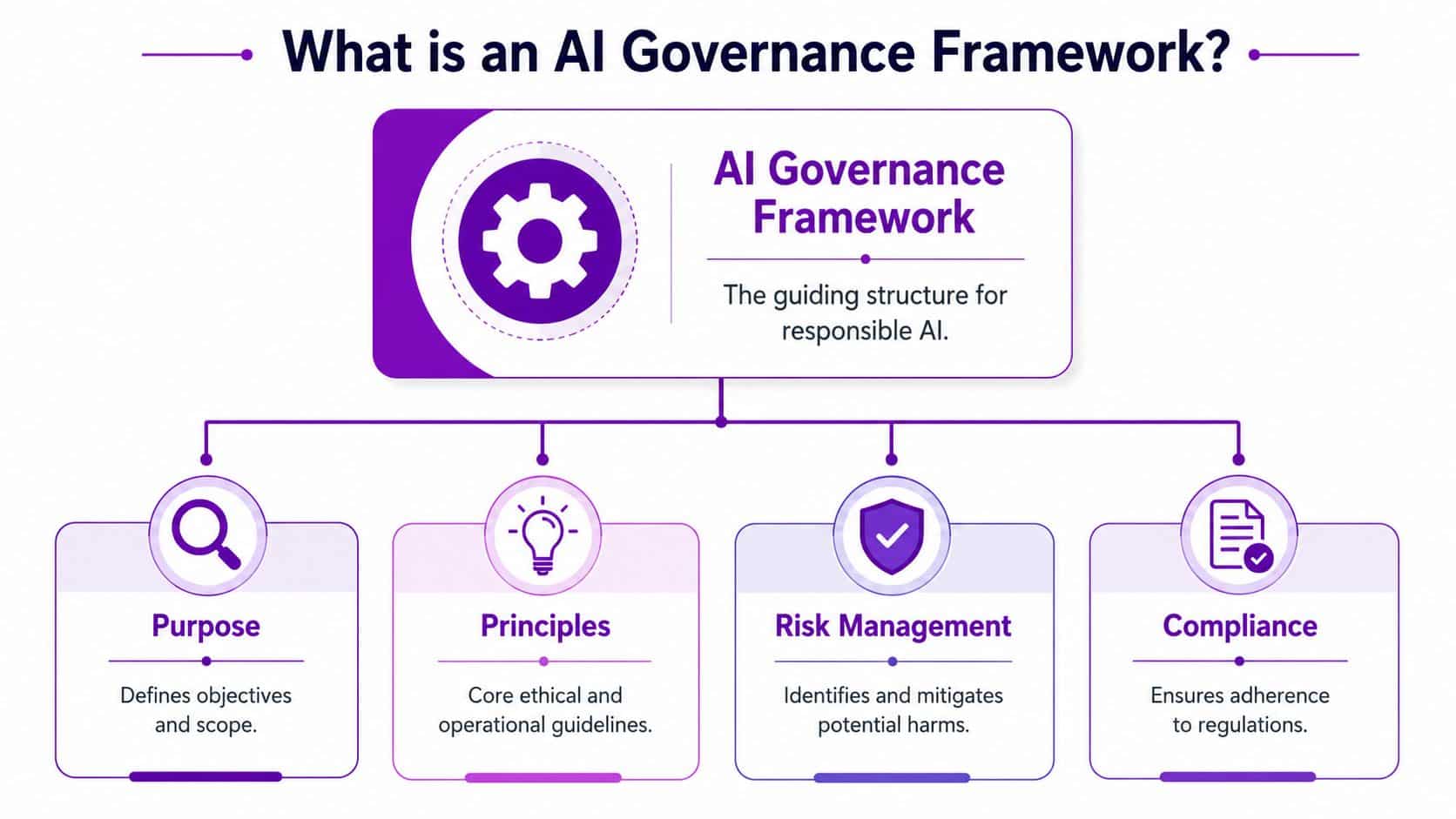
What Is an AI Governance Framework Really
An AI governance framework is the operating model that tells your organisation how AI may be used, who owns the risk, how decisions are reviewed, and what controls apply before and after deployment.
If that sounds abstract, use a simpler analogy. Think of it as the HR handbook and health-and-safety policy for a digital workforce. It doesn't do the work itself. It sets the rules, responsibilities and escalation paths so people can use powerful tools without creating avoidable risk.
What a good framework actually does
A workable framework should make four things easier, not harder:
| Area | What it means in practice |
|---|---|
| Consistency | Teams follow the same approval logic instead of making it up as they go |
| Control | Data access, usage boundaries and review points are defined in advance |
| Trust | Business leaders know which AI uses are acceptable and which need more scrutiny |
| Evidence | IT and compliance teams can show how decisions were made and monitored |
That's why the best frameworks don't read like academic papers. They translate principles into operational decisions. Can this team use Copilot with this data set? Does this workflow require human sign-off? Which prompts or outputs need retention controls? What happens if a user connects a new AI app to Microsoft 365?
What doesn't work
Some organisations overcomplicate this early on. They form a large committee, write an impressive policy pack, and assume the job is done. It isn't.
What works is lighter and more disciplined:
- A clear scope. Start with actual use cases, systems and data.
- A small decision group. IT, security, data protection, operations and one business lead usually covers the essentials.
- A defined review path. Low-risk use is handled quickly. Higher-risk use gets deeper review.
- Tool-backed enforcement. If your rules can't be monitored in Microsoft 365 or Azure, they won't stick.
Practical rule: If your framework can't answer "Can this user use this tool with this data?" within normal business timescales, it needs simplifying.
Good AI governance frameworks aren't there to suppress adoption. They're there to make adoption reliable.
Understanding the UK and Global Governance Landscape
Most UK businesses don't need to become experts in every global AI model, but they do need enough context to avoid building a framework in isolation.
Three reference points matter most in practice. The UK government's principles-based approach shapes your local compliance environment. NIST gives a useful risk-management lens. ISO helps if you want a more formal management-system structure.

The UK position
On 29 March 2023, the UK government issued its white paper proposing a pro-innovation principles-based model for regulating AI. Rather than creating a single new AI regulator, it relies on existing regulators applying five cross-sector principles: safety, transparency, fairness, accountability, and contestability or redress, as outlined in this review of global AI governance frameworks.
For IT leaders, the practical implication is straightforward. AI governance in the UK sits inside existing business controls. It belongs alongside data protection, consumer obligations, equality considerations, sector rules, testing, approval and monitoring. It isn't a one-off legal checklist.
How that differs from other models
Here's the useful comparison:
- UK approach. Sector-led and risk-based. Best for organisations that need governance embedded into existing operating controls.
- NIST AI RMF. Helpful as a practical structure for governing, mapping, measuring and managing AI risk. Many technical and security teams like it because it translates well into lifecycle controls.
- ISO or formal management-system thinking. Useful when you want clearer documentation, accountability and repeatability across departments or suppliers.
None of these approaches cancels out the others. In real delivery, organisations often combine them. They use the UK model for regulatory context, NIST-style thinking for operational risk, and formal management disciplines for auditability.
The trade-off most teams face
The mistake is choosing between agility and governance as if they are opposites. They aren't.
A rigid central process slows harmless experimentation. An informal approach leaves high-risk use cases unmanaged. The better answer is a tiered model where routine use of approved Microsoft capabilities moves quickly, while anything involving sensitive data, external AI services or automated decisions gets stronger review.
The right governance model feels proportionate. Staff can still get work done, but the organisation knows where the sharper edges are.
The Core Components of Your Governance Plan
A governance plan only works when it has enough structure to drive decisions and enough simplicity to be followed. In mid-sized organisations, I'd build it around four pillars.
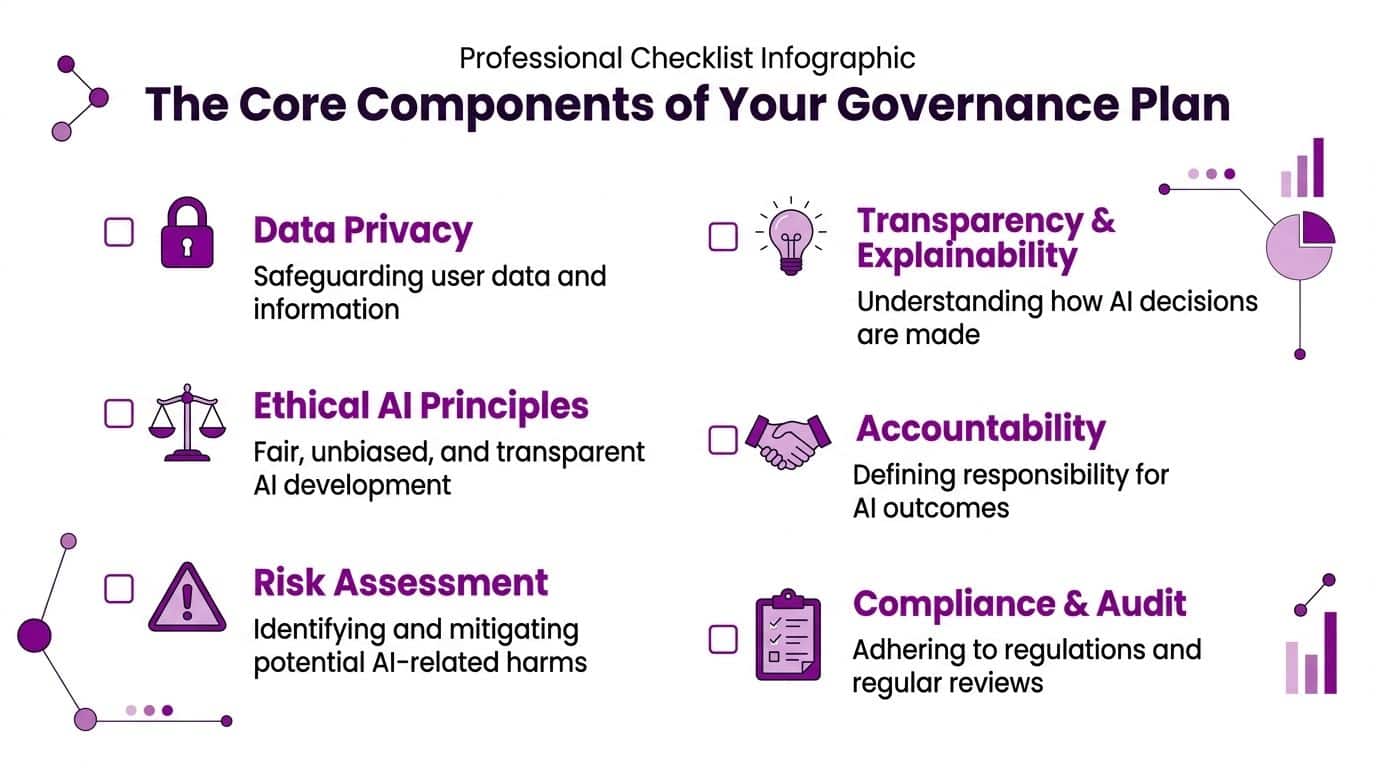
Principles and policies
Start with short, enforceable policy statements. Not pages of abstract language.
Your policy needs to define which tools are approved, what data may be used with them, which use cases are prohibited, and what records must be kept. If you're already using a broader IT governance framework, AI rules should sit inside that model rather than beside it as a separate island.
Useful policy topics include:
- Approved use for Microsoft Copilot, Azure AI services and sanctioned third-party tools
- Restricted data handling for confidential, personal and regulated information
- Prompt and output review where generated content could affect customers, staff or decisions
- Supplier review for AI-enabled SaaS products and connected agents
If you're assessing how external agents process data, a practical reference point is this guide to privacy for AI agent management, especially when you're reviewing what an automated tool can access and retain.
Roles and responsibilities
Avoid building a ceremonial committee. A lean governance group is more useful.
In most businesses, responsibility usually sits across these roles:
- IT or digital lead owns implementation and tool configuration
- Security lead reviews access, permissions and monitoring
- Data protection or compliance lead checks legal and regulatory impact
- Business owner accepts process-level risk for the use case
- Service or application owner manages day-to-day operation
Document one thing clearly. Who can say yes, who can say no, and who signs off exceptions.
Risk management processes
Every AI use case needs a simple path through intake, classification, approval and review. Low-risk internal drafting isn't the same as automated scoring, customer-facing advice or processing sensitive personal data.
A practical model often asks:
- What is the use case?
- What data does it use?
- Is the output advisory or decision-driving?
- Who reviews the output?
- What happens if it is wrong?
That gives you something operational, not theoretical.
Accountability and human review
Many plans stay too vague. Under the UK GDPR and Data Protection Act 2018, AI governance frameworks need explicit controls for automated decision-making and human review because Article 22 protects individuals from decisions based solely on automated processing that produce legal or similarly significant effects. In practice, organisations must build escalation paths and human override rights into the model lifecycle, as reflected in the NIST AI Risk Management Framework resource.
Later in the plan, those controls need named owners, working processes and tested escalation.
A short explainer is useful here:
Your Implementation Checklist for AI Governance
Most organisations don't need to launch a grand programme. They need a sequence that gets control fast without creating paralysis.
Start with discovery, not drafting
Before writing policy, create an inventory.
Look across Microsoft 365, Azure subscriptions, browser extensions, sanctioned SaaS platforms and any tools staff have connected with corporate identities. Review which AI capabilities are already enabled, which third-party apps hold permissions, and where AI-generated content is entering business processes.
A strong starting point is to align this work with wider data governance best practices, because AI governance falls apart quickly when no one understands data ownership, classification or retention.
Build the first operating model
Once you can see the estate, put a lightweight operating model in place:
-
Form a small governance team
Keep it practical. IT, security, compliance or DPO input, and one business representative are enough to begin. -
Define a risk tiering method
Use plain-English bands such as low, medium and high. Base them on data sensitivity, user impact, external exposure and whether the output influences decisions. -
Create an intake process
New AI use cases need a route for submission and review. A simple form in Microsoft Forms or a Power App is often enough to begin. -
Write minimum viable policies
Start with approved tools, prohibited use, data boundaries, human review requirements and supplier checks. -
Set review points
Governance isn't just pre-approval. Review active use cases, permissions and exceptions on a defined cycle.
Focus on what changes behaviour
The teams that make progress don't write the most policy. They remove ambiguity.
Use this quick test:
| Question | If the answer is unclear |
|---|---|
| Which AI tools are approved? | Staff will choose their own |
| Which data may be entered? | Sensitive information will leak into unreviewed services |
| Who approves new use cases? | Ownership will become disputed |
| How are outputs checked? | Errors will move into live workflows |
| When is human review mandatory? | High-risk automation will slip through |
Governance succeeds when managers can answer day-to-day questions without escalating every decision to legal.
Train the right people, not everyone the same way
Generic AI awareness sessions help, but role-based guidance works better.
- Users need clear examples of safe and unsafe use.
- Managers need approval criteria and escalation rules.
- IT teams need configuration standards, monitoring responsibilities and exception handling.
- Senior stakeholders need visibility of risk themes and adoption blockers.
That approach is easier to maintain and far more likely to stick.
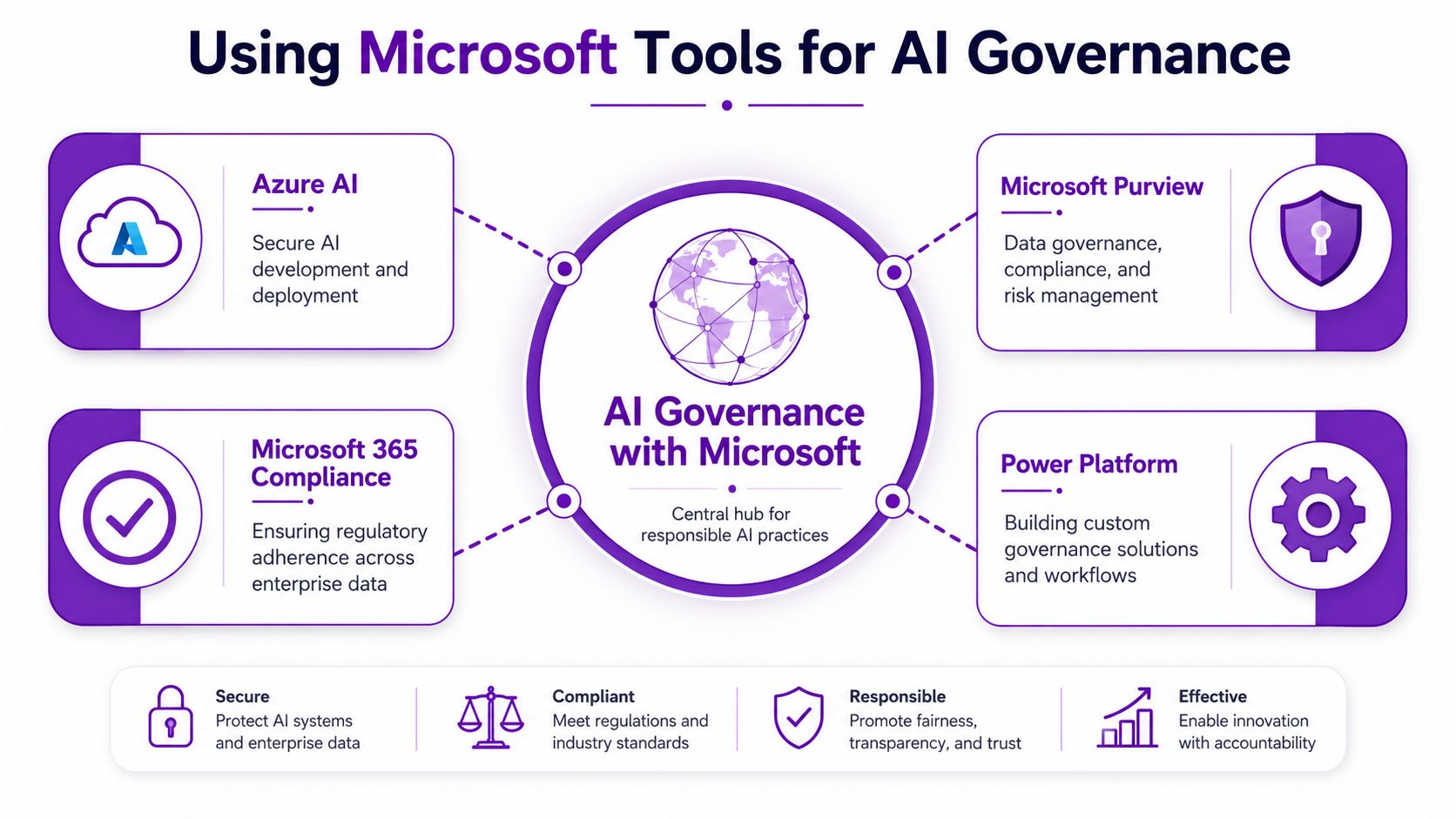
Using Microsoft Tools for AI Governance
If your organisation already uses Microsoft 365 and Azure, you can implement much of your AI governance plan with tools that fit naturally into the tenant. That matters because controls work better when they sit inside daily operations rather than in a parallel platform nobody opens.
Microsoft 365 and Copilot controls
For many businesses, the first governance priority isn't custom model development. It's controlling how staff use AI features in the tools they already live in.
That usually means checking:
- Identity and access through Entra ID, including who can consent to applications
- Microsoft 365 data permissions across SharePoint, Teams, Exchange and OneDrive
- Copilot readiness so users don't surface content they were never meant to see
- Conditional access and app governance for connected services and unmanaged usage paths
A sensible Copilot rollout starts with permission hygiene. If file access is messy, AI will expose the mess faster. Teams planning that journey often benefit from a more detailed look at Microsoft AI Copilot use in the workplace.
Purview, Azure and Power Platform
Different Microsoft tools support different governance jobs.
| Microsoft tool | Best governance use |
|---|---|
| Microsoft Purview | Data discovery, classification, compliance visibility and information protection |
| Azure AI services and Azure AI Studio | Model development controls, testing workflows and operational oversight |
| Microsoft 365 compliance capabilities | Data lifecycle, audit support and policy enforcement around business content |
| Power Platform | Approval apps, exception workflows, use-case registers and review automation |
At this stage, existing investment pays off. You can turn policy statements into actual controls, labels, review workflows and monitoring steps.
What works better than a separate AI programme
The strongest pattern is to embed AI governance into normal service management, change control, data governance and security review.
That means:
- New AI use cases go through a recognised intake route
- Sensitive data remains governed through existing classification and protection rules
- Owners are recorded for each live use case
- Exceptions are documented, time-bound and reviewed
- Monitoring feeds into the same operational cadence as other IT risks
If AI governance only exists in a slide deck, users will route around it. If it exists in Microsoft controls and service processes, it becomes part of how the business runs.
Start Your AI Journey with Confidence
AI governance doesn't need to start with a huge programme office or a complex standard mapped line by line across the estate. It starts with honesty about the current position.
If staff are already using AI, your first job is visibility. After that, build the smallest set of controls that reduces meaningful risk without slowing every useful experiment. Approve the right tools, classify the right use cases, and make sure high-risk decisions never run without accountable human oversight.
The organisations that get this right treat governance as an enabler. Their teams know which tools they can use. Their managers know when to escalate. Their IT function can support adoption rather than acting as a late-stage blocker. That creates confidence, which is what most businesses need before they expand AI use.
Keep the approach practical
A sensible plan usually looks like this:
- Discover current usage across Microsoft 365, Azure and connected apps
- Triage the risky use cases instead of trying to solve everything at once
- Align policy with existing controls in identity, data governance and compliance
- Review regularly because tools, permissions and use cases won't stay still
If you're comparing delivery options or external capability, broad market round-ups such as this overview of best Web3 and AI development partners can help frame what specialist support tends to look like. The ultimate test, though, is whether a partner can turn governance into practical controls inside your live Microsoft environment.
Good AI governance frameworks don't stop progress. They give the business permission to move with fewer surprises.
If you want help building a practical AI governance plan around Microsoft 365, Azure and Copilot, speak to F1Group. We can help you discover shadow AI, define workable controls, and implement governance that supports compliance without slowing the business down. Phone 0845 855 0000 today or send us a message.