
Your spreadsheet has started lying to you. Not maliciously, just by drifting out of date while the team keeps using it because there's nothing better to replace it with. One person in operations is copying supplier data by hand, another is chasing approvals in email, and IT is already tied up helping someone else with a migration, so the app you need sits at the bottom of the list.
That is where low code development earns its keep. It is not a silver bullet, and it is not a shortcut for poor process design, but it is often the fastest sensible way to turn a messy workflow into something controlled, visible, and supportable inside the Microsoft estate you already pay for. For a useful comparison of the pain point, how LeaveWizard simplifies absence management shows the same basic problem many SMEs hit, manual tracking gets fragile long before people notice.
If you're a managing director in the East Midlands, the key question isn't whether low code sounds modern. It's whether your business can keep waiting for bespoke development every time a process breaks, or whether you need a governed way for trusted staff to build sensible tools now.
The Day a Spreadsheet Finally Breaks
The breakdown usually happens on an ordinary Tuesday. A logistics coordinator in Nottingham is juggling supplier updates, a maintenance request log, and an ageing workbook that three departments depend on, but nobody trusts. A line manager wants a cleaner way to raise requests. Finance wants the numbers to stop moving. IT wants the whole thing to stop living in someone's inbox.
Then reality lands. The internal IT team is already helping a Leicester charity with a migration, the developer queue is full, and the “temporary” spreadsheet has become a business system by accident. That's the moment most organisations stop pretending they only need better discipline and start needing an actual app.
Why this keeps happening
Low code development is what fills that gap. It lets business teams build practical apps, forms, approvals, and dashboards using tools that are already part of the Microsoft stack, instead of waiting months for a bespoke project slot. The point isn't to remove IT. It is to stop decent ideas dying in a queue.
Practical rule: if a spreadsheet now needs permissions, approvals, version control, and a reliable audit trail, it has already become an application.
That's also why the low code conversation matters now, not as a trend piece, but as an operating model. UK organisations are under pressure to deliver more digital services with fewer hands, and the public sector has already shown how citizen development can move from side project to strategy. Gartner's long-cited forecast said 70% of new applications were expected to be built using low-code or no-code platforms by 2025, up from less than 25% in 2020 (source). The same source also notes the global low-code development tech market reached $13.8 billion in 2023 and was growing at 22.6% year over year (source).
If you want a sensible way through this, don't start with technology. Start with the process that's already failing, then decide whether low code, Power Platform, or a bespoke build is the right tool. F1Group's Microsoft-focused teams can guide that decision for organisations that need a practical route, not a platform sales pitch.
What Low Code Development Really Means
Low code development is a way of building software with visual design, drag-and-drop components, and prebuilt connectors, while hand-written code is reserved for the bits that need it. A peer-reviewed review describes it as a development approach that uses visual programming, a graphical interface, visual abstraction, and minimal hand-coding to turn business requirements into software quickly (source).
Flat-pack furniture serves as a fitting analogy. The panels are ready, the screws are there, the instructions are clear, and you're only reaching for a custom tool when the room or the layout is awkward. Traditional pro-code development is more like starting with raw timber and making every joint yourself. That gives you more freedom, but it also takes longer and needs specialist hands.
What you actually do in a low code platform
You don't “press a button and get an app”. You still need to decide what the process is, who can use it, what data it touches, and where approvals sit. Then you assemble forms, business rules, connectors, and workflows around that process.
A useful one-line explanation for a colleague is this. Low code development is a delivery method that lets you build business apps quickly with visual tools, while only writing code where the platform needs help.
That distinction matters because a lot of bad buying decisions come from treating low code like a magic substitute for software thinking. It isn't. It is a faster method for getting from idea to working business tool when the problem is ordinary enough to fit a governed platform.
For Microsoft-centric organisations, this approach fits naturally with Power Apps, Power Automate, Power BI, and Power Pages. They let teams work in a controlled environment rather than building random side projects in personal accounts. Microsoft-style governance is the difference between sensible citizen development and a mess of disconnected mini-systems.
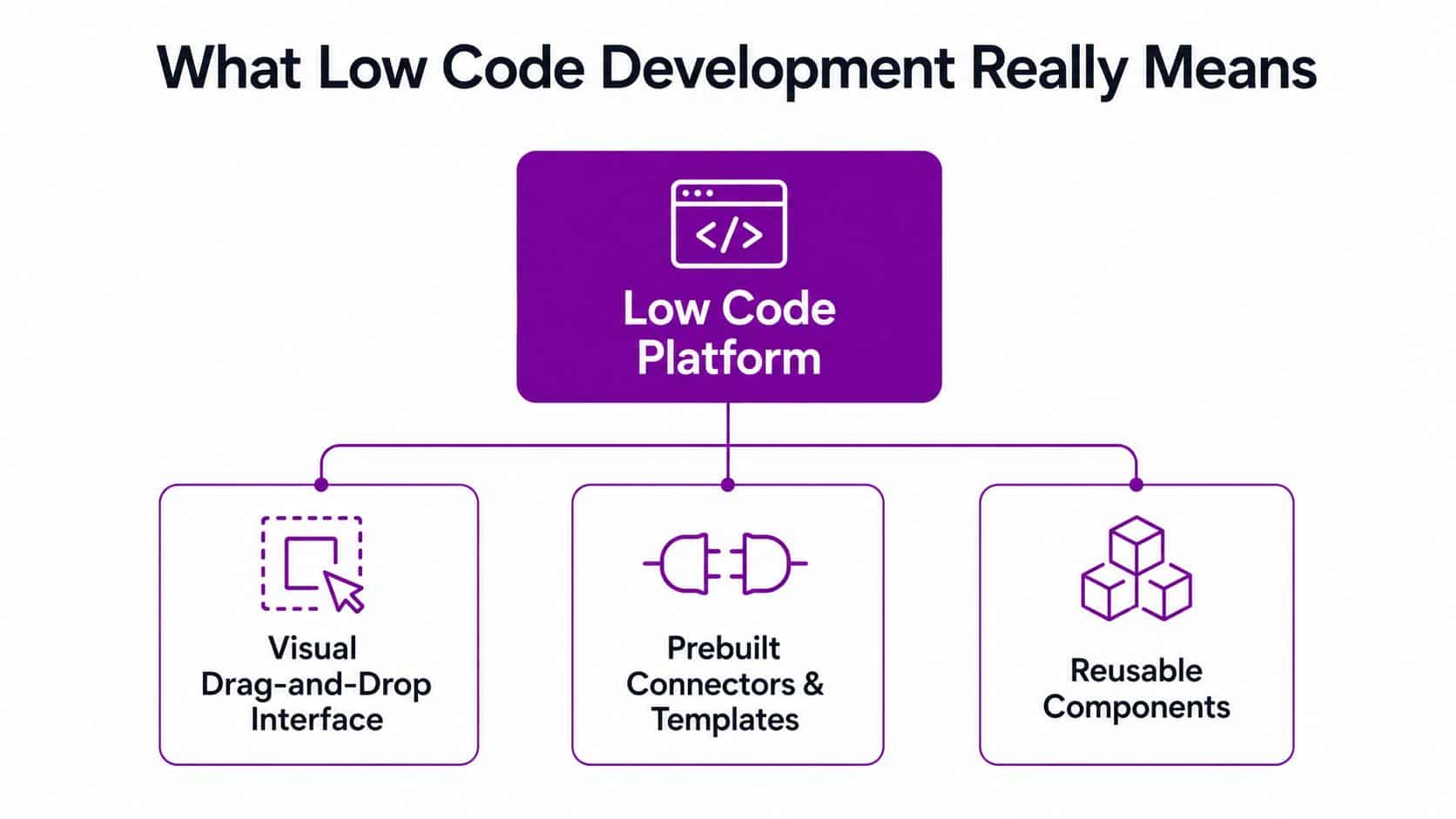
Simple test: if your team can explain the process clearly but struggles to build it fast enough, low code is probably a fit. If the process itself is still unclear, fix that first.
How Power Platform Fits into the Picture
For most East Midlands SMBs, low code doesn't arrive as a separate purchase decision. It arrives inside the Microsoft estate you already use, which is why it feels less like a new platform and more like finally accessing tools you've been paying for. The practical value sits in the way the products divide the work.
Power Apps is for building forms and business apps. A Newark manufacturer can use it for a quality inspection app on the shop floor, replacing paper checklists and messy retyping. Power Automate handles the repetitive joins between systems, so a Scunthorpe services firm can automate onboarding emails, document routing, and approval nudges without someone manually chasing every step. Power BI turns scattered operational data into dashboards that a finance director might open, because the numbers sit in one place and tell a clear story. Power Pages is the light external layer, useful when a charity or supplier-facing team needs a simple portal rather than a heavy web build.
The point is not that each tool is clever. The point is that each one solves a different type of friction.
Power Platform tools and what they solve
| Tool | Primary use | Example scenario |
|---|---|---|
| Power Apps | Internal forms and operational apps | A Newark manufacturer builds a quality inspection app |
| Power Automate | Workflow automation and system hand-offs | A Scunthorpe firm automates onboarding emails and approvals |
| Power BI | Reporting and operational dashboards | A finance team in Lincoln sees current performance in one view |
| Power Pages | Lightweight external portals | A charity creates a simple donor or partner portal |
If you want a plain-English overview of the platform itself, this guide on what Power Platform is is a good companion read.
Opinionated take: Power Platform is not where you go to build everything. It is where you go to build the business tools that don't deserve a six-month software project.
The smart move is to use it where the business process is stable, the data structure is known, and the speed of delivery matters more than deep custom engineering. Once you start trying to force every possible use case into one platform, you create the same complexity you were trying to escape.
Low Code Compared with Traditional Development
A mid-market MD cares about four things here, speed, cost, flexibility, and whether the thing can still be maintained in two years. Low code development wins hard on speed to a first usable version, but traditional development wins when you need deep custom logic, specialised integrations, or a product that will keep evolving for years without platform constraints.
Here's the honest comparison.
Where each approach fits
| Factor | Low code development | Traditional development |
|---|---|---|
| Speed to first version | Fast, often good for pilot and internal use | Slower, especially if requirements are changing |
| Total cost of ownership | Lower to start, can rise if governance is weak | Higher upfront, more predictable for bespoke systems |
| Flexibility for bespoke needs | Good for common patterns, limited at the edges | Strong, because everything is designed from scratch |
| Talent availability | Easier to find citizen developers and Microsoft specialists | Harder, because full-stack engineers are scarce |
| Maintainability | Good if governed well, risky if app sprawl appears | Strong when architecture is disciplined |
The trade-off is control. Low code gives you speed by standardising a lot of the plumbing. Traditional development gives you freedom, but you pay for that freedom in time, skill, and budget.
A practical example
A custom CRM-style app built the traditional way can easily run for three to four months and land in the £35,000 to £60,000 range if it needs proper requirements work, testing, and deployment. A Power Apps and Dataverse solution can often be delivered in a few weeks for a fraction of that, but you give up some of the deep customisation and fine-grained integration freedom that bespoke code provides.
That is not a weakness. It is the price of using a platform. And for internal tools, that price is usually sensible.
The wrong move is to treat low code as the default for everything. If the app is a core revenue engine, has heavy integration dependencies, or needs unique behaviour across multiple systems, bespoke development is still the safer investment. If it’s a workflow, portal, or operational app that the business needs now, low code is often the right first move.
Learn more about reducing IT costs with a practical delivery model.
The Real ROI and Where the Savings Actually Come From
The ROI case for low code development is strongest when you stop talking about “digital transformation” and start counting queue time, manual handling, and staff hours. The clearest benefit is reduced delivery backlog. One industry forecast says 84% of enterprises adopt low-code or no-code platforms to reduce IT backlog and accelerate app delivery (source). That lines up with what many internal teams already know, the work isn’t missing, the delivery capacity is.
The second benefit is speed. Experimental research published by ACM found low-code technologies delivered about a threefold to tenfold increase in productivity versus code-based development, and it also cites earlier research suggesting development can be sped up by five to ten times (source). That doesn’t mean every project gets that uplift. It means the platform can dramatically shorten the path to a usable internal tool when the use case is suitable.
Where the money really comes back
You save money in three places. First, you stop paying people to rekey data and chase approvals. Second, you avoid queueing every business request behind a scarce developer. Third, you reduce the delay between “we need this” and “we are using it”, which is often the hidden cost directors forget to measure.
A 75-person professional services firm replacing three manual processes with Power Automate flows and a Power Apps case-management tool could realistically save around 20 hours per week and recover implementation cost within a single quarter. That’s the sort of outcome a board understands because it translates into capacity, not just software.
What to track before you call it a win
- Hours removed: measure the manual work that disappears.
- Cycle time: measure how long a request sits before action.
- Adoption: measure whether staff use the new process.
- Rework: measure how often people still bypass the system.
The Aalto University review is the right reality check here. It concluded there is sufficient evidence that low-code development speeds up development, but that quality and complexity have mixed and context-dependent outcomes, while costs and security remain open questions (source). That is exactly how you should treat ROI, as something you track, not something you assume.
If you need a board-ready way to frame the spending, the question isn’t “Does low code save money?” The better question is “Which repeated process is costing us more in delay and labour than a governed platform would cost to fix?” That’s the conversation worth having.
Governance, Security, and the Shadow IT Trap
Most glossy articles get flimsy here. Low code only looks easy until three departments start building their own apps, each with its own flows, permissions, and data stores. Then you’ve got orphaned automations using admin credentials, Dataverse tables holding personal data outside the normal governance process, and connectors that bypass review because someone wanted a quick fix.
That risk is not theoretical. Research on citizen development argues that scaling low code needs organisation-wide architecture, explicit governance, and continuous education, not just access to drag-and-drop tools (source). In plain English, if you hand this stuff out without a framework, you don’t get innovation. You get app sprawl.
The governance starter pack
A sane starter model looks like this.
- Named owner: appoint a centre of excellence lead who owns standards and escalation.
- App approval: require a simple intake and approval workflow before any new app goes live.
- Environment separation: keep development, testing, and production apart.
- Connector allow-list: define which connectors are approved for business use.
- Quarterly review: inspect the app portfolio, remove duplicates, and retire dead automations.
The goal isn’t to slow people down. It is to stop one fast team creating five slow problems for everyone else.
For Microsoft-centric businesses, the governance conversation is especially important because the platform can scale faster than your controls if you let it. That’s why a structured approach to Power Platform governance matters more than the platform choice itself. If you need a fuller framework for the internal controls side, this IT governance framework guide is worth reading alongside any rollout plan.
A sensible policy also has to deal with integrations. The moment low code becomes business-critical, you need to know where the data lives, who can change the flow, and how to recover when a process breaks. If you can’t answer those questions, you’re not ready to scale citizen development yet.
A practical IT partner earns its fee here. F1Group’s Microsoft-focused support, including Power Platform, process automation, and API development, fits businesses that want the benefits of low code without letting it turn into shadow IT.
An East Midlands Adoption Roadmap and Your Next Steps
For a 50 to 250-person East Midlands organisation, the rollout should be staged and boring in the best possible way. Start with a one-week discovery sprint to identify two or three high-friction processes, then pick one pilot that is annoying enough to matter but small enough to control. A pilot build in a managed environment should follow, with a single business champion and a clear owner for sign-off.
The next stage is structured scale-up. That means adding the governance controls from the previous section before more departments ask for their own apps, not after. Once the first use case is stable, move into handover and support, so the business isn’t depending on whoever happened to build it first.
A practical sequence
- Discovery sprint: map the pain points, estimate the manual effort, and choose one use case.
- Pilot build: deliver one app or workflow in a controlled environment.
- Scale-up: apply governance, templates, and portfolio review before expanding.
- Managed support: hand the solution into an operational model that can be maintained.
The cost bands depend on the complexity, but the point is simple, don’t start with a big-bang project. Start with a process that hurts, prove the value, then scale with discipline.
If you want a Microsoft partner that understands this from the ground up, F1Group supports organisations across Lincoln, Nottingham, Leicester, Scunthorpe, Grimsby, and Newark with Microsoft-focused IT, low code, and automation work. Since 1995, they’ve helped teams run more securely and efficiently, and they can run the discovery sprint, shape the governance model, and stay with you as the platform grows.
If your team is still wrestling with spreadsheets, manual approvals, and brittle workarounds, don’t let the next six months disappear into IT backlog. Speak to F1Group about a governed low code plan that fits your Microsoft environment and your actual business processes. Visit F1Group, or call 0845 855 0000 today and send a message through our contact page to start the discovery sprint.