
Growth often exposes the weaknesses in a business long before it shows up in the accounts. Orders increase, the team grows, and suddenly people are checking three spreadsheets before they trust one stock figure. Sales has one version of the customer record, finance has another, and operations keeps a “master” file on a shared drive that nobody wants to touch on a Friday afternoon.
That’s usually the point when owners and managers start asking whether their systems are still fit for purpose. They don’t need more software for the sake of it. They need fewer gaps between teams, fewer manual fixes, and a clearer view of what’s happening across the business.
For firms across the East Midlands, that’s where ERP becomes practical rather than theoretical. Done properly, ERP is less about replacing one package with another and more about connecting finance, stock, sales, service, reporting, and workflow into one dependable operating model.
Is Your Business Outgrowing Its Spreadsheets
You can usually spot the warning signs quickly. The month-end close drags because someone has to reconcile figures from accounting software, a separate CRM, and a stock file. A customer asks for an update, but the team can’t tell whether the order is delayed, part-shipped, or waiting for a purchase order approval. Nobody’s doing anything wrong. The systems just don’t talk to each other.
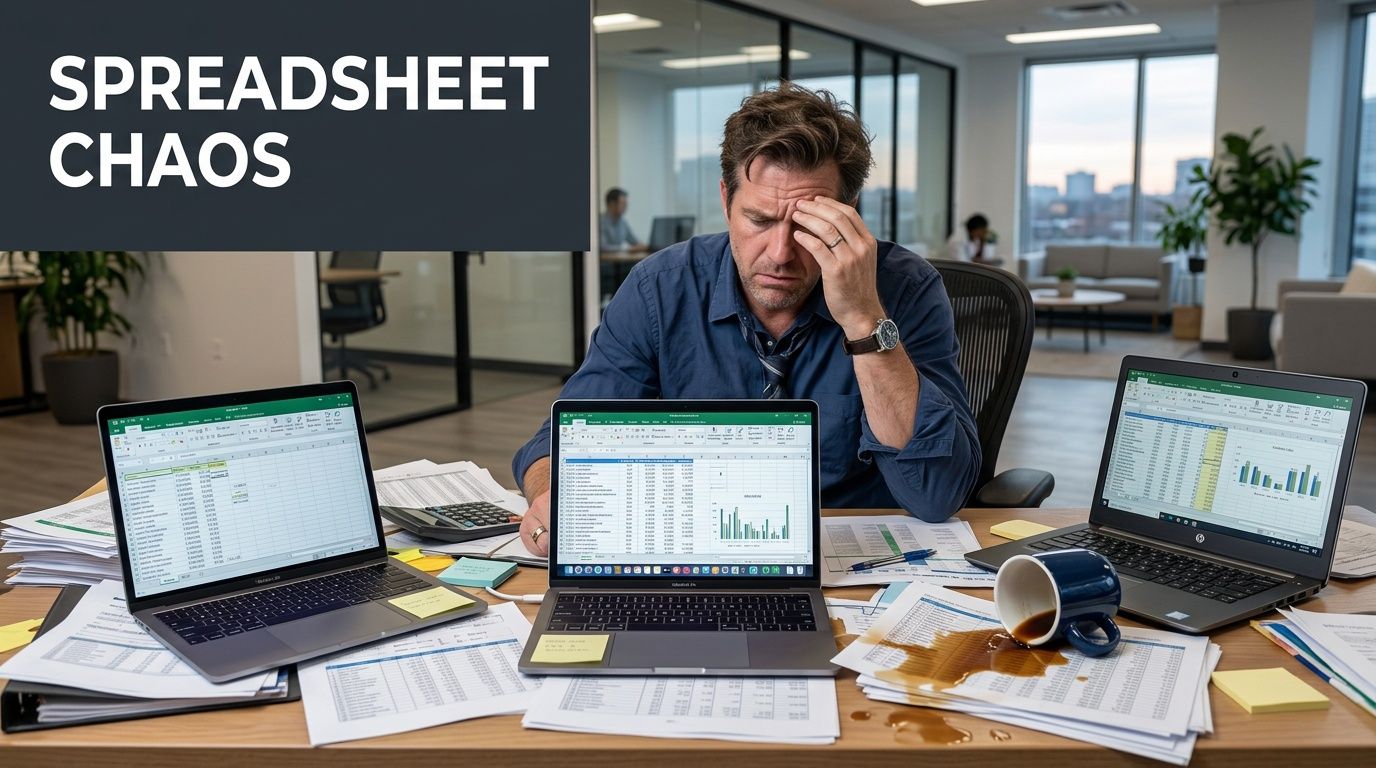
In smaller firms, that friction gets normalised. A spreadsheet becomes the workaround for a reporting gap. An inbox becomes the approval process. A staff member with “how it really works” knowledge becomes the bridge between finance and operations. That might hold for a while, but it usually starts to crack when the business adds more customers, more stock lines, or another site.
The problems usually look ordinary
They often show up as day-to-day annoyances:
- Stock doesn’t match reality: The system says one thing, the warehouse says another.
- Reporting arrives too late: By the time management sees the figures, the problem is already old.
- Rekeying causes errors: The same data gets entered into different systems by different people.
- Sales loses momentum: Quotes, orders, and customer updates sit in separate places.
If you’re still comparing finance tools before making a wider systems decision, this guide to the best software for business accounts for UK SMEs is a useful starting point. It helps frame where accounting software ends and broader operational needs begin.
A lot of businesses reach this stage while also weighing up whether to stay with entry-level systems or move to something more joined-up. The trade-offs are clearer when you compare products directly, such as this overview of Sage 200 vs Sage 50.
Most SMEs don’t move to ERP because they want a new platform. They move because disconnected processes have started slowing the business down.
What an ERP System Does for Your SME
An ERP system is the central nervous system of the business. It connects functions that are often treated as separate. Finance records the transaction, sales sees the customer context, stock updates in line with movement, and management gets reporting from the same underlying data instead of from several conflicting files.
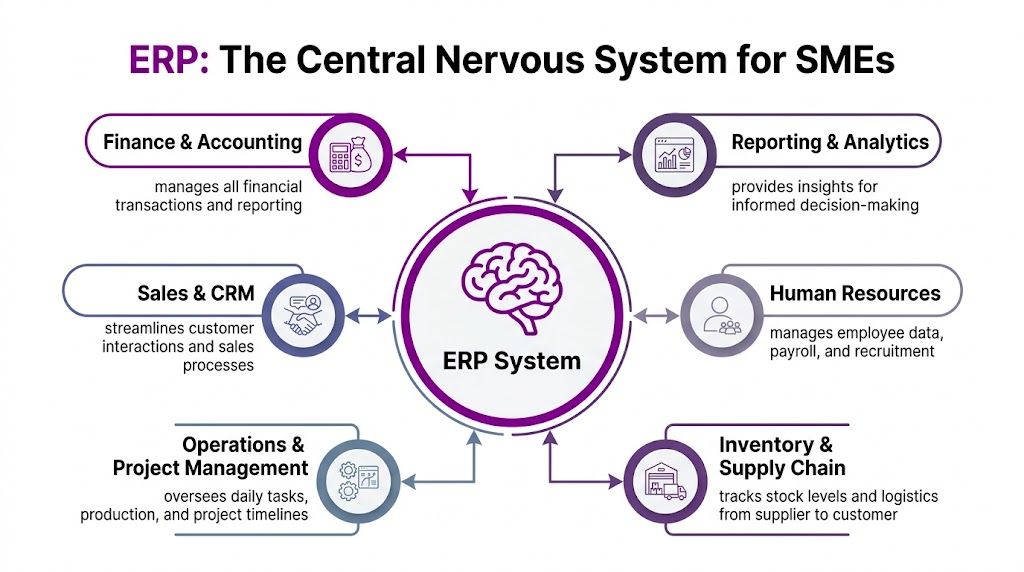
That matters because most operational waste in growing SMEs isn’t dramatic. It’s hidden in repeat keying, manual checks, delayed approvals, and uncertainty over which number is correct. ERP removes a lot of that friction by establishing a single source of truth.
One system instead of several hand-offs
When ERP is implemented well, teams stop exporting data just to make sense of it elsewhere. A quote can become an order without being recreated. A stock receipt can update purchasing and finance at the same time. A customer service team member can see the same record that sales and accounts are using.
The core gains usually come from four changes:
-
Shared data across departments
One customer, one product, one transaction history. Less duplication, fewer disputes over accuracy. -
Automation of repetitive tasks
Approvals, notifications, invoice workflows, and routine reporting can run without relying on somebody to remember the next step. -
Real-time visibility
Managers don’t have to wait for separate reports to understand sales, purchasing, stock, and cash position. -
Scalability without rebuilding everything
The business can add users, modules, and workflows without replacing the whole system again.
Why cloud ERP has changed the conversation
ERP used to be seen as too heavy for SMEs. That’s no longer the right lens. In UK SMEs, cloud ERP implementations such as Microsoft Dynamics 365 have been linked to a 25-30% reduction in operational costs within the first 18 months, with accounting discrepancies reduced by up to 40%, stock holding costs cut by 15-20%, and month-end closes running 35% faster versus legacy systems, according to this UK SME ERP guide from Medatech.
That same source notes a Leicester-based mid-sized engineering firm reporting £150,000 annual savings after a Dynamics 365 rollout that shortened procurement-to-payment cycles from 45 to 12 days. It also highlights Azure-backed scalability for 50-500 users, 99.9% uptime, and low-code Power Apps customisation reaching 90% process automation without bespoke coding.
Practical rule: Start with the business process that causes the most drag. In many SMEs, that’s finance, approvals, stock control, or order handling. Don’t begin with the fanciest feature.
ERP is not just for large enterprises
For an SME, the strongest argument for ERP isn’t complexity. It’s control. A growing firm needs to know what’s been sold, what’s in stock, what’s owed, what’s profitable, and what needs attention now. If that takes several people several hours to answer, the business is already paying for fragmentation.
Modern systems like Dynamics 365 also support modular deployment. That means a business can begin with core finance or operations, then extend into CRM, reporting, service, or automation when the foundation is stable. That phased route is often what makes erp in smes workable in practice.
Core ERP Modules for Growing Businesses
The value of ERP becomes clearer when you look at the modules that do the day-to-day work. Most SMEs don’t need everything at once. They need the right combination of tools that remove bottlenecks first.
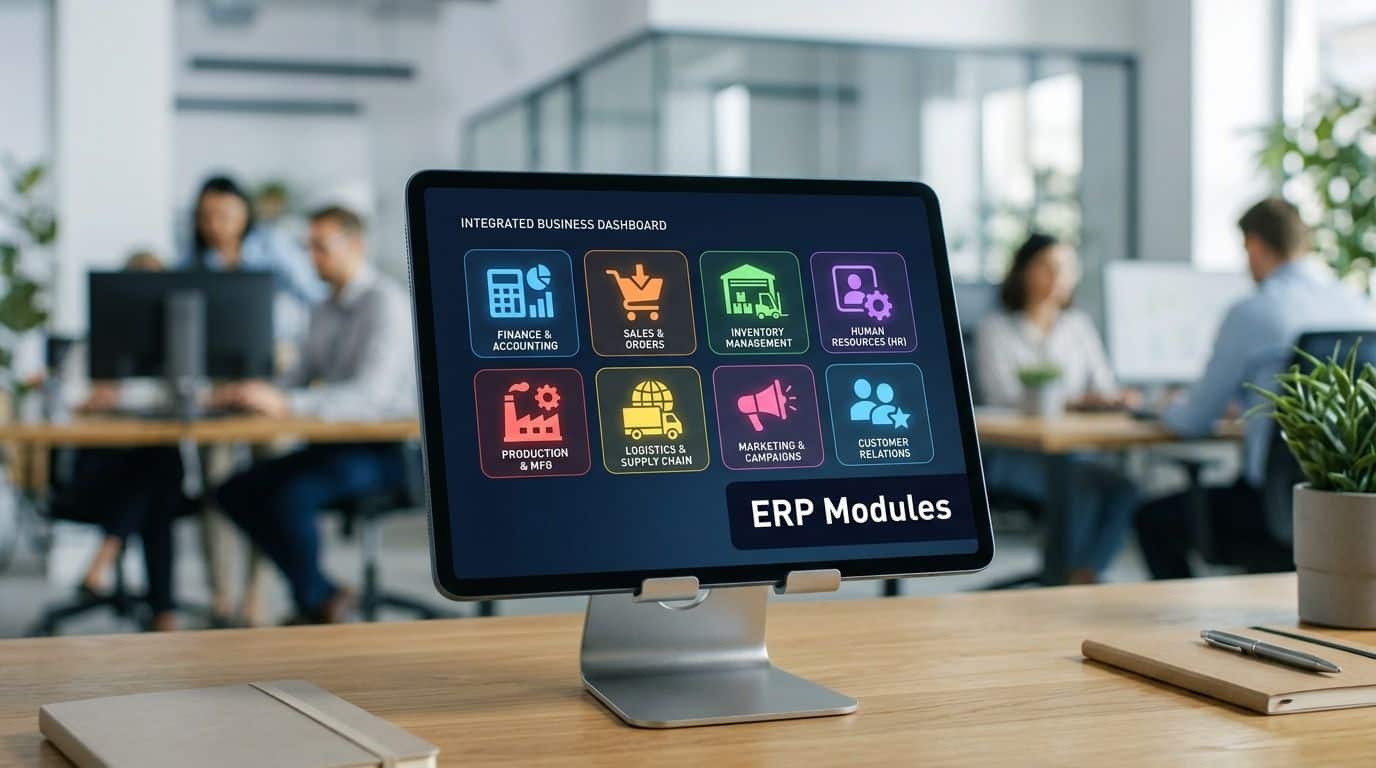
Financial management
Finance is usually where ERP proves its worth fastest. In a disconnected setup, teams often chase approvals in email, re-enter purchase data, and spend too long reconciling sales, stock, and nominal codes. An ERP finance module gives one structured flow from transaction entry to reporting.
In Dynamics 365 Business Central, that normally means tighter control over sales invoicing, purchasing, VAT handling, bank reconciliation, and management reporting. For UK SMEs, it also matters because compliance tasks such as Making Tax Digital are easier when records and processes are centralised rather than split across files and bolt-ons.
A good finance module improves more than reporting. It improves confidence. Directors can trust the figures because they come from the live system, not from several exports stitched together the night before the board pack goes out.
Supply chain and inventory
Many East Midlands businesses feel the pain most sharply, especially in manufacturing, wholesale, and distribution. Stock problems don’t stay in the warehouse. They hit delivery dates, purchasing decisions, margins, and customer trust.
UK East Midlands SMEs adopting ERP have seen a 28% productivity uplift and a 22% inventory turnover improvement, with Nottinghamshire firms recording 18% lower defect rates through quality control automation, according to this ERP requirements checklist for SMEs. The same source links integrated supply chain visibility to 25% lower lead times and cites Grimsby distributors achieving 32% faster order fulfilment after ERP adoption.
That’s the practical effect of getting purchasing, stock, manufacturing, and fulfilment to work from the same live data.
What that looks like on the ground
- BOM control in manufacturing: Version accuracy matters. One wrong component line can affect cost, quality, and production timing.
- Purchasing linked to real demand: Buyers aren’t working from stale spreadsheets or guesswork.
- Stock movement with context: Goods received, allocations, transfers, and dispatches feed the same ledger and operational view.
- Fewer surprises in service levels: Customer-facing teams can see realistic availability and lead times.
Later in the rollout, many firms also bring in forecasting and replenishment logic. The source above notes Dynamics 365 Business Central handling 10,000+ SKUs with under 2-second query latency, and Microsoft Copilot-based forecasting predicting demand variances with 92% accuracy using historical UK SME datasets.
A short product walkthrough helps make those modules easier to visualise:
CRM and customer operations
SMEs sometimes treat CRM as separate from ERP because sales teams want flexibility and finance wants control. In practice, keeping them apart often creates the usual mess. Quotes don’t line up with orders, customer records go out of date, and service staff can’t see account status or delivery history.
ERP-connected CRM solves that by keeping sales activity closer to fulfilment and finance. The sales team can still manage opportunities and communication, but the wider business benefits because customer interactions feed the same operational picture.
If the customer record lives in one place and the transaction history lives somewhere else, people will keep making decisions with partial information.
HR, projects, and specialist modules
These aren’t always phase-one priorities, but they can deliver strong value once the core is stable. Some charities and project-led organisations gain more from time tracking, approvals, resource planning, and reporting than from advanced warehousing features.
The same Synergix source cites a Scunthorpe charity PLC where time-tracking automation delivered a 20% staff efficiency gain and reduced project overruns by 15%, while supporting DBS-compliant reporting. It also reports ROI in 12-24 months and 40% lower TCO than on-premise legacy systems in UK-focused vendor metrics.
That’s why module choice matters more than broad feature lists. The best ERP design for an SME is usually selective, not maximal.
The Power of an Integrated Microsoft Ecosystem
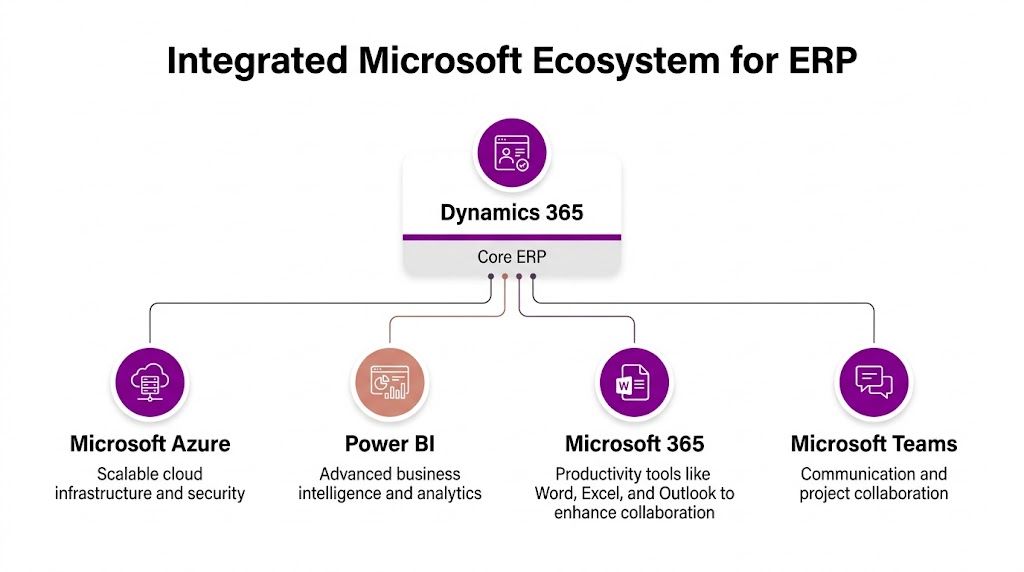
An ERP platform does more when it sits inside tools your staff already use every day. For many East Midlands organisations, that means Microsoft 365, Teams, Outlook, Azure, Power BI, Power Automate, and Power Apps. The gain isn’t just technical neatness. It’s less switching, less duplication, and faster decisions.
Dynamics 365 with Microsoft 365
When ERP data is available in familiar Microsoft tools, adoption tends to improve because staff don’t feel they’re stepping into a separate world. A sales person can work in Outlook and still reach the right customer context. A manager can approve something from Teams instead of waiting until they log into a back-office system. A finance lead can move from Excel analysis back to the live record rather than managing a disconnected spreadsheet estate.
That’s one reason many SMEs choose Dynamics 365. It fits naturally into the Microsoft stack they already pay for and rely on.
For a broader overview of how the platform fits together, this primer on what Microsoft Dynamics 365 is is a useful reference.
Power Platform turns ERP from system to workflow
Many businesses gain the next layer of value. ERP gives you structured data and process control. Power Platform helps you shape that into practical workflows and reporting without commissioning a fully bespoke application every time a department wants an improvement.
Three tools matter most:
| Microsoft tool | Best used for | Practical SME use |
|---|---|---|
| Power BI | Reporting and dashboards | Live sales, stock, margin, and operational dashboards |
| Power Automate | Workflow automation | Approval flows, alerts, reminders, and document routing |
| Power Apps | Low-code apps | Forms, field processes, internal requests, and specialist team workflows |
A common example is approval management. A purchase request enters the ERP process, an approver gets a Teams notification, the approval is logged, and finance can track the status without chasing email threads. Another is operational reporting. Instead of waiting for someone to compile numbers manually, managers use Power BI dashboards fed from ERP data.
Integrated systems reduce the number of times staff need to ask, “Can someone send me the latest version?”
Azure underpins reliability and scale
Azure is often the least visible part of the picture, but it’s one of the most important. It provides the cloud foundation for availability, performance, identity, and security controls. For SMEs, that matters because growth rarely happens in a neat line. A business may add another site, recruit quickly, open new channels, or take on more complex reporting requirements.
Azure-backed ERP gives room to scale without rebuilding the whole environment. It also supports more disciplined access control and better resilience than the improvised mix of local servers, shared folders, and manual backups that many firms have outgrown.
The ecosystem works best when the design is intentional
Not every integration is worth doing. Some are high value because they remove friction from a process people repeat all day. Others add complexity and deliver little. The strongest Microsoft ecosystems are designed around real operating needs:
- Finance needs confidence in reporting
- Sales needs current customer and order context
- Operations needs stock and fulfilment visibility
- Leadership needs live dashboards, not end-of-month archaeology
That’s the practical promise of erp in smes when built on Dynamics 365, Microsoft 365, Azure, and Power Platform. It’s not just one more business application. It’s a joined-up operating environment.
Planning Your ERP Implementation and Avoiding Pitfalls
An ERP project succeeds or fails long before go-live. The software matters, but the bigger issue is whether the business has made sensible choices about scope, data, ownership, integration, and training. Many problems blamed on the platform are really planning problems.
The local challenge is sharper than many generic guides admit. A 2023 UK survey by the Federation of Small Businesses found that 62% of East Midlands SMEs using cloud ERP, including Dynamics 365, faced integration issues with legacy systems and Power Apps, leading to 25% project overruns, while only 15% reported smooth scalability without local IT support, according to this cloud ERP article for SMEs. That same source states that 2025 ONS data shows East Midlands SMEs under 250 employees adopting Microsoft 365 at a 48% rate, while 71% cite skills shortages in customising Dynamics for ERP.
Start with operational pain, not product demos
A business should know what it is trying to fix before it compares platforms. If stock inaccuracy is hurting fulfilment, define that clearly. If the issue is slow month-end reporting, map why it’s slow. If service teams can’t see customer commitments, trace where that information breaks down.
Good discovery work usually answers these questions:
- Which process creates the most rework
- Where does data get entered twice
- Which reports are slow, manual, or distrusted
- What must integrate on day one
- Who owns each process after go-live
Use a phased implementation checklist
Trying to transform everything in one go is one of the quickest ways to create disruption.
Phase one with discipline
-
Assessment and goals
Set business outcomes first. Faster close, better stock accuracy, cleaner order flow, or tighter reporting are valid goals. “Modernise systems” is too vague. -
Platform and partner selection
Choose a system that fits how the business works now, but can still support where it’s heading. Integration capability, support quality, and Microsoft ecosystem fit matter as much as licence features. -
Data migration and process design
Old data usually needs more work than expected. Product records, customer accounts, chart of accounts structures, and approval rules all need cleaning before migration. -
Training and go-live readiness
If users don’t understand the process, they’ll recreate workarounds in spreadsheets and email. That defeats the point.
For retailers and firms with online order flows, even specialist pieces of the puzzle benefit from a structured approach. This checklist of critical ERP integration steps is useful because it forces attention onto process mapping, data flow, and system hand-offs rather than just software selection.
The most common pitfalls
Some mistakes appear in almost every troubled rollout:
-
Underestimating integration complexity
Legacy finance tools, CRM records, stock systems, or Power Apps may carry undocumented logic that has to be rebuilt properly. -
Migrating bad data
ERP won’t clean broken master data by magic. It will expose it faster. -
Over-customising too early
If a business rebuilds every legacy quirk inside the new platform, it carries old problems forward. -
Treating training as optional
People need role-specific guidance. Finance, sales, operations, and management use the same system differently.
A smooth ERP implementation usually looks less ambitious on paper than a troubled one. That’s because the successful projects cut scope, sequence the work properly, and force clarity early.
Local support changes the outcome
The East Midlands market has plenty of SMEs with strong Microsoft adoption but lean internal IT capacity. That combination can work very well, but only if someone owns the integration picture and stays close to the users. Remote-only, generic support often struggles when the issue sits between process design, permissions, workflow, and user behaviour.
If you’re comparing support models, this overview of a Dynamics 365 partner in the UK gives a practical sense of what specialist implementation support should include.
ERP projects don’t need drama. They need clear scope, realistic sequencing, reliable migration, and people who understand both the Microsoft stack and how SMEs in the region operate.
Understanding ERP Costs and Licensing for UK SMEs
The first pricing question is usually the wrong one. Businesses often ask what the licence costs before asking what the system needs to do, how many users really need full access, and what level of implementation work sits behind the subscription.
With cloud ERP, the software is typically licensed on a subscription basis. That makes entry more manageable than a traditional capital-heavy purchase, but the licence is only one part of the budget. The more useful way to think about ERP is total cost of ownership, not headline monthly spend.
What you’re actually paying for
An SME ERP budget usually includes four layers:
| Cost area | What it covers | Why it matters |
|---|---|---|
| Software licences | User access and module entitlements | Determines who can do what in the system |
| Implementation | Configuration, setup, testing, migration | Turns the product into a working business system |
| Customisation and integration | Workflows, reporting, app connections | Aligns ERP with actual operating processes |
| Training and support | User onboarding and ongoing help | Protects adoption and long-term value |
A cheap licence paired with poor implementation is rarely cheap in reality. The business pays later in workarounds, slow reporting, frustrated users, and expensive remedial fixes.
Example Microsoft Dynamics 365 Business Central UK Pricing 2026
The exact commercial model depends on vendor, scope, and licensing route. The table below is illustrative rather than a substitute for a formal quote.
| Licence Tier | Ideal For | Key Features | Approx. Cost (GBP) |
|---|---|---|---|
| Team Member | Occasional users who need light access | Read access, approvals, limited updates | Price varies by supplier and agreement |
| Essentials | SMEs needing finance, sales, purchasing, stock, and operations | Core ERP capability for most growing businesses | Price varies by supplier and agreement |
| Premium | Firms needing manufacturing or service management features | Adds more advanced operational capability | Price varies by supplier and agreement |
| Device or additional access licensing | Shared access scenarios in operational environments | Role-specific or location-based use cases | Price varies by supplier and agreement |
Budgeting sensibly
The businesses that budget well usually make three sound decisions:
-
They separate licence cost from project cost
This avoids underfunding the implementation while focusing too heavily on the subscription. -
They phase capability
They don’t buy every module immediately if the first priority is finance, stock, or order flow. -
They budget for support after go-live
ERP keeps evolving as the business changes. Support isn’t a nice-to-have.
Buying ERP on licence price alone is like choosing a van by monthly payment without checking whether it can carry the load.
For erp in smes, affordability comes less from finding the lowest sticker price and more from choosing a system scope that matches the business, then implementing it properly the first time.
Why Expert Support and Security Are Non-Negotiable
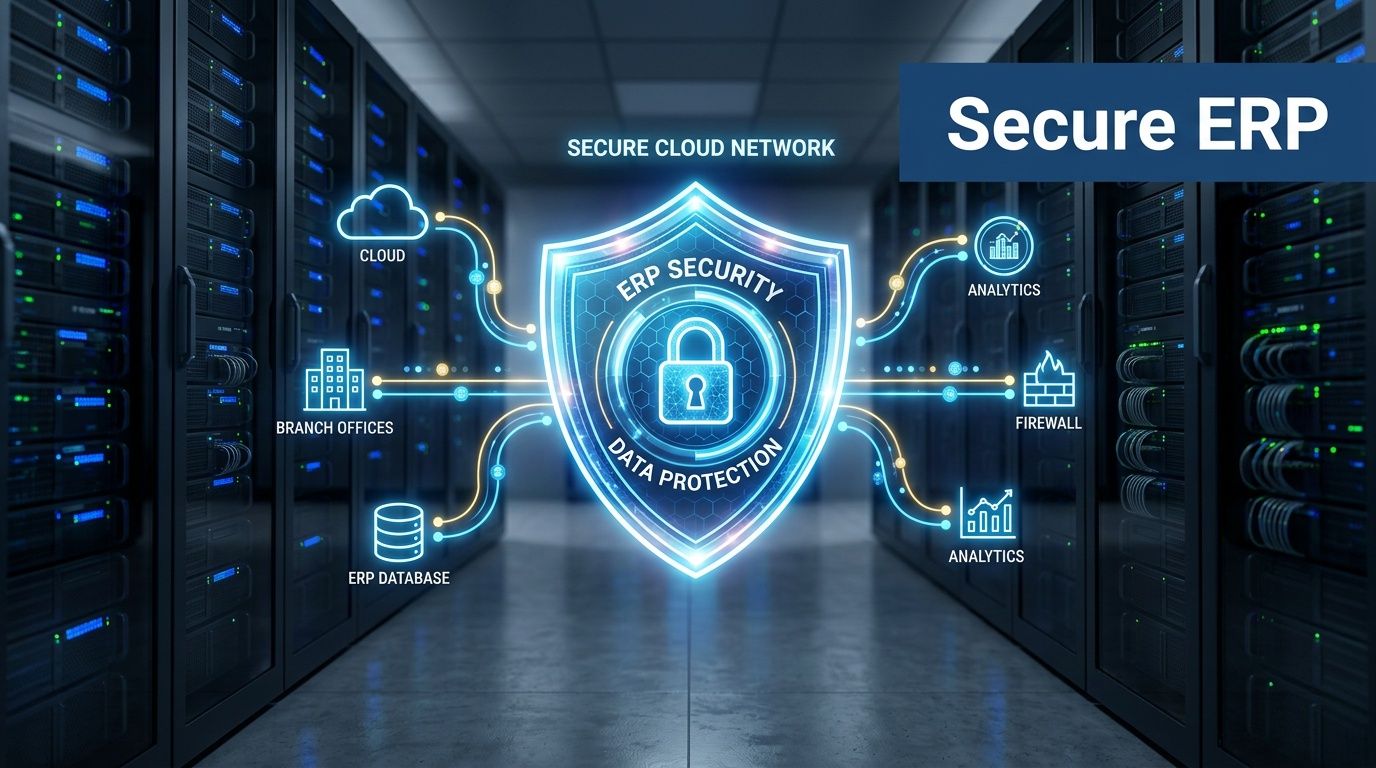
A cloud ERP system is not self-managing. Microsoft secures the underlying platform, but the business still has to manage access, roles, process controls, data handling, and user behaviour. That’s where many problems begin. Not with the infrastructure, but with the gaps around it.
Security is operational, not just technical
A secure ERP environment depends on decisions the organisation makes every day. Who has approval authority. Who can export data. Which roles can amend customer records or supplier details. How leavers are removed. How exceptions are reviewed.
That’s especially important for businesses handling sensitive data, regulated processes, or charity and public-facing reporting requirements. UK GDPR obligations don’t disappear because the system is cloud-based. If anything, strong cloud tooling makes internal discipline more important because the platform is capable, connected, and widely accessible.
Ongoing support protects the investment
ERP changes the way people work. That means questions keep coming after go-live. A posting rule behaves unexpectedly. A workflow needs adjusting. A team needs a new dashboard. Someone wants to connect a Power App. Without proper support, users often drift back to email approvals and offline trackers.
The strongest support model usually includes:
-
Responsive issue resolution
Problems in finance, stock, or ordering can’t wait in a queue for days. -
Change management
As the business evolves, the system needs refinement rather than neglect. -
Role-based advice
Finance users, sales staff, warehouse teams, and directors need different support. -
Security and compliance oversight
Permissions, auditability, and data handling need regular review.
Local knowledge matters
Regional support holds real value. East Midlands organisations often want a partner who understands manufacturing workflows, charity governance, multi-site operations, and the practical reality of lean internal teams. Fast remote help is useful. So is on-site support when process, people, and system design all need attention at once.
ERP isn’t a one-off purchase. It’s a business platform that needs stewardship.
The businesses that get the most from ERP don’t just install software. They build a support model around it. That protects uptime, strengthens compliance, and keeps the system aligned with how the organisation runs.
Take Control of Your Business Growth Today
The shift in erp in smes is simple. You move from disconnected tools and delayed reporting to one operating model that finance, sales, operations, and leadership can trust. In the Microsoft ecosystem, Dynamics 365 becomes even more useful because it works alongside Microsoft 365, Azure, Teams, and the Power Platform instead of sitting off to one side.
If your business has outgrown spreadsheets, manual workarounds, and uncertain reporting, the next step is to define the processes that need fixing first and choose a system that can support growth without adding more complexity.
F1Group helps organisations across the East Midlands build secure, practical Microsoft-based business systems that are effective in practice. If you're reviewing ERP, Dynamics 365, Power Platform integration, or wider cloud transformation, Phone 0845 855 0000 today or Send us a message.