
If you're still handling holiday requests by email, recording sickness in a spreadsheet, and storing employee documents across shared folders, you're not alone. Most UK SMBs don't set out to build a messy HR process. It usually happens gradually. One workaround for payroll, another for onboarding, then a separate spreadsheet for absences, and before long nobody is fully sure which version of the employee record is the right one.
That approach works up to a point. Then someone joins in a rush, a manager approves leave twice, payroll is based on outdated hours, or sensitive documents end up in the wrong place. The issue isn't just admin effort. It's control, consistency, and risk.
hr management systems solve that by giving the business one structured place to run core people processes. In practice, the primary value isn't the software screen itself. It's the fact that hiring, onboarding, payroll inputs, leave, records, reporting, and approvals stop depending on memory and improvised workarounds.
For UK businesses already working in Microsoft 365, Dynamics 365, Teams, Outlook, and Power BI, the decision gets more interesting. The right HR platform doesn't need to sit off to one side as another disconnected tool. It can become part of how the business already works day to day.
Moving Beyond Spreadsheets and Paperwork
A familiar pattern shows up in growing businesses. The office manager holds one spreadsheet. Finance keeps another. Department heads approve annual leave in Outlook. Contracts sit in SharePoint or a local drive, but not always under the right folder structure. New starters get set up through a chain of emails, and someone in IT waits for a final confirmation before creating accounts.
That doesn't look dramatic from the outside. Inside the business, though, it creates delays, duplicate work, and avoidable mistakes.
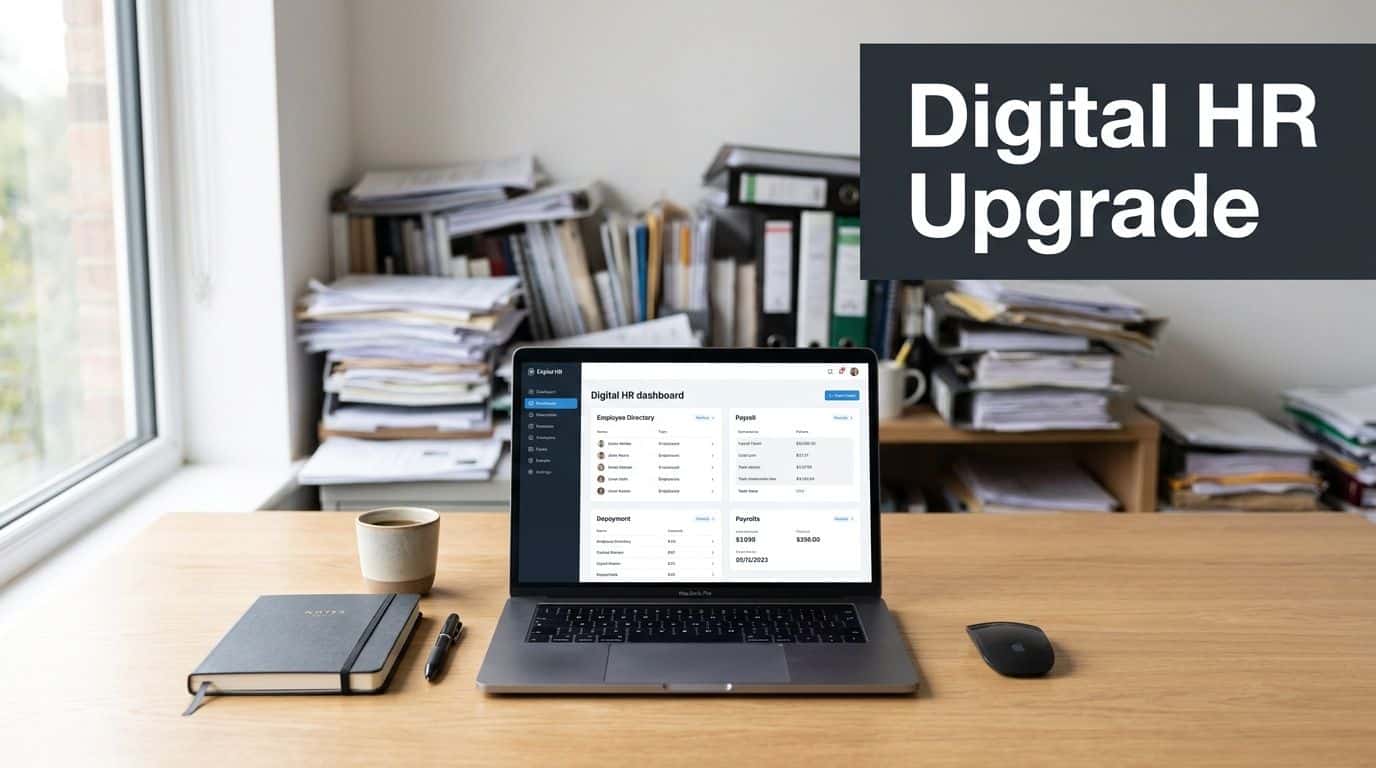
UK organisations are also dealing with stretched HR capacity. Nearly 46% of HR professionals had been in their current role for two years or less, according to McKinsey's HR Monitor 2025. The same UK-focused view notes a labour market shaped by competition for talent and limited HR capacity. That matters because systems with clear workflows for recruiting, onboarding, performance, leave, and employee records reduce dependence on individual expertise.
What manual HR really costs
The hidden cost of manual administration isn't only time. It's inconsistency.
A line manager may handle sickness one way while another records it differently. One employee gets a smooth onboarding experience. Another spends their first week chasing access, forms, and policy documents. Payroll queries become harder to resolve because the supporting record sits somewhere else.
Practical rule: If a process depends on one person remembering what to do next, it isn't a process. It's a risk.
What a modern HRMS changes
A proper HR management system centralises employee data and wraps rules around it. Leave follows an approval path. New starter tasks are assigned. Payroll inputs are captured consistently. Records are easier to find and easier to protect.
For a UK SMB, that's the significant shift. The system stops HR admin being a collection of individual habits and turns it into an organised business process. That's why the right platform becomes more than an admin tool. It becomes part of how the business scales without adding confusion every time headcount grows.
Understanding Core HR System Features
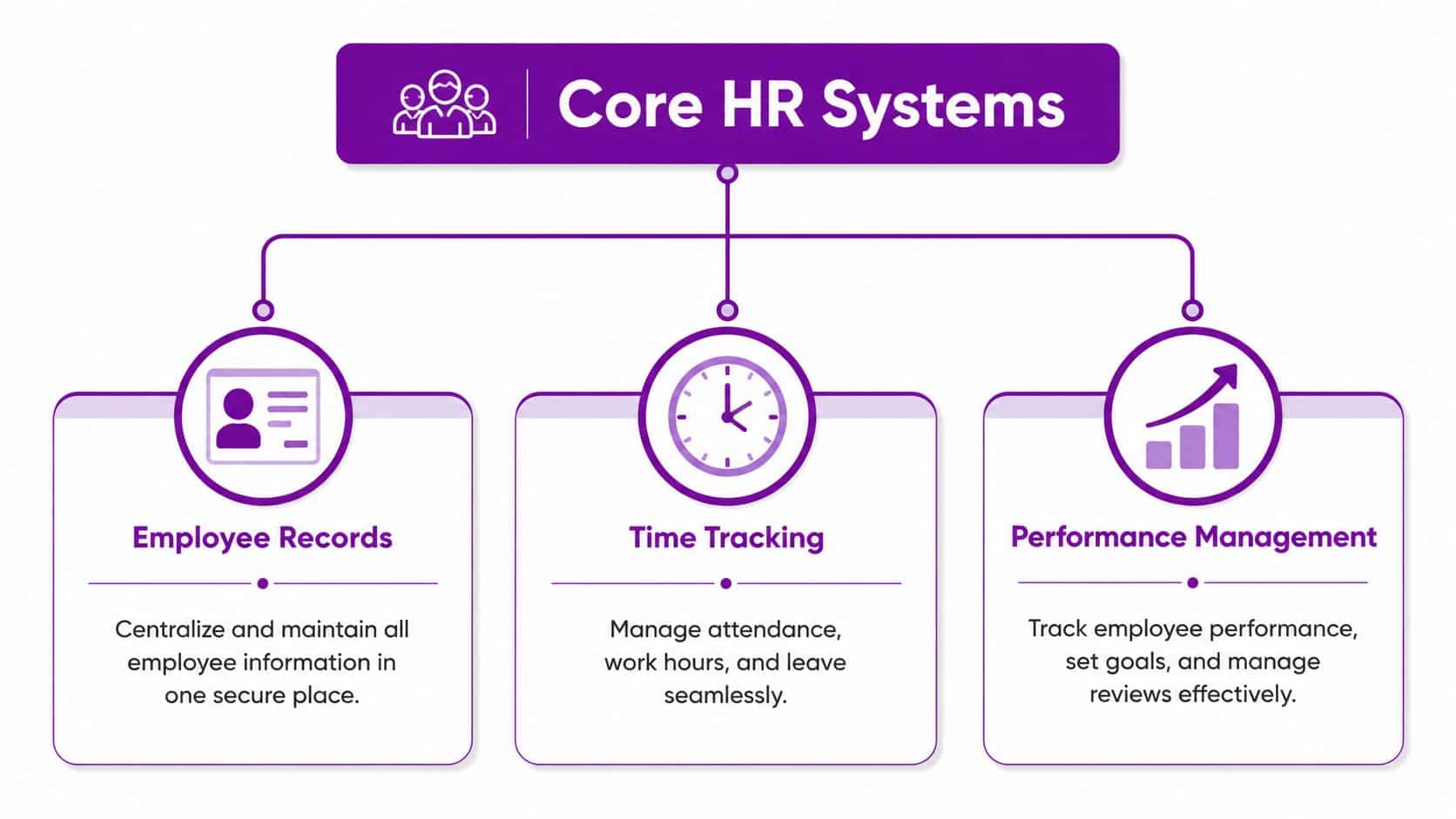
An HR management system is best thought of as a central operational platform for people data and people processes. Not just a database, and not just payroll software. It sits in the middle and connects the moving parts of employment administration that are often fragmented in smaller businesses.
The UK market has moved firmly in this direction. This UK HR software market view describes the digitisation of payroll and workforce administration as a key milestone, with cloud-based HR and payroll tools becoming core operational systems. For SMEs, that matters because these platforms reduce manual admin, improve reporting, and centralise data.
Employee records
This is the foundation. Every employee needs one reliable record containing personal details, role history, reporting line, employment documents, and key dates.
Without that single record, managers start checking emails, HR checks a spreadsheet, and payroll checks a separate system. A good HRMS removes that confusion. It becomes the digital filing cabinet people talk about, but with permissions, workflows, and auditability built in.
Payroll support
Some platforms include payroll directly. Others integrate with payroll systems. Either way, the important point is consistency.
Payroll needs clean employee data, dependable absence records, and timely changes to salary, benefits, or working patterns. If those inputs are handled manually, errors creep in. If they flow through a structured HR process, payroll becomes easier to run and easier to defend when questions arise.
Onboarding workflows
New starters often expose how disjointed a business really is. Offer accepted. Contract issued. Laptop requested. Accounts created. Policies acknowledged. Induction booked.
An HRMS coordinates those steps so they don't live in separate inboxes.
- Task ownership: HR, IT, finance, and line managers can each see what they're responsible for.
- Document control: Contracts and policies can be issued and stored consistently.
- Faster readiness: New employees are less likely to arrive on day one without access or direction.
Time, attendance, and leave
This area causes more friction than many businesses expect. Annual leave balances, sickness, unpaid leave, and other absence categories all need to be recorded consistently.
When managers approve leave in different ways, reporting becomes unreliable. A central system gives the business one method and one record. It also gives employees self-service, which cuts down routine requests to HR and line managers.
Performance and review cycles
Performance tools don't need to be complicated to be useful. Even a straightforward structure for objectives, check-ins, and review notes is a major improvement over informal conversations with no record.
A simple review process used consistently is more valuable than a feature-rich module nobody adopts.
The common thread across all of these features is straightforward. Good hr management systems reduce manual handling and bring repeatable structure to tasks that used to depend on spreadsheets, inboxes, and memory.
The Strategic Benefits for UK SMBs
The best reason to invest in an HRMS isn't that it gives HR a better screen. It's that the whole business runs more cleanly when people data, approvals, and records stop being scattered.

For an SMB, the gains tend to show up in three places first. Operations, compliance, and employee experience.
Better operational control
Manual HR processes create drag across multiple teams, not just HR. Managers approve requests in different formats. Finance chases payroll changes. IT gets incomplete onboarding information. Senior leaders don't trust the reports because everyone knows the source data is patchy.
An HRMS tightens that up.
Some of the practical improvements are immediate:
- Leave approvals become visible: Managers can see what's pending and what's already approved.
- Onboarding stops relying on email chains: Tasks are assigned and tracked properly.
- Reporting improves: The business can pull information from one place instead of reconciling several lists.
The shift from admin tool to operational system is what makes the investment worthwhile.
Lower compliance risk
UK employers handle highly sensitive employee information. Contracts, sickness records, payroll inputs, right-to-work information, and disciplinary records all need proper access control and reliable history.
When those records are spread across inboxes and shared folders, risk increases. A stronger HR setup gives the business clearer permissions, retention rules, and audit trails.
Later in the buying process, this short explainer is worth watching because it frames the wider business value well:
A more credible employee experience
Employees notice when internal processes feel dated. They notice when payslips are hard to find, when holiday balances need to be checked manually, or when onboarding feels improvised.
A decent self-service experience fixes a lot of that. Staff can request leave, view information, complete onboarding steps, and access documents without waiting for someone in HR to send them over.
If your internal processes feel clumsy, employees assume other parts of the business are clumsy too.
That may sound minor, but it affects confidence. It also affects how quickly managers can get people productive, particularly in hybrid organisations where people aren't always in the same office.
For UK SMBs trying to grow without continually adding admin overhead, that's the strategic case. The system doesn't just organise HR. It helps the wider business operate with more discipline.
Your HR System Selection Checklist
Choosing between hr management systems gets harder when demos all start to look similar. Most vendors can show an employee profile, a leave screen, and a dashboard. That's not the hard part. The hard part is working out whether the system will fit your policies, your reporting needs, and your way of working once the project becomes real.
One issue UK buyers often miss is implementation risk. This SHRM article on the changing HR landscape highlights that UK ICO breach data for 2024/25 showed personal data breaches were still being driven by human error. That's highly relevant to HR projects because employee data is concentrated in one place, and poor workflow design creates problems early.
Ask about process fit, not just features
A vendor may claim to support absence management. Ask how it works with your actual absence types, approval stages, and reporting requirements.
The same goes for onboarding, document handling, and manager permissions. If the answer is vague, expect workarounds later.
| Evaluation Area | Key Questions to Ask |
|---|---|
| HR records | How is the employee master record structured, and what fields can be controlled or made mandatory? |
| UK process support | How does the system handle statutory payroll inputs, holiday tracking, sickness records, and employee data processes relevant to UK employers? |
| Permissions | Can access be restricted by role, department, location, and data type? |
| Workflow design | Can approvals, notifications, and task routing match how our business actually operates? |
| Reporting | What reports are standard, what needs custom work, and how easily can data be exported to Power BI? |
| Integrations | Does it connect cleanly with Microsoft 365, Dynamics 365, payroll tools, finance systems, and identity management? |
| Audit trail | What history is recorded for changes, approvals, and document activity? |
| Data migration | What tools and support are provided for cleansing, importing, and validating existing employee data? |
| User adoption | How simple is self-service for employees and managers who won’t use the system every day? |
| Support model | Who handles configuration changes, issue resolution, and post-launch support? |
The questions that save trouble later
These are the questions I'd put near the top of the list in any vendor conversation:
- What happens when data is incomplete: Does the system block key processes, allow exceptions, or create silent errors?
- How are duplicates prevented: Especially during imports, integrations, and rehires.
- What is configurable without bespoke development: You want flexibility, but you don't want a system that becomes fragile after every change.
- How are documents stored and secured: Particularly contracts, right-to-work records, and sensitive case material.
If you're comparing products aimed at smaller organisations, this guide to best HR software for small business in the UK is a useful starting point.
Buy for the operating model you want in two years, not the workaround you tolerate today.
That usually leads to a better decision than choosing the cheapest demo that appears to cover the basics.
Integrating HR with Your Microsoft Ecosystem
A standalone HR tool can improve administration. An integrated one can change how the business works.
The biggest technical value in HR systems comes from data centralisation. Visier's overview of strategic HR metrics notes that modern HR analytics platforms consolidate data from HRIS, payroll, and performance tools into dashboards, enabling real-time intelligence on attrition risk, predictive analysis, and workforce modelling. The practical requirement is clean, structured data ingestion from multiple sources.
For businesses already invested in Microsoft, this matters a lot. You don't want HR data trapped inside a separate application if managers live in Teams, leadership reviews information in Power BI, and identity sits in Microsoft 365.
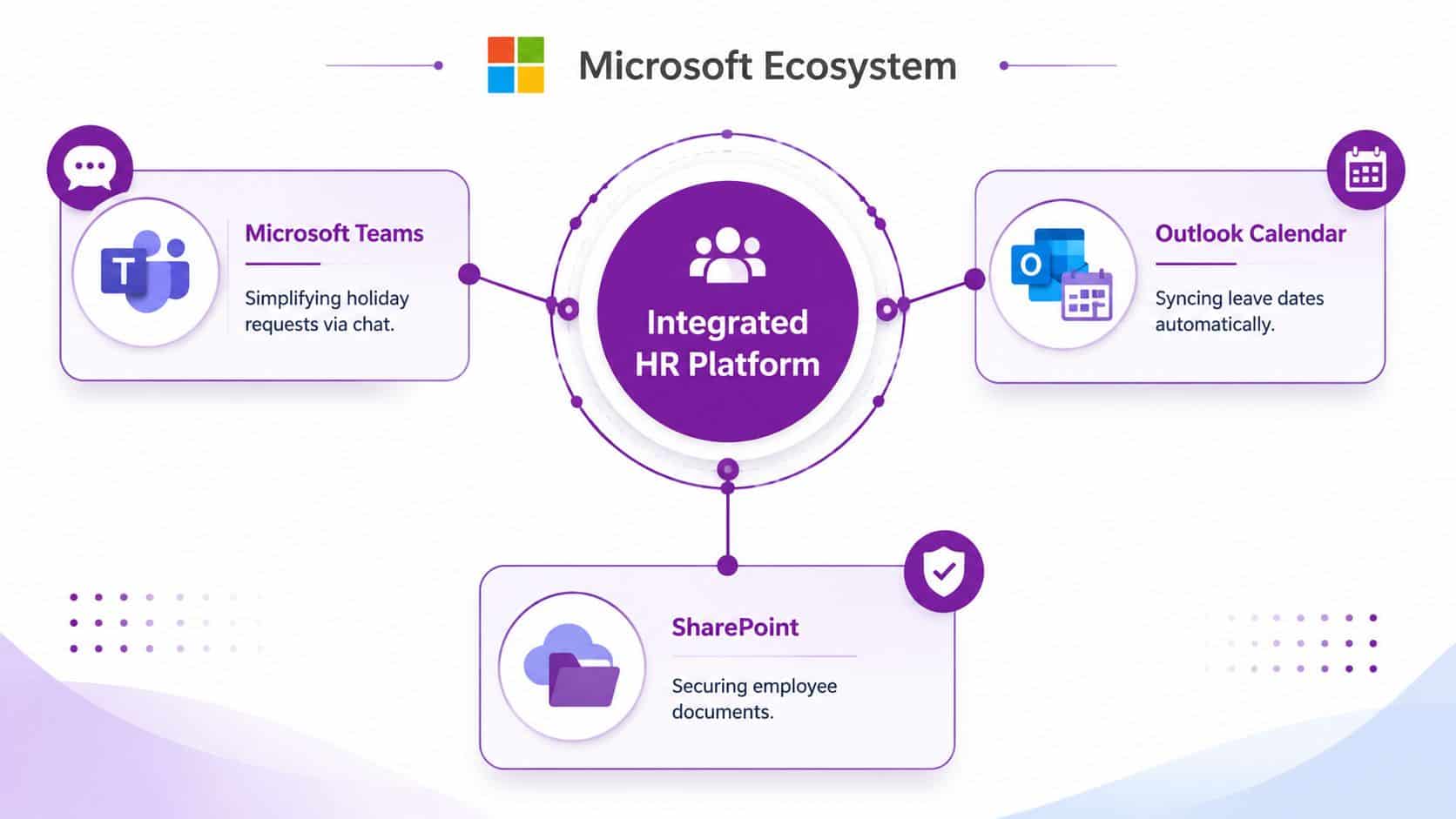
What integration looks like in practice
HR management systems can thus transition from being merely useful to fully operational.
A few examples:
- Teams integration: Managers can handle routine approvals without switching systems constantly.
- Outlook calendar sync: Approved leave can flow into calendars so availability is easier to manage.
- SharePoint document control: Employee documents can be stored with clearer structure and permissions.
- Microsoft Entra ID and Microsoft 365: User identity and access can be aligned more closely with joiner, mover, and leaver processes.
- Power BI reporting: HR, payroll, and operational data can be modelled in one reporting layer.
None of that is magic. It depends on the underlying data being structured properly and the integration points being designed sensibly.
Where Microsoft projects often go wrong
A common mistake is assuming integration means switching on a connector and walking away. It rarely does.
If job titles are inconsistent, departments aren't standardised, or line manager data isn't maintained properly, downstream automations will be unreliable. The workflow may technically run, but it won't produce trusted results.
That's why a Microsoft-based HR project needs architecture as well as software selection. Dynamics 365, Power Automate, Power Apps, SharePoint, and Power BI can work extremely well together. They also expose bad process design very quickly.
For organisations reviewing onboarding automation specifically, this example of employee onboarding automation in Microsoft environments shows the kind of process improvement that's possible when HR and IT workflows are connected properly.
One local option in the market
For East Midlands firms that want a Microsoft-centred route, F1Group works with Dynamics 365 HR, Microsoft 365, Azure, Power Platform, and related integrations, including support for projects where HR data needs to connect cleanly with wider business systems.
The key point isn't the product badge. It's whether your HR platform fits the Microsoft estate you already rely on every day.
Navigating Implementation and Change Management
Most HR system problems don't start after go-live. They start during design.
A business buys the platform, imports messy data, copies bad old processes into new workflows, gives everyone broad permissions, and then wonders why reporting is poor and adoption is weak. The software usually isn't the main issue. The operating model is.
Data first, configuration second
Before migrating anything, clean the employee data. Standardise department names, employment status values, manager relationships, location labels, and document categories.
Effective reporting relies on consistency. HR Acuity's guidance on HR data analytics makes the point clearly. Effective HR systems should be judged by operational metrics such as time to hire, cost per hire, training completion, ER caseload, and manager-related trends, but that only works if the system enforces controlled taxonomies, standard inputs, and consistent workflows.
Good dashboards don't fix bad source data. They only make the flaws more visible.
Configure the process you want people to follow
An HRMS should reflect business rules clearly. Who approves leave. How sickness is recorded. Which onboarding steps are mandatory. What documents must be collected. When alerts are triggered.
If those rules are left loose, users invent their own shortcuts. That quickly takes you back to the same inconsistency the project was supposed to remove.
Three areas need attention early:
-
Workflow ownership
Decide which team owns each process end to end. HR, finance, IT, and line managers often overlap here. -
Permission design
Access should be role-based and deliberate. Sensitive case data and general employee self-service should never be treated as the same thing. -
Reporting logic
Define categories and fields before dashboards are built. Otherwise, every report becomes a debate about what the labels mean.
Adoption is a management task
Training can't be a single handover session followed by a PDF guide. Managers need short, role-specific training. Employees need a simple self-service path. HR needs deeper process training and clear ownership of ongoing data quality.
If you're connecting the HRMS to wider business applications, this practical guide to integrating software systems is worth reading before final design decisions are locked in.
A simple rollout pattern works well. Start with core records, leave, and onboarding. Stabilise the data. Then add deeper automation and analytics once people trust the basics.
Partnering for HR Tech Success with F1Group
An HR system project looks straightforward when it's reduced to a product comparison. In reality, it's a business change project involving process design, security, data quality, reporting, integration, and user adoption.
That complexity is exactly why many SMBs struggle. They don't just need software. They need someone to bridge HR requirements, Microsoft architecture, and day-to-day operational reality.
For East Midlands organisations, a local IT partner can make a genuine difference. It helps when the team advising on Dynamics 365, Microsoft 365, Azure, Power Platform, identity, and cyber security also understands the pressures facing UK SMBs, charities, and growing multi-site firms. The technical decisions around permissions, workflows, integrations, and reporting are easier to get right when they're grounded in how the organisation operates.
A strong delivery partner should help you answer practical questions early. What becomes the system of record. Which process needs automation first. How employee data should flow into Microsoft 365. Where approvals should live. How reporting will work in Power BI. Which parts of the old process need to be retired instead of copied across.
That's the difference between implementing software and improving the business.
If you're reviewing hr management systems and want a Microsoft-focused approach that fits your existing estate, F1Group can help you assess options, plan the data model, design integrations, and support a rollout that staff will use.
If you're ready to improve HR operations, strengthen data control, and connect your HR system properly with Microsoft 365 and Dynamics, contact F1Group. Phone 0845 855 0000 today or send us a message.