
For most UK small and mid-sized businesses, an effective IT security policy template is usually 10 to 20 pages long and should align with the Data Protection Act 2018 and UK GDPR. If you need something practical rather than legal waffle, a free, customisable IT security policy template for UK SMBs belongs directly in the article, and that's exactly what you'll find below.
If you're running a business in Lincoln, Nottingham, Leicester, Newark, Grimsby or Scunthorpe, there's a fair chance your current “policy” lives in a few disconnected places. A password note in onboarding, a remote working email from two years ago, Microsoft 365 defaults nobody has reviewed, and an assumption that antivirus covers the rest.
That setup works until it doesn't. A member of staff clicks a bad link, someone leaves and still has access to shared files, or a customer asks for evidence that you do control who can see personal data. At that point, you don't need another generic checklist. You need a document staff can follow and systems can enforce.
Why Your Business Needs More Than Just Antivirus
Antivirus still matters. It just isn't a security strategy.
Most of the problems I see in smaller organisations across the East Midlands aren't caused by a complete lack of tools. They're caused by a lack of agreed rules. Staff don't know what they're allowed to store in OneDrive, managers approve access informally, personal devices creep in, and nobody is sure who owns incident reporting if something goes wrong on a Friday afternoon.
A policy turns security into a business process
A good IT security policy template gives your business a working rulebook. It tells people what they can do, what they can't do, who approves access, how incidents get reported, and how company data should be handled on laptops, phones, Teams, SharePoint and email.
Without that, security stays reactive. You end up making judgement calls under pressure, and those decisions are rarely consistent.
Practical rule: If a security document can't help a manager make a same-day decision, it isn't written well enough.
That matters for compliance too. In the UK, information security policy templates are most useful when they're aligned to the regulatory baseline set by the Data Protection Act 2018 and UK GDPR, and practitioner guidance commonly recommends a policy length of 10 to 20 pages for small and medium-sized UK businesses because that is usually enough to cover governance, acceptable use, data protection and breach response without becoming unusable for staff, as noted in this guidance on a UK IT security policy template.
What works and what doesn't
A policy works when it is:
- Written in plain English so non-technical staff can follow it
- Specific about roles so responsibility isn't blurred
- Tied to your real systems such as Microsoft 365, Azure, laptops and mobile devices
- Short enough to use rather than filed away and forgotten
A policy fails when it is:
- Copied from the internet without changing the wording
- Too legalistic for staff to understand
- Silent on remote working and personal devices
- Disconnected from actual controls in Microsoft 365 and Azure
Due diligence is part of the job now
Clients, insurers, regulators and larger supply-chain partners increasingly expect documented security controls. They want to see that your business doesn't just buy software. They want evidence that you assign responsibility, define acceptable behaviour, and deal with incidents in a controlled way.
That is why an IT security policy template isn't admin for admin's sake. It's the document that translates your obligations into day-to-day rules your business can follow.
Your Free IT Security Policy Template
Most templates fail because they're too vague. They say things like “employees must keep data secure” but never explain what that means in practice on a company laptop, in Outlook, or inside a Teams channel.
A useful IT security policy template for a UK business needs to cover the basics clearly and leave room for your own decisions. Think of it as a framework you can lift into Word, customise, approve and then connect to the systems you already use.
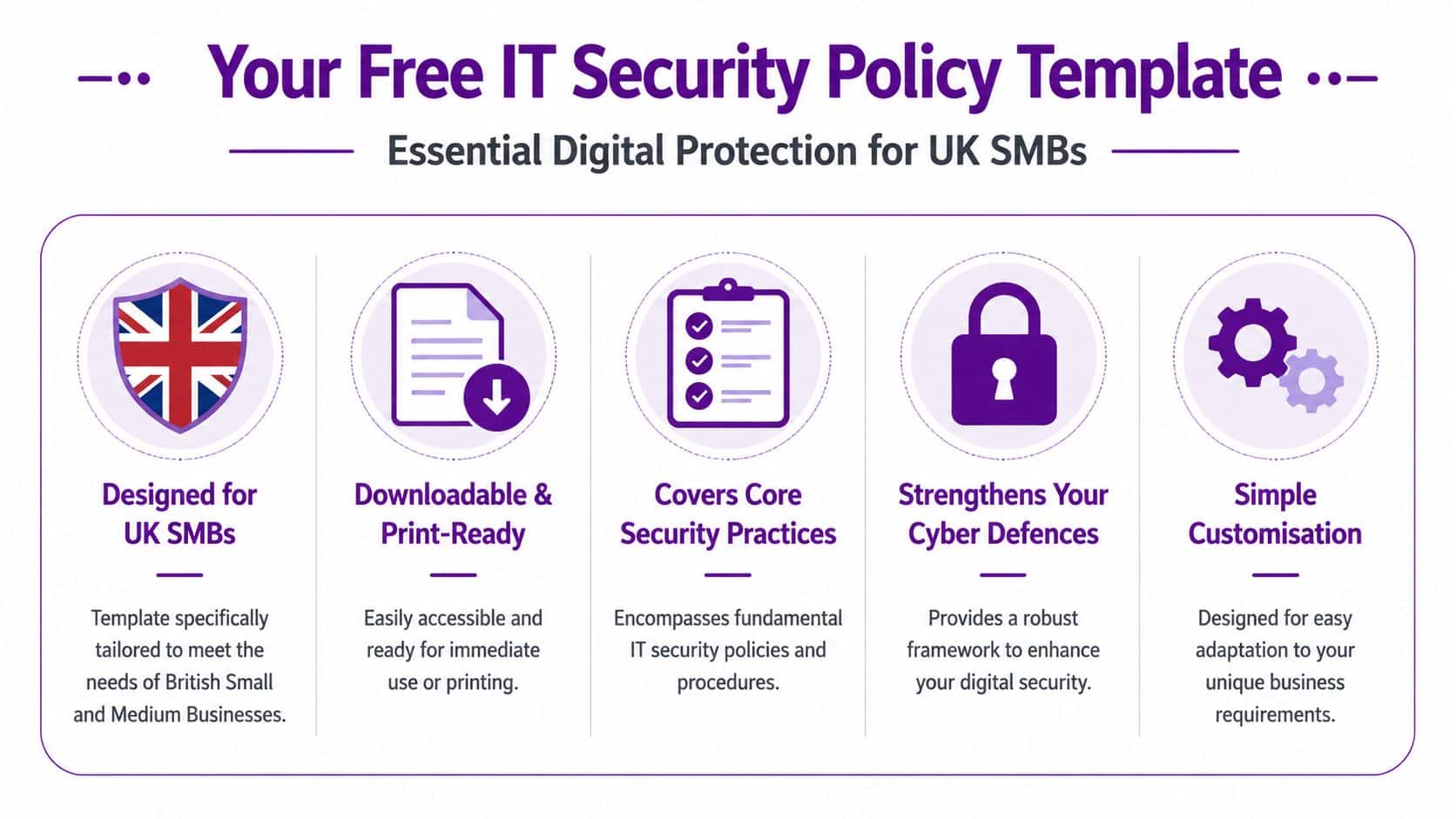
The sections your template should include
A practical template for a small or mid-sized organisation should include these core sections.
-
Purpose and scope
State who the policy applies to. Employees, temporary staff, contractors and third parties should not be left implied. -
Acceptable use
This sets rules for email, internet use, software installs, file sharing, removable media and personal use of business systems. It also protects the business when staff use company technology in ways that create legal or security risk. -
Data classification and handling
Your policy should define categories such as public, confidential and restricted, then explain how each type of data can be stored, shared and retained. -
Access control
Here, you state who approves access, how least privilege is applied, when accounts are reviewed, and what happens when someone changes role or leaves. -
Incident response
Staff need a clear route for reporting suspicious emails, lost devices, unauthorised access and ransomware-related activity. Ambiguity here causes delay. -
Remote and hybrid working rules
If your team works from home, on the road or from client sites, your policy should cover device security, approved access methods, printing, Wi-Fi use and reporting obligations.
A usable template feels operational
The best template doesn't try to sound impressive. It sounds clear.
If your receptionist, operations manager and outsourced IT provider would all interpret a clause differently, rewrite the clause.
That usually means replacing broad statements with simple policy language such as:
- Accounts must be individual and not shared
- Company data must be stored in approved locations
- Suspicious messages must be reported immediately
- Access must be removed when employment ends
- Only approved applications may be used for business data
What to do with the template next
Don't treat the template as a finished document the moment you download or copy it. It is a starting point. You still need to:
- Remove generic wording
- Insert named roles and systems
- Define your approval routes
- Match the rules to Microsoft 365 and Azure controls
- Get management sign-off
That last part matters. Staff can't be expected to follow a policy nobody has formally approved.
Customising the Template for Your Business
The fastest way to ruin a security policy is to customise only the company name. A proper IT security policy template should reflect how your business works, what data you hold, and where the risk sits.
A practical UK-focused policy should be built from a formal risk assessment that inventories assets, classifies their business criticality, and maps threats to controls before drafting access, incident response and training rules. That sequence is the standard step-by-step method recommended in this guidance on how to write a security policy.
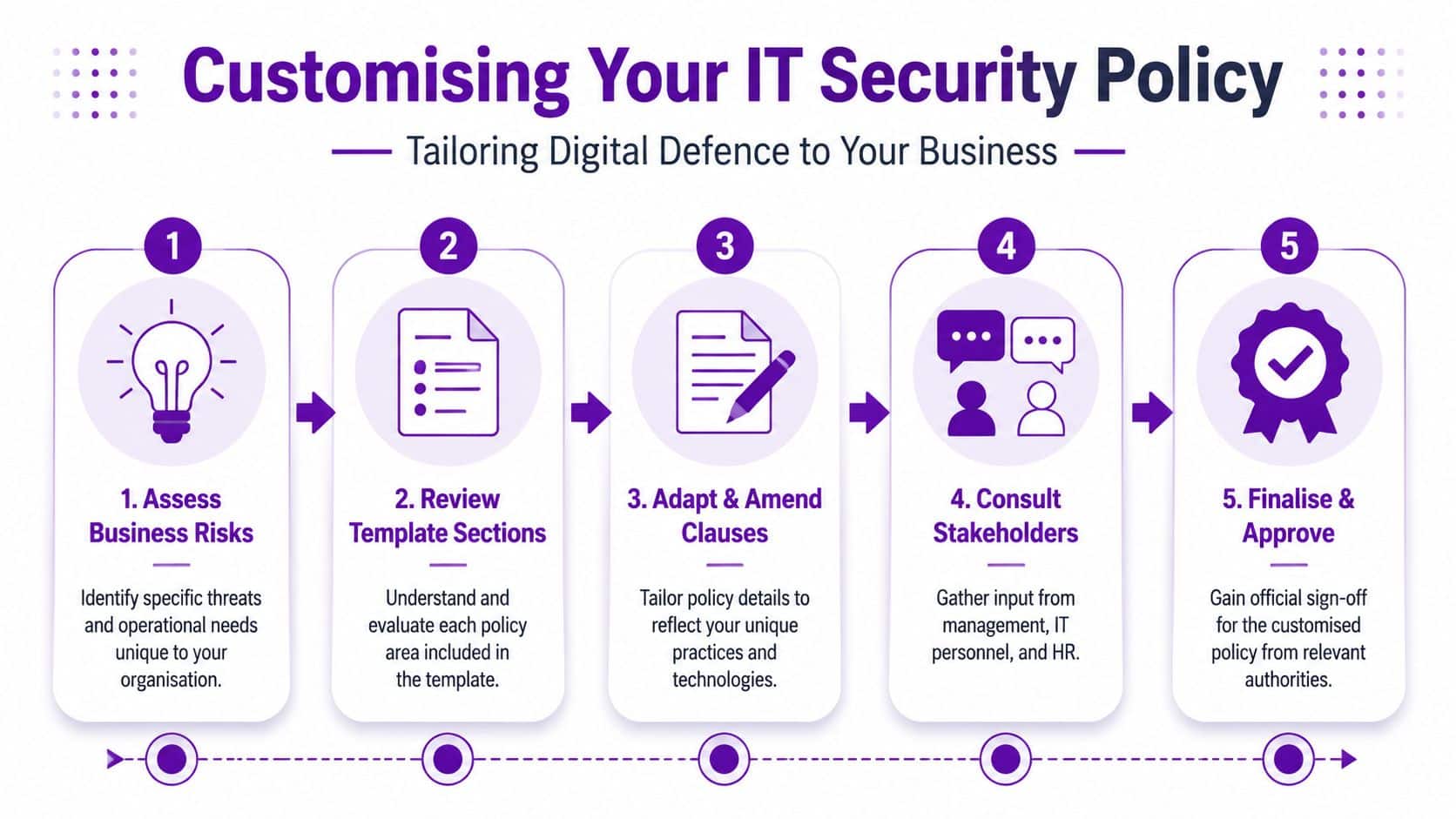
Start with assets, not wording
Before you edit a single clause, list what matters to the business. For most SMBs, that usually includes:
- Email and calendars in Microsoft 365
- Files and records in SharePoint, OneDrive and file shares
- Line-of-business systems such as finance, CRM or operations platforms
- User identities in Microsoft Entra ID
- Laptops and mobiles used on-site and remotely
Then decide what would hurt if access was lost, data was leaked, or records were altered. A transport firm in Lincolnshire may care most about customer schedules and delivery data. A professional services firm in Nottingham may care most about client files, mailbox access and contract information.
Turn real risks into policy decisions
Once you've listed the assets, write policy clauses that answer practical questions:
-
Remote access
Can staff use personal devices, or only managed devices? Are they allowed to save files locally? -
Data sharing
Can confidential documents be emailed externally? If yes, under what approval process? -
Access changes
Who tells IT when a starter joins, someone changes role, or an employee leaves? -
Incident reporting
Which mailbox, phone number or helpdesk route should staff use if they suspect compromise?
The policy should solve the arguments your team keeps having. That's how you know it reflects reality.
Define ownership clearly
One of the biggest weaknesses in small business policies is vague responsibility. “Management” is not a responsible person. “IT” is not always enough either.
Use named roles. Keep them simple.
| Role | Primary Security Responsibility |
|---|---|
| Managing Director | Approves the policy and owns overall accountability |
| Operations Manager | Ensures staff follow process in daily operations |
| IT Manager or IT Provider | Implements technical controls, access changes and monitoring |
| HR or People Lead | Triggers joiner, mover and leaver actions |
| Department Managers | Approve access based on job need |
| All Staff | Follow the policy and report incidents promptly |
If you want more examples of how policy wording is typically structured, these information technology policy examples are useful for comparing formats and deciding how formal your internal documents need to be.
Customisation mistakes to avoid
Some edits make a policy look finished without making it better.
-
Leaving generic references in place
If the template mentions systems you don't use, remove them. -
Writing exceptions into every clause
A policy full of caveats becomes impossible to enforce. -
Ignoring third parties
If contractors or outsourced support can access your systems, they need to be in scope. -
Forgetting approval workflows
A rule without an owner usually won't be followed.
The finished document should read like it belongs to your business, not a template library.
Mapping Your Policy to Microsoft 365 and Azure
Most businesses stop too early. They write the policy, get a signature, save the PDF, and assume the job is done.
It isn't. Your policy only becomes useful when each rule maps to a control in Microsoft 365 or Azure. If the document says access must be limited, that should show up in Entra ID roles and group membership. If it says sensitive files must be protected, that should connect to Purview labels, DLP rules and sharing restrictions.
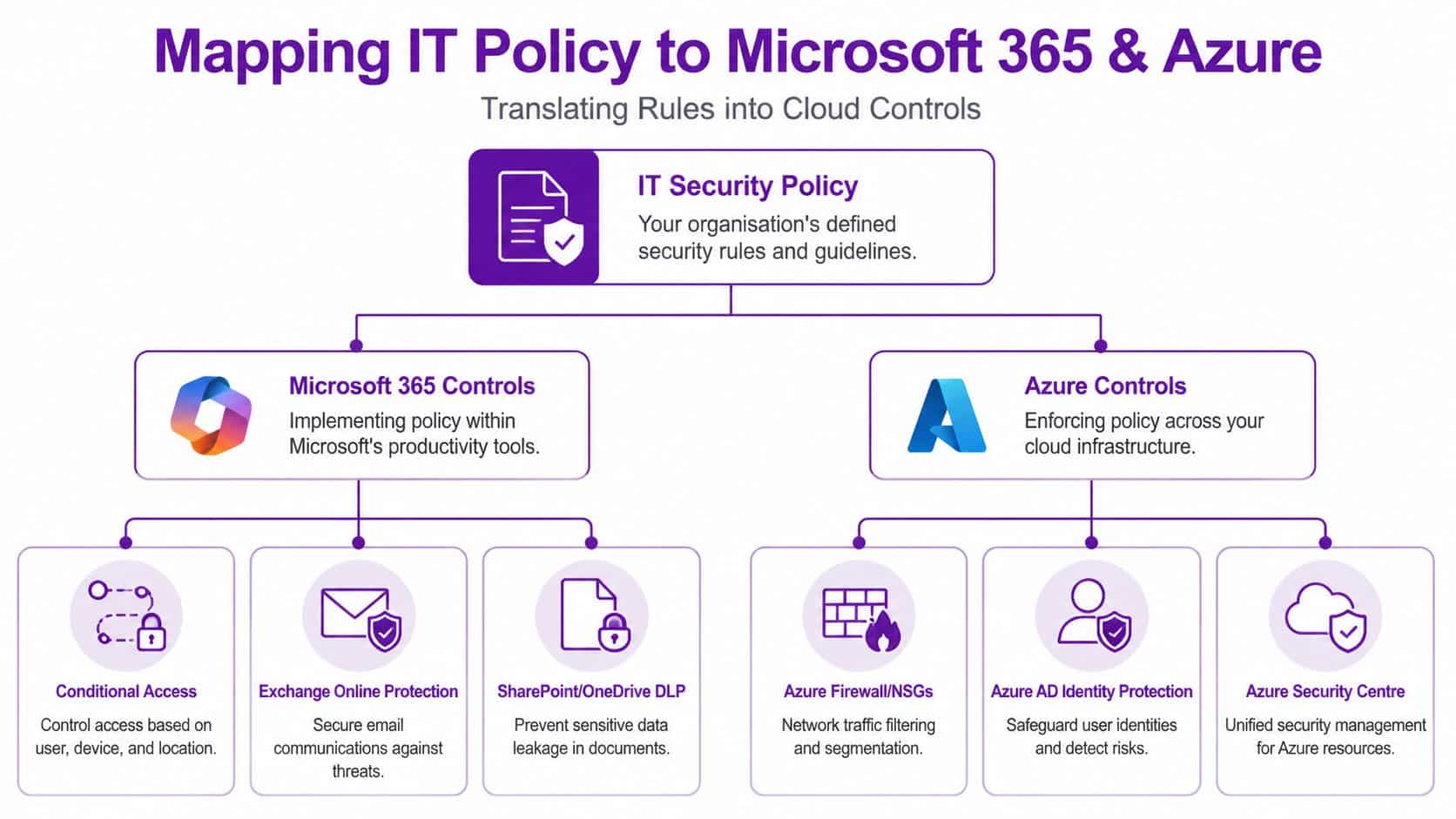
Access control means Entra ID, MFA and joiner mover leaver discipline
The most actionable technical controls to hard-code into the template are MFA on critical systems, role-based access with explicit joiner-mover-leaver steps, and logging and auditing of access. Templates for managed-service environments also recommend response actions within the first 4 hours and stakeholder communication within 24 hours, as described in this practical guide to an IT security policy template for managed environments.
In Microsoft terms, that usually means:
-
Microsoft Entra ID for identity control
Use role-based access and avoid broad admin permissions. Separate day-to-day user accounts from privileged admin roles where appropriate. -
Multifactor authentication for critical systems
If your policy says critical systems require stronger access control, enforce that in Microsoft 365 admin access, remote access points, finance applications and privileged accounts. -
Joiner mover leaver process
The policy should state who approves access and how fast changes happen. The technical control is group membership, licence assignment, mailbox permissions and prompt account disablement when employment ends.
A lot of organisations already pay for features they barely use. Reviewing your estate against practical benchmarks can help. Independent resources such as Microsoft 365 security assessments are useful as a sense check when you're comparing policy wording to actual tenant configuration.
Data handling should map to Purview and SharePoint controls
If your template includes data classification, don't leave it as abstract labels. Build rules around the Microsoft services your team uses every day.
For example:
- Confidential information might be allowed inside Teams and SharePoint but blocked from unrestricted external sharing.
- Restricted information might require tighter access groups, stronger review, and extra controls around download or forwarding.
- Public information can be shared more freely, but still needs ownership.
Microsoft Purview features offer significant utility. Sensitivity labels, retention settings and DLP policies can all support the policy choices you write down. The important part is consistency. If the policy says a document is restricted, staff should see that reflected in the labels and sharing options available to them.
For businesses standardising Microsoft controls, these Microsoft 365 security best practices are relevant when you want policy and tenant configuration to line up properly.
Device policy should map to Intune and Defender
A remote working clause has no value if unmanaged laptops can still connect without restriction. For Microsoft-centric SMBs, the normal enforcement path is:
-
Intune for device compliance
Managed devices, security baselines, configuration profiles and update control -
Microsoft Defender
Threat protection, endpoint visibility and alerting -
Conditional Access
Restrict access based on sign-in conditions, user role or device state
A security policy should remove discretion from the risky parts. Staff shouldn't decide for themselves whether a non-compliant laptop is acceptable for handling company data.
That principle matters especially in hybrid businesses where people move between home, office and client sites.
A short walkthrough can help make the Microsoft mapping clearer:
Incident response should show up in logs, alerts and escalation
If your policy says suspicious activity must be reported quickly, your systems should support that. Logging, alerting and audit trails need to exist in the platforms where the risk resides.
That means checking whether you can answer basic questions after an incident:
- Who signed in?
- From where?
- What changed?
- Which files were accessed?
- Which account sent the message or created the sharing link?
This is also the one place where a managed provider can materially help. F1Group supports Microsoft-focused security operations across the East Midlands, including policy-led configuration work in Microsoft 365 and Azure. The value isn't the document alone. It's the alignment between the document and the controls your users experience every day.
From Policy to Practice Implementation and Enforcement
A signed policy that nobody reads is just decoration.
The businesses that get value from an IT security policy template do three things well. They communicate it properly, train people in short practical sessions, and enforce it consistently when someone ignores the rules.
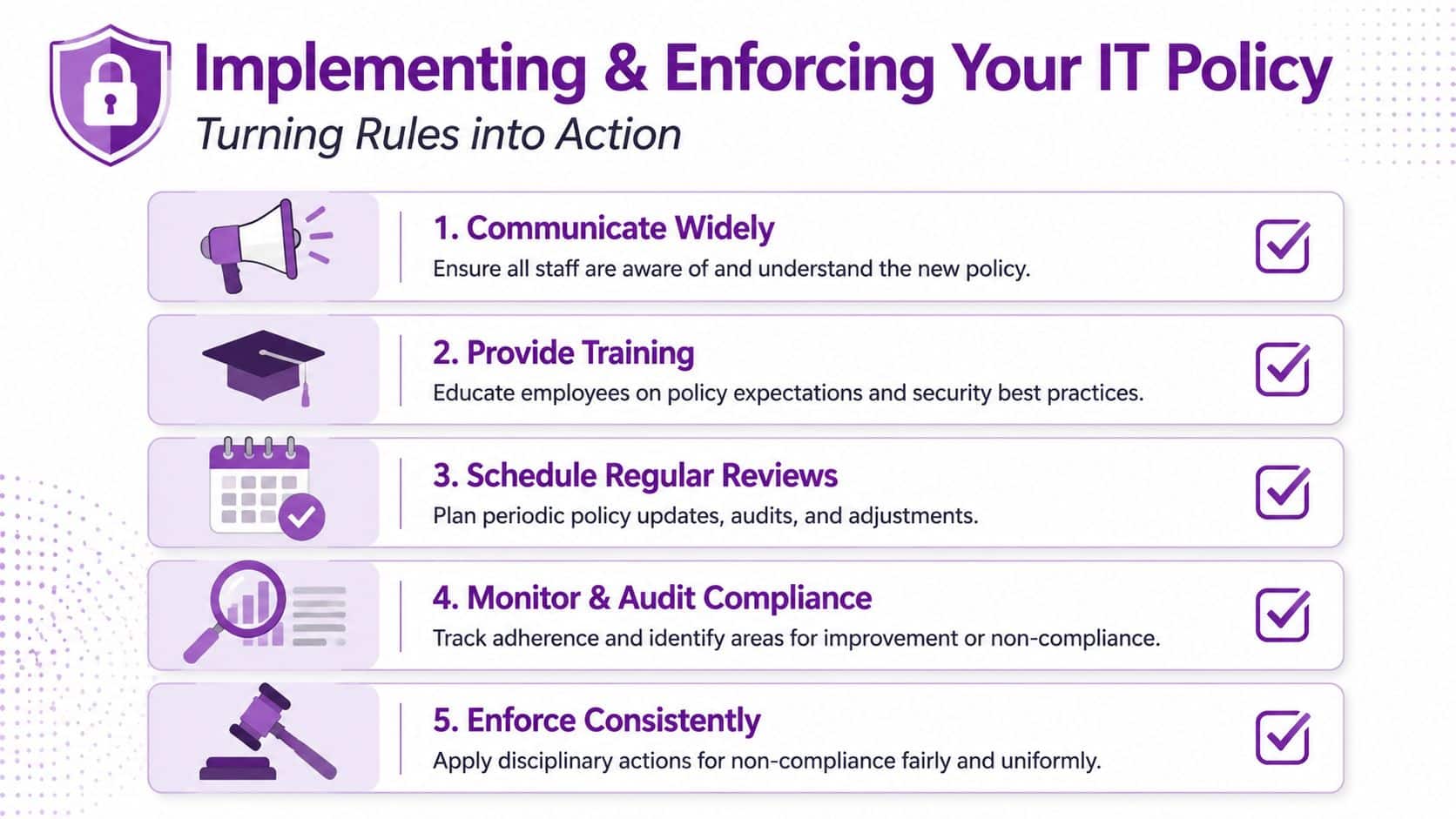
Roll it out like an operational change
Don't send the policy as an attachment with “please read”. Staff will skim it at best.
Instead:
-
Announce why it matters
Explain what has changed, who it applies to, and where the biggest day-to-day differences are. -
Use short training sessions
Show staff what the rules mean in Outlook, Teams, SharePoint and on mobile devices. -
Ask for acknowledgement
Keep a clear record that employees have read and accepted the policy. -
Build it into onboarding
New starters should receive it as part of induction, not months later.
Train for behaviour, not for paperwork
Good awareness training focuses on decisions staff make. Can they forward a file to a personal email address? What should they do with a suspicious Teams message? Who do they call if a work phone is lost on a train?
For organisations that want to support the policy with staff education, security awareness and training is where the written rules become habits rather than one-off reminders.
The policy sets the rule. Training shows people how to follow it when they are busy, distracted or under pressure.
Enforce fairly and technically where possible
If a rule matters, don't rely only on goodwill. Back it up with system enforcement.
- Use Microsoft controls to require MFA, restrict access, and block risky sharing
- Review logs and alerts so you can spot repeated non-compliance
- Escalate consistently when staff ignore the policy
- Document exceptions rather than allowing informal workarounds
That last point matters. Small businesses often create hidden exceptions for senior staff, urgent projects or long-serving employees. Those exceptions become the weak spots attackers exploit and auditors question.
A policy becomes credible when managers follow it too.
Keeping Your Policy Relevant and Effective
An IT security policy template is never a one-off task. Businesses change, systems change, and the risks move with them.
Review the policy whenever there is a meaningful operational shift. That might be a new Microsoft 365 rollout, a move to Azure-hosted systems, a change in how remote access works, a merger, or a security incident that exposed a weak point in the current wording. Even without a major event, an annual review is a sensible discipline for most organisations.
The part many SMBs are now missing is AI. Staff are already experimenting with tools that summarise documents, generate emails, analyse spreadsheets and automate tasks. That creates new questions your old template probably doesn't answer. Can company data be pasted into AI tools? Which services are approved? What happens to prompts, outputs and copied material?
That gap matters because 68% of UK businesses plan to adopt AI by 2026, according to the UK Department for Science, Innovation and Technology, yet existing templates rarely address the data governance, intellectual property and shadow AI risks introduced by tools such as Microsoft Copilot, leaving SMEs exposed to policy gaps around AI use.
A relevant policy should now include clauses for approved AI tools, data boundaries, review of automated workflows, and clear guidance on what staff must never submit into external systems. If your business uses Microsoft 365 and is considering Copilot, this isn't a future problem. It's a current governance issue.
A security policy only earns its keep when it stays close to the way your business really operates. Review it. Test it. Change it when the business changes.
If you want help turning a generic template into a working policy mapped to Microsoft 365 and Azure, speak to F1Group. We work with organisations across the East Midlands on practical security, not paperwork for its own sake. Phone 0845 855 0000 today or send us a message to discuss your IT security policy, Microsoft 365 controls, or wider cyber security requirements.