
Your inbox is already doing the job of a bad filing cabinet. Contracts sit in SharePoint, old payslips live in random folders, Teams chats hold decisions no one can find, and finance keeps “just in case” copies of everything because nobody wants to be the person who deleted the wrong record. In an East Midlands SMB, that mess usually stays invisible until a Subject Access Request, an audit, or a disgruntled ex-employee turns up the problem in one go.
A proper data retention policy stops that drift. Under UK GDPR, you're meant to keep personal data only as long as it's needed for the purpose it was collected for, and then dispose of it in a controlled way, not leave it hanging around indefinitely. That's not theory, it's the practical boundary you need before you set anything up in Microsoft 365.
Get this right and you'll know what to keep, where to keep it, how long to keep it, and when to delete or archive it. Get it wrong and you pay twice, once in storage and admin, then again when you have to unpick a retention mess after the fact.
The Email Folder That Will Not Die
Every growing SMB has one folder, or five, that nobody wants to touch. It usually starts with finance mailboxes, old HR threads, and a SharePoint site called something like “Archive Final 2”, then Teams arrives and the problem spreads into chat history, channel files, and meeting notes that no one has formally owned.
That's where data retention policies stop being paperwork and start being a control. Under the UK GDPR storage limitation principle, personal data must be kept in a form that permits identification only for as long as it's needed for the purpose it was processed for, unless a longer period is justified for archiving, research, or statistics Ecosire's summary of UK retention policy basics. In plain English, if you can't explain why a record still exists, you've got a problem.
A useful benchmark for many UK organisations is the familiar six-year record keeping rule for business records, which Adrian's Yard Self Storage summarises in its overview of business record retention six-year record keeping rule. That isn't a blanket answer for everything, but it's a solid reminder that retention is category-specific, not a vague promise to “keep things for a while”.
Practical rule: if a record has no named owner, no written purpose, and no expiry date, it will live forever.
A policy gives you the route out. It tells you what to keep, what to delete, what to archive, and who signs off each category. Without it, Microsoft 365 becomes a very tidy place to store a compliance headache.
What a Data Retention Policy Actually Means
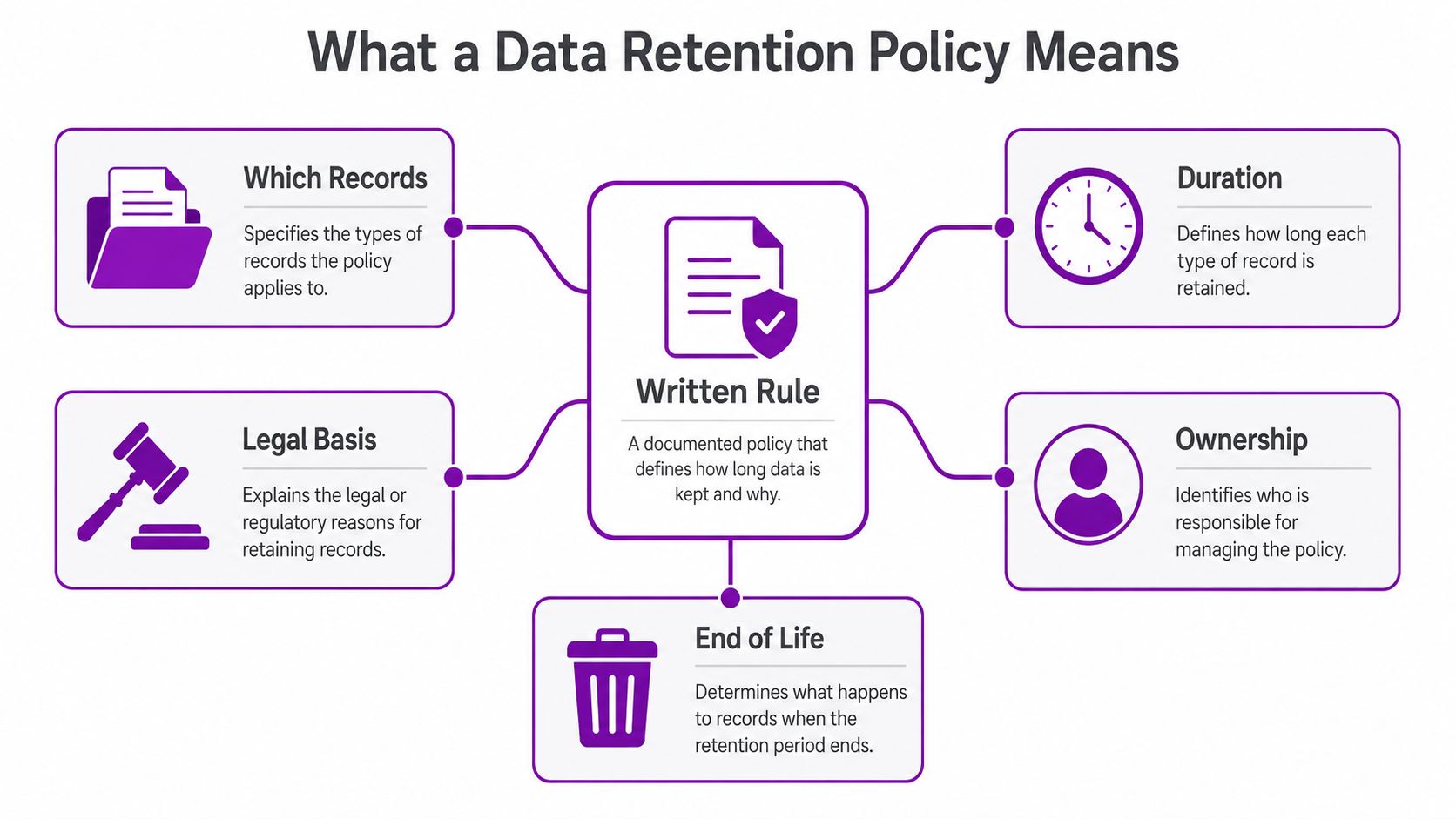
A data retention policy is a written rulebook for records. It says which records you keep, how long you keep them, what legal basis supports that period, who owns the decision, and what happens at end of life. That's governance, not tidy filing.
Retention is not backup or archive
SMBs often mix these up, and that's where the trouble starts. Backup exists for resilience, so you can restore data after failure, ransomware, or user error. Archive is long-term storage for material you still want available, often because it has historic or operational value. Deletion is the actual disposal event, the point at which the record stops being retained.
Retention sits above all three. It tells you when a record moves from active use to archive, or from archive to deletion, and it does so with a purpose attached. It functions like a library loan system, not a warehouse. The book is not yours forever, you borrow it for a defined period, then you return it or it goes off the shelf.
The policy needs a horizon that matches the purpose, not open-ended wording such as “as long as necessary”. The ICO-aligned position is clear, specific retention periods are expected, and they should be tied to your business needs and legal obligations Legiscope's summary of ICO retention guidance. That's why a spreadsheet with “review later” in one column is not a retention policy.
If you want a short sanity check, read the practical overview on the six-year record keeping rule and then map each record type back to its purpose. Once you do that, the policy becomes a working control instead of a document for the drawer.
The Legal and Business Drivers Behind Retention
Retention periods are not invented by finance, IT, or whoever last edited the policy. They come from overlapping obligations, and the schedule has to reflect all of them without forcing everything into one crude timeline.
Four pressure layers shape the schedule
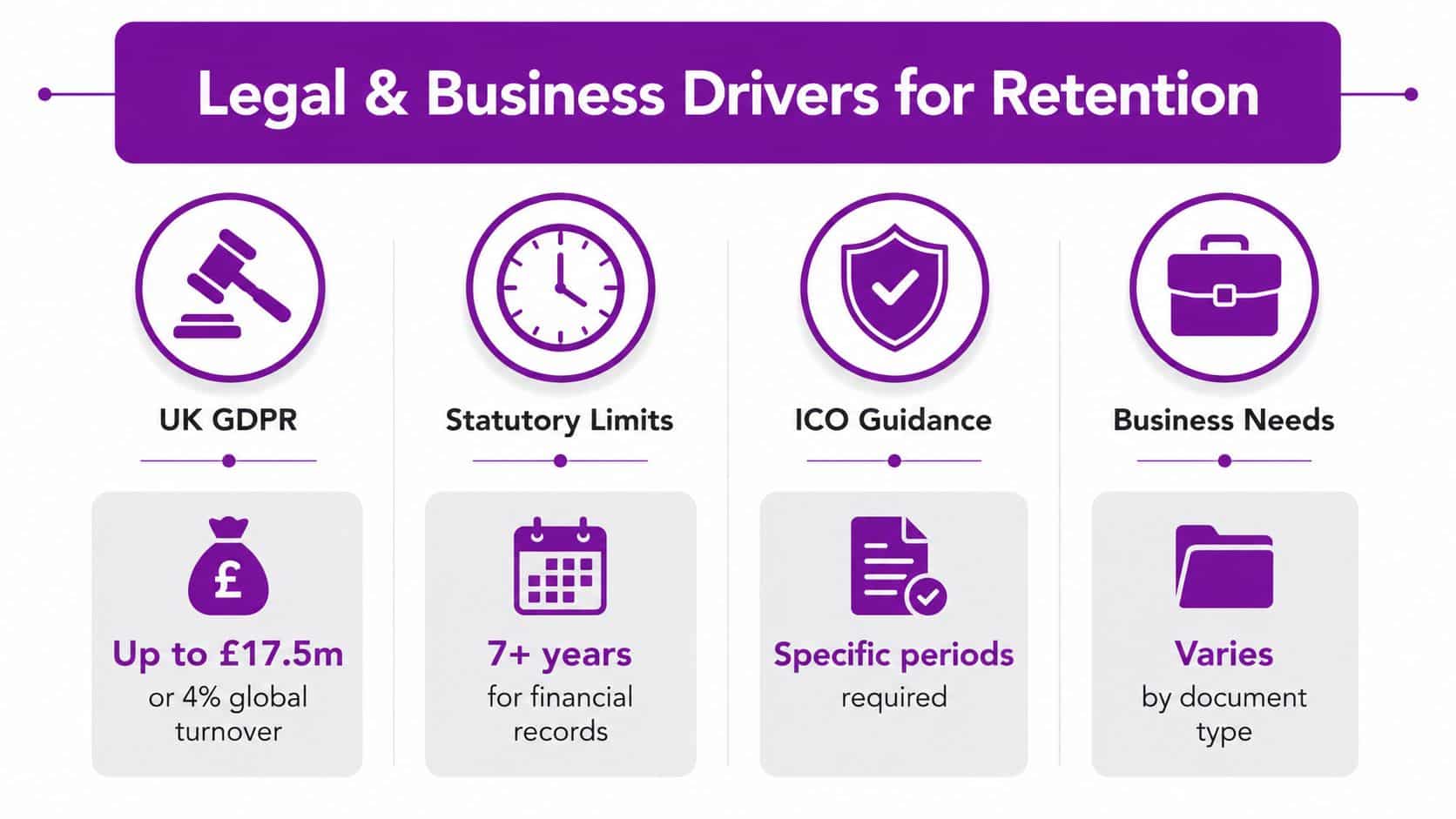
First, UK GDPR and ICO guidance require retention periods to be specific and purpose-led, not vague or indefinite Legiscope's summary of ICO retention guidance. That principle alone rules out lazy language and pushes you towards a proper schedule.
Second, financial and tax records often sit on a six-year plus current financial year footing in UK practice, because HMRC-style recordkeeping drives that horizon for many businesses Ecosire's retention policy overview. That's why finance data tends to outlive marketing leads, and why one company-wide deletion date is a bad idea.
Third, employment records usually need to remain available after employment ends, commonly for 6 years after employment ends in many UK workplace contexts because claims can arise later Ecosire's retention policy overview. HR data is not just people admin, it's evidence.
Fourth, some categories carry very long horizons. UK health and safety records relating to hazardous substance exposure are commonly retained for 40 years, while many audit-log and governance records are often held for only 1 to 3 years under risk-based practice Hightable's overview of UK data retention policy ranges. Those two ends of the spectrum prove the same point, record type drives retention.
Bottom line: one retention period for all personal data is not compliant, and it's not operationally sensible either.
The policy should also document the legal basis for every rule. ISO-aligned guidance says retention must be anchored in legal, regulatory, contractual, or business requirements, with ownership, review, disposal, and legal-hold exceptions clearly defined K2GRC's ISO 27001 retention guidance. If you can't explain the basis, you can't defend the rule.
Building the Governance Around the Schedule
A retention schedule without ownership is just a wish list. In Microsoft 365 terms, somebody has to own the policy, somebody has to own each record class, and somebody has to prove disposal happened when it should.
Put one person in charge
Choose a named lead, not a committee. In most SMBs that's the DPO, the IT manager, or the person handling information governance, and that same person should control the review calendar, escalation path, and exceptions. If everyone owns it, nobody owns it.
The schedule also needs a review cadence. Annual review is the minimum I'd accept, and if your regulation, insurance position, or business model changes, review it sooner. One of the easiest wins is to tie review to the same governance rhythm you already use for security and access reviews.
Make disposal evidence part of the policy
Deletion is not complete until you can show it happened. Keep logs, deletion reports, or certificates of destruction where the medium warrants it, because the proof matters almost as much as the removal. That's especially important when a customer asks for confirmation or an auditor wants to see whether you follow your schedule.
Keep the disposal trail as seriously as the retention rule itself.
Legal hold also needs to live in the same document. If a dispute, regulator inquiry, or investigation begins, deletion pauses. I've seen SMBs lose hours because the hold process was buried in a separate document nobody read.
If you want the governance angle laid out in a broader framework, F1Group's overview of IT governance framework is a useful companion piece. For a tighter records-management angle, the same business case sits neatly alongside information governance.
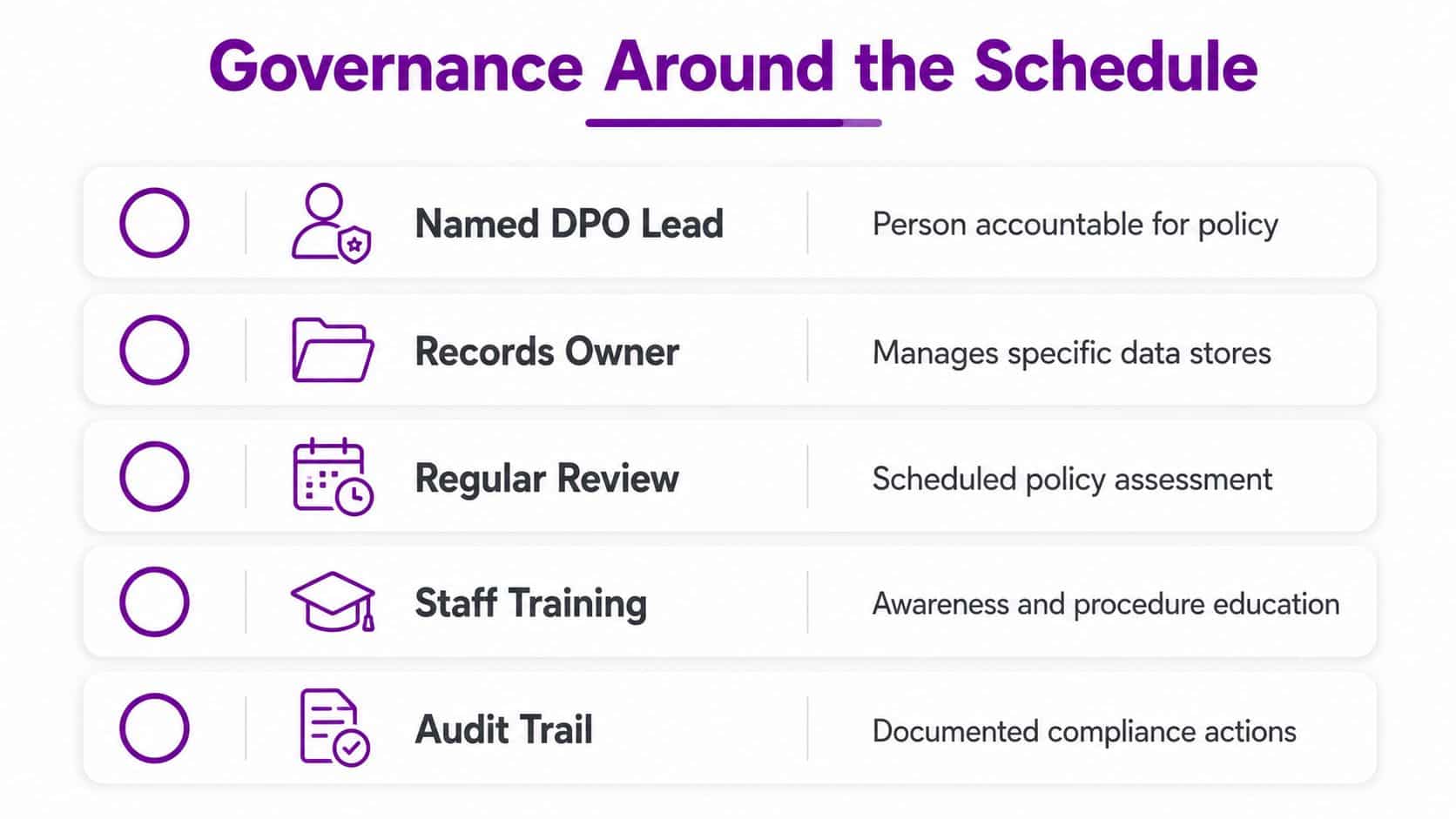
The policy should be boringly clear. Define the owner, define the review cycle, define the hold process, and define how disposal evidence is stored. That's what makes the schedule enforceable.
Labels, Policies and Records Management in Microsoft 365
Most SMBs don't need a perfect enterprise archiving architecture. They need the right mix of Microsoft Purview controls, applied consistently across Exchange, SharePoint, OneDrive, and Teams.
Use the right control for the right job
Retention Policies are broad, location-based rules. Use them when the rule applies to an entire mailbox, site, or OneDrive account, such as “delete after 7 years” for a finance location.
Retention Labels are item-level controls. Use them for documents or messages that need a more specific rule, such as signed contracts, payslips, or board papers. Labels can be applied by users or automatically, depending on the setup.
Records Management is stricter. When you declare an item a record, you're saying it's locked, controlled, and subject to a formal disposal process rather than casual editing. That matters for contracts and regulated records.
In the Microsoft Purview compliance portal, that means you usually create the policy first, then the labels, then the auto-application rules. For a lot of SMBs, the trap is trying to solve everything with one organisation-wide retention policy. That's too blunt.
A simple working model
Use a broad policy for low-risk standard data, such as general operational mail. Use labels for records that need a different clock, especially HR and contracts. Use records management for items that should not be casually edited after approval.
That mix maps well to UK SMB reality, because the same organisation is rarely dealing with just one retention period. A finance mailbox, a customer contract, and a Teams chat thread do not belong in the same rule set.
The practical example I use most often is simple. Apply a 6-year label to finance mailboxes and finance-related documents, then declare signed contracts as records with a separate label that locks them down for the relevant retention window. That keeps finance predictable and legal defensible without making users think about every single file.
For a clean document-management implementation path, F1Group's how to use SharePoint for document management sits in the right place in the stack. It's the layer where classification starts turning into repeatable behaviour.
A quick layout of the logic:
- Retention Policy: for whole locations with a shared rule.
- Retention Label: for specific documents or messages.
- Records Management: for items that must be controlled as records.
If you're configuring this for the first time, start with the simplest category that still protects the business. Don't over-engineer labels for everything on day one, but don't rely on one blanket policy either.
A Sample Retention Schedule You Can Adapt Today
A schedule only works when it names records in plain English. I'd rather see a short, usable schedule with a few well-justified categories than a bloated policy no one follows.
| Record Category | Typical Retention | Legal Basis | Disposal Method | Suggested M365 Label |
|---|---|---|---|---|
| Financial and tax records | 6 years plus current financial year | Tax and accounting obligations | Delete or archive after expiry | Finance 6Y |
| Employee records | 6 years after employment ends | Employment and claims limitation periods | Delete securely after review | HR 6Y |
| Customer and contract data | Contract term plus review period | Contractual need and dispute handling | Archive then delete | Contract Record |
| Marketing and enquiry data | Short, purpose-led period | Consent, legitimate interest, or enquiry handling | Delete when no longer needed | Marketing Short |
| IT logs and audit trails | 1 to 3 years | Security, incident response, governance | Delete on schedule | IT Logs 2Y |
| Teams and collaboration content | Purpose-led period tied to content type | Operational recordkeeping and governance | Delete or declare as record | Teams Standard |
Use the table as a starting point, not a gospel. The point is to separate categories by purpose, not force every message into the same rule.
For Microsoft 365, build labels that mirror those categories. Finance gets its own rule, HR gets its own rule, and Teams content gets a shorter default unless the content becomes a formal record. Then publish the labels in Purview and apply auto-labelling where the content pattern is reliable, such as contract phrases or finance locations.
I'd keep the schedule in the governance document and the implementation logic in Purview. That way your legal basis, owners, and review cadence stay readable even when the technical rules change later.
If you use Microsoft 365 heavily, turn on the labels across Exchange, SharePoint, OneDrive, and Teams rather than treating Teams as an afterthought. That's where day-to-day collaboration lives now, and that's where retention failures usually hide.
Where Retention Goes Wrong in Practice
The biggest mistake is assuming deletion in one place means deletion everywhere. It doesn't. A file can disappear from a SharePoint library and still exist in backup, retention, or another collaboration copy, which is why the schedule and the infrastructure need to match.
Backup is the usual sabotage point
A backup policy set by an MSP or hosting provider often runs on its own timeline. If that timeline outlives your retention schedule, deleted data can reappear after restore, which defeats the point of disposal. The fix is straightforward, backup retention has to align with retention intent, not ignore it.
The second failure point is legal hold. If someone flags a dispute or investigation and the hold never gets released, the policy stops deleting and storage fills with old material. If nobody knows the hold exists, the opposite happens, deletion runs when it shouldn't.
AI and eDiscovery change the risk
Microsoft Copilot and eDiscovery tools make retained data easier to surface. That's useful when you need evidence, but it also means old Teams messages, mailboxes, and files can be rediscovered long after staff assumed they were “gone”. The policy has to account for reuse, not just storage.
Question to put to your IT partner: what happens to backups, search, legal holds, and discovery when a record reaches end of life?
The newer guidance around retention treats it as a dynamic control, not a fixed date on a spreadsheet. That's the right mindset for any SMB using modern collaboration tools and AI-assisted search. If your hold process and deletion process live in different documents, the policy is too weak.
The operational answer is a review of three things together, backup retention, legal-hold release, and disposal evidence. If one of them lags behind, you don't have a retention policy, you have a partial one.
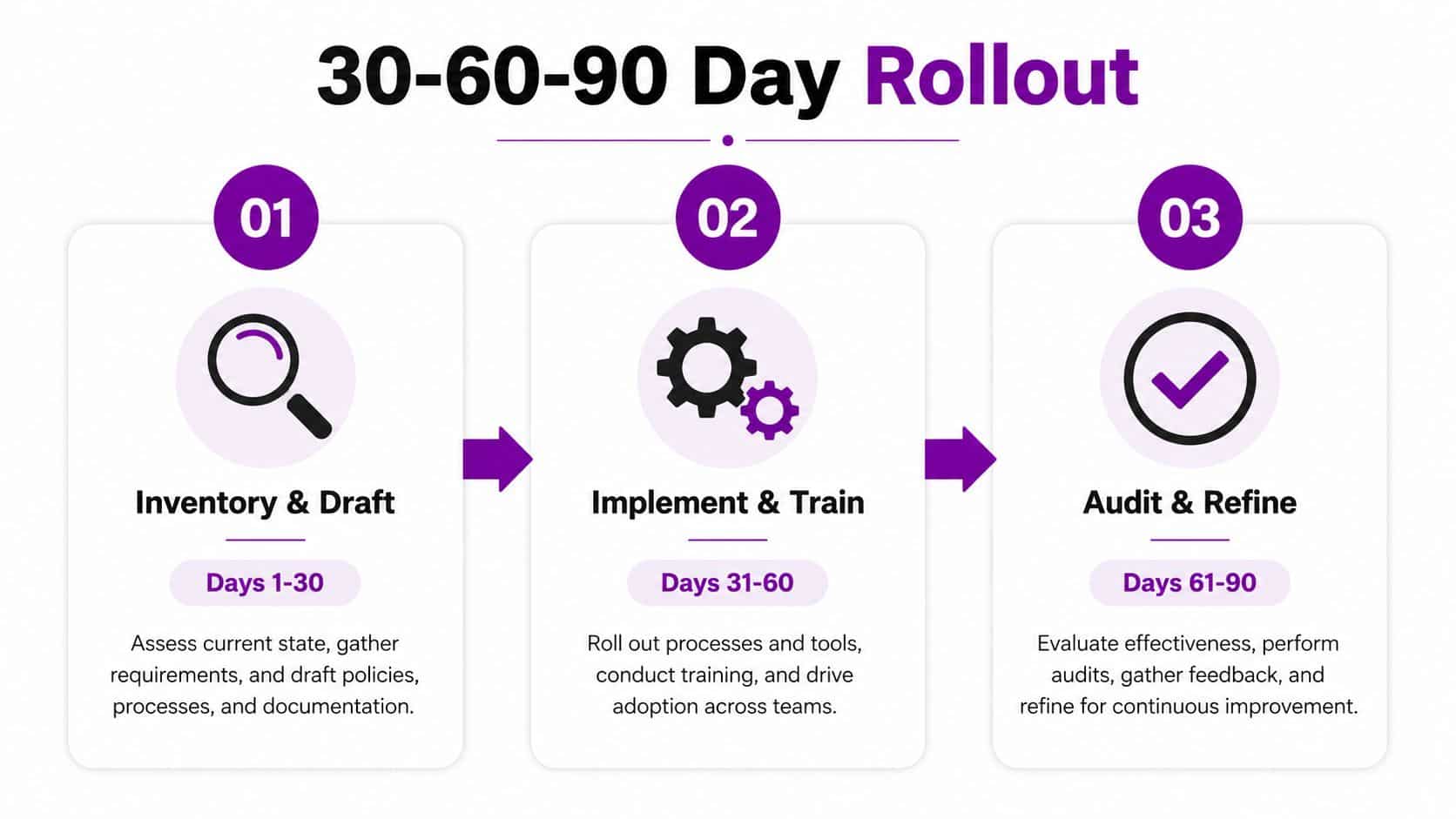
Your 30 60 90 Day Rollout and SMB Audit Checklist
A usable rollout beats a perfect policy sitting on a SharePoint page no one reads. For a typical SMB, I'd keep the first 90 days tight and practical.
First 30 days
Start with a full inventory of where records live, Exchange, SharePoint, OneDrive, Teams, and any line-of-business system that stores personal data. Assign owners to each category and draft the schedule in plain English. Don't wait for the perfect taxonomy, get the obvious categories down first.
Days 31 to 60
Publish the Retention Policies and Retention Labels in Microsoft Purview, then map them to the right locations. Align backup contracts with the policy so deleted data doesn't get restored by accident. Train the people who create contracts, finance files, and HR records, because they're the ones who need to recognise the labels.
Days 61 to 90
Run a documented deletion or archive test and capture the evidence. Check that the policy behaves the way you expected across Exchange, SharePoint, OneDrive, and Teams. Then schedule the first review date and put the legal-hold process into the same governance pack.
A basic audit checklist should ask six questions:
- Policy owner named? One accountable person, not a committee.
- Schedule published? Each record class mapped to a retention period.
- Labels in place? Finance, HR, contracts, and collaboration content covered.
- Backup aligned? Restores won't undo lawful deletion.
- Legal-hold process defined? Deletion pauses when it should.
- Disposal evidence kept? Logs or certificates stored where auditors can see them.
If you want hands-on support configuring Microsoft 365 retention and records management, F1Group can help with the policy, the Purview setup, and the operational rollout.
Phone 0845 855 0000 today and send us a message through F1Group's contact page if you want a retention schedule built around your Microsoft 365 setup, your legal obligations, and the way your team works.