
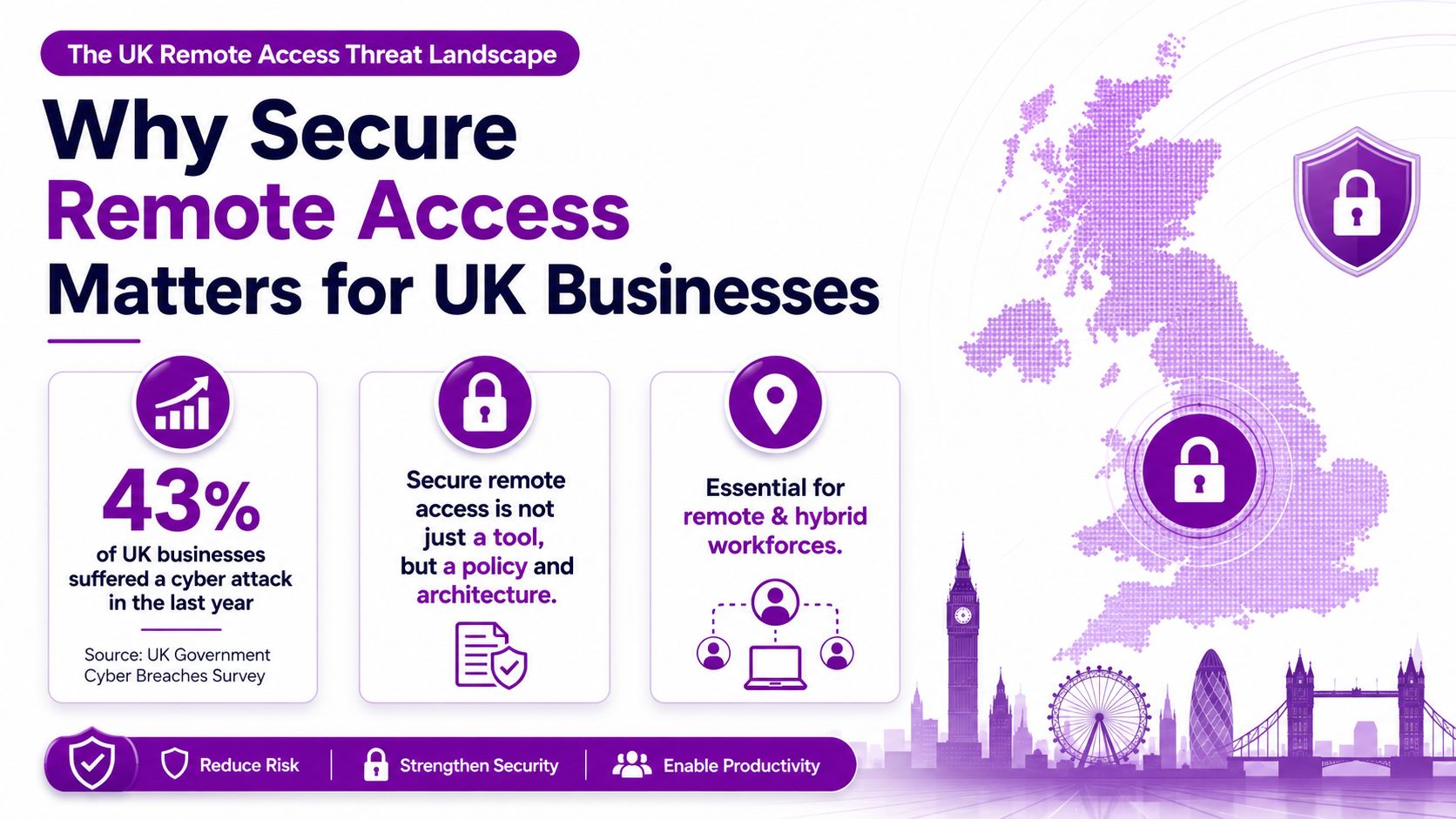
In the Cyber Security Breaches Survey 2025, 43% of UK businesses and 30% of UK charities reported a cyber security breach or attack in the previous 12 months. The rate rose to 67% for medium-sized businesses and 74% for large businesses according to the UK Government survey. For an East Midlands organisation running Microsoft 365, Azure and a hybrid workforce, secure remote access isn't an optional technical upgrade. It's a board-level control over who can reach business data, from which device, under what conditions, and with what evidence left behind.
Why Secure Remote Access Matters for UK Businesses
Remote access has changed from a convenience for travelling staff into a permanent operating model. Employees work from home, sales teams connect from customer sites, charities coordinate dispersed teams, and suppliers support systems without visiting the premises. That flexibility creates more access paths into Microsoft 365, SharePoint, Teams, Azure applications and line-of-business systems.
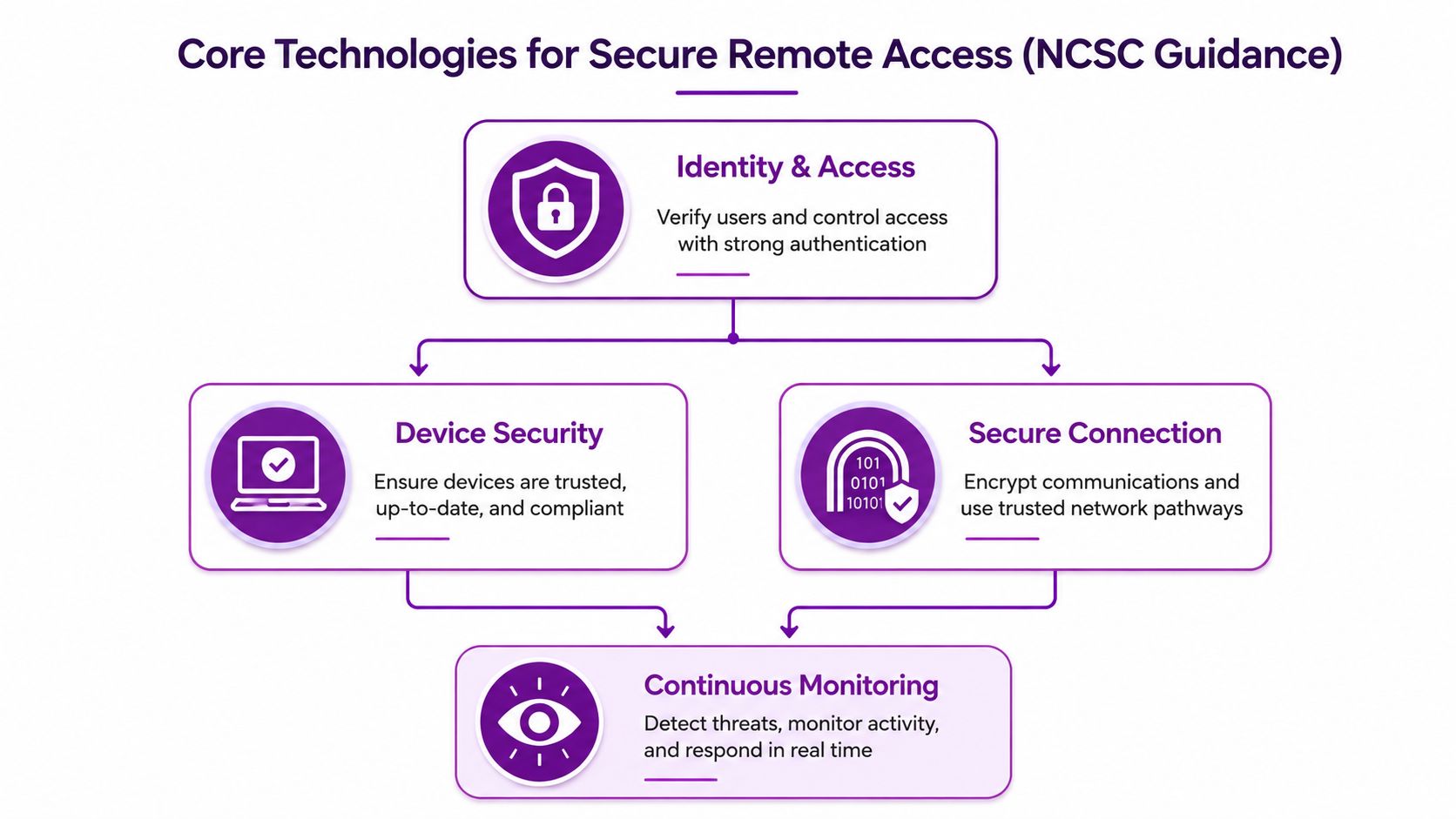
Secure remote access combines four controls. Identity verification confirms the person is genuine. Device trust checks whether the laptop or phone is managed and in an acceptable security state. Encrypted connectivity protects information while it travels between the user and the service. Conditional policies decide whether access should be allowed, limited or blocked based on factors such as the user, device and application.
The distinction matters. A user who passes a password check on an unmanaged personal laptop shouldn't automatically receive the same access as an employee using a company-managed device. A contractor who needs one SharePoint project folder shouldn't be placed on a virtual network with broad visibility of servers and applications.
The operational case for stronger controls
The same government survey reported that 3% of businesses and 1% of charities said they had been victims of fraud resulting from a cyber breach or attack. A separate government-linked summary reported that 29% of UK organisations experienced at least one incident connected with remote or hybrid working, while phishing accounted for 85% of breaches. These figures put remote access in the middle of the risk discussion, not at the edge of it.
Microsoft 365 concentrates valuable services behind online identities. Email, files, collaboration spaces, finance workflows and administrative consoles may all depend on the same identity platform. If an attacker steals a password and no further control intervenes, the attacker may have a straightforward route into several services.
Board-level question: Can you identify every external user, device and application with access to your Microsoft 365 environment, and can you show when that access was last reviewed?
The answer should include more than employees. Suppliers, outsourced IT providers, temporary workers and software partners can all create legitimate access routes that remain open after the original task ends. The same principle applies outside IT. Organisations managing physical sites may also need controlled entry systems, and guidance on commercial gate access control illustrates the broader point, access should be granted deliberately, recorded and removed when it no longer serves a business need.
Secure remote access therefore means controlled business access from outside the office, not merely a VPN client installed on a laptop. It protects confidentiality in transit, but it also limits privilege, checks device condition, records activity and gives the organisation a way to isolate a user or service when something looks wrong.
VPN Versus Zero Trust Architecture
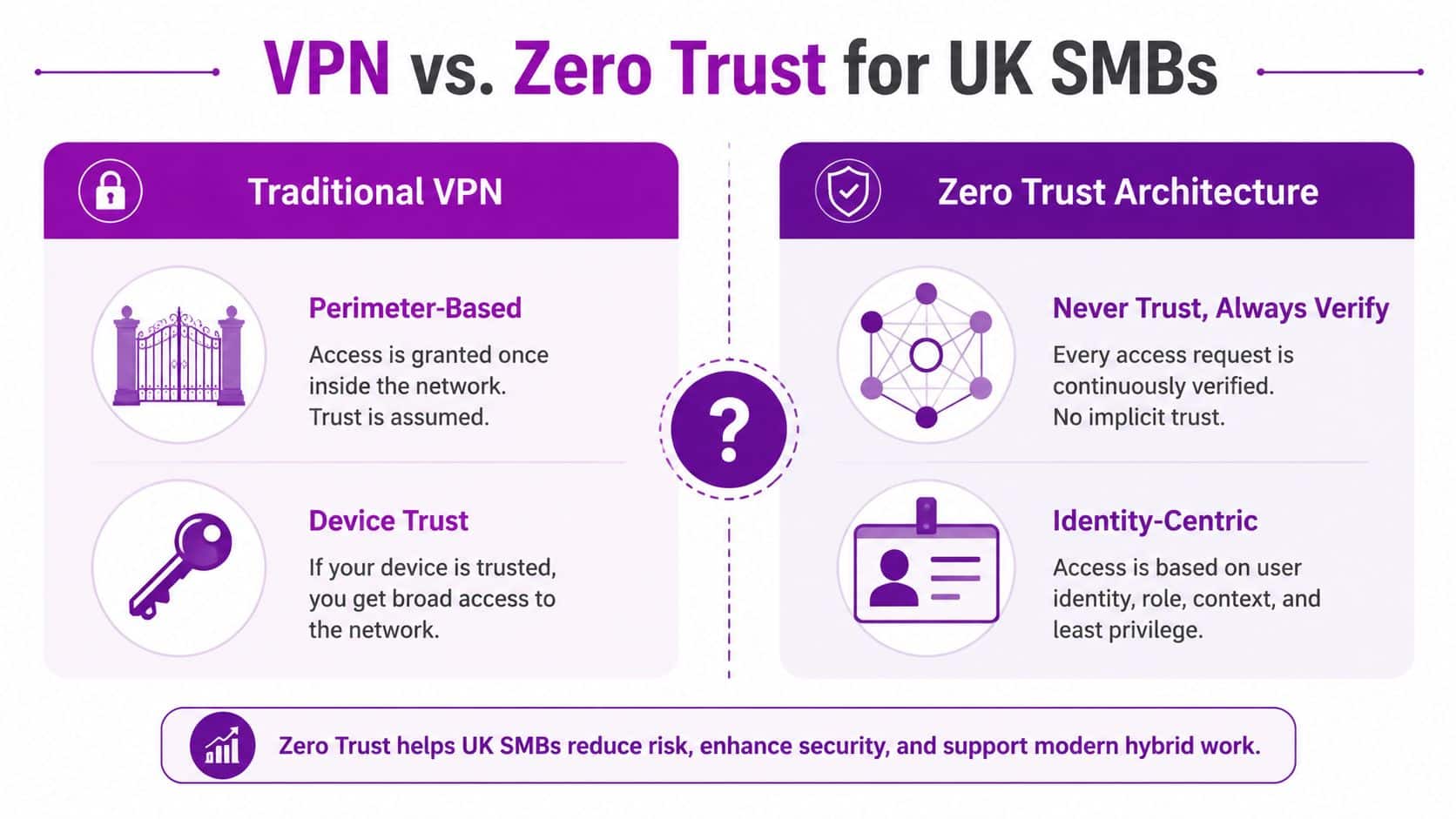
A VPN remains useful in the right situation, but most organisations misunderstand what it provides. The UK Government's Cyber Security Breaches Survey 2025/2026 definition describes a VPN as an encrypted network connection that allows remote users to securely access an organisation's services. Its core security property is confidentiality in transit.
That protection matters. Encryption prevents information travelling across an untrusted network in an exposed form. It doesn't, by itself, establish that the endpoint is healthy, restrict the user to one application or prevent an authorised account from reaching more of the network than it needs.
Traditional VPN design often creates a perimeter. The user authenticates at the front door, then receives network-level access behind it. If the account is compromised, or the device is infected, the VPN may provide a useful starting point for further activity.
Zero Trust takes a different position. It treats each request as something to evaluate rather than assuming that a connection is safe because it came through a corporate tunnel. Identity, device state, application, location and other available context can influence whether access is granted to a specific resource.
A decision table for UK SMBs
| Criteria | Traditional VPN | Zero Trust |
|---|---|---|
| Access model | Connects a user to a network perimeter | Grants access to defined applications and resources |
| Main strength | Encrypts traffic between the user and the organisation | Evaluates identity, device and context for each request |
| Device handling | Often depends on separate endpoint controls | Makes device trust part of the access decision |
| Blast radius | Can be broad if network segmentation is weak | Designed to limit access to what the user needs |
| Microsoft 365 fit | Useful for private legacy applications and network services | Natural fit for cloud applications and conditional policies |
| Contractor access | Can expose more network than required | Supports scoped access to specific services |
| Administration | Familiar, but requires careful gateway and network management | Requires policy design, identity governance and monitoring |
| Best use | Controlled access to systems that genuinely require network connectivity | Cloud-first, hybrid and application-specific access |
A VPN isn't automatically insecure. A carefully configured VPN with strong MFA, managed devices, segmentation, logging and restrictive permissions can provide valuable protection. The problem is using it as a substitute for those controls.
For a Microsoft 365 organisation, start by securing identities and cloud applications rather than forcing every user through a network tunnel. Retain VPN access where a legacy application or private service needs it, but don't let the VPN become an excuse for broad, permanent trust. This guide to Zero Trust security provides useful context for boards deciding how far to move beyond perimeter-based access.
The practical target isn't to remove every VPN immediately. It's to make access specific, conditional and observable, then reduce dependence on network-level access as cloud controls mature.
Essential Technologies for Secure Remote Access
Secure remote access works as a stack. No single product compensates for weak identity management, unmanaged endpoints or missing audit records. In a Microsoft 365 environment, the strongest results come from making each layer support the next.
Start with identity and MFA
Passwords are routinely targeted because people reuse them, disclose them through phishing or choose weak combinations. The UK NCSC's guidance says organisations should implement the strongest MFA methods available for corporate online services, framing MFA as a response to attackers stealing passwords. The NCSC MFA guidance for UK SMEs supports a clear priority: don't leave remote access dependent on a password alone.
Use Microsoft Entra ID as the identity control plane for Microsoft 365 and Azure. Enforce MFA for staff, administrators and external users, with stronger methods used for higher-risk accounts and sensitive services. Single sign-on can reduce password fatigue, but it must sit behind appropriate authentication and access policies, not replace them.
Trust the endpoint, not just the account
A genuine user can still be operating from a compromised laptop. The NCSC remote working guidance emphasises allowing remote access only from managed devices, requiring MFA, and using logging and monitoring to review activity and identify suspicious behaviour.
Microsoft Intune can enrol company devices, apply configuration policies and assess compliance. A practical policy might require supported operating system versions, active encryption, screen locking and approved security settings before access to sensitive resources is allowed. Microsoft Defender for Endpoint can add endpoint detection and response, helping the IT team investigate suspicious activity rather than relying only on a login event.
A personal laptop at a coffee shop illustrates the difference. The user may be legitimate, but the organisation may not know whether the device is patched, encrypted or shared with other people. A conditional access policy can block that device, limit the session or require remediation before granting access.
Protect the connection and monitor the session
Use encrypted connections for remote services and ensure staff understand that public Wi-Fi isn't a reason to bypass company controls. The UK ICO's working-from-home guidance recommends a secure remote working policy, updated business devices, strong passwords with MFA and encrypted remote connections.
Logging completes the control loop. Record sign-ins, policy outcomes, administrative actions and unusual access patterns in the Microsoft security ecosystem. Someone must review those records, investigate meaningful alerts and know how to disable an account or isolate a device quickly.
Practical rule: If nobody reviews remote-access logs, logging is a storage exercise, not a security control.
Prioritise in this order: protect identities, enrol and manage devices, apply conditional access, secure required network connections, then establish monitoring and response ownership. That sequence reduces the chance of buying a VPN or security platform while leaving the underlying access model unchanged.
Managing Third-Party and Contractor Access
The contractor account is often the least governed account in a Microsoft 365 tenant. The supplier may be trusted, the project may be urgent and the access may have been created by someone who assumed another person would remove it later. That assumption is dangerous.
The latest Verizon DBIR summary reported that third-party involvement doubled to about 30% of breaches, while UK threat reporting highlights persistent targeting of remote desktop, VPNs and remote-access infrastructure at very high volume across 2025. The UK-relevant third-party access analysis reinforces a point many small organisations miss: an external account is part of your attack surface even when the person using it works for a reputable supplier.
Give access to a task, not to the network
Create an individual guest identity for each person. Don't use a shared supplier account, because it removes accountability and makes removal difficult when staff change. Use Microsoft Entra B2B access for external collaboration where appropriate, then restrict the user to the specific SharePoint site, Teams workspace, Dynamics 365 role or Azure resource required for the task.
A contractor maintaining a project document library doesn't need access to the whole tenant. A support engineer investigating a Dynamics 365 issue doesn't automatically need global administrator rights. Scope access by resource, role and purpose, then document who approved it.
Make temporary access genuinely temporary
Set an end date or review date for every external account. If the work has no defined finish, create a recurring owner review rather than allowing indefinite access. Require MFA for external users, block unmanaged devices where the sensitivity of the resource demands it, and apply conditional access policies to guest identities.
Privileged access needs additional discipline. Use separate administrative identities, grant elevated rights only when needed and record the approval. Guidance on privileged identity management is particularly relevant where a supplier needs administrative access for a defined maintenance activity.
Record activity and test the removal process
Log sign-ins and administrative changes. For high-risk work, use session recording or a controlled support workflow where the supplier connects only after an internal approver authorises the session. Keep a named internal owner for each relationship, because “the supplier manages it” isn't an access governance model.
Before closing the task, remove the account or group membership, revoke active sessions and confirm that application permissions have gone. Test the process periodically. A small charity with limited security staff can still apply this model through standard Entra ID groups, access reviews, MFA and a simple register of external users.
Implementation Checklist for Microsoft 365 and Azure
Treat implementation as a controlled project, not a collection of settings switched on without testing. The sequence below gives an IT manager a workable route from ad-hoc access to a governed Microsoft 365 and Azure model.
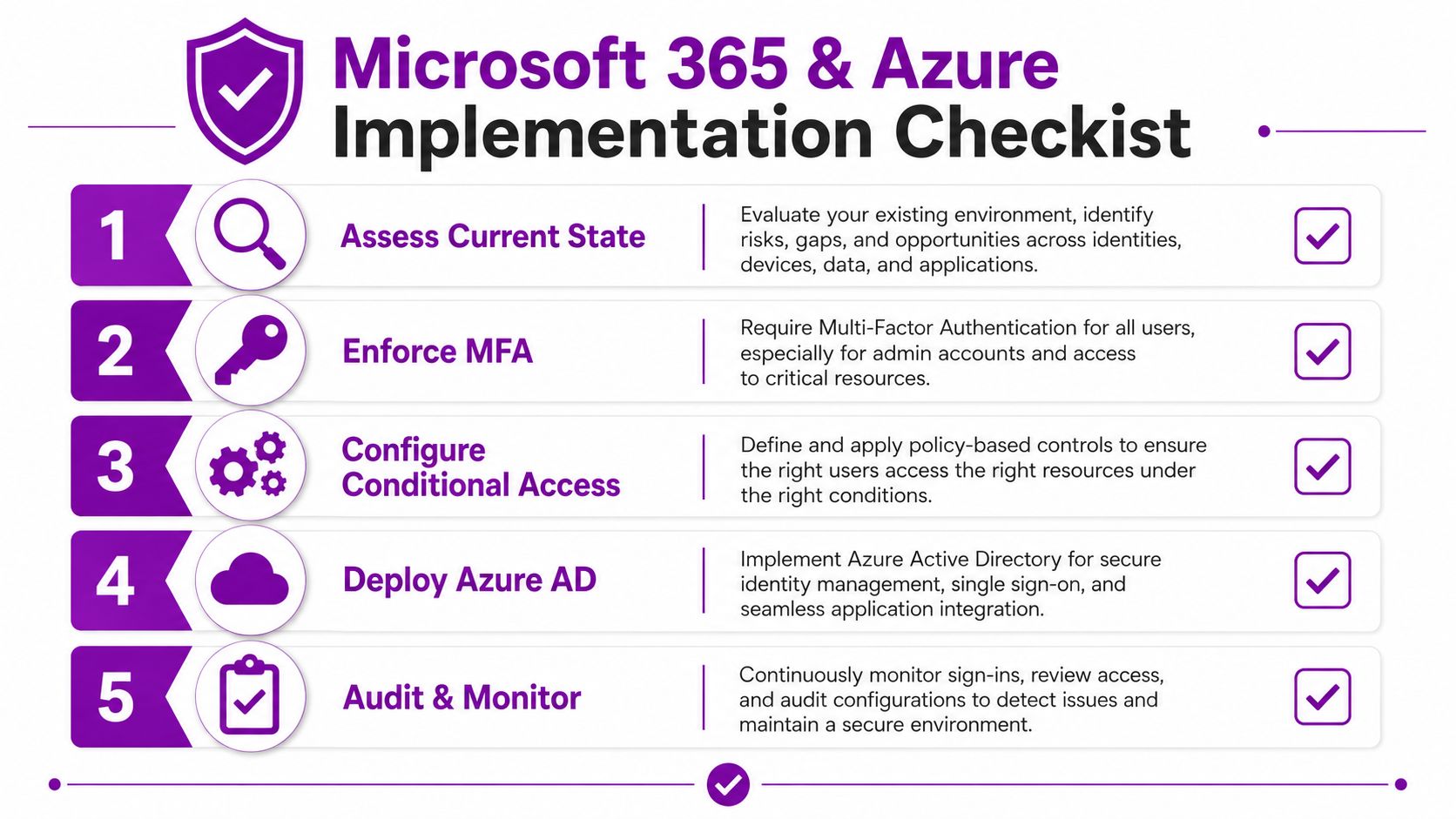
1. Assess the current state
List every remote-access route. Include Microsoft 365 applications, Azure resources, VPN gateways, remote desktop services, supplier accounts, guest users, service accounts and legacy applications. Identify who owns each route and what business purpose it serves.
Check whether administrators use separate privileged accounts, whether former workers and contractors have been removed, and whether you can trace sign-in activity to a named person. This inventory exposes the difference between approved access and access that still works.
2. Establish identity protection
Use Microsoft Entra ID as the central identity service. Enforce MFA for users, prioritising administrators and externally accessible services. Choose strong authentication methods in line with the organisation's risk appetite and create emergency access arrangements that are protected, monitored and tested.
Review legacy authentication before broad policy enforcement. Older applications may fail when modern authentication is required, so identify dependencies, replace unsupported connections where possible and use a phased rollout rather than granting permanent exceptions.
3. Configure Conditional Access
Build policies around practical decisions. Require MFA for risky sign-ins, block access from unsupported conditions, restrict administrators to managed devices and require compliant endpoints for sensitive applications. Apply policies to pilot groups first, then expand after reviewing sign-in failures and legitimate exceptions.
Don't create one enormous policy that nobody understands. Separate user groups, administrator access, guest users and application categories so the IT team can explain why each rule exists and adjust it safely.
4. Enrol and assess devices
Use Microsoft Intune to enrol business laptops and phones, then define compliance requirements that reflect the data users access. Combine device management with Microsoft Defender for Endpoint so the organisation can identify threats on endpoints and use that information in access decisions.
The NCSC's remote working advice is direct: allow access from managed devices, require MFA, and maintain logging and monitoring. The Microsoft 365 migration checklist can help structure wider tenant work around these controls.
5. Monitor, audit and rehearse response
Configure sign-in and audit logging across Entra ID, Microsoft 365, Azure and security tools. Decide who reviews alerts, what constitutes escalation and who can disable an account, revoke sessions or isolate a device.
The UK's operational secure connectivity guidance also highlights limiting exposure, standardising connections, logging and monitoring connectivity, and maintaining an isolation plan for disconnecting sites, applications or services during an incident. Use those principles for cloud and hybrid environments too. Before declaring the project complete, test a blocked sign-in, a contractor removal and an emergency administrator recovery.
How F1Group Supports Your Secure Remote Access Journey
Most East Midlands SMBs and charities don't need another dashboard. They need someone to turn identity, device and access policies into a system that staff can use and the board can understand.
F1Group has supported organisations across the East Midlands since 1995, including businesses operating in Lincoln, Nottingham, Leicester, Scunthorpe, Grimsby and Newark. Its Microsoft-focused services cover managed IT, Microsoft 365 and Azure, Dynamics 365, Copilot AI, Power Platform, custom applications and cyber security.
That breadth matters because secure remote access rarely sits in isolation. A Microsoft 365 identity may control access to a Dynamics 365 workflow, an Azure application, a Power BI report or a business process automated through Power Automate. A managed IT partner can assess the current tenant, harden Entra ID, deploy MFA and Conditional Access, enrol devices through Intune, improve Defender coverage and establish monitoring responsibilities.
F1Group's vendor-certified, DBS-checked engineers can support organisations remotely or on site, with a practical focus on resolving issues and taking ownership. The right engagement should include documentation, user communication, staged implementation and a clear route for incident response, not just a one-off configuration exercise.
Boards should ask for evidence. Request an access inventory, a list of policy exceptions, confirmation that external accounts have owners, and proof that emergency procedures have been tested. If your current VPN provides broad access without reliable device checks, scoped permissions or meaningful monitoring, it needs review.
F1Group can assess your Microsoft 365, Azure, device and contractor-access controls, then build a secure remote access plan that fits your organisation. Phone 0845 855 0000 today or send us a message to discuss the practical next step.