
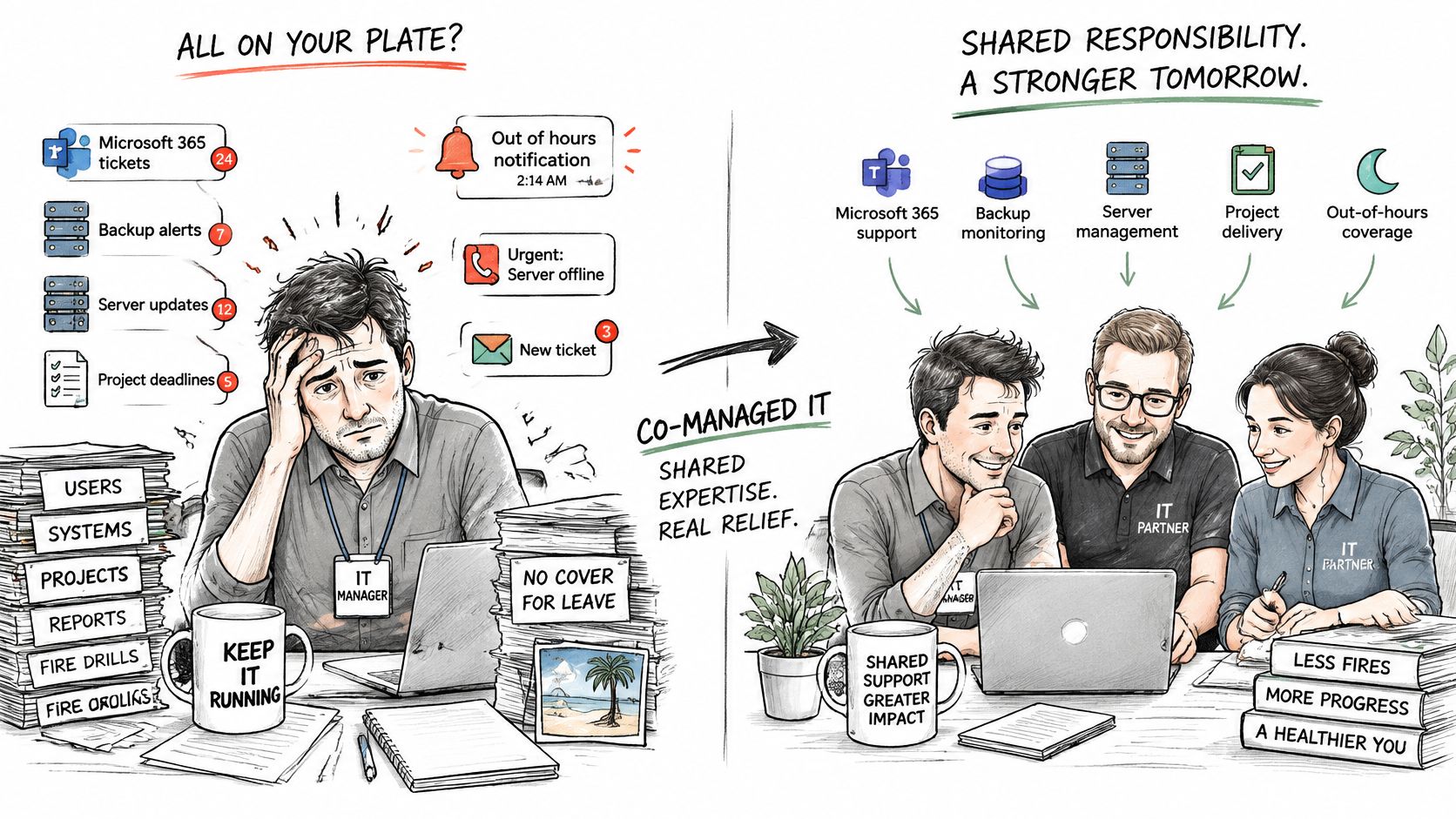
Your IT manager is still clearing tickets after everyone else has gone home. Yesterday's backup warning sits unread, the Microsoft 365 tidy-up has slipped another month, and nobody covers annual leave or a 2am alert. Plenty of East Midlands firms hit that point once the business outgrows one pair of hands.
Co-managed IT services keep your own staff in charge of priorities, access and final decisions, while an external partner takes agreed support, security and project work. The monthly fee doesn't decide whether that holds. A named owner for every control does. If both sides assume the other is watching the backups, nobody is.
What Co Managed IT Services Are and Why Firms Use Them
Two options land on the same desk. One is a job spec for a second engineer the budget can't quite stretch to. The other is a retainer from an external provider. Co-managed IT services are the second route done properly: a partner works alongside your in-house team, sharing support, security and project work, while your staff keep business priorities, user access and the final decision.
The arrangement works like a theatre production that keeps its own director and hires specialist lighting and sound crews. The show still belongs to the company. The crews bring depth the resident team doesn't have.
Every arrangement that holds has three parts.
- Internal ownership: priorities, permissions and risk acceptance stay with your people.
- External specialist capacity: the partner adds monitoring, cloud operations and project hands.
- A written split of duties: one named owner for each control, with a frequency and proof it ran.
That third item decides whether the arrangement works, and it matters more than the monthly fee. A control with two assumed owners has none. If your team assumes the partner reviews sign-in alerts and the partner assumes your team does, those alerts sit unread through a genuine incident. Get every control assigned to a name on one side or the other before the contract is signed.
This sits in a large UK supplier market, a long way from a niche add-on. The UK Government's research on managed service providers estimated 11,492 active providers in 2022, generating approximately £52.6 billion in annual managed-services revenue and £29.1 billion in direct gross value added, and supporting an estimated 294,340 full-time-equivalent jobs. That research defines MSPs as organisations providing IT services to multiple businesses, including providers that supplement an internal IT department. As of March 2025, the Department for Science, Innovation and Technology recorded 12,867 active managed service providers.
Providers describe this shared model in their own marketing in every market. Atlanta IT provider comparisons from Beyond Surplus list firms that sell themselves as an extension of an in-house team, the same positioning worth looking for when you shortlist UK suppliers.
Three signs usually mean the model fits. One IT manager can't cover leave. The project backlog never reaches the top of the list. Nobody watches the systems outside office hours. Put plainly, your team keeps the decisions and a partner takes the specialist work you can't justify hiring for full time.
Co Managed, Fully Managed and In-House IT Compared
| Model | Day-to-day running | Strategy and priorities | Typical cost pattern | Best for |
|---|---|---|---|---|
| In-house IT team | Your staff | Your staff | Salaries, tools and training | Steady workloads with budget for specialist hires |
| Co-managed IT | Shared between your staff and the partner | Your staff, with partner advice | Monthly retainer plus project or block hours | Teams that need extra skills or capacity |
| Fully managed IT | The partner | Shared, partner-led roadmap | Monthly per-user or per-device fee | Firms with no internal IT staff |
Read the columns left to right. Day-to-day running is who touches tickets, patches and accounts this week. Strategy is who decides what gets done next. The cost pattern is how the bill arrives. The last column is the organisation the model suits.
The same three models, with control, support and cost on one page.
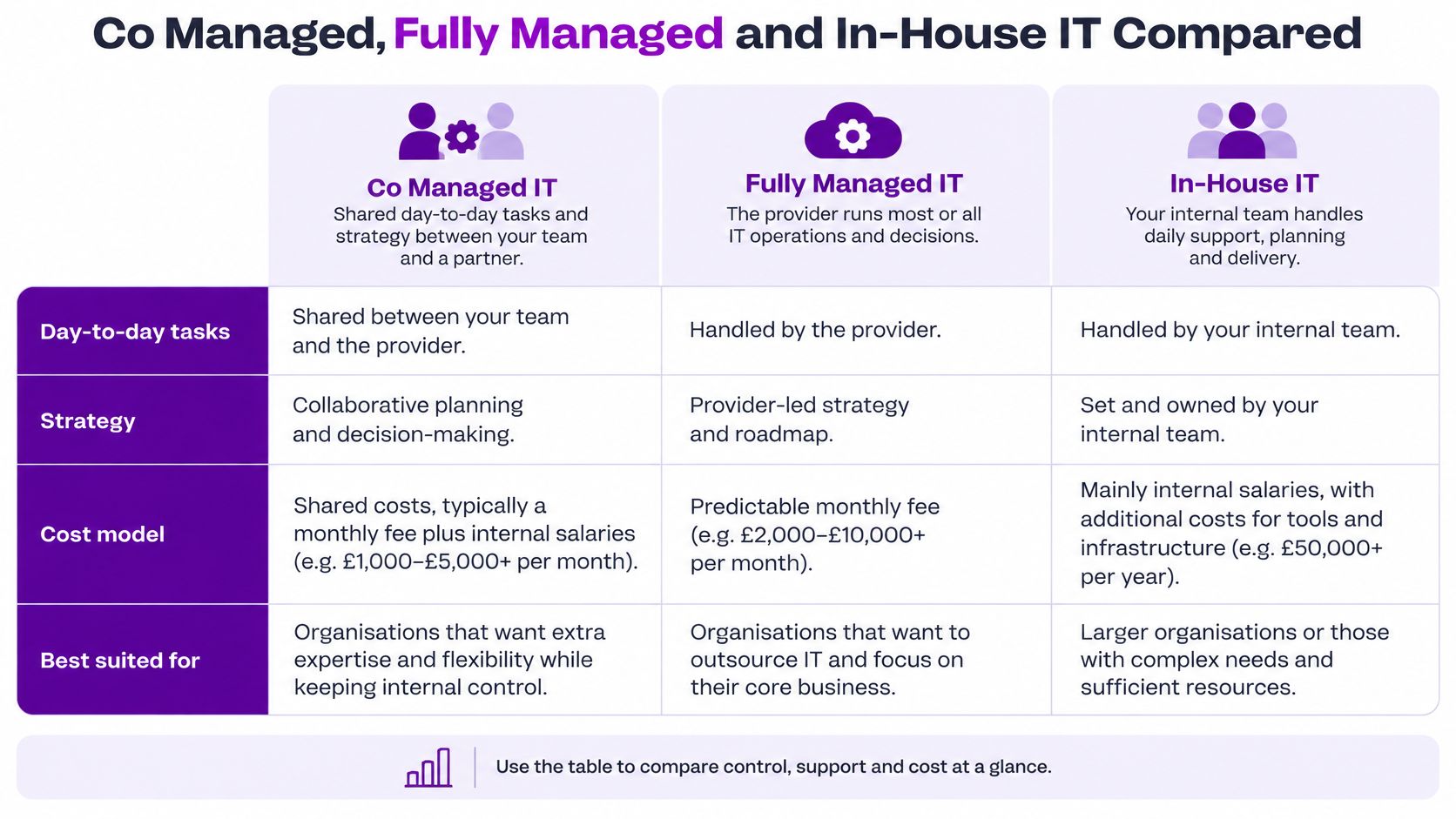
In-house IT means your own staff handle daily support, planning and delivery. Control is highest, because nobody outside the building changes a setting without you. The bill is salaries, training, holiday cover and the tools each role needs, from a service desk platform to endpoint protection such as Microsoft Defender. It suits a steady workload when you can fund specialist hires and still cover absence.
Fully managed IT means the provider runs most or all operations for a monthly fee, usually per user or per device. That suits a firm with no internal technical staff, because there is nobody to share the queue with. You give up a lot of say over day-to-day changes. Our note on a fully managed IT service sets out what the provider takes on when there is no in-house lead.
Co-managed IT sits between them. Your team keeps direction. The partner adds capacity and specialist skills, charged as a retainer plus project or block hours.
If your team can run daily operations but lacks depth in one area, such as security monitoring or Microsoft 365 administration, co-managed usually fits. If nobody owns IT at all, fully managed is the safer start.
Supplier labels vary. The true test is the split written into the contract, not the name on the proposal.
Typical Service Splits and Who Owns What
Business decisions stay with your team. Technical execution is shared, and it has to be written down before anyone logs a ticket. Treat the provider as an unrestricted helpdesk and controls fall between the chairs.
| Activity | Your internal team | Co-managed partner |
|---|---|---|
| Business priorities and budget | Owns and decides | Advises with costed options |
| User accounts and permissions | Approves access | Administers accounts |
| First-line service desk | Escalates issues | Resolves tickets |
| Microsoft 365 and Azure administration | Approves changes | Configures and maintains |
| Security monitoring and alert triage | Receives reports | Runs monitoring and triage |
| Patching and vulnerability fixes | Approves maintenance windows | Applies updates |
| Backups and restore testing | Signs off restores | Runs backups and tests recovery |
| Incident response | Decides internal communications | Contains and recovers systems |
| Project delivery, such as a Copilot rollout | Owns business outcomes | Designs and builds the solution |
| Regulatory reporting | Makes the final decision | Supplies technical evidence |
Confirm that split in the contract. Your team approves who gets access and which project comes first. The partner administers Entra ID accounts and keeps Microsoft 365 and Azure configured to the change you approved. The partner typically runs continuous monitoring and contains an incident. Your team decides what staff are told, and whether a regulator is notified.
Why monitoring is often the first task to move
The UK Government's 2025 cyber-skills research found that 49% of businesses had a basic cyber-security skills gap, including firewall configuration, secure handling of personal data and malware detection, and that 30% also lacked advanced skills such as forensic analysis, malicious-code interpretation or penetration testing. That is why alert triage, vulnerability remediation and backup verification are sensible first candidates for a partner, while risk acceptance stays inside the business.
Make each row measurable, or it is only a slogan.
- One owner: name a person, not a department, for privileged-account review, patching and restore tests.
- A target: quarterly privileged-account reviews, endpoint coverage above an agreed percentage, alert containment within an agreed number of hours, and critical patches inside an agreed window.
- An evidence trail: a report you can show an auditor, not a verbal assurance on a call.
The failure mode has a name. A shared responsibility gap is where both parties assume the other handles backups or patching. Quarterly governance should map service data to Cyber Essentials requirements and prove that out-of-hours escalation rings a phone. A stretched internal lead can use IT manager support as a checklist of what still has to stay with the person who knows the business.
Benefits, Limits and Hidden Costs of a Shared Model
The useful gains are specific, and they are not the same as a smaller invoice.
- Skills you don't keep on payroll: security engineering, Azure networking, or Power Platform build work.
- Cover: someone else takes the queue during leave and sickness.
- Out-of-hours escalation: a critical alert doesn't wait until 9am.
- Faster containment: a partner who does this every week follows a playbook your lone manager has to invent at midnight.
- Project capacity: an Azure move or a Copilot pilot gets hands without a permanent hire.
In Q1 2025, 31% of UK SMEs said they were collaborating with MSPs to manage their IT programmes, up from 24% in Q3 2024, according to JumpCloud's SME IT Trends survey as reported by Channel Web. Demand for outside help is not new. A 2019 YouGov survey found that 34% of British business-to-business decision-makers wanted to outsource IT support, and among those outsourcing IT, 48% cited the absence of qualified or relevant internal staff.
The cheaper-by-default myth
Outsourcing is not automatically cheaper. In that same YouGov survey, 30% of those outsourcing IT cited lower costs excluding staff costs, and 29% cited lower staff costs, but 30% also said it delivered better results and 28% said it was more efficient. Skill and speed show up as often as price. A retainer that looks modest can cost more once you add the hours your own manager spends chasing scope.
The limits are real. Coordination takes meetings. Knowledge drifts toward the partner if documentation stays in their tenant. You depend on their response times. Scope arguments appear the first time a "small change" isn't in the retainer.
Hidden costs sit beside the fee. Onboarding time, the effort to write the split, duplicated licences for tools you already own, and internal hours spent managing the contract. Run a simple monthly test. If the hours the partner saves on tickets and incidents exceed the hours you spend reviewing the contract, response times and ticket volumes, the trade-off is working. If contract admin eats the saving, narrow the scope or stop.
Use Cases for Small and Mid-Sized UK Organisations
Say a 120-person professional services firm in the East Midlands has one IT manager. The board wants Microsoft 365 tidied and a Copilot pilot started, without the service desk going quiet. That hypothetical firm is the typical buyer. The constraint is capacity and a missing skill, not the absence of any IT function.
One manager, no second pair of hands. Daily support is fine until that person is on leave or an alert lands on a Sunday. The partner takes monitoring and out-of-hours containment. The manager keeps user relationships and decides which requests wait.
A mid-sized rollout that won't fit the diary. An Azure migration or a Dynamics 365 Sales project needs weeks of design, not another ticket. The partner designs and builds. Your lead owns the business outcome, the data owners and the go-live decision.
Charities and small public companies on a tight budget. They often need audit-ready evidence more than they need another product. Restore tests, patch reports and a named escalation path give trustees something they can file, without funding a full security team.
Copilot without an open-ended pilot
UK government research published in January 2026 found that only 16% of businesses were using at least one AI technology, while 80% were neither using AI nor actively planning to adopt it. The same government business-data work reports that businesses using advanced digital technologies such as AI and cloud computing achieved around 19% higher turnover per worker, even after accounting for management practices and business characteristics. That 19% is an association, not proof that a Copilot licence creates the uplift.
A shared model should answer seven questions before a pilot scales. Who approves the use case. How confidential data is classified in Microsoft 365. How licences and access are reviewed. What the prompt and usage policy says. Where a human must approve an output. How time saved is measured. What exit criteria stop a failing pilot from becoming another subscription.
Co-managed support fits when the constraint is capacity or a specialist skill. It doesn't fit when nobody in the business owns IT.
Pricing Models and What Co Managed IT Costs in GBP
Most UK co-managed arrangements combine a monthly fee for a baseline with project or hourly work on top. The total moves with users, devices, hours of cover and how much security tooling sits inside the fee. The figures below are indicative ranges for 2026, not quotes, and they change with scope and location. Check them against at least two written proposals before you budget.
| Pricing model | How it is charged | Best for |
|---|---|---|
| Per-user monthly retainer | Fixed fee per staff member each month, roughly £25 to £60 | Predictable budgets and full support |
| Per-device monthly fee | Fixed fee per laptop, server or phone, roughly £15 to £40 | Firms with shared or kiosk devices |
| Prepaid block of hours | Hours bought in advance, roughly £70 to £110 per hour | Occasional support spikes or small tasks |
| Project day rate | Charged per day for defined work, typically £550 to £900 | Microsoft 365, Azure or Copilot rollouts |
| Hybrid retainer plus projects | Base retainer with separately priced project add-ons | Growing teams wanting a predictable baseline |
A 40-user worked example
Take 40 users at £35 per user. That is £1,400 a month, or £16,800 a year, before projects and before Microsoft 365 licences, which are usually billed separately by Microsoft. Add a five-day Azure piece at £700 a day and the year is £3,500 higher. A charity with twenty shared devices and a light retainer will land in a different place from a professional firm that wants 24-hour monitoring.
What pushes the number up is practical, not mysterious. Out-of-hours cover, security tooling such as extended Defender capability, a short contract, and on-site visits rather than remote support all cost more than a remote, office-hours retainer. In 2024, 35% of UK organisations surveyed said they planned to increase spending on external IT providers over the following two years, according to Whitelane Research's UK IT Sourcing Study. Budget for that direction, then read the small print.
A low retainer often leaves out incident response, backup testing and monthly reporting. If those aren't in the fee, price them as block hours or you will meet them as extras on the worst day of the year. A wider look at managed IT services cost helps you compare a co-managed retainer with a fully managed per-user fee on the same user count.
How to Evaluate and Co-Work with a Partner
A workable relationship is built before you sign, through a written split and a short test, not through a friendly sales call.
The first four moves, before any proposal is scored.
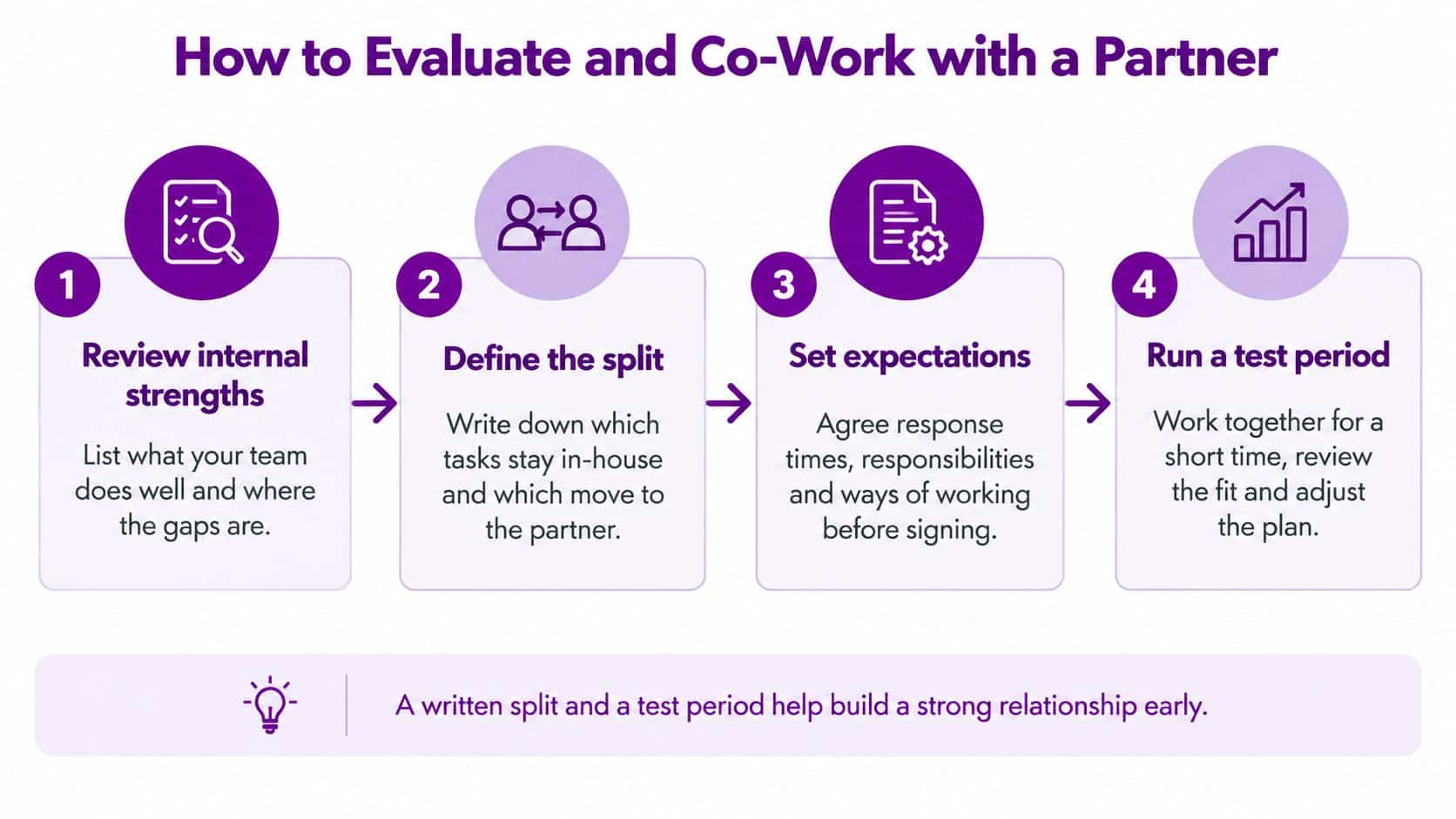
- List what your internal team does well and where it has gaps, such as security monitoring, Microsoft 365 administration or project capacity. Those gaps decide which tasks the partner takes, so you don't pay them to repeat work you already do.
- Draft the split as a table of activities with one named owner on each row. If a row says "shared", rewrite it until one side is accountable.
- Agree service levels against those controls. Response times by priority, monitoring coverage, backup restore tests and a monthly report you will read.
- Ask for evidence of skills. Vendor certifications, background checks for staff who will touch sensitive systems, and references from organisations of a similar size. Put F1Group on the shortlist as an East Midlands Microsoft-focused provider, and ask it to evidence those points in writing like any other supplier. Where the gap is direction rather than tickets, it can help to explore outsourced IT leadership as a separate option from day-to-day co-management.
- Agree the incident route. Who is called at 2am, how evidence is preserved, and who decides on regulatory reporting. UK Government guidance confirms that an external IT provider doesn't remove your legal duties. Where a personal-data breach presents a risk to individuals, the Information Commissioner's Office must generally be notified within 72 hours of the organisation becoming aware of it. You may also need the police, the NCSC or the Financial Conduct Authority. The contract has to show who does what inside that window.
- Confirm the exit terms. Who holds documentation, admin credentials and data on termination, and how long the partner must support a handover. Your Microsoft 365 tenant, domain and a global administrator account you control should stay in your name.
- Run a 90-day review of tickets, response times and whether the split still matches real work. Compare at least three proposals against the same table, or you are scoring slogans.
A short walkthrough of the same sequence is easier to share with a board than a long proposal.
Confirm Your Split Before You Sign
A co-managed agreement usually fails on ownership before it fails on technology. The monthly fee matters only after every control, alert and project has a named owner on one side of the line.
Use that test when you choose the model. Co-managed fits a team with capable internal staff and a clear capacity or skills gap. Fully managed fits a firm with no internal technical owner. In-house fits an organisation with steady demand and budget for specialist hires, training and cover.
Before signature, turn the split into a working document: each row names who detects, who decides, who fixes and who tells the business. Price the rows against the indicative GBP ranges, bring user and device counts, current Microsoft 365 licensing, backup status, the date of the last recovery test and this year's projects, then ask providers to answer against the same table. If a row has no owner, the proposal is incomplete even when the quote looks low.
Send us a message to discuss your split with the F1Group team.
F1Group provides co-managed IT support for East Midlands organisations, sharing monitoring, Microsoft 365, security and specialist project delivery while your internal lead keeps business priorities and user relationships. If you want that split written down before you commit to a retainer, talk it through with F1Group.