
A growing East Midlands business rarely reaches its migration decision at a convenient moment. The server is ageing, files sit across shared drives and laptops, and the CRM contains records nobody fully trusts. Meanwhile, staff want Microsoft 365, leadership wants predictable costs, and nobody can afford to lose customer history during the move.
That's where data migration services earn their place. The difficult part isn't copying files into a new platform. It's deciding what belongs there, proving that it arrived intact, protecting identities and permissions, and giving the business a controlled way back if something fails. This guide covers migration strategy, Microsoft 365, Azure and Dynamics 365 considerations, risk controls, UK pricing, timelines and the questions to ask before appointing a provider.
Why Data Migration Services Matter for Growing Businesses
A typical East Midlands firm might have grown through several technology decisions rather than one planned architecture. A file server came first, followed by a CRM, an accounts package, cloud storage and perhaps a line-of-business application that only one employee understands. Each system works well enough in isolation, but the relationships between them are unclear.
When the business moves to the cloud, those gaps become visible. A customer may appear under slightly different names in two systems. A departed employee may still own important files. A folder structure designed for a small office may not translate neatly into SharePoint or Teams. A direct copy can preserve those problems while making them harder to find.
The real difference is ownership
A professional migration gives someone responsibility for the outcome, not just the transfer. That means agreeing which records matter, who approves the mapping, how permissions should work and what “complete” means before production cutover.
The technology still matters. Microsoft tools, migration utilities, scripts and replication methods all have a place. But a technically successful transfer can still fail commercially if staff can't find documents, reports no longer reconcile or users lose access to operational data.
Practical rule: If nobody can explain who signs off the source data, the target structure and the final reconciliation, the project isn't ready to start.
For a small or mid-sized firm, a migration provider should make those decisions visible and manageable. The right engagement creates a sequence of checks rather than one risky switch. It also exposes the work that internal teams must complete, such as data ownership, user validation and decisions about obsolete records.
What Data Migration Services Actually Include
Moving house provides a useful comparison. Packing boxes is straightforward. The difficult work is deciding what to keep, disposing of duplicates, labelling each box properly and checking that everything is present when it arrives. Data migration services follow the same logic, except a missing contract or broken customer relationship can disrupt daily operations.
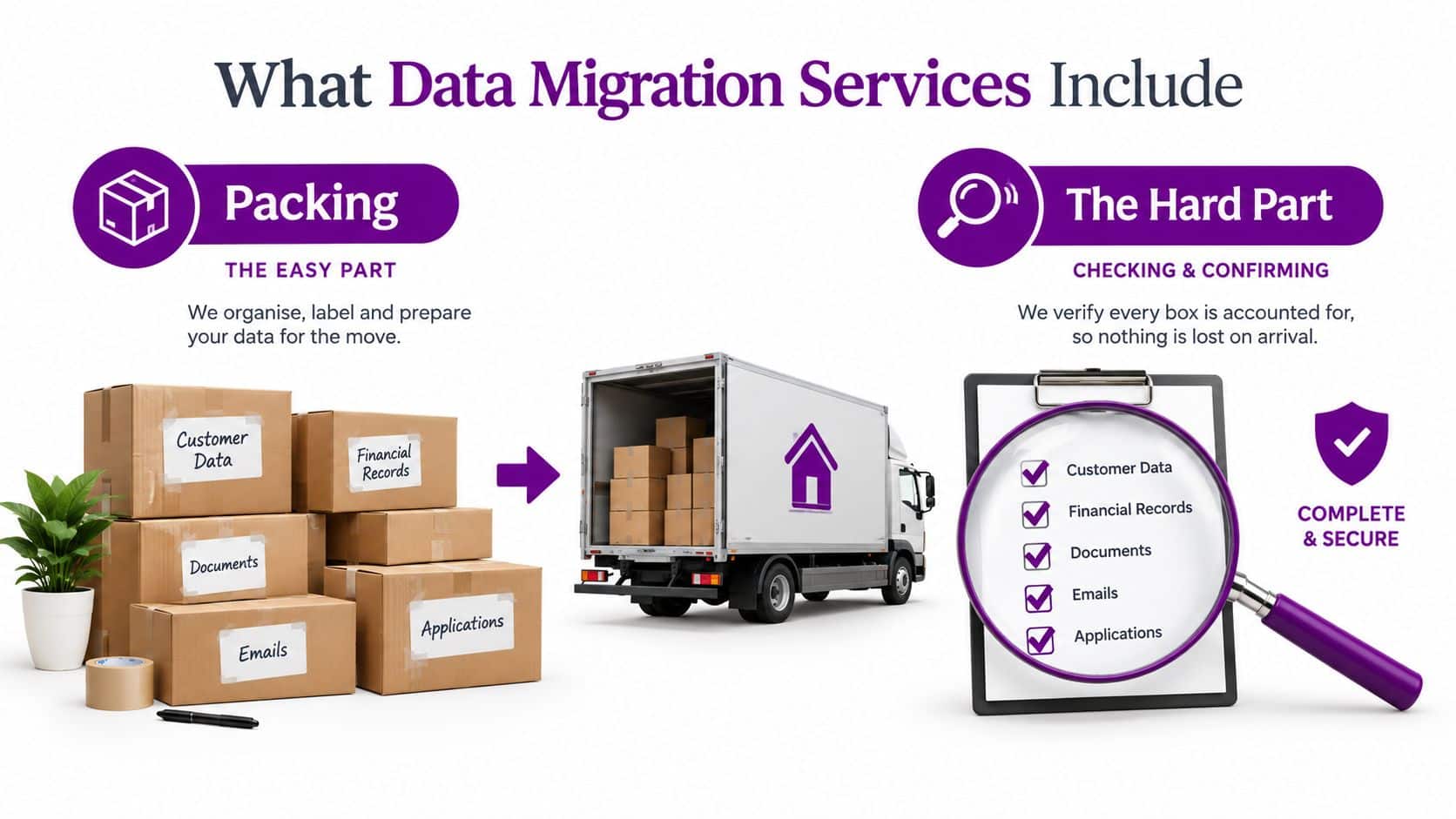
Discovery comes before movement
The provider begins by identifying source systems, data owners, formats, dependencies and access requirements. This includes obvious locations such as file shares and databases, as well as overlooked material in spreadsheets, email archives, local drives and specialist applications.
Cleansing follows discovery. Duplicate customer records, obsolete folders, inconsistent dates and incomplete fields need a decision. Some information should be transformed, some archived and some deliberately left behind. Copying everything is rarely a sign of good governance.
Mapping turns old data into usable data
Source-to-target mapping defines where each field, record and relationship will go. A legacy “Account Manager” field may need to match a Microsoft Dynamics 365 user. A department folder may become a SharePoint site or a controlled Teams structure. The provider should document those decisions so the business can review them before the transfer.
Secure extraction and transfer then move the approved data. Depending on the environment, that may involve cloud migration tools, controlled exports, encrypted storage or managed synchronisation. The method must match the sensitivity and size of the dataset.
Reconciliation proves the result
A provider should compare source and target records, investigate exceptions and ask business users to validate representative data. Record counts alone aren't enough. Relationships, permissions, document accessibility and reporting outputs also need checking.
The scale of UK official migration statistics shows why this discipline matters. The ONS methodology for administrative-based long-term international migration estimates describes a framework combining Home Office border and immigration data, asylum and resettlement data, and DWP and HMRC interaction records. The lesson for commercial projects is straightforward. Data quality, governance and interoperability are foundations, not optional extras.
Teams also need to understand how connected information supports operational choices. A practical resource on how data integration drives decisions can help stakeholders think beyond the mechanics of moving records and focus on how the resulting information will be used.
Choosing Your Migration Strategy
Strategy determines how much disruption the business accepts and how easily it can recover. The three common choices are a single cutover, a staged migration or a period where old and new systems operate together.
Three approaches, three risk profiles
A big-bang migration moves the agreed workloads during one cutover window. It can be efficient and avoids a prolonged period of duplicated administration, but every dependency must be ready at once. If a critical mapping issue appears, the rollback decision becomes urgent and expensive.
A phased migration moves departments, workloads or data groups in planned stages. It creates more opportunities to test and learn, and it limits the impact of an individual failure. The trade-off is temporary complexity, because teams may work across old and new systems while the programme continues.
Hybrid coexistence keeps both environments active for longer. It suits organisations that need continuity or have applications that can't move together. It also creates the greatest governance burden. Synchronisation rules, duplicate updates, permissions and licence costs all need active management.
| Strategy | Risk Level | Downtime | Best Suited To |
|---|---|---|---|
| Big-bang | Higher concentration of risk | One defined cutover window | Simple environments with strong testing and limited dependencies |
| Phased migration | Controlled and distributed | Short windows for each stage | Most growing SMBs with separable workloads |
| Hybrid coexistence | Ongoing operational complexity | Minimal at any single point | Businesses requiring continuity across old and new platforms |
For most SMBs, phased cutovers with explicit rollback criteria are the sensible default. They reduce the chance that a hidden schema problem, permission conflict or incomplete dependency list appears only when the whole business is committed to the new environment.
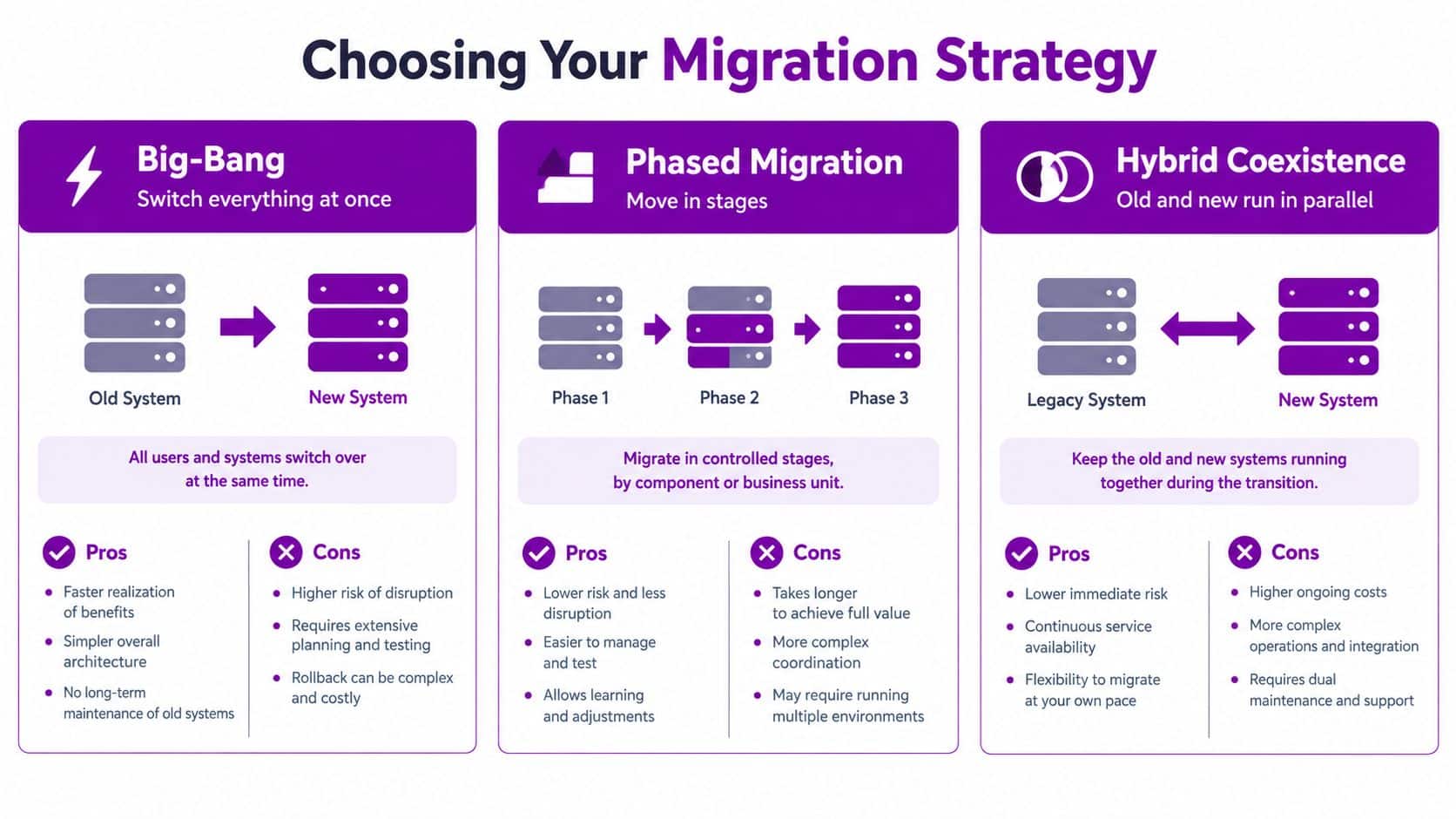
A big-bang approach still has a place where the estate is genuinely simple and the business can tolerate a defined interruption. Hybrid coexistence can be justified where operational continuity outweighs the cost of running two environments. Before choosing either, assess dependencies rather than selecting a method because it sounds faster.
For further planning, see Azure cloud migration services and consider the practical guidance on how to avoid vendor lock-in, particularly where the destination platform may shape future purchasing decisions.
Microsoft-Focused Migration Considerations
Microsoft migrations look different depending on the workload. A mailbox move, an Azure server transition and a Dynamics 365 data conversion all require different validation methods. Identity connects them, but the data risks aren't interchangeable.

Microsoft 365 needs structure, not just transfer
For Microsoft 365, start with mailboxes, shared mail, file shares and user identities. A mailbox migration must preserve mail, calendars, contacts and access arrangements. A file-share move needs a destination structure that staff can understand, with appropriate SharePoint sites, OneDrive ownership and Teams channels.
Licensing affects the design. So do retention requirements, external sharing, device access and the distinction between personal working files and team records. Moving an untidy shared drive into SharePoint without redesigning permissions recreates the original problem in a new interface.
Email continuity also deserves its own workstream. Teams should understand email authentication before changing mail services, particularly where spoofing protection and trusted sending arrangements affect delivery.
Azure requires workload decisions
Azure migration starts with assessment. Identify servers, databases, applications, dependencies, performance needs and connectivity requirements before deciding whether to lift and shift or re-platform.
Lift and shift can reduce change during the first move, but it may carry inefficient architecture and unnecessary operating costs into Azure. Re-platforming can improve the target design, but it adds testing and application change. Hybrid connectivity may be needed while workloads remain split, so routing, identity and monitoring must be ready before the first production move.
Dynamics 365 is a relationship problem
Dynamics 365 migrations are rarely about isolated tables. Customer, contact, opportunity, case, activity and product records connect to one another, and those relationships support workflows, views, security roles and reporting.
The provider should map historical values, ownership, status fields and relationships before loading production data. Test records need to exercise real sales and service processes, not just confirm that rows exist. Reports and automations should be checked after import because a record can appear successfully while still failing to trigger the process users depend on.
Identity runs through all three workloads. Configure Microsoft Entra ID, group membership, permissions, conditional access and audit logging before data moves. UK research involving technology leaders found that only 12% managed migration security fully in-house, while 83% experienced security issues during or after migration, according to Cloud Bridge's UK cloud migration security research. External support isn't a substitute for internal ownership, but it can provide the specialist control many SMB teams lack.
For Microsoft 365 planning, see Office 365 migration support and check that the proposed service covers SharePoint, OneDrive, Teams and user adoption rather than treating mailboxes as the entire project.
Managing Risk, Testing and Security
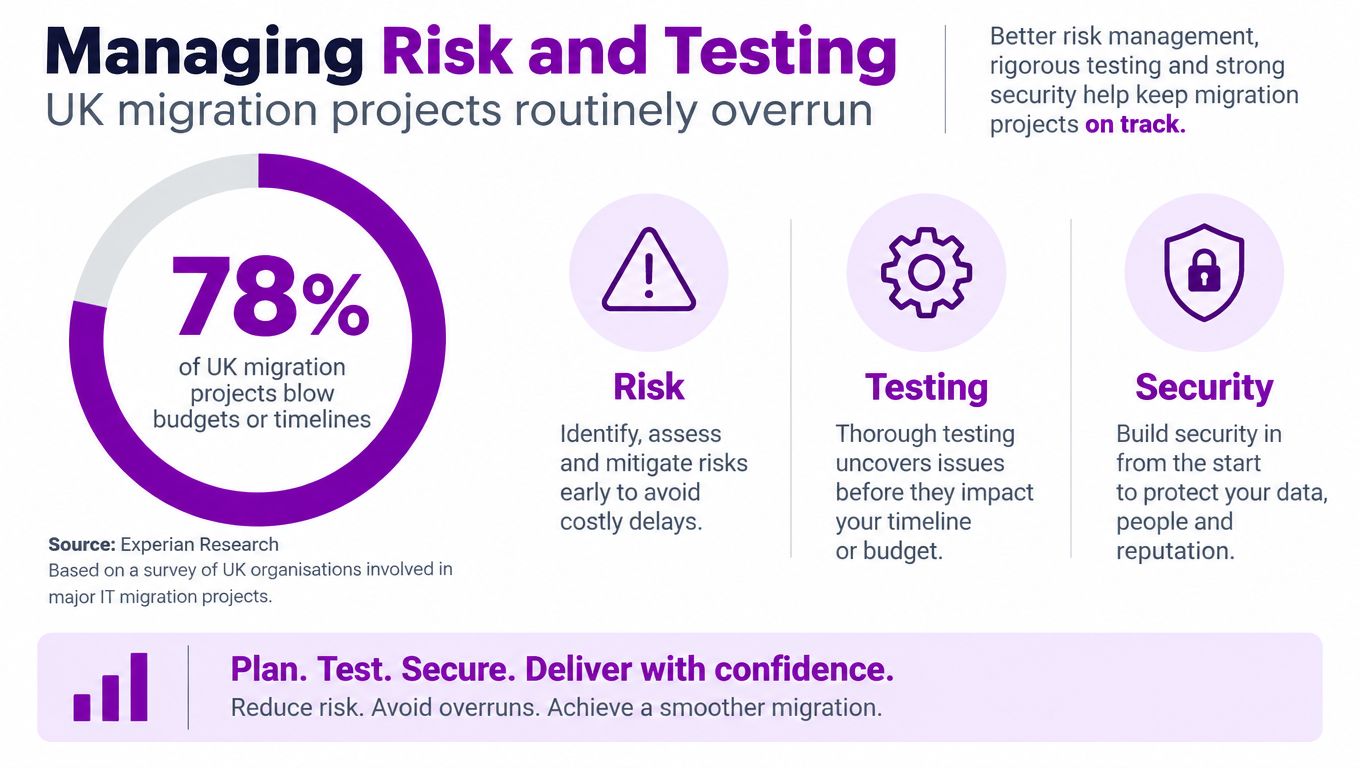
Migration overruns usually come from predictable sources. Legacy data is poorly understood, mappings are agreed too late, users test only happy paths and security controls are added after the architecture has already been fixed.
Experian UK reported that only 36% of data migration projects stayed within their original planned budget, while 54% experienced project delays, as documented in its data migration research. Those figures make risk control more valuable than optimistic scheduling. A provider that spends time finding exceptions early may appear slower at the start and still deliver a more reliable project.
Test the migration, not just the tool
A useful test programme includes representative samples, difficult records, unusual permissions and realistic user journeys. Test the ordinary customer record, but also test duplicate names, missing fields, archived documents, long file paths and records owned by people who have left.
Automated reconciliation should compare record counts, checksums where appropriate, field values and relationship integrity. Business users then validate whether the target information supports real work. Technical completion and operational acceptance are separate gates.
Agree rollback criteria before cutover. The plan should state which failure conditions trigger a pause, who makes that decision and how the business returns to the source system without creating conflicting updates.
Treat security as architecture
The UK security picture is uncomfortable. A 2026 study of 300 technology leaders found that 73% of cloud migration projects took longer than planned and 83% experienced security issues during or after migration. The same research reported that 90% viewed regulations as a major complexity factor, with underestimated cloud security costing an average of £625,000 per organisation. These figures appear in Cloud Bridge's guidance on secure cloud migration in the UK.
That means identity controls, least-privilege access, audit logging, encryption and compliance checks belong in the design phase. They shouldn't be a final checklist after the data has already crossed the boundary.
For sensitive records, follow recognised transfer practices. National Archives guidance on transferring digital records advises organisations to understand the system version at both ends and use secure methods such as SFTP or an encrypted high-density drive.
A resilient project also protects the source environment and confirms recovery arrangements before cutover. Review backup and disaster recovery planning as part of the migration design, not as an unrelated infrastructure task.
The vendor test: Ask what would make the provider stop a cutover. If the answer is vague, the rollback plan probably is too.
Timelines and Cost Drivers Explained
A credible migration quotation separates professional effort from platform licensing, remediation and post-cutover support. UK Digital Marketplace listings show data migration pricing from £225 to £1,650 per unit per day in one service listing, and £350 to £1,900 per person per day in another. The listings are useful benchmarks, but they aren't a fixed quote for your environment.
The specialist labour market provides another reference point. For contract roles citing Data Migration, the UK median daily rate was £525, with a £500 median excluding London, over the six months to 25 September 2026. Permanent roles had a median annual salary of £63,000, or £57,500 excluding London, according to IT Jobs Watch's UK data migration benchmarks.
What changes the estimate
A simple Microsoft 365 mailbox move may take a few weeks when identities, licensing and source data are already orderly. A multi-system Dynamics 365 consolidation can take several months because the work includes relationship mapping, transformation, workflow testing and reporting validation. Neither timeframe should be accepted without a discovery phase.
| Cost Driver | Typical Impact | How to Control It |
|---|---|---|
| Source data quality | More cleansing, exception handling and manual review | Profile data early and assign business owners |
| Number of systems | More interfaces, dependencies and reconciliation | Prioritise systems and document data flows |
| Dynamics or legacy customisations | Additional mapping, testing and redevelopment | Inventory custom fields, workflows and reports |
| Compliance requirements | More controls, evidence and approval gates | Define retention, access and audit needs at the start |
| Internal preparation | Less preparation by the client means more provider effort | Allocate owners for cleansing, decisions and testing |
| Parallel running | Duplicate administration, temporary licences and support effort | Set an end date and define synchronisation responsibilities |
| Post-migration remediation | Fixes for missed permissions, mappings or user issues | Hold a controlled support period with acceptance criteria |
The price of uncertainty
Volume matters, but condition matters more than raw size in many SMB projects. A smaller dataset with inconsistent customer identifiers can demand more work than a larger, well-structured export. Custom applications also create hidden dependencies, especially where reports or integrations read directly from legacy tables.
Parallel operation deserves a separate budget line. Teams may need temporary licences, duplicate processes and additional reconciliation while both platforms run. Post-migration fixes are normal, but a provider should distinguish planned hypercare from correcting defects that should have been found during testing.
Ask for assumptions alongside the price. A low estimate based on clean data, complete documentation and immediate business sign-off isn't comparable with a higher estimate that includes profiling, cleansing and rollback planning.
How to Choose a Data Migration Provider
The provider should be able to explain the migration in business terms and technical detail. Ask what will happen to a customer record, a shared document, a departed user and a failed cutover. If the conversation stays at the level of “we'll move everything to the cloud”, you haven't reached a useful proposal.
Use a practical supplier checklist
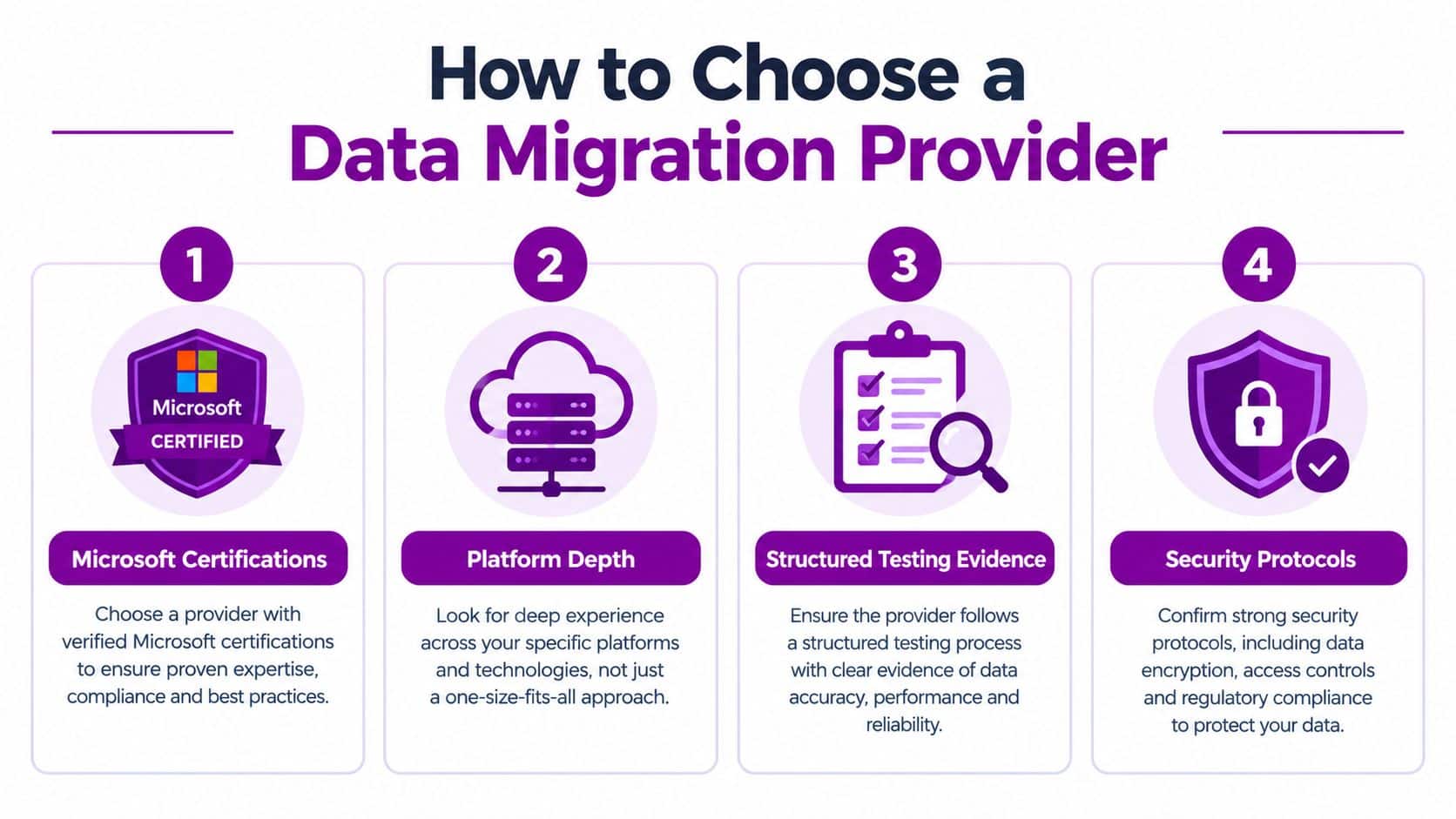
Check Microsoft certification and platform depth first. A provider working across Microsoft 365, Azure and Dynamics 365 should understand how identity, permissions, licensing and application dependencies interact. Platform familiarity matters because the correct design for SharePoint isn't the same as the correct design for Azure databases or Dynamics relationships.
Then request evidence, not assurances:
- Testing evidence: Ask for a sample test plan, reconciliation method and user acceptance criteria.
- Rollback discipline: Confirm the exact conditions that pause or reverse a cutover.
- Commercial clarity: Require assumptions, day rates or fixed-fee boundaries, exclusions and change-control terms.
- Security practice: Check identity controls, audit logging, encryption and compliance validation. Secure transfer proposals should reflect recognised methods such as SFTP or encrypted drives, consistent with the National Archives transfer guidance.
- Relevant references: Speak to organisations with a similar size, workload and regulatory environment.
- Local availability: Establish who will respond when a cutover runs into the evening and whether the team understands your local operating environment.
A provider should take ownership from discovery through post-migration support. Beware a hand-off model where one supplier extracts data, another configures the target and your internal team is left to reconcile the result.
Prepare before the first call
You'll receive a better estimate if you can answer basic questions about the estate:
- Which systems hold business-critical data?
- Which records must be live on day one?
- Who owns each dataset and who approves the target design?
- Which users, teams and external parties need access?
- What downtime can the business accept?
- What would make you stop or reverse the cutover?
- How will users prove that the new environment works?
F1Group is one Microsoft-focused option for East Midlands organisations, offering Microsoft 365 migration assistance, Azure workload migration and support across related Microsoft platforms. Treat that as a starting point for comparison, not a substitute for checking scope, evidence and commercial terms.
Your Next Step to a Smooth Migration
A reliable migration rests on four decisions. Choose a strategy that matches your tolerance for disruption, test with representative data, define rollback criteria before cutover and fund security governance from the start.
The provider you appoint should own the journey from discovery to validation. That includes data quality, identity, permissions, secure transfer, user acceptance and the post-migration fixes that emerge once people begin working in the new environment.
Migration is a well-established business activity, but it still punishes shortcuts. The biggest risk usually isn't the destination technology. It's moving before the business understands what it owns, who needs it and how success will be proved.
Phone 0845 855 0000 today to discuss your migration with F1Group, or send us a message.
F1Group can help East Midlands firms plan and deliver Microsoft 365, Azure and Dynamics 365 migrations with structured discovery, testing and transition support. Visit F1Group to discuss your systems, data and preferred migration approach.