
The worst advice on Azure migration is still the most popular one, move everything quickly and sort the rest out later. That approach usually gives you the easy win of a go-live date, then hands you the harder problem of governance, cost creep, security drift, and awkward operating changes after the cutover. For East Midlands leaders, the question isn't whether Azure can host your workloads. It's whether your team can keep them controlled, compliant, and affordable once they're live.
Azure cloud migration services should be treated as a transformation programme, not a server transfer. Microsoft's own guidance sets out a six-stage lifecycle, strategy, plan, ready, migrate, govern, and manage, which makes the point plainly that migration doesn't end when the VM starts up in Azure (Microsoft migration services overview). If you approach it as a one-off project, you'll miss the landing zone, the operating model, and the post-go-live work that determines whether Azure becomes an asset or a budget leak.
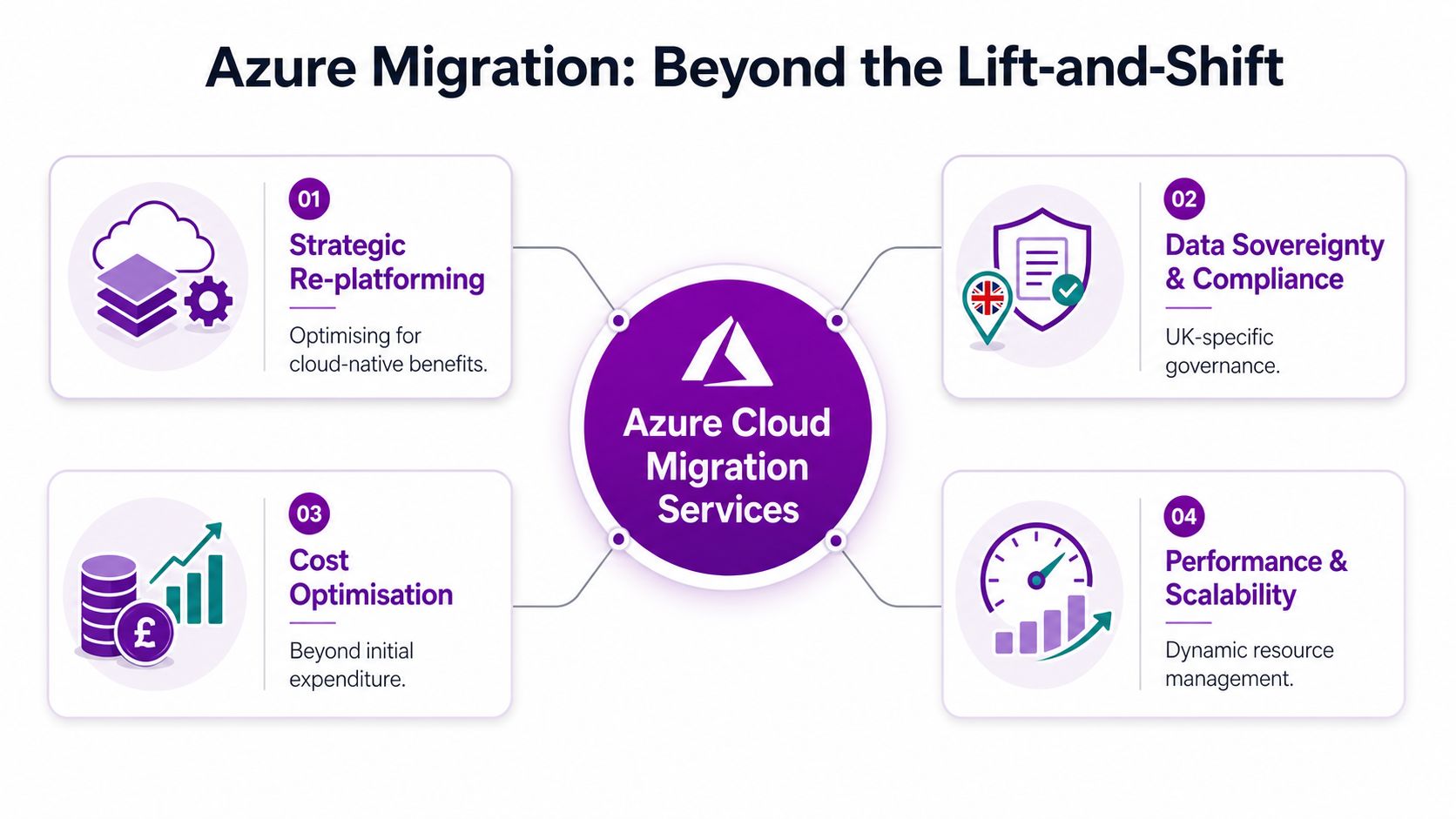
If you're still mapping cloud to old-fashioned infrastructure projects, read the broader view of cloud IT infrastructure, because Azure changes the shape of the operating model as much as it changes the hosting platform.
Why Azure Migration Is More Than a Simple Lift-and-Shift
Lift-and-shift has a place, but it's not the default I'd recommend for most UK organisations. Rehosting can be useful when the priority is speed, but the moment you have compliance pressure, integration complexity, or a small team with limited cloud depth, a blunt move can create more work than it saves. Microsoft's guidance is clear that migration is structured around strategy, plan, ready, migrate, govern, and manage, which is the opposite of a casual server move (Microsoft migration services overview).
The part people skip is the operating model
The biggest mistake I see is teams thinking cutover equals completion. It doesn't. Once workloads are in Azure, someone still has to manage identity, policy, monitoring, optimisation, and incident response, and those responsibilities don't disappear because the project team has signed off.
Practical rule: if nobody owns governance after go-live, you haven't finished migrating, you've only relocated the problem.
That's why the discovery and readiness work matters so much. Microsoft positions Azure Migrate around deciding, planning, and executing migration, including support for servers, databases, web apps, virtual desktops, and offline movement with Azure Data Box for larger estates (Microsoft Azure Migrate services overview). For regulated or data-heavy businesses, that means the project is really about control, not just relocation.
Azure success starts before the move
A good migration programme starts by deciding what the business wants from Azure. Faster change delivery, better resilience, tighter compliance, and cleaner cost control are different outcomes, and they don't all point to the same technical path. If your team treats migration as a one-way relocation exercise, you'll often end up overpaying for underused systems.
The right mindset is simple. Decide what Azure should change, not just where the servers should sit. That's the difference between a move and a transformation.
Choosing the Right Migration Strategy for Your Workloads
The safest default is not lift-and-shift, it's workload-by-workload decision-making. Microsoft's own framework says to remove options that conflict with compliance, security, or operational constraints, and to weigh Azure readiness, team skills, and integration complexity before finalising a strategy (Microsoft cloud adoption strategy guidance). That matters for East Midlands SMEs and charities because legacy systems, small teams, and sector obligations make blanket approaches risky.
Compare the three practical paths
| Strategy | Best For | Timeline | Risk Level | UK Compliance Notes |
|---|---|---|---|---|
| Rehost | Legacy workloads that need a fast move and limited change | Often the quickest option | Lower technical change, higher post-move operating risk | Works only if identity, policy, and data handling are sorted first |
| Replatform | Systems that need some cloud benefit without a full rebuild | Usually moderate | Moderate, because you change enough to improve things but not enough to redesign everything | Better for firms that need tighter control without a full rewrite |
| Refactor | Critical applications where agility, scalability, or future change matters | Slower by design | Highest delivery effort, but often lower long-term strain | Best when compliance and integration need a cleaner architecture |
The trade-off is simple. Rehost buys speed, replatform buys balance, and refactor buys future flexibility. If you've got stable systems and a hard deadline, rehost may be reasonable. If the app is business-critical, tightly integrated, or hard to govern, lift-and-shift often becomes the riskiest choice because it carries old design problems straight into Azure.
When to keep something hybrid or retire it
Some workloads shouldn't move at all. Others should move later in waves. That's not indecision, it's discipline. If a system is heavily customised, poorly documented, or dependent on brittle integrations, forcing it into Azure too early is how migration programmes become repair projects.
For a useful perspective on delivery styles, Arch's comparison of big-bang vs phased migration approaches is worth reading before you commit to a cutover model. The point is not that phased is always right, it's that a phased route usually gives you more room to correct mistakes without taking the whole estate down with them.
My view: if your compliance team is nervous, your operations team is stretched, and your developers can't explain the dependencies clearly, don't start with the hardest workload first.
The Four-Phase Migration Lifecycle and Critical Milestones
Microsoft's practical migration sequence is Discover, Assess, Target, and Migrate. That order keeps a programme honest because it forces the team to understand the estate before anyone starts changing it. It also matches the landing-zone approach Microsoft expects, with Microsoft Entra ID, RBAC, Azure Policy, and network and security baselines in place before workloads move.
Discover and assess before anyone promises dates
Discovery is inventory work, but it is also dependency mapping. You need to know what talks to what, what fails if it moves, and what has hidden licensing or data-handling constraints. Azure Migrate supports discovery and assessment, and Microsoft positions it as part of execution as well as planning (Microsoft Azure Migrate services overview).
Assessment is where teams need to be blunt. Which workloads are ready. Which ones need redesign. Which ones should stay put. If that conversation is weak, the rest of the programme will drift, and the hidden costs show up later in support, governance, and rework.
Target is where the landing zone earns its keep
The landing zone is the milestone many teams underestimate. If identity, access, policy, and networking are wrong after workloads are already in Azure, the environment gets redesigned under pressure. That means delay, extra spend, and a weaker outcome.
Microsoft's sequence is clear, start with Entra ID, then RBAC, then Azure Policy, then network and security baselines, and only then use Azure Migrate for discovery, assessment, and execution. For larger or regulated data estates, Azure Data Box belongs in the plan when offline transfer is the safer route, and ARPHost, LLC planning a seamless cloud transition covers the practical discipline around planning, cutover, and post-move control. A useful governance lens also sits in this Azure cloud adoption framework guide, which aligns with the same order of work.
Workload movement is the visible part of the project. Landing zone design is what decides whether the move stays manageable.
The true test is not whether the servers land in Azure. It is whether the team can govern identity, access, policy, logging, and network boundaries after the move without improvising under fire.
Understanding the True Cost of Azure Migration
Most budget overruns happen because teams price the move and ignore what happens after cutover. That is the wrong model. A workable Azure budget needs three buckets: one-time migration costs, ongoing Azure run costs, and an optimisation buffer for the first few months after the move. A practical enterprise guide recommends checking actuals against all three every month for the first six months, with an optimisation buffer of roughly 15 to 20% of Year 1 run costs (Visionet practical Azure guide).
The cost conversation should be split in three
If you collapse everything into one budget line, visibility disappears fast. One-time costs cover planning, testing, execution, and change work. Run costs cover the ongoing Azure environment. The optimisation buffer exists because the first few months after migration are rarely clean.
That buffer is not waste. It is a control mechanism. You use it while right-sizing, adjusting alerting, and removing the waste that only becomes obvious once workloads are live. Leaders who want a clean answer on day one are asking for the wrong thing.
The business case is bigger than infrastructure savings
Independent IDC research on Microsoft customer migrations and modernisation to Azure reports annual benefits of $545,400 per 100 users, equivalent to $30.31 million per organisation, plus an average revenue gain of $139.0 million per year per organisation, and three-year discounted benefits of $70.3 million per organisation (IDC research PDF). Those figures are not UK-only, so do not treat them as a local forecast. Use them as a benchmark for how large the upside can be when migration improves productivity and service delivery, not just hosting.
For East Midlands decision-makers, the KPI set should go beyond pure spend reduction. Track cost savings per user, service resilience, and revenue impact from faster delivery. That is a better test than asking whether the cloud bill is smaller than the old server room bill.
Post-migration control is where many budgets drift. Tight tagging, clean chargeback, and policy-based automation stop small inefficiencies from becoming a permanent run-rate problem. The cloud cost optimisation guidance is a useful companion to any migration budget because it keeps the focus on control after the workload lands. For planning discipline, ARPHost, LLC planning a smooth cloud transition is worth reading because it treats planning as operating discipline, not paperwork.
Real-World Migration Scenarios for UK Organisations
A mid-sized manufacturer in the East Midlands with a legacy ERP platform usually doesn't need a dramatic rebuild on day one. It needs stability. In that situation, I'd keep the core ERP hybrid for a while, move the supporting web and reporting layers first, and only modernise the ERP components once the integration risk is understood. That avoids a big-bang failure where finance, logistics, and customer service all lose confidence at once.
A local charity with strict data protection obligations needs a different approach. Sensitive donor and beneficiary data should be handled with tighter governance, and some workloads may be better left where they are until the security model, access model, and retention controls are proven. Selective migration is not timid, it's the right answer when compliance matters more than speed.
What sensible sequencing looks like
A growing services business often has the cleanest path because customer-facing applications can be modernised first while back-office systems stay steady. That lets the business improve the user experience without destabilising payroll, finance, or operational reporting. The key is that each wave should have its own success criteria, not a vague promise that the whole estate will eventually settle down.
Practical lesson: the smaller the internal cloud team, the more important phased migration becomes. Limited skills don't remove complexity, they just make the consequences more visible.
The common thread across all three cases is that workload-by-workload judgement beats blanket migration policy. If you have legacy dependencies, compliance pressure, or thin in-house capability, the safest route is usually selective, not universal. That's especially true for East Midlands organisations that can't afford a painful rework after go-live.
Selecting the Right Migration Partner and Avoiding Common Pitfalls
A good Azure partner should talk about governance before they talk about speed. If a supplier jumps straight to lift-and-shift without asking about identity, policy, support, or operating model, they're selling movement, not migration. That's a problem because the hard work in Azure starts after the first workloads are live.
Questions that separate real capability from sales talk
- Microsoft status: Ask what partner designations they hold, and how those map to Azure delivery rather than general Microsoft sales activity.
- UK compliance experience: Ask for examples of handling UK GDPR, data residency, and regulated workloads.
- Post-migration support: Ask who watches the environment after cutover, and what happens when cost or performance drifts.
- Transparent pricing: Demand a breakdown for discovery, landing zone work, migration, testing, and ongoing support.
- Operational continuity: Ask how they avoid disruption when identity, networking, or access control needs to change.
A local partner can also matter more than people admit. For East Midlands firms, on-site access, quicker response, and familiarity with regional operating realities can be the difference between a tidy change window and a stressful weekend. F1Group is one example of a provider that combines managed Azure support with migration planning and hands-on operational help, which is the sort of model that makes sense when you want support that continues after cutover.
The common pitfalls are predictable
The usual mistakes are easy to spot. Teams underfund testing. They defer governance. They underestimate the staff time needed to support the migration. They also assume the first Azure bill will tell the full story, which it won't.
The better question is this. Can the partner help you choose which workloads should move now, later, or not at all. If they can't answer that clearly, keep looking.
Your Next Steps Towards Successful Azure Migration
Start with an honest inventory of what you run today, then sort workloads by business criticality, compliance pressure, and integration complexity. That alone will tell you where lift-and-shift is acceptable, where phased migration is safer, and where a redesign is justified. If you need a benchmark for the wider journey, Microsoft's migration expertise is worth comparing with your own internal capability before you commit to a route.
Your immediate priorities are simple. Build the landing zone first. Budget for post-go-live optimisation. Decide who owns governance, support, and cost control after cutover. Those are the moves that separate a controlled Azure programme from an expensive server relocation.
If you're an East Midlands business leader and you want a migration plan that accounts for governance, cost, and workload selection, speak to F1Group today. They provide practical Azure migration support, managed services, and hands-on guidance for organisations that need more than a one-time move.
F1Group helps East Midlands organisations plan and deliver Azure migration without losing control of cost, security, or support after go-live. If you want a sober assessment of your workloads and a migration path that fits your business, visit F1Group or phone 0845 855 0000 today. Send us a message at https://www.f1group.com/contact/.