
A mid-sized business can have Microsoft 365 in place for years and still lose hours to the same avoidable work. Staff rewrite similar emails, search through Teams conversations for decisions, copy figures between spreadsheets, prepare meeting notes by hand and wait for someone with specialist Power BI knowledge to answer a straightforward question. Buying Copilot won't fix those problems by itself.
Copilot earns its keep only when you point it at specific, repeatable work and give people a safe way to check the result. The most useful Microsoft Copilot use cases usually sit inside existing workflows, rather than replacing them. This guide covers ten practical applications across communication, analysis, operations, people and security. Each one explains where the benefit can appear, what the licence costs in pounds sterling, which prerequisites matter and the first pilot step I'd recommend.
Microsoft's UK pricing page lists Microsoft 365 Copilot Business at £13.80 per user per month when paid yearly, excluding VAT, and states that a Microsoft 365 Business plan is required. The enterprise price shown is £23.10 per user per month when paid yearly, excluding VAT. Check the Microsoft 365 Copilot UK pricing before budgeting, because prices and eligibility can change.
1. Business Email and Communication Management with Copilot in Outlook
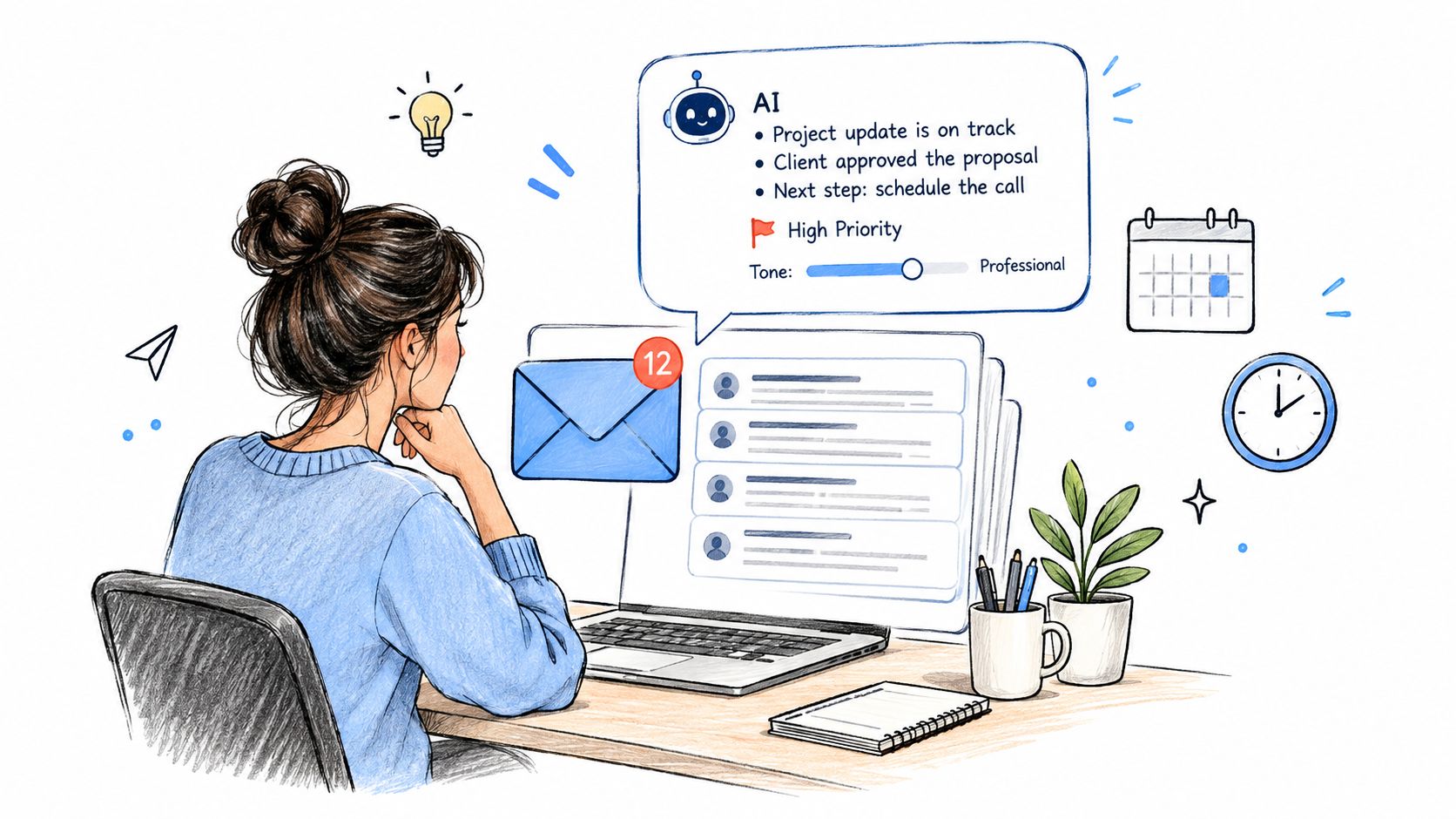
A recruitment consultant can spend the first part of the day sorting candidate replies, while a legal team checks client updates and a customer service manager works through a complicated case. Copilot in Outlook can summarise long threads, identify decisions and unanswered questions, and produce a first draft in a selected tone. The practical gain comes from reducing repetitive handling, not from sending messages without review.
The trade-off is accountability. A polished draft may misunderstand a commitment, soften an important qualification or expose information that should stay inside the organisation. Review every external message, especially one involving contractual language, complaints, pricing or personal data.
Make the pilot about a queue, not a novelty
Choose one team with a high volume of repeatable communication. Provide approved templates, examples of the organisation's tone and rules defining when Copilot can assist. Start by comparing the time needed for a defined group of recurring messages before and after adoption. Check edits and rework as well as preparation time, because faster drafting can create extra checking work.
Use these operating habits:
- Start with context: Tell Copilot who the recipient is, what outcome is required and which source material it should use.
- Summarise selectively: Use thread summaries for lengthy correspondence, then open the underlying messages before making a sensitive decision.
- Review every external email: The sender remains responsible for accuracy, tone, confidentiality and commitments.
- Use a remote executive assistant carefully: Copilot can support routine drafting and prioritisation, but it doesn't replace judgement about relationships or urgency.
The Microsoft 365 Copilot cross-government findings describe uses including drafting, information retrieval and routine administration. Use those findings as a planning comparator, not as a promised return for your organisation.
2. Data Analysis and Business Intelligence with Copilot in Power BI
A finance director sees an unexpected movement in monthly revenue and needs a useful first view before the next review. Copilot in Power BI can help explore the report in ordinary language, produce an initial narrative and highlight areas for examination. A manufacturing manager might ask which production lines need attention, while a retailer could compare sales and stock patterns without waiting for an analyst to prepare every starting view.
The quality of those answers depends on the model behind the report. Poorly defined measures, incomplete relationships or failed refreshes can make uncertain results appear authoritative. Assign data owners, agree definitions and distinguish exploratory insight from an approved business decision before wider access.
Make the first pilot about validation
Select one governed semantic model with a named owner and a limited group of users. Document key measures, test Copilot's responses against known results and record recurring questions. Connect the reporting approach with your Power BI reporting services plan so dashboards, permissions and support arrangements develop together.
The first pilot step should be concrete: ask users to investigate a defined set of totals, trends and comparisons, then have finance or operations staff verify the source data. This exposes both the time saved and the checking work created by generated analysis.
Keep these controls in place:
- Check the model first: Confirm that the report includes the required data and that filters behave as intended.
- Start with bounded questions: Test totals, trends and comparisons before requesting complex explanations.
- Record important decisions: Save the question, answer and validation notes where the result informs action.
- Separate discovery from approval: Copilot can point analysts towards an issue, but accountable managers decide what happens next.
The licence cost should be assessed alongside model preparation, governance and user support. Power BI Copilot is useful when it gives people faster access to well-managed information. It cannot supply missing data or take responsibility for compliance, pricing or investment decisions.
3. Customer Relationship Management Enhancement through Copilot in Dynamics 365
A sales representative enters an account review with emails, meeting notes and open tasks spread across several systems. Copilot in Dynamics 365 can assemble recent activity, summarise an opportunity, prepare conversation points and turn agreed actions into structured follow-up. The time saved matters only if the summary reflects the customer record accurately.
CRM quality sets the limit. Stale opportunity stages, missing owners and inconsistent notes give Copilot weak material to work with. It can organise incomplete information, but it cannot recover customer details that staff never captured.
Pilot one defined customer journey
Choose either opportunity management or case handling, not both at once. For a sales pilot, select a group of active opportunities, define the fields and activities that must be current, then ask account owners to prepare their next review with Copilot. The first pilot step is to compare preparation time and have the sales manager check summaries against the CRM record, recent correspondence and agreed actions.
Customer service teams can run a similar test with a controlled set of cases. Copilot may help an adviser locate relevant history and draft a response, while the adviser checks policy, entitlement and case details before sending it. Suggested wording should never replace responsibility for the customer outcome.
Set the operating rules before expanding access:
- Clean the records: Standardise account names, ownership, stages and activity capture.
- Set review points: Route recommendations to a manager, technical specialist or compliance reviewer when the case requires judgement.
- Measure work completed: Track follow-ups, record quality and response handling, rather than Copilot opens alone.
- Use scores carefully: Lead recommendations can support prioritisation, but they do not predict conversion.
Review the wider CRM implementation approach before changing the platform. The licence cost should be considered with data preparation, configuration, governance and user support. Copilot adds value when the customer process is clear and accountable staff verify its output.
4. Document Creation and Content Generation with Copilot in Microsoft Word
A consultancy preparing a proposal may have a brief in email, pricing in a spreadsheet and previous work in several Word files. Copilot in Word can use that material to produce a workable draft, reorganise sections and refine wording. The same approach fits client reports, job descriptions, internal policies and other recurring documents.
The practical benefit is faster assembly. The trade-off is review risk. Copilot can fill gaps with plausible language, combine source ideas incorrectly or state an unsupported point confidently. Fluency does not confirm accuracy, scope or suitability for a client, regulator or employee.
Start with one repeatable document type and an approved template. Give Copilot the audience, purpose, structure and required points, then ask for a named section using specific, current source files. For a first pilot, use recurring proposals and have a senior consultant check factual claims, scope and commercial assumptions before client circulation.
Practical rule: Treat every Copilot draft as editable working material until a named reviewer has checked each material claim.
Set the controls around the pilot:
- Define the brief: State the audience, purpose, length, headings and points the draft must cover.
- Check the sources: Confirm that relevant files are accessible, current and appropriate for the document.
- Separate two reviews: A copy edit can improve style, while a subject expert checks evidence and meaning.
- Protect confidential material: Apply existing access, retention and sharing rules to both source files and drafts.
The licence cost should be assessed alongside template design, source cleanup, reviewer time and user training. A useful first measure is drafting time, paired with the number and type of corrections found in review. Copilot works best here as a controlled starting point, leaving the subject expert more time for judgement, evidence and final editing.
5. Workflow Automation and Process Optimisation through Copilot in Power Automate
A finance team can describe an invoice approval route, and Power Automate Copilot can turn that description into a starting flow. The same approach can support employee onboarding or facilities requests, such as creating a task, notifying an owner and updating a record.
The first draft is only a technical starting point. It may mishandle duplicate submissions, missing approvals, failed connections or exceptions. The business still needs a mapped process, a named owner and clear decisions about what happens when the normal route fails.
Pilot one process with known exceptions
Select a high-volume process with a clear start and finish. Map the current steps before writing the prompt, including decisions, hand-offs and cases that fall outside the standard route. Then ask Copilot for a first version and test it against realistic examples.
A purchase request is a practical pilot for an accounts team. The flow might capture the request and send it to an approver. Test incomplete information, rejection, duplicate submissions and an unavailable approver before allowing wider use.
Use these controls during the pilot:
- Name the owner: Assign responsibility for maintenance, failed runs and process changes.
- Use least privilege: Limit connections to the data and actions the workflow requires.
- Log outcomes: Record approvals, errors and exceptions so staff can investigate them.
- Document the design: Record triggers, conditions, dependencies and escalation routes for future maintainers.
A short visual can clarify the intended sequence before anyone builds the flow.
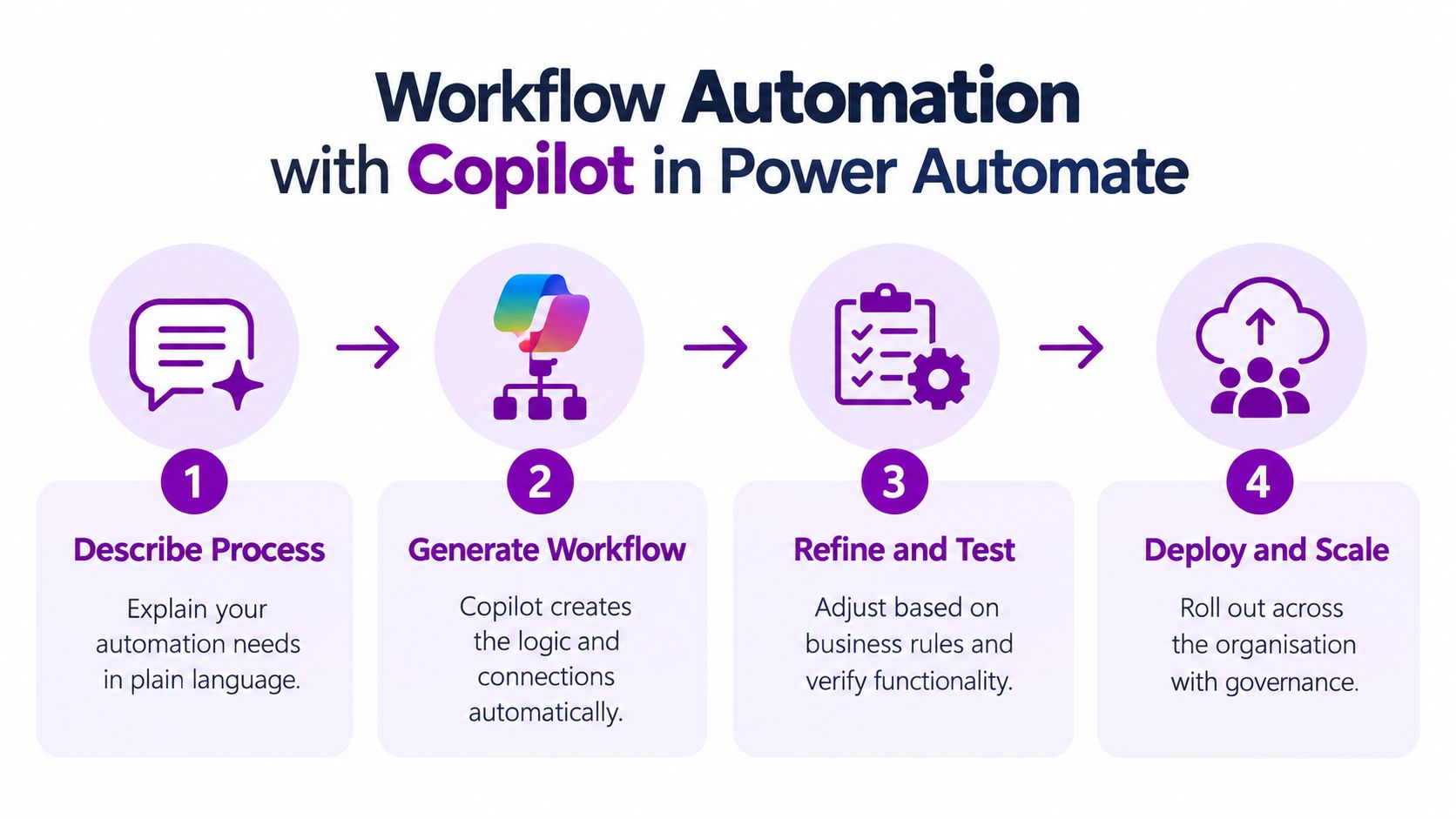
Watch the Power Automate workflow demonstration after mapping the process. It can show the product's mechanics, but it cannot replace decisions about ownership, permissions or exception handling.
6. Spreadsheet Analysis and Formula Generation with Copilot in Excel
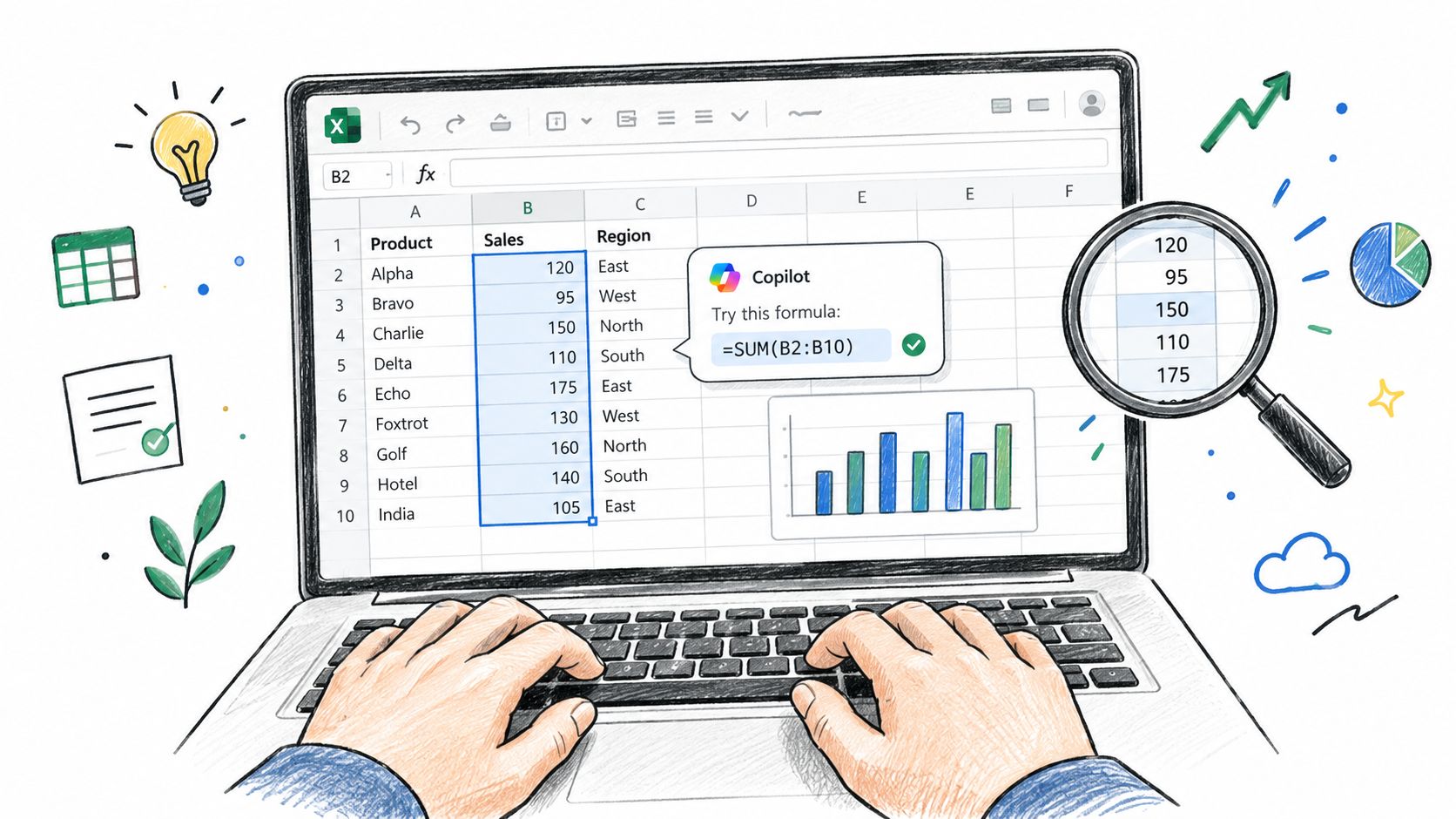
A finance manager opens a monthly workbook and needs to explain why departmental costs moved. Copilot in Excel can suggest a variance formula, explain how it works, identify patterns and create a chart from structured data. It can also reduce the manual effort involved in recurring sales, budget and performance analysis.
The quality of the answer depends on the workbook. Merged cells, inconsistent labels, hidden assumptions and manual overrides can lead to misleading results. A formula that looks reasonable still needs to match the business rule behind the report.
Choose one recurring workbook with a stable layout and a named owner. Before asking Copilot to analyse it, clean the source data, use clear column headings and record definitions that a new reviewer might miss. Start with one calculation, then compare it with the existing method before including the result in a management report.
For a practical pilot, ask for a departmental variance calculation and a chart showing the movement. Check the formula references, inspect the source rows and confirm that the chart does not suggest greater certainty than the data supports. This approach exposes whether Copilot saves time without hiding the model's logic.
Set these conditions before wider use:
- Structure the source: Store the data in a consistent table with clear headers.
- Verify formulas: Check references, filters, dates and how blank cells are treated.
- Keep domain expertise: A finance or operations owner must decide whether the suggested method fits the business rule.
- Create reusable guidance: Record approved definitions and approaches for repeated analysis.
The main trade-off is speed versus control. Copilot can handle mechanical work quickly, but it cannot validate undocumented assumptions or decide whether a metric is appropriate. Keep review with the person accountable for the report.
Excel Copilot delivers more value when the workbook is already understandable. It is a poor substitute for documenting a model that staff cannot explain.
7. Meeting Preparation and Summarisation with Copilot in Microsoft Teams
A recurring project meeting can leave three gaps: preparation takes too long, decisions are hard to locate, and absent colleagues lack reliable context. Copilot in Teams can examine the discussion, produce a summary and identify proposed actions, giving the chair a starting point for follow-up.
The quality of that output depends on the meeting itself. A vague objective, unexplained shorthand or unresolved discussion can produce a tidy summary without clear decisions. Transcription also requires a lawful, transparent process, especially for meetings involving employees, customers or sensitive cases.
Pilot the workflow, not just the summary
Choose one internal meeting with a stable agenda and a clear business purpose. Put the objective in the invitation, explain how transcription and AI assistance will be used, and ask speakers to state owners and deadlines aloud. Afterward, the chair should verify the summary before sharing it.
For example, a project team might use Copilot to record decisions about a delivery milestone. The project manager must still decide whether each item was agreed, proposed or left unresolved. Copilot reduces note-taking effort, but it does not create accountability where the conversation failed to assign it.
Use these checks during the pilot:
- Set expectations: Tell participants when transcription and AI assistance are active.
- Structure the agenda: Clear topics and decisions give Copilot better material to summarise.
- Review sensitive details: Correct names, commitments, owners and confidential content before distribution.
- Retain human notes where needed: Client, regulatory and employment meetings may require a designated note-taker.
For a practical workflow, read this Copilot meeting notes guidance. The first pilot should assess whether actions become clearer and are completed more reliably, rather than counting summaries alone. Teams also needs suitable Microsoft 365 access, meeting transcription configured for the organisation and agreed rules for storing and sharing meeting records.
8. Human Resources and Employee Development with Copilot in Viva
A professional services firm could use Viva to help managers prepare development conversations, while a manufacturer might organise learning resources around role skills. A charity could give volunteers a clearer route through induction material. These uses connect onboarding, learning and employee communication with the Microsoft 365 environment.
The benefit depends on the people framework behind the technology. Development suggestions can affect access to training, progression and performance discussions, so managers need to understand the source, limitations and possible bias in Copilot's output. It should support preparation and comparison of options. The accountable manager remains responsible for the employment decision.
Pilot one role family, not the whole HR function
Start with onboarding for one role family. Before the pilot, define the skills framework, role expectations and access boundaries. Train participating managers to write appropriate prompts, avoid exposing confidential information and check outputs against policy. Compare whether new starters and managers find the required information more consistently.
Four controls should be in place:
- Limit sensitive access: Configure permissions so managers see only employee information they are authorised to use.
- Explain the role of AI: Tell employees how Copilot supports people processes and where human judgement remains responsible.
- Check for unfair patterns: Review development suggestions for inconsistent treatment across roles or employee groups.
- Record decisions separately: Keep the official employment record focused on the accountable human decision and its evidence.
Viva Copilot works best when HR has already defined good onboarding, development and communication. It cannot resolve unclear policies, incomplete skills data or a fragmented employee experience. The first review should therefore examine information consistency, manager review quality and employee understanding, not merely the amount of content produced.
9. Software Development and Code Generation with Copilot in GitHub
GitHub Copilot can suggest code completions, generate routine functions and explain unfamiliar sections of a codebase. That can help a software team create tests, write repetitive integration code or understand legacy logic. It can also give a junior developer a useful explanation while they learn an unfamiliar language or framework.
The central trade-off is speed versus review effort. Generated code may contain security weaknesses, poor error handling or an unsuitable assumption about the surrounding application. It can compile and still be wrong. Developers shouldn't use Copilot to make architectural decisions without understanding the requirements, dependencies and long-term maintenance cost.
Put generated code through the existing route
Choose a contained repository and a routine development task. Keep branch protection, peer review, automated tests and security scanning in place. Ask developers to explain the generated code in the pull request where it materially affects behaviour, rather than treating the suggestion as self-validating.
A web development agency could pilot Copilot for unit-test scaffolding and repetitive data transformation. The technical lead can then assess whether the tests cover the intended cases and whether the resulting code follows the team's standards.
- Review before production: No generated code should bypass normal review.
- Use it for bounded work: Repetitive functions and explanations are safer starting points than system architecture.
- Protect proprietary material: Apply the organisation's repository, access and acceptable-use policies.
- Teach verification: Junior developers need to learn why code works, not only how to request more of it.

10. Cybersecurity and Compliance Support with Copilot in Security Tools
Security teams deal with alerts, logs, policies and incidents that require rapid interpretation. Copilot in Microsoft's security tools can help an analyst summarise an incident, investigate related activity, prepare documentation and identify questions for further review. For a mid-sized organisation without a large security operations team, that can make existing expertise easier to apply across a busy workload.
Copilot doesn't remove the need for logging, identity controls or an incident response plan. If the organisation can't see relevant activity, the assistant has less to work with. A concise explanation of incomplete evidence can create false confidence if nobody checks the underlying events.
Pilot on investigation support, not automatic response
Prepare logging, roles and escalation routes before giving the tool a live security task. Choose a contained set of historical or low-risk investigations. Have an experienced analyst compare Copilot's summary with the original evidence and record where the output helped, missed context or produced a false lead.
For example, an IT team could use Copilot to organise the evidence from a suspected account compromise. The analyst should still confirm the timeline, determine the scope, preserve evidence and approve any containment action.
- Keep privileged decisions human: Copilot can recommend a next step, but an authorised person approves disruptive changes.
- Check the evidence: Open the relevant alerts, identities, devices and logs rather than relying on a summary.
- Control sensitive prompts: Security data can contain personal, commercial or legally sensitive information.
- Practise escalation: Staff need a clear route for urgent incidents, uncertainty and suspected data exposure.
UK research identifies ethical concerns, cost and unclear regulation among reported barriers to AI adoption, with the figures provided by the UK Government AI adoption research. That makes governance part of the security use case, not an optional add-on.
10 Microsoft Copilot Use Cases Compared
| Solution | Implementation complexity | Resource requirements & cost | Expected outcomes | Ideal use cases | Key advantages |
|---|---|---|---|---|---|
| Business Email & Communication (Copilot in Outlook) | Low–Medium, simple integration, some training | Microsoft 365 + Copilot Pro (~£20/user/month), training | Faster drafting, thread summaries, prioritised inbox | Mid-sized businesses, legal, recruitment, customer service, execs | Saves time, consistent tone, seamless M365 integration |
| Data Analysis & BI (Copilot in Power BI) | Medium–High, depends on data quality and modelling | Power BI Premium (large annual cost) + Copilot Pro; prepared data | Rapid report generation, trend detection, automated insights | Analysts, manufacturing, retail, healthcare, finance | Democratizes analytics, anomaly detection, reduces analyst load |
| CRM Enhancement (Copilot in Dynamics 365) | Medium–High, requires Dynamics configuration | Dynamics 365 (£80–£200/user/month) + Copilot licensing | Improved lead scoring, faster responses, less manual entry | Sales teams, customer service centres, B2B firms, insurers | Boosts productivity, better customer satisfaction, improved forecasting |
| Document Creation (Copilot in Word) | Low, straightforward add-in use, prompt skill required | Microsoft 365 + Copilot Pro (~£20/user/month) | Faster document drafting, improved quality and consistency | Legal, consultancies, marketing, HR, proposal teams | Speeds drafting, tone control, aids non-native writers |
| Workflow Automation (Copilot in Power Automate) | Medium, natural-language generation but complex flows may need devs | Power Automate Premium (~£15/user/month) + Power Apps/Dynamics | Rapid workflow creation, reduced repetitive tasks, scalable automations | Finance (invoicing), HR onboarding, operations, procurement | Enables non-developers to automate, accelerates process design |
| Spreadsheet Analysis (Copilot in Excel) | Low–Medium, depends on data cleanliness | Microsoft 365 Business (from £6–12/user/month) + Copilot Pro | Automatic formulas, faster analysis, chart generation | Finance, sales, operations, HR, small analytics teams | Makes advanced Excel accessible, reduces formula errors |
| Meeting Preparation & Summaries (Copilot in Teams) | Low, integrates with Teams; privacy controls needed | Microsoft 365 with Teams (from ~£6/user/month) + Copilot Pro | Transcripts, meeting summaries, tracked action items | Executive teams, project groups, remote/hybrid teams, clients | Captures decisions, improves follow-up, searchable records |
| HR & Employee Development (Copilot in Viva) | Medium–High, requires Viva rollout and change management | Microsoft Viva (≈£8–15/user/month) + Copilot features | Faster onboarding, skill recommendations, performance support | HR teams, scaling organisations, learning & development | Consistent HR processes, personalised learning, reduces admin |
| Software Development & Code Gen (GitHub Copilot) | Low–Medium, IDE integration, needs review practices | GitHub Copilot Pro (~£10–20/developer/month) | Faster coding, function generation, test scaffolding | Dev teams, startups, agencies, engineering orgs | Accelerates development, improves consistency, aids learning |
| Cybersecurity & Compliance (Copilot in Security Tools) | High, requires mature logging, infra and governance | Microsoft 365 Defender (from £3–5/user/month) + Copilot + security tooling | Faster incident response, vulnerability prioritisation, compliance output | Financial, healthcare, tech, regulated organisations | Improves threat detection, speeds response, aids compliance reporting |
Turning Copilot Use Cases into a Measured Rollout
Ten possible applications don't justify ten simultaneous deployments. A mid-sized business usually learns more from one well-defined pilot than from a broad licence allocation followed by a survey asking whether people like the tool. Start with one function, one measurable task and one named owner.
Pick work that happens often, has a visible starting point and produces an outcome someone can inspect. Email drafting, meeting actions, document retrieval, recurring Excel analysis and customer follow-up are practical candidates because teams can describe the current process. Avoid beginning with an impressive demonstration that has no baseline, no accountable owner and no decision about what happens when Copilot is wrong.
Build the pilot around evidence
Record the current process before licensing the pilot group. Depending on the use case, that might mean time spent preparing a recurring document, searching for information, producing meeting actions or responding to a standard customer request. Then define quality measures alongside time. A faster output that needs extensive correction isn't a successful result.
UK evidence gives businesses useful planning context. The DWP trial involved 3,549 employees during October 2024 to March 2025, and 90% of users reported saving time. Its analysis estimated an average saving of 19 minutes per working day, equivalent to approximately 70 hours over a 220-day working year, as reported in the DWP Copilot evaluation. That isn't a guaranteed result for an East Midlands SME, but it is a defensible benchmark for deciding what to measure.
A separate cross-government experiment involved 20,000 employees across 12 organisations, and participants reported saving approximately 26 minutes per working day, or roughly 13 working days per employee annually. More than 70% agreed that Copilot reduced routine work and helped them focus on strategic tasks, according to Microsoft's account of the experiment. The scale is useful, but the findings still indicate potential rather than a promise.
Make readiness part of the business case
Copilot can surface information that users already have permission to access. Poorly managed SharePoint sites, Teams folders and identity groups can therefore become a deployment problem. Before rollout, review data sensitivity, least-privilege access, retention, audit capability and acceptable use. Staff training should cover verification, confidential information, external communication and escalation.
Cost also needs a realistic treatment. The UK Business price is listed at £13.80 per user per month when paid yearly, excluding VAT, while the enterprise price is listed at £23.10 per user per month when paid yearly, excluding VAT, on Microsoft's UK pricing page. Those are licence references, not total programme costs. Add implementation, data remediation, training, support and the time managers spend reviewing results.
F1Group is a Microsoft-focused IT support provider serving the East Midlands since 1995, with services covering Microsoft 365 and Azure, Dynamics 365, Power Platform, Copilot, custom applications and cyber security. Its team can help plan licensing, assess data readiness, configure governance and train staff around practical Microsoft Copilot use cases. Phone 0845 855 0000 today, or send F1Group a message.
F1Group can help your organisation choose a focused Copilot pilot, secure Microsoft 365 data and support adoption across the East Midlands. Visit F1Group to discuss managed IT support, Microsoft 365, Dynamics 365, Power Platform and cyber security services, then call 0845 855 0000 today or send us a message at https://www.f1group.com/contact/.