
You've moved email into Microsoft 365, shifted workloads into Azure and paid for security licences. Then a suspicious sign-in exposes an awkward gap: your IT team thought the partner was watching, the partner thought you were reviewing alerts, and nobody can explain who would authorise an emergency shutdown.
That's the problem with buying secure cloud services as a collection of features. For an East Midlands organisation with a stretched IT department, the test is whether named people can operate those controls, investigate incidents and recover the business without improvising.
What Secure Cloud Services Actually Mean for Mid-Sized Firms
Consider a hypothetical East Midlands manufacturer after a rushed cloud migration. An employee reports an unexpected authentication prompt, and the IT manager discovers an old administrative account that nobody recognises. Nothing confirms a breach, but the investigation reveals unclear permissions, undocumented exceptions and an untested recovery procedure.
The migration project finished. The security operating model didn't.
Moving infrastructure doesn't automatically modernise it. By 2024, approximately 46% of organisations surveyed in the UK State of Digital Government review reported that more than 60% of their technology estate was cloud-hosted, rising to around 55% of central government organisations; the same government review describes migration with limited re-engineering, leaving legacy configurations and dependencies in place.
Separate the platform from the operation
Use these layers to assess your own environment:
- The platform you rent: Establish what the provider protects, what availability commitments apply and what evidence supports its assurances.
- The configuration you control: Identify who approves access, changes tenant settings, connects applications and accepts exceptions.
- The behaviour you depend on: Make sure employees know how to report suspicious activity and administrators know how to respond.
The business outcomes sit across those layers, as this overview illustrates.
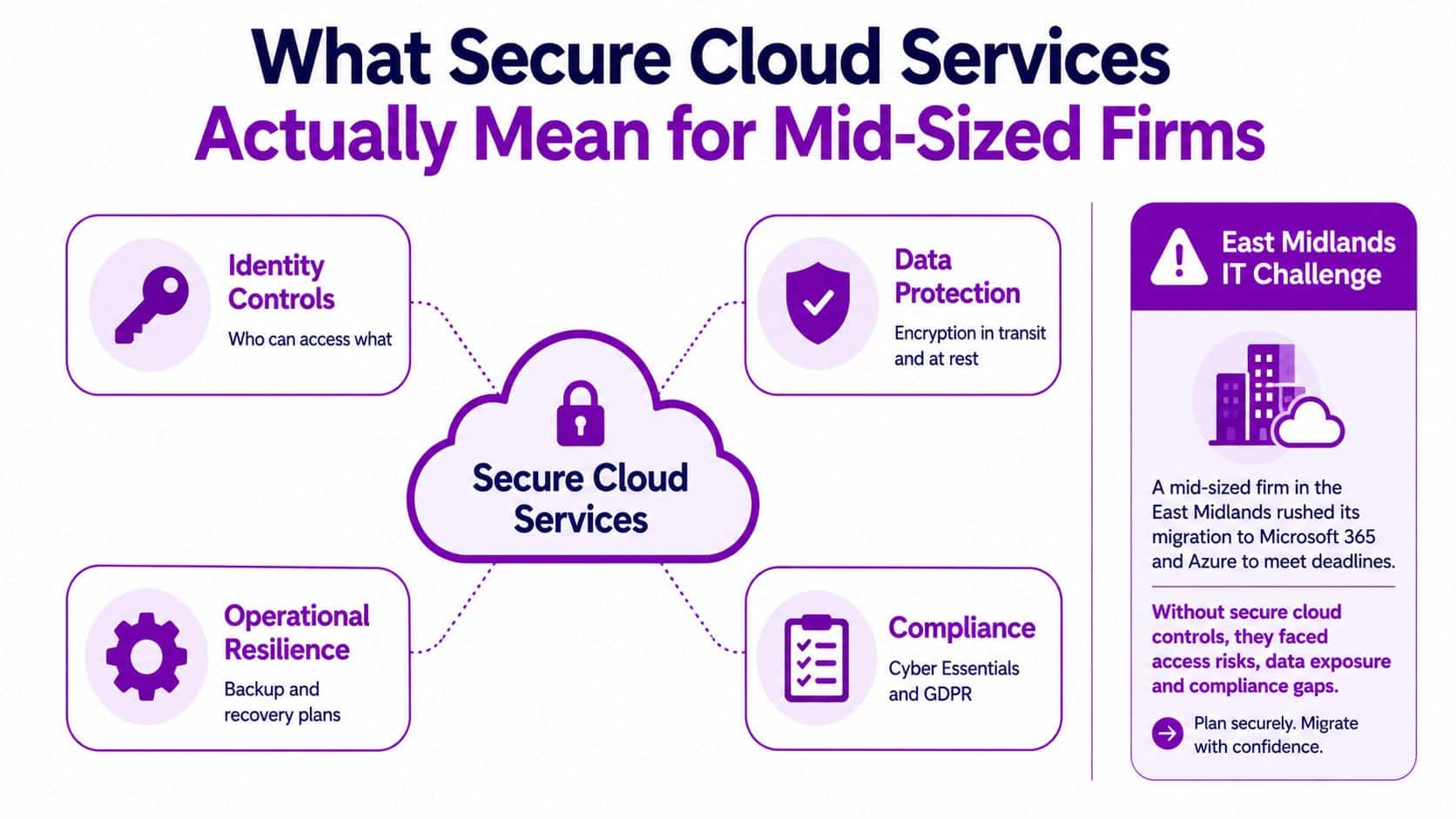
Your cloud IT infrastructure should be designed around how the business works, not where servers will live. A production application, a finance mailbox and a sensitive client archive need different operational decisions, even when they share a supplier.
Practical rule: Don't accept “it's secure because it's in Microsoft” as a control description. Ask who configures it, who checks it and what evidence they retain.
For a mid-sized firm, secure cloud services mean a defensible operating arrangement: suitable technology, accountable ownership and procedures people can follow. If any of those is missing, another licence won't close the gap.
The Security Foundations Every Cloud Service Should Provide
Use the NCSC's 14 cloud security principles as an assessment framework, not a document to attach to procurement and forget. My recommendation is to organise the discussion around decisions the board can understand, then ask administrators to demonstrate the corresponding configuration.
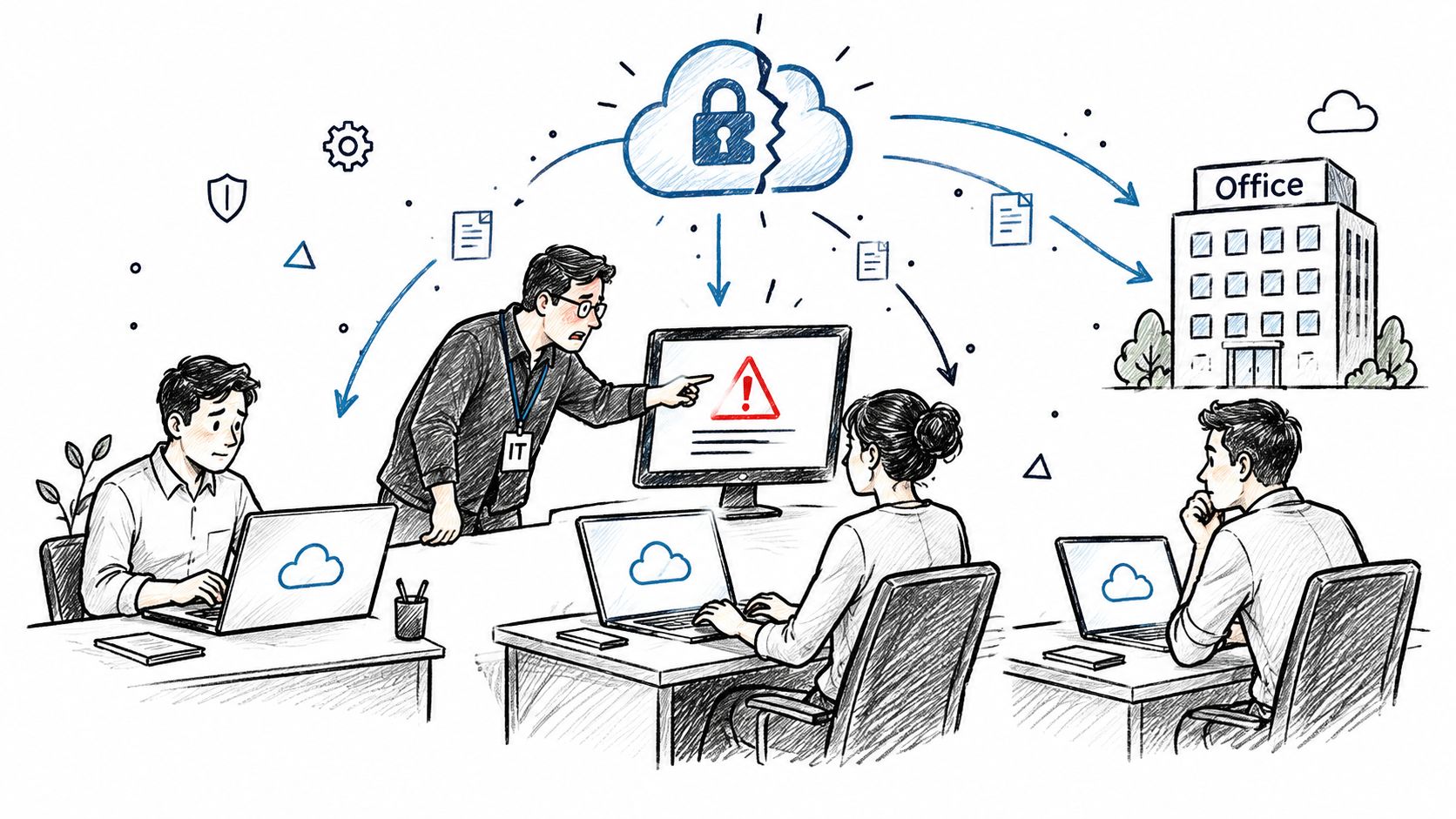
The human response matters as much as the warning on screen.
Turn principles into acceptance tests
| Decision | What to ask your Microsoft partner to demonstrate |
|---|---|
| Who can get in? | The Microsoft Entra ID authentication configuration and the process for handling exceptions. |
| What can they reach? | A comparison between approved business access and assigned Microsoft 365 or Azure roles. |
| How is information protected? | Relevant storage settings, sharing restrictions and Microsoft Purview policies, where licensed. |
| How will we keep working? | A recovery demonstration against an agreed business scenario, not just a successful backup notification. |
| How can we investigate? | Searchable audit evidence, named reviewers and a documented route for escalating findings. |
Don't award full marks because a product supports a capability. Award them when the supplier shows that it's configured for your organisation and that someone maintains it.
A service handling sensitive information should also withstand questions about access, retention and supplier boundaries. For a sector-specific comparison, PatientNotes' page on security features for telehealth is a useful resource to examine alongside your own supplier questionnaire. Treat any supplier's published assurances as the start of verification, not independent proof.
Demand evidence rather than feature lists
For Microsoft 365, ask to see tenant-level settings and the records behind recent changes. For Azure, make the review workload-specific: an application's security depends on its architecture and operational arrangements, not merely the subscription containing it.
Require an owner, an evidence location and an exception process for each acceptance test. That gives procurement something meaningful to compare across Microsoft plans, managed services and third-party products without pretending they're interchangeable.
Identity and Access Controls That Stop the Most Common Breaches
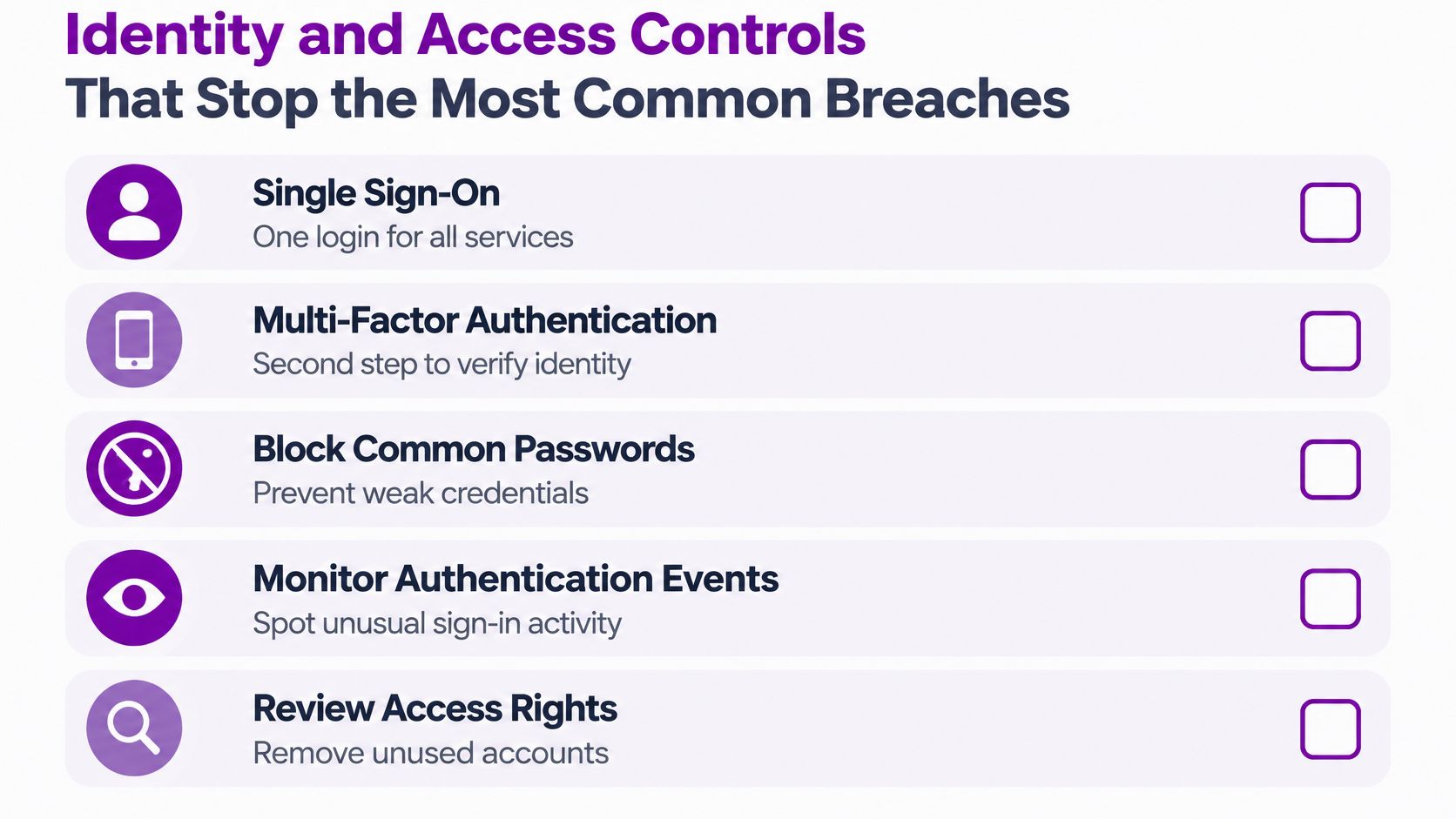
Identity deserves priority because administrative access carries consequences far beyond a mailbox. The NCSC guidance introduced above recommends single sign-on, multi-factor authentication, blocking common passwords, monitoring authentication events and detecting privilege escalation. It warns that weak passwords or missing MFA can enable attackers to compromise management interfaces, change resources, interfere with data or disrupt services.
Use the following as an operating checklist rather than a one-off deployment task.
Protect administrators without obstructing everyone
Start with Microsoft Entra ID, formerly Azure Active Directory. Ask your partner to assess Security Defaults against a more Customized Conditional Access approach, checking licensing and compatibility before making changes.
For privileged roles, require phishing-resistant MFA where available. Don't treat every authentication method as equivalent, and don't introduce repeated prompts without testing how staff will respond. Pilot changes with representative users, including people working remotely or using shared equipment.
Separate administrative accounts from ordinary email and browsing accounts. Apply role-based access control so administrators receive the permissions their task requires, rather than broad access for convenience.
Where licensing supports it, evaluate Privileged Identity Management for controlled elevation. Keep an agreed emergency-access procedure, and test it before relying on it during an incident.
Make monitoring a defined job
A small IT team shouldn't spend its day opening every notification. Agree which events require investigation and who has authority to act.
- Authentication events: Review failed attempts, unexpected access patterns and activity involving privileged identities.
- Privilege changes: Investigate new administrative assignments and unexplained changes to authentication policies.
- Application identities: Give each logical application component its own identity rather than sharing credentials across unrelated workloads.
- Response ownership: Delegate initial triage where appropriate, but retain visibility into findings and decisions.
For organisations comparing access governance across jurisdictions, Ares' 2026 HIPAA compliance guide offers a US-focused reference point. Don't use HIPAA as a substitute for assessing your UK obligations.
Use the video as a discussion aid with the people responsible for administering access.
The operational requirement is straightforward: somebody must review the evidence, decide whether activity is legitimate and record what they did. An enabled alert without a responder isn't a completed control.
Who Actually Owns Each Security Control
Outsourcing changes who performs work. It doesn't remove the need to decide who is accountable.
The concern is justified: 42% of UK SMEs considering a managed service worried about providers' security management, although 53% cited security as their leading reason for using one; 45% reported a cyberattack in Q1 2025, with phishing accounting for 53%, stolen or lost credentials 37%, and excessive permissions 30%, according to the UK SME findings reported by Channelweb.
Shared Responsibility for Microsoft 365 and Azure
Use this as a proposed contractual allocation, not a substitute for checking the service agreement. Microsoft's boundary varies between managed services and infrastructure workloads, particularly where your organisation operates guest systems or applications.
| Control Area | Microsoft Owns | Managed Partner Owns | Customer Owns |
|---|---|---|---|
| Physical and platform protection | Underlying facilities and platform responsibilities defined by the service | Confirm the applicable service boundary | Approve the service and accepted dependencies |
| Tenant and workload configuration | Provider-side service operation | Agreed configuration, hardening and change records | Approve business requirements and exceptions |
| Access decisions | Platform mechanisms | Implement approved changes and review assignments | Decide who needs access and notify staff changes |
| Monitoring and incidents | Provider-side incident processes | Contracted investigation, escalation and evidence capture | Business decisions and internal communications |
| Recovery | Service capabilities and contractual commitments | Operate agreed backup and recovery tests | Set recovery priorities and validate restored work |
| Data governance | Contracted processing responsibilities | Implement agreed technical policies | Classify information and approve retention decisions |
A hypothetical accountancy firm moving from on-premises Exchange to Microsoft 365 Business Premium illustrates the distinction. The partner configures the agreed tenant controls and presents recovery evidence; the practice manager approves access to client correspondence and confirms whether restored information is usable.
If an account is compromised, the partner should already know whether it can revoke access immediately. The customer should know who contacts leadership and who decides whether business processes must pause.
A responsibility matrix is only useful if the contract, service desk and incident procedure all describe the same arrangement.
Before signing, ask who can change security settings, who checks the partner's privileged access and how you obtain your logs. Establish who communicates during an outage and what happens when an incident occurs outside the contracted support window.
Finally, insist on an exit arrangement. Your organisation must retain a workable route to administrative control, configuration records and recovery information if the relationship ends.
Protecting Data in Transit, at Rest and After Deletion
“Encrypted” isn't a complete answer. You need to know which information is covered, which connections are protected and what happens when someone deletes material the business still needs.
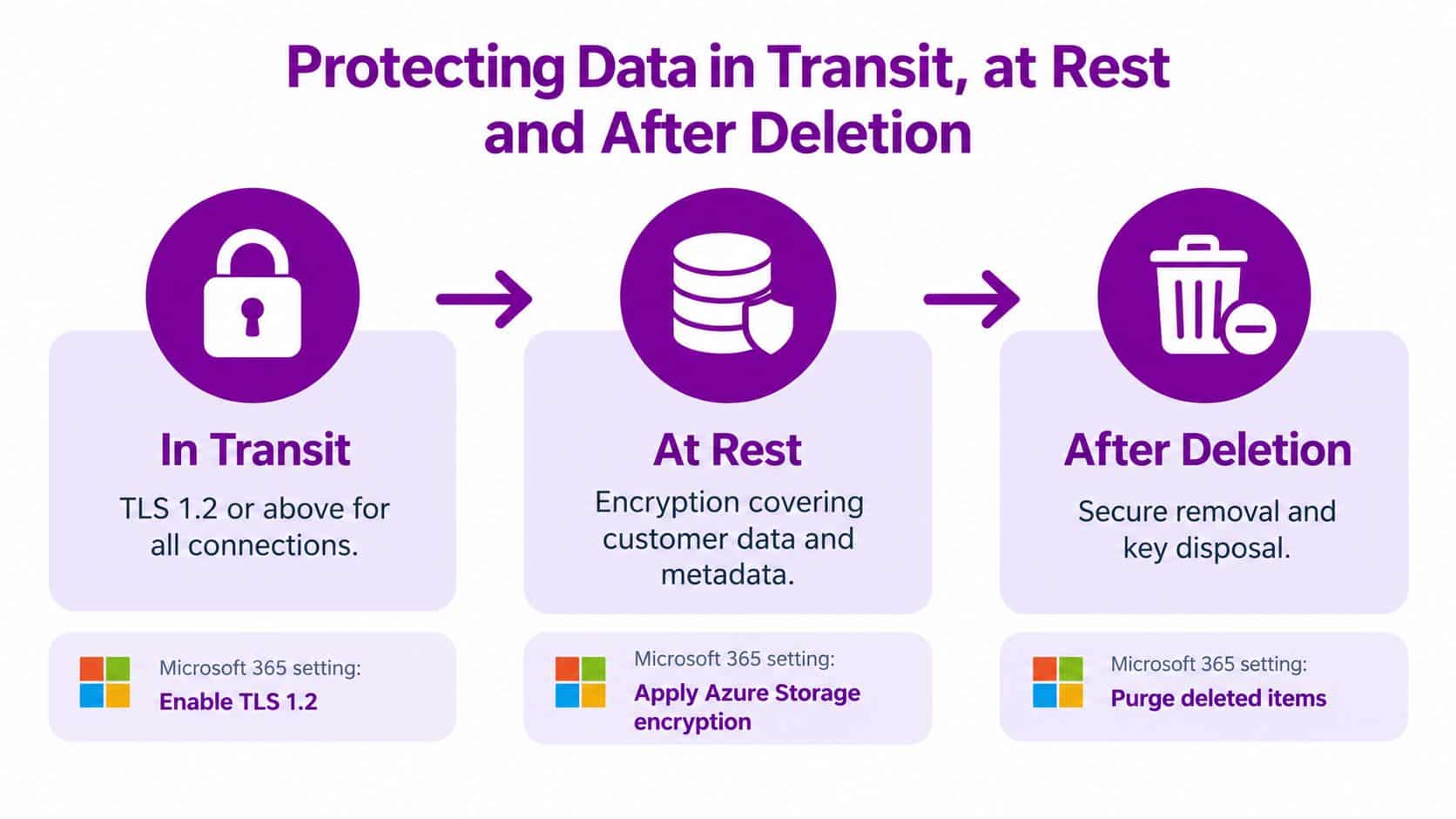
For data at rest, the NCSC says providers should encrypt all customer data by default, including derived metadata, using symmetric encryption configured for confidentiality and integrity, as set out in its asset protection and resilience guidance. For data in transit, its guidance combines encryption, network protection and authentication, with TLS 1.2 or above for services relying on TLS, including HTTPS, in the data-in-transit protection guidance.
Verify the full information lifecycle
The diagram summarises the stages, but don't interpret it as a universal configuration recipe. Connection requirements, storage encryption and deletion behaviour need checking against the specific service.
For a hypothetical East Midlands care provider, begin by identifying sensitive client records and their authorised users. Then ask the partner to evaluate Microsoft Purview information protection for document and email labelling and encryption, subject to the organisation's licensing.
The care provider must approve the handling rules. Administrators shouldn't invent retention periods or decide which external recipients have a legitimate need for access.
Test retrieval and disposal separately
Treat retention, backup and deletion as different decisions. Specify what must remain available, what must be recoverable after an error and what should be removed when an approved retention period ends.
A quarterly review should include:
- Classification checks: Sample sensitive records and confirm that handling rules match their business use.
- Connection and storage evidence: Review relevant service documentation and configuration, including legacy integrations.
- Recovery exercises: Restore representative information and ask its business owner to validate it.
- Disposal checks: Examine retention exceptions, deleted-item handling and the treatment of backup copies.
Don't accept a native recycle bin as the entire recovery strategy. Equally, don't keep everything indefinitely because deletion feels risky.
The useful evidence is a completed restore and a documented disposal decision. A screenshot showing that encryption is enabled proves neither.
Compliance Baselines and Real UK Pricing for Microsoft 365
A licence purchase isn't a compliance assessment. Start by asking your assessor to map your Microsoft 365 environment, endpoints and connected services against the applicable Cyber Essentials requirements. For Cyber Essentials Plus, agree the testing scope rather than assuming the tenant alone represents the business.
For GDPR planning, require a documented account of data locations, lawful basis, processor arrangements and international access. Assign owners for subject access requests, retention decisions and breach assessment, including the applicable notification deadlines.
Keep compliance evidence separate from purchasing
The overview below is useful for organising the discussion, but its embedded pricing should not be used for procurement. Use the linked UK pricing figures in the table beneath it and confirm them before purchase.
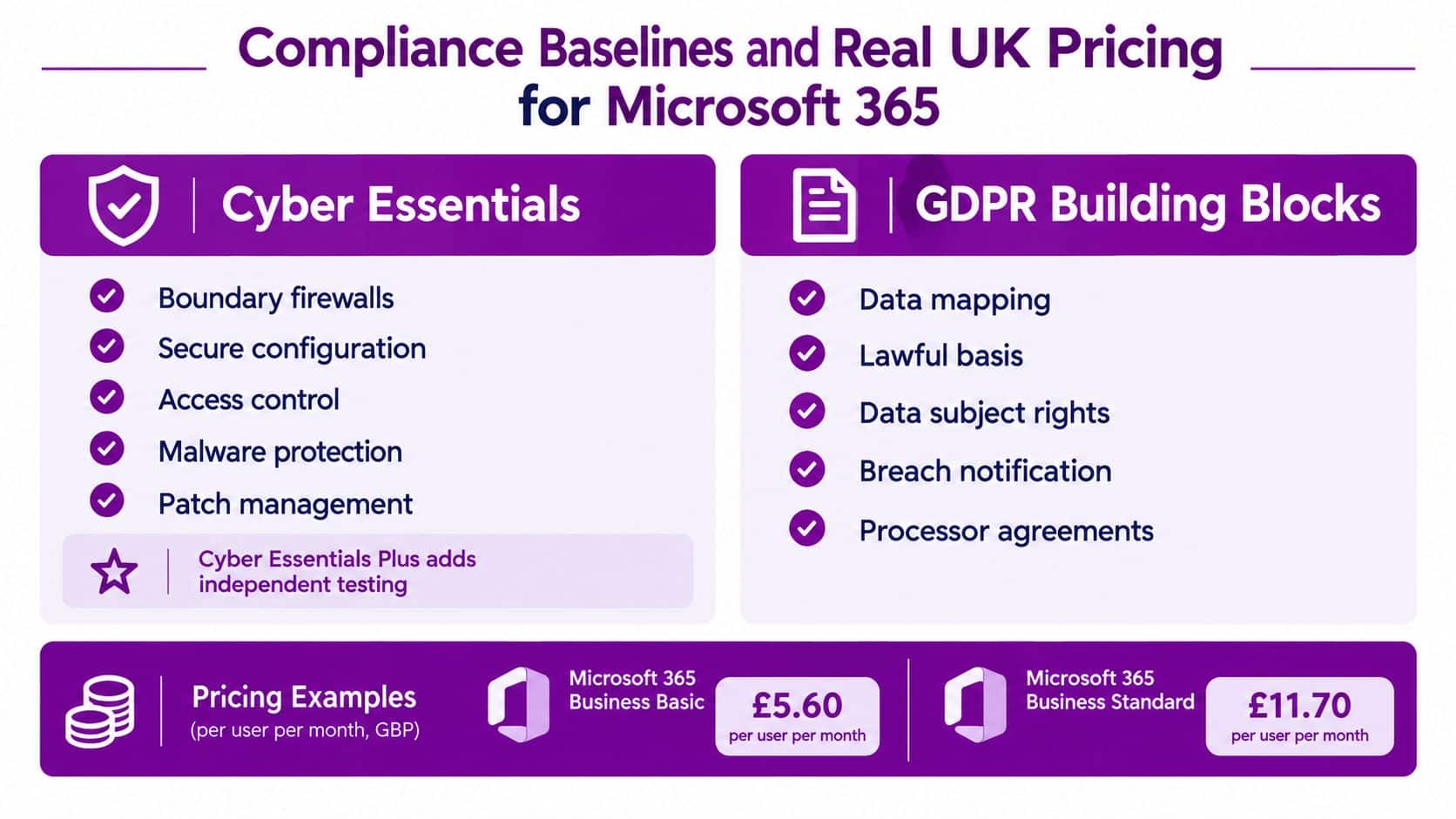
The following figures are from Microsoft's UK Microsoft 365 pricing page, which also notes that subscriptions auto-renew and pricing can change.
| Plan and payment basis | UK price per user per month |
|---|---|
| Microsoft 365 Business Standard, paid yearly | £10.80 |
| Microsoft 365 Business Premium, paid yearly | £16.90 |
| Microsoft 365 Business Premium, monthly subscription | £20.28 |
Using those same Microsoft UK figures, 25 Business Premium users cost £422.50 per month before VAT on annual commitment, compared with £507.00 on the monthly plan. Payment flexibility is therefore a budget decision as well as a procurement preference.
Buy an operable baseline
Ask the partner to explain which proposed controls are included in your chosen plan, which require additional licensing and which require implementation work. Have them identify ongoing administration separately from initial setup.
- Compliance evidence: Assign responsibility for policy records, assessment findings and remediation.
- Technical coverage: Match each required control to a verified entitlement and configuration task.
- Operating cost: Include monitoring, recovery testing and user support in the business case.
Don't approve a premium tier merely because it sounds safer. Approve it when the partner can connect its capabilities to your risks and demonstrate who will operate them.
Choosing Managed Security Support Without Overbuying
Buying more tools can leave your team with more queues and less clarity. Before adding anything, ask which existing controls are unused, which alerts lack an owner and which business risks remain untreated.
The trade-off is real: 48% of UK SMEs said they weren't implementing stronger security because it generally worsened user experience, while managed-security adoption challenges included cost for 43%, lengthy implementation for 37% and underused protection for 33%, according to the JumpCloud UK SME IT trends report.
Buying discipline: Don't fund another security console until someone explains which unresolved risk it addresses and who will act on its findings.
Prioritise operation before expansion
Apply the identity and recovery baseline already described before expanding the toolset. Start with privileged access, then address broader access policies, permissions, recoverability and straightforward staff reporting.
Test changes with the people who will live with them. If employees can't complete legitimate work, investigate the workflow rather than approving permanent exemptions.
A useful managed security services arrangement should give your IT Director operational capacity, not just another supplier dashboard. Compare proposals on demonstrable work, retained customer visibility and contractual accountability.
Ask these questions before signing
- What outcomes will you report? Require evidence of completed reviews, resolved findings and recovery exercises, not a total of alerts generated.
- Can we access our own evidence? Confirm access to logs, investigation records and configuration documentation during the contract and after exit.
- Who can act during an incident? Name the responder, deputy and authority for containment decisions.
- What happens outside normal support? Establish the escalation route, coverage exclusions and communication responsibilities.
- What work is contractually yours? Put recurring checks, response duties, recovery obligations and exception handling into the service schedule.
For organisations in Lincoln, Nottingham, Leicester, Scunthorpe, Grimsby and Newark, location matters when hands-on work is needed. But proximity isn't a substitute for a clear operating agreement.
Choose a Microsoft-focused partner that can work alongside your internal team or take on defined responsibilities. Judge the proposal by whether you can answer, without hesitation, who will do the work tomorrow.
For Microsoft-focused cloud implementation, managed IT support and cyber security across the East Midlands, consider F1Group alongside your other shortlisted providers. Bring your tenant concerns, recovery requirements and current supplier agreement so we can discuss a practical division of responsibilities. Phone 0845 855 0000 today or Send us a message to arrange that conversation.