
43% of UK businesses reported a cyber security breach or attack during the previous twelve months, rising to 67% of medium-sized businesses and 74% of large businesses, according to the UK Government's Cyber Security Breaches Survey 2025, which also identified phishing as the most frequently reported attack type, affecting 37% of businesses. Corporate IT security isn't just a concern for organisations with a dedicated security department. It's an operational responsibility for anyone who depends on email, shared files, cloud applications and customer data.
Why Corporate IT Security Matters for Mid-Sized Firms
Think of your business as a building. You need locks, alarms, rules about who holds the keys, and a workable plan for when somebody gets inside. Corporate IT security applies that thinking to laptops, email, your Microsoft 365 tenant, Azure subscriptions and the people administering them.
Buying antivirus addresses only part of that responsibility. An attacker who signs in using a stolen account might never install malware. They could read contract negotiations, change payment instructions or download confidential documents using legitimate tools.
The mid-sized business gap
Mid-sized organisations are too complex for informal fixes, but they can't always justify an internal security operations team. An IT manager may be responsible for production systems, user support, procurement and security, while also managing a cloud migration.
That creates predictable compromises. Device protection gets attention because employees can see it. Identity restrictions and recovery tests get postponed because they require conversations about working practices, application compatibility and downtime.
Practical rule: A control isn't complete until someone owns it, checks that it works and knows what to do when it fails.
What protection needs to cover
A useful security baseline brings together:
- Technology controls, including identity protection, device management, email filtering and secure cloud configuration.
- Access rules and policies, so permissions follow job responsibilities rather than historical convenience.
- Detection and response, with actionable alerts and clear authority to contain an incident.
- Recovery, with protected backups and evidence that essential services can be restored.
For a firm using Dynamics 365 and Power Automate, that also means understanding which service accounts, connectors and applications can move business data. A secure laptop doesn't compensate for an overprivileged automation account.
The practical test is straightforward: can your organisation demonstrate protection across identity, devices, email, backup and incident response, rather than merely list the products it owns?
Seven Layers and the Microsoft Settings That Enforce Them
A castle has a moat, walls, guards, locked doors and a safe. An intruder who clears one barrier still faces another. Your Microsoft environment needs the same separation between controls, rather than several products depending on the same administrator account.
The illustration shows defence in depth across the estate. For implementation, organise the work around the operational layers below.
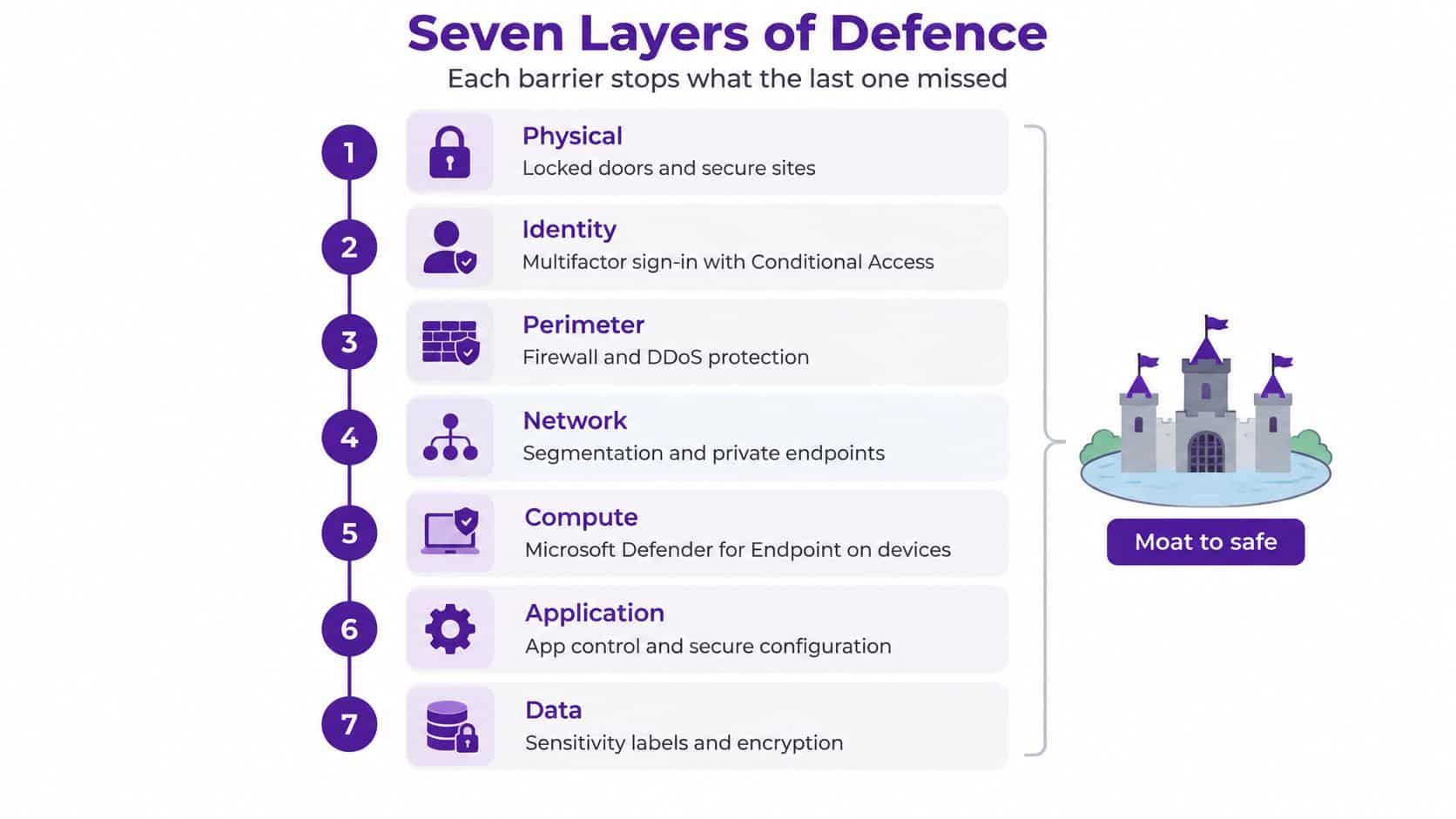
The layers that need an owner
Identity protects sign-ins. Use Microsoft Entra ID multifactor authentication and Conditional Access to reduce account takeover. Require phishing-resistant authentication for administrators, preferably passkeys or security keys. Conditional Access needs Entra ID P1; risk-based policies using Identity Protection need P2.
Devices protect the working environment. Microsoft Intune compliance policies establish whether a laptop meets your requirements. Microsoft Defender for Endpoint provides endpoint detection and response capabilities; Microsoft Defender for Business is the endpoint security product bundled with Business Premium. Don't assume every Defender-labelled subscription includes identical features.
Email and collaboration protect everyday communication. Defender for Office 365 adds Safe Links and Safe Attachments. Business Premium includes Defender for Office 365 Plan 1, while advanced investigation and automation capabilities require higher entitlements. Configure protection for SharePoint, OneDrive and Teams where supported, not just Exchange mailboxes.
Data controls limit exposure. Use Microsoft Purview sensitivity labels and data loss prevention policies to distinguish public material from confidential business information. Start with a small, understandable classification scheme. Core labelling and DLP capabilities depend on your subscription; advanced automatic labelling and endpoint DLP require additional licensing.
Cloud workload controls address configuration mistakes. Enable Defender for Cloud's foundational posture assessment and select paid workload protection plans deliberately. In Azure Policy, enforce storage settings that prevent anonymous public blob access, then restrict public network access where the application design supports private connectivity. These are different controls and shouldn't be confused.
Network and remote access controls restrict entry. Protect remote access with MFA, patch firewalls and separate administrative traffic from ordinary user activity. Where appropriate, use Entra-integrated access or Azure VPN Gateway with compatible authentication. A tunnel doesn't make the person using it trustworthy.
Recovery prevents an incident becoming permanent loss. Use immutable or separately administered backups, with recovery credentials outside routine administration. Azure Backup and Microsoft 365 backup services are separate considerations from your productivity subscription. Test restoration of an application and its dependencies, not just an isolated document.
Why identity and recovery come first
Identity controls can interrupt an attacker before they reach multiple systems. Recovery controls provide an alternative when prevention fails. Mid-sized firms often postpone both because authentication changes inconvenience users and restore tests consume engineering time without producing a visible new feature.
That's a poor trade-off. I would fund secure administrator access and a demonstrated restore before buying another dashboard that nobody has time to monitor.
The scale extends beyond individual businesses: in the twelve months to August 2025, the NCSC Annual Review 2025 recorded 429 incidents requiring Incident Management support, including 204 nationally significant incidents, compared with 89 previously, an increase of approximately 129%, and 18 highly significant incidents with the potential to seriously affect essential services. Security therefore needs business ownership, because disruption can reach suppliers, customers and public services.
Microsoft configuration checklist for mid-sized estates
Microsoft 365 Business Premium bundles many of the baseline controls, including Entra ID P1, Intune, Defender for Business and Defender for Office 365 Plan 1. Intune was formerly presented through Microsoft Endpoint Manager branding. Check assigned licences before designing policies, and remember that servers and Azure workloads need separate consideration.
| Control | Where to configure | Recommended setting | Why it matters |
|---|---|---|---|
| MFA for all users | Entra admin centre, Conditional Access | Enforced for every user, phishing-resistant for admins | Reduces stolen-password account takeover |
| Legacy authentication | Conditional Access | Blocked for all users | Old protocols can bypass modern MFA |
| Device compliance | Microsoft Intune compliance policies | Encryption, supported operating system and current patches required | Conditional Access can restrict access to compliant devices |
| Disk encryption | Intune endpoint security | BitLocker enabled, recovery keys stored centrally | Protects lost or stolen laptops |
| Email threat protection | Microsoft Defender portal | Safe Links and Safe Attachments on | Helps block malicious links and files |
| Privileged roles | Entra Privileged Identity Management | Just-in-time activation with approval | Removes standing admin rights |
| Audit logging | Microsoft Purview audit | Verify recording, test searches and set retention to investigation needs | Makes incidents investigable |
| Security posture | Microsoft Secure Score | Reviewed monthly with a named owner | Shows gaps against a baseline |
Privileged Identity Management requires Entra ID P2 or an appropriate Entra ID Governance entitlement; it isn't included just because Business Premium includes Conditional Access. Likewise, audit retention and advanced investigation features must be checked against the actual licence.
Deploy without locking everyone out
The Government's detailed Cyber Security Breaches Survey 2025 findings report that only 40% of businesses used two-factor authentication, 31% used a VPN, 30% used user-activity monitoring, and 39% had a formal cyber security strategy. A VPN is no substitute for identity controls: stolen credentials can still provide valid access through a trusted channel.
Deploy identity first, devices second and email third, then validate logging and alert routing before expanding enforcement. Pilot Conditional Access in report-only mode, investigate service-account dependencies and maintain tightly controlled emergency access accounts.
Restrict Azure subscription Owner assignments and use narrower roles for routine work. For every layer, ask: does this fail safely, and who receives an alert when it fails?
How Least Privilege and Access Policies Work Together
A hotel housekeeper's key card should open the rooms needed for their work, not the manager's safe. Least privilege applies the same principle to staff accounts, applications and administrators.
This is the access model you're aiming for.
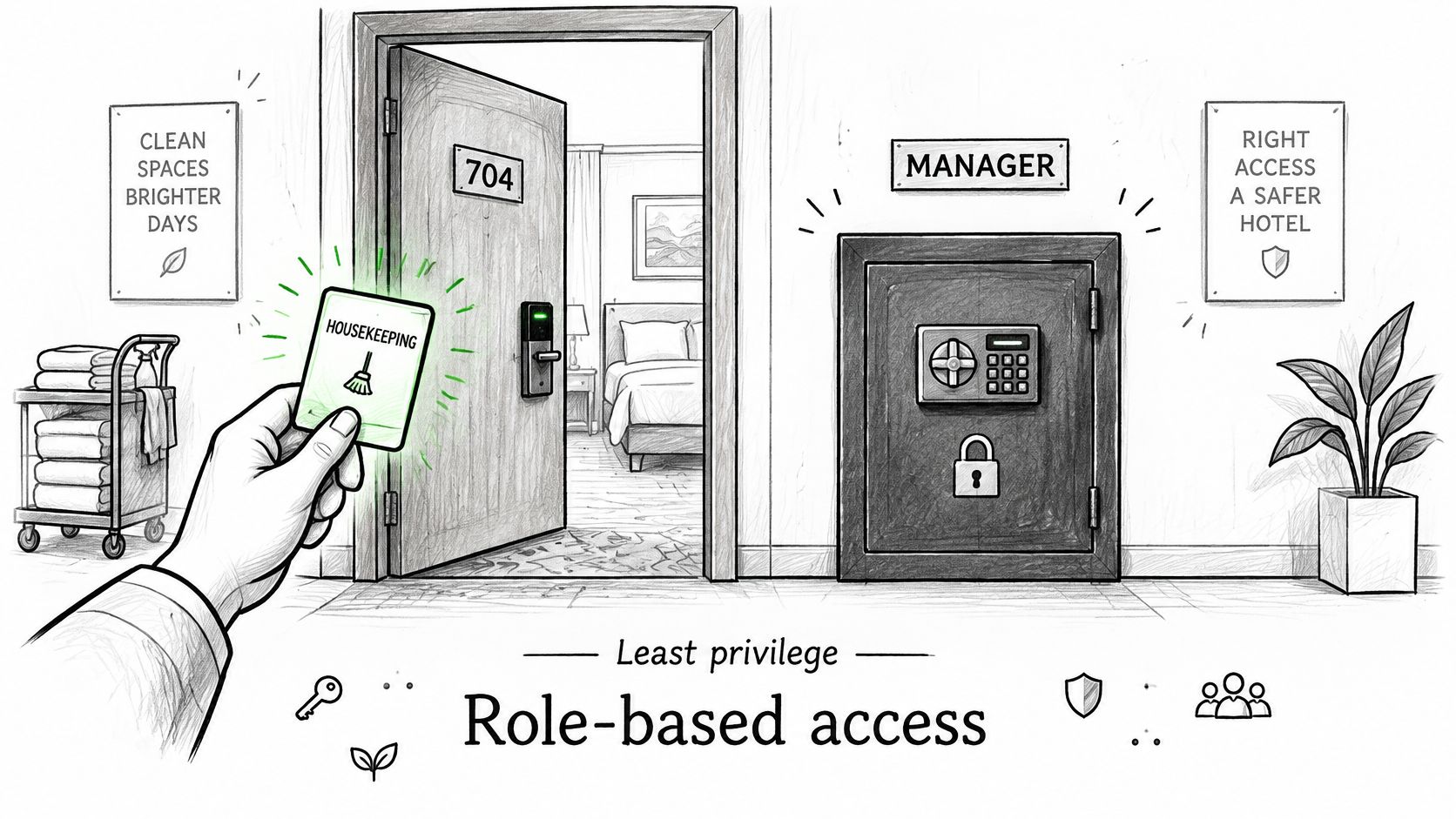
Build permissions around jobs
Create Entra ID security groups tied to job functions, then assign application and data permissions through those groups where supported. The approach to role-based access control should distinguish the finance assistant who processes invoices from the finance director who approves payments.
Avoid copying an existing employee's permissions when somebody joins. That can reproduce years of unnecessary access.
Administrators should use dedicated privileged accounts without mailboxes, never for email or routine web browsing. Standing access remains available continuously; just-in-time access requires an administrator to activate an eligible role for a limited period, with approval where configured.
Keep Global Administrator assignments to a small handful and review them quarterly. Treat emergency access accounts as controlled exceptions, with monitoring and tested access procedures.
Give each policy a decision-maker
Policies keep those technical arrangements consistent when people change roles or somebody requests an exception.
- Access control: Defines who approves permissions and privileged access. Owner: IT manager, with the relevant data owner approving access.
- Joiner-mover-leaver: Triggers provisioning, role changes and timely removal. Owner: HR, with IT responsible for execution.
- Acceptable use: Sets boundaries for company devices, software and information. Owner: HR with IT input.
- Password and MFA: Defines authentication methods and exception handling. Owner: Security lead.
- Remote working: Sets device, connection and confidential-working requirements. Owner: IT manager with HR.
- Incident response: Gives named people authority to investigate, contain and communicate. Owner: Accountable senior manager.
An exception needs an approver, a reason and a review point. Otherwise, temporary access becomes permanent access by neglect.
Use the accompanying video to support a discussion about access responsibilities.
For a practical spot check, pick five staff members across different departments. Compare their current role with group memberships, shared mailbox access, application permissions and administrative rights. Investigate anything their manager can't explain.
Spotting and Responding to Threats Before They Spread
A smoke alarm tells you something might be burning. Your response determines whether the damage stays in a room or spreads through the building.
Say an employee's account generates an impossible-travel alert, followed by a new mailbox forwarding rule. The analyst should validate the sign-ins and rule together, not dismiss each as an isolated event. VPN routing can explain unusual locations, but it doesn't explain an unauthorised forwarding destination.
High-value signals and first responses
| Signal | Why it matters | First response |
|---|---|---|
| Impossible-travel sign-in | The same account signs in from distant locations within minutes | Block the session, reset the password and check registered MFA methods |
| New mailbox forwarding rule | An attacker may quietly copy incoming email | Remove the rule and review recent sent items |
| Mass file download | Data may be taken before encryption or extortion | Disable the account and review sharing links |
| Privilege change | An attacker may grant themselves or another account more rights | Revert unauthorised changes and confirm with the approver |
| Unusual OAuth app consent | A malicious app may gain mailbox or file access without a password | Revoke consent and review the app's permissions |
Microsoft Defender XDR correlates supported signals across licensed security products. Microsoft Sentinel can bring together wider cloud, firewall and application logs, with consumption and retention costs that need managing. Neither removes the need for someone to investigate.
Configure threat detection around events that trigger a decision. Collecting every available log without defined use cases creates noise and cost, not dependable response.
The response path should be visible to both engineers and managers.
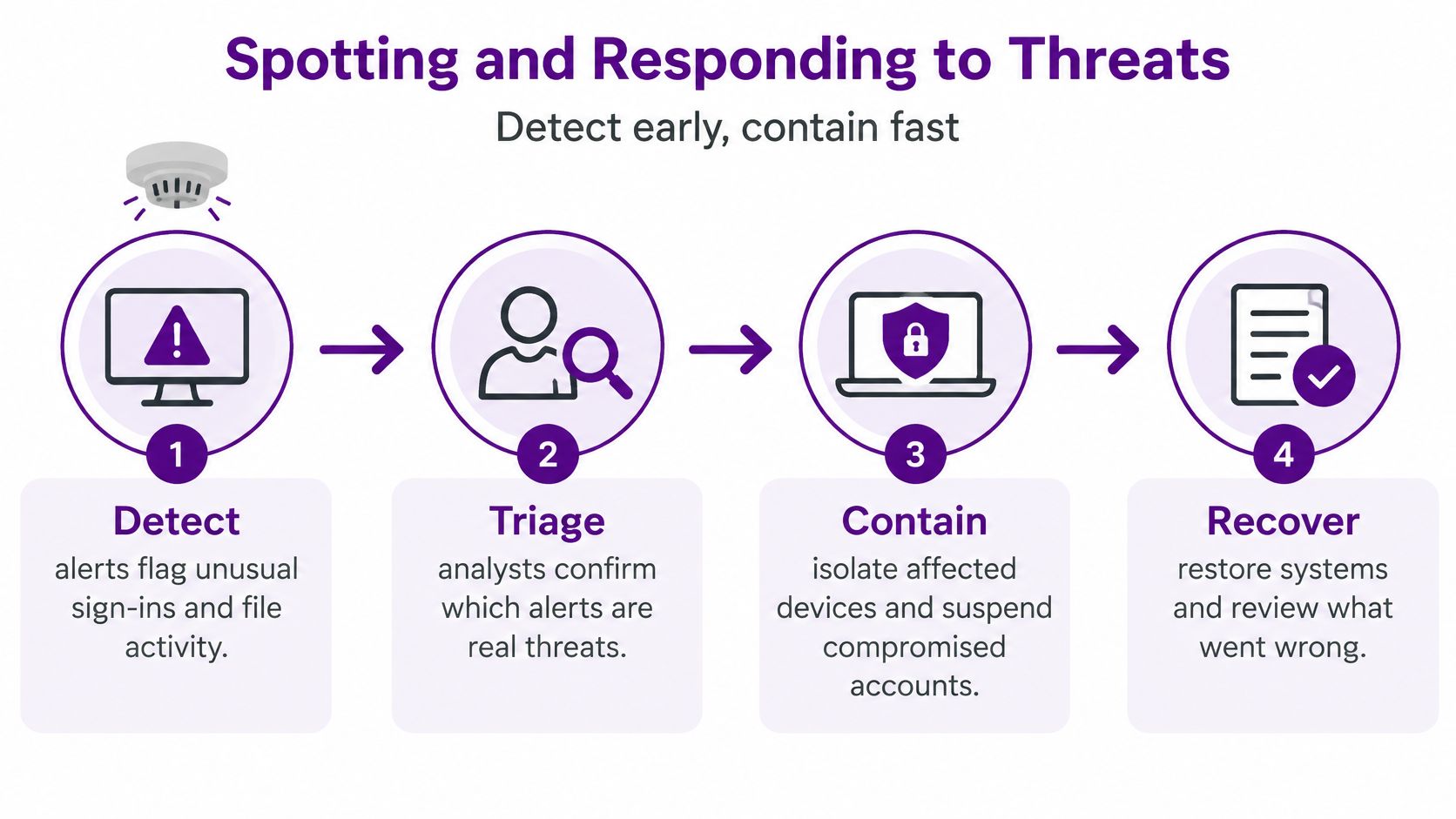
Follow the incident through to recovery
Detect the suspicious activity, triage its credibility, then contain confirmed compromise by disabling affected accounts, revoking sessions and isolating devices. Preserve relevant evidence before destructive remediation where possible. Eradicate persistence, restore from clean backups and review how the attacker gained access.
WebinOne's guidance on responding to platform security incidents is a useful companion when defining application-specific escalation and communication responsibilities.
Measure the business outcome, not just the number of alerts your tools generated.
The Government's 2025 technical report distinguishes the 3% of UK businesses, approximately 37,000, reporting ransomware as a breach or attack from the 1%, approximately 19,000, experiencing qualifying ransomware cyber crime involving a confirmed financial ransom demand or an attack overcoming internal or third-party software controls. Keep detected attempts separate from qualifying incidents when reporting security performance.
If nobody monitors outside office hours, consider managed detection and response. Before signing, establish who can isolate a device, who authorises account suspension and what response-time commitments apply overnight.
UK Compliance Duties and Certifications That Apply
Under UK GDPR, a notifiable personal data breach must be reported to the ICO without undue delay and, where feasible, within 72 hours of becoming aware of it, with reasons provided for late reporting, according to the ICO's personal data breach guidance. That timetable requires an operational process, not a policy file nobody can find.
Don't wait for a complete forensic report before involving the person responsible for data protection. Establish what's known, what remains uncertain and who has authority to make the notification decision.
Prepare the decision record
Your response procedure should require the responsible team to:
- Confirm the breach: Establish whether personal data has been lost, altered, disclosed or accessed without authorisation.
- Assess the risk: Consider the likely effects on people's rights and freedoms, including the sensitivity of the information.
- Record the decision: Document the evidence, uncertainty, reasoning and accountable decision-maker.
- Notify the ICO where required: Submit the available information and manage subsequent updates.
- Inform affected people where required: Prepare clear communication where the breach presents a high risk.
Keep a breach log even when you decide notification isn't required. It should explain what happened and why your decision was reasonable, rather than merely record that the incident was closed.
Compliance requirements and the evidence to keep
| Requirement | Who it applies to | Standard or deadline | Evidence to keep |
|---|---|---|---|
| UK GDPR breach notification | Organisations handling personal data where the notification threshold is met | Statutory reporting timetable described above | Breach log with risk assessment and decision record |
| Cyber Essentials | Firms wanting a verified baseline or pursuing relevant public-sector work | Self-assessed certification, certificate valid for 12 months | Submitted questionnaire and certificate |
| Cyber Essentials Plus | Firms needing independent verification of controls | Annual certification with an independent technical audit | Audit report and remediation log |
| ISO/IEC 27001 | Organisations needing a formal information security management system, often for corporate clients | Annual surveillance audits within a three-year certification cycle | Risk assessments, treatment plans, internal audits and management reviews |
Cyber Essentials isn't a substitute for incident readiness. It provides a baseline against which an organisation can assess specified technical controls. Cyber Essentials Plus adds independent technical verification, while ISO/IEC 27001 addresses how the organisation manages information security.
Choose Cyber Essentials certification or another route because it matches contractual requirements and operational needs. Keep the scope explicit: a certificate covering a limited environment shouldn't be treated as assurance for every subsidiary, cloud service or outsourced process.
Assessing Suppliers and AI Tools That Touch Your Data
Supply-chain cyber breaches reportedly rose from 6% of incidents in 2024 to nearly 20% in 2025, while 75% of UK businesses were concerned about suppliers' AI-related cyber risks and only 28% of AI-using businesses had assessed or audited those suppliers' AI systems, according to the Gallagher UK Cyber Market Report 2026. A completed supplier questionnaire isn't enough if nobody checks what access the supplier holds.
Your Microsoft 365 tenant can be carefully configured while an accountant, payroll provider or charity partner retains broad access. An AI-enabled application can create another route through prompts, uploaded documents, delegated permissions and connected services.
The inspection needs to follow the data beyond your own systems.
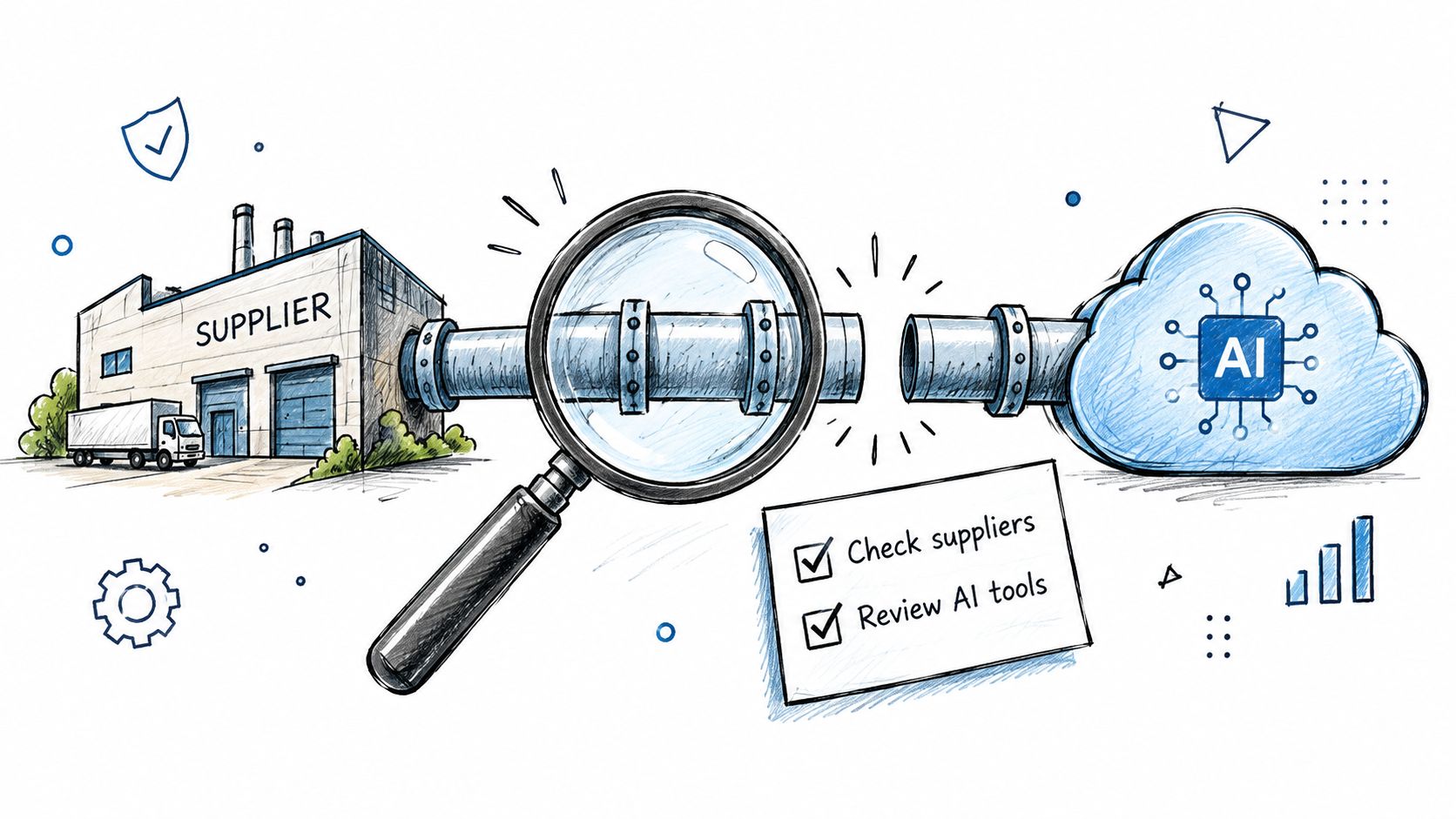
Check access, evidence and exit arrangements
- Classify the supplier. Record the sensitivity of its data and whether it has ordinary user, application or privileged access.
- Request proportionate evidence. A hosted payroll platform needs more scrutiny than a supplier receiving public marketing material. Ask for evidence relevant to the service you use.
- Check incident terms. Agree notification routes, timescales, investigation cooperation and responsibility for contacting affected parties.
- Inspect permissions. Review delegated administration and OAuth grants in Entra ID. Remove obsolete access rather than accepting a supplier's reassurance that it isn't used.
- Require an AI-use statement. Cover prompt retention, model training, subcontractors, data locations and whether staff can introduce additional AI services.
- Reassess material changes. A new model, connector or product feature can alter the access and data flows you previously approved.
- Document an exit plan. Define data return, deletion evidence, account removal and ownership of configurations or integrations.
Apply the same scrutiny to revenue tools
Sales automation deserves attention because it can combine contact records, email access and CRM permissions. Yalc's discussion of building a revenue stack around GTM strategy provides useful context for identifying the connected tools a commercial team may propose; each integration still needs a security assessment.
A supplier certificate can support assurance, but it doesn't show whether your particular connection is overprivileged. Regular access reviews and a tested exit plan provide stronger operational protection than collecting another questionnaire and filing it away.
Book a Security Baseline Review This Quarter
Name an accountable owner before approving another security purchase. Only 27% of UK businesses had a board member, senior manager or trustee explicitly responsible for cyber security, compared with 66% of large businesses, according to the Government's 2025 survey findings. That owner needs authority over budget, accepted risks and business disruption during remediation.
A baseline review should establish what's configured, which licences support it and where protection fails. The output should be a prioritised action plan with named owners, not an unexplained Secure Score export.
Separate the review from the improvement programme
Use the quarter to collect evidence, compare settings and agree priorities with management.
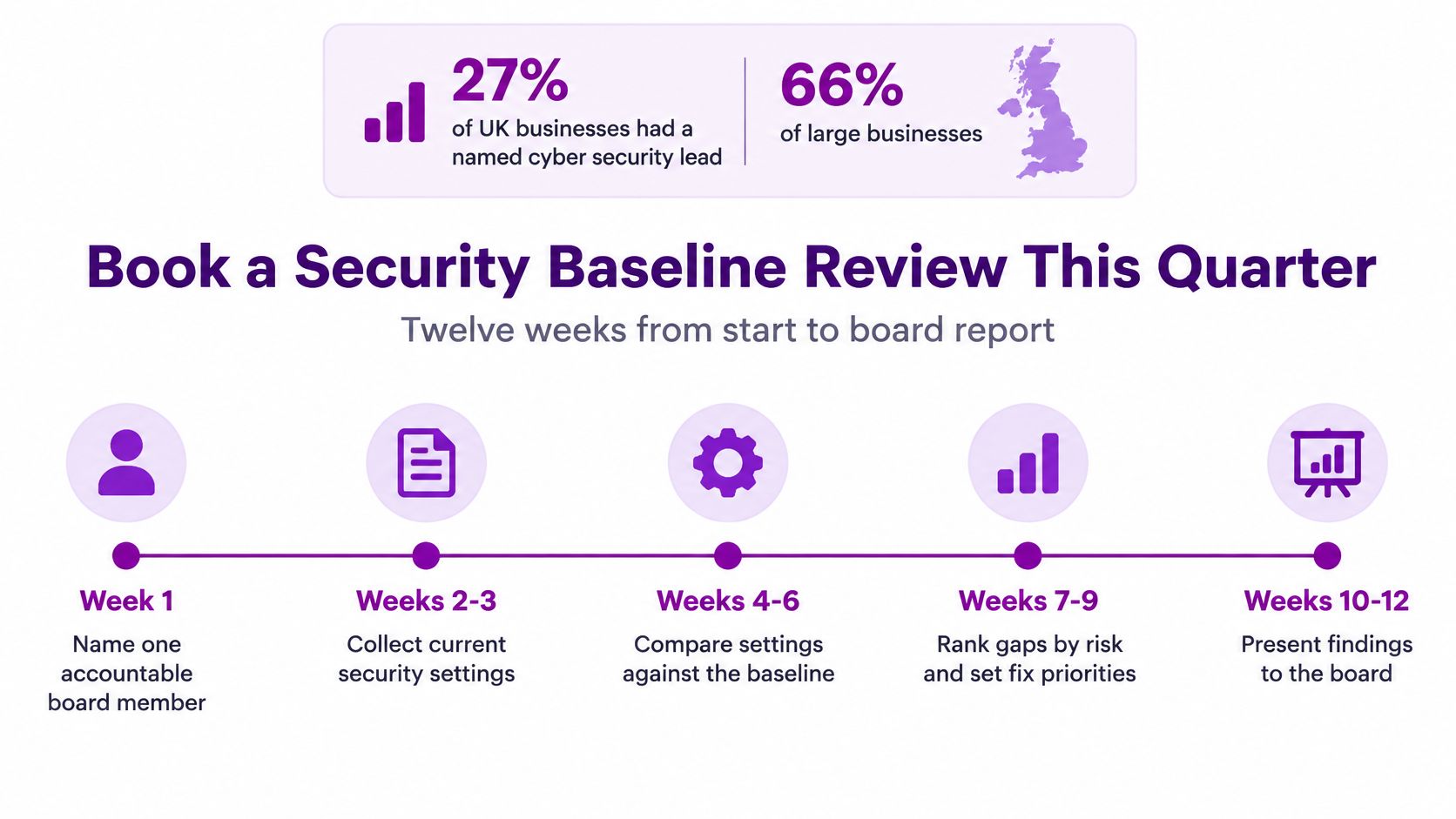
The implementation programme can then follow a staged roadmap:
- Months one to three: Name the owner, enforce MFA, separate administrator accounts and test a backup restore.
- Months four to six: Configure Intune compliance and Defender policies, confirm audit logging, write the incident playbook and run a tabletop exercise.
- Months seven to nine: Complete policies, assess key suppliers and consider Cyber Essentials.
- Months ten to twelve: Review Secure Score, run access reviews and decide whether managed services should provide continuous monitoring.
Don't postpone an urgent fix merely because it appears later on the roadmap. The review should determine sequencing around your actual exposure.
Provider questions for managed security services
| Question | Why it matters | Answer to look for |
|---|---|---|
| Who responds out of hours? | An incident can escalate when your staff aren't available | A named on-call team with stated response times |
| Who is my engineer? | Maintains knowledge of your estate | A named engineer and named deputy |
| How is pricing set? | Avoids unexpected costs as users grow | Per-user or per-device pricing quoted in GBP |
| What happens when we leave? | Protects your data and administrator access | Documented exit plan with data return and account handover |
| Which certifications do you hold? | Provides evidence of relevant competence | Current vendor certifications and DBS-checked staff |
Also confirm data location, subcontractors and which containment actions the provider can take without waiting for approval. A monitoring contract that only forwards alerts may leave your own team responsible for every urgent decision.
F1Group offers Microsoft-focused IT support and cyber security assistance across Lincoln, Nottingham, Leicester, Scunthorpe, Grimsby and Newark, with vendor-certified, DBS-checked staff. Visit F1Group to discuss a corporate IT security baseline review covering your Microsoft environment, access controls and recovery readiness. Phone 0845 855 0000 today, or Send us a message to arrange the next step.