
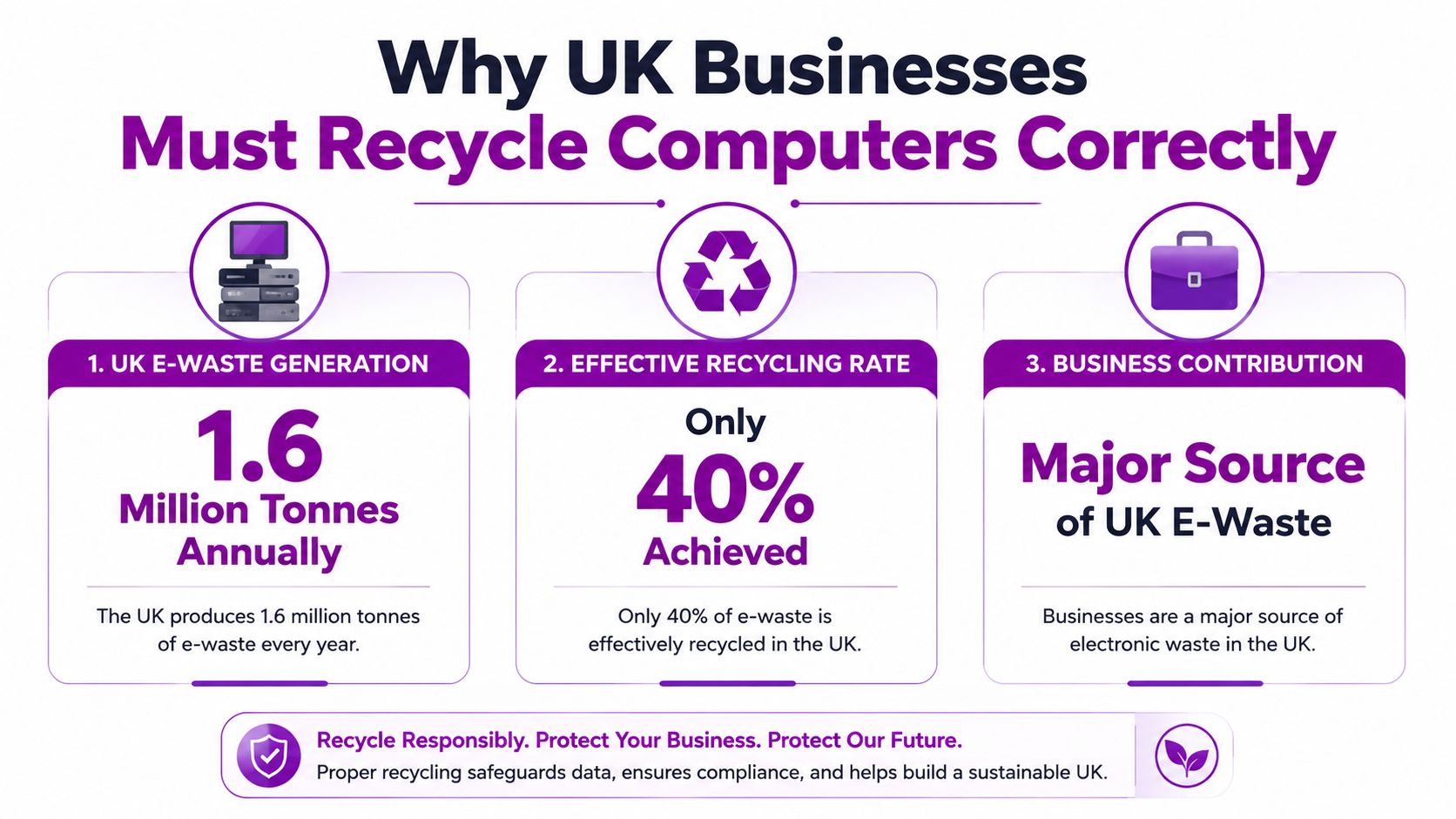
In the UK, electronic waste recycling reached only 38.1% in 2025 while the country generated about 1.6 million tonnes of e-waste annually, according to this UK business IT disposal survey. That should change how any business owner thinks about an old computer sitting in a store room. It isn't just clutter. It's a data risk, a compliance risk, and a missed opportunity to recover value properly.
For East Midlands SMEs, the problem is usually not intent. It's process. Consumer advice tells people to take a device to the tip, drop it at a retailer, or pass it on. Business equipment is different. If the device held staff records, customer files, emails, Microsoft 365 data caches, saved passwords, or line-of-business application access, disposal has to be handled with far more care.
If you want the practical answer to how to recycle an old computer, start with this rule. Treat disposal as part of your IT lifecycle, not as a clear-out task delegated at the end of the quarter.
Why UK Businesses Must Recycle Computers Correctly
Most businesses still underestimate what “old computer disposal” really means. They think in terms of getting rid of hardware. The primary concern is protecting data, maintaining a clean audit trail, and ensuring the machine leaves your control through a lawful route.
The environmental argument matters, but it isn't the only reason to take this seriously. The same UK survey found that properly recycling a single laptop prevents around 158kg of CO₂ emissions compared with landfill disposal, which you can review in the same UK business IT disposal survey. For a business replacing a batch of user devices, the impact is material. So is the waste of recoverable metals and components when usable equipment is mishandled.
Household advice does not cover business liability
A business computer isn't just another electrical item. It may contain personal data, commercial information, licensed software, browser-stored credentials, VPN access, and locally synced cloud content. If that machine leaves your premises without proper control, the risk isn't theoretical.
That's where many small firms go wrong. They assume the same route used for a broken kettle or a home printer applies to office laptops and desktops. It doesn't.
Practical rule: If a device ever touched business data, assume disposal needs documentation.
What goes wrong in the real world
In practice, problems usually come from one of four failures:
- Loose internal handover: Nobody knows who approved disposal, who last used the device, or whether data was removed.
- Informal collection: A van turns up, takes a pile of kit, and leaves little more than a verbal assurance.
- Confusion over ownership: Directors let staff take old devices home without a proper transfer and wipe process.
- Storage drift: Old machines sit in cupboards for months because no one wants to make the disposal decision.
That last point is common. Delayed disposal feels safe, but neglected devices often become less controlled over time, not more.
Preparing Your IT Assets for Retirement
Before any wipe, donation, resale, or recycling discussion, build a proper asset record. If you skip this step, everything after it becomes harder to verify. Businesses that handle disposal well tend to treat old hardware the same way they treat active hardware. It stays on a list, has an owner, and follows a defined process until its final status is confirmed.
The simplest useful inventory includes the device type, make and model, serial number, asset tag, current or last user, location, condition, storage media type, and intended route. You also want to note whether the machine is enrolled in Microsoft Intune, linked to Microsoft 365, tied to Azure AD or another identity platform, or assigned to licensed applications that need reclaiming.
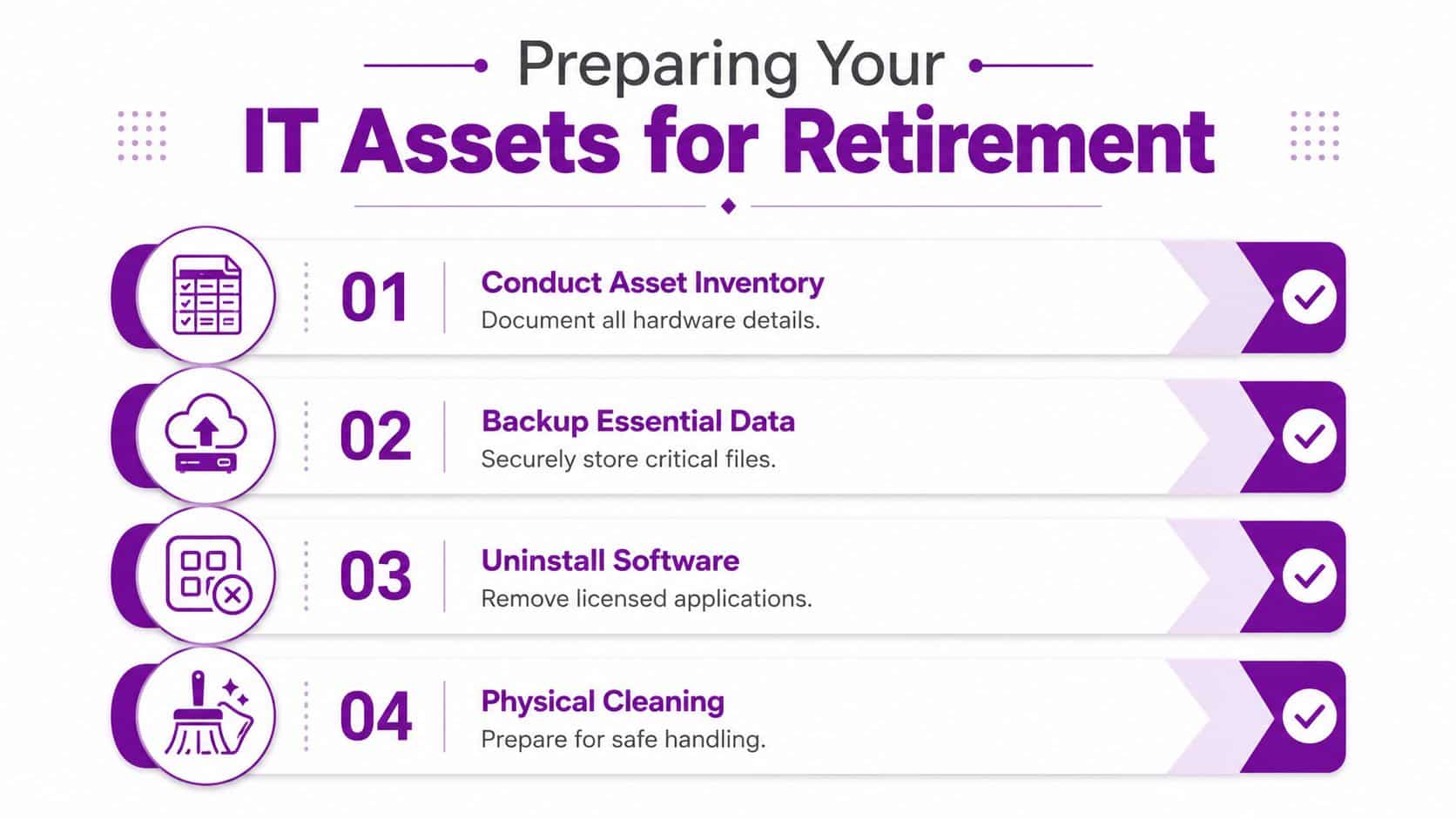
A disciplined inventory process is part of sound IT asset management practice. Without it, you can't prove chain of custody, validate that every drive was handled, or show what happened to a specific machine if a question is raised later.
Build the retirement record before the machine moves
Capture the core details while the device is still in its normal environment. That's when records are easiest to confirm.
- Asset identity: Record serial number, model, and internal asset tag so the device can be tracked from desk to final outcome.
- User and department: Note who used it last. That helps identify likely data exposure and any business applications tied to the device.
- Condition: Mark whether it's working, faulty, damaged, or incomplete. This affects whether reuse or resale is realistic.
- Storage media: Identify whether it contains a removable hard drive, soldered SSD, or multiple storage devices.
Disconnect it from your business properly
An old computer can keep creating risk even after it's powered down for the last time. I've seen organisations remove devices physically but leave them logically attached to the estate. That creates confusion around licensing, management, and identity.
Use a checklist that includes the following:
-
Back up what the business still needs
Confirm files, browser exports, local PSTs, desktop data, and application-specific data have been captured where appropriate. -
Remove device management links
Retire or delete the device from tools such as Microsoft Intune and any remote monitoring or endpoint management platform you use. -
Unassign software where licences matter
Pull back licensed applications, endpoint security tools, and user-specific software assignments that should not remain associated. -
Check account ties
Remove local admin exceptions, saved business accounts, VPN profiles, and any machine-based trust relationship still active.
A device isn't ready for disposal just because the user has received a replacement.
Prepare the hardware for handling
This part is less glamorous, but it matters. Label the device clearly as pending disposal. Keep chargers with laptops if you expect resale or donation to be considered. If batteries are swollen or the unit is physically damaged, separate it and flag it before collection.
A clean, documented retirement process prevents the usual scramble later. It also makes the next decision easier, because you know exactly what you have and what condition it's in.
Ensuring Total Data Destruction Before Disposal
If there's one stage where businesses should refuse shortcuts, it's data destruction. Deleting files, formatting a drive, or using the standard reset option in Windows does not create the level of assurance most businesses need. For regulated organisations, charities, schools, professional services firms, and any business holding staff or customer information, “we reset it” isn't a defensible answer.
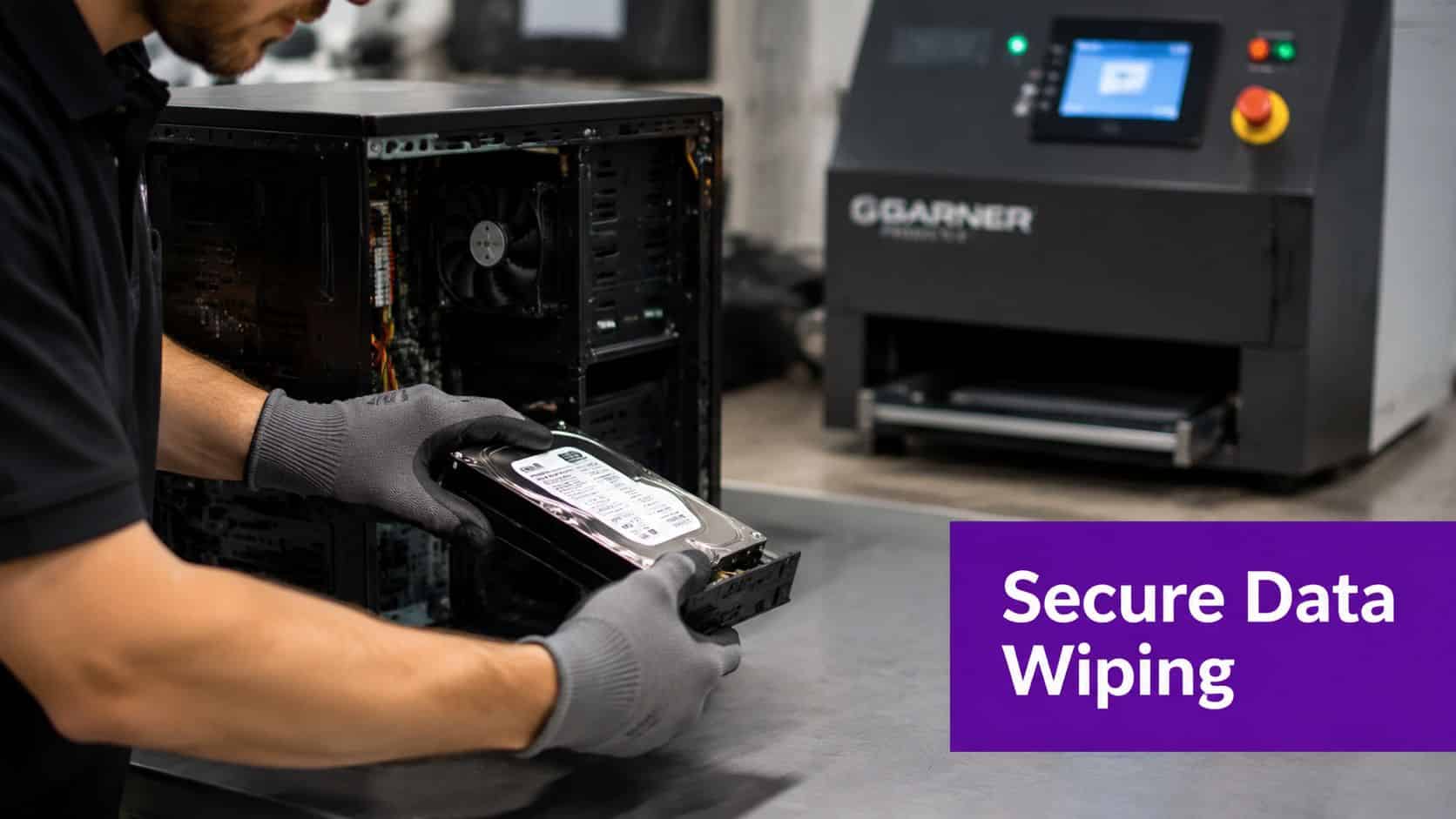
The East Midlands has a very practical warning sign here. According to this disposal checklist focused on UK refurbishment and compliance, 65% of donated computers in the East Midlands are rejected by charities because hard drive wiping does not meet post-2025 GDPR expectations. The same source notes that many guides fail to explain recognised erasure standards such as DOD 5220.22-M and NIST 800-88.
Software erasure versus physical destruction
Both routes can be correct. The right choice depends on the asset, the data sensitivity, and whether you want the device to remain usable afterwards.
| Method | Best fit | Advantage | Limitation |
|---|---|---|---|
| Software erasure | Working devices intended for reuse, resale, or donation | Preserves asset value | Needs verification and proper reporting |
| Physical destruction | Failed drives or high-risk data scenarios | Removes reuse risk from the drive itself | Ends any reuse or resale of that storage device |
Software erasure is usually the better business option when the machine is still functional and remarketing value matters. But it only works if the process is controlled, logged, and carried out to a recognised standard. Physical destruction makes more sense when the drive has failed, can't be wiped reliably, or the business has a policy that certain data classes never leave in reusable form.
What those standards mean in practice
You don't need to memorise technical guidance documents. You do need to know what to ask for.
- DOD 5220.22-M: Often referenced as a structured overwrite approach. In practice, businesses use it as shorthand for formal, repeatable erasure rather than casual deletion.
- NIST 800-88: Widely treated as the stronger practical benchmark for media sanitisation decisions. It gives a more modern framework for when to clear, purge, or destroy media.
What matters commercially is this. Your recycler or IT disposal partner should be able to tell you which standard they use, why it suits the device type, and what proof you'll receive at the end.
For broader governance around handling regulated information, it's worth reviewing a formal GDPR compliance checklist for business systems and processes.
If a supplier says “we wipe everything” but can't describe the method or produce device-level evidence, assume the process is weak.
Donation is not a soft option
Many owners think donation is the safest or simplest route because the intent is positive. In reality, donation can carry the same liability as resale if the data process is poor. A well-meaning handover to a local group or charity does not transfer responsibility for your original handling of the data.
That's why I advise clients to decide on data destruction first and destination second.
A useful parallel comes from outside business IT. The guidance on data security for estate sale sellers shows how often people underestimate residual data on devices before they leave their possession. The context is different, but the lesson is the same. Ownership changes quickly. Liability doesn't disappear as quickly as people assume.
Before approving release of any old computer, confirm:
- The chosen sanitisation method: It must be appropriate for the media type and the intended next use.
- The proof format: Ask whether reports are produced per device, per batch, or both.
- The exception process: Faulty drives, BitLocker issues, or damaged units need a defined alternative path.
- The final disposition: Ensure the route after wiping matches the original decision, whether that's donation, resale, reuse, or recycling.
A short visual explanation can help non-technical managers understand what good looks like before sign-off:
Evaluating Your End-of-Life Options Reuse Resale or Recycle
Once data is dealt with properly, the next question is commercial. What should you do with the hardware? The answer depends on age, condition, supportability, and internal need. Not every old computer should be recycled immediately. Some should stay in service in a lower-demand role. Some should be sold. Some can be donated. Others are at the end.
The UK has a habit of sitting on usable technology. Material Focus reports that 39 million unused tech items are hoarded in UK homes, with an estimated market value of £1.5 billion, including £1.5 billion worth of working laptops that could be resold rather than recycled, as set out in its report on hoarded technology in UK homes. Businesses do a version of the same thing. They leave serviceable kit in cupboards because making a decision feels harder than delaying it.

Compare the options like a business decision
| Route | When it makes sense | Main benefit | Main caution |
|---|---|---|---|
| Internal reuse | The device is still reliable for lighter work | Extends value already paid for | Older hardware can create support drag |
| Resale | The machine still has market demand | Recovers some value | Needs verified wiping and clear ownership transfer |
| Donation | The device is usable and you want social value from it | Supports community benefit | Donation still needs business-grade data handling |
| Certified recycling | The device is beyond sensible use | Clean, compliant end-of-life route | No value recovery from the complete asset |
What works and what usually doesn't
Internal reuse works well for spare pools, kiosk roles, training rooms, or temporary project users, but only if the machine is still supportable and doesn't become a false economy.
Resale is often the best route for newer business laptops. If you need ideas on routes and marketplaces, this overview of where to sell used electronics gives a useful starting point. For business use, though, the selling channel is only one part of the decision. The data destruction record matters more than the marketplace.
Donation is worthwhile when the equipment is presentable, functional, and properly sanitised. Businesses get reputational benefit from doing it well, but they create risk if they treat donation as a way to avoid proper process.
Good disposal decisions come from matching the asset's condition to the right route, not from forcing every device into the same outcome.
Finding and Vetting a Certified E-Waste Partner
Legal reality often catches up with good intentions. Many UK SMEs still treat office equipment like household electrical waste. That's a mistake.
According to this UK guide on recycling IT equipment and business obligations, small businesses must use an upper-tier licensed waste carrier under the WEEE Regulations 2013, and 90% of UK SMEs mistakenly treat business e-waste as household waste. If you only remember one compliance point from this article, remember that one.

Household routes and business routes are not the same
A householder can often use council facilities or retailer take-back options. A business can't assume those channels are appropriate for company devices. The legal duty sits with the business, and the burden of checking the route is part of that duty.
If you need a business-focused overview of secure collection and compliant disposal, this guide to national IT disposal services for organisations is a useful reference point.
What to ask before you book a collection
Don't start with price. Start with process.
Ask the recycler or ITAD partner these questions:
-
Are you an upper-tier licensed waste carrier?
If they hesitate, move on. -
How do you maintain chain of custody?
You want to hear about asset logging, sealed transport where appropriate, and traceable handover points. -
Do you provide device-level reporting?
Batch summaries are useful. Device-level reporting is what protects you when a specific asset is questioned. -
What is your data destruction method for working and failed drives?
They should explain both the normal route and the exception route. -
What final documents will I receive?
At minimum, ask about collection records, destruction evidence, and recycling confirmation.
Documentation is not optional
A credible partner should leave you with records that make sense to both technical and non-technical people. If all you get is an invoice and a generic waste note, you don't have much protection.
Look for these outputs:
-
Collection documentation
This confirms when assets left your site and who took custody of them. -
Chain-of-custody reporting
This links the assets collected to the assets processed. -
Certificate of data destruction or equivalent evidence
This should state what happened to the data-bearing media. -
Recycling or final disposition record
This confirms whether devices were recycled, destroyed, or handled through another approved path.
A good disposal partner doesn't ask you to trust them. They give you paperwork that stands up later.
Warning signs that should stop the job
Some red flags are easy to miss when you're trying to clear space quickly.
- Cash collection with no audit trail: Convenient in the moment, painful later.
- Vague promises about wiping: If the answer sounds generic, the process probably is.
- No distinction between business and domestic waste: That signals weak compliance understanding.
- Reluctance to list downstream handling: If they can't explain where assets go next, you're exposed.
The right partner should make the process boring in the best possible way. Booked, collected, tracked, wiped or destroyed correctly, documented, closed.
When to Engage Managed IT Support for Secure Disposal
Some businesses can handle disposal internally if they have strong IT governance, clear ownership, and time to manage the process properly. Many SMEs don't. The issue isn't capability alone. It's bandwidth. Disposal gets pushed to whoever is free, and that's when important steps get skipped.
In the UK, it is illegal to dispose of laptops or computers in household rubbish bins because they are classed as hazardous waste under WEEE rules due to materials including lead, mercury, and cadmium, as explained in this guide to recycling laptops in the UK. Once you add data destruction, documentation, transport, and supplier checks, this stops being a simple admin task.
Managed support is useful when internal process is thin
There are clear points where outside support makes sense:
- Office refresh projects: Large numbers of devices increase the chance of inventory errors and weak handover.
- Business moves or closures: Hardware leaves buildings quickly, and chain of custody can break down.
- Regulated data exposure: If devices handled HR, finance, safeguarding, or customer information, disposal needs closer control.
- Mixed estates: Older desktops, laptops, servers, failed drives, and mobile kit rarely fit one simple path.
What a managed approach solves
A competent IT partner should coordinate the whole disposal workflow. That means validating the inventory, separating reusable kit from end-of-life hardware, checking management-system links, confirming the data sanitisation route, and making sure final records are filed where the business can retrieve them later.
That reduces pressure on internal managers who already have enough to handle. It also prevents the common East Midlands SME pattern of stockpiling old hardware because nobody wants to be the person who signs it out without confidence.
If your business wants disposal handled properly from first audit to final certificate, F1Group can help you plan and manage a secure, compliant route for old computers and wider IT assets across the East Midlands. Phone 0845 855 0000 today or Send us a message.