
A laptop failure never waits for a convenient moment. It turns up when a sales lead is due, payroll is being checked, a director is travelling between Leicester and Nottingham, or a member of staff is trying to finish work from home before the school run. In that moment, laptop support stops being an IT phrase and becomes a business continuity issue.
For East Midlands SMBs, the question is whether your team can keep working when a device is lost, slow, unpatched, or waiting for parts. The organisations that deal with this well treat laptops as part of a managed service, not a box to be replaced when it breaks. That approach matters because it supports planning, consistent standards, and fewer surprises when users are under pressure.

A good support partner also looks beyond the obvious break-fix call. Security, access control, device tracking, and safe retirement all matter just as much as the repair itself. If you are also reviewing the wider risk around a device, safeguarding businesses from online threats belongs in the same operational picture, not as a separate conversation.
What Professional Laptop Support Really Means for Your Business
A laptop going wrong on a Monday morning usually means more than a hardware fault. It can stop a finance manager from opening records, block a project lead from joining a client call, or leave an operations co-ordinator stuck because key data sits on a device that will not start. In a UK SMB, especially across the East Midlands where teams often work across office, home, and client sites, professional laptop support has to protect day-to-day operations, not just fix kit.
Practical rule: if a laptop problem can stop revenue, service delivery, or compliance work, the support model needs to be proactive, not reactive.
That starts before anything breaks. A proper service covers device standards, provisioning, security, updates, user access, and replacement planning so staff are not left waiting while work piles up. For SMEs without a large internal IT team, that approach usually costs less than carrying the disruption from a long outage, a rushed purchase, or a poorly set-up replacement.
The planning side matters too. UK businesses can work with established managed service providers rather than treating laptop support as an ad hoc repair call, as shown in UK managed service provider market research. That gives companies a clearer support structure, named responsibilities, and a better way to plan across the full device lifecycle.
Ownership is the real difference. One person or one provider should remain responsible from procurement through setup, patching, support, and secure retirement. Splitting those tasks across different people creates gaps, slows responses, and makes it easier for problems to pass between teams until users are already affected.
A useful support model also considers device security beyond the laptop itself. Policies for access control, tracking, and disposal should sit alongside maintenance, and safeguarding businesses from online threats belongs in the same operational conversation because compromised accounts and exposed credentials can turn a device issue into a wider business problem. For day-to-day control, laptop support should also tie into device management tools such as what Microsoft Intune does for business laptops, so settings, compliance, and access stay consistent as staff move between locations.
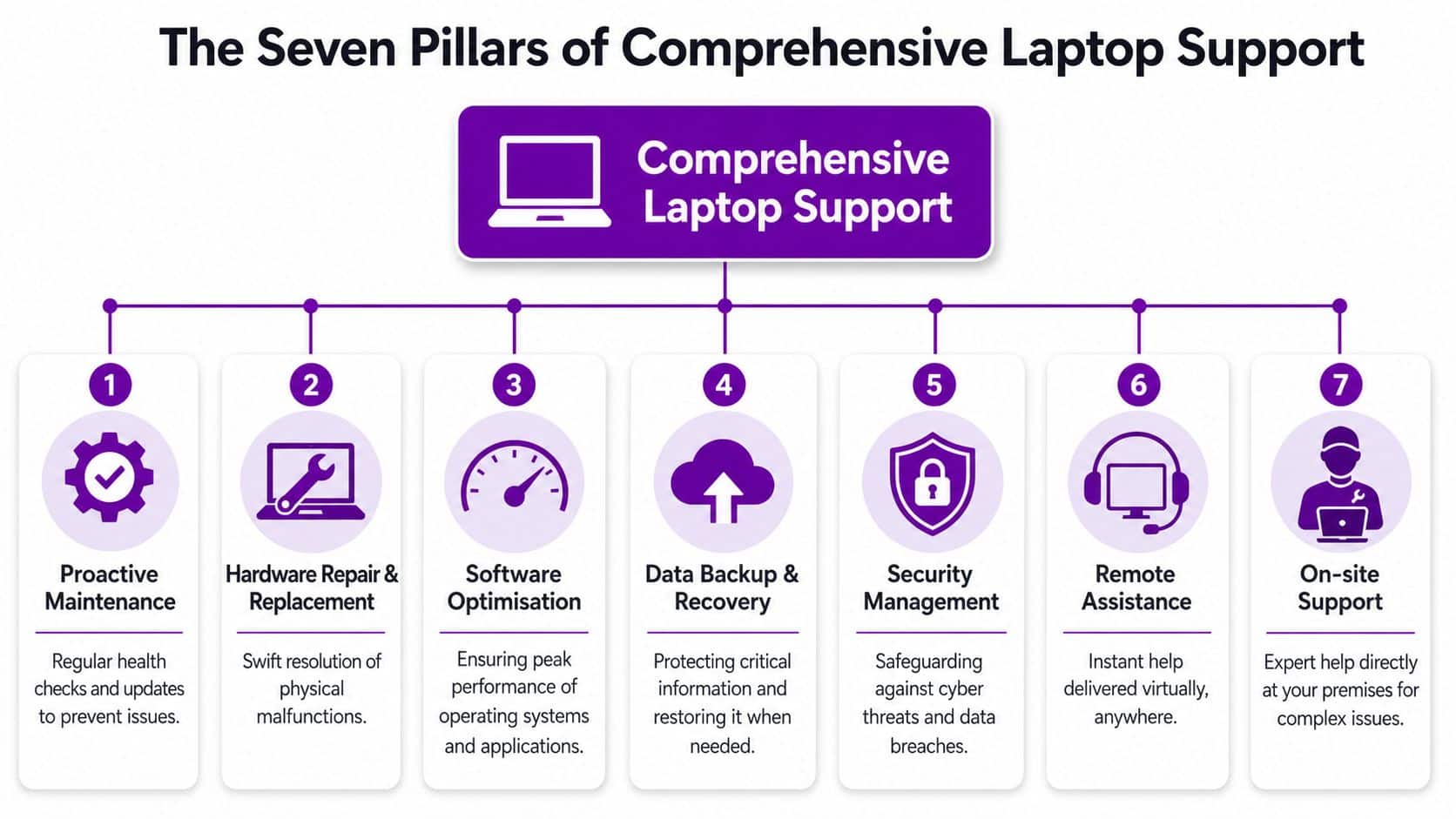
The Seven Pillars of Effective Laptop Support
A proper support package has to do more than answer the phone when a screen goes black. It needs to keep the whole fleet usable, secure, and consistent, whether you are supporting five users in Newark or fifty staff spread across Lincoln, Grimsby, and Leicester.
Provisioning and onboarding
The first win is simple. New starters should receive a laptop that already has the right software, permissions, security settings, and account access in place. That means they can work from day one instead of waiting for passwords, printers, or Teams access to be sorted out after they have arrived.
Patch management and updates
Updates are often treated like a nuisance, but they are one of the main controls that keep laptops stable and secure. In a business setting, missed patches create avoidable risk, especially when devices are shared between office work, remote work, and cloud apps. Good support keeps update routines consistent, checks for failures, and makes sure older devices are still being maintained on a sensible support cycle.
Mobile device management
MDM gives you control without making life awkward for users. If a laptop is lost or stolen, the business can lock it, remove company data, and keep the account boundary intact. A plain-English breakdown of the mechanics is available in Microsoft Intune, which shows how policy, access, and device control are kept in one place.
Backups and data protection
A laptop is only as useful as the data on it. Backups should cover the documents people need, not just an abstract idea of the PC. Good support means knowing what is stored locally, what lives in the cloud, and how recovery works if a device fails halfway through a week.
Cyber security essentials
Laptop support and security cannot be separated. Endpoint protection, encryption, strong sign-in policies, and sensible admin rights all reduce risk. The point is to stop one compromised machine from becoming a wider incident, while still letting staff do their jobs without constant friction.
Remote and on-site helpdesk
Many issues can be handled remotely, especially software glitches, account problems, and application errors. But a failed SSD, broken hinge, or network fault in a busy office often needs someone physically present. A support desk should be able to move between both modes without forcing you to start the diagnosis from scratch, and without leaving users waiting while simple fixes sit unresolved.
Repair coordination and loan devices
When a laptop is out for repair, work still has to continue. That is where loan devices, swap units, and clear repair tracking protect productivity. In education settings, the government has repeatedly had to supply devices at scale, including an additional 600,000 devices in academic year 2021/22 through Get Help With Technology DfE laptops and tablets data, which shows how often continuity depends on a replacement being ready.
For organisations dealing with multiple users and locations, the lesson is simple. Laptop support should reduce friction at every step, from first setup to repair handling and retirement, not just fix faults after the fact.
From Procurement to Secure Disposal A Full Lifecycle Approach
A laptop only looks cheap if you ignore what happens after the purchase order is signed. For UK SMBs in the East Midlands, the better approach starts with procurement, where the device spec is matched to the specific job. A mobile engineer who lives in cloud apps, video calls, and local files needs a different machine from a back-office user who mainly works in Microsoft 365.
That is also why supported life should be part of the buying decision, not a separate conversation later. The DfE device standards point to a sensible baseline of 5 years of manufacturer support and security patches with a 3-year warranty, and that thinking translates well to business buying as well. You avoid the false economy of choosing the lowest upfront price, then paying for it later in downtime, patch gaps, and early replacement.
Deployment is the next pressure point. If devices are prepared properly before handover, staff do not lose their first morning to software installs, account problems, or access requests. Good laptop support covers imaging, policy setup, account joins, and user handover so the device is ready to use on day one, not after a round of avoidable tickets.
After that comes maintenance, monitoring, and refresh planning. Ageing hardware has a habit of staying in service long after it stops paying its way, then it starts causing repeat faults, slow logins, battery complaints, and missed meetings. A managed support model makes it easier to see when a laptop is drifting out of spec, so you can replace it on a planned cycle instead of waiting for a failure.
The final stage is often left until the end, which is where many businesses create avoidable risk. Secure wiping and responsible disposal protect both data and reputation, so they should be built into the support arrangement from the start. If you need a practical next step, the guide on how to recycle an old computer is a useful place to begin.
When laptops are managed as business assets across their full lifecycle, the result is more predictable costs, fewer interruptions, and a cleaner handover between old and new devices.
Choosing Your Support Model Remote vs On-Site
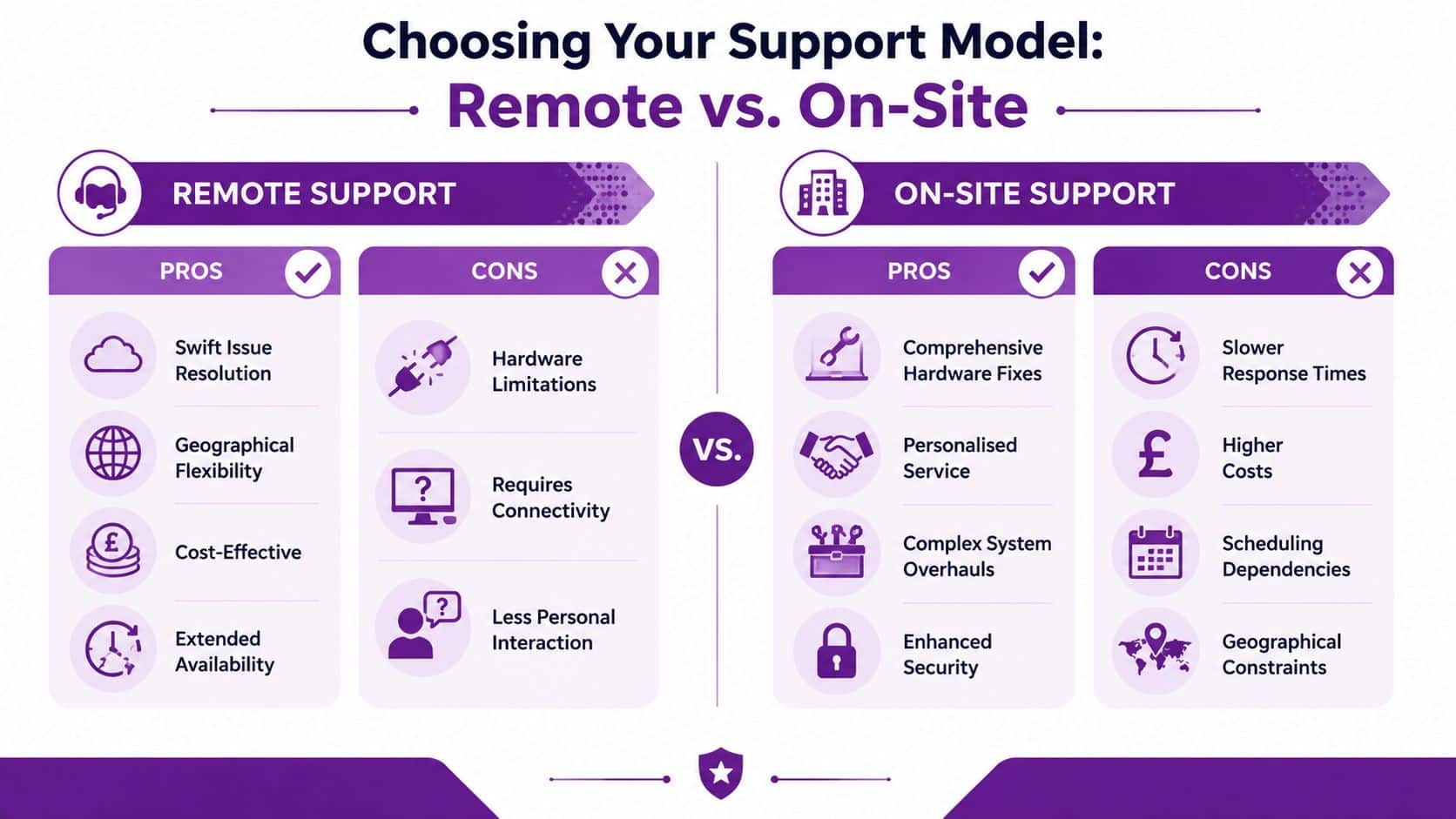
Remote support solves a lot of daily problems quickly. Password resets, software errors, mailbox issues, printer mapping, and account access are all easier when a technician can work straight on the device without waiting for travel time. That's why remote help is usually the fastest and most cost-effective first response for many East Midlands offices.
On-site support earns its place when the issue is physical or local. Broken screens, power faults, docking problems, cable issues, Wi-Fi dead zones, and wider office disruptions need someone who can inspect the setup in person. A field engineer can also spot patterns that a remote session can miss, like a meeting room kit that's been wired poorly or a stock of laptops that all suffer from the same configuration mistake.
The best model is usually hybrid. Remote support clears the simple work fast, and on-site support is reserved for jobs that need a person in the room. That balance keeps costs sensible without leaving users stuck when a device is beyond software troubleshooting.
For East Midlands businesses, locality matters as much as tooling. A partner with engineers who can reach your site in Nottingham, Leicester, Derby, Lincoln, or nearby areas can turn a long outage into a manageable interruption. The point isn't to pick one model and ignore the other, it's to match the right response to the right class of problem.
How Laptop Support Is Priced SLAs and Models Explained
A sensible support contract should be easy to read. The key document is the Service Level Agreement, which tells you how quickly the provider responds, what counts as an incident, and how escalations are handled when a user can't work. Without that, you're buying hope, not service.
For UK SMEs, full-service managed IT support is commonly priced at £45 to £85 per user per month, with patch management, backup management, and Microsoft 365 administration often included managed IT support pricing. Extra layers such as more extensive cybersecurity, compliance support, or extended out-of-hours cover can sit above that baseline, so the contract should show what's included and what isn't.
Different pricing models suit different organisations.
- Per-user pricing works well when people use multiple devices, because the charge follows the employee rather than the hardware.
- Per-device pricing can suit shared equipment, seasonal teams, or places where laptops are handed between workers.
- Ad-hoc break-fix looks cheap until repeated issues, delay, and admin overhead start to stack up.
A low monthly fee is only a good deal if the SLA is actually useful when people need help.
If you want help assessing service terms more critically, the advice on how SMBs negotiate cloud provider SLAs is worth reading alongside any laptop support quote. The same discipline applies here. Read the small print, check the exclusions, and ask what happens when a user is offline at the exact moment work has to continue.
Your Checklist for Selecting a Laptop Support Partner
The right partner should make laptop support quiet in the background. Users get working devices, managers face fewer interruptions, and your internal team stops chasing the same faults every month. That calls for a blunt, practical selection process.
Start with service coverage. Ask whether they handle provisioning, updates, security, remote help, on-site work, and disposal as one joined-up service. If those tasks sit with different suppliers, you end up coordinating the gaps yourself, and that usually means delays when laptops need to move from one stage of their life to the next.
Then ask about response times and escalation. A provider should explain how quickly it responds, when it resolves issues, and what happens if a fault affects several users at once. A real SLA matters more than a polished brochure, because the SLA shows how the partner behaves under pressure. In practice, that is what keeps an East Midlands business moving when staff cannot wait for a vague callback.
Technical depth is the next filter. Ask what Microsoft and device management experience they have, and whether they have supported the kind of laptop estate you run. If you use Microsoft 365, Azure, or endpoint management tools, you need a partner that understands the wider environment, not just the laptop itself. That matters when support has to touch identity, policies, security settings, and application access in the same ticket. A provider that can also explain its wider IT infrastructure support approach is usually better placed to join those pieces up.
Security questions matter just as much. Ask how data is protected on a lost device, how devices are wiped, and who can access them during repair or refresh cycles. You also want to know how they handle the full asset lifecycle, from first issue to secure retirement, so old data does not linger on hardware that is no longer in use.
You should also ask for evidence. Case studies, references, and examples of support in environments similar to yours tell you far more than a polished sales call. The UK IT services market is forecast to grow to USD 110.5 billion by 2034, with a 10.63% CAGR from 2026 UK IT services market forecast, so the market will keep filling with providers who sound capable. That makes proof of operational discipline more important, not less.
Then make the call based on what your business needs, not on whichever quote arrives fastest. Read the small print, check the exclusions, and ask what happens when a user is offline at the exact moment work has to continue. If you want a partner who can manage laptops through provisioning, support, refresh, and disposal without leaving your team to stitch the process together, that is the standard to hold them to.